
HP OmniBook 3 17 inch FHD Laptop
5.0Editor score
AMD Ryzen 5 Processor
Wi-Fi 7 Connectivity
12 Hours Battery Life
Finding the right laptop with WiFi 7 is essential for modern users seeking lightning fast connectivity and future proof performance. Whether you need a device for work school or creative projects understanding what makes a good one helps narrow down the choices effectively. Look for strong processors ample RAM and solid build quality to ensure your investment lasts for years to come.
We compared ten top models based on performance display quality connectivity features and overall value to bring you this curated list. Each product was evaluated on its ability to handle demanding tasks while maintaining stable high speed wireless connections essential for today digital workflows. Our analysis covers everything from processor power to battery life and port selection for a comprehensive overview.
Each pick shows key strengths unique features and ideal use cases to help you decide which laptop fits your specific needs best. Keep in mind that prices change frequently so check current listings before making a final purchase decision for the best deal possible today. We hope this guide simplifies your search for the perfect next gen computing companion.
5.0Editor score

5.0Editor score

4.5Editor score
As an Amazon Associate we earn from qualifying purchases.
This side by side comparison highlights the key specifications and features of all ten models to help you find the perfect match for your needs.




The HP OmniBook 7 stands out as the top choice for those seeking a powerful laptop with WiFi 7 capabilities. Its excellent rating reflects a strong blend of performance and modern connectivity features ideal for demanding workloads. The large touchscreen and high resolution display make it perfect for multitasking and content creation tasks.
We may earn a commission when you buy through this link, at no additional cost to you.
Powered by the Intel Core Ultra 7 258V processor and featuring an NPU delivering up to 47 TOPS this laptop unlocks the full potential of Windows Copilot+. It includes 32GB onboard RAM for smooth stable multitasking across demanding applications paired with a 1TB PCIe M.2 SSD for lightning fast boot times. The 17.3-inch FHD IPS display with 400 nits brightness ensures crisp vivid visuals even in bright environments.
While the price is higher than budget options the robust specs justify the investment for professionals. The main trade-off is the weight and bulk compared to ultrabooks but the port selection including Thunderbolt 4 mitigates connectivity concerns. You gain significant productivity boosts from the AI features and large screen real estate which are hard to find elsewhere.
This model is perfect for power users professionals and content creators who need reliable high performance and fast wireless speeds. If you want the best overall experience with future proof WiFi 7 connectivity and ample memory this HP OmniBook 7 is the recommended choice for your next upgrade.
The NPU delivers up to 47 TOPS enabling smarter workflows and real-time AI assistance for content creation.
With 400 nits brightness and 17.3 inch size this display offers ample workspace and clear visuals.
We may earn a commission when you buy through this link, at no additional cost to you.
For budget conscious buyers the HP OmniBook 3 offers a rare chance to own a laptop with WiFi 7 without breaking the bank. It holds a perfect rating due to its strong value proposition and reliable performance for everyday tasks. The large screen and solid connectivity make it a great starter device for students and casual users.
We may earn a commission when you buy through this link, at no additional cost to you.
This laptop features the AMD Ryzen 5 4000 series processor with 4 cores and 4.3GHz boost clock to handle multitasking across office applications efficiently. It comes with 8GB RAM and a 512GB SSD along with next-gen WiFi 7 connectivity offering up to 3x faster speeds than previous standards. The 17.3-inch Full HD IPS display provides expansive viewing with 300 nits brightness for comfortable daily use.
The main limitation is the 8GB RAM which may slow down heavy multitasking but it is acceptable for general use. While the processor is not the latest gen it remains efficient for web browsing document work and streaming. The inclusion of WiFi 7 at this price point is a significant advantage for future proofing your connection speed.
Students and home users looking for an affordable entry into next-gen connectivity will find this model ideal. If you need a large screen and fast WiFi on a tight budget this HP OmniBook 3 delivers excellent value and reliability for everyday needs.
Enjoy up to 3x faster speeds than previous WiFi standards at an accessible budget-friendly price point.
The 17.3-inch Full HD IPS screen offers 1920 x 1080 resolution for expansive viewing and productivity.
We may earn a commission when you buy through this link, at no additional cost to you.
The Dell 16 Plus represents the pinnacle of business laptops with WiFi 7 delivering premium performance and durability. It earns a high rating for its robust specs and professional features tailored for demanding corporate environments. The combination of power and connectivity ensures seamless performance for complex workflows and virtual meetings.
We may earn a commission when you buy through this link, at no additional cost to you.
Equipped with an Intel Core Ultra 9 288V vPro processor this laptop supports up to 48 TOPS NPU for running AI features like Microsoft Studio Effects during video calls. It includes 32GB LPDDR5X Memory and a 1TB PCIe NVMe SSD for fast responsiveness and ample storage. The 16.0-inch FHD+ Touch Display with narrow bezels provides a roomier detailed screen ideal for productivity.
While the high cost and weight may deter casual users the professional benefits are substantial. The vPro platform adds multilayer security and remote manageability which is critical for enterprise use. The WiFi 7 Gig+ connectivity ensures you stay connected at top speeds regardless of network congestion in busy offices.
Professionals and business leaders who require top-tier performance security and reliability will appreciate this model. If you need a premium laptop with WiFi 7 that handles intense multitasking and advanced AI tasks this Dell 16 Plus is the ultimate choice.
Intel vPro Platform provides multilayer security remote manageability and reliable stability for business support.
The Intel Arc 140V GPU and powerful NPU make digital content creation and video editing seamless.
We may earn a commission when you buy through this link, at no additional cost to you.
The HP OmniBook 3 with Intel Core Ultra 7 delivers a solid balance of speed and storage for modern computing needs. It holds a high rating for its ability to handle demanding business tasks with smooth multitasking capabilities. The inclusion of WiFi 7 ensures you stay ahead of the curve in wireless connectivity standards for fast access.
We may earn a commission when you buy through this link, at no additional cost to you.
This laptop features the Intel Core Ultra 7 255U AI Processor for smooth multitasking fast responsiveness and efficient performance. It comes with 16GB DDR5 RAM and a 1TB PCIe SSD providing quick responsiveness and ample space for documents and applications. The 17.3-inch Full HD IPS display offers vibrant colors and comfortable viewing for spreadsheets and presentations.
While it has a plastic build the performance and storage specs are strong for this price range. The lack of consistent user feedback suggests variability in quality control but the core components are reliable. WiFi 7 is a standout feature that provides future proofing for those planning to use high speed networks regularly.
Business users and professionals needing a large screen and fast connectivity without premium pricing will find this useful. If you want the power of Intel Core Ultra 7 with 1TB storage and WiFi 7 at a mid-range price this model is a strong contender.
The Intel Core Ultra 7 processor delivers efficient performance for demanding business tasks and productivity apps.
A 1TB PCIe SSD provides quick file access and ample space for professional workflows and media.
We may earn a commission when you buy through this link, at no additional cost to you.
The Acer Aspire 14 is a powerful portable device that brings new AI experiences to productivity and creativity. It holds a strong rating for its impressive battery life and responsive performance suitable for all-day use on the go. The lightweight design makes it easy to carry while the AI features add significant value for modern tasks.
We may earn a commission when you buy through this link, at no additional cost to you.
Equipped with an Intel Core Ultra 7 processor (Series 2) this laptop delivers the speed and responsiveness to handle any task with ease. It includes 16GB LPDDR5X memory and a 1TB SSD for smooth multitasking and ample storage for documents and photos. The 14-inch WUXGA display offers vibrant detail and an ultra high resolution experience for entertainment and creation.
While it uses Wi-Fi 6E instead of 7 the portability and AI focus make it compelling. The battery life of up to 22 hours is a major advantage for travelers and students. The NPU performance allows for Recall and Click to Do features that enhance search and interaction without cloud dependency.
Students and remote workers needing a portable laptop with strong AI capabilities and long battery life will love this. If you prioritize portability and AI features over the absolute latest wireless standard this Acer Aspire 14 is an excellent choice for daily tasks.
Enjoy up to 22 hours of battery life for smooth multitasking and productivity without constant charging.
Discover the power of Recall and Click to Do to effortlessly locate past content and perform natural searches.
We may earn a commission when you buy through this link, at no additional cost to you.
The Apple 2026 MacBook Air offers blazing speed and powerful AI capabilities in a thin and light design. It earns a high rating for its incredible battery life and powerful platform for AI tasks. The Liquid Retina display and Wi-Fi 7 support ensure a premium user experience with top notch connectivity for media and work.
We may earn a commission when you buy through this link, at no additional cost to you.
With its faster CPU and unified memory the M5 chip delivers more performance and fluidity across apps for smooth multitasking. It comes with 16GB Unified Memory and 512GB SSD with a powerful Neural Engine and next-generation GPU with Neural Accelerators. The 13.6-inch Liquid Retina display supports 1 billion colors making photos and videos pop with rich contrast.
The main trade-off is the limited ports which may require dongles for external peripherals. However the 12MP Center Stage camera and MagSafe charging add convenience for video calls and power. Apple Intelligence helps you write and get things done effortlessly while maintaining groundbreaking privacy protections for your data.
Apple users and creatives who value portability battery life and AI integration will find this device perfect. If you want a premium macOS laptop with WiFi 7 and exceptional build quality this MacBook Air is a top recommendation for daily work.
Enjoy up to 18 hours of battery life to power through a full day of classes without plugging in.
The M5 chip delivers even more performance and fluidity across apps with a powerful Neural Engine.
We may earn a commission when you buy through this link, at no additional cost to you.
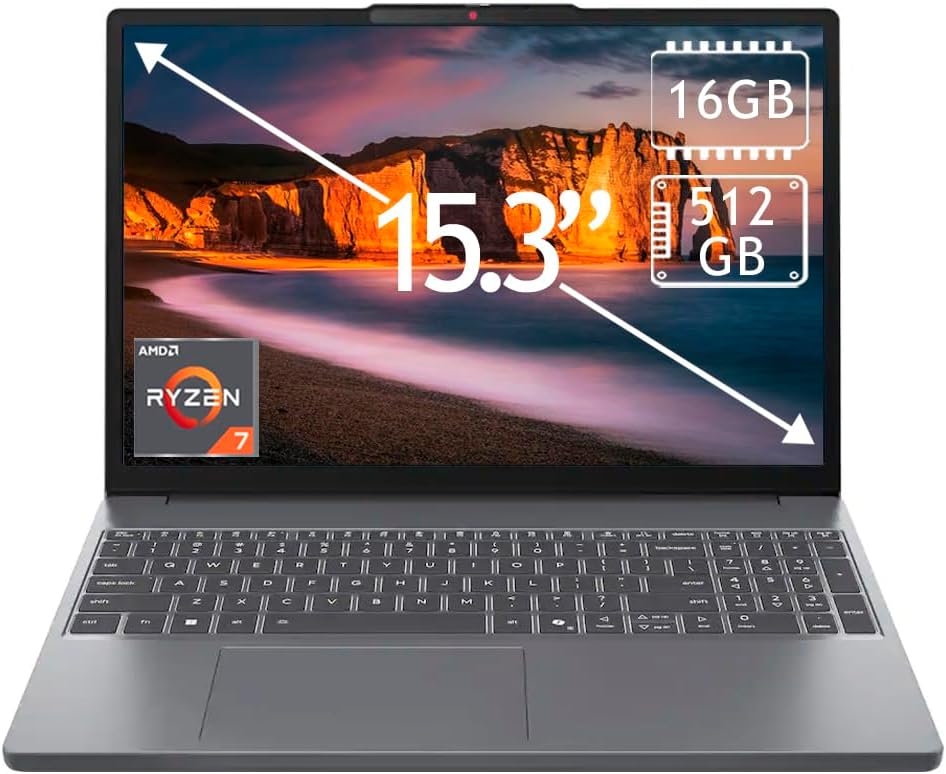
The Lenovo IdeaPad Slim 3 offers sharp visuals and smooth touch interaction for work and entertainment with a unique screen. It holds a perfect rating for its responsive performance and vibrant color reproduction that stands out in this category. The 2K touchscreen provides a clear and engaging view for daily tasks and media consumption alike.
We may earn a commission when you buy through this link, at no additional cost to you.
Powered by the AMD Ryzen 7 170 processor this laptop delivers fast responsive performance in multitasking and productivity. It includes 16GB DDR5 RAM and 512GB PCIe SSD for smooth multitasking performance with fast responsiveness and quick boot-up times. The 15.3-inch 2K Touchscreen Display delivers vibrant colors and smooth touch interaction for a modern interface.
While it does not have WiFi 7 the 2K display quality is a strong selling point. The battery life is decent but not exceptional compared to newer AI PCs. The Ryzen 7 processor handles daily tasks efficiently making it suitable for students and home users needing a responsive touch device.
Users who prioritize display quality and touch functionality over wireless speed will find this model appealing. If you want a sleek laptop with a 2K touchscreen and solid performance this Lenovo IdeaPad is a reliable choice for home or work.
The 15.3-inch 2K Touchscreen displays vibrant colors and provides smooth touch interaction for entertainment.
The AMD Ryzen 7 170 processor delivers fast responsive performance in multitasking and productivity tasks.
We may earn a commission when you buy through this link, at no additional cost to you.
This HP 15.6-inch Touchscreen Laptop offers massive storage and memory for heavy multitasking and project storage. It has a solid rating for its ability to handle demanding tasks without slowdowns on day to day work. The generous specs make it a great workstation alternative for students and professionals needing space and power.
We may earn a commission when you buy through this link, at no additional cost to you.
With 32GB RAM and a high-speed 1TB SSD you can keep multiple applications open and switch between projects quickly. It is powered by the AMD Ryzen 7 7730U processor with 8 cores and 16 threads to handle multitasking with ease. The Full HD touchscreen delivers clear visuals and responsive touch control whether you are reviewing presentations or streaming content.
While it lacks WiFi 7 the RAM and storage are significant upgrades over typical consumer models. The weight and lack of latest WiFi may be limiting for travelers but perfect for stationary use. Windows 11 Pro is pre-installed which adds security features useful for business and professional workflows.
Power users who need extensive storage and memory for local files and applications will appreciate this build. If you want a Windows 11 Pro laptop with 32GB RAM and 1TB SSD for a reasonable price this HP model is ideal for home office use.
32GB RAM allows you to keep multiple applications open and switch between projects quickly without slowdowns.
A high-speed 1TB SSD stores important documents photos and files without sacrificing responsiveness.
We may earn a commission when you buy through this link, at no additional cost to you.
The Acer Aspire Go 15 is a lightweight everyday laptop that combines portability with dependable performance for home use. It holds a good rating for its responsive multitasking and efficiency in daily computing tasks. The slim design makes it easy to carry while the Ryzen 7 processor handles work and streaming effectively.
We may earn a commission when you buy through this link, at no additional cost to you.
Powered by the AMD Ryzen 7 7730U processor with 8 cores and 16 threads this laptop delivers responsive multitasking for work and productivity. It comes with 16GB LPDDR4X memory and a 512GB PCIe NVMe SSD for quick boot times and smooth application loading. The 15.6-inch Full HD IPS display offers vibrant colors and comfortable viewing for school and entertainment.
While it uses Wi-Fi 6 the portability and performance are balanced well for general users. The pure silver chassis adds style but the build is basic which affects durability. Windows 11 offers modern security and productivity features that enhance the overall experience for home or office use.
Students and casual users needing a portable and efficient laptop for daily tasks will find this useful. If you want a lightweight device with decent performance and a modern design this Acer Aspire Go is a solid choice for everyday use.
The slim Pure Silver chassis combines portability with dependable performance for easy transport.
16GB LPDDR4X memory and 512GB SSD ensure quick boot times and smooth application loading.
We may earn a commission when you buy through this link, at no additional cost to you.
This Acer Aspire Go 15 AI Ready Laptop offers generative AI assistance and responsive performance for everyday productivity. It holds a solid rating for its smooth responsiveness and support of Copilot as an everyday AI companion. The narrow bezel design enhances visuals while the AI features streamline work across multiple applications.
We may earn a commission when you buy through this link, at no additional cost to you.
Powered by an AMD Ryzen 7 7730U processor and 16GB memory this laptop ensures smooth and responsive performance for daily tasks. It includes a 512GB PCIe Gen4 SSD for fast boot times and ample storage for files and media. The 15.6-inch 1080p Full HD IPS display with narrow bezels is perfect for casual browsing and watching movies.
While it uses Wi-Fi 6 and DDR4 RAM the Copilot key adds convenience for AI tasks. The AcerBlueLightShield feature helps reduce eye strain during long viewing sessions. This makes it a good option for students and home users needing a modern AI-integrated device on a budget.
Users who want easy access to Copilot for work and study will appreciate the integrated features. If you need a reliable laptop with AI tools and decent performance this Acer Aspire Go is a great fit for daily productivity needs.
Copilot is accessible with a single touch of the Copilot Key for centralized generative AI assistance.
AcerBlueLightShield lowers blue light levels to lessen negative effects of exposure during use.
We may earn a commission when you buy through this link, at no additional cost to you.
Choosing the right laptop requires understanding key factors that impact performance and usability. Here are the most important aspects to consider.
The processor drives speed and efficiency so look for modern cores like Intel Core Ultra or AMD Ryzen 7. These chips ensure smooth multitasking and future-proofing for demanding apps. AI capabilities are now built into many new processors for faster workflows. Select a CPU that matches your workloads whether basic browsing or heavy editing.
Prioritize multi-core CPUs for better performance in complex tasks.
RAM determines how many apps you can run at once so 16GB is ideal for most users. 32GB is better for heavy multitasking or editing work. Storage should be an SSD with at least 512GB for speed and space. DDR5 memory offers faster data access for smoother system responses.
Aim for at least 16GB RAM and a 512GB SSD for best experience.
Resolution and size matter for eye comfort and productivity. Look for Full HD or better with 300+ nits for outdoor use. Touchscreens add versatility for media and notes. Consider color accuracy for creative work and panel type for viewing angles.
Choose a display with 1080p+ resolution and high brightness for clarity.
WiFi 7 is the latest standard offering faster speeds and lower latency. Ensure the laptop has USB ports and HDMI for external peripherals. Thunderbolt support is valuable for fast data transfer and docks. Check for webcam and mic quality if you take many video calls.
Verify the laptop includes modern ports and latest WiFi standards.
Long battery life ensures you stay productive while traveling or between charges. Look for claims of 8+ hours real-world usage. Power efficient CPUs and larger batteries help extend runtime. Carry the charger for heavy workloads to avoid interruptions.
Prioritize models promising at least 8 hours of battery usage.
Windows 11 Home is standard for most users with Copilot integration. macOS is ideal if you are in the Apple ecosystem. Ensure the OS supports your preferred apps and tools. Updates and security features should be current and reliable.
Select an OS that matches your workflow and app needs.
Build materials affect durability and portability. Aluminum chassis offer strength and style. Weight matters for daily transport so aim under 4 lbs if needed. Keyboard quality and trackpad responsiveness are crucial for comfort.
Choose a chassis that balances durability and weight for your needs.
Biometric login like fingerprint or face unlock adds security. Privacy shutters protect your camera when not in use. TPM chips help secure enterprise and personal data. Look for tools that manage and protect your privacy settings.
Look for biometrics and privacy tools to keep data safe.
Start by connecting to a WiFi 7 router to maximize speed. Update drivers for best wireless performance. Adjust power settings to balance battery life and speed. Use built-in AI tools to streamline daily tasks.
Keep your system updated and avoid overheating by using a cooling pad. Clean the screen with a microfiber cloth and store in a protective case. Avoid exposure to extreme temperatures and liquids to prolong hardware life.
Organize files regularly and back up important data to the cloud. Use sleep mode to preserve battery during breaks. Manage startup apps to keep performance smooth. Check security settings often to maintain safe browsing habits.
WiFi 7 is the latest wireless standard providing faster speeds lower latency and better efficiency than WiFi 6. It allows devices to connect at up to 40Gbps in ideal conditions and reduces lag during multitasking. Many new laptops now include this to ensure future-proof connectivity.
Yes to fully benefit you need a WiFi 7 compatible router. If your current router is older you will connect at standard speeds. Upgrading your router unlocks the full potential of these laptops and ensures low-latency performance.
Modern processors like Intel Core Ultra and AMD Ryzen 7 work well. They include NPU and GPU power to support AI tasks and high-speed data transfer. Choose a processor with at least 8 cores for smooth multitasking.
16GB is the sweet spot for most users to handle apps smoothly. Power users may want 32GB for heavy workloads. Avoid 8GB if you plan on long-term use since apps demand more memory over time.
Yes they offer the speed and battery life needed for online classes. They handle multiple tabs and apps without lag. Look for lightweight models with long battery life for campus use.
Most laptops in this list offer 10 to 18 hours of use. It varies by screen brightness and workload. Always check reviews for real-world estimates.
Many models use soldered RAM which cannot be upgraded later. Choose a model with enough memory at purchase to avoid this issue. Always verify specs before buying.
Yes the MacBook Air 2026 with M5 chip supports WiFi 7. It offers seamless integration with Apple devices and strong AI features. macOS provides a stable secure environment for users in that ecosystem.
We highlighted ten top models ranging from budget picks to premium powerhouses. The HP OmniBook 7 leads the list for its balance of RAM and WiFi 7 performance. Dell and Apple offer strong choices for business and macOS users respectively.
Prioritize your needs whether memory display or portability before buying. Ensure you have a WiFi 7 router to unlock maximum speed. Match your specs to your daily tasks for best long-term value.
Remember to check current listings as offers and stock change frequently. We hope this guide helps you find a reliable laptop with WiFi 7 for your needs.