
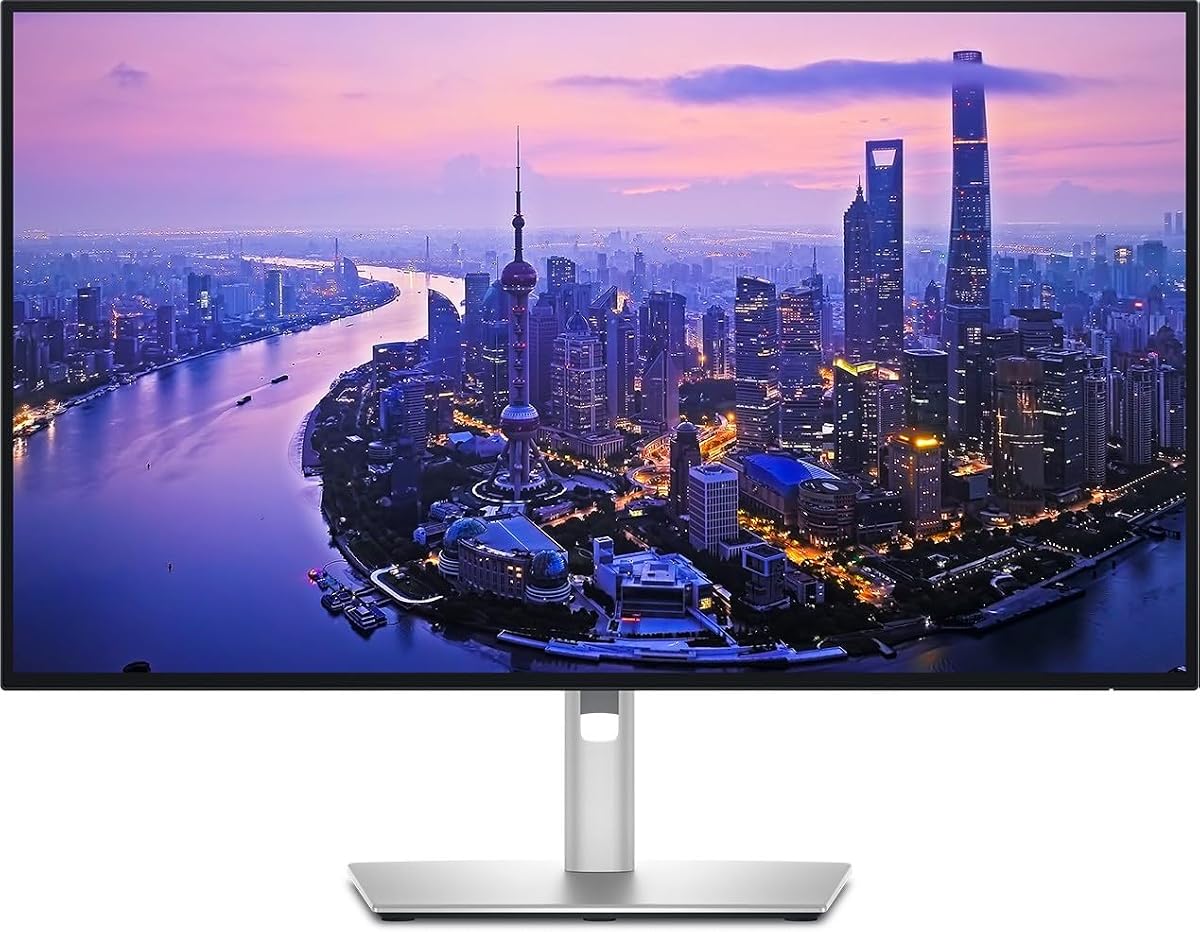
LG 27UP850K-W
4.5Editor score
95% DCI-P3 Color Gamut
90W USB-C Power Delivery
Built-in Stereo Speakers
Modern professionals need displays that deliver sharp visuals and seamless connectivity. A 4K monitor with Thunderbolt support offers high resolution and fast data transfer in a single cable setup.
We analyzed ten top models based on color accuracy, refresh rates, port options, and build quality. Our list includes options for creators, developers, and everyday users seeking premium performance.
Each pick highlights specific strengths like HDR support or ergonomic stands. Prices and availability fluctuate often, so verify current listings before making your final purchasing decision today.
4.5Editor score
4.4Editor score

4.6Editor score
As an Amazon Associate we earn from qualifying purchases.
This side-by-side comparison highlights key specifications across all ten selected models to help you find the right fit for your workspace needs and budget constraints.


This Dell UltraSharp model stands out with its exceptional factory calibration and professional-grade IPS Black panel. It achieves a Delta E less than 1.5 for true color fidelity.
We may earn a commission when you buy through this link, at no additional cost to you.
The Thunderbolt 4 connection supports up to 140W power delivery allowing you to charge high-performance laptops while transferring data and video simultaneously without extra dongles.
While it costs more than standard monitors the included hub functionality and daisy chain capabilities make it a central workstation piece that reduces desk clutter significantly.
Ideal for creatives and developers needing precision this monitor balances performance and ergonomics perfectly. It justifies its premium cost with long-term reliability and stunning visuals.
Factory calibration ensures 99% DCI-P3 coverage delivering accurate hues for design and video editing work right out of the box.
Thunderbolt 4 and USB-C ports allow single-cable docking for laptops including high-speed data and Ethernet connections all through the monitor.
We may earn a commission when you buy through this link, at no additional cost to you.
This 32-inch Thunderbolt monitor redefines premium displays with its IPS Black panel delivering deeper blacks and richer contrast than standard IPS screens.
We may earn a commission when you buy through this link, at no additional cost to you.
The built-in KVM switch lets you control two computers with one keyboard and mouse making it perfect for developers juggling personal and work devices.
Mac users will appreciate the Display P3 coverage and seamless integration tested specifically for macOS environments with compatible software management tools.
If budget allows this monitor offers an unmatched experience for professional workflows. It combines aesthetics with powerful features for high-end creative studios.
Enhanced blacks provide 47% deeper darks than conventional IPS improving shadow detail and overall image depth in HDR content.
Switch between devices instantly using the KVM feature eliminating the need for extra docks or manual cable switching.
We may earn a commission when you buy through this link, at no additional cost to you.
Offering excellent value this LG monitor delivers 4K resolution and strong color coverage at a much lower price point than competitors.
We may earn a commission when you buy through this link, at no additional cost to you.
It supports USB-C power delivery up to 90W allowing most laptops to stay charged while connected through a single cable solution.
The webOS streaming platform adds entertainment value letting you access apps directly without needing your computer to be powered on.
Best for students or casual professionals this screen balances cost and quality well. It lacks top tier Thunderbolt but offers solid everyday performance.
Built-in webOS lets you stream content directly to the monitor reducing PC usage and freeing up system resources.
Covering 95% of DCI-P3 provides vibrant and accurate colors suitable for photo editing and general multimedia consumption.
We may earn a commission when you buy through this link, at no additional cost to you.
This Dell model prioritizes smooth motion with a 120Hz refresh rate and AMD FreeSync Premium for fluid visuals during tasks and light gaming.
We may earn a commission when you buy through this link, at no additional cost to you.
ComfortView Plus reduces harmful blue light emissions to ensure all-day comfort without sacrificing color accuracy for sensitive users.
Audio quality is improved over previous generations with deeper frequency response making it a self-contained solution for daily meetings.
Ideal for users seeking a reliable daily driver this monitor delivers a smooth experience at a competitive price point for general productivity.
The 120Hz refresh rate ensures scrolling and video playback appear exceptionally smooth compared to standard 60Hz displays.
Reduced blue light protects your eyes during long work sessions while maintaining accurate color output for critical tasks.
We may earn a commission when you buy through this link, at no additional cost to you.
Perfect for smaller desks this 24-inch monitor offers professional color accuracy and Thunderbolt 4 connectivity in a space-saving package.
We may earn a commission when you buy through this link, at no additional cost to you.
Pantone Validated color ensures your creative outputs match industry standards making it suitable for graphic design and photography tasks.
It supports 100W power delivery through Thunderbolt which is sufficient for most professional laptops to charge while working.
Mac users will find this display aligns well with ecosystem standards. Its compact size makes it an ideal companion for laptop-centric workflows.
Color accuracy is certified by Pantone ensuring precise reproduction of industry-standard hues for professional creative work.
40 Gbps data transfer and 100W power delivery allow high performance connectivity via a single cable connection.
We may earn a commission when you buy through this link, at no additional cost to you.
This 32-inch monitor offers a massive workspace for multitasking and complex diagrams with crisp 4K resolution across the entire panel.
We may earn a commission when you buy through this link, at no additional cost to you.
Eye Saver Mode minimizes blue light and screen flickering to prevent strain during extended periods of use or intense work sessions.
HDR10 support optimizes contrast to provide a wider gamut of colors ensuring that both darks and highlights are represented accurately.
While it lacks Thunderbolt ports it remains a top choice for general office work and media consumption. Its size alone offers significant productivity boosts.
The expansive 32-inch display allows multiple windows to be open side by side without feeling cramped.
Certified technology reduces eye strain ensuring you can work longer without fatigue or discomfort during heavy usage.
We may earn a commission when you buy through this link, at no additional cost to you.
Combining a large 31.5-inch display with an integrated Thunderbolt hub this model simplifies connectivity for complex workstation setups.
We may earn a commission when you buy through this link, at no additional cost to you.
The slim bezel design offers a modern aesthetic that looks professional in any office environment or home office setup.
HDR support enhances visual performance ensuring crisp text and sharp images even during extended viewing sessions or entertainment.
For those needing a substantial canvas for data analysis or video editing this monitor provides the space and connectivity needed.
Multiple USB and Thunderbolt ports allow peripherals to connect directly to the monitor rather than your computer.
High resolution ensures text remains crisp and images sharp which is essential for professional work and reading.
We may earn a commission when you buy through this link, at no additional cost to you.
This monitor features two Thunderbolt 3 ports allowing you to connect multiple displays or chain devices efficiently through a single cable.
We may earn a commission when you buy through this link, at no additional cost to you.
Split screen picture-by-picture capabilities let you view two separate sources simultaneously which aids in comparing data or content.
The virtually borderless frame creates a seamless experience when paired with another monitor in a dual display setup for wide viewing.
Ideal for professionals needing a dual screen effect without buying two separate units this model delivers versatility and wide angles.
Two Thunderbolt 3 ports allow chaining multiple displays reducing cable clutter and simplifying the connection process.
PBP allows viewing two independent input sources at once making multitasking and comparisons significantly easier.
We may earn a commission when you buy through this link, at no additional cost to you.
Designed for color-critical work this model covers 100% of sRGB and Display P3 spaces ensuring true-to-life reproduction for design tasks.
We may earn a commission when you buy through this link, at no additional cost to you.
Daisy chaining support and high-speed data transfer simplify your physical desk setup while maintaining maximum connectivity options available.
It includes multiple USB-A and USB-C ports effectively turning the monitor into a full connectivity hub for all your accessories.
This monitor suits photographers and graphic designers who need precise color rendering. It also supports sustainable operation with energy-efficient design.
Full coverage of sRGB and Display P3 ensures that colors are accurate for professional photo and video editing work.
Dell uses sustainable materials and energy-efficient components in this model reducing its overall environmental impact.
We may earn a commission when you buy through this link, at no additional cost to you.
This variant of the UltraSharp series offers a reliable business-class solution with robust Thunderbolt support for modern enterprise laptops.
We may earn a commission when you buy through this link, at no additional cost to you.
It transforms your workspace into a hub allowing peripherals to connect directly to the monitor for streamlined cable management.
The premium finish and slim bezels complement any professional environment ensuring your office looks polished and modern.
Best for IT departments or office deployments this model offers consistency and reliability across multiple workstations efficiently.
Built for business use with reliable connectivity and consistent performance across various laptop configurations and setups.
Multiple USB ports allow connecting peripherals to the monitor reducing the need for a separate docking station.
We may earn a commission when you buy through this link, at no additional cost to you.
Selecting the right 4K monitor requires understanding specific features like panel type, color accuracy, and connectivity options.
Thunderbolt 4 offers faster data speeds and higher power delivery than standard USB-C. Look for 40Gbps transfer rates and 100W charging support for maximum utility.
Prioritize Thunderbolt 4 if you need high-speed external storage or daisy chaining capabilities.
IPS panels provide accurate colors and wide viewing angles ideal for creatives. VA panels offer better contrast but may suffer from motion blur.
Choose IPS for professional work and VA if black levels are a priority for media consumption.
Look for monitors with factory calibration and low Delta E values. Coverage of sRGB and DCI-P3 is essential for design and video tasks.
Ensure the monitor meets your color space requirements before purchasing for critical work.
Standard productivity monitors usually run at 60Hz but 120Hz models offer smoother scrolling and motion. This helps reduce eye strain during long sessions.
Choose higher refresh rates if you do light gaming or need fluid motion for video editing.
Adjustable stands with height, tilt, swivel, and pivot options are vital for long-term comfort. VESA mounting support is a good backup for custom setups.
Invest in a monitor with full adjustability to prevent neck strain.
Monitor power delivery should match your laptop requirements. USB-C power between 65W and 100W supports most ultrabooks effectively.
Check your laptop specs to ensure the monitor can charge it adequately without a separate charger.
Connect your laptop to the monitor using a high-quality Thunderbolt cable to enable full video and power delivery. Ensure the port on your laptop supports Thunderbolt.
Clean the screen gently with a microfiber cloth and avoid harsh chemicals. Dust and smudges can impact image quality and lead to wear over time.
Update the firmware of the monitor periodically to maintain compatibility with new devices. Use the manufacturer software to manage settings efficiently.
Yes Thunder USB-C cables are compatible with Thunderbolt ports. However you may lose some speed or power features unless the cable supports Thunderbolt specs.
Yes most Thunderbolt 4 monitors support daisy chaining. You can connect two additional displays to one laptop for a multi-monitor workflow easily.
You should use a certified Thunderbolt 4 cable to ensure 40Gbps speeds and 100W charging. Standard USB-C cables may limit performance.
Yes 4K resolution matches Retina display scaling well on macOS. Many models tested are optimized for Mac color profiles and connectivity.
IPS Black technology improves contrast ratios on IPS panels. This results in deeper blacks and better image depth compared to standard IPS.
Some models include built-in speakers for basic audio needs. For best sound quality external speakers or headphones are still recommended.
We found the Dell UltraSharp U2725QE to be the top pick for its balance of power delivery and color accuracy across professional tasks.
Consider your primary workflow needs when selecting. Budget-friendly options like the LG model offer great value for general users.
Always check current pricing and availability before buying as stock changes frequently. Verify cable compatibility to ensure full functionality.