
USB Fast Charger Block 50% Smaller
4.3Editor score
6 Ports Available
Travel Ready Size
Affordable Price Point
This guide compares the top 10 charging stations for multiple devices to help you find the perfect organizer for your home office or travel setup.
Finding the right charging station for multiple devices can transform your workspace by eliminating cable clutter and keeping all your gadgets powered efficiently.
We analyzed ten top-rated models based on port count, charging speed, build quality, and safety features to help you choose the best solution for your needs.
Each pick highlights key strengths and ideal use cases so you can match a charger to your specific devices while keeping in mind that prices may vary.
4.3Editor score

4.6Editor score

4.6Editor score
The following table provides a side-by-side comparison of all ten featured models highlighting their port configurations and unique selling points.


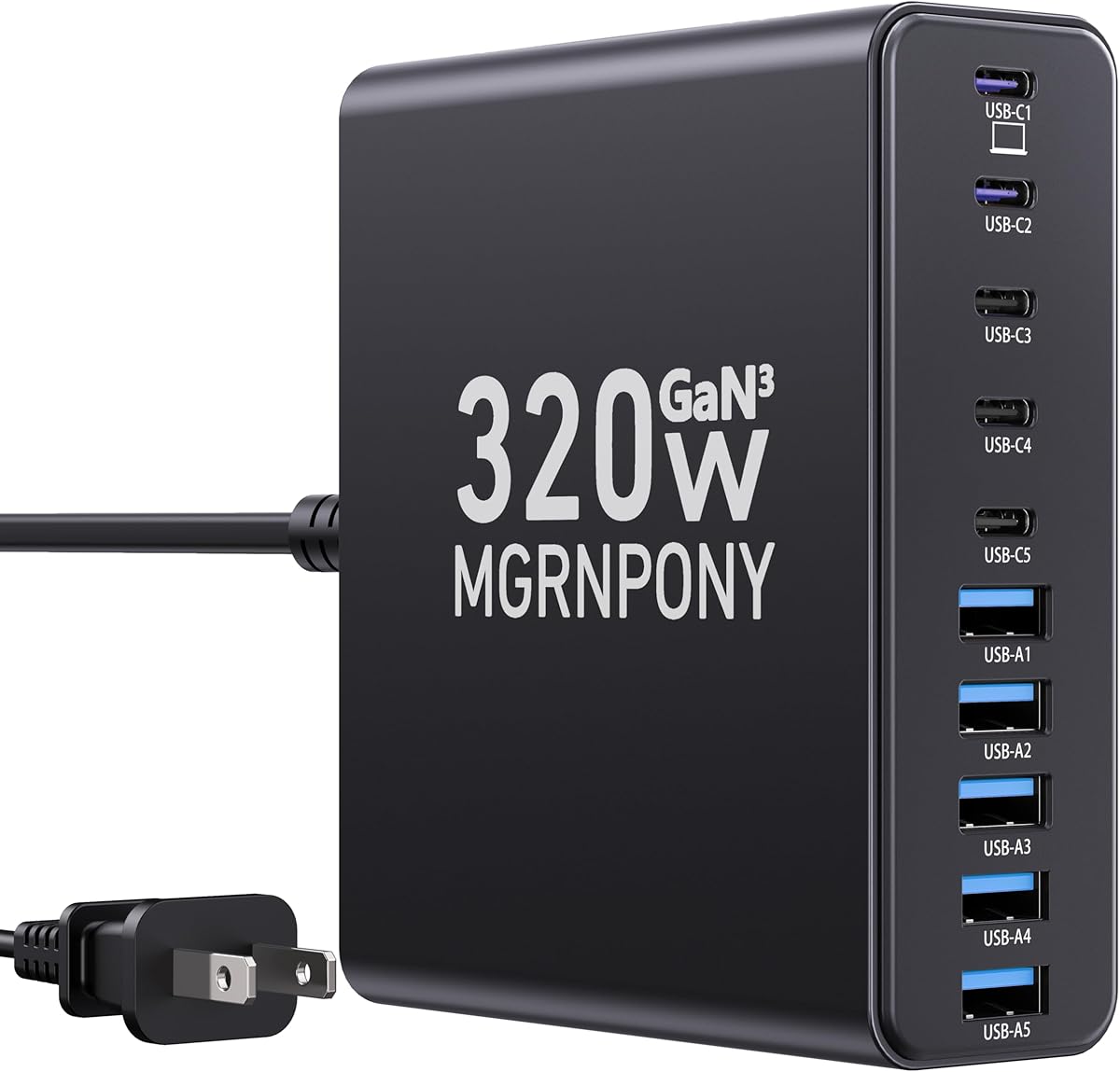


The Zobirez 420W charging station stands out as a powerful organizer capable of handling ten devices simultaneously with impressive speed and stability.
We may earn a commission when you buy through this link, at no additional cost to you.
It features five USB-C ports including two 65W outputs that can fast charge laptops while the remaining ports handle phones and accessories efficiently.
The one-piece slot design ensures devices stay upright securely without flimsy dividers which is a common issue with cheaper alternatives on the market.
This model is ideal for households or offices needing a centralized charging hub that keeps desks tidy while delivering fast power to all connected gadgets.
Dual 65W ports allow you to charge high-power devices like MacBook Pro units without needing a separate wall adapter.
The inclusion of eight mixed cables means you can start charging immediately without hunting for the right connectors for every device.
We may earn a commission when you buy through this link, at no additional cost to you.
This top-tier station delivers an incredible 750W total output making it one of the most powerful options available for dense device setups today.
We may earn a commission when you buy through this link, at no additional cost to you.
Each of the five USB-C ports supports up to 120W which is essential for charging modern high-performance laptops and tablets at their fastest speeds.
The construction uses high-quality ABS material with one-piece slots that prevent wobbling and ensure your devices remain secure during operation.
Choose this model if you need to power a wide array of high-demand devices simultaneously and want a single solution that eliminates every charger.
With 120W per USB-C port you can top up high-end laptops quickly without sacrificing power for other connected devices.
The included cable kit and slot design ensure every device has a place and a cord ready to go immediately.
We may earn a commission when you buy through this link, at no additional cost to you.
The Anker Prime Charging Station offers a premium balance of power and portability delivering 200W across six ports using efficient GaN technology.
We may earn a commission when you buy through this link, at no additional cost to you.
It supports up to 100W per USB-C port allowing two laptops to charge at high speeds while remaining surprisingly compact for a desktop unit.
Anker includes proprietary safety features that monitor temperature continuously to protect your expensive devices from overheating or electrical surges.
This choice is perfect for professionals who value reliability and space efficiency and need high-speed charging for their primary work tools.
Continuous temperature monitoring ensures safe charging even when multiple high-power devices are connected at once.
Gallium Nitride technology reduces heat and size meaning you get more power in a smaller more reliable footprint.
We may earn a commission when you buy through this link, at no additional cost to you.
This compact charger delivers 100W across six ports making it an excellent budget option for users who primarily charge phones and accessories.
We may earn a commission when you buy through this link, at no additional cost to you.
Its small footprint allows it to fit easily into bags or tight spaces while still providing fast charging capabilities for daily mobile needs.
The GaN technology ensures it stays cooler than traditional silicon chargers which enhances safety and longevity over extended periods of use.
Select this model if you want an affordable solution for personal devices without needing to power large laptops or high-wattage tools.
The lightweight design and included extension cord make this easy to toss in a bag for travel or daily commutes.
Affordable pricing without sacrificing safety features makes this an ideal first charging station for students or light users.
We may earn a commission when you buy through this link, at no additional cost to you.
Designed for Apple users this 3-in-1 station provides 15W wireless charging for your phone plus dedicated spots for your watch and headphones.
We may earn a commission when you buy through this link, at no additional cost to you.
It supports official Apple Watch charging speeds ensuring your wearable reaches full battery quickly and reliably without needing a proprietary cable.
The stand allows you to adjust the viewing angle up to forty-five degrees which is useful for FaceTime or reading while the phone charges.
This is the ideal bedside companion for iPhone users who prefer wireless convenience and want a clean cable-free look on their nightstand.
Snap-on MagSafe compatibility means you never have to fumble with cables just place your phone down and charging begins immediately.
The compact footprint and adjustable stand allow you to use the phone as a clock without cluttering your space with wires.
We may earn a commission when you buy through this link, at no additional cost to you.
This versatile device combines a traditional power strip with USB charging ports giving you AC outlets alongside high-speed USB-C connections.
We may earn a commission when you buy through this link, at no additional cost to you.
It includes 300J of surge protection which adds a critical layer of safety for your equipment during electrical storms or power fluctuations.
The two main USB-C ports support up to 100W individually allowing you to plug in laptops or high-power tablets directly into the strip.
Use this option if you need to plug in larger appliances or monitors alongside your phones and want surge protection integrated into one unit.
Built-in protection guards against power spikes ensuring your expensive tech is safe from sudden electrical surges.
The combination of AC outlets and USB ports means you can power large monitors and phones from a single wall socket.
We may earn a commission when you buy through this link, at no additional cost to you.
This five-port station focuses on simplicity and organization offering a reliable way to charge older devices without complex USB-C requirements.
We may earn a commission when you buy through this link, at no additional cost to you.
The inclusion of seven short cables means you can connect multiple devices instantly while the removable dividers adjust to fit various sizes.
An LED switch provides a clear visual indicator of power status which is helpful for knowing if the unit is active at a glance.
This station works well for families with older phones or tablets that use USB-A connectors and need a tidy central charging spot.
Removable dividers allow you to reconfigure the slots to fit larger tablets or keep devices neatly spaced based on your needs.
The included cable pack and compact design help keep cords organized and prevent them from tangling under your desk.
We may earn a commission when you buy through this link, at no additional cost to you.
This ten-port station uses IceShield 3.0 GaN technology to deliver efficient charging while maintaining a compact footprint suitable for travel.
We may earn a commission when you buy through this link, at no additional cost to you.
It supports a mix of USB-C and USB-A ports allowing you to charge modern laptops and legacy accessories all from one central hub.
The design allows vertical or horizontal placement giving you flexibility to save space on crowded desks or in travel bags easily.
Ideal for travelers who need to power multiple gadgets at once this model balances high output with a portable form factor effectively.
IceShield 3.0 technology monitors temperature constantly ensuring safe operation even when all ten ports are used simultaneously.
The ability to stand vertically saves desk space which is useful in cramped environments like hotel rooms or small offices.
We may earn a commission when you buy through this link, at no additional cost to you.
This innovative station features four retractable cables that extend to 80cm then retract to keep your surface completely free of cord clutter.
We may earn a commission when you buy through this link, at no additional cost to you.
It delivers 105W total power supporting fast charging for up to eight devices including the latest smartphones and tablets simultaneously.
The GaN technology ensures efficient power delivery while keeping the unit cool and compact enough for daily use in various environments.
Choose this if you dislike managing tangled wires and want a clean solution that automatically retracts cords when they are not in use.
Retractable cords mean you can charge your devices then retract them to keep your desk looking completely clear and organized.
The 80cm reach gives you enough flexibility to charge from a nightstand or desk edge without stretching too far from the unit.
We may earn a commission when you buy through this link, at no additional cost to you.
This station offers a robust 300W output with eight ports making it a strong middle ground for users needing laptop power without massive bulk.
We may earn a commission when you buy through this link, at no additional cost to you.
The two 65W ports can charge laptops like MacBook Air units while the remaining ports handle smaller gadgets and accessories efficiently.
It features solid construction with anti-slip pads that keep the unit stable on any surface during operation without sliding around.
This option is suitable for users who need to charge a laptop and several phones at once but prefer a slightly more compact setup.
The non-slip rubber pads ensure the unit stays firmly in place even when multiple devices are plugged in and plugged simultaneously.
With dual 65W ports you can power work machines effectively while still having room for phones and accessories on the same station.
We may earn a commission when you buy through this link, at no additional cost to you.
Selecting the right charging station involves evaluating port types total power and safety features to match your specific device ecosystem.
Look for stations with enough total wattage to handle your devices simultaneously without significant speed drops. For laptop users aim for at least 300W total to ensure fast charging across the board.
Total wattage determines how quickly you can charge all devices at once without throttling performance or battery health.
Modern devices rely heavily on USB-C so ensure the station has enough USB-C ports to meet your needs. Legacy devices may still require USB-A so a mix is often ideal.
A balanced mix of USB-C and USB-A ports ensures compatibility with both new and old gadgets effectively.
GaN chargers are smaller cooler and more efficient than traditional silicon models. This technology is especially useful if you want a compact unit that delivers high power.
GaN technology improves efficiency and heat management making it a standard for high-performance charging hubs.
Ensure the charger has protections like over-voltage and short-circuit safeguards to prevent damage to your expensive electronics. Good units monitor temperature actively.
Built-in safety features protect your devices from power surges and overheating issues effectively.
Sturdy slots and solid casing prevent devices from falling or tipping over during charging. Avoid models with flimsy removable dividers that might break over time.
High build quality ensures long-term durability and secure positioning for your devices at all times.
Many top stations come with a mix of cables to get you started. Check if the included cables match your device connectors to avoid buying extras immediately.
Included cables save money and reduce initial setup time for your new charging hub.
Start by plugging the station into a dedicated wall outlet rather than a power strip to ensure it receives consistent voltage. This helps maintain optimal charging speeds and safety.
Organize your devices using the built-in slots or dividers to keep cables tidy and prevent tangling. Place frequently used items on the most accessible ports.
Periodically check the vents and slots for dust buildup which can cause overheating. Wipe the unit with a dry cloth to maintain its performance and appearance.
Yes most top picks include high-wattage USB-C ports capable of charging laptops. Look for stations with 65W or higher outputs per port to ensure fast charging for your notebooks.
Yes reputable stations have safety features that stop current flow when batteries are full. This prevents overcharging and ensures your devices remain safe throughout the night.
Most stations support between five and ten devices simultaneously. However actual speed depends on total wattage so high-power devices may share power if all ports are used.
Many stations come with cables but you may need specific USB-C to USB-C cables for laptops. Always check the included kit to see if your current cables are supported.
For most setups yes this station can replace all your individual wall chargers. This reduces outlet clutter and gives you a single point to manage all device power.
Compact models with foldable plugs are great for travel but larger desktop hubs are best for home use. Consider the size and plug type before packing for a trip.
The top picks range from high-power hubs like the 750W station to compact GaN options like the Anker Prime offering something for every setup need.
Prioritize total wattage and port types to match your devices ensuring you get fast charging for both laptops and phones from a single unit.
Always check current availability and warranty details before buying to ensure you get the best value and protection for your investment.