
Lamicall iPad Stand Adjustable Tablet Holder
4.8Editor score
Sturdy aluminum construction
Multi-angle adjustable viewing
Protective rubber pads
Finding the right iPad stand for desk can transform your workspace into a highly efficient environment. A quality stand elevates your device to eye level, reducing neck strain and improving posture during long work sessions. It also provides stability for typing, drawing, or video calls, ensuring your tablet stays secure and accessible throughout the day.
We compared ten top-rated iPad stands based on durability, adjustability, compatibility, and design. Each product was evaluated for its ability to support various tablet sizes and weights while offering versatile viewing angles. Our analysis focuses on real-world usability, material quality, and user feedback to ensure you get the best value for your investment.
Each pick in this list highlights specific strengths, from budget-friendly options to premium commercial-grade models. You will see detailed specs, pros, cons, and usage scenarios to help you decide. Please note that product availability and pricing may change, so check the linked pages for the most current details before purchasing.
4.8Editor score

4.6Editor score

4.5Editor score
As an Amazon Associate we earn from qualifying purchases.
This table provides a side-by-side comparison of all ten selected iPad stands, highlighting their key specifications and compatibility ranges to help you quickly identify the best fit for your device.


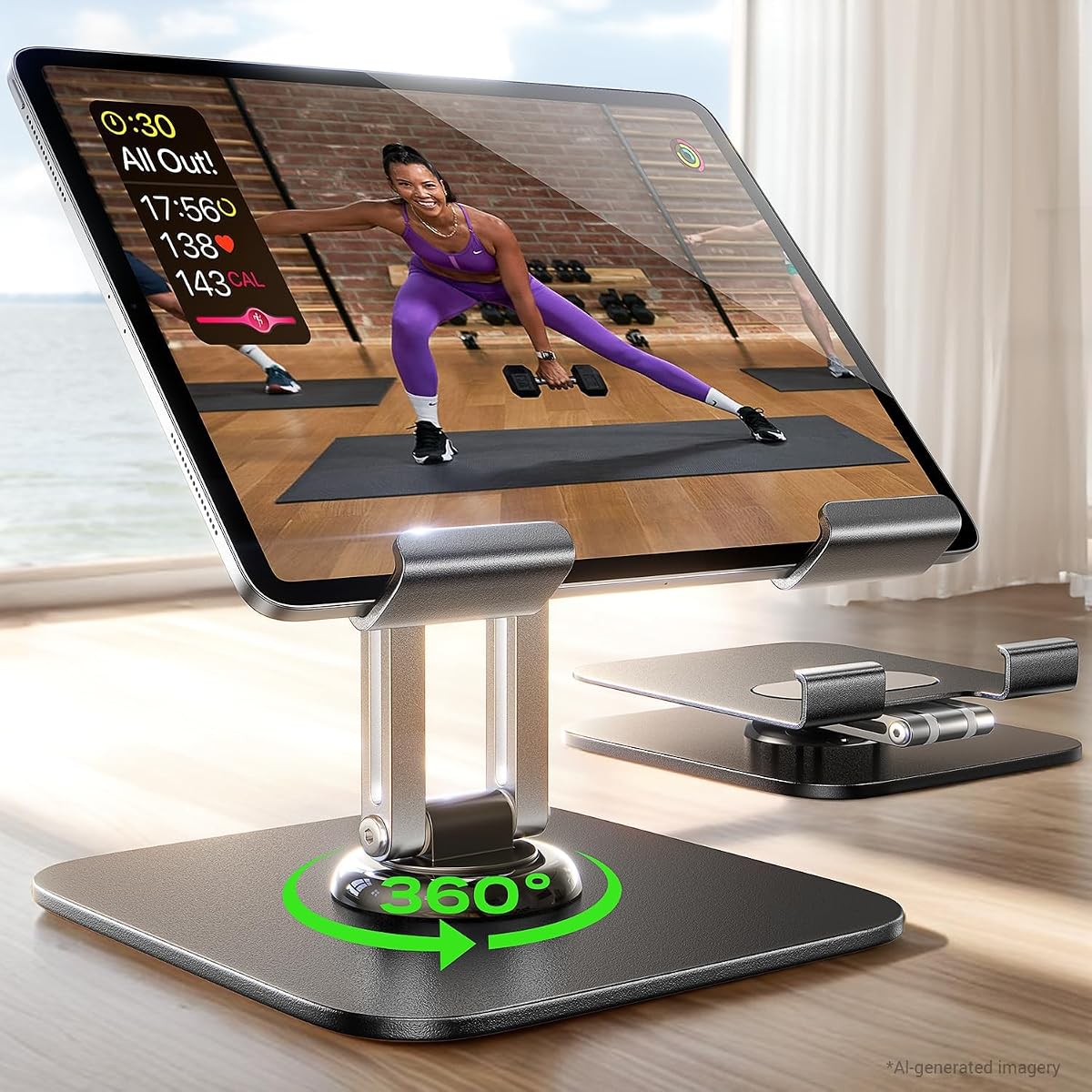


The Lamicall iPad Stand Adjustable is a top-rated choice with a 4.8 rating, offering sturdy aluminum construction that fits most tablets and phones. Its multi-angle design ensures you can find the perfect viewing position for work or entertainment without compromising stability.
We may earn a commission when you buy through this link, at no additional cost to you.
Constructed from spaceflight Al-Ti alloy and strengthened alloy steel, this stand provides exceptional durability while remaining lightweight. The rubber pads protect your device from scratches, and the wide hook accommodates cases up to 18mm thick, making it versatile for various setups.
While it lacks extensive color choices, the focus on function over form delivers reliable performance. The fixed hook width may limit some very thick cases, but for most users, the balance of price, quality, and compatibility makes it a standout option.
This stand is ideal for professionals and students who need a dependable, budget-friendly solution for their desk. If you value solid construction and ease of use, the Lamicall iPad Stand Adjustable is a highly recommended purchase.
Its premium materials and protective features offer a high-end feel at a budget price, ensuring long-term durability for daily tasks.
Perfect for users seeking a reliable, no-fuss stand that supports a wide range of devices without breaking the bank.
We may earn a commission when you buy through this link, at no additional cost to you.
The COOPER TabHolder stands out with its ergonomic focus, featuring a telescoping range that brings screens to eye level to reduce strain. Its triple stability design, including a weighted base and EVA padding, ensures it stays secure even on carpets or uneven surfaces.
We may earn a commission when you buy through this link, at no additional cost to you.
Designed for heavy daily use, it supports up to 4.4 pounds and includes cooling vents to prevent overheating during long sessions. The 40% wider holding plate and 270 degree tilt offer flexible positioning for everything from kitchen recipes to office meetings.
While it is heavier and pricier than basic models, the investment pays off in stability and health benefits. The only minor drawback is its weight, which makes it less ideal for travel but perfect for a fixed desk setup.
This stand is best for professionals or families who need a robust, comfortable viewing experience. If you spend hours on your iPad, the COOPER TabHolder provides the ergonomic support and reliability you need.
By elevating your screen to eye level, it significantly reduces neck and eye strain during extended work or video call sessions.
The weighted base and non-slip padding ensure your device remains steady even when interacting with it vigorously.
We may earn a commission when you buy through this link, at no additional cost to you.
This foldable stand from Lamicall is designed for travelers, folding flat to just 0.59 inches for easy packing. Despite its slim profile, it offers a 360 degree rotating base, making it perfect for sharing screens during meetings or presentations.
We may earn a commission when you buy through this link, at no additional cost to you.
Constructed with high-strength alloy, it remains durable and stable. The included wrench lets you adjust hinge tightness to match your device, ensuring it holds securely even with thick cases up to 0.75 inches.
The initial unfolding may require some firm force due to the tight hinges, which can be a minor inconvenience. However, this ensures stability once set up, and the portability makes it a top choice for frequent travelers.
Ideal for remote workers or students on the go, this stand balances compactness with functionality. If you need a reliable support system that fits in your backpack, this model delivers exceptional value.
Its ultra-slim design allows it to slip into any laptop bag, making it the ultimate travel companion for digital nomads.
The 360 degree rotation allows you to pivot the tablet easily for collaboration without moving the stand itself.
We may earn a commission when you buy through this link, at no additional cost to you.
The tounee stand is exceptional for larger devices, supporting tablets up to 16.9 inches, which is rare in this category. Its all-metal alloy base and dual-rod design provide robust support, ensuring even heavy portable monitors remain stable during use.
We may earn a commission when you buy through this link, at no additional cost to you.
The innovative locking mechanism allows you to customize the height and angle precisely, whether for typing or video conferencing. The non-slip silicone pads on the base and holder add extra security and protect your furniture from scratches.
While it does not support laptops, its capacity for large tablets and monitors makes it versatile for multitasking. The only downside is the limited color availability, but the gray finish is sleek and professional for office environments.
This stand is perfect for users with larger devices or those who need a reliable monitor alternative. If stability and compatibility with wide screens are your priorities, the tounee stand is a top contender.
Its wide range accommodates devices up to 16.9 inches, making it one of the few stands suitable for large portable monitors.
The all-metal construction ensures long-lasting performance even with daily adjustments and heavy devices.
We may earn a commission when you buy through this link, at no additional cost to you.
This LISEN stand is a fantastic budget-friendly option, offering a gravity-based system that secures your device without clips or magnets. The included bridge screw allows you to adjust tightness, addressing common issues with loose joints found in cheaper stands.
We may earn a commission when you buy through this link, at no additional cost to you.
Made from ABS plastic with a metal panel, it balances durability with portability. Its pocket-sized folded design makes it ideal for travelers or students who need a stable surface on the go without carrying extra bulk.
The main limitation is that it only supports phones in landscape mode, which restricts some use cases. Additionally, the lighter materials mean it may not be as sturdy as all-metal models for heavier tablets.
For those seeking a cost-effective solution for basic tasks, this stand delivers reliable value. If you prioritize portability and affordability over heavy-duty features, it is a solid choice.
It offers essential features like adjustment screws and gravity locking at a price point accessible to everyone.
The included bridge screw ensures the stand remains tight and functional even after months of regular use.
We may earn a commission when you buy through this link, at no additional cost to you.
This AboveTEK stand is built for commercial environments but works exceptionally well for home offices requiring a robust, swivel solution. Its 360 degree rotating base and folding arm allow for seamless transitions between cashier and shopper views or landscape and portrait modes.
We may earn a commission when you buy through this link, at no additional cost to you.
The weighted base and hard folding arm ensure stability even during vigorous interaction, making it ideal for reception desks or group meetings. It features a quick attach/detach mechanism and dedicated space for charging cables, enhancing usability in busy settings.
The specialized bracket fits cases less than 0.5 inches thick, which may limit some users with heavy-duty protection. Additionally, its higher price reflects its professional build, which might be overkill for casual home use.
Best for businesses or power users needing a secure, high-performance stand, it offers durability and flexibility unmatched by typical models. If you require a reliable kiosk-style setup, this stand is worth the investment.
Built for daily commercial use, it withstands high-frequency interaction without compromising stability or function.
The 360 degree rotation makes it perfect for sharing content with others across a desk without moving the unit.
We may earn a commission when you buy through this link, at no additional cost to you.
The Urmust stand offers a great balance of flexibility and stability, perfect for home entertainment or light office work. Its aircraft-grade aluminum construction supports devices up to 15.6 inches, with fully adjustable height and angle to match your posture.
We may earn a commission when you buy through this link, at no additional cost to you.
The 360 degree rotating base and foldable arm provide dynamic positioning, while integrated cable clips keep your workspace tidy. The included wrench allows you to tighten joints for stability, ensuring your device stays secure during typing or tapping.
It is designed for flat, stable surfaces like desks, so avoid using it on soft headboards where wobbling can occur. While the wrench adds a step to setup, it ensures long-term reliability and prevents sagging over time.
Ideal for families or individuals using iPads for recipes, streaming, or reading, this stand delivers comfort and reliability. If you need a versatile home stand with strong build quality, it is an excellent option.
Integrated clips help keep charging cords organized, preventing tangles and maintaining a clean desk look.
Aircraft-grade aluminum ensures the stand remains sturdy even when supporting heavier devices or adjusting frequently.
We may earn a commission when you buy through this link, at no additional cost to you.
This LISEN stand upgrades basic design with Al-Ti alloy and a heavier base to prevent slipping or tipping. It supports devices from 4.7 to 12.9 inches, featuring a tri-fold adjustable mechanism that allows smooth 360 degree rotation for any viewing angle.
We may earn a commission when you buy through this link, at no additional cost to you.
The included bridge screw lets you adjust hinge tightness, addressing stability issues common with foldable stands. Its military-grade material and non-slip silicone protect your desktop, making it a reliable option for daily work or video calls.
The wider base provides excellent stability but might take up more space on smaller desks. Also, phones are only supported in landscape mode, limiting some use cases compared to universal models.
For those seeking a sturdy yet affordable aluminum stand, this model offers great value. If you want a mix of premium materials and practical features at a budget price, it is a strong contender.
Using Al-Ti alloy provides a higher strength-to-weight ratio, ensuring durability without adding unnecessary bulk.
The bridge screw mechanism allows for long-term stability, preventing loosening over extended use periods.
We may earn a commission when you buy through this link, at no additional cost to you.
The UGREEN stand is a compact solution ideal for travelers, fitting easily into pockets or bags. With viewing angles adjustable from 15 to 100 degrees, it accommodates various needs from typing to watching videos hands-free.
We may earn a commission when you buy through this link, at no additional cost to you.
Its premium ABS construction ensures durability, while silicone pads on the bottom protect both your device and desk from scratches. It supports a wide range of devices up to 11 inches, making it versatile for tablets and most smartphones.
The main limitation is the maximum device size, as it does not support larger 12.9-inch tablets. Also, it lacks height adjustment, so your viewing position is limited to the fixed angle slots.
Perfect for users needing a small, reliable stand for commuting or secondary spaces, it offers excellent portability. If your devices fit within the 11-inch range and you prioritize travel-friendly design, this stand is ideal.
Its small footprint allows it to fit in pockets, making it easy to carry anywhere without adding bulk.
Multiple angle slots let you find a comfortable viewing position for different tasks like reading or video calls.
We may earn a commission when you buy through this link, at no additional cost to you.
This COOPER stand is a powerhouse for professionals, offering a 20-inch height adjustment to align screens with eye level. It supports everything from iPads to 17-inch portable monitors, making it perfect for dual-monitor setups or ergonomic workstations.
We may earn a commission when you buy through this link, at no additional cost to you.
With a reinforced silicone-padded clamp and 360 degree rotation, it ensures stability and flexibility for any task. The aircraft-grade aluminum build and weighted base provide rock-solid support, ideal for traders, designers, or healthcare workers needing precise positioning.
While it is more expensive and occupies more desk space than standard stands, the ergonomic benefits are significant. The eco-friendly packaging also reflects a commitment to sustainability, adding value beyond just functionality.
Best for users requiring significant height adjustments or large device support, this stand excels in professional environments. If you want a dedicated monitor-height solution for your tablet, this model is highly recommended.
Raising the screen to eye level reduces strain and improves posture, making it ideal for long work sessions.
Its capacity to hold up to 17-inch portable monitors expands its utility beyond standard tablets.
We may earn a commission when you buy through this link, at no additional cost to you.
Selecting the right iPad stand requires considering various factors such as material, adjustability, and compatibility to ensure it meets your specific workflow needs.
Material quality is the foundation of a stand's longevity. Aluminum and alloy stands generally offer better stability and a premium feel compared to plastic ones. They are less likely to bend under pressure and can support heavier devices securely. Look for rubber or silicone padding to protect your device from scratches and slipping during use.
Prioritize stands with metal components if you need long-term durability and stability for daily professional use.
Ensure the stand supports your specific iPad model and case thickness. Most stands list a maximum width or thickness, so check if your case is included in the measurement. Some stands also support phones or portable monitors, which adds versatility if you use multiple devices.
Choose a stand explicitly rated for your device size to avoid instability or damage caused by poor fit.
Adjustable stands allow you to customize the viewing angle for comfort. Look for models with multiple tilt positions or 360-degree rotation to switch between portrait and landscape modes easily. Height-adjustable stands are beneficial for ergonomic setups, reducing neck strain during long work sessions.
Higher adjustability ensures you can find the perfect position for different tasks like typing, reading, or video calls.
A stable stand prevents your device from tipping over, especially when typing or interacting with the screen. Weighted bases, non-slip pads, and wide footprints contribute to stability. Some models include locking mechanisms to keep the angle fixed during vigorous use.
Always check for stability features if you plan to use the stand frequently for tasks that involve physical interaction.
If you travel or work from different locations, portability is key. Foldable and lightweight stands are ideal for carrying in a backpack or bag. However, lighter materials may be less sturdy, so balance weight with durability based on your usage needs.
Select a foldable design if you need to carry the stand regularly between home, office, or travel.
Safety features like anti-slip coatings and protective pads are essential to prevent accidental damage to your device or desk. Ensure the stand's construction can handle your device's weight without wobbling. Some stands include cables management clips to keep your workspace tidy.
Look for stands with certified safety features to ensure your device remains secure and your workspace is protected.
Consider how you will primarily use the stand. For office work, ergonomics and stability are crucial. For entertainment, viewing angle and portability might be more important. Commercial users may need a kiosk-style design for frequent interaction.
Tailor your choice to your main use case to ensure the stand provides maximum value and comfort.
Budget stands offer basic functionality but may lack advanced features like rotation or height adjustment. Premium models provide better build quality and adjustability. Determine your budget and prioritize features that align with your needs to get the best value.
Invest in a stand that balances cost with the features you need most for your daily tasks.
To set up your stand, place it on a flat, stable surface and adjust the angle to your preferred viewing height. Ensure any locking mechanisms or screws are tightened securely to prevent wobbling during use.
When placing your iPad, align it with the holder and gently push it into place. Make sure the device is balanced evenly to avoid tipping. For stands with adjustable hinges, check them periodically to ensure they remain tight.
Clean the stand regularly with a soft, dry cloth to remove dust and debris. Avoid using harsh chemicals that could damage the material. Store foldable stands in a dry, cool place when not in use to maintain their condition and longevity.
Most iPad stands are designed to accommodate cases up to a certain thickness, typically around 0.5 to 0.75 inches. Always check the product specifications to ensure your specific case fits. Removing the case is only necessary if it exceeds the stand's weight limits.
Yes, iPad stands are excellent for video calls as they elevate the device to eye level and keep it stable. Many models offer adjustable angles to ensure your camera is positioned correctly for clear communication without glare.
Sturdy stands with locking mechanisms are best for typing as they provide a stable base that prevents movement. Look for models with a wide base and non-slip pads to ensure your hands do not cause the stand to shake while you type.
Adjustment methods vary by model. Some use hinges or telescoping arms that you loosen to change height, while others have specific height settings. Always follow the manufacturer's instructions to avoid damaging the stand or device during adjustment.
Many stands support both portrait and landscape orientations. Ensure the model you choose has a rotating base or a holder that allows vertical positioning. This feature is essential if you consume content in different orientations regularly.
Some premium or office-focused stands include cable management clips or holes to keep charging cords organized. This helps maintain a clean workspace. If your stand lacks this, you can use separate clips or ties to manage cables effectively.
Yes, it is generally safe to leave your iPad on a stand overnight. The stand supports the device without pressing against sensitive areas. However, ensure the stand is stable to prevent accidental falls if the desk is bumped while unattended.
Aluminum and alloy materials are preferred for durability and stability as they resist bending and wear over time. Plastic stands are lighter but may become loose or break more easily. For long-term use, prioritize metal construction with reinforced joints.
The Lamicall iPad Stand Adjustable offers excellent value with its sturdy aluminum build and wide compatibility, making it a top pick for most users. For those needing ergonomic height adjustments, the COOPER TabHolder provides superior stability and comfort for daily workflows.
When choosing a stand, consider your primary use cases such as typing, video calls, or travel to determine the right balance of adjustability and portability. Prioritize models with protective features like rubber pads and locking mechanisms to ensure device safety.
Product availability and pricing may vary over time, so check the latest details on the linked pages before purchasing to confirm current specifications and deals.