
8K 90 Degree DisplayPort 1.4 Adapter 2-Pack
4.4Editor score
Includes up and down variants
24K gold plated connectors
Supports 4K at 144Hz
This guide compares the top 90 degree Displayport adapter and cable options for 8K video gaming and space saving connectivity solutions in 2026.
Finding the right connection for your high resolution display can be challenging when space is limited. A 90 degree Displayport adapter and cable solution helps manage tight setups while maintaining signal integrity and performance standards.
We evaluated ten top rated products based on build quality signal support compatibility and user feedback. Each item was assessed for its ability to handle modern display standards including 8K and high refresh rates without compromising reliability.
Each pick highlights key strengths ideal use cases and specific features that matter most to professionals and gamers. Note that availability and pricing may vary over time so verify current details before making a purchase decision.
4.4Editor score

4.8Editor score

4.5Editor score
The following table provides a side by side overview of all ten products evaluated in this guide allowing you to compare key specifications at a glance.
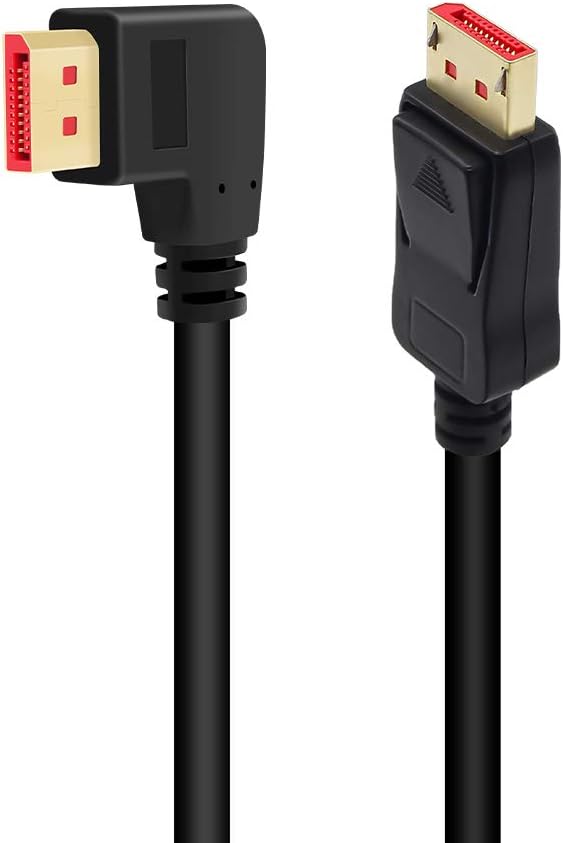

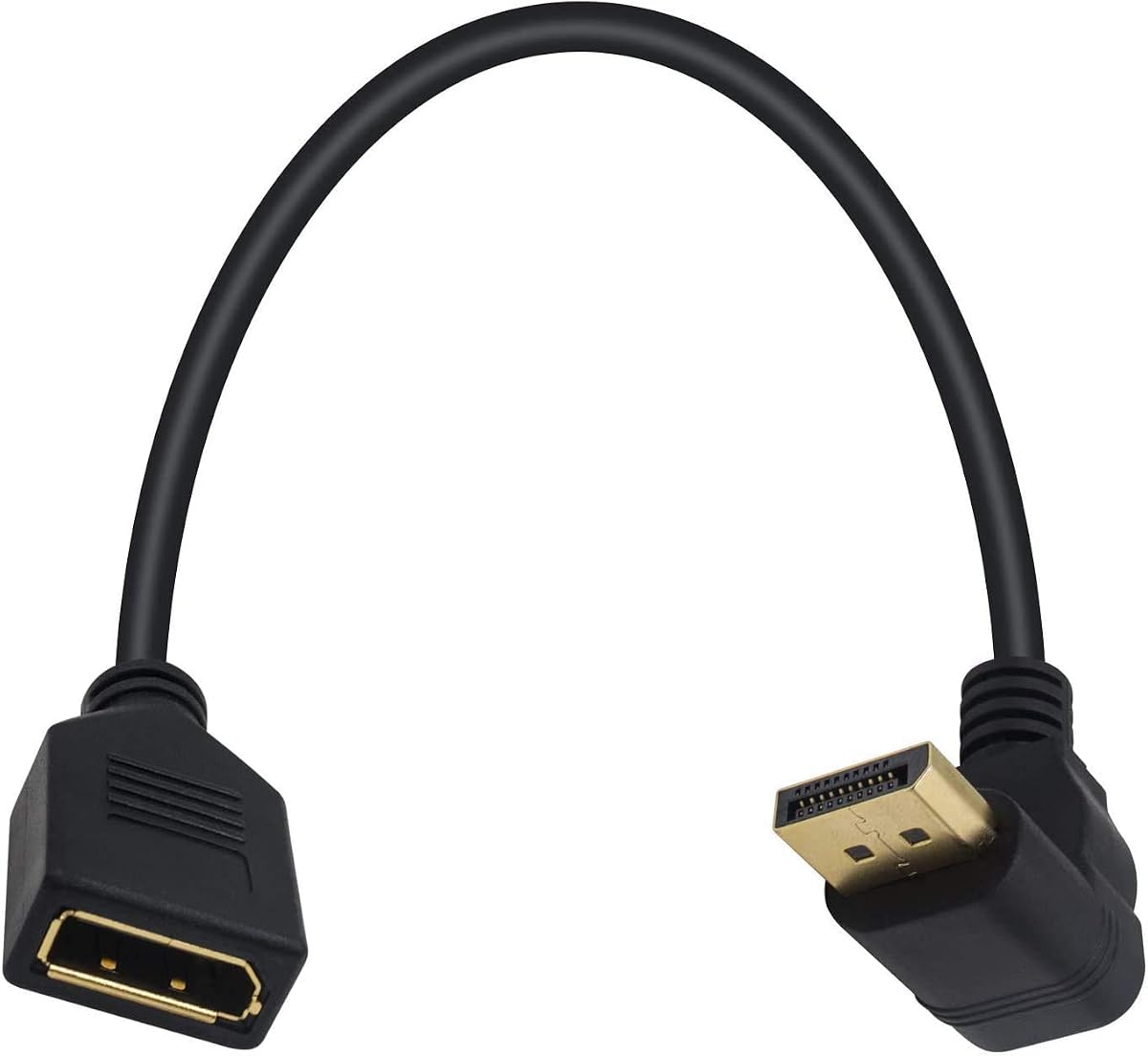


This adapter stands out as a top choice for users needing reliable 90 degree Displayport connectivity without compromising on performance. It delivers robust support for modern display standards ensuring smooth visuals and consistent signal transmission across various setups.
We may earn a commission when you buy through this link, at no additional cost to you.
The standout quality lies in its compatibility with high refresh rates and advanced features like Auto Low Latency Mode and Variable Refresh Rate. This makes it particularly suitable for gaming enthusiasts who demand fluid motion and minimal input lag during intense sessions.
While the design offers excellent space management the fixed direction of the bend means careful planning is required before installation. Users should confirm the port orientation on their specific device to ensure the angle aligns with their cable routing needs.
It is highly recommended for anyone building a compact entertainment center or professional workstation where cable strain must be minimized. The adapter effectively extends the life of ports by reducing mechanical stress during plug and unplug cycles.
Support for Dolby TrueHD and Atmos ensures immersive sound quality paired with high resolution video output.
The right angle design reduces clutter and allows for cleaner cable management in tight environments.
We may earn a commission when you buy through this link, at no additional cost to you.
This cable offers a practical solution for users who need additional length along with the benefits of an angled connection. The six foot span provides flexibility for reaching ports that are otherwise difficult to access without bending cables sharply.
We may earn a commission when you buy through this link, at no additional cost to you.
Its construction emphasizes durability with gold plated connectors and braid shielding designed to protect against interference. This ensures stable signal transmission even over longer distances making it suitable for desktop setups where the monitor is not immediately adjacent.
One trade-off is the need to verify the bend direction relative to your device ports as the angle points a specific way. This limitation requires attention during selection to avoid receiving a unit that does not fit your specific layout configuration.
It is a solid option for those prioritizing cable length alongside angle benefits. The combination of length and build quality makes it a reliable choice for general connectivity needs in home offices and gaming stations.
Bare copper conductors and foil shielding maintain signal integrity and reduce external interference effectively.
The angled design simplifies connection to ports located behind desks or within tight enclosures.
We may earn a commission when you buy through this link, at no additional cost to you.
Designed for scenarios where space is extremely limited this cable provides a high performance connection in a compact form factor. The short length reduces cable clutter significantly while maintaining support for high resolution and high refresh rate displays.
We may earn a commission when you buy through this link, at no additional cost to you.
Its bandwidth capacity ensures that demanding applications such as 8K streaming or high frame rate gaming run smoothly without bottlenecks. The triple layer shielding further enhances stability by protecting the signal from electromagnetic interference that could degrade quality.
The main limitation is the fixed short length which may not be suitable for setups requiring reach beyond a few centimeters. Users should assess their specific distance needs before purchasing to ensure this cable meets the spatial requirements of their setup.
This option is best suited for users connecting devices directly adjacent to each other such as laptops to monitors in confined spaces. The flexibility and quality make it a strong choice for professionals who value precision and minimal setup footprint.
Capable of handling 8K at 60Hz and 4K at 144Hz for stunning visual clarity and smooth motion.
The short and flexible design makes it easy to transport between office and home theater setups.
We may earn a commission when you buy through this link, at no additional cost to you.
This extension cable offers a practical middle ground for users who need slightly more reach than a direct connection provides. The thirty centimeter length is sufficient to clear obstructing ports or components without introducing excessive slack into the workspace.
We may earn a commission when you buy through this link, at no additional cost to you.
Its low profile design ensures that adjacent ports on the computer remain accessible which is crucial for systems with densely packed connection panels. The gold plated connectors add a layer of corrosion resistance ensuring long term reliability for daily connections.
The refresh rate support is modest compared to newer standards limiting its suitability for high performance gaming on ultra high refresh monitors. For general use and media viewing however the performance remains consistent and adequate for most standard display requirements.
It is an excellent choice for office environments or general home use where extreme refresh rates are not a priority. The focus on ergonomics and port accessibility makes it a practical tool for maintaining an organized and functional desk setup.
The reinforced joint withstands repeated plug and unplug cycles ensuring longevity and stable connections.
Supports digital 7.1 and 5.1 audio channels for high fidelity sound pass through to speakers.
We may earn a commission when you buy through this link, at no additional cost to you.
Offering two adapters in a single package this option provides excellent value for users who need multiple connections or replacements. The inclusion of both up and down variants adds significant versatility allowing users to choose the direction that best fits their layout.
We may earn a commission when you buy through this link, at no additional cost to you.
The aluminum alloy shell helps dissipate heat effectively which contributes to stable performance during extended use. Combined with gold plated connectors this design aims to protect the internal components from environmental factors that could lead to signal degradation over time.
While the price point is attractive the build quality may vary slightly compared to higher end branded alternatives. Users should verify compatibility with their specific devices carefully to ensure the advertised performance levels are achieved in their specific configuration.
This is an ideal choice for budget conscious buyers who require flexible connectivity options for multiple devices. The value and versatility make it a practical solution for wall mounted setups where managing multiple cable routes is necessary.
Having both up and down angles allows for greater flexibility in complex or unusual port arrangements.
Gold plating and aluminum construction enhance durability and signal reliability for long term use.
We may earn a commission when you buy through this link, at no additional cost to you.
This combo pack offers both 90 degree and 270 degree adapters providing users with the flexibility to adapt to different port orientations. The flat design is particularly effective for setups where clearance is extremely limited such as behind wall mounted monitors.
We may earn a commission when you buy through this link, at no additional cost to you.
Support for 4K at 240Hz ensures that high performance displays can operate at their full potential without bottlenecks from the connection. The inclusion of advanced audio features like Dolby Atmos enhances the overall experience by delivering immersive sound alongside crisp visuals.
One consideration is that the directions are fixed so users must ensure they select the correct angle for their specific needs. However the variety in the pack mitigates this risk by providing options that cover most standard port orientations.
It is highly recommended for users managing multiple devices or complex setups where different angles are required. The combination of performance and design flexibility makes it a comprehensive solution for professional and enthusiast environments.
The flat profile allows cables to lie flush against surfaces reducing clutter and improving aesthetics.
High quality audio support complements the high resolution video for a complete entertainment experience.
We may earn a commission when you buy through this link, at no additional cost to you.
This cable combines a generous length with an upward angled joint to solve connectivity challenges in complex setups. The three point three foot span allows for significant distance between the source and the display while the angle reduces strain on the port.
We may earn a commission when you buy through this link, at no additional cost to you.
Its design is particularly effective for compact computer cases or monitors with tight space behind them where standard cables might bend awkwardly. The upward angle directs the cable naturally towards the top of the case improving organization and reducing accidental tugs.
Users should verify that the upward direction aligns with their specific hardware layout as a downward bend might be required in some cases. This verification ensures that the cable routes correctly without creating loops or tension that could affect longevity.
It is an excellent choice for users who need to reach across a desk or through a cable management system. The combination of length and specialized angle makes it a versatile tool for custom workstation configurations.
Support for 8K resolution ensures detailed images and accurate colors for professional and media work.
Lag free transfer ensures smooth gaming and video playback without stuttering or buffering.
We may earn a commission when you buy through this link, at no additional cost to you.
This cable leverages the latest DisplayPort 2.1 standard to offer bandwidth capabilities far exceeding previous generations. It is ideal for users with the latest graphics cards and monitors who need to push the limits of resolution and refresh rates.
We may earn a commission when you buy through this link, at no additional cost to you.
The short length makes it perfect for direct connections where minimal distance is needed between components. This design reduces clutter and potential points of failure making it a reliable choice for internal or immediate external connections.
However the requirements for compatible hardware mean that users with older systems will not see the full benefits. It is crucial to confirm that both the source device and the display support the necessary standards to utilize the full potential.
It is a top pick for enthusiasts building high end gaming rigs or professional workstations with the latest technology. The future proofing offered by the standard ensures longevity and compatibility with upcoming display innovations.
Support for 16K at 30Hz provides unprecedented detail for specialized professional visual work.
DSC technology enables high bandwidth transmission without sacrificing visual quality or performance.
We may earn a commission when you buy through this link, at no additional cost to you.
This cable is designed for those seeking the absolute best performance available in consumer display connectivity. With 54Gbps bandwidth it supports the highest resolutions and refresh rates currently available ensuring that no hardware potential is lost.
We may earn a commission when you buy through this link, at no additional cost to you.
The dynamic HDR enhancements improve dark scenes and details which is particularly beneficial for gaming and cinematic experiences. Combined with lossless surround sound this cable delivers a complete high fidelity experience that matches top tier display capabilities.
The premium features come at a higher price point which may not be necessary for average users without compatible hardware. However for those who have invested in the latest monitors and graphics cards this cable ensures the connection does not become a bottleneck.
It is the ultimate choice for professionals and enthusiasts who demand the highest fidelity and future proofing. The focus on gaming performance and high fidelity audio makes it a standout option for advanced setups.
Support for high refresh rates ensures smooth motion and precise visuals in competitive games.
Lossless surround sound pass through captures subtle details like footsteps in gaming scenarios.
We may earn a commission when you buy through this link, at no additional cost to you.
This cable distinguishes itself with an ultrafine four millimeter diameter that allows for extremely tight routing and flexibility. It is specifically designed for applications where standard cables are too bulky to fit comfortably such as camera rigs and stabilizers.
We may earn a commission when you buy through this link, at no additional cost to you.
The welded design of the connector ends ensures that the cable does not break from accidental tugs or pulls which is a common failure point. This robustness combined with the high bandwidth support makes it reliable for both professional and consumer uses.
Users should note that the bend direction is fixed to downward which means orientation must be checked before purchase. The short length also limits its use to immediate connections where reach is not a primary concern.
It is highly recommended for professionals who need to integrate display connections into physical setups where space and flexibility are critical. The combination of thin profile and high performance makes it a specialized tool for custom integration projects.
The slim diameter allows the cable to fit in spaces where standard cables would not fit comfortably.
Welded ends prevent breakage at the stress point ensuring long term durability and reliability.
We may earn a commission when you buy through this link, at no additional cost to you.
Selecting the right adapter requires considering several factors to ensure optimal performance and compatibility with your specific hardware.
Check that the adapter supports at least the same DisplayPort version as your source and display devices to avoid bottlenecks. Newer standards like 2.1 offer higher bandwidth and resolution support but require compatible hardware to function correctly.
Verify the DisplayPort version on your graphics card and monitor before purchasing to ensure full feature support and performance.
Determine the distance between your computer and monitor to choose a cable length that avoids strain without creating excess clutter. Longer cables offer reach but may introduce signal degradation if not properly shielded and constructed.
Measure the required distance and consider the direction of the bend to ensure the cable routes naturally.
Identify whether you need an upward, downward, left, or right angle based on the layout of your ports and surrounding components. A mismatched direction can render a cable unusable despite having the right specs.
Confirm the bend direction matches your device port orientation before finalizing your purchase decision.
Look for connectors with gold plating and shielding like foil or braid to ensure signal integrity and resistance to corrosion. The quality of the shell and strain relief joints also impacts durability and longevity.
Prioritize materials that offer durability and signal protection to avoid frequent replacements and connection issues.
Ensure the adapter supports the maximum resolution and refresh rate your display can handle such as 4K at 144Hz or 8K at 60Hz. Insufficient bandwidth will limit your ability to use high performance features available on your hardware.
Match the adapter bandwidth capabilities with your display maximum performance requirements for best results.
Verify that the connector gender matches your setup such as male to female for extension or male to male for direct connection. Using the wrong configuration can lead to incompatibility with your existing cable management.
Check the specific connector genders required for your connection path to ensure direct compatibility.
Consider features like HDR support, audio channel capacity, and compatibility with adaptive sync technologies like GSync or FreeSync. These features can enhance the overall experience by ensuring smooth visuals and immersive sound.
Look for extras that align with your specific usage goals such as gaming or professional video editing work.
Review the warranty period and customer service reputation to ensure recourse in case of defects or issues. A solid warranty indicates confidence in product durability and provides peace of mind.
Select products with reliable support and reasonable warranty coverage to protect your investment over time.
When installing the adapter or cable ensure that your computer and monitor are powered off to prevent any electrical issues or port damage. Align the connector gently with the port before pushing it in to avoid misalignment or bending the pins.
Once connected route the cable naturally following the direction of the angle to avoid creating sharp bends or tension on the port. Use cable ties or clips to secure the line and keep it out of the way of moving parts or foot traffic.
For maintenance wipe the connectors with a dry soft cloth occasionally to remove dust or debris that could affect signal quality. Avoid using chemical cleaners or excessive force which might damage the plating or the internal components.
Generally no if the adapter is of high quality and supports the required bandwidth for your display resolution and refresh rate. Poorly constructed adapters may introduce interference or signal loss but reliable brands mitigate this risk with proper shielding.
Yes as long as the graphics card has a standard DisplayPort output and the adapter is compatible with the relevant DisplayPort version. Most modern cards use standard protocols which these adapters adhere to without issue.
They can extend the life of monitor ports by reducing mechanical stress caused by straight cables that hang vertically. This design prevents bending and strain that might otherwise lead to port failure over time.
DP 2.1 supports significantly higher bandwidth allowing for higher resolutions and refresh rates than DP 1.4. Choosing between them depends on your display capabilities and whether you need features like 16K support or extreme refresh rates.
Yes provided the adapter explicitly supports the necessary bandwidth for 8K at your desired refresh rate. Look for specifications indicating support for 8K at 60Hz or higher to ensure proper performance.
Check the orientation of the port on your device and visualize where the cable needs to run. If the cable must exit upwards choose an up angle adapter otherwise choose a down angle to match the physical constraints.
Yes many are designed specifically to support high refresh rates and adaptive sync technologies that enhance gaming performance. Ensure the adapter supports the highest refresh rate of your monitor for best gaming experiences.
Yes DisplayPort connections typically carry both video and audio so these adapters will transmit audio to your display or external speakers. Check specific specs for multi-channel audio support if you require surround sound features.
The top picks highlighted in this guide offer a range of solutions tailored to different needs from budget friendly value to high performance future proofing. Each option brings unique strengths that cater to specific use cases and hardware configurations.
Prioritize compatibility and build quality over minor price differences to ensure a reliable connection that supports your display capabilities fully. Considering factors like direction and length will help you select the perfect fit for your workspace.
Prices and availability can change over time so always verify current product details and reviews before making a final purchase. Checking these specifics ensures you get the right performance and value for your specific setup.