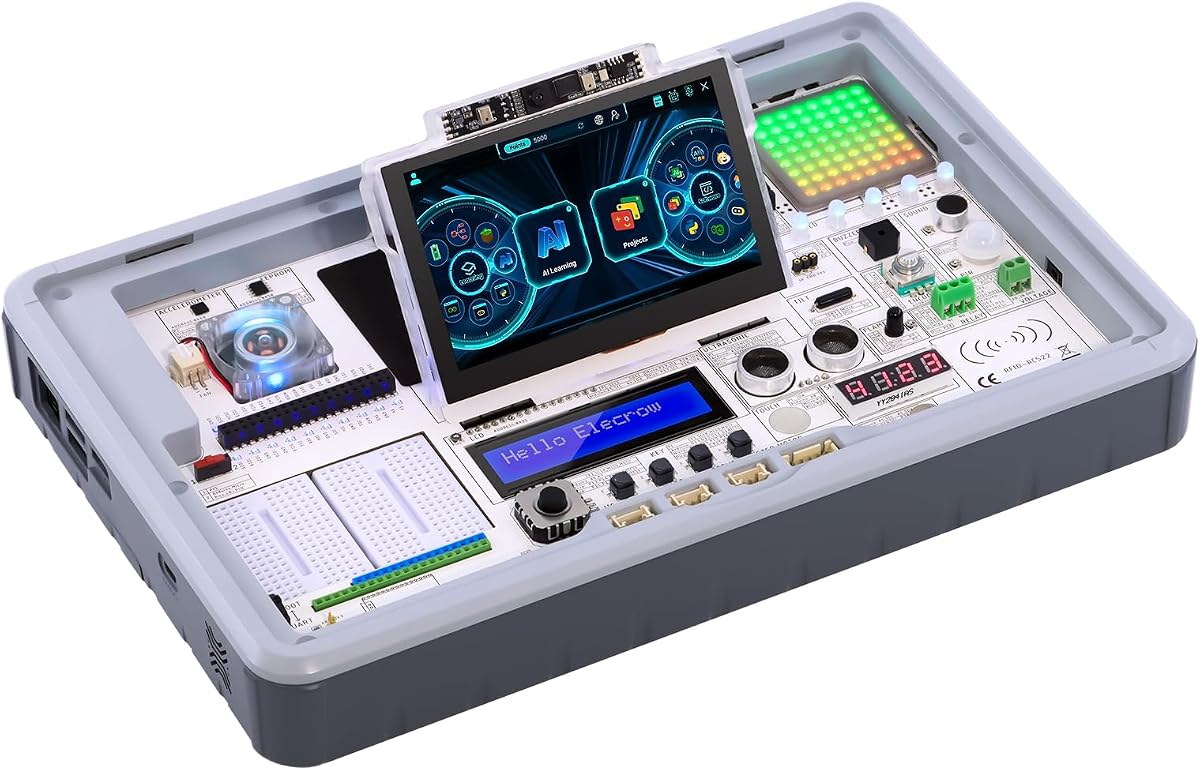
ELECROW CrowPi3 AI Learning Kit for Raspberry Pi 5
4.3Editor score
41 integrated sensors and modules
4.3-inch capacitive touch display
200 step-by-step lessons
Compare the top AI Raspberry Pi Kits for October 2026. This guide reviews hardware, sensors, and learning resources to help you build powerful artificial
Artificial intelligence is transforming how we interact with technology, and Raspberry Pi kits make these tools accessible to everyone. These kits combine powerful single-board computers with sensors and software to create smart projects. Choosing the right kit depends on your goals and experience level.
We evaluated ten leading AI Raspberry Pi kits based on hardware quality, software support, and educational value. Our analysis considers processor performance, included sensors, and compatibility with modern AI models. This ensures you get a system that grows with your skills and project needs.
Each pick highlights unique strengths for different users, from beginners to advanced developers. Prices and availability change often, so verify current details before buying. Explore our comprehensive reviews to find the perfect kit for your next intelligent creation.
4.3Editor score

4.6Editor score

5.0Editor score
This table compares key specifications across all ten kits to help you make an informed decision. Look at included hardware, sensor counts, and AI capabilities to find the best fit for your projects.
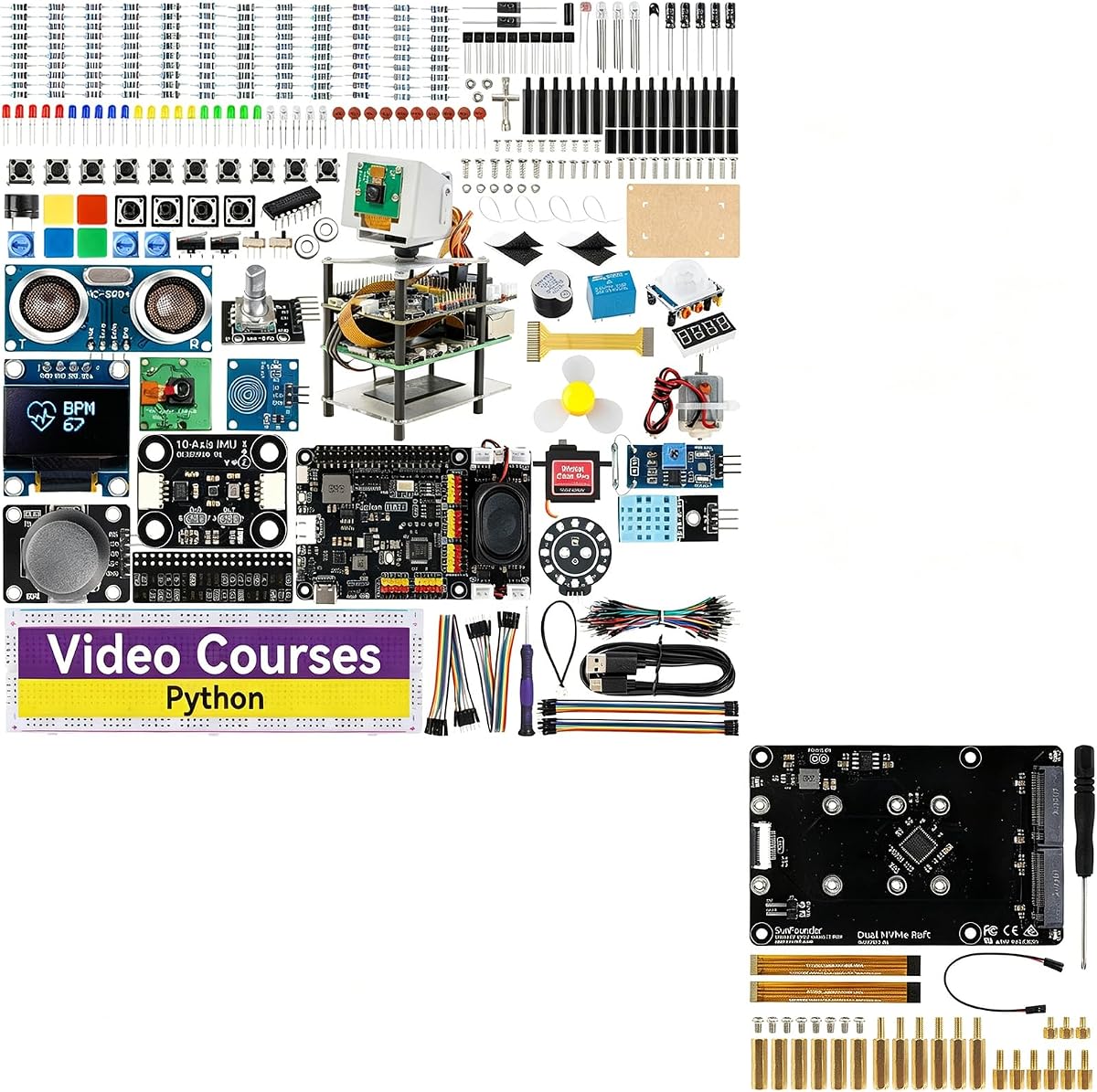


The SunFounder AI Fusion Lab Kit stands out as the top choice for learners entering artificial intelligence. It offers a complete ecosystem with multi-LLM support and guided video lessons from expert educators. This kit bridges the gap between theoretical concepts and practical application effectively.
We may earn a commission when you buy through this link, at no additional cost to you.
Its integration of voice recognition, camera vision, and sensors creates engaging projects. The Fusion HAT+ simplifies hardware control, allowing users to focus on programming rather than wiring. Detailed resources ensure you progress from basics to advanced AI tasks confidently.
While the Raspberry Pi is not included, the kit compensates with high-quality components and structured lessons. The need for separate hardware adds cost but ensures compatibility with your existing setup. This approach provides flexibility for diverse learning paths and project scopes.
Buy this kit if you want a guided path into AI with strong community support. It is ideal for beginners seeking hands-on experience with modern language models and vision systems. The combination of education and hardware makes it a top value for skill building.
Guided video lessons by Paul McWhorter ensure concepts are clear. Step-by-step instructions help you complete projects without feeling overwhelmed.
Combine voice, vision, and sensor data for rich projects. This versatility mirrors real-world AI applications you will encounter professionally.
We may earn a commission when you buy through this link, at no additional cost to you.
This kit delivers unmatched performance with the Hailo-8 accelerator and Raspberry Pi 5. It is designed for demanding AI tasks that require significant processing power. The included hardware ensures you can start building immediately without extra purchases.
We may earn a commission when you buy through this link, at no additional cost to you.
The accelerator provides up to 26 TOPS, enabling real-time object detection and complex models. Active cooling maintains stability during long runs, making it reliable for production prototypes. This level of power is rare in affordable single-board solutions.
The premium price reflects the high-end components and dedicated AI hardware. While software guidance is less extensive than other kits, the power enables advanced experimentation. Users comfortable with documentation will appreciate the raw capabilities provided here.
Choose this if you need maximum performance for serious AI development. It suits developers building custom applications or prototypes requiring robust inference speeds. The complete package saves time and ensures compatibility across all included components.
Hailo-8 accelerator handles neural networks efficiently. Tasks like segmentation run smoothly without slowing down the main system.
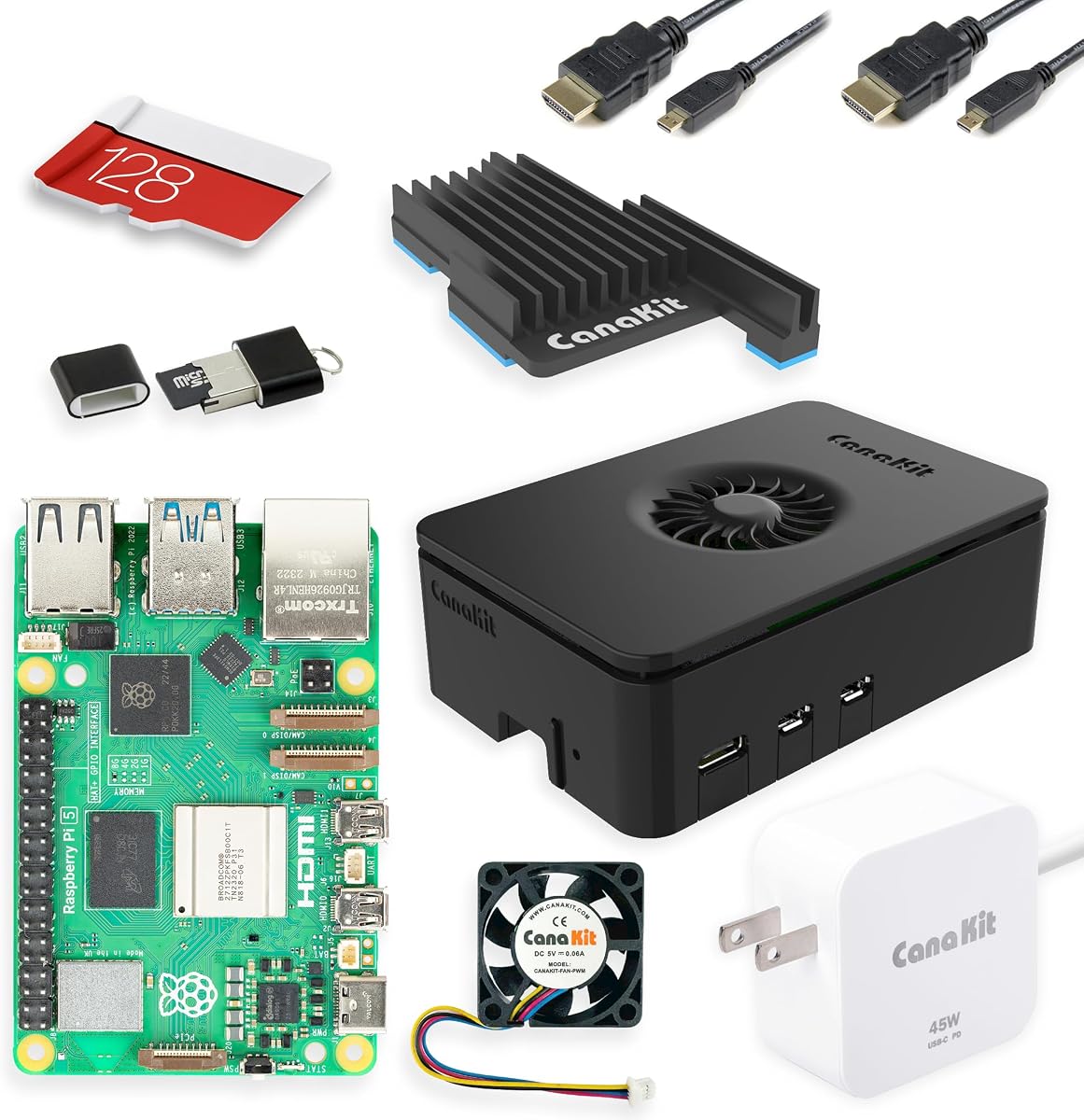
Includes case, SD card, and power supply. This convenience reduces setup time and lets you focus on coding immediately.
We may earn a commission when you buy through this link, at no additional cost to you.
The CrowPi3 Basic Kit focuses on education with 200 lessons and integrated sensors. It removes wiring complexity by offering a tidy package ready for exploration. The touch display adds interactivity that enhances project outcomes and user engagement.
We may earn a commission when you buy through this link, at no additional cost to you.
You get access to 41 different sensors and modules in a single unit. This variety supports diverse experiments from environmental monitoring to robotics control. Clear layouts help you identify components quickly during testing phases.
While the Raspberry Pi is separate, the kit value lies in its comprehensive resources. Assembly is straightforward, but beginners might need time to connect everything properly. The educational focus justifies the extra steps for long-term learning gains.
Select this for students or educators needing structured coursework. It provides a reliable platform for teaching AI concepts without overwhelming hardware details. The balance of features and price makes it accessible for classroom or home use.
4.3-inch capacitive touch enables intuitive control. You can build interfaces without needing external monitors or keyboards.
Step-by-step lessons guide you through basics to advanced topics. This structure ensures no critical concept is missed during learning.
We may earn a commission when you buy through this link, at no additional cost to you.
This kit combines the Fusion Lab with a Dual NVMe Raft for powerful storage solutions. It suits users building media servers or datasets for AI training. The PCIe integration ensures high-speed access to files needed for complex projects.
We may earn a commission when you buy through this link, at no additional cost to you.
Support for RAID configurations adds redundancy or speed depending on your needs. You can run two SSDs simultaneously without sacrificing performance on your Pi 5. This is critical for large-scale experiments where data retention matters.
Complexity rises compared to basic kits, so experience with hardware assembly helps. The power requirements demand careful planning for your setup environment. However, the benefits for data-intensive tasks outweigh the initial setup challenges.
Choose this if you need reliable storage for home labs or development. It extends the utility of AI kits beyond simple projects. This makes it ideal for makers building permanent setups or NAS systems.
NVMe slots support PCIe Gen 2.0 speeds. Fast access improves model loading times significantly.
RAID 1 mirrors data for safety. This protects valuable project data against hardware failures.
We may earn a commission when you buy through this link, at no additional cost to you.
This standard starter kit offers a reliable foundation for any Raspberry Pi project. It includes official components like the Turbine case and high-power supply. Preloaded OS saves time so you can start coding immediately without configuration hassles.
We may earn a commission when you buy through this link, at no additional cost to you.
The cooling system maintains performance without excessive noise during operation. This makes it suitable for quiet environments like offices or bedrooms. Build quality ensures longevity for regular daily use and testing phases.
While it lacks dedicated AI sensors, its robustness supports any add-on module. You will need to purchase AI kits separately to enable intelligent features. This flexibility allows you to customize the setup based on specific needs.
Select this as your core system if you prefer a clean start. It provides stability and peace of mind regarding hardware reliability. For AI, pair it with a dedicated Hat for maximum versatility and control.
Low-noise bearing fan keeps operation quiet. Ideal for home use where sound levels matter.
45W supply ensures all USB devices work. Stable power prevents unexpected shutdowns during tasks.
We may earn a commission when you buy through this link, at no additional cost to you.
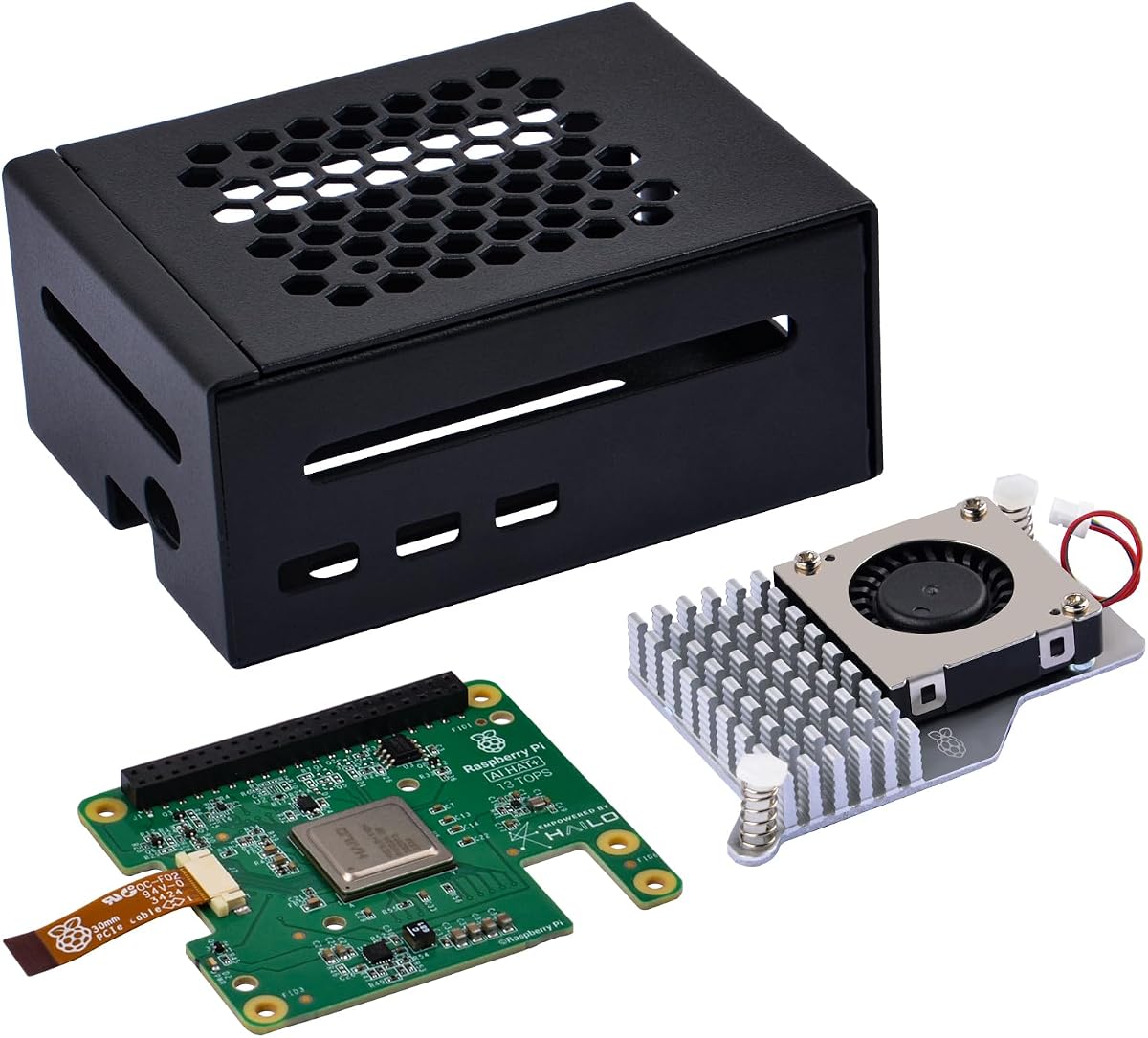
This kit adds dedicated AI processing power to your existing Raspberry Pi 5. The Hailo accelerator handles neural tasks efficiently, freeing up the CPU. A metal case protects components while ensuring a neat and professional look.
We may earn a commission when you buy through this link, at no additional cost to you.
Integration is seamless thanks to the HAT specification, which fits perfectly on the board. Active cooling prevents overheating during sustained inference tasks. This reliability makes it suitable for long-running applications like surveillance or monitoring.
The smaller 13 TOPS variant balances performance and cost effectively. It is ideal for tasks requiring segmentation without needing massive power. However, you must already own a Pi 5 to utilize this hardware fully.
Choose this if you have a Pi 5 and want to upgrade its capabilities. It is perfect for developers building custom AI boxes or edge devices. The combination of speed and size makes it a versatile upgrade path.
Fits standard HAT slots without extra wiring. This reduces setup complexity for rapid testing.
Active cooler maintains optimal temps during load. Consistent temps ensure stable processing speeds.
We may earn a commission when you buy through this link, at no additional cost to you.
This Essentials Kit provides everything needed for a stable Pi 5 workstation. Official components ensure reliability for running complex AI workloads or Docker containers. The active cooling case keeps temperatures low during intensive calculations.
We may earn a commission when you buy through this link, at no additional cost to you.
Preloaded OS allows you to start projects within minutes of unboxing. This efficiency is valuable for professionals who need to test ideas quickly. The setup avoids common compatibility issues found in third-party hardware.
While it lacks built-in AI sensors, it serves as a solid base for expansion. You can add Hats or cameras as your project requirements grow. This modular approach supports long-term development without immediate extra spending.
Select this for users needing a reliable server or desktop replacement. It excels in environments where uptime matters more than specialized sensors. Pair with specific AI modules to enable full intelligent functionality.
Official cooling and power ensure steady runs. Consistent performance prevents crashes during critical tasks.
Hardware supports containerized AI models. This simplifies deployment for cloud-integrated projects.
We may earn a commission when you buy through this link, at no additional cost to you.
This kit turns your Pi into a fully interactive robot with voice and vision. It uses ChatGPT-4o to respond naturally to commands and queries. The 12 servos allow for lifelike movements that engage users effectively.
We may earn a commission when you buy through this link, at no additional cost to you.
Real-time video streaming via FPV lets you see what the robot sees. Sensors like gyroscopes and touch sensors provide feedback for autonomous decisions. This integration creates a complete sensory experience for developers.
Using a Zero 2 W limits heavy processing compared to Pi 5 models. It focuses on connectivity and interaction rather than local heavy computing. Battery management is separate, requiring your own power source for mobility.
Choose this for educational robotics projects or interactive toys. It excels in demonstrating AI capabilities in physical forms. The combination of voice and video makes it a standout for engagement.
ChatGPT-4o enables natural conversations. Users can ask questions and get immediate responses from the robot.
12 servos support diverse movements. Walking, sitting, and tricks are programmed easily.
We may earn a commission when you buy through this link, at no additional cost to you.
CrowPi 3 is designed for education with over 200 guided courses and a touch screen. It supports facial recognition and language models to teach modern AI concepts. The layout simplifies learning by providing ready-to-use modules.
We may earn a commission when you buy through this link, at no additional cost to you.
Integration of sensors and a microphone allows for diverse interaction experiments. Students can test voice commands and visual detection without external wiring. This design keeps the focus on logic and programming rather than hardware.
Since it requires a separate Pi, planning your hardware needs is essential. The unit itself is robust and built to handle frequent use. This makes it a good investment for classrooms or shared maker spaces.
Select this if you teach or want structured learning paths. The courses ensure you do not get lost in technical details. It provides a complete pathway to understanding how sensors and AI interact.
Structured lessons guide you from basics to advanced. This ensures you build a solid understanding of concepts.
Works with Arduino, micro:bit, and Pico. This flexibility encourages learning different platforms.
We may earn a commission when you buy through this link, at no additional cost to you.
This version includes the high-performance 16GB board alongside the CrowPi 3 interface. It removes the need to buy a separate computer for immediate use. The extra memory supports complex models without performance bottlenecks.
We may earn a commission when you buy through this link, at no additional cost to you.
Integrated sensors and touchscreen make it easy to test ideas. You can run large language models or image recognition tasks smoothly. This setup is ideal for serious study or prototyping environments.
The higher price reflects the included hardware and premium features. It is an investment for those needing a ready-to-go workstation. This value is worth it for users needing reliable power for multiple projects.
Select this if you want the most complete educational kit available. It ensures you have every tool needed for development. The balance of power and usability makes it a strong long-term tool.
16GB RAM handles complex models easily. This prevents crashes during heavy training sessions.
Everything comes in one box. Setup is minimal, allowing you to start projects immediately.
We may earn a commission when you buy through this link, at no additional cost to you.
Choosing the right kit involves understanding hardware needs, software support, and your learning goals. This section breaks down critical factors to consider before making your decision.
The processor determines how fast your AI models run. For heavy tasks, choose a Pi 5 or a kit with an external accelerator. Faster chips reduce latency in real-time applications.
Look for 8GB RAM or higher to support complex datasets. Adequate memory ensures smooth multitasking during development and testing.
Sensors are crucial for vision and audio projects. Kits with built-in cameras and microphones save time on wiring. Check if the kit supports object detection or voice commands.
A wide variety of sensors allows for more creative projects. Ensure the modules match the types of interactions you want to build.
Documentation quality is just as important as hardware. Good kits offer guided lessons and sample code to get started. Without this, beginners may find setup confusing and tedious.
Video courses can simplify complex concepts significantly. Check if tutorials are updated for current operating systems and libraries.
AI tasks often require stable power delivery. Ensure the power supply meets the board and any add-ons needs. Inadequate power leads to unexpected shutdowns during operation.
Some kits include dedicated power packs for safety. Look for options that support safe shutdown procedures to protect data.
AI workloads generate heat that can slow down your system. Active cooling keeps performance stable during long projects. Kits with built-in fans simplify thermal management for you.
Passive cooling might suffice for light tasks but fails under load. Always check if the kit supports heat dissipation components.
Your kit should work with other components easily. Check for standard ports and headers that allow future upgrades. This ensures you can grow your setup as skills improve.
Avoid kits that lock you into proprietary systems if possible. Open standards provide more flexibility for custom projects.
A structured curriculum helps you progress quickly. Look for kits that offer step-by-step lessons. These save time and ensure you understand foundational concepts.
Access to community forums is also beneficial. Support groups can troubleshoot issues faster than documentation alone.
Balance cost with the included components. Sometimes buying a basic kit and adding parts separately is cheaper. Evaluate if premium features are necessary for your goals.
Consider long-term costs like storage and power. A slightly higher upfront cost might save money on accessories later.
Start by reading the included documentation carefully. Install all required software updates before beginning projects. This ensures your system is secure and ready for AI tasks.
Keep your kit in a clean, dry environment. Dust can interfere with sensors and cooling fans. Use compressed air occasionally to clean the case and ports.
Save your work frequently to avoid data loss. Use external storage for large datasets to prevent SD card corruption. Backup your code regularly to maintain project history.
It depends on the specific kit. Some include the board and accessories, while others require you to purchase the Pi separately. Always check the product description to confirm what is included in the box before ordering.
Raspberry Pi OS is the standard choice for most kits. It supports Python libraries and AI tools out of the box. Ensure you download the latest 64-bit version for compatibility with newer models.
Yes, with a Pi 5 or AI accelerator, you can run smaller models locally. For larger models, you might need cloud integration. The hardware determines the size of models you can process.
Basic Python knowledge helps but is not always required. Many kits provide sample code for beginners to study and modify. You can start with simple scripts and gradually learn more advanced concepts.
Use a compatible MIPI or USB camera module for best results. Check the kit's documentation for wiring instructions. Proper connection ensures the AI vision models work correctly.
Yes, many kits offer guided lessons and pre-configured software. They simplify setup to let you focus on learning. However, choosing one with strong documentation makes the experience smoother.
Yes, most hardware is open source and available for commercial use. Always check software licenses for proprietary models. Ensure you comply with terms when deploying AI applications.
Check the fan regularly for dust buildup. Clean it gently with compressed air to maintain airflow. Proper care prevents overheating and extends the lifespan of your kit.
We reviewed ten top kits for building artificial intelligence projects. The SunFounder Fusion Lab offers the best educational value for beginners. The Vilros kit stands out for raw power with its dedicated AI accelerator.
Prioritize your specific goals when selecting a model. Beginners should focus on structured lessons, while developers need raw performance. Consider storage and expansion needs for long-term project viability.
Prices and availability change frequently across different retailers. Always verify current stock and pricing before making your purchase. Use our guide to find the right tool for your AI journey today.