
HP DesignJet T210
4.4Editor score
Uses 95 percent less maintenance ink
Compact 24 inch design
Compatible with HP Click software
Finding the right large format plotter printer 2 can transform your workflow significantly. These devices are essential for architects, engineers, and designers who need precise outputs for technical drawings and detailed maps. Choosing the correct model ensures you get crisp lines and reliable performance every single time.
We compared ten leading models based on media handling, connectivity, and software integration. Our analysis focuses on how well each printer manages different media types and supports modern workflows. You will see which options offer the best balance of speed, cost efficiency, and professional features.
Each pick highlights specific strengths like speed, ink efficiency, or ease of use. We also note key trade-offs to help you decide based on your unique needs. Remember that availability and pricing can change quickly so verify details before you finalize your purchase decision today.
4.4Editor score

5.0Editor score

3.0Editor score
As an Amazon Associate we earn from qualifying purchases.
This side by side comparison lists all ten models with their core specifications and key features. Use this table to quickly scan differences in speed, media size, and included support options before diving into detailed reviews.



The HP DesignJet T650 stands out as the top choice for professionals who need speed and reliability. With a perfect rating and robust features, it delivers consistent results for CAD and poster prints. Its combination of speed and support makes it a smart long term investment.
We may earn a commission when you buy through this link, at no additional cost to you.
This model offers impressive speeds reaching up to 82 prints per hour on A1 sizes. It includes a generous 1 GB of memory to handle complex files smoothly. The automatic sheet and roll switch allows you to print on different media without manual intervention saving valuable time.
While the price point is higher than budget options the included 2 year onsite support mitigates risk effectively. The cost savings on maintenance ink over time also help offset the initial cost. You get peace of mind knowing experts are available if issues arise.
Architects and engineers should buy this printer for high volume technical drawing needs. The reliable connectivity and software make it easy to integrate into existing workflows. It is the best pick if you want speed and support in one package.
This printer achieves high output rates that keep busy offices moving quickly without bottlenecks.
The 2 year onsite warranty ensures minimal downtime if any hardware issues occur during normal use.
We may earn a commission when you buy through this link, at no additional cost to you.
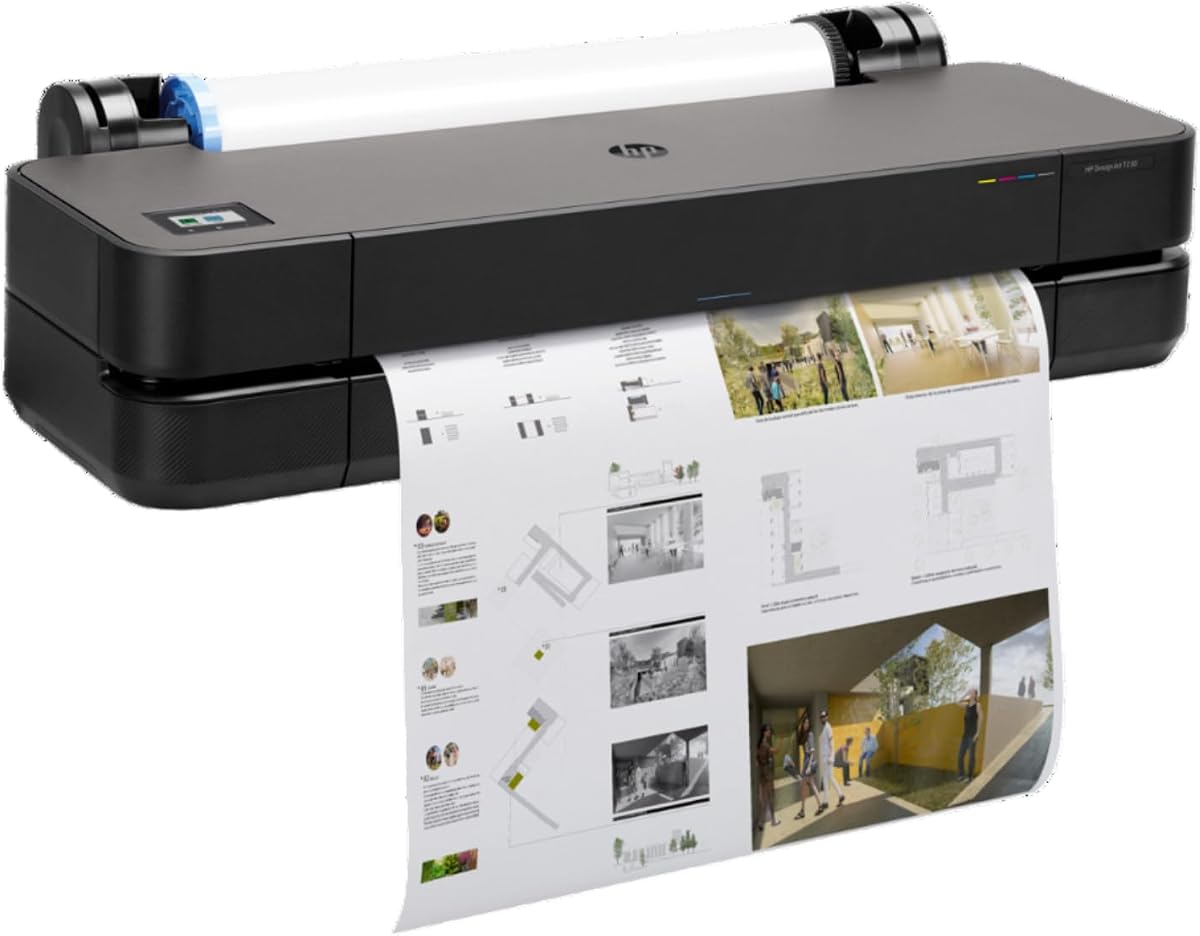
The HP DesignJet T210 is an excellent entry point for those needing large format capabilities without breaking the bank. It handles technical line drawings and posters with precision. Its low maintenance ink usage is a major highlight for budget conscious users.
We may earn a commission when you buy through this link, at no additional cost to you.
Cost efficiency is a key strength here as the printer uses 95 percent less ink for maintenance than competitors. The included HP Click software simplifies printing by checking PDF errors and auto nesting files. Connectivity options like Wi Fi and Ethernet ensure flexible placement in any office.
Trade-offs include slower speeds compared to premium models and the need to buy an optional sheet feeder. However for many users these are acceptable compromises given the price. It still delivers professional quality results for standard engineering and design tasks.
Students and small firms should buy this printer for occasional high quality output needs. It is ideal for those who prioritize low operating costs over raw speed. This model proves you do not need to spend heavily to get reliable large format prints.
Maintenance ink savings reduce long term expenses significantly making it great for tight budgets.
HP Click software helps avoid reprints by checking files before they are sent to the printer.
We may earn a commission when you buy through this link, at no additional cost to you.
The HP DesignJet T850 offers premium capabilities for professionals requiring wider output. With 36 inch media support it handles larger maps and CAD drawings effortlessly. The inclusion of a care pack adds value and security for critical business environments.
We may earn a commission when you buy through this link, at no additional cost to you.
This model uses pigment based Flex Tech inks to ensure precise and accurate line quality. It includes a 1 GB memory and an integrated input tray for half size jobs without manual changes. These features streamline workflows for complex AEC projects requiring high fidelity.
The main trade-off is the higher cost and potential variability in user ratings. However the hardware capabilities justify the investment for those needing the extra width. The care pack helps protect against unexpected downtime or repair costs.
GIS and MCAD professionals should buy this printer for demanding large scale visualization tasks. It is best suited for teams that need reliability and wider print areas regularly. This premium choice delivers the quality required for high stakes technical presentations.
The 36 inch capability allows for printing larger maps without stitching or scaling down details.
Pigment based inks provide durability and vibrant colors suitable for professional technical outputs.
We may earn a commission when you buy through this link, at no additional cost to you.
The HP DesignJet T630 provides a solid solution with essential accessories bundled in. It includes a media bin and stand which saves setup time and space. This model is designed to handle technical line drawings with precision and ease.
We may earn a commission when you buy through this link, at no additional cost to you.
The automatic sheet feeder allows you to switch between roll and sheet media easily. Connectivity options include Gigabit Ethernet and Wi Fi for flexible network placement. It is a cost effective choice that does not compromise on core performance needs.
While it lacks the speed of the T650 it compensates with useful bundled features. The media bin helps keep your workspace tidy and organized. These conveniences make it a practical option for small to medium engineering offices.
Small engineering teams should buy this printer for standard 24 inch output needs. It is ideal for those who want accessories included without extra shipping hassles. This printer offers a balanced mix of performance and convenience for daily tasks.
The included stand and media bin mean you can set up quickly without extra purchases.
Automatic sheet feeding lets you use standard paper without changing the roll manually.
We may earn a commission when you buy through this link, at no additional cost to you.
The HP DesignJet T210 with Care Pack combines budget friendly performance with essential security. It offers the same reliable printing as the base T210 but adds 2 years of onsite support. This makes it safer for businesses needing uptime guarantees.
We may earn a commission when you buy through this link, at no additional cost to you.
Cost efficiency remains high with 95 percent less ink used for maintenance tasks. The automatic horizontal cutter helps finish prints professionally. Connectivity includes Wi Fi and Ethernet ensuring flexible setup options within any workspace environment.
The main limitation is that it is not as fast as higher tier models. However for most users this speed is sufficient for daily technical drawings. The added support is the key differentiator that justifies this specific listing choice.
Architects who need protection should buy this printer for secure and reliable output. It is ideal for firms that want low costs with support included. This model offers peace of mind for those running critical printing workflows daily.
The included care pack ensures you have expert help if the hardware encounters issues.
Low ink consumption reduces waste and keeps long term maintenance costs low effectively.
We may earn a commission when you buy through this link, at no additional cost to you.
The HP DesignJet T230 offers reliable 24 inch printing with essential warranty coverage. It includes an automatic horizontal cutter to finish prints professionally. This model is ideal for professionals needing consistent output for technical drawings.
We may earn a commission when you buy through this link, at no additional cost to you.
Cost efficiency is a key benefit as it uses 95 percent less ink for maintenance. The 2 year onsite support ensures you get help if issues arise. It is a practical option for offices needing secure and supported equipment.
Users report varied experiences reflected in the rating. However the core functionality meets standard needs for posters and maps. The included support is a strong point for those prioritizing uptime.
Engineers needing support should buy this printer for secure and reliable outputs. It is ideal for smaller offices where budget and security both matter. This printer delivers the basics well with essential warranty coverage included.
The 2 year support coverage helps protect your investment against unexpected hardware issues.
The automatic cutter ensures your prints come out clean and ready for distribution.
We may earn a commission when you buy through this link, at no additional cost to you.
The HP DesignJet T870 brings high speed and security to 24 inch printing. It prints A1 pages in just 21 seconds which is exceptional for its class. The included care pack ensures support is available for critical needs.
We may earn a commission when you buy through this link, at no additional cost to you.
With 1 GB of memory it handles complex files smoothly without buffering. It supports a wide range of media types including photo and glossy paper. The secure printing features help protect sensitive architectural and engineering documents effectively.
The main drawback is the higher cost and lack of established ratings. However the specs suggest strong performance for high volume offices. Security and speed are key drivers for choosing this advanced model over others.
Architects needing speed and security should buy this printer for busy workloads. It is ideal for environments where document privacy is a high priority. This model is a strong contender for those needing professional grade throughput.
Printing a page in 21 seconds significantly reduces wait times for large project files.
Secure printing options keep sensitive plans and designs safe until you release them.
We may earn a commission when you buy through this link, at no additional cost to you.
The Canon imagePROGRAF TC-21M stands out as a multifunction device with built in scanning. It allows you to make enlargements directly from a flatbed scanner easily. This versatility makes it useful for offices needing both printing and copying.
We may earn a commission when you buy through this link, at no additional cost to you.
Cloud connectivity allows you to print and scan from anywhere easily. The USB flash drive port simplifies file transfers without a computer. The auto sheet feeder supports up to 50 sheets of 11×17 inch paper.
While it is great for multifunction needs it may lack depth for heavy CAD workflows. The scanner is limited to smaller original sizes. However for mixed office tasks it offers significant convenience over print only models.
Office managers needing both copy and print should buy this device. It is ideal for workspaces where documents need to be resized quickly. This model provides a versatile solution for diverse document handling needs.
The flatbed scanner lets you digitize and enlarge smaller originals in a single step.
Cloud printing and scanning enable flexible work from anywhere with ease and speed.
We may earn a commission when you buy through this link, at no additional cost to you.
The CANON PRO 2100 is specialized for high quality fine art output. It features a strong user rating indicating high satisfaction among artists and creatives. This model ensures stunning color reproduction for artistic portfolios.
We may earn a commission when you buy through this link, at no additional cost to you.
The 1 year on-site warranty provides essential protection for your investment. While it supports 24 inch wide format it is tuned for artistic media. The focus is on quality over speed for premium visual outputs.
Artists looking for CAD features may find it less suitable than HP models. However for galleries and studios the color accuracy is unmatched. It is a niche device that serves specific creative needs effectively.
Artists needing gallery quality prints should buy this printer for portfolios. It is ideal for creatives who prioritize color fidelity over technical speed. This model delivers the beauty required for professional fine art displays.
Designed for fine art this printer ensures colors are vibrant and true to the original.
A high user rating reflects reliability and quality satisfaction among creative professionals.
We may earn a commission when you buy through this link, at no additional cost to you.
The HP DesignJet T830 offers a compact multifunction solution for busy studios. It handles print scan and copy tasks in a small footprint. This makes it perfect for architecture offices needing communication tools.
We may earn a commission when you buy through this link, at no additional cost to you.
Mobile printing via iOS and Android apps allows flexible workflow management. HP Click software helps print project sets and PDFs efficiently. It is a convenient device for teams needing to update partners quickly.
The main trade-off is the higher price compared to print only models. The smaller input tray may limit large batch sheet printing. However the versatility and compact design often justify the cost for small teams.
Architecture studios needing compact MFPs should buy this printer for workflow. It is ideal for teams needing efficient print scan copy capabilities. This model helps keep communication effective in tight office spaces.
The built-in scanner and copier save space and streamline office document workflows.
Direct printing from phones and tablets makes collaboration and sharing faster.
We may earn a commission when you buy through this link, at no additional cost to you.
Selecting the right large format plotter printer 2 requires evaluating several key factors. This section guides you through the most important features to consider.
Determine the maximum width you need whether 24 inch or 36 inch. Check if it supports roll and sheet feeds. Ensure it handles the specific media types you plan to use like bond or coated paper.
Choose a model that supports your required widths and media types to avoid limitations.
Look at prints per hour metrics such as A1 or D size speed. Faster printers reduce wait times on large jobs. Consider your daily volume needs to decide if speed is a priority.
Prioritize speed if you have high volume printing needs or tight deadlines.
Ensure the printer supports Ethernet Wi Fi or USB connections you use. Wireless options allow flexible placement in your office. Check for mobile app support if you print from phones or tablets.
Select connectivity that fits your office network and workflow requirements.
Check if HP Click or other drivers support your CAD applications. Look for error checking and nesting features. Software should simplify file management and reduce reprints.
Choose software that integrates seamlessly with your existing design tools.
Review ink cartridge capacity and maintenance costs. Some models use less ink for routine tasks which saves money. Check if cartridges and printheads are separate or combined.
Prioritize models with lower maintenance ink usage for long term savings.
Look for bundles that include feeders stands or media bins. These reduce extra shipping costs and setup time. Ensure the package meets your office space requirements.
Buy bundles with accessories you need to avoid extra purchases later.
Consider onsite support packages if you need minimal downtime. Check warranty length and coverage details. Reliable support is crucial for business continuity.
Opt for onsite warranty if you depend heavily on your printer for daily work.
Evaluate upfront cost versus long term maintenance expenses. Some cheaper printers have higher ink costs. Balance your budget with the value you get from speed and support.
Calculate total costs including ink and support before making a final decision.
Set up the printer on a level surface away from direct sunlight. Connect power and network cables properly. Install the driver and software on your computer to enable printing functions.
Feed paper correctly through the roll or sheet feeder. Use HP Click software to preview jobs before printing. Select appropriate settings for your media type to ensure best quality results.
Clean the printhead regularly using the printer's maintenance menu. Replace ink cartridges when levels are low to avoid jams. Keep the cover closed when not in use to protect internal parts from dust.
For most CAD work 24 inch is sufficient. Larger 36 inch models suit maps. Check your standard document widths before choosing.
Most support roll and sheet feeds. Some require optional feeders. Check the product details for sheet capabilities.
Maintenance ink costs are low on many models. Use OEM cartridges for best reliability. Bulk options save money on large jobs.
Yes many support mobile apps. Ensure Wi Fi is active. Download the HP Smart app for ease.
They last thousands of prints. Replace when quality drops. Check the maintenance page for status.
Yes HP Click or CAD drivers help. Install from the manufacturer site. Update drivers for best performance.
Experts visit to fix issues. It minimizes downtime. Useful for business critical tasks.
Use auto nesting in software. Check PDF errors before printing. Review job settings to reduce waste.
The top picks for large format plotter printer 2 include the T650 T210 and T850. Each offers distinct advantages for different professional needs and budgets.
Prioritize speed support and media size based on your project requirements. Consider ink efficiency and software integration for long term value.
Verify current availability and pricing before purchase to ensure you get the best deal. This guide helps you make an informed choice for your printing needs.