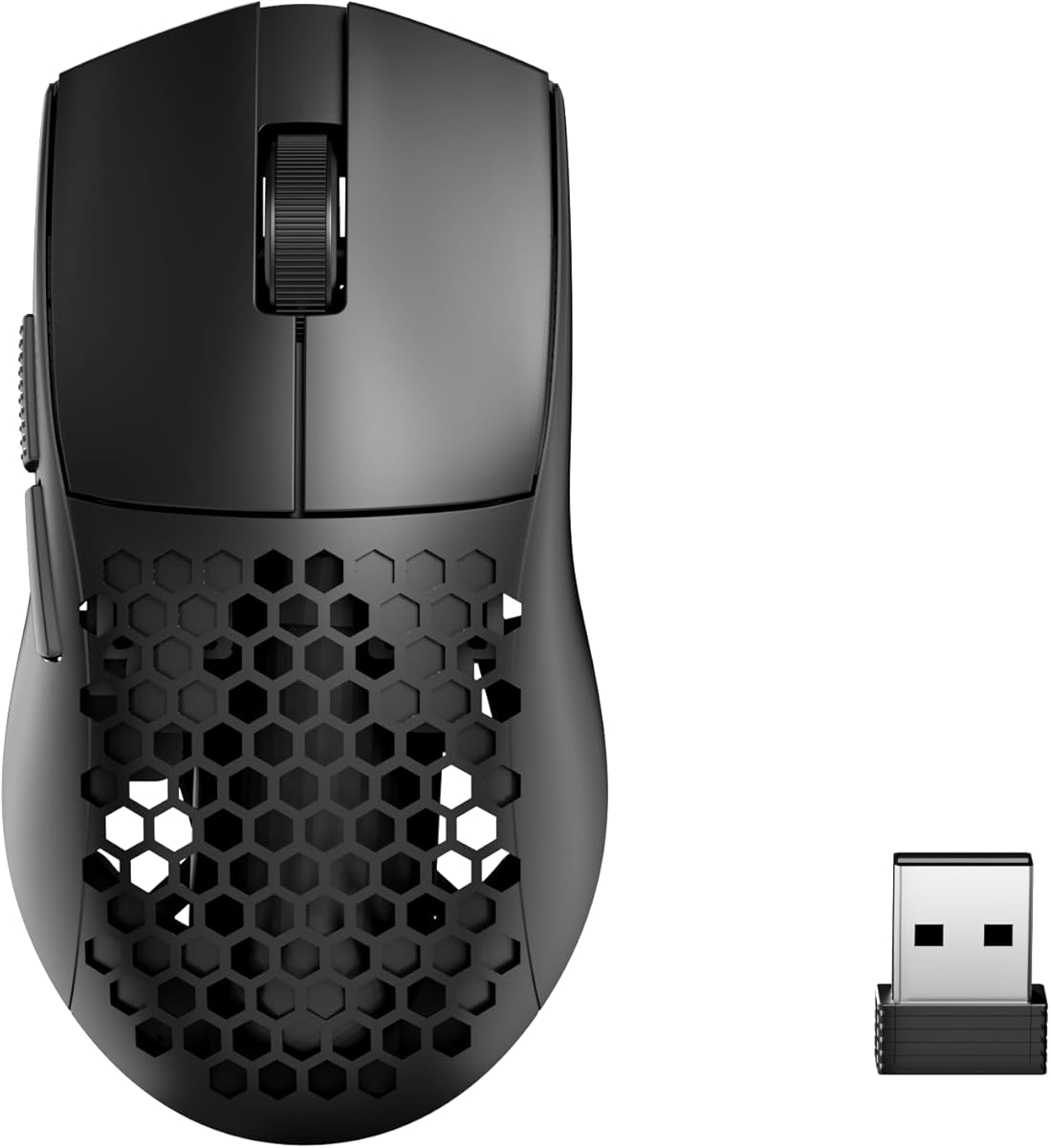
Redragon M725 Honeycomb Shell Gaming Mouse Wireless
4.4Editor score
Tri Mode Connection Support
Eight Thousand DPI Sensor
Honeycomb Shell Design
Discover the lightest mice for gaming ranked by weight and performance to find the perfect ultralight option for your setup today.
Finding the lightest mice for gaming can transform your competitive edge by reducing fatigue and increasing speed. These ultralight peripherals are engineered with advanced materials to minimize resistance during intense play sessions. Gamers increasingly seek gear that balances minimal weight with robust performance for precision aiming.
We compared ten top-rated models based on weight, sensor accuracy, build quality, and user feedback to create this definitive list. Each entry undergoes rigorous evaluation to ensure it meets the demanding standards of modern esports and casual enthusiasts alike. This guide highlights the most innovative designs available in the current market landscape.
Every pick showcases unique strengths tailored to different grip styles and budget requirements for optimal customization. You will find detailed breakdowns of sensors, battery life, and connectivity options to help you decide wisely. Please note that prices and availability change frequently so verify current details before purchasing your next mouse.
4.4Editor score

4.5Editor score

4.3Editor score
This side by side comparison highlights the key specifications and features of every ultralight gaming mouse selected for this guide to help you make an informed decision quickly.


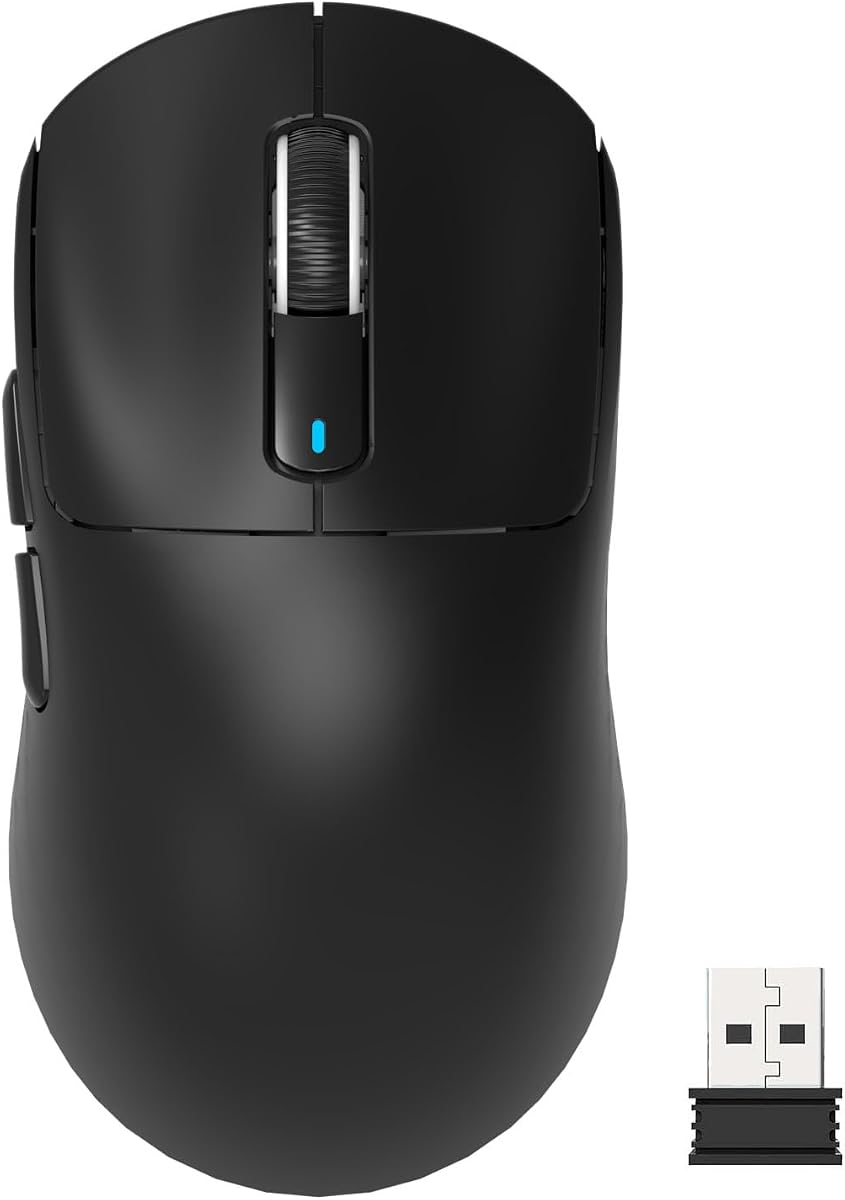


The Logitech G PRO X Superlight 2 Wireless Gaming Mouse stands out as a top choice for serious competitors seeking minimal weight. With a rating of 4.5 stars it delivers exceptional performance through its advanced HERO 2 sensor and lightweight chassis designed for precision.
We may earn a commission when you buy through this link, at no additional cost to you.
Its standout quality is the eight kilohertz polling rate which ensures incredibly responsive tracking during fast movements. The battery lasts up to 95 hours on a single charge and it supports POWERPLAY for wireless charging convenience without cables.
While the premium price may be steep some users find the cost justified by the professional grade features. The lack of RGB lighting or extra buttons limits customization but this trade-off prioritizes pure speed and accuracy.
This mouse is ideal for esports pros and enthusiasts who value performance above all else. Its balanced weight and refined shape make it suitable for claw and fingertip grips ensuring long hours of comfort.
The HERO 2 sensor offers tracking over 400 inches per second with zero smoothing or acceleration for natural movement.
USB-C charging combined with POWERPLAY compatibility allows you to keep your mouse powered without interruption during sessions.
We may earn a commission when you buy through this link, at no additional cost to you.
The Pulsar Gaming Gears X2H Crazylight Wireless Gaming Mouse redefines lightweight gaming with its unreal 37 gram weight. Rated at 4.3 stars it combines featherlight handling with cutting-edge functionality like the exclusive XS-1 sensor for high speed tracking.
We may earn a commission when you buy through this link, at no additional cost to you.
Its symmetrical shape supports both claw and relaxed claw grips allowing for quick reactions without wrist strain. The Speed of Light Optical Switches minimize double clicks and the included DOT Skates ensure smooth gliding on any surface.
One trade-off is the mini size which may feel too small for users with larger hands or those preferring palm grip. The lightweight build also requires careful handling to avoid accidental pressure on buttons during intense play.
This mouse is perfect for competitive players who prioritize weight reduction above all else. Its durable build and premium features make it a strong contender for those seeking the ultimate speed advantage.
Despite its lightweight build the X2H boasts exceptional durability and sleek aesthetics for a premium look and feel.
The XS-1 sensor delivers 32,000 DPI resolution with 50g acceleration ensuring unparalleled accuracy for precise aiming.
We may earn a commission when you buy through this link, at no additional cost to you.
The Razer Viper V3 HyperSpeed Wireless PC Gaming Mouse balances weight and functionality with its mass centralized 82 gram design. Rated at 4.4 stars it ensures seamless consistent swipes crucial for competitive play without settling for unbalanced battery powered mice.
We may earn a commission when you buy through this link, at no additional cost to you.
Its standout feature is the impressive battery life of up to 280 hours on just a single AA battery. The Focus PRO 30K Optical Sensor maintains flawless tracking even on glass surfaces and Hyperspeed Wireless guarantees low latency connections.
While heavier than the lightest 37 gram models the Viper V3 still offers significant mobility for extended sessions. The reliance on AA batteries instead of a built-in rechargeable cell may be a drawback for users seeking convenience.
This mouse is ideal for gamers who need long endurance between charges and high precision aiming. Its ergonomic shape and durable switches make it a reliable tool for both professional and casual environments.
Multi-device support and Hyperspeed technology ensure smooth stable connections even in noisy wireless environments for esports setups.
The convenient on-mouse DPI button allows quick toggling between five stages or mapping to essential commands for efficiency.
We may earn a commission when you buy through this link, at no additional cost to you.
The Redragon M725 Honeycomb Shell Gaming Mouse Wireless offers exceptional value with its ultra lightweight 49g build and tri-mode connectivity. Rated at 4.4 stars it provides an affordable entry into the world of lightweight gaming without compromising on essential performance features.
We may earn a commission when you buy through this link, at no additional cost to you.
Its honeycomb design significantly reduces weight and enhances air circulation to keep hands dry during marathons. With three connectivity modes and software support users can switch between Bluetooth 2.4GHz and wired connections seamlessly for versatile daily use.
One downside is the lower DPI compared to flagship models which might limit precision for high resolution monitors. The open shell design can also trap dust requiring regular cleaning to maintain sensor performance.
This mouse is perfect for budget-conscious gamers looking for a lightweight and functional tool. Its comfortable symmetric grip ensures it works well for long-term use without causing fatigue or strain on the wrist.
Switch easily between Bluetooth and 2.4GHz wireless to connect with devices within 10 meters for efficient multitasking.
The symmetrical design allows for easy handling of gaming marathons or extended work sessions without fatigue.
We may earn a commission when you buy through this link, at no additional cost to you.
The Logitech G305 Lightspeed Wireless Gaming Mouse is a portable powerhouse with a lightweight design weighing just 3.4 oz. Rated at 4.6 stars it delivers incredible responsiveness with 1ms report rate and an efficient battery that lasts up to 250 hours on one cell.
We may earn a commission when you buy through this link, at no additional cost to you.
Its compact shape includes built-in nano receiver storage making it a great travel companion for laptops. The next-generation HERO sensor offers up to 12000 DPI sensitivity ensuring precision performance while maintaining up to 10x power efficiency over predecessors.
While the lack of side buttons limits customization it simplifies the design for a sleeker profile. Users relying on rechargeable cells might prefer internal battery options but the AA setup ensures long life without charging downtime.
This mouse is ideal for students and travelers who need a reliable gaming setup on the go. Its robust build and long battery life make it a consistent performer whether in a dorm room or a coffee shop.
Switch to Endurance mode via Logitech G HUB software to extend battery life up to nine months for extended periods.
LIGHTSPEED wireless technology gives you a lag-free gaming experience with 1ms report rate for competition-level performance.
We may earn a commission when you buy through this link, at no additional cost to you.
The MCHOSE L7 Pro Wireless Gaming Mouse Super Light brings esports grade performance to a 39g lightweight ergonomic frame. Rated at 4.4 stars it features a high hump design for comfort and delivers exceptional accuracy with a sensor capable of submicron motion detection.
We may earn a commission when you buy through this link, at no additional cost to you.
Its standout feature is the 8K Hz polling rate which ensures incredibly fast and precise tracking during gameplay. The optical switches last up to 150 million clicks and the included 8K receiver enhances visuals and performance without extra cost.
While the software is intuitive it lacks the depth of major brands like Logitech or Razer. Users might need to rely on default settings or community guides for advanced customization if they need specific macros.
This mouse is perfect for players seeking high polling rates at an accessible price point. The tri-mode connection options offer flexibility for work and play making it a versatile choice for diverse usage scenarios.
The high hump design balances weight distribution for precise control allowing you to stay comfortable during quick maneuvers.
Optical switches offer satisfying tactile response minimizing accidental inputs ensuring your actions translate flawlessly into gameplay.
We may earn a commission when you buy through this link, at no additional cost to you.
The ATTACK SHARK X3 Lightweight Wireless Gaming Mouse adopts a lightweight material case to reach an astonishing 49g weight. Rated at 4.4 stars it supports various hand shapes with ergonomic design while providing flagship sensor performance for competitive gaming enthusiasts.
We may earn a commission when you buy through this link, at no additional cost to you.
Its Kailh GM8.0 micro switches feature crispy sound and fast rebound for a durable 80 million click lifespan. The PAW3395 optical sensor offers 6 level adjustable DPI up to 26000 ensuring the slightest movements are captured accurately.
While lightweight the compact build may not suit larger hands or palm grip styles. The advanced features require using the driver to maximize potential which might be a hurdle for casual users seeking plug-and-play simplicity.
This mouse is ideal for gamers prioritizing ergonomic comfort and high DPI flexibility. Its multi-device support and programmable buttons make it a strong tool for both gaming and productivity tasks on a single PC.
Maximum of 4 devices can be connected at same time making it very suitable for multi-device work environments.
TTC scroll wheel encoder provides more precise positioning ensuring excellent tactility in every touch of the mouse.
We may earn a commission when you buy through this link, at no additional cost to you.
The Pulsar Gaming Gears X2 Crazylight Gaming Mouse redefines lightweight handling with its medium symmetrical shape. Rated at 4.3 stars it offers ultra-light handling while delivering cutting-edge functionality for peak performance and exceptional durability.
We may earn a commission when you buy through this link, at no additional cost to you.
Its symmetrical design supports both claw and fingertip grips allowing for quick reactions and precise control on any surface. The Speed of Light Optical Switches minimize unintended double clicks and the included Pulsar Blue Encoder offers a delightful tactile rotation experience.
While it is a premium price point the build quality justifies the investment for serious gamers. The medium size is perfect for users needing more surface area than the mini version but still wanting featherlight weight.
This mouse is ideal for competitive gamers who need reliability and lightweight speed. The dust-proof structure and included skates ensure consistent performance even with extended use on glass or hard mousepads.
The XS-1 Sensor boasts 32000 DPI resolution and 750 IPS tracking speed delivering unparalleled precision and speed.
Equipped with 16 UHMW-PE skates these pieces deliver exceptional low friction for smooth gliding on any surface.
We may earn a commission when you buy through this link, at no additional cost to you.
The ASUS ROG Harpe Ace Mini Wireless Esports Gaming Mouse is co-developed with professional FPS players for optimized competitive use. Rated at 4.4 stars it features a compact semi-symmetrical form factor designed to fit smaller hands and various grip types perfectly.
We may earn a commission when you buy through this link, at no additional cost to you.
Its AimPoint Pro optical sensor delivers 36000 DPI and track-on-glass technology ensuring pixel-perfect accuracy and responsiveness. The 49g lightweight design reduces fatigue while the tri-mode connectivity allows for seamless switching between devices for diverse setups.
While the mini size may be uncomfortable for large hands its refined shape provides maximum control with minimal fatigue. The right-handed design limits accessibility for left-handed users who might need alternative options for similar performance.
This mouse is perfect for competitive players who need pro-level precision in a small package. Its reliable wireless performance and optimized power efficiency make it an excellent choice for both desktop and laptop gaming.
Track-on-glass technology ensures flawless tracking on a wider variety of surfaces including glass for competitive gaming.
Unmatched flexibility with wired USB 2.4GHz RF and Bluetooth pairing for up to three devices.
We may earn a commission when you buy through this link, at no additional cost to you.
The Redragon M808 Storm Lightweight RGB Gaming Mouse assures long-session gaming without fatigue with its 85g ultralight shell. Rated at 4.5 stars it features a hive cutout design and offers 12400 DPI optical sensor customization for precise registration.
We may earn a commission when you buy through this link, at no additional cost to you.
Its 7 programmable buttons allow redefinition and assignment of complex macro keybindings to deal with impossible missions. The included Super-Lite cable minimizes weight and friction ensuring you stay totally in control with every single click.
While heavier than the 49g wireless options it still provides significant weight savings for a wired mouse. The lack of wireless connectivity means cable management is necessary but the included cable is designed to reduce drag effectively.
This mouse is ideal for gamers who prefer wired stability on a budget. Its extensive customization options and vibrant RGB lighting allow you to engineer your liked way to win on any PC setup.
100 to 12400 DPI and 16.8 Million colors are all customizable with software support to engineer your liked way to win.
Not only the mouse material but also the cable is made of the lightest material to kill weight and friction.
We may earn a commission when you buy through this link, at no additional cost to you.
Choosing the right ultralight mouse requires evaluating several factors to ensure it meets your gaming style and comfort needs.
Weight is the primary factor for gaming mice as lighter models reduce fatigue and increase swipe speed. Ideally look for mice under 60 grams but ensure the weight distribution remains centralized to prevent it from feeling too light or uncontrolled.
Always verify the exact grams provided by the manufacturer and check if it includes cables or receivers that add to the total load.
An accurate optical sensor ensures your movements translate precisely to the screen without jitter or acceleration. Look for sensors like HERO or PAW3395 that offer high DPI settings and IPS tracking speeds for competitive play.
Higher sensitivity is useful for high resolution monitors but make sure the mouse supports disabling acceleration for natural aiming.
Different shapes support different hand grips such as claw, fingertip, or palm grips. Symmetrical designs work best for claw grips while ergonomic shapes support palm use. Test the size against your hand to avoid cramping.
A proper fit reduces strain during long sessions and enhances your control over quick in-game movements.
Wireless mice offer freedom from cables but wired options often provide lower latency. Modern wireless models use advanced protocols to minimize lag so prioritize ones with high polling rates like 8000Hz.
Tri-mode options give flexibility for gaming and work but ensure the switching mechanism is reliable and intuitive.
For wireless mice check how many hours of gameplay you get on a single charge or battery. High polling rates consume more power so expect less life if you use 8000Hz constantly.
Look for USB-C charging or AA batteries for long endurance and easy replacements during tournaments.
Click switches determine how long your mouse lasts under heavy use. Optical switches are popular for their speed and resistance to double-click issues which are common in mechanical switches.
Check the rated lifespan in millions of clicks to ensure the mouse remains reliable for years of play.
Software allows you to program macros adjust DPI and customize lighting. Some brands offer better interfaces than others so read reviews about usability and reliability of their tools.
Ensure the software supports your operating system and allows exporting profiles for use on other machines.
Ultralight mice often use honeycomb shells which reduce weight but can collect dust and debris. Check if the mouse has durable materials and protective coatings to resist wear and tear.
A sturdy build ensures the mouse maintains its performance and shape even after extensive gaming marathons.
Clean your mouse regularly using compressed air to remove dust from honeycomb holes and sensors. Wipe the surface with a damp cloth to remove oils and sweat buildup.
Adjust your DPI settings to match your monitor resolution and personal preference for smoother aiming. Use the manufacturer software to save different profiles for various games or tasks.
Store your mouse in a dry place to avoid moisture damage and ensure the battery does not drain during long periods of inactivity.
Yes lighter mice reduce arm fatigue and allow for faster precise movements essential for competitive play. They also minimize physical strain during long gaming sessions which helps maintain consistent performance.
Most competitive gamers prefer mice between 40 and 60 grams for a balance of speed and control. Anything under 40 grams might feel too light but this depends on personal preference and hand size.
Not necessarily as newer sensors and efficient wireless technology allow ultralight mice to maintain strong battery life. Look for models with optimized power usage to ensure long gameplay without frequent recharging.
Honeycomb shells are designed to be robust despite their cutouts so durability is generally high. However you should clean them regularly to prevent dust accumulation which could affect sensor performance over time.
Yes modern wireless mice offer zero-lag performance comparable to wired options. Many professional esports players now use wireless gear for the freedom of movement it provides.
Claw and fingertip grips are best suited for ultralight mice due to their lighter weight and smaller size. These styles allow for quicker wrist movements and precision aiming compared to palm grips.
Use compressed air to blow out dust from shell holes and wipe the body with a damp microfiber cloth. Avoid using harsh chemicals that could damage the sensors or external coatings.
A polling rate of 1000Hz is standard but higher rates like 8000Hz offer faster response times for competitive players. Choose based on your system capability as not all PCs support extreme rates efficiently.
We reviewed the top lightest mice for gaming ranging from 37 grams to 85 grams to cover diverse player needs and budgets. Each model offers unique strengths in sensor performance battery life and ergonomics to suit your specific playstyle.
Prioritize the factors that matter most to you such as weight shape and connectivity to ensure the mouse enhances your gaming experience. A well chosen ultralight mouse can significantly improve your aim and reduce physical strain over time.
Please note that prices and availability change frequently so verify current details before purchasing your next mouse. Check the latest deals and features to find the perfect ultralight option for your setup today.