
Lexar Thor Z RGB DDR5 RAM 32GB Kit
4.4Editor score
32GB Capacity Kit
Bright RGB Lighting
6000MHz Speed
This guide compares the top Lexar DDR5 RAM kits for gaming and workstations, highlighting speed, latency, and compatibility to help you choose the best memory
Selecting the right memory is crucial for modern computing. High-speed DDR5 modules unlock performance in gaming and creative tasks. Lexar offers reliable kits with fast speeds and stable operation for diverse platforms.
We evaluated ten top kits based on speed, latency, and design. Compatibility with Intel and AMD systems was a key factor. We also considered thermal management and RGB features for visual appeal.
Each pick highlights unique strengths for different user needs. Prices and availability change frequently so check current listings. These reviews help you find the ideal balance of performance and value.
4.4Editor score

4.8Editor score

4.8Editor score
This table summarizes key specs across ten top memory kits. It helps you quickly compare speed, capacity, and features to find the right fit for your system.



The Lexar OC DDR5 RAM delivers outstanding entry performance. It clocks at 6000MHz with tight CL38 latency for fast multitasking. The compact design suits many coolers and cases.
We may earn a commission when you buy through this link, at no additional cost to you.
Its aluminum heatsink keeps temperatures low during heavy loads. On-die ECC ensures stable data transfer over time. Intel and AMD users can enable profiles easily via BIOS.
It lacks RGB features for flashy builds. A single stick means no dual channel out of box. Still its balance of speed and size is great for upgraders.
Ideal for budget builders or office PCs needing a boost. It fits in tight spots and runs cool. This RAM is a smart choice for stable entry upgrades.
The 39mm heatsink ensures clearance with tall tower coolers. Sandblasted aluminum adds durability and looks clean in builds.
Built-in ECC and PMIC enhance power efficiency and error correction. This helps prevent crashes during long gaming or work sessions.
We may earn a commission when you buy through this link, at no additional cost to you.
This kit offers vibrant RGB with reliable DDR5 speed. It runs at 6000MHz with CL38 latency for smooth gaming. The 32GB capacity handles multitasking well.
We may earn a commission when you buy through this link, at no additional cost to you.
Its streamlined aluminum heatsink looks sharp and cool under pressure. RGB syncs with other components for immersion. Intel XMP and AMD EXPO profiles are included for easy setup.
Build quality feels slightly less premium than rivals. It lacks ECC for critical workloads. Still it delivers a lot of style and capacity for the price.
Perfect for gamers wanting RGB on a budget. It fits most cases and keeps temps low. This kit is a smart choice for eye-catching builds.
Brighter lighting effects sync with system components for a cohesive look. Customize colors and effects to match your setup style.
The sandblasted aluminum heatsink ensures sustained peak performance. It protects memory from heat spikes during long gaming sessions.
We may earn a commission when you buy through this link, at no additional cost to you.
This kit stands out with exceptional CL30 timing at 6000MHz. It delivers top-tier speed for demanding games and workloads. The 32GB capacity is perfect for power users.
We may earn a commission when you buy through this link, at no additional cost to you.
On-die ECC and PMIC ensure stability and power efficiency. Its compact heatsink design fits most setups. RGB effects can be customized via XPG Prime software easily.
The price is steep compared to other kits. Limited availability might delay builds. Still its performance edge is clear for those needing every bit of speed.
Best for high-end rigs and competitive gaming. It balances speed, stability, and style well. This RAM is a top choice for enthusiasts wanting the best.
CL30 timings at 6000MHz reduce lag for snappier response. Ideal for competitive gaming and real-time rendering tasks.
Onboard PMIC and ECC manage power and correct errors. This keeps the system stable during extended high load periods.
We may earn a commission when you buy through this link, at no additional cost to you.
Flare X5 is tuned for AMD platforms with EXPO support. It runs at 6000MHz CL36 for balanced speed and stability. The 32GB kit handles modern games and apps well.
We may earn a commission when you buy through this link, at no additional cost to you.
Its matte black design suits stealthy builds. Dual channel mode boosts bandwidth for multitasking. Intel XMP support adds versatility for other systems.
It lacks flashy RGB features for lighting fans. BIOS tweaks may be needed for full speed. But its reliability makes it a top pick for AMD users.
Ideal for AMD gaming builds needing capacity. It stays cool and runs stable under load. This kit is a solid choice for focused performance builds.
AMD EXPO profiles ensure easy one-click overclocking on Ryzen boards. Maximize your platform potential with minimal setup hassle.
The matte black finish avoids flashy looks. It blends well with cases and coolers for a clean aesthetic.
We may earn a commission when you buy through this link, at no additional cost to you.
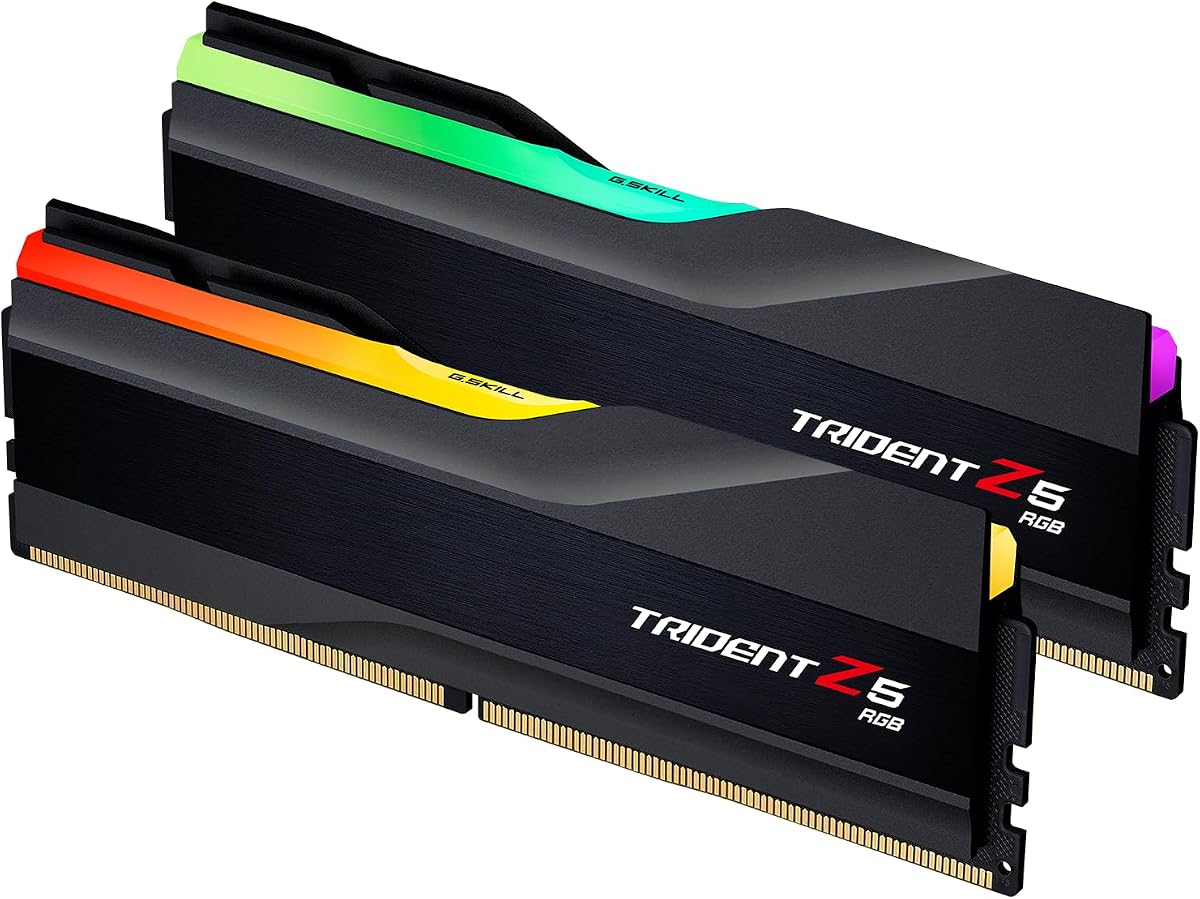
Trident Z5 RGB adds style with reliable DDR5 speeds. It clocks at 6000MHz CL36 for excellent gaming performance. The 32GB capacity handles modern multitasking easily.
We may earn a commission when you buy through this link, at no additional cost to you.
RGB lighting is bright and customizable via software. Intel XMP and AMD EXPO profiles simplify overclocking. The matte black design balances looks and performance well.
It costs more than non-RGB options. The heatsink may block some coolers in tight cases. Still its blend of aesthetics and speed is great for custom builds.
Best for users wanting style and speed together. It fits well in showcase builds with good airflow. This RAM is a top pick for visible gaming PCs.
Use software to create personalized light shows. Sync colors with other components for a unified setup look.
Premium materials ensure durability and heat dissipation. The design supports stable overclocking without overheating.
We may earn a commission when you buy through this link, at no additional cost to you.
This kit offers massive 64GB capacity for heavy workloads. It runs at 6000MHz CL36 for smooth operations. Ideal for creators needing big memory for rendering and editing.
We may earn a commission when you buy through this link, at no additional cost to you.
Matte black design keeps things professional and clean. AMD EXPO support ensures easy setup. It avoids unnecessary RGB for focused performance.
It is expensive and may not fit small cases. Power use is higher due to size. But its capacity is unmatched for demanding tasks.
Best for video editors and 3D professionals. It handles large files and multitasking with ease. This RAM is a smart choice for pro workstations.
64GB capacity supports massive datasets and rendering. It ensures smooth performance during long creative sessions.
Matte black finish suits quiet and clean environments. It avoids flashy looks for a professional setup.
We may earn a commission when you buy through this link, at no additional cost to you.
Lancer Blade offers a single 16GB module with RGB. It runs at 6000MHz but with CL48 latency. Great for adding a second channel later.
We may earn a commission when you buy through this link, at no additional cost to you.
Its RGB adds style to small builds. The 11M warranty shows strong manufacturer support. It fits many motherboards without clearance issues.
CL48 timing is slower than CL36 options. 16GB limits heavy multitasking. Still it is flexible for future upgrades.
Best for budget upgraders needing extra RAM. It adds speed and style with room to grow. This RAM is a smart choice for partial upgrades.
Single module leaves room for future capacity additions. Add another stick to enable dual channel later.
An 11-year warranty ensures long-term peace of mind. It reflects confidence in build quality and reliability.
We may earn a commission when you buy through this link, at no additional cost to you.
Trident Z5 Neo targets AMD systems with EXPO support. It runs at 6000MHz CL36 for smooth gaming and work. The 32GB kit is versatile for many tasks.
We may earn a commission when you buy through this link, at no additional cost to you.
RGB is bright and customizable for personal style. Matte black design fits premium builds well. Dual channel mode boosts bandwidth for apps.
It is priced higher than basic kits. No ECC support limits professional workloads. Still its AMD focus is strong for gaming rigs.
Best for Ryzen gamers wanting looks and speed. It ensures stable performance with easy BIOS settings. This RAM is a great pick for AMD enthusiasts.
Optimized for AMD platforms to ensure compatibility. Enables full performance with one-click BIOS settings.
RGB effects enhance the look of custom builds. Sync with other components for a cohesive aesthetic.
We may earn a commission when you buy through this link, at no additional cost to you.
Flare X5 offers a clean matte look without RGB. It runs at 6000MHz CL36 for stable performance. The 32GB capacity handles modern multitasking well.
We may earn a commission when you buy through this link, at no additional cost to you.
AMD EXPO and Intel XMP profiles make setup easy. Dual channel boosts bandwidth for gaming and apps. It fits many cases without clearance issues.
It lacks lighting for flashy builds. Lower ratings suggest some minor issues. Still its speed and style are practical for many.
Best for users wanting clean minimalism. It keeps builds simple and fast. This RAM is a solid pick for no-fuss upgrades.
Matte finish keeps builds clean and professional. Avoids flashy lights for a subtle aesthetic.
Works with both AMD and Intel platforms easily. Supports both EXPO and XMP profiles for setup.
We may earn a commission when you buy through this link, at no additional cost to you.
This kit balances CL36 timing with RGB style. It runs at 6000MHz and handles modern games well. The 32GB capacity is a good baseline.
We may earn a commission when you buy through this link, at no additional cost to you.
RGB lights add visual appeal. Compact heatsink fits most cases easily. Dual channel mode improves performance for multitasking.
It may show lower stability compared to higher rated kits. Value is good but check reviews. Still a solid middle ground option.
Best for budget gamers wanting style. It offers speed and looks without breaking bank. This RAM is a decent pick for casual builds.
RGB effects add flair at a reasonable cost. Good for builders on a budget.
Low profile ensures compatibility with many coolers. Ideal for compact PC cases.
We may earn a commission when you buy through this link, at no additional cost to you.
Choosing memory involves balancing speed, capacity, and compatibility. Here are key factors to consider for your next build.
Look for 6000MHz with lower CL numbers for best performance. Tighter latency improves responsiveness in games and apps.
Prioritize 6000MHz CL30-CL38 for balanced speed and value.
32GB is ideal for gaming and most creative tasks. 64GB suits heavy video editing and rendering workloads.
Start with 32GB unless you need extreme multitasking.
Ensure support for your CPU platform. AMD systems need EXPO profiles while Intel uses XMP. Check motherboard QVL lists.
Always match RAM profiles to your motherboard and CPU platform.
UDIMM modules fit desktops. Check clearance with tower coolers. Low-profile options suit compact builds.
Measure case space and cooler height before buying.
Dual channel kits double bandwidth for better performance. Use matched pairs in two slots for best results.
Always install RAM in pairs for dual channel mode.
On-die ECC helps stability for professional workloads. Consumer builds often skip it for price savings.
Consider ECC if data integrity is a top priority.
RGB lighting adds visual flair. Sync with motherboard software for unified effects. Matte finishes suit cleaner looks.
Decide on RGB based on build visibility.
Long warranties indicate build confidence. Check return policies for compatibility issues.
Look for at least five-year warranty coverage.
Install modules in matching slots for dual channel. Ensure they click firmly and are aligned.
Enable XMP or EXPO profiles in BIOS for full speed. Check memory info to confirm settings.
Keep cases clean and airflow strong to prevent overheating. Monitor temps during heavy use.
6000MHz is the sweet spot for Ryzen CPUs. It balances performance and stability well. Enable EXPO profiles in BIOS.
It is better to use matched kits. Mixing brands may cause instability. Always buy kits designed to run together.
16GB is the minimum. 32GB is ideal for modern titles. It handles background apps smoothly.
Performance depends on speed and timing, not lighting. RGB adds visual style but may increase cost.
No. Most gaming systems don't need ECC. It helps with critical workloads but adds price.
Look for XMP or EXPO in memory settings. Click enabled to apply full speed. Save and restart.
No. DDR5 uses a different connector. You need a DDR5 motherboard and CPU.
These top picks balance speed, capacity, and style for diverse users. From entry to premium kits, each offers unique strengths.
Prioritize speed and platform support for your needs. Match capacity to your workloads and style preferences.
Prices change often so check current listings before buying. This guide helps you choose the right memory.