
GEEKOM GeekBook X14 Pro
4.3Editor score
Intel Core Ultra 9 185H
14-Inch 2.8K OLED Screen
32GB LPDDR5x Memory
Finding the right laptop for vlogging is crucial for creators who need reliable performance on the go. A good machine should handle video editing, rendering, and streaming without lag or overheating during long sessions.
We compared ten top-rated models based on processor power, memory capacity, storage speed, and display accuracy. Our analysis focuses on real-world usability for content creators who demand efficiency and portability in their daily workflow.
Each pick highlights unique strengths like battery life, upgradeability, or specialized graphics. Remember that prices and availability change frequently, so check current listings before making your final decision to ensure you get the best value today.
4.3Editor score

5.0Editor score

5.0Editor score
As an Amazon Associate we earn from qualifying purchases.
This side-by-side comparison lists all ten selected models with their core specifications to help you quickly identify which device matches your specific vlogging needs and budget constraints.




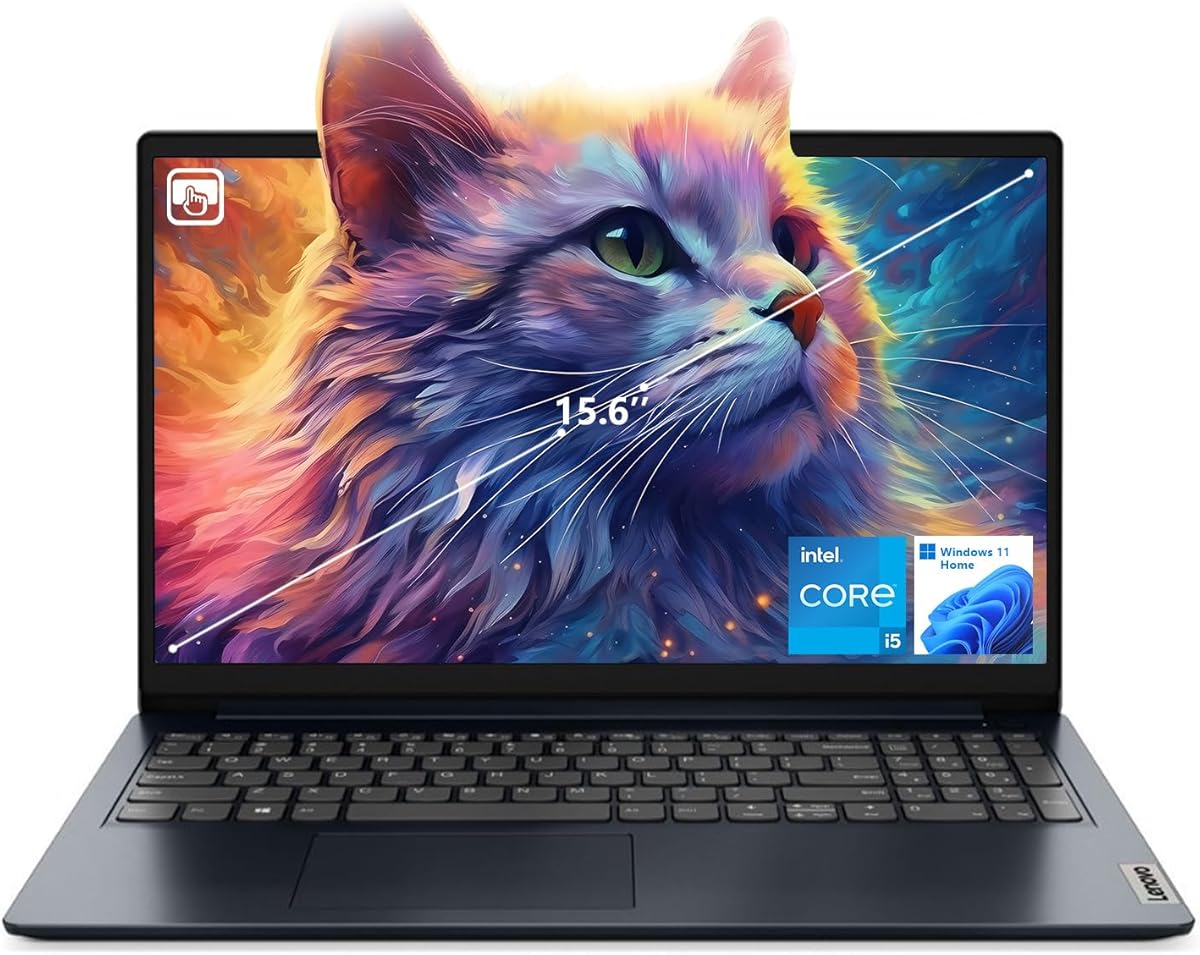

This NIMO model stands out as a top contender for vloggers needing reliable daily performance. With a perfect rating, it delivers smooth multitasking for content creation workloads without breaking the bank.
We may earn a commission when you buy through this link, at no additional cost to you.
The AMD Ryzen 5 6600H processor provides strong multi-core power ideal for exporting videos and running editing software. Its 16GB DDR5 RAM ensures you can keep multiple browser tabs and apps open smoothly.
While it uses integrated graphics, the Radeon 660M handles light editing well. The main trade-off is it might struggle with heavy 4K effects compared to dedicated GPU laptops, but it remains efficient for 1080p workflows.
If you need a dependable workhorse for daily vlogging tasks and future upgrades, this laptop is an excellent choice. Its balance of speed and value makes it a standout pick for creators.
The processor architecture ensures sustained speeds during long rendering sessions without thermal throttling.
You can expand RAM up to 64GB and add a larger SSD as your media library grows.
We may earn a commission when you buy through this link, at no additional cost to you.
The GEEKOM GeekBook X14 Pro offers a premium experience with its vibrant OLED screen and powerful processing. It is ideal for vloggers who value color accuracy and portability above all else.
We may earn a commission when you buy through this link, at no additional cost to you.
The Intel Core Ultra 9 processor includes a dedicated NPU for AI tasks like background blur and noise reduction. Combined with 32GB RAM, this machine handles demanding creative apps with ease.
OLED technology provides perfect blacks and rich contrast perfect for video grading. However, the smaller screen size and high price are trade-offs to consider if you prefer larger workspace areas.
Choose this laptop if you need a top-tier portable device for professional editing and client presentations. Its build quality and display make it a strong investment for serious creators.
True blacks and 100% DCI-P3 coverage ensure your videos look accurate on any screen.
On-device AI features help streamline your editing workflow without cloud dependencies.
We may earn a commission when you buy through this link, at no additional cost to you.
This HP 17-inch laptop provides excellent value for budget-conscious creators. Its large screen is a major plus for organizing timelines and previewing footage simultaneously during editing sessions.
We may earn a commission when you buy through this link, at no additional cost to you.
Powered by the AMD Ryzen 5 7520U, it offers efficient performance for basic video editing tasks. The inclusion of Windows 11 Pro adds enterprise-level security features often missing in consumer models.
The main limitation is the 8GB RAM which might restrict heavy multitasking. However, the price point makes it a highly accessible entry-level option for beginners starting their vlogging journey.
For those seeking a reliable machine under a strict budget, this model is a smart pick. Prioritize it if screen size matters more than extreme processing power for your workflow.
The 17-inch display provides ample room to see detailed editing tools without feeling cramped.
Windows 11 Pro ensures better security management for handling client data and files.
We may earn a commission when you buy through this link, at no additional cost to you.
Another HP 17 variant offering similar specs focuses on productivity with a physical keyboard and number pad. It is designed for users who type and edit frequently throughout the day.
We may earn a commission when you buy through this link, at no additional cost to you.
The anti-glare display reduces eye strain during long editing sessions. Wi-Fi 6 ensures stable file transfers to cloud storage which is essential for modern vlogging workflows.
While the hardware matches the other model the focus is more on general productivity. It serves well as a secondary machine for planning and scripting before heavy rendering tasks.
Select this if you need a full-size keyboard and stable desktop replacement feel. It is a solid tool for creators who prefer traditional setups over sleek ultrabooks.
The full-size keyboard includes a numpad for faster data entry and file management.
High-definition resolution provides clear visuals for checking video composition details.
We may earn a commission when you buy through this link, at no additional cost to you.
The Dell 16 is built for comfort and reliability with features like ComfortView Plus to protect your eyes. It is excellent for vloggers who spend long hours reviewing footage daily.
We may earn a commission when you buy through this link, at no additional cost to you.
With 16GB RAM and a modern Intel processor it handles everyday multitasking well. The adaptive thermal system ensures it stays quiet even when working on complex projects.
One trade-off is the limited upgradeability due to soldered memory. However the onsite service warranty offers peace of mind that is rare at this price point.
Ideal for those who value eye health and support quality over raw power. It is a dependable choice for consistent daily use without unexpected downtime.
Built-in blue light filters help maintain focus during extended editing sessions.
Onsite service means faster repairs without needing to ship your device away.
We may earn a commission when you buy through this link, at no additional cost to you.
This NIMO laptop brings desktop-level power to a portable form factor suitable for high-end rendering. Its rating reflects strong user satisfaction with its performance capabilities.
We may earn a commission when you buy through this link, at no additional cost to you.
The AMD Ryzen 7 8745HS ensures smooth playback and fast exports. Combined with 32GB of RAM it handles large 4K projects without stuttering or freezing.
While the graphics are integrated they are powerful enough for most vlogging tasks. The main trade-off is the weight and battery life when running intensive rendering loads.
Best for serious editors needing speed without buying a workstation. It balances raw power and portability for professional content creation workflows.
The 8-core processor cuts down export times significantly compared to entry-level chips.
A full TB of space lets you keep raw footage on board without external drives.
We may earn a commission when you buy through this link, at no additional cost to you.
The Acer Aspire offers a unique touch interface for intuitive editing navigation. It is designed to streamline workflow for creators who prefer direct control over their media.
We may earn a commission when you buy through this link, at no additional cost to you.
With 2TB storage you have massive space for extensive video libraries. The Intel Ultra 7 processor brings AI enhancements that speed up common tasks like photo retouching.
The touchscreen adds versatility but consumes more power than a standard display. Still the battery life remains robust enough for a full day of creative work.
Choose this if you want a direct interface for precise edits. It is a fantastic tool for designers and vloggers who appreciate interactive technology.
Touch controls make trimming and arranging clips more natural than using just a mouse.
Built-in AI accelerators help process effects faster without using the main CPU.
We may earn a commission when you buy through this link, at no additional cost to you.
The Yoga 7i transforms from a laptop to a tablet allowing versatile viewing angles. This is perfect for reviewing client feedback or presenting work on the go.
We may earn a commission when you buy through this link, at no additional cost to you.
Its Core Ultra 7 processor ensures smooth operation even with complex apps. The 2K screen provides sharp visuals that make color grading easier for video work.
While flexible the device may feel heavier in tablet mode than dedicated thin devices. Still the adaptability adds significant value for creative presentations.
Best for vloggers who need both a typing keyboard and a tablet. It serves well as a multi-purpose tool for diverse daily tasks.
Flip modes allow you to show clients their project easily during meetings.
Higher resolution ensures your content looks precise during final export checks.
We may earn a commission when you buy through this link, at no additional cost to you.
This IdeaPad is a lightweight option ideal for travel vloggers. It balances cost and utility effectively making it a strong contender for beginners.
We may earn a commission when you buy through this link, at no additional cost to you.
The Intel Core i5 processor handles basic editing while 16GB RAM keeps multitasking fluid. The touchscreen adds convenience for navigating software tools directly.
It might struggle with heavy 4K rendering compared to premium models. But for 1080p workflows it offers solid performance for the price.
Ideal for creators on a tight budget who need portability. It gets the job done without costing a fortune for new entrants.
Its slim build fits easily into small bags making travel stress-free.
You get essential features like touchscreen and ample RAM at a low cost.
We may earn a commission when you buy through this link, at no additional cost to you.
This model mirrors the earlier powerful version but adds distinct upgrade benefits. It is designed to last longer as your creative needs grow over time.
We may earn a commission when you buy through this link, at no additional cost to you.
The Ryzen 7 8745HS processor handles complex tasks well. With 32GB of RAM you have plenty of headroom for advanced editing software without slowdowns.
Main trade-offs include weight and battery when charging heavy workloads. Still the ability to upgrade hardware extends its useful life significantly.
Best for those planning to keep their laptop for several years. Its expandability makes it a smart long-term investment for growing channels.
You can add more RAM or storage later without needing to buy a new device.
A two-year warranty covers repairs giving you extra confidence in daily use.
We may earn a commission when you buy through this link, at no additional cost to you.
Selecting the right laptop involves weighing processor speed, display quality, and portability to fit your unique workflow demands.
The CPU is the engine of your editing workflow. Aim for at least a mid-range quad-core processor like an AMD Ryzen 5 or Intel Core i5 to handle video encoding efficiently.
Look for CPUs with higher clock speeds to reduce rendering times and ensure smooth playback during editing sessions.
Memory dictates how many applications you can run simultaneously. For video editing 16GB is the minimum standard to prevent slowdowns when switching between browsers and editing tools.
If you work with high-resolution footage consider 32GB to keep your system responsive over extended periods.
Solid State Drives are essential for quick boot times and fast file access. A 512GB SSD is practical but 1TB is better for storing large raw footage files directly on your machine.
Ensure the SSD supports PCIe Gen 4 standards for maximum data transfer rates during active editing.
Accurate color representation is critical for video editing so look for screens with high color gamut coverage like sRGB or DCI-P3. Full HD resolution is standard but 2K or 4K provides more workspace.
Prioritize brightness and anti-glare coatings to maintain visibility in various lighting environments.
Integrated graphics are often sufficient for 1080p editing but dedicated GPUs are better for 4K rendering and heavy visual effects. Check if the machine supports hardware acceleration for your preferred editing software.
Consider models with modern architecture like Radeon RDNA 3 or Intel Arc for better efficiency.
Vloggers need portable power for shooting on location. Look for devices offering at least 8 hours of real-world usage to last a full day of filming and editing.
Fast charging support via USB-C is highly recommended to quickly top up batteries between shoots.
A variety of ports reduces the need for dongles. Ensure you have USB-A, USB-C, and HDMI ports for connecting cameras, monitors, and peripherals directly.
USB4 or Thunderbolt support is a major plus for high-speed data transfers and external GPU connections.
If you travel often a lighter chassis under 4 pounds is ideal. Metal bodies generally offer better durability than plastic but may add slight weight.
Consider the hinge design and keyboard comfort for long writing and editing sessions.
Keep your laptop cool by avoiding use on soft surfaces like beds. Use a cooling pad if you plan on rendering videos for long periods to prevent overheating.
Protect your investment by using a sturdy case during travel. Dust your screen regularly with a microfiber cloth to maintain clarity and prevent scratches.
Manage your storage by regularly backing up footage to external drives or cloud services. This keeps your internal disk free for active projects and ensures your work is safe.
For 4K editing aim for at least 16GB of RAM and a processor with high single-core performance like a Ryzen 7 or Intel Core i7. An SSD of at least 1TB is essential for handling large file sizes efficiently without lag.
OLED screens offer superior contrast and color accuracy which is beneficial for grading. However they can be more expensive and may suffer from burn-in if static toolbars are displayed for long periods.
Modern integrated graphics can handle 1080p editing well but a dedicated GPU is recommended for heavy 4K workloads or 3D rendering. It speeds up previews and exports significantly.
Aim for at least 512GB but 1TB is safer for storing raw footage and project files. Always keep an external drive or cloud backup for archival storage to protect your work.
RAM allows your computer to store data for active applications. More RAM lets you keep your video editor and other programs open without slowdowns ensuring smoother editing workflows.
Some laptops allow upgrades to RAM and storage while others do not. Check the specs to see if the components are soldered or have open slots for expansion before buying.
We reviewed ten excellent options ranging from budget-friendly workhorses to premium ultrabooks with stunning displays. The top picks include the NIMO 15.6 for daily performance and the GEEKOM X14 Pro for color accuracy.
Prioritize processor speed and RAM capacity based on the resolution you edit. Ensure your device has enough storage to handle your projects without constant external drive use.
Check current availability and pricing before buying since deals change frequently. Select the model that best fits your workflow needs and budget to start creating quality content immediately.