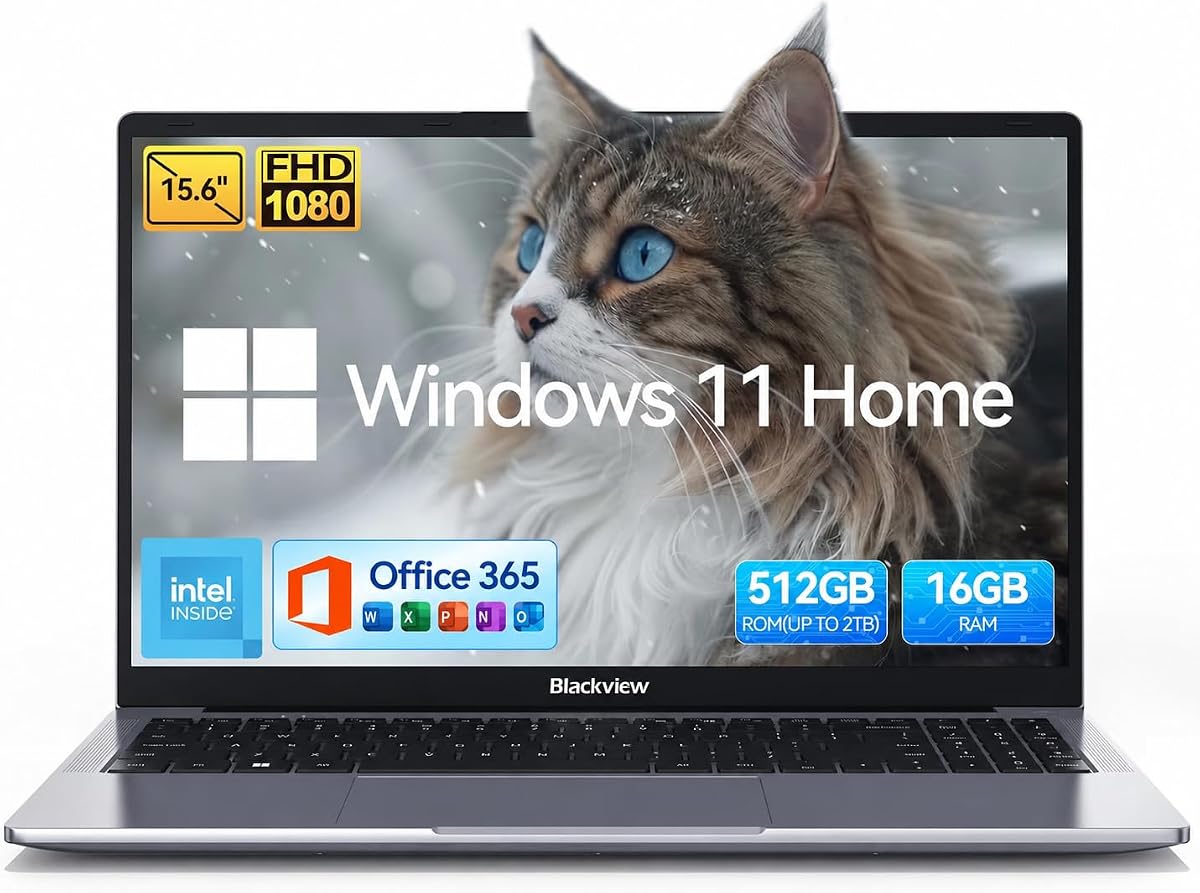
BlackView Acebook 6
4.6Editor score
Affordable price point
FHD triple display support
Lightweight design
Finding a laptop with 2 HDMI ports is essential for professionals who need multiple external displays. This guide reviews ten top models that offer exceptional connectivity and performance for any workflow.
We compared each laptop based on processor speed, RAM capacity, and display quality. Our analysis ensures you find a device that supports multitasking and seamless video output for work or play.
Each pick highlights key features and real-world usability. Prices and availability change frequently, so verify the latest details before purchasing to ensure you get the best value for your needs.
4.6Editor score

4.4Editor score

4.4Editor score
As an Amazon Associate we earn from qualifying purchases.
This comparison table provides a side-by-side look at all ten models to help you evaluate specs and features efficiently.


The Dell Inspiron 16 Plus 7640 is a high performance laptop designed for professionals. It holds a strong rating and features a large 16 inch display with 2.5K resolution.
We may earn a commission when you buy through this link, at no additional cost to you.
Its Intel Core i7 processor handles multitasking with ease. The laptop supports multiple external monitors and includes military grade testing for durability and reliability.
While it is powerful, the price is higher than budget options. However, the onboard service and migration tools offer significant value for business users.
This model is ideal for users needing a balance of power and screen quality. It is highly recommended for those prioritizing display fidelity and reliable support.
The 16:10 aspect ratio provides more vertical space for productivity tasks.
Onsite service ensures quick hardware repairs without shipping delays.
We may earn a commission when you buy through this link, at no additional cost to you.
This HP laptop stands out with its massive 17.3 inch HD+ touchscreen display. It offers impressive specs including 64GB RAM and 2TB SSD for heavy workloads.
We may earn a commission when you buy through this link, at no additional cost to you.
The large screen is perfect for users who need significant workspace. The high RAM capacity allows for seamless multitasking across dozens of applications.
Portability is limited due to the large size and weight. It is better suited for a fixed desk setup rather than frequent travel.
Ideal for power users who prioritize screen real estate over portability. It serves well as a desktop replacement for intensive computing tasks.
64GB RAM ensures smooth operation for virtual machines and heavy editing.
The touchscreen adds convenience for navigating Windows 11 easily.
We may earn a commission when you buy through this link, at no additional cost to you.
The HP 15.6 Touch Laptop delivers strong performance for business tasks. It features an AMD Ryzen 5 processor and 32GB RAM to handle complex spreadsheets effortlessly.
We may earn a commission when you buy through this link, at no additional cost to you.
Its FHD IPS touchscreen provides vibrant colors and wide viewing angles. The backlit keyboard supports comfortable typing in low light environments.
Battery life may be impacted by the touchscreen usage. Users should manage power settings carefully to maximize daily usage time.
This device is perfect for students and professionals needing a versatile machine. The included Windows 11 Pro enhances security and management features.
The numeric keypad and backlit keys speed up data entry tasks.
1TB PCIe NVMe SSD ensures rapid boot and file access times.
We may earn a commission when you buy through this link, at no additional cost to you.
The BlackView Acebook 6 is an exceptional budget laptop for students. It supports up to two external monitors via USB-C and HDMI for extended workflows.
We may earn a commission when you buy through this link, at no additional cost to you.
Despite the low price, it offers 16GB RAM and a 512GB SSD. This configuration handles everyday tasks like web browsing and document editing smoothly.
The processor is entry level and not suited for heavy gaming. Battery life is limited to around six hours under typical usage.
It is the top choice for cost conscious buyers needing multiple screens. The laptop is perfect for casual use and light productivity.
Connecting two external monitors creates an efficient three screen setup.
At 1.7 kg, it is easy to carry to campus or work.
We may earn a commission when you buy through this link, at no additional cost to you.
This Dell business laptop features a robust 2TB SSD for massive file storage. The 32GB RAM ensures smooth performance for demanding professional applications.
We may earn a commission when you buy through this link, at no additional cost to you.
The FHD touchscreen allows intuitive interaction with the interface. It includes essential ports for connecting external displays and peripherals.
Build quality is solid but the design is relatively plain. Users might find the screen bezels a bit thick compared to modern standards.
Ideal for users who prioritize storage space for archives and media. The Pro OS adds enterprise level features for better management.
Windows 11 Pro supports domain joining and advanced security policies.
The touchscreen simplifies navigation in touch optimized apps.
We may earn a commission when you buy through this link, at no additional cost to you.
The HP New Core i7 laptop is praised for its long battery performance. It features a powerful 12th gen i7 processor that handles multitasking efficiently.
We may earn a commission when you buy through this link, at no additional cost to you.
With 16GB RAM and a 1TB SSD, it balances speed and storage well. The privacy shutter on the webcam adds an extra layer of security.
The display brightness is average and might struggle in bright rooms. Some users prefer metal chassis for a more premium feel.
This is a great pick for students working in libraries or cafes. Its reliable performance makes it a strong contender for daily use.
Built in camera shutter and mic mute protect your privacy.
Perfect perfect for consistent speed and battery life.
We may earn a commission when you buy through this link, at no additional cost to you.
The Dell Pro 15.6 stands out with its modern DDR5 memory support. This ensures faster data transfer and smoother multitasking compared to older DDR4 models.
We may earn a commission when you buy through this link, at no additional cost to you.
The 120Hz refresh rate display makes scrolling look incredibly fluid. It includes a variety of ports for connecting multiple external devices easily.
Storage is limited to 256GB which may fill up quickly. Users might need external drives for large media libraries.
Suitable for general users wanting modern tech features at a reasonable cost. The high refresh rate screen is a unique plus for this price.
DDR5 memory ensures the system stays fast for years to come.
120Hz display reduces motion blur for better viewing.
We may earn a commission when you buy through this link, at no additional cost to you.
The Lenovo V15 Gen 4 includes a physical Ethernet port for stable wired internet. This is a rare feature in modern thin laptops and aids in reliability.
We may earn a commission when you buy through this link, at no additional cost to you.
It also features a TPM 2.0 chip for enhanced data encryption security. The anti-glare screen reduces eye strain during long work sessions.
The processor is suitable for standard tasks but not heavy work. The bezel size is standard without being particularly thin.
This laptop is excellent for users who value connectivity and security. The included Pro OS helps protect sensitive business data effectively.
RJ-45 port ensures reliable high speed internet access.
Hardware based TPM chip protects your login credentials.
We may earn a commission when you buy through this link, at no additional cost to you.
This Lenovo model offers impressive specs with 40GB RAM and a 2TB SSD. It is designed for business users who need to run multiple heavy apps.
We may earn a commission when you buy through this link, at no additional cost to you.
The Ryzen 7 processor provides robust power for complex calculations. It includes Windows 11 Pro for better administrative tools and security.
The price is higher than most consumer laptops in this list. The design is functional but lacks unique aesthetic appeal.
Ideal for professionals needing raw power and storage in one unit. It serves as a powerful desktop replacement for demanding office tasks.
40GB RAM supports running many apps simultaneously without lag.
Windows 11 Pro enhances device management capabilities.
We may earn a commission when you buy through this link, at no additional cost to you.
The Lenovo Essential 15.6 is a very affordable entry level option. It includes DDR5 memory and a durable MIL STD tested chassis for longevity.
We may earn a commission when you buy through this link, at no additional cost to you.
Despite the low cost, it handles basic tasks like web browsing well. The privacy shutter protects your webcam from unwanted access.
Storage is limited to 128GB and may require cloud solutions. The processor is designed for efficiency rather than heavy performance.
Perfect for budget buyers needing a reliable machine for light tasks. It is a solid choice for students or basic home use.
Offers essential features at a very low price point.
MIL STD testing ensures the laptop can withstand daily wear.
We may earn a commission when you buy through this link, at no additional cost to you.
Selecting the right laptop requires understanding your specific needs and how you plan to use external displays.
Verify that the laptop has at least two HDMI ports or compatible video outputs. Some models rely on USB-C with DisplayPort support for multiple monitors.
Check the HDMI version to ensure it supports the resolution you need for external screens.
A powerful processor is crucial when driving multiple displays simultaneously. Look for at least an Intel Core i5 or AMD Ryzen 5 for smooth performance.
Higher core counts help when managing complex workloads across several screens.
RAM affects how many apps you can run while using external monitors. 16GB is a sweet spot for most users, though 32GB offers future proofing.
Sufficient memory prevents slowdowns when multitasking between different displays.
Evaluate the built-in screen resolution and color accuracy for your work. Higher resolutions provide more workspace for documents and media.
Anti-glare coatings reduce eye strain during long work sessions.
Business users should consider laptops with military grade testing standards. This ensures the device can survive accidental drops and bumps.
A sturdy chassis protects the internal components from physical damage.
Windows 11 Pro offers advanced management features useful for businesses. It supports domain joining and enhanced security protocols.
Home users may find Windows 11 Home sufficient for standard needs.
Driving multiple monitors can drain battery power quickly. Choose a model with a large capacity battery if you work away from outlets.
Efficient processors help extend the time between charges significantly.
Beyond HDMI, check for USB-C, Ethernet, and USB-A ports. Versatility is key for connecting various peripherals and accessories.
Wi-Fi 6 support ensures stable wireless connections for cloud access.
Connect your external monitors using high quality HDMI cables. Ensure the laptop supports dual video output to activate both screens simultaneously.
Adjust display settings in the operating system to choose between duplicate or extended modes. This optimizes your workspace for productivity or presentations.
Keep the vents clean and free of dust to maintain optimal performance. Regular maintenance extends the lifespan of your hardware components.
Not necessarily. Some laptops have only one HDMI port. If a laptop has two HDMI ports it usually supports dual monitors but check specifications.
Yes if the USB-C port supports DisplayPort Alt Mode. You can use adapters or hubs to connect external monitors without HDMI.
Check the connection and try restarting the laptop. Use Windows display settings to detect and extend the screen.
Most modern laptops support 1080p on two screens. Higher resolutions require a powerful GPU to maintain performance.
Yes extra screens increase power consumption significantly. Unplug external monitors when you need to save battery life.
Some have integrated graphics only. Look for dedicated GPUs if you plan to play modern games on the screens.
We reviewed ten top models ranging from budget to premium options. Each offers unique strengths in performance and connectivity for multi monitor setups.
Prioritize processor power and RAM capacity for your specific workload needs. The right balance ensures smooth operation across all connected devices.
Always check current prices and availability before purchasing. Deals vary frequently and you may find discounts on specific models today.