
Seagate 1TB Mobile HDD
4.4Editor score
Compact 2.5 inch form factor
Standard SATA 6Gb/s interface
Lightweight portable design
Finding the right hard drive for Jellyfin is essential for smooth media streaming and reliable data storage. You need a drive that handles continuous read operations while maintaining high performance for multiple users accessing your library simultaneously.
We analyzed ten top-rated drives based on capacity, reliability, and suitability for NAS or desktop environments. Each product was evaluated against common requirements for media server setups to ensure consistent performance during peak usage hours.
Each pick highlights key strengths and trade-offs so you can match the drive to your specific setup. Keep in mind that pricing fluctuates frequently so always verify current rates before finalizing your purchase decision.
4.4Editor score

4.5Editor score

4.6Editor score
As an Amazon Associate we earn from qualifying purchases.
This side-by-side comparison breaks down the key specifications and strengths of each drive to help you identify the best fit for your Jellyfin media server needs.



The Seagate IronWolf 4TB stands out as the top choice for Jellyfin users building a NAS server. With a 4.5 star rating it offers reliable performance for continuous streaming workloads while integrating health management tools for peace of mind.
We may earn a commission when you buy through this link, at no additional cost to you.
Its CMR technology ensures consistent write speeds essential for multi-user access to media libraries. The integrated IronWolf Health Management system allows you to monitor drive conditions proactively reducing the risk of unexpected failures during critical viewing sessions.
While the price is higher than desktop alternatives the durability and specialized features justify the investment. The included rescue data recovery services add another layer of protection ensuring your media files remain safe even if drive issues arise unexpectedly.
This drive is ideal for users prioritizing reliability and long-term stability. If you plan to store extensive media libraries and serve multiple clients the IronWolf 4TB delivers the performance and protection needed for a seamless Jellyfin experience.
Designed for 24×7 operation this drive handles constant read operations without performance degradation ensuring smooth playback for all users.
Built-in health tools alert you to potential issues before they impact service keeping your media server running reliably over time.
We may earn a commission when you buy through this link, at no additional cost to you.
The WD Blue 12TB offers premium storage capacity for extensive Jellyfin libraries. With a 4.6 star rating and 12 terabytes of space it supports massive media collections while maintaining high throughput for fast streaming speeds.
We may earn a commission when you buy through this link, at no additional cost to you.
Its 7200 RPM speed and 512MB cache deliver faster data access compared to lower speed drives. This performance ensures smooth playback even when multiple users request high bitrate content simultaneously without buffering or delays during playback.
The higher power consumption requires adequate system cooling to maintain optimal operating temperatures. However the reliability and speed make it a compelling choice for users who need large capacity without compromising on access speed for active media libraries.
This drive is best suited for power users with large media collections. If storage capacity is your primary concern and you have proper ventilation this drive provides the space and performance needed for a robust Jellyfin setup.
With 12TB of space you can store thousands of high-definition videos and music files without worrying about running out of room.
High spindle speed and large cache ensure quick loading times so your media library responds instantly to streaming requests.
We may earn a commission when you buy through this link, at no additional cost to you.
The Seagate 1TB Mobile HDD provides an affordable entry point for Jellyfin beginners. With a 4.4 star rating this drive offers 1 terabyte of storage perfect for smaller libraries while maintaining compatibility with most standard SATA systems.
We may earn a commission when you buy through this link, at no additional cost to you.
Its compact 2.5 inch design allows installation in portable devices or compact NAS units. The standard SATA interface ensures easy integration into existing setups without requiring special adapters or complex configuration steps during initial setup.
Limited capacity means frequent additions may be needed as your library grows. However for testing Jellyfin or managing modest collections this drive delivers reliable performance at a fraction of the cost of higher capacity alternatives.
This drive is ideal for users with limited budgets or small media needs. If you need a cost-effective solution for basic streaming tasks without requiring massive storage this drive meets those needs efficiently.
Affordable pricing makes this a perfect choice for users starting their media server journey without large upfront investment.
Small size allows flexible installation in various devices making it easy to expand your setup as needed.
We may earn a commission when you buy through this link, at no additional cost to you.
The Seagate BarraCuda 8TB is a strong desktop option for Jellyfin servers with high throughput needs. With a 4.7 star rating this drive offers 8 terabytes of space and sustained transfer rates ideal for managing large media collections efficiently.
We may earn a commission when you buy through this link, at no additional cost to you.
Its 190MB/s sustained transfer rate ensures smooth streaming even for high bitrate content. The standard SATA interface and 3.5 inch form factor allow straightforward installation in most desktop cases or external enclosures without special tools.
Not designed for NAS environments it may experience more wear in 24×7 setups. For home users with intermittent access patterns this drive delivers consistent performance and storage capacity at a reasonable cost for extensive media libraries.
This drive suits users with high capacity needs for standard desktop systems. If you need a large affordable drive for moderate streaming loads this BarraCuda model provides the storage and speed required.
Consistent transfer rates ensure fast loading of large media files and smooth playback across various streaming clients.
Standard form factor and interface make it easy to integrate into existing setups without requiring specialized hardware.
We may earn a commission when you buy through this link, at no additional cost to you.
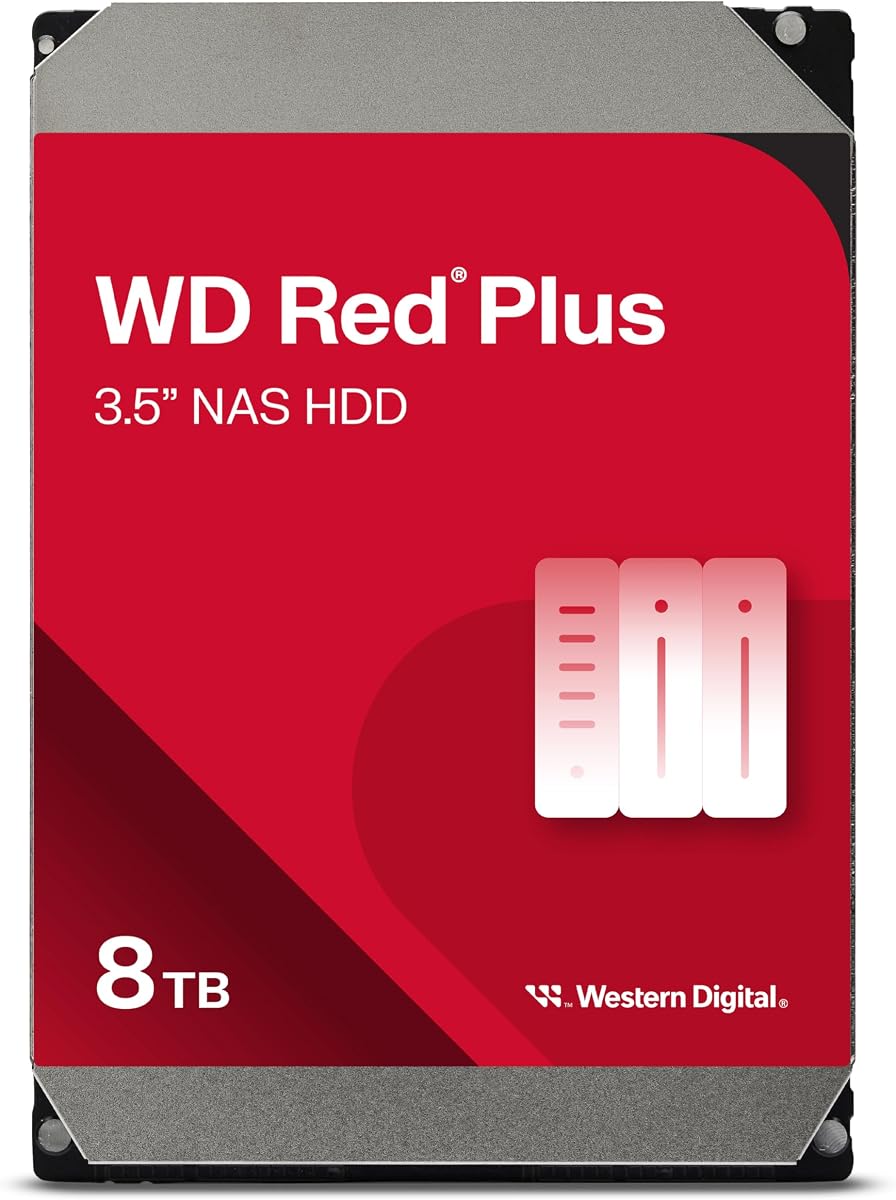
The WD Red Plus 8TB is designed for NAS environments supporting Jellyfin with stable storage. With a 4.2 star rating this drive offers 8 terabytes of capacity and CMR technology ensuring consistent performance across multi-bay configurations.
We may earn a commission when you buy through this link, at no additional cost to you.
NASware firmware optimizes the drive for compatibility with NAS controllers and RAID setups. The 5400 RPM speed prioritizes reliability and power efficiency over maximum throughput making it suitable for continuous 24×7 operation in dedicated storage systems.
While performance is slower than high-speed alternatives the reliability and multi-bay support are significant benefits. Users building reliable NAS servers benefit from the reduced vibration and noise ensuring a quieter home media center environment.
This drive is ideal for users building reliable NAS setups. If long-term stability and compatibility with multi-drive systems are priorities the Red Plus provides the right balance of capacity and dependability.
Built specifically for NAS environments ensuring compatibility and stable performance when used in multi-bay storage systems.
CMR ensures consistent write performance reducing the risk of data issues during continuous storage operations.
We may earn a commission when you buy through this link, at no additional cost to you.
The Seagate One Touch 8TB offers external flexibility for Jellyfin setups. With a 4.6 star rating this drive provides 8 terabytes of storage via USB-C making it easy to add capacity without opening your media server case.
We may earn a commission when you buy through this link, at no additional cost to you.
Bus-powered operation eliminates the need for extra wall outlets simplifying setup. Cross-platform compatibility ensures it works with Windows and macOS allowing straightforward integration into different media server operating systems without driver issues.
USB connectivity means speeds are generally lower than SATA. For occasional transfers or supplemental storage this drive is ideal but for primary server use internal drives may deliver better performance and stability during streaming.
This drive suits users needing flexible expandable storage. If you want to quickly add capacity or backup media files without complex hardware the One Touch provides an easy portable solution.
Simple USB-C connection allows quick storage expansion without technical setup or additional power requirements.
Compatible with Windows and macOS ensuring flexibility across different operating system environments for media management.
We may earn a commission when you buy through this link, at no additional cost to you.
The Seagate Skyhawk 4TB is built for video workloads benefiting continuous media access. With a 4.4 star rating this drive offers 4 terabytes of storage optimized for sustained write operations supporting smooth streaming for multiple users simultaneously.
We may earn a commission when you buy through this link, at no additional cost to you.
RV sensors maintain performance in multi-bay setups reducing vibration related issues. The SkyHawk Health Management system provides alerts for drive issues ensuring proactive maintenance and preventing interruptions during critical viewing sessions or data backups.
While optimized for video streams the drive may not offer the fastest random read speeds. For media server use it delivers consistent performance and reliability though users prioritizing high-speed random access might prefer other drive types for specific tasks.
This drive is ideal for video-centric setups. If your server focuses on continuous streaming and you value health monitoring this SkyHawk drive provides the stability and capacity needed.
Specifically tuned for continuous video operations ensuring reliable performance during sustained streaming workloads.
Integrated tools track drive health helping you address issues before they disrupt your media server.
We may earn a commission when you buy through this link, at no additional cost to you.
The WD Purple 6TB offers reliability tailored for continuous write workloads. With a 4.5 star rating this drive supports 6 terabytes of storage with AllFrame AI technology ensuring consistent performance for high stream-count access typical in media servers.
We may earn a commission when you buy through this link, at no additional cost to you.
Surveillance-grade optimization handles intensive data operations well. The 128MB cache and high workload rating ensure the drive can manage multiple concurrent connections without performance drops during critical viewing moments or media indexing tasks.
Surveillance-specific design may limit general-purpose performance optimization. While stable and reliable the drive may cost more per terabyte compared to general desktop options though the added reliability justifies the cost for critical systems.
This drive suits users requiring high reliability. If you need consistent performance for heavy media workloads and want surveillance-grade durability the WD Purple delivers the needed stability and capacity.
Designed to handle continuous intensive write operations ensuring stable performance under heavy media server demands.
Enhances performance for multi-stream applications reducing dropped frames during active media access.
We may earn a commission when you buy through this link, at no additional cost to you.
The Seagate Skyhawk 4TB with Image Perfect firmware delivers optimized video handling. With a 4.6 star rating this drive supports 4 terabytes of storage ensuring reliable performance for continuous media access across multiple users simultaneously.
We may earn a commission when you buy through this link, at no additional cost to you.
Image Perfect firmware optimizes data handling for crisp video playback. RV sensors maintain stability in multi-drive environments ensuring vibration does not impact streaming quality. The high workload rating ensures consistent operation during extended periods of continuous media access.
Specialized for surveillance and video workloads the drive may not prioritize random read performance. For media servers focused on streaming this specialization delivers stability though users needing mixed workloads might consider alternative drives for flexibility.
This drive is ideal for stable streaming setups. If your priority is continuous media access and reliability in multi-drive systems this SkyHawk model provides the performance and durability needed.
Optimized for clear video performance ensuring smooth playback during continuous media access sessions.
Rotational vibration sensors protect stability in multi-bay setups preventing performance drops from drive vibrations.
We may earn a commission when you buy through this link, at no additional cost to you.
The Seagate IronWolf 6TB provides reliable NAS storage for media servers. With a 4.4 star rating this drive offers 6 terabytes of capacity optimized for continuous operation supporting multiple users accessing media content consistently.
We may earn a commission when you buy through this link, at no additional cost to you.
Its 5400 RPM speed prioritizes reliability over raw speed. The large 256MB cache helps buffer data reducing latency during streaming. Built for NAS environments it ensures stability and durability for long-term media library storage without frequent failures.
While speeds are moderate compared to high-RPM drives the reliability is essential for continuous access. The design ensures consistent operation across multiple users though for maximum throughput users might prioritize faster alternatives for specific high-demand tasks.
This drive suits users prioritizing long-term reliability. If you need a stable NAS-compatible drive for extensive libraries this IronWolf model delivers consistent performance and peace of mind.
Optimized for multi-user NAS environments ensuring stable performance and reliability for long-term storage.
Substantial cache size helps reduce latency during streaming ensuring smoother media access for multiple users.
We may earn a commission when you buy through this link, at no additional cost to you.
Selecting the right hard drive for Jellyfin involves balancing capacity, reliability, and performance to ensure smooth media streaming.
Choose a capacity that fits your media library and growth plans. Larger libraries require 8TB or more to store HD content and music without constant maintenance.
Prioritize higher capacity if you want to avoid frequent storage upgrades or reconfiguration of your media server.
Select drives optimized for continuous operation like NAS or surveillance models. These are built to handle 24×7 read-write cycles better than standard desktop drives.
NAS drives offer better reliability for multi-user setups while surveillance drives excel at sustained write workloads common in media streaming.
Consider RPM speed and cache size for data access performance. Higher RPM improves transfer rates and cache helps buffer content during streaming.
Balance speed with reliability as NAS drives prioritize stability over maximum throughput for consistent performance.
Evaluate power requirements especially for continuous operation. Lower power drives reduce heat emissions improving overall system cooling and drive longevity.
Ensure your enclosure provides adequate airflow to prevent overheating which can reduce drive lifespan over time.
Look for drives with integrated health management and extended warranties. Monitoring tools alert you to failures before data loss occurs.
Rescue data recovery services add protection ensuring your media files remain accessible even in case of unexpected drive issues.
Ensure the drive form factor matches your NAS or desktop enclosure. 3.5 inch drives fit most servers while 2.5 inch work in compact setups.
Verify interface compatibility such as SATA to ensure easy integration without requiring special adapters or configuration changes.
Weigh cost against capacity and reliability to find the best value. More expensive NAS drives may offer better long-term value for media servers.
Consider total cost of ownership including replacement cycles rather than just initial purchase price for cost-effective solutions.
Prioritize drives rated for multi-user access if serving multiple clients. NAS drives manage concurrent requests better reducing buffering.
This ensures smooth streaming even during peak usage when several users access media simultaneously without performance drops.
Install the drive securely in your enclosure ensuring all connections are firm. Avoid shaking or dropping during installation to prevent mechanical damage.
Run diagnostic checks periodically to monitor drive health. Use tools included with the drive or NAS software to scan for errors and ensure performance.
Maintain proper ventilation around the drive to manage heat levels. Overheating accelerates wear so ensure fans are working and air flows freely.
NAS drives are optimized for continuous 24×7 operation and multi-user access which benefits media servers. They handle sustained read operations better than desktop drives and often include better error recovery features.
Capacity depends on your media library size and retention plans. For HD content 8TB or more is recommended to store extensive libraries without frequent maintenance or expansion.
External drives offer flexible expansion but may have slower performance than internal SATA drives. Use external drives for backups or secondary libraries while internal drives work best for primary streaming.
CMR drives maintain consistent write performance better than SMR which uses cache to boost speed. This ensures reliable media streaming without unpredictable delays during data writes.
Check health monthly or use automated tools for real-time monitoring. Regular checks help identify issues before they cause data loss or interruptions to your media server.
Yes surveillance drives excel at sustained write workloads similar to media streaming. They offer reliability and multi-stream support making them suitable for continuous media access.
Choosing the right hard drive for Jellyfin depends on balancing capacity performance and reliability. The IronWolf and WD Red drives provide optimized NAS stability while the Blue offers premium capacity for extensive libraries.
Prioritize drives designed for continuous operation to avoid interruptions during streaming. Look for features like health monitoring CMR and multi-user support to ensure consistent media delivery to your clients.
Always check current pricing and compatibility before purchasing to ensure the drive fits your specific server setup. Proper investment in storage ensures your media server performs reliably for years to come.