
1080P60 HDMI Video Encoder
4.0Editor score
H.265 compression reduces bandwidth
Browser-based setup
Compact design
This guide compares the top H265 H264 HDMI Iptv Encoders for live streaming and IPTV distribution based on performance and protocol support.
Choosing the right H265 H264 HDMI Iptv Encoders is essential for modern live streaming and IPTV distribution. These devices convert HDMI signals into efficient network streams, ensuring high quality with minimal bandwidth usage.
We compared ten top models based on encoding efficiency, protocol support, ease of setup, and reliability. Each option offers unique strengths for different use cases, from small setups to professional broadcast environments.
Every pick includes detailed specs and real-world performance insights to help you decide. Prices and availability change frequently, so verify current details before purchasing to ensure the best fit for your needs.
4.0Editor score

4.5Editor score
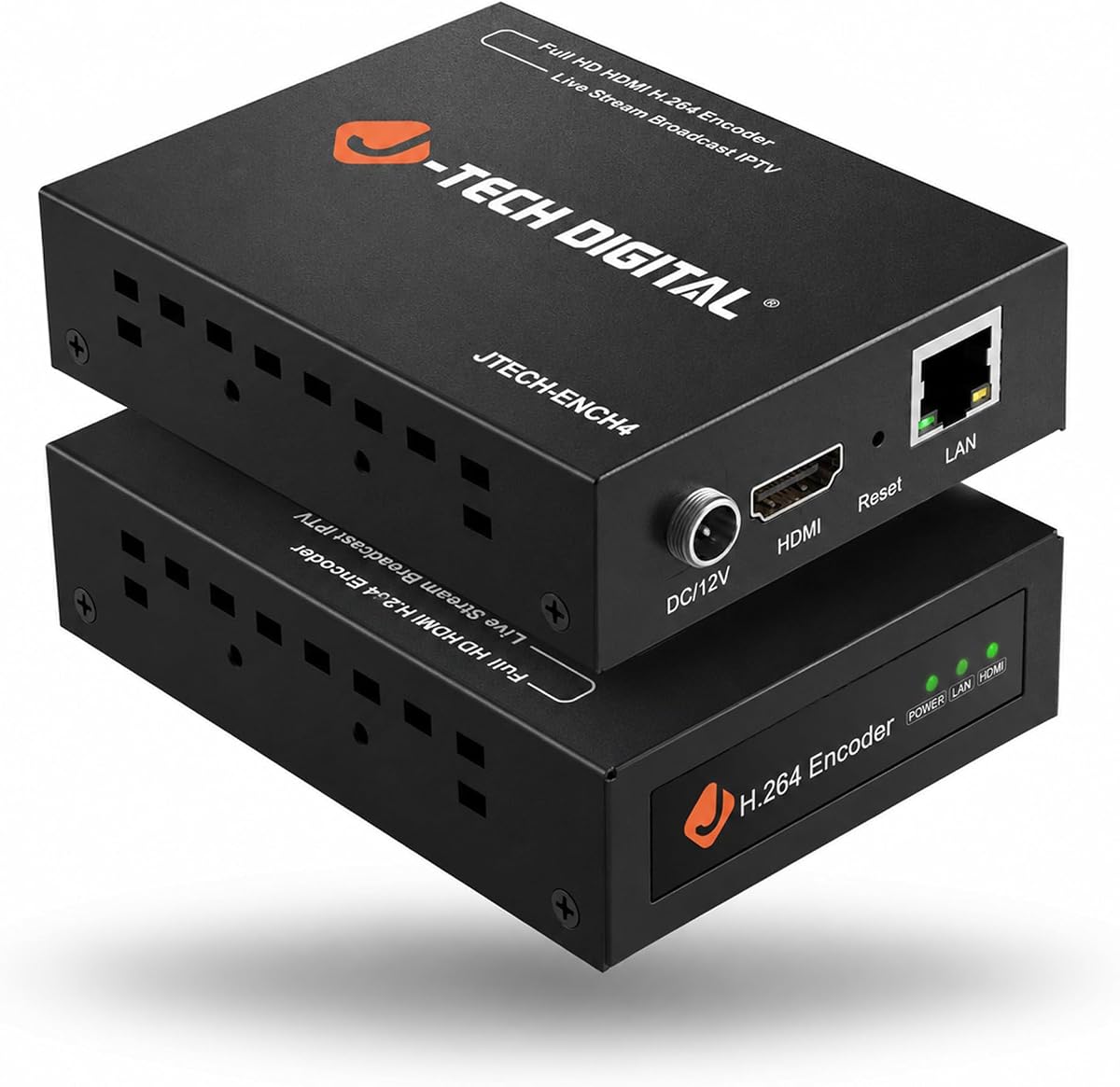
4.1Editor score
This side-by-side comparison highlights key specifications across all ten encoders to help you identify the best match for your streaming or IPTV requirements.


This encoder stands out for its robust 4K UHD support and broad protocol compatibility. It excels in professional environments where multiple streaming protocols are needed simultaneously. The device ensures reliable performance with minimal setup complexity.
We may earn a commission when you buy through this link, at no additional cost to you.
Key strengths include its dual encoding chip that supports both H.265 and H.264 formats. This flexibility helps optimize bandwidth while maintaining visual fidelity. The ability to output four simultaneous streams via different protocols adds significant value for broadcasters.
While 4K output is limited to 30fps, this is acceptable for most live streaming scenarios. The trade-off ensures stable transmission without overloading network capacity. This makes it ideal for content focused on clarity rather than motion speed.
Buyers seeking a reliable encoder for multi-platform streaming will appreciate this model. It balances performance and ease of use effectively. It is a solid choice for anyone needing advanced features without complex configurations.
Supports HTTP RTSP RTMP SRT HLS and more for flexible integration with streaming services.
Allows adding logos text captions and adjusting video settings for branded outputs.
We may earn a commission when you buy through this link, at no additional cost to you.
This model offers extensive protocol support including WebRTC and TRTC for modern streaming needs. It is well-suited for users requiring diverse streaming options across platforms. Its high user rating reflects consistent reliability in real-world use.
We may earn a commission when you buy through this link, at no additional cost to you.
The dual encoding chip ensures efficient processing with minimal latency. This encoder supports simultaneous outputs to multiple platforms. Such capability is crucial for reaching broader audiences without additional hardware.
While 4K output caps at 30fps, the device excels in clarity and stability. This limitation ensures smooth transmission across varying network conditions. Most users prioritize stability over frame rates for typical broadcasts.
Ideal for those needing flexibility in streaming protocols, this encoder delivers. It bridges the gap between consumer and professional requirements. It remains a strong contender for versatile live streaming setups.
Enables real-time communication streaming suitable for interactive broadcasts.
Outputs four streams with different protocols for multi-platform distribution.
We may earn a commission when you buy through this link, at no additional cost to you.
This encoder stands out for its 4K 60Hz input capability. It ensures smooth capture of high-motion content. While output is limited to 1080P, the input quality preserves detail effectively for downstream conversion.
We may earn a commission when you buy through this link, at no additional cost to you.
Its OSD customization features allow adding branded text or logos. This enhances professional appearances during live broadcasts. Users can fine-tune settings remotely via a web interface.
The trade-off of 1080P output ensures wider compatibility with most streaming services. Not all platforms support 4K. This limitation ensures smooth delivery across networks without buffering issues.
Buyers needing reliable capture of high-resolution sources will find this encoder valuable. It balances quality with practical streaming constraints. It remains a top choice for events needing crisp video input.
Accepts 4K 60Hz sources for detailed capture before streaming.
Web GUI enables easy adjustment of settings without direct access.
We may earn a commission when you buy through this link, at no additional cost to you.
This encoder delivers excellent value with H.265 compression for reduced bandwidth. It supports 1080P60 output which suits most platforms. Browser setup eliminates the need for extra software making it accessible for beginners.
We may earn a commission when you buy through this link, at no additional cost to you.
Its compact design fits easily behind displays or in small setups. USB power options simplify cabling in tight spaces. These traits make it ideal for portable or home streaming stations.
While customization is limited compared to higher-end models, core functions perform reliably. This simplicity suits users prioritizing ease of use. It provides consistent performance without complex configurations.
Those on a budget seeking solid streaming capabilities should consider this encoder. It balances cost with practical functionality. It is a dependable choice for entry-level live streaming needs.
Reduces bandwidth usage by half compared to older codecs.
Ultra-compact size suits on-the-go streaming setups.
We may earn a commission when you buy through this link, at no additional cost to you.
This encoder excels with dual stream outputs per input for multi-platform broadcasting. It simplifies setups where simultaneous streams are needed. Protocol support includes RTMP RTSP HLS and more ensuring broad compatibility.
We may earn a commission when you buy through this link, at no additional cost to you.
Advanced users can leverage SDK and API availability for custom integrations. This flexibility suits businesses needing tailored streaming workflows. Technical support ensures smooth implementation and maintenance.
The price reflects its advanced features but remains justified for professional needs. Its reliability ensures stable outputs during long events. Trade-offs include higher cost compared to entry-level devices.
Professionals seeking scalable streaming solutions will appreciate this model. It balances flexibility with robust performance. It is a smart choice for expanding live production capabilities.
Sends two different streams from one HDMI source simultaneously.
API access allows custom integration into existing systems.
We may earn a commission when you buy through this link, at no additional cost to you.
This encoder provides reliable performance with consistent 1080P 60fps output. It supports simultaneous multi-stream outputs for broad reach. The user interface simplifies configuration for quick deployment.
We may earn a commission when you buy through this link, at no additional cost to you.
Audio handling is excellent with dual inputs for embedded and external sources. This allows better control over stream audio quality. The device fits well in both home and office setups.
While output does not reach 4K, the 1080P resolution covers most needs. Bandwidth savings from H.265 encoding ensure smooth transmission. This makes it suitable for stable network environments.
Buyers seeking dependable streaming performance should consider this model. It offers value with minimal operational hassle. It remains a solid choice for consistent live broadcasts.
Supports HDMI embedded and line-in audio for flexibility.
Works reliably across various network environments.
We may earn a commission when you buy through this link, at no additional cost to you.
This encoder stands out for its PoE capability reducing cable clutter. It supports 4K 60Hz input for high-quality capture. Power and data over one cable simplify installation in remote or tight spots.
We may earn a commission when you buy through this link, at no additional cost to you.
Streaming to four platforms simultaneously expands reach without extra hardware. Audio input via 3.5mm jack allows external mic or mixer connections. These features make it versatile for diverse events.
A PoE switch is required which may add to setup costs. Still, the convenience justifies this for permanent installations. It ensures stable power without separate adapters.
Installers seeking clean cabling will value this PoE support. It suits environments where power outlets are scarce. It is a strong choice for professional streaming setups.
Simplifies setup by reducing power cable needs.
External audio input supports higher quality sound.
We may earn a commission when you buy through this link, at no additional cost to you.
This encoder offers one of the broadest protocol lists available. It supports WebRTC TRTC and ICECAST for specialized streaming needs. This versatility ensures compatibility with niche services and platforms.
We may earn a commission when you buy through this link, at no additional cost to you.
Image quality remains sharp at 1080P output. The 4K input helps retain clarity even after downsampling. This ensures detailed visuals for most audience setups.
Frame rates at 4K are capped at 30fps but sufficient for typical use. The encoder prioritizes stability over high-speed motion. This trade-off ensures smooth viewing experiences.
Users needing protocol flexibility will find this encoder ideal. It adapts well to varied streaming requirements. It is a reliable tool for diverse live content.
Supports TRTC and ICECAST for specific streaming needs.
4K input preserves detail for crisp 1080P output.
We may earn a commission when you buy through this link, at no additional cost to you.
This encoder is designed for portability with ultra-compact dimensions. It weighs just 32 grams making it ideal for mobile setups. Cloud control allows remote management from anywhere with internet access.
We may earn a commission when you buy through this link, at no additional cost to you.
Powered by USB or HDMI, it eliminates extra adapters. This reduces clutter in transport cases. It suits journalists or traveling content creators well.
Physical controls are minimal relying on web interfaces. While efficient, some may prefer hardware buttons. Still, cloud management offsets this with flexibility.
Travelers needing lightweight streaming tools will find this encoder valuable. It prioritizes portability without sacrificing core performance. It is a smart pick for on-the-go broadcasting.
Ultra-compact and lightweight design fits in small bags.
Remote management enables monitoring from any location.
We may earn a commission when you buy through this link, at no additional cost to you.
This encoder maintains a perfect user rating reflecting high satisfaction. It supports dual stream encoding allowing varied output resolutions simultaneously. This flexibility suits different viewer bandwidth needs.
We may earn a commission when you buy through this link, at no additional cost to you.
Management is accessible via both Web UI and Telnet. This offers administrators choices for remote control. It ensures reliable access even if one method fails.
Output remains limited to 30fps at 4K resolution. Still, this balances performance with network demands. The device ensures smooth streaming across varied conditions.
Users seeking high performance with flexible control will value this model. It delivers reliable dual stream capability. It remains a top choice for demanding streaming applications.
Sends multiple resolutions from one source to match devices.
Web and Telnet control ensure reliable remote management.
We may earn a commission when you buy through this link, at no additional cost to you.
Selecting the right encoder involves evaluating several factors to ensure compatibility with your streaming needs and network environment.
Look for devices that support both H.265 and H.264 encoding. H.265 (HEVC) reduces bandwidth by up to 50 percent while maintaining quality compared to H.264. This is critical for high-resolution live streams where network capacity is limited. If your streaming platform prioritizes H.264 compatibility, ensure the encoder supports dual mode for flexibility.
Always verify codec compatibility with your target platforms.
Resolution requirements depend on your source and delivery platform. Most encoders support 1080P output but some offer 4K input. High frame rates like 60fps improve motion clarity for sports or gaming. However, 4K often limits frame rates to 30fps due to processing constraints. Match these specs to your content type.
Prioritize input resolution if quality is key and output resolution for delivery compatibility.
Streaming protocols determine where your streams can go. Common options include RTMP RTSP HLS and SRT. Modern encoders support WebRTC and TRTC for real-time applications. Ensure your chosen model supports protocols accepted by your streaming service. This prevents setup issues and delays.
Check protocol lists against your streaming platform requirements.
Most encoders use Ethernet for stable transmission. Some support Power over Ethernet (PoE) to reduce cabling. For mobile use, check if the device can connect via Wi-Fi or has USB-powered options. Network stability directly impacts stream quality so wired connections are preferred where possible.
Choose PoE or USB power based on installation needs.
Consider if you need single or multiple simultaneous streams. Some encoders support outputting to four platforms at once. Dual stream encoding allows different resolutions for varied audiences. This increases flexibility but may raise cost. Assess your distribution requirements carefully.
Multi-stream capability is vital for reaching diverse audiences.
Web-based interfaces simplify setup without installing software. Look for intuitive GUIs with remote management features. Advanced users may prefer Telnet or API access for customization. Ease of use affects deployment time especially in multi-unit setups.
Prioritize user-friendly interfaces for quick deployment.
Audio quality is as important as video. Check if the encoder supports HDMI embedded audio or has external line-in inputs. Adjustable audio levels help match voice and background levels. Poor audio handling can ruin otherwise good streams.
Ensure audio input options match your production setup.
Reliable support ensures issues get resolved quickly. Look for lifetime technical support or at least one-year warranties. Responsive customer service is critical for live events. Check availability of firmware updates for long-term compatibility.
Strong support guarantees smooth operation during critical broadcasts.
Begin by connecting your HDMI source to the encoder and attaching the network cable. If using PoE ensure your switch supports it. Power on the device and access the web interface through its IP address. Configure stream settings such as protocol resolution and bitrate according to your platform requirements.
For best performance keep the encoder in a well-ventilated area. Avoid blocking vents since overheating can cause instability. Regularly check for firmware updates to benefit from security patches and feature improvements. Resetting the device to factory settings can resolve persistent issues before contacting support.
Test streams before going live to verify audio and video sync. Adjust bitrate and resolution if viewers report buffering. Keep the device away from magnetic interference sources and secure cables to prevent disconnections. Proper maintenance extends the encoder's lifespan and ensures consistent quality.
H.265 (HEVC) compresses video more efficiently than H.264 reducing bandwidth by half for the same quality. However H.265 requires more processing power. Both codecs are widely supported but choosing the right one depends on your network capacity and streaming platform requirements.
Yes many modern encoders support simultaneous streaming to multiple platforms. Models offering four outputs let you send different protocols to YouTube Facebook and Twitch at once. This eliminates the need for separate encoders saving cost and setup complexity.
Most modern encoders use web-based interfaces so a PC is only needed for initial setup. Once configured the encoder operates independently. Some models support cloud management allowing remote changes from any device with internet access.
For 1080P60 streaming a bitrate between 4000 to 6000 kbps is recommended. H.265 allows lower bitrates without quality loss. Adjust based on your network stability and platform guidelines to avoid buffering.
Audio sync issues often come from encoder buffer settings. Check the audio delay option in the web UI and adjust to match video timing. Using external audio sources with proper gain control also helps maintain synchronization.
Yes many encoders work with OBS using RTMP or RTSP protocols. You can send OBS output to the encoder or use the encoder as an OBS source. Compatibility depends on protocol support so verify before purchasing.
This guide highlights ten top H265 H264 HDMI Iptv Encoders suitable for different streaming needs. The HD HEVC H.265 encoder leads as Editor's Choice for its balanced performance. The compact 1080P60 model offers strong value for budget-conscious users.
When selecting an encoder prioritize protocol support and ease of setup. Features like dual streams and PoE add convenience but may increase cost. Match the device to your typical use case whether professional broadcast or personal streaming.
Always check current prices and availability before purchasing since they fluctuate. Verify firmware updates and support policies to ensure long-term reliability. With the right encoder you can deliver consistent high-quality streams effortlessly.