
StarTech 10/100 Ethernet Extender
4.8Editor score
Up to 0.5mi range
TAA compliant standard
VLAN tag pass-through
LED status indicators
Discover the top rated Ethernet Line Extender solutions for home and office networking. This guide compares speed range reliability and setup ease across ten
Extending your network beyond standard limits often requires specialized hardware. Ethernet Line Extenders solve distance issues by using existing wiring or power lines to deliver stable connectivity to remote rooms or buildings.
We evaluated ten leading models based on maximum range supported speeds ease of installation and overall reliability. Our analysis covers powerline adapters VDSL kits and long range Ethernet boosters for various scenarios.
Each pick highlights key strengths ideal use cases and potential limitations. Prices and availability change frequently so verify current details before purchasing to ensure you get the best value for your specific needs.
4.8Editor score

4.2Editor score

4.7Editor score
This side-by-side comparison highlights the core specifications and capabilities of each model. Use this table to quickly identify which extender fits your distance speed and budget requirements.



This TP-Link kit delivers reliable wired connections through existing electrical wiring. Rated 4.2 stars it excels at extending networks to rooms blocked by thick walls.
We may earn a commission when you buy through this link, at no additional cost to you.
Powered by HomePlug AV2 it supports speeds up to AV1000 with Gigabit ports for desktops and smart TVs. The nano size ensures minimal outlet blockage.
Performance depends on wiring quality and distance. AFCI breakers in newer homes may limit functionality. Ensure direct wall outlet use for best results.
Ideal for multi-story homes needing stable connections without new cabling. Its balance of speed ease and size makes it a top choice for most users.
Built-in security protocols protect your data from unauthorized access on the powerline network.
Automatically reduces energy consumption by up to 85 percent when the network is idle.
We may earn a commission when you buy through this link, at no additional cost to you.
The NETGEAR PLP2000 kit offers extremely fast powerline speeds suitable for demanding applications like 4K streaming and lag-free gaming. It uses existing electrical outlets effectively.
We may earn a commission when you buy through this link, at no additional cost to you.
Featuring Homeplug AV2 and MIMO beamforming it directs signals efficiently to improve coverage. The extra pass-through outlet prevents outlet blockage.
Speeds depend on wiring quality and distance. It does not work with Wi-Fi routers directly. Ensure both adapters are on the same circuit.
Best for users needing maximum wired throughput through power lines. Its performance justifies the cost for heavy bandwidth users.
Directs the signal where you need it through existing household electrical wiring.
Allows you to plug another device directly into the adapter.
We may earn a commission when you buy through this link, at no additional cost to you.
This VDSL kit solves long distance needs by extending Ethernet range to 7000ft. It uses existing phone or network cables to bridge distant locations.
We may earn a commission when you buy through this link, at no additional cost to you.
The kit comes in a pair ready for central and remote locations. Setup is straightforward with no software installation required.
Signal stability depends on cable quality. It works well for cameras and remote devices where running new cables is impractical.
Ideal for large properties or industrial sites needing extended wired links. It offers reliable performance beyond standard Ethernet limits.
Leverages existing phone or network cabling to avoid expensive upgrades.
Ready for use out of the box with preset settings.
We may earn a commission when you buy through this link, at no additional cost to you.
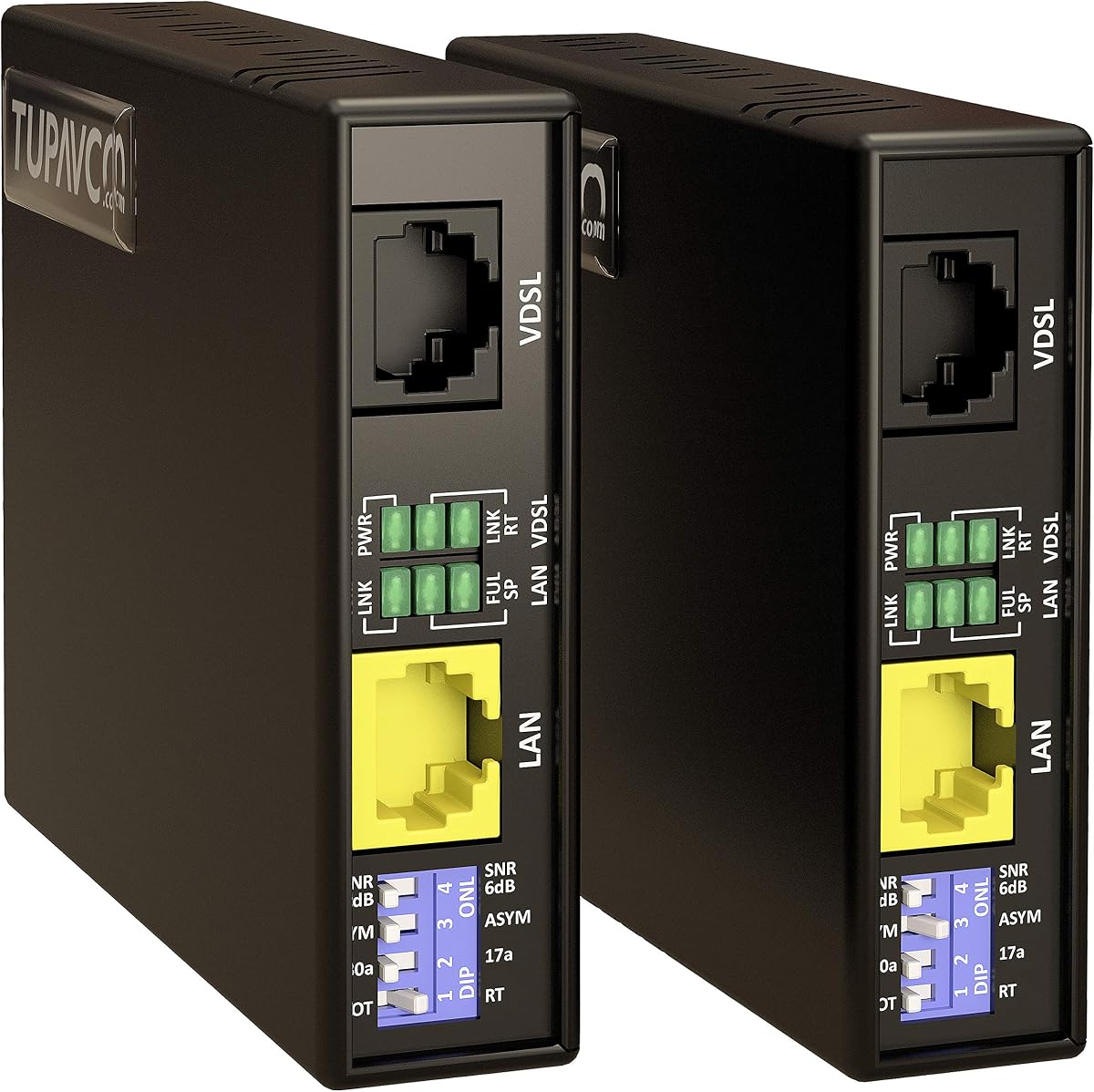
StarTech offers a robust solution for reaching 0.5 mile distance without new infrastructure. It maintains transparency across protocols like VLANs.
We may earn a commission when you buy through this link, at no additional cost to you.
With a 4.8 star rating it suits professional deployments requiring stable remote access. DIP switches allow simple configuration without software.
Limited to 10/100Mbps speeds which may suffice for IoT or monitoring. Cost is higher but reliability justifies it for critical applications.
Best for industrial or commercial sites needing long distance links. Its reliability and compliance make it a premium choice.
Seamlessly passes Ethernet protocols including VLAN tags and Wake-on-LAN.
Allow IT administrators to monitor power network status and speed.
We may earn a commission when you buy through this link, at no additional cost to you.
This AV600 kit provides basic powerline connectivity at an affordable price. It extends networks to 750 feet through electrical wiring.
We may earn a commission when you buy through this link, at no additional cost to you.
With 100 Mbps ports it supports light streaming and browsing. The power saving mode reduces energy use by up to 85 percent.
Performance may vary with wiring quality. Not suitable for high bandwidth needs due to port speed limits.
Ideal for budget-conscious users needing simple room extension. It works well for basic tasks without cabling.
Reduces energy consumption when the network is not in use.
Small size prevents blocking adjacent outlets on walls.
We may earn a commission when you buy through this link, at no additional cost to you.
Combining powerline Ethernet with AX1500 WiFi 6 this kit extends both wired and wireless networks. It covers up to 980 feet over wiring.
We may earn a commission when you buy through this link, at no additional cost to you.
Dual-band WiFi ensures seamless streaming and gaming. The OneMesh feature allows whole-home coverage when connected to a compatible router.
Setup requires plugging adapters directly into outlets. Interference or wiring issues can impact speeds. Check circuit compatibility.
Best for users needing WiFi expansion without new cables. Its dual connectivity makes it versatile for modern homes.
Create a mesh network for seamless whole-home coverage easily.
Instantly clones router network name and password for easy sync.
We may earn a commission when you buy through this link, at no additional cost to you.
This kit provides AV1000 powerline speeds with AC1200 WiFi 5. It extends connectivity to areas blocked by thick walls using existing wiring.
We may earn a commission when you buy through this link, at no additional cost to you.
The passthrough design keeps the outlet free for other devices. Gigabit ports support secure wired connections for consoles.
Setup is easy but depends on circuit compatibility. Performance may drop with interference or poor wiring quality.
Best for homes needing mixed wired and wireless extension. It balances speed and flexibility effectively.
Allows you to plug another device into the integrated socket.
Provides secure wired networks for high bandwidth devices.
We may earn a commission when you buy through this link, at no additional cost to you.
This passive coupler extends Ethernet cable length up to 328ft. It supports speeds up to 10Gbps for future proofing.
We may earn a commission when you buy through this link, at no additional cost to you.
PoE support allows power for cameras without extra adapters. Compatible with Cat8 to Cat5 cables for universal use.
It is a simple connector with active signal regeneration. Not ideal for extreme distances beyond standard limits.
Best for extending cable runs in offices or homes cheaply. Its cost and speed make it a top budget pick.
Supports Power over Ethernet for cameras without extra power supplies.
Works with Cat8 Cat7 Cat6A Cat6 Cat5e and Cat5 networks.
We may earn a commission when you buy through this link, at no additional cost to you.
This active extender uses two wires to carry Ethernet networks up to 600m. It regenerates signals at each end for stable links.
We may earn a commission when you buy through this link, at no additional cost to you.
Works on twisted pair or coax cables making it adaptable to existing infrastructure. Rates drop with distance but links stay up.
Requires power at both ends via supplied adapters. Suitable for surveillance or industrial sensor networks.
Ideal for sites needing extended links over existing cabling. Its active design ensures reliable long distance performance.
Receives regenerates and retransmits signals at each unit for stability.
Passes VLAN tags and DHCP unaltered across the span.
We may earn a commission when you buy through this link, at no additional cost to you.
This VDSL kit increases range to 5000ft with speeds up to 300Mbps. It uses existing phone or network cabling efficiently.
We may earn a commission when you buy through this link, at no additional cost to you.
G.INP support reduces sensitivity to noise maximizing speed. Four-position DIP switches allow 8 different profile settings.
Setup requires no software making it ready out of box. LED indicators help monitor status easily.
Best for large homes needing extended speeds without new cabling. Its flexibility makes it a strong contender.
Makes broadband signal less sensitive to noise and interference.
Offers 8 different profile settings for adaptable performance.
We may earn a commission when you buy through this link, at no additional cost to you.
Selecting the right extender requires considering distance speed requirements and existing infrastructure to ensure reliable connectivity.
Identify how far you need to extend your network. Powerline adapters usually reach under 1000 feet while VDSL kits can exceed 5000 feet.
Choose a model rated above your distance needs to maintain stable speeds.
Match the extender speed to your internet plan and device needs. Gigabit ports are essential for high bandwidth tasks like 4K streaming.
Avoid 100 Mbps models if you need faster throughput for modern applications.
Check if your home uses electrical wiring or phone lines for extension. Powerline works with outlets while VDSL works with twisted pair cables.
Ensure the extender supports the existing cable type you plan to use.
Some extenders require external power adapters while others plug directly into outlets. Consider availability of power near remote locations.
Active extenders often need power at both ends for signal regeneration.
Look for plug and play options that require no software installation. DIP switches should be simple for configuration if needed.
Basic setups save time and reduce technical barriers for users.
Ensure the extender includes encryption to protect your data from unauthorized access. Network security is critical for wired connections too.
Check for industry standard security protocols before purchasing.
Prices vary significantly between passive couplers and active VDSL kits. Determine your budget relative to needed performance and range.
Balance cost with long term reliability to avoid future upgrades.
Verify compatibility with your existing routers and switches. Some models may not work with modified firmware or non-standard devices.
Check manufacturer specifications for any known compatibility restrictions.
Plug adapters directly into wall outlets avoiding power strips to ensure stable power delivery.
Keep devices away from large appliances to reduce electrical interference.
Regularly check LED indicators to monitor status and update firmware if supported.
Most powerline and VDSL kits use existing wiring like electrical or phone lines so new cabling is not needed. Passive couplers extend existing cables by joining segments.
Wiring quality distance and electrical interference affect speed. Older wiring or large appliances can reduce performance significantly.
Most indoor models are not weather resistant unless housed in sealed enclosures. Use outdoor rated products for exterior runs to prevent damage.
They work with most standard routers but modified firmware may cause issues. Check compatibility with your specific router model before purchasing.
It depends on the model bandwidth. High capacity extenders support multiple devices while basic ones handle limited connections.
Most include encryption to protect data. Use strong passwords and secure protocols for network safety.
Our top picks offer reliable solutions for various range speed and budget needs. The TP-Link AV1000 kit balances ease and performance well.
Prioritize maximum distance and wiring compatibility when selecting a model. Active extenders suit longer runs while powerline adapters work for home use.
Check current availability and details before buying to ensure you choose the right extender for your network setup.