
Logitech B100
4.6Editor score
Plug and play USB
Ambidextrous comfort shape
Affordable entry level
This guide compares the top ten durable computer mouse models for longevity reliability and performance ensuring you choose a device built to withstand heavy
Finding a durable computer mouse that withstands years of heavy use requires careful evaluation of build quality and design. This guide examines ten top-rated options known for their reliability and comfort during extended sessions.
We analyzed product specifications user reviews and manufacturer warranties to identify models that offer long-term value. Our selection includes both wireless and wired options suitable for various hand sizes and work environments.
Each pick highlights key features and potential drawbacks to help you make an informed decision. Prices may vary so always check the latest offers before purchasing your next reliable input device.
4.6Editor score

4.5Editor score

4.5Editor score
The following table provides a side by side overview of key specifications for all ten selected durable computer mouse models to help you compare features quickly.





The Logitech M705 Marathon stands out as a top durable computer mouse for those needing long-lasting performance. With a rating of 4.5 stars it is praised for its three-year battery life and robust construction.
We may earn a commission when you buy through this link, at no additional cost to you.
Its standout feature is the hyper-fast scrolling wheel which allows users to navigate long documents effortlessly. The laser grade tracking ensures precision even on challenging surfaces like wood or polished tables.
While the right-handed sculpted shape offers great comfort it might be too large for users with smaller hands. The reliance on AA batteries is a minor trade-off given the extended life span.
This mouse is ideal for office workers or students who need a reliable tool that won't fail during critical tasks. Its durability and comfort make it a top recommendation for daily use.
The three-year battery life means you can focus on tasks without frequent interruptions for battery changes.
Laser grade technology ensures smooth cursor movement even on surfaces where optical mice struggle.
We may earn a commission when you buy through this link, at no additional cost to you.
The Logitech M185 offers a compact and durable solution for users who need mobility. It holds a 4.4-star rating and is designed for both left and right-handed users.
We may earn a commission when you buy through this link, at no additional cost to you.
Its ambidextrous shape makes it versatile for shared workspaces or travel. The one-year battery life and nano receiver ensure it stays ready without bulk or extra clutter.
However the lack of extra buttons limits productivity features compared to larger models. It is best suited for basic navigation rather than intensive professional tasks.
Choose this mouse if you need a reliable backup or travel companion that fits easily in a laptop bag. Its simplicity and portability make it a strong budget-friendly option.
The contoured shape works comfortably for both left and right-handed users making it inclusive.
No software is needed just plug in the receiver and start working immediately.
We may earn a commission when you buy through this link, at no additional cost to you.
The Logitech M510 provides a full-size ergonomic design that supports comfort during long sessions. With a 4.6-star rating it features soft rubber grips and a contoured shape.
We may earn a commission when you buy through this link, at no additional cost to you.
Its two-year battery life and side-to-side scrolling make it highly efficient for managing spreadsheets or web browsing. The unifying receiver allows multiple devices to connect to one USB port.
Some users may find the size unwieldy if they have smaller hands. Advanced features like zoom require additional software which might not be available on all systems.
This mouse is perfect for users seeking a comfortable and durable option for daily office work. Its balance of comfort and features makes it a reliable choice for productivity.
The soft grips and contoured shape reduce strain during extended work hours.
Side to side scrolling enhances productivity when working with wide documents or maps.
We may earn a commission when you buy through this link, at no additional cost to you.
The Logitech B100 is a budget-friendly durable computer mouse that delivers reliable performance. It earns a 4.6-star rating for its simple and robust wired design.
We may earn a commission when you buy through this link, at no additional cost to you.
Its plug-and-play connectivity means no batteries or software are required. The ambidextrous shape ensures comfort for all users while the 800 DPI sensor provides adequate precision.
The wired connection limits movement range which might be inconvenient for larger desks. It lacks advanced features like wireless connectivity or extra buttons.
This mouse is ideal for students or office setups where simplicity and cost are priorities. Its durability and ease of use make it a smart pick for basic tasks.
Simply plug the USB into your computer and start using it immediately without installation.
A trusted brand ensures quality construction without the high price tag of premium models.
We may earn a commission when you buy through this link, at no additional cost to you.
The TECKNET USB Wired Mouse offers impressive customization with six adjustable DPI levels and extra buttons. It holds a 4.5-star rating and is built for durability with over 6 million keystroke testing.
We may earn a commission when you buy through this link, at no additional cost to you.
The forward and backward keys enhance web navigation while the 5-foot cable provides ample reach. Its ability to work on glass surfaces sets it apart from standard optical mice.
The wired design limits portability and some settings may reset when switching computers. Users seeking wireless freedom might find this restrictive.
This mouse suits users who need precise control and extra shortcuts for coding or browsing. Its robust build and versatility make it a strong option for desk-bound work.
Adjustable DPI levels let you switch speeds for detailed work or general browsing.
Advanced tracking works smoothly even on reflective or glass surfaces.
We may earn a commission when you buy through this link, at no additional cost to you.
The Logitech Signature M550 L is designed specifically for users with larger hands seeking a durable computer mouse. It features a 4.5-star rating and focuses on comfort with silent clicking technology.
We may earn a commission when you buy through this link, at no additional cost to you.
The SmartWheel allows switching between precise and hyper-fast scrolling which boosts efficiency. With two-year battery life and dual connectivity it adapts to various work environments.
Its large size might not suit users with smaller hands or limited desk space. The premium price may be a consideration compared to standard models.
This mouse is best for professionals who need a quiet comfortable and durable option for long work hours. Its design prioritizes ergonomics and versatility for modern offices.
Quiet clicks reduce noise in open offices helping maintain concentration.
Switch between line-by-line and hyper-fast scrolling to match your workflow.
We may earn a commission when you buy through this link, at no additional cost to you.
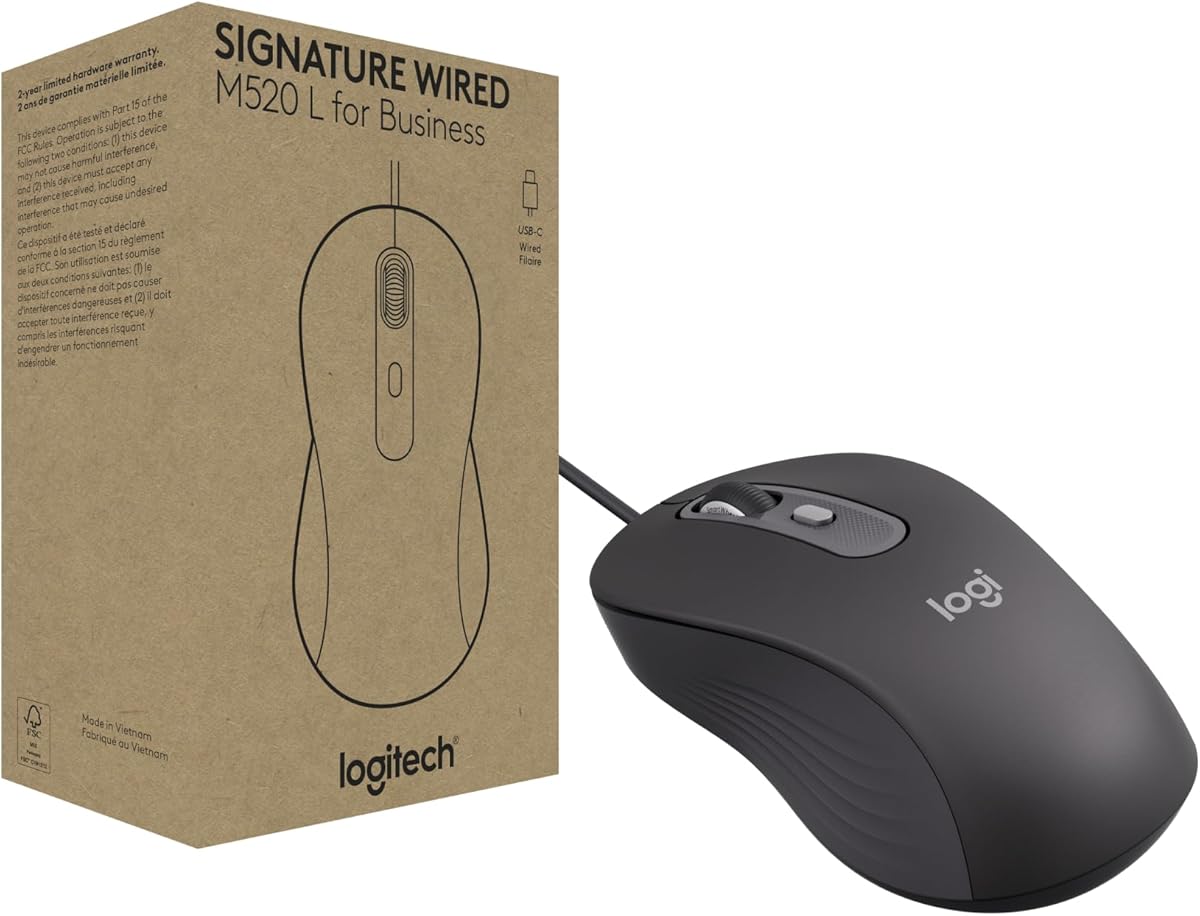
The Logitech M520 L is a business-focused durable computer mouse with USB-C connectivity and quiet operation. It holds a 4.3-star rating and is built for organizational needs.
We may earn a commission when you buy through this link, at no additional cost to you.
Its SmartWheel and silent clicks ensure efficiency and comfort in shared spaces. The ambidextrous design supports all users while the power-saving model reduces energy consumption.
Being wired limits mobility which might not suit remote workers. The features are optimized for business deployment rather than gaming or casual use.
This mouse is ideal for corporate environments where reliability and compatibility are key. Its design supports productivity without distractions in professional settings.
Supports USB-C ports for future-proof compatibility with modern laptops.
Consumes significantly less power helping reduce overall energy usage.
We may earn a commission when you buy through this link, at no additional cost to you.
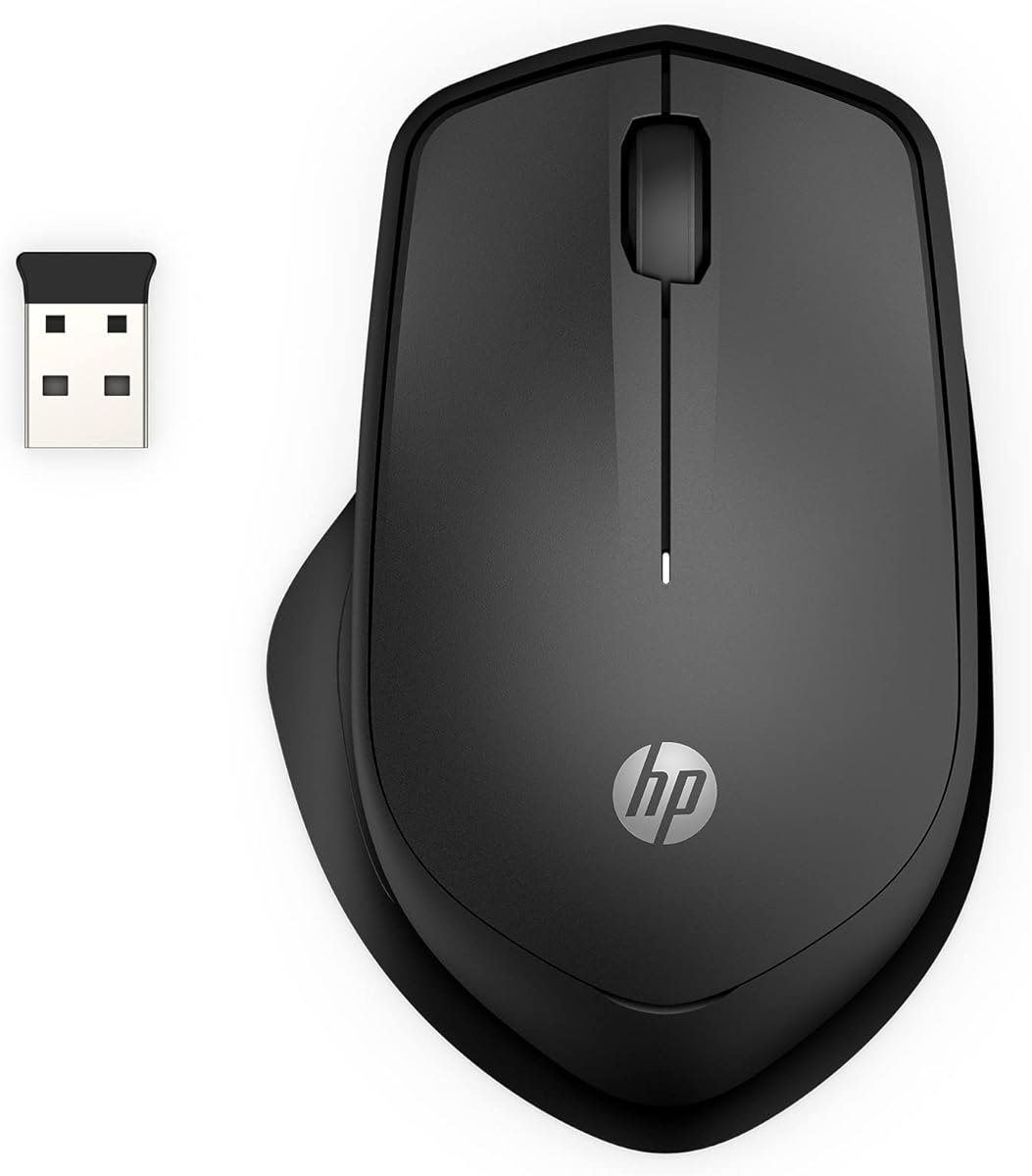
The HP 280 Silent offers a quiet and durable computer mouse experience for shared workspaces. It holds a 4.5-star rating and focuses on noise reduction and comfort.
We may earn a commission when you buy through this link, at no additional cost to you.
Its silent click buttons reduce distractions while the multi-surface tracking ensures smooth movement on various surfaces. The 18-month battery life keeps you working without interruptions.
The design is right-handed only which may not suit left-handed users. It lacks advanced programmability found in premium models.
This mouse is great for those needing a reliable quiet option for office or home use. Its simplicity and comfort make it a solid choice for everyday productivity.
Noise-reducing buttons allow focus without disruptive clicking sounds.
Works smoothly on most surfaces without needing a mouse pad.
We may earn a commission when you buy through this link, at no additional cost to you.
The Logitech Signature M650 L represents a premium durable computer mouse designed for power users. With a 4.5-star rating it features customizable buttons and silent operation.
We may earn a commission when you buy through this link, at no additional cost to you.
Its two-year battery life and dual connectivity options ensure reliability and flexibility. The ergonomic design supports long-term comfort making it ideal for intensive tasks.
The premium price might be a barrier for budget-conscious buyers. Its large size may not suit all hand shapes.
This mouse is best for professionals needing a high-end tool that adapts to their workflow. Its blend of features and comfort justifies the investment for serious users.
Side buttons can be remapped to shortcuts for faster workflows.
Ergonomic shaping reduces strain during extended daily use.
We may earn a commission when you buy through this link, at no additional cost to you.
The Acer Wireless Mouse offers a durable computer mouse solution with high click durability and adjustable sensitivity. It holds a 4.3-star rating and is designed for portability.
We may earn a commission when you buy through this link, at no additional cost to you.
Its 10 million click rating ensures long-term resilience while the indicator light shows DPI and battery status. The 5-foot wireless connection provides reliable range for various setups.
Build quality may feel less premium than top-tier brands. Battery management requires attention to avoid interruptions.
This mouse suits travelers or students needing a robust and affordable option. Its features balance utility and cost for mobile computing needs.
Rated for 10 million clicks ensuring longevity for heavy users.
Click to wake saves power when not in use.
We may earn a commission when you buy through this link, at no additional cost to you.
Choosing a durable computer mouse involves evaluating build quality ergonomics and features that match your workflow.
A durable computer mouse should be constructed from high-quality plastics or reinforced materials that resist wear and tear. Look for products with high click ratings often ranging from 10 to 20 million clicks for long-term reliability. Reinforced scroll wheels and button caps also prevent common mechanical failures over time.
Prioritize models with proven track records of durability and robust construction to ensure longevity.
Comfort is essential for avoiding strain during long work sessions. Ergonomic designs with soft grips and contoured shapes support the hand and wrist naturally. Consider your hand size and whether you need a left or right-handed specific design or an ambidextrous option.
Select a mouse that fits your hand comfortably to reduce fatigue and improve productivity.
Wireless mice offer freedom of movement and reduce desk clutter while wired options provide uninterrupted power and consistent performance. Wireless models rely on batteries or rechargeable cells which can impact longevity. Consider your workspace needs and how much mobility you require.
Choose wireless for convenience or wired for consistent power and simplicity.
Long battery life minimizes interruptions and maintenance for wireless models. Look for mice offering at least one year of usage on a single charge or battery set. Some advanced models can last up to three years which is ideal for users seeking minimal hassle.
Higher battery longevity means less frequent changes and more reliable daily use.
A reliable sensor ensures accurate cursor tracking across different surfaces. DPI settings between 800 and 4000 provide flexibility for various tasks from browsing to detailed design work. Advanced optical or laser sensors maintain precision on glossy or uneven surfaces.
Ensure the sensor supports your typical tasks and surface conditions.
Extra buttons customizable shortcuts or silent click technology can enhance productivity and user experience. Smart scrolling wheels or programmable DPI buttons help streamline workflows efficiently. Evaluate which features align with your daily activities and comfort needs.
Prioritize features that directly improve your efficiency and comfort during use.
A strong warranty reflects the manufacturer's confidence in product durability and quality. Look for at least a one-year limited warranty and responsive customer service options. This protection helps manage potential defects and ensures peace of mind over the product's lifespan.
Choose brands offering reliable warranties to safeguard your investment.
While premium models offer advanced features budget-friendly options can provide solid durability for everyday use. Balance your budget with necessary features to ensure long-term satisfaction. Consider the total cost of ownership including batteries or accessories.
Aim for value by selecting a mouse that meets your needs without overspending.
To ensure optimal performance regularly clean the mouse surface and sensor with a soft dry cloth to remove dust and debris. For wireless models replace batteries promptly when indicators show low power to avoid connection loss.
Store your mouse in a cool dry place away from direct sunlight or extreme temperatures to preserve its materials and internal components. If using wireless always secure the nano receiver properly to prevent loss during travel.
Familiarize yourself with all programmable buttons or software features to customize the device for your workflow. Periodically update mouse firmware if available to maintain compatibility and performance across operating systems.
Durability depends on high-quality materials and robust mechanical components like switches rated for millions of clicks. Reinforced scroll wheels and protective casings also prevent wear and tear from frequent use.
Wireless mice depend on batteries which need replacement or recharging over time whereas wired mice have continuous power. However durability of the physical buttons and sensor remains similar across both types.
Yes certain models with advanced optical or laser sensors can track on glass surfaces effectively. Check product specifications to confirm glass compatibility before purchasing if you work on transparent desks.
Use power-saving features like auto sleep modes and turn off the mouse when not in use. Keeping the sensor clean and replacing batteries before they are fully depleted also helps optimize usage.
Ergonomic mice often feature premium materials and reinforced construction that can enhance durability. However the main benefit is reduced strain which prevents accidental drops and mishandling that damage equipment.
Most reputable brands offer at least a one-year limited hardware warranty covering defects and mechanical failures. Always review warranty terms to understand what is included and how to claim support if needed.
Choosing a durable computer mouse depends on your specific needs and preferences whether you prioritize longevity comfort or advanced features. The top models highlighted offer reliable performance for various work environments and user types.
Consider factors like ergonomics battery life and connectivity to find a model that supports your daily tasks effectively. Investing in a high-quality mouse reduces replacements and enhances long-term productivity.
Prices and availability can change frequently so review current offers before finalizing your purchase. This guide aims to simplify your decision with trusted options designed for durability and comfort.