
Canon Color imageCLASS LBP646Cdw
4.1Editor score
Print Only Functionality
26 PPM Speed
Low Cost Operation
This guide compares the top 10 Duplex Color Laser Printer models for 2026, evaluating speed, connectivity, and features to help you choose the right office
Finding the right Duplex Color Laser Printer can transform your home office productivity. These devices offer fast output, automatic double-sided printing, and crisp color quality for professional documents without the cost of inkjet replacements.
We evaluated ten leading models based on print speed, wireless capabilities, paper handling, and overall reliability. Our analysis focuses on real-world performance metrics and feature sets that matter most to small business owners and remote professionals.
Each pick highlights specific strengths like budget value, premium security, or high-volume capacity. Note that prices and availability change frequently, so verify current listings before purchasing to ensure you get the best deal available today.
4.1Editor score

4.2Editor score

4.4Editor score
The following table provides a side-by-side comparison of all ten selected models. Review the key specifications to determine which printer aligns best with your specific workspace requirements and budget constraints.


The Canon Color imageCLASS MF753Cdw II stands out as a top choice for modern offices needing comprehensive document solutions. With a 4.2 rating, it delivers reliable performance across printing, scanning, copying, and faxing tasks.
We may earn a commission when you buy through this link, at no additional cost to you.
Its wireless duplex capabilities ensure efficient workflows without constant manual intervention. The machine handles high-volume tasks with ease, making it ideal for busy home offices that require consistent professional output.
While the upfront investment is significant, the versatility and speed justify the cost for most users. The included security features also protect sensitive documents during transmission and storage.
This printer is perfect for small business owners who need an all-in-one solution. If you value speed and reliability over budget constraints, this model delivers exceptional value.
The multifunction design eliminates the need for separate devices, saving space and simplifying your office setup significantly.
Wireless integration allows seamless printing from various devices, ensuring your team stays productive regardless of location.
We may earn a commission when you buy through this link, at no additional cost to you.
The Brother HL-L3220CDW offers a focused approach to color printing for those who prioritize cost and space efficiency. With a rating of 3.9, it provides consistent output for standard business documents.
We may earn a commission when you buy through this link, at no additional cost to you.
Its compact design fits easily into smaller workspaces while still delivering professional results. The 250-sheet tray reduces frequent refills, keeping your workflow uninterrupted during busy periods.
While it lacks scanning functions, its dedicated printing focus keeps the unit affordable and simple to operate. The wireless connectivity ensures you can print from smartphones and tablets effortlessly.
This model suits home offices that only need printing capabilities. If you need an economical entry into laser printing, this device offers good value without unnecessary complications.
The straightforward design means fewer buttons to learn, allowing you to start printing documents immediately after setup.
Its smaller footprint leaves room for other office essentials, making it ideal for desks with limited available space.
We may earn a commission when you buy through this link, at no additional cost to you.
The Canon Color imageCLASS LBP646Cdw is an exceptional choice for budget-conscious buyers needing fast color output. Rated 4.1, it balances speed and cost effectively for small office environments.
We may earn a commission when you buy through this link, at no additional cost to you.
Its 26 ppm capability ensures quick turnaround for reports and presentations without the higher cost of multi-function models. The wireless setup is intuitive, getting you up and running in minutes.
Though it lacks scanning, the dedicated printing focus maximizes reliability and keeps maintenance simple. High-capacity toner options help control ongoing expenses, making it economical over time.
Select this printer if you need rapid printing without extra bells and whistles. It represents one of the best value propositions in the current color laser market.
High yield toners reduce the frequency of replacements, lowering the total cost of ownership for regular users.
The LCD screen guides you through wireless configuration steps, reducing frustration and setup time significantly.
We may earn a commission when you buy through this link, at no additional cost to you.
The Brother MFC-L3720CDW delivers a balanced mix of features for growing businesses. With a 4.0 rating, it handles scanning, copying, and printing with reliable performance for daily tasks.
We may earn a commission when you buy through this link, at no additional cost to you.
Its dual-band wireless support ensures stable connections even in congested network environments. The 50-sheet auto document feeder speeds up multi-page scanning, reducing manual handling effort.
While not the fastest printer available, its feature set provides excellent value for mid-sized teams needing versatile functions. The touchscreen simplifies navigation through complex tasks like direct cloud printing.
This model is recommended for offices needing scanning and faxing alongside printing. It offers a solid foundation for professional document management without excessive complexity.
Dual-band support reduces interference issues, ensuring your printer stays connected even when other devices use the network heavily.
Accessing cloud services directly from the touchscreen removes the need for computer intermediaries for quick document retrieval.
We may earn a commission when you buy through this link, at no additional cost to you.
The Brother MFC-L8930CDW stands as a powerhouse for high-demand office environments. With a 4.4 rating, it combines speed and security in a robust package designed for serious business needs.
We may earn a commission when you buy through this link, at no additional cost to you.
Its 33 ppm output ensures minimal waiting time during peak hours. The advanced security features, including NFC authentication, protect sensitive data effectively from unauthorized access.
The large touchscreen allows for intuitive management of complex workflows like large batch scanning. While the price is higher, the productivity gains and security benefits justify the investment.
This printer is ideal for businesses handling confidential documents or high-volume work. If reliability and security are your top priorities, this model leads the field.
The Triple Layer Security system encrypts documents during transmission, protecting sensitive information from interception.
Designed for heavy workloads, this printer maintains consistent performance even during long printing sessions.
We may earn a commission when you buy through this link, at no additional cost to you.
The Brother HL-L3280CDW is a strong contender for home offices needing consistent speed and connectivity. Rated 3.9, it provides efficient printing capabilities that meet most daily demands effectively.
We may earn a commission when you buy through this link, at no additional cost to you.
Its 27 ppm speed ensures quick results for urgent documents. The inclusion of an Ethernet port offers a stable connection option when Wi-Fi might be unreliable in your workspace.
While it lacks scanning, its compact design fits well in smaller areas without sacrificing output quality. The touchscreen interface makes managing cloud-based printing simple and direct.
Choose this model if you need reliable printing without unnecessary overhead. It balances performance and size well for personal workspaces.
Ethernet connectivity ensures your printer stays online even if your wireless network experiences intermittent issues.
Direct access to apps like Google Drive lets you print files without opening them on your computer first.
We may earn a commission when you buy through this link, at no additional cost to you.
The Canon Color imageCLASS MF665Cdw provides a solid all-in-one option for small teams. With a 3.9 rating, it offers comprehensive functionality including scanning and faxing alongside high-speed printing.
We may earn a commission when you buy through this link, at no additional cost to you.
The 3-year warranty provides peace of mind for long-term investment. Its application library feature allows customization of frequently used tasks, speeding up daily operations significantly.
While initial setup might require attention, the benefits of the large touchscreen and fast speeds are evident during use. The ADF handles multi-page documents efficiently without manual feeding.
This printer is suitable for small businesses needing versatile capabilities. If you value a long warranty and speed, this model delivers reliable results.
Application Library lets you set up quick access to common tasks, reducing navigation time for everyday jobs.
The three-year limited warranty covers extensive repairs, ensuring your device remains operational for longer.
We may earn a commission when you buy through this link, at no additional cost to you.
The Canon Color imageCLASS MF662Cdw is designed for reliable performance in modern environments. With a 4.0 rating, it integrates well with Chromebook users needing efficient scanning and copying.
We may earn a commission when you buy through this link, at no additional cost to you.
Its 26 ppm speed keeps up with fast-paced office needs. The 3-year warranty ensures longevity and support for your investment over time without unexpected costs.
The application library enhances usability by letting you customize frequently used features. While it lacks faxing, its core printing and scanning functions are robust and dependable.
Ideal for schools or small businesses using Chrome OS devices. If Chromebook compatibility and speed are your main concerns, this printer fits the bill perfectly.
Seamless integration with Chromebooks ensures easy printing and scanning for users in education or tech-focused environments.
The touchscreen interface simplifies complex settings, making it easy to find necessary options quickly.
We may earn a commission when you buy through this link, at no additional cost to you.
The HP Color Laserjet Pro 3201dw focuses on security and professional output. With a 3.4 rating, it is built to handle strict business needs with robust security protocols and reliable performance.
We may earn a commission when you buy through this link, at no additional cost to you.
Its self-resetting Wi-Fi automatically resolves connection issues without manual intervention. The firmware updates protect your network by ensuring only authorized cartridges are used, maintaining security standards.
While the strict chip requirements might limit flexibility, they ensure consistent output quality and network protection. The 26 ppm speed is sufficient for most small business environments.
Choose this model if network security is your primary concern. It offers a reliable solution for organizations that need strict compliance and consistent quality.
Self-resetting Wi-Fi maintains connectivity even when network hiccups occur, ensuring your printer is always ready.
Firmware updates ensure that only genuine HP cartridges work, protecting your documents from unauthorized modifications.
We may earn a commission when you buy through this link, at no additional cost to you.
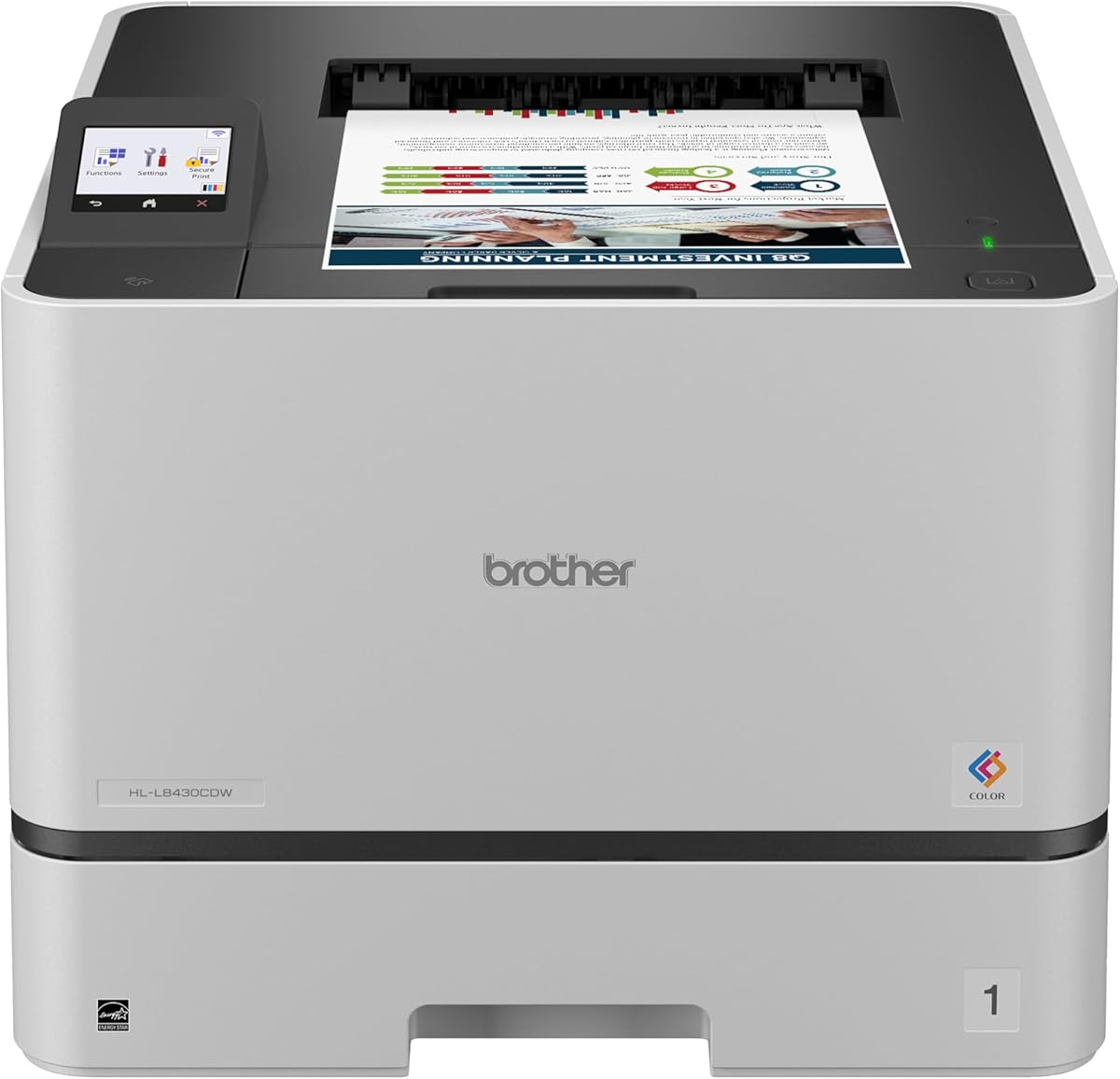
The Brother HL-L8430CDW is built for demanding business environments requiring high throughput. With a 4.0 rating, it delivers exceptional speed and low-cost printing features essential for efficiency.
We may earn a commission when you buy through this link, at no additional cost to you.
Its expandable paper capacity allows for up to 1,340 sheets, reducing refills during large jobs. The NFC authentication adds a layer of security for accessing print jobs safely.
While it lacks scanning functions, its printing performance is unmatched in this category. The eco-friendly packaging and certification align with modern sustainability goals.
Select this printer for high-volume operations needing speed and security. If throughput is your priority, this model delivers outstanding results without compromising on quality.
Expandable trays let you customize paper capacity based on your specific office needs, reducing downtime.
Eco-friendly packaging and ENERGY STAR certification reflect a commitment to reducing environmental impact.
We may earn a commission when you buy through this link, at no additional cost to you.
Selecting the right Duplex Color Laser Printer requires understanding your specific needs regarding speed, features, and budget. This guide covers essential factors to consider before making your final decision.
Speed is critical for offices needing quick turnaround. Look for models offering at least 20 ppm to avoid bottlenecks. High-quality laser output ensures professional documents that impress clients.
Prioritize speed matching your daily volume to ensure efficiency.
Wireless connectivity is standard, but dual-band Wi-Fi ensures stability. Ethernet ports offer reliable backup connections for critical work environments.
Choose devices with flexible options for seamless integration.
Decide if you need scanning, copying, and faxing. All-in-one models save space but may cost more than print-only units.
Assess your workflow to determine which functions are essential.
Larger paper trays reduce refilling frequency. Consider expandable options if you handle high-volume printing regularly.
Adequate capacity prevents workflow interruptions during busy days.
For businesses handling sensitive data, security is vital. Look for features like NFC authentication and secure protocols.
Select models that protect your documents during transmission and storage.
Beyond the initial price, consider toner costs. High-yield cartridges often offer better value over time.
Evaluate long-term expenses to ensure budget sustainability.
Energy Star certification indicates efficiency. Devices using less energy reduce costs and environmental impact.
Choose eco-rated models for sustainable office practices.
A robust warranty provides peace of mind. Long-term support ensures issues are resolved quickly without downtime.
Check warranty terms to ensure protection against defects.
Always use genuine toner cartridges to maintain print quality and device longevity. Regularly updating firmware ensures your printer stays secure against new vulnerabilities.
Clean the interior regularly using a soft, dry cloth to remove dust that might cause jams. Avoid harsh chemicals that could damage internal components.
Store paper in a cool, dry place to prevent moisture buildup. Proper storage ensures smooth feeding and consistent print results.
Duplex printing allows your printer to automatically print on both sides of the paper. This feature saves paper and reduces costs, making it an essential choice for environmentally conscious offices.
While the initial purchase cost can be higher than inkjet printers, the cost per page is typically lower. High-capacity toners further reduce ongoing expenses over time.
Most modern Duplex Color Laser Printers are compatible with both Mac and Windows systems. Ensure you download the correct drivers for your specific operating system for best performance.
Check the tray settings and ensure paper is not overfilled. Remove any stuck paper gently without using sharp objects. Regular cleaning also helps prevent dust buildup that causes jams.
Look for features like secure PIN release and encrypted data transmission. These tools ensure unauthorized users cannot access your printed documents or network.
Replacement frequency depends on your print volume. Generally, standard cartridges last for several thousand pages. Monitor toner levels through the printer software to stay ahead of replacements.
Yes, most models support mobile printing apps. This allows you to send documents directly from your device without using a computer.
Energy efficiency reduces electricity bills and environmental impact. Look for ENERGY STAR certified models to ensure your printer operates efficiently.
We reviewed ten top Duplex Color Laser Printers ranging from budget-friendly options to premium business solutions. Each model offers unique strengths tailored to different office needs and sizes.
Prioritize features that align with your daily workflow, such as speed for high-volume work or security for sensitive data. Balancing these factors ensures you select a device that grows with your business.
Always check current prices and availability before purchasing as market conditions change regularly. Verify the warranty and return policy to ensure you make a confident final decision.