
Calculated Industries Scale Master Pro
4.7Editor score
72 Built-in Scales
Portable Takeoffs Anywhere
Area and Volume Calculation
This guide compares the top digital architectural scale rulers for precision measurement, featuring built-in scales, custom calibration, and area volume tools
Finding the right digital architectural scale ruler ensures precision and efficiency in your drafting and construction projects. These tools convert physical measurements into accurate scaled data instantly.
We evaluated ten leading models based on accuracy, scale variety, durability, and user interface. Each product was analyzed for its ability to handle complex plan measurements effectively.
Each pick highlights key features and real-world applications. Prices vary by retailer and may change over time. Always verify current details before purchasing your next measurement tool.
4.7Editor score

4.8Editor score

4.4Editor score
The following table provides a side-by-side comparison of all ten top-rated digital architectural scale rulers available this month. Review each specification to find the ideal match for your specific workflow.




The Calculated Industries Scale Master Pro XE stands out as the premier choice for professionals needing reliable digital measurement. With a strong rating of 4.8, this tool excels in accuracy and ease of use.
We may earn a commission when you buy through this link, at no additional cost to you.
Its advanced digital plan measure feature allows users to roll the high-visibility red wheel on printed plans to capture linear distances quickly. The device includes 91 architectural and engineering scales covering multiple units for maximum versatility.
Trade-offs include a higher price point compared to analog rulers, but the efficiency gains justify the investment. Users should note typical rolling error margins of plus or minus 2 to 3 percent.
This tool is ideal for architects and contractors who frequently estimate materials on-site. Its combination of features makes it the top recommendation for professional workflow efficiency.
The device offers 50 US and 41 metric scales including square and cubic formats for comprehensive measurement needs.
Ten custom scales allow you to define dimensions for plans that have been reduced or enlarged, ensuring accurate readings.
We may earn a commission when you buy through this link, at no additional cost to you.
The Calculated Industries Scale Master Pro offers an excellent balance of performance and cost for those seeking a digital solution. With a 4.7 rating, it is a trusted choice for many users.
We may earn a commission when you buy through this link, at no additional cost to you.
It features 72 built-in scales and allows for custom scale definition to handle various plan reductions. The tool enables area and volume calculations directly on the device without needing a computer.
Users may find fewer scale options compared to the XE model, but the core functionality remains robust. The compact size makes it easy to carry on job sites or into offices.
This device is perfect for contractors or students needing reliable measurements without breaking the bank. It provides a practical entry point into digital plan measurement technology.
Use this tool on jobsites or in your office with no cable or PC required for immediate material order estimates.
Count items while rolling plans to estimate studs or outlets, adding or subtracting entries with dedicated touch buttons.
We may earn a commission when you buy through this link, at no additional cost to you.
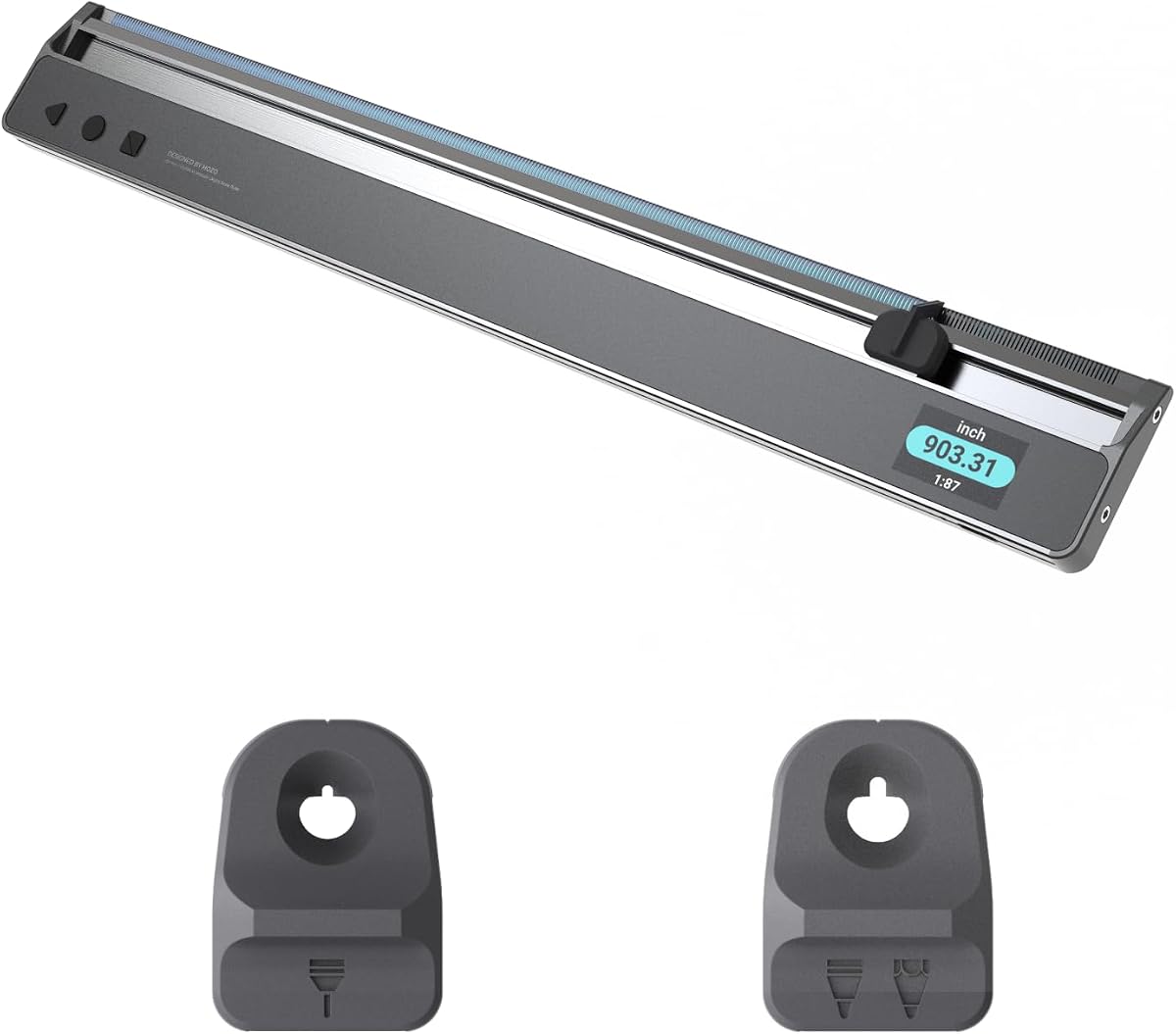
The HOZO NeoRuler introduces smart technology to traditional measurement with its ability to define infinite scales. Rated 4.4, it caters to users needing high flexibility and advanced data handling.
We may earn a commission when you buy through this link, at no additional cost to you.
Its modular design and app connectivity allow for exporting data to CAD files directly. The built-in space divider helps equally divide spaces into sections quickly without manual calculations.
While it requires the free app for full functionality, the precision and versatility offer significant benefits for architects. The stainless steel and aluminum frame ensures longevity in daily use.
This ruler is best for professionals integrating digital workflows into their design process. It stands out for its ability to connect with modern software tools seamlessly.
Transfer measured data to the MEAZOR APP via Bluetooth for further editing and drawing to track project data.
The modular design includes sets of modules to assist with reading, drafting, and even transforming into a scale caliper.
We may earn a commission when you buy through this link, at no additional cost to you.
This bundle includes the NeoRuler Digital Scale Ruler alongside a NeoMagnifier designed to improve reading of small text. It holds a perfect 5.0 rating for user satisfaction and build quality.
We may earn a commission when you buy through this link, at no additional cost to you.
The magnifier provides enhanced visibility for intricate details on blueprints, making it easier to view small text or patterns. The tool supports both infinite custom scales and 93 built-in options for versatile use.
Users benefit from a complete package that addresses both measurement and visibility needs. The aluminum frame and steel components ensure the device remains robust during daily handling.
Ideal for those needing better visibility alongside digital measurement, this set is a strong choice for precision work. It streamlines the reading process significantly for complex architectural plans.
The NeoMagnifier provides enhanced visibility, making it easier to read small text or view intricate details on plans.
Export data to CAD files like DXF, PDF, or JPG via the app to share projects at ease with your team.
We may earn a commission when you buy through this link, at no additional cost to you.
This traditional architectural scale ruler offers supreme accuracy through an anodized aluminum alloy build. Rated 4.8, it remains a staple for professionals who prefer manual tools over digital ones.
We may earn a commission when you buy through this link, at no additional cost to you.
Its triple-sided design includes common architectural scales for blueprints and technical drawings. The laser etched technology prevents markings from fading or wearing off over time.
While it does not offer digital calculations, it provides reliable and consistent performance for standard drafting needs. The high contrast design ensures readability even in low light studio environments.
This ruler is perfect for students or draftsmen looking for a classic, reliable tool. It serves as an essential companion for those focusing on manual drafting precision.
Made of anodized aluminum alloy, this ruler is solid and sturdy, designed for maximum durability in professional use.
All numbers and measurement markings are laser etched for maximum clarity and readability, preventing wear from daily use.
We may earn a commission when you buy through this link, at no additional cost to you.
This bundle combines the NeoRuler with drafting tools including penholders and a magnifier. It supports precision drafting and reading for engineering and design tasks across various applications.
We may earn a commission when you buy through this link, at no additional cost to you.
The two size penholders fit 0.8mm and 1.2mm pens for precise drafting and drawing. The NeoMagnifier enhances visibility, making it easier to read small text on complex plans.
Users may find the setup more complex than a standalone ruler, but the included accessories offer a complete solution. It targets specific needs for drafting alongside measurement.
Ideal for design professionals needing a compact drafting setup, this kit provides essential tools for immediate use. It simplifies the workflow by combining measurement and drawing aids.
The kit includes 0.8mm and 1.2mm penholders to fit any size of your pen for accurate and professional drawing.
Designed for reading details on architectural plans, this tool supports engineering and design work with accuracy.
We may earn a commission when you buy through this link, at no additional cost to you.
This set includes both architectural and engineering rulers alongside a stainless steel ruler. Rated 4.8, it is ideal for professionals and students who need a complete drafting kit.
We may earn a commission when you buy through this link, at no additional cost to you.
The black anodized aluminum features white graduations that resist fading for long-term use. Laser etched markings ensure clear scaling for accurate drafting supplies across various applications.
Users get a versatile drafting scale set without switching between multiple purchases. The included steel ruler adds everyday straight-edge precision for technical drawing work.
This set is best for architecture students or firms needing both scale types in one package. It offers essential tools for blueprints and technical drawings at an accessible price.
Includes architect scale ruler, engineer scale ruler, and a twelve inch stainless steel metal ruler for essential architecture tools.
Black anodized aluminum features white graduations that resist fading, ensuring clear scaling ruler markings for accuracy.
We may earn a commission when you buy through this link, at no additional cost to you.
This bundle combines the digital NeoRuler with drafting accessories. It aims to support engineering and design tasks with both measurement and drawing capabilities for precise work.
We may earn a commission when you buy through this link, at no additional cost to you.
The two size penholders fit 0.8mm and 1.2mm pens. The ruler provides 93 built-in scales and infinite customization for versatility across different project types.
Users can transfer data to the MEAZOR APP for further editing and sharing. This connectivity makes it suitable for collaborative environments needing digital exports.
Ideal for architects and designers looking to combine manual drafting with digital tools, this bundle simplifies workflows. It supports precision and accuracy for detailed technical drawings.
Ideal for a wide range of tasks in engineering and design, this bundle supports precise and accurate drawing and drafting.
Export measured data to CAD files via the app to share with ease and integrate with your existing design software.
We may earn a commission when you buy through this link, at no additional cost to you.
This kit includes the NeoRuler alongside NeoMagnifier and NeoDrafting modules in a dedicated storage case. Rated 4.0, it is designed for convenience and organization on the go.
We may earn a commission when you buy through this link, at no additional cost to you.
The magnetic attachment feature stores up to three modules including the magnifier and two penholders. This consolidates tools to facilitate effortless portability for professionals.
Users benefit from a compact design that keeps everything organized in one place. It simplifies the process of finding the right tool when you need it quickly.
Ideal for field work or travel, this kit ensures all necessary modules are protected and accessible. It streamlines storage to reduce clutter in your professional toolkit.
Store and organize up to three modules with the magnetic attachment feature for neat organization in one place.
Meticulously designed to consolidate your NeoRuler and modules, it facilitates effortless portability for daily use.
We may earn a commission when you buy through this link, at no additional cost to you.
This bundle includes two digital plan measure tools to handle different scale needs. With a perfect 5.0 rating, it offers comprehensive features for estimating and material ordering.
We may earn a commission when you buy through this link, at no additional cost to you.
The Advanced XE model offers 91 scales while the Standard Pro offers 72 built-in scales. Both support custom scales and portable takeoffs without needing a PC or cable.
Users can calculate area and volume by rolling length and width with dedicated keys. This functionality allows for accurate estimation on any kind of printed plan.
Ideal for teams needing multiple tools or a backup option, this bundle provides robust capacity. It supports professional workflow needs for accurate and efficient material takeoffs.
Get two different digital plan measure tools in one package for versatile scaling and backup options on the job.
Roll length and width to get area, set height to get volume using either imperial or metric units efficiently.
We may earn a commission when you buy through this link, at no additional cost to you.
Selecting the right digital architectural scale ruler requires considering several technical factors to match your workflow needs and budget.
A good digital ruler should offer a wide range of built-in scales, typically including both imperial and metric units. Look for models that support square and cubic formats for area and volume calculations. Many top tools provide over 70 to 90 built-in options to cover common architectural and engineering tasks.
Ensure the device includes sufficient scale variety to handle different project types without needing constant recalibration.
Plans are often reduced or enlarged, making custom scale options essential for accuracy. Digital rulers with custom calibration allow you to define any scale from a plan to match specific dimensions. This feature prevents errors when working with non-standard drawings.
Always check for devices that offer at least a few custom scale slots to handle out-of-scale plans efficiently.
Since these tools are used on construction sites, a robust build is important for longevity. Look for aluminum alloy frames, steel components, and protective cases to prevent damage during transport. The wheel mechanism should be high-visibility and durable to ensure smooth operation.
Prioritize models with solid construction and protective cases to withstand daily professional use.
The display should be easy to read under various lighting conditions. Large fonts, backlit screens, and high-contrast text help prevent reading errors on busy sites. Buttons should be clearly labeled for functions like area, volume, and counting.
Choose a model with a clear display and logical button layout to speed up your workflow.
Advanced models may offer features like Bluetooth connectivity, apps for data export, or manual counters. These tools help integrate measurements directly into CAD or project management software. Consider whether you need these smart features or basic measuring capabilities.
Identify if you require app connectivity and data export options based on your project software requirements.
No digital tool is perfect, but accurate devices typically have low rolling error rates. Look for specifications that mention typical error margins, often around plus or minus 2 to 3 percent. This information helps set realistic expectations for material estimation.
Verify the device accuracy ratings to ensure they meet the precision standards required for your job.
Long-life batteries are crucial for uninterrupted work on site. Most devices use button-cell or rechargeable batteries that can last for extended periods. Check for features like automatic sleep modes to conserve power during idle times.
Opt for tools with long-lasting power sources to avoid interruptions during critical measurement tasks.
Prices vary widely depending on features and build quality. Basic digital models are more affordable, while bundles with apps and accessories cost more. Determine your needs first to avoid overpaying for unused functionalities.
Balance the initial cost against the long-term efficiency and accuracy gains offered by the device.
To begin measuring, set the correct scale using the device menu before rolling. Ensure the wheel is aligned with the starting point of your drawing. Roll steadily along the line without applying too much pressure to avoid slippage.
After measuring, press the dedicated keys to lock or add the value to memory. For area, enter length and width and use the area calculation button. Always double-check the scale mode to avoid conversion errors.
Store the tool in its protective case when not in use. Clean the display and wheel with a soft cloth to prevent dust buildup. Replace batteries as needed to maintain optimal performance over time.
A digital architectural scale ruler is an electronic tool designed to measure scaled drawings. It converts physical rolls on a blueprint into accurate linear, area, or volume measurements using built-in scale tables.
Yes, digital rulers generally offer higher precision by eliminating human calculation errors. They provide exact measurements directly on a display, though they rely on steady rolling technique.
Most modern digital rulers support both metric and imperial units. You can toggle between them instantly to suit the requirements of your specific project.
Yes, many devices include custom scale options that allow you to calibrate for reduced or enlarged plans. This ensures measurements remain accurate regardless of the print size.
Battery life varies but often lasts for months of regular use. Most devices use long-life button cells or rechargeable batteries with power-saving modes.
Some advanced models with Bluetooth support allow data export to computer software via apps. Check for connectivity features if you need digital integration.
Use a soft cloth to clean the wheel and display regularly. Keep the device in a protective case to prevent drops and dust buildup.
Yes, they are excellent tools for architecture students. They help learn scale measurements and simplify calculations for school projects.
Choosing the best digital architectural scale ruler depends on your specific workflow and measurement needs. The top picks offer a range of options from basic manual digital models to advanced smart tools.
Prioritize devices that offer accurate custom scale options and durable construction. Features like area and volume calculations can significantly reduce time spent on estimations.
Prices and availability can change over time. Always verify current features and details before purchasing to ensure you select the right tool for your professional projects.