
Dell Optiplex 7050 SFF
3.9Editor score
Affordable renewed option
Strong memory capacity
Solid state drive included
This guide compares the top 10 desktop computers with Ubuntu pre-installed for productivity, development, and home use across various form factors and price
Finding a desktop PC with Ubuntu pre-installed simplifies setup for developers and enthusiasts. These systems arrive ready to code without needing complex partitioning or driver searches upon first boot.
We evaluated ten real products based on processor power, memory capacity, storage speed, and operating system readiness. Our analysis focuses on genuine Ubuntu compatibility and overall hardware value for different user needs.
Each pick below highlights specific strengths like mini form factors or workstation power. Prices fluctuate frequently, so verify current listings before purchasing to ensure you get the best available deal today.
3.9Editor score

4.0Editor score
5.0Editor score
The following table provides a side-by-side view of all ten selected desktop computers. It highlights key specifications to help you quickly identify which model fits your workflow requirements best.





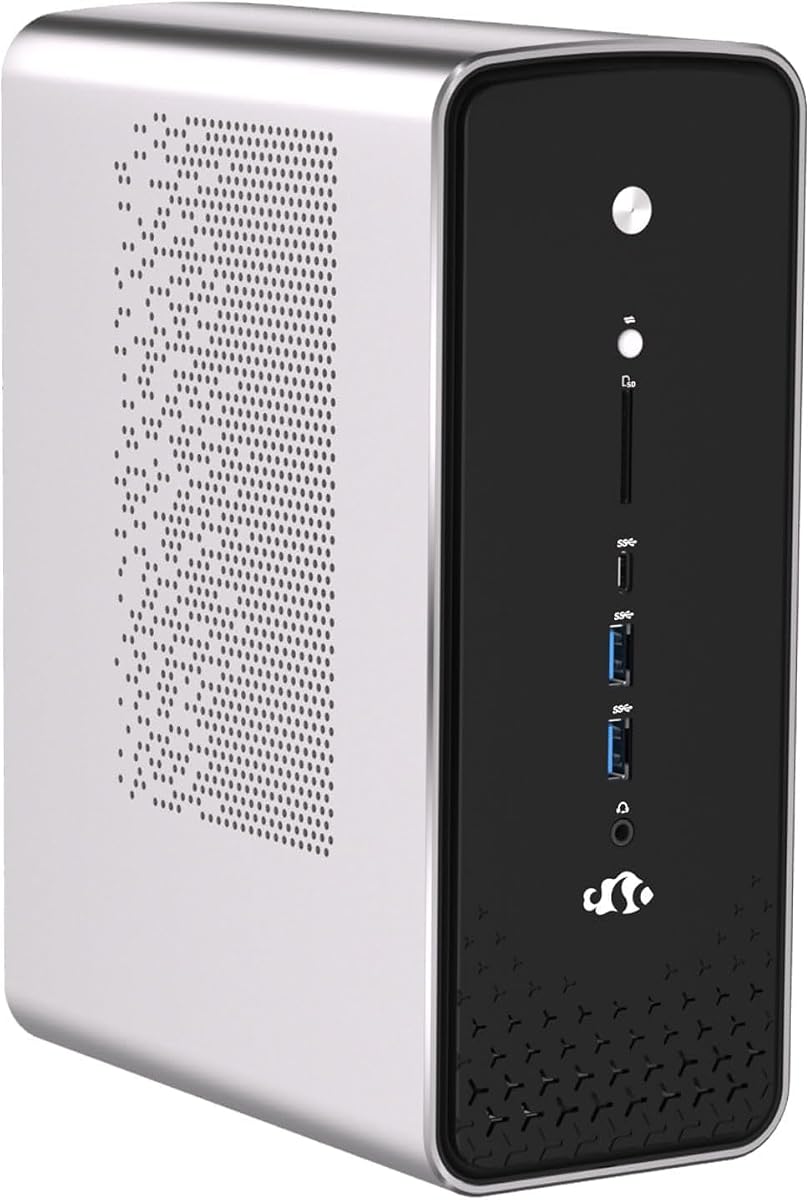
The Beelink SER9 Pro stands out as the top pick for users seeking a desktop PC with Ubuntu pre-installed. It combines powerful Ryzen architecture with seamless OS integration right out of the box.
We may earn a commission when you buy through this link, at no additional cost to you.
Its standout qualities include a robust Ryzen 7 255 processor and generous 24GB memory. This ensures smooth multitasking and efficient compilation of code without needing additional hardware tweaks.
While the price is higher than basic mini PCs, the performance justifies the investment for professionals. The compact design saves desk space while delivering workstation-level power for development tasks.
We recommend this unit for developers and power users who value Linux-native performance. It is ideal for those building home labs or needing reliable daily drivers with Linux integration.
The pre-installed Ubuntu system eliminates the need for manual installation or driver hunting. Users can start coding immediately upon connecting power and peripherals.
Despite its small size, the 8-core processor handles demanding workloads efficiently. This makes it suitable for both office work and light creative tasks.
We may earn a commission when you buy through this link, at no additional cost to you.
This Dell OptiPlex 7070 offers substantial hardware power suitable for Linux environments despite shipping with Windows. It is a strong choice for those who prefer installing Ubuntu manually on quality business hardware.
We may earn a commission when you buy through this link, at no additional cost to you.
The 32GB of RAM and 1TB NVMe drive provide ample resources for virtualization and heavy multitasking. Its SFF case is designed for longevity and fits easily in diverse office setups.
Users might find the Windows OS less ideal for pure Linux workflows without initial setup. However, the underlying hardware quality ensures stability once the desired operating system is installed.
We suggest this model for buyers prioritizing raw hardware specs over out-of-box Linux support. It is excellent for users comfortable with OS installation and seeking robust business-class components.
Dell OptiPlex systems are known for durability and reliable performance. This unit features high-quality components meant for continuous daily operation in office settings.
With 32GB of memory and a fast SSD, this system handles heavy workloads easily. It supports running multiple virtual machines alongside native applications efficiently.
We may earn a commission when you buy through this link, at no additional cost to you.
The NIMO Mini PC represents the pinnacle of premium desktops with Ubuntu options. It offers dual OS flexibility allowing seamless switching between Windows and Linux without compromising performance.
We may earn a commission when you buy through this link, at no additional cost to you.
Its Zen 5 architecture and dedicated NPU deliver exceptional performance for AI workloads and complex computational tasks. This makes it unique for developers working on machine learning projects locally.
The high cost reflects the advanced components and specialized features like WiFi 7. It is designed for professionals who need top-tier speed and connectivity in a compact, portable chassis.
We recommend this for power users seeking a dedicated Linux workstation with maximum capabilities. It is ideal for AI research or demanding development environments needing robust local computing power.
The AMD Ryzen AI Max+ 395 uses cutting-edge architecture for speed and efficiency. It handles heavy multitasking and local LLM execution with impressive performance levels.
Users can switch between productivity and server environments effortlessly. The dual OS setup ensures compatibility with both corporate tools and open-source development.
We may earn a commission when you buy through this link, at no additional cost to you.
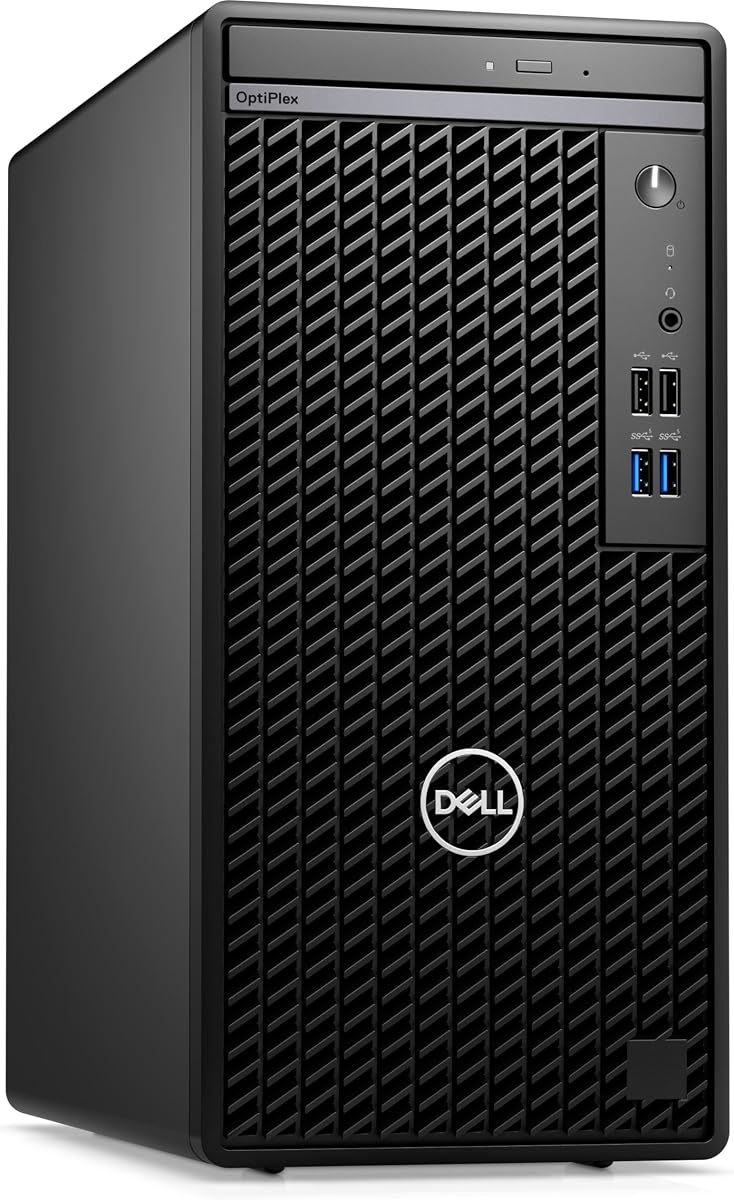
The Dell Optiplex 7010 stands out as a true desktop PC with Ubuntu pre-installed. It arrives with Linux 22.04 ready for use, saving significant setup time for new users.
We may earn a commission when you buy through this link, at no additional cost to you.
Its 13th Gen i5 processor provides modern performance cores for efficient multitasking. The mini tower chassis allows for future upgrades to memory and storage easily.
Initial memory and storage might be low for heavy workloads but are sufficient for entry-level tasks. Users will need to budget for additional RAM to unlock full system potential.
This unit is recommended for businesses needing standardized Linux desktops quickly. It suits office environments where immediate deployment and maintainability are top priorities.
Shipping with Ubuntu 22.04 ensures users start working immediately. This reduces technical overhead typically associated with installing the operating system manually.
The mini tower case offers space for adding components later. This flexibility allows the system to grow as user requirements evolve over time.
We may earn a commission when you buy through this link, at no additional cost to you.
For those seeking a budget-friendly desktop PC with Ubuntu potential, the Dell Optiplex 7050 offers exceptional value. It comes renewed with reliable hardware capable of running Linux smoothly.
We may earn a commission when you buy through this link, at no additional cost to you.
Its 32GB of RAM and 1TB SSD provide generous resources for the price point. This ensures that performance remains high even for virtualization or development environments.
While it ships with Windows, the hardware supports Linux perfectly. The low cost makes it accessible for learners or businesses deploying many units simultaneously.
We recommend this for users prioritizing hardware value over pre-installed software. It is ideal for those willing to install Ubuntu themselves to get maximum performance.
The low price combined with high RAM specs makes this a standout choice. You get business-grade components at a fraction of the cost of new systems.
Professionally renewed units undergo testing to ensure quality. This provides confidence in the hardware condition while keeping costs significantly lower.
We may earn a commission when you buy through this link, at no additional cost to you.
The Dell Optiplex 7060 combines performance and size effectively for general desktop tasks. While shipping with Windows, its hardware is robust enough for demanding Linux deployments easily.
We may earn a commission when you buy through this link, at no additional cost to you.
Key strengths include the 6-core processor and 32GB of memory. This configuration handles multiple applications and browser tabs without performance degradation during daily use.
The inclusion of a wireless keyboard and mouse adds immediate usability. The SFF case keeps the footprint small while maintaining a high-quality internal build.
We recommend this for small office setups needing reliable performance. It suits users who want a solid computer and are comfortable switching operating systems.
The 8th Gen processor offers a good balance of speed and efficiency. It supports multitasking well without consuming excessive energy.
The Small Form Factor design saves valuable desk space. This makes it perfect for home offices where space is at a premium.
We may earn a commission when you buy through this link, at no additional cost to you.
The Dell Optiplex 5050 is a compact solution for efficient desktop computing. Despite shipping with Windows, its hardware remains a strong candidate for Linux installation.
We may earn a commission when you buy through this link, at no additional cost to you.
Its quad-core processor and 512GB SSD provide reliable performance for standard tasks. The slim profile ensures it fits easily into tight workspaces without consuming much room.
Memory is modest compared to other models but sufficient for general use. Users needing more memory may want to upgrade to unlock higher performance potential.
This model suits users needing an affordable secondary machine or entry-level workstation. It is ideal for basic productivity and web development tasks with Linux.
The Small Form Factor design minimizes desk footprint. This allows for more efficient use of limited workspace environments.
Business desktops are built for consistent daily operation. This unit offers proven stability and longevity for regular work routines.
We may earn a commission when you buy through this link, at no additional cost to you.
The Dell Pro Micro QCM1250 introduces modern AI architecture into a compact business desktop. It supports Linux variants out of the box for developers seeking efficiency.
We may earn a commission when you buy through this link, at no additional cost to you.
Its Ultra 5 processor leverages new architecture for improved performance efficiency. DDR5 memory ensures faster data handling compared to older system generations.
Memory might be limited for heavy multitasking but adequate for standard tasks. Users should be prepared to update the OS version for the best experience.
This unit is recommended for modern office deployments needing compact AI-capable machines. It fits well in environments prioritizing efficiency and new computing features.
The processor features newer architecture designed for AI workloads. This ensures the system handles intelligent tasks efficiently without extra hardware.
The small form factor reduces physical footprint significantly. This makes it ideal for desks where space is limited or hidden setups.
We may earn a commission when you buy through this link, at no additional cost to you.
The ASUS NUC 14 Pro offers high-end performance with Linux Mint pre-installed for open source users. It brings advanced Intel Ultra 7 capabilities to a compact mini PC.
We may earn a commission when you buy through this link, at no additional cost to you.
Its strong specs include Thunderbolt 4 connectivity and DDR5 memory support. This ensures fast data transfers and efficient handling of complex development workloads.
While the rating suggests mixed user feedback, the hardware remains robust. Potential buyers should consider the specific needs versus the reported performance experiences.
We recommend this for developers requiring top-tier portable compute power. It suits environments where performance and open-source integration are prioritized.
Linux Mint ensures a stable environment for open source tools. This eliminates the need for manual OS configuration for development environments.
Thunderbolt 4 allows for high-speed external peripherals. This supports docking stations and external displays easily.
We may earn a commission when you buy through this link, at no additional cost to you.
The ASUS PB64 combines security and modern performance in a mini desktop chassis. While it runs Windows, the hardware supports Linux environments with robust security features.
We may earn a commission when you buy through this link, at no additional cost to you.
Its Ultra 7 processor ensures high speed for multitasking and professional work. The toolless chassis allows easy access for upgrades and maintenance without specialized tools.
Users prioritizing security will appreciate the Hardware TPM. This ensures secure authentication and data encryption at the hardware level effectively.
This unit is recommended for corporate environments needing secure mini desktops. It is ideal for offices requiring reliable performance and strong hardware security.
Hardware TPM ensures strong data protection from the start. This is vital for handling sensitive information securely.
The design allows easy upgrades without tools. This simplifies maintenance and future expansion for IT departments.
We may earn a commission when you buy through this link, at no additional cost to you.
Selecting the right computer with Ubuntu pre-installed involves evaluating hardware, OS readiness, and future expandability.
Ensure the vendor confirms official support for Ubuntu or specific Linux distributions. Look for pre-installed OS listings to avoid complex manual installation hurdles that require partitioning drives.
Verify that network drivers and graphics hardware work with Linux. Most modern Intel and AMD components work well out of the box.
For development work, prioritize CPUs with at least six cores and high clock speeds. Multi-threaded performance ensures smooth compilation and virtualization tasks.
Modern generations like 13th Gen Intel or AMD Ryzen 7000 series offer better power efficiency and performance.
Minimum 16GB RAM is recommended for running Ubuntu comfortably alongside browsers. For heavier workloads, 32GB ensures future-proofing and multitasking capabilities.
DDR5 memory provides faster data transfer rates which benefits compilation and database operations.
NVMe SSDs are essential for fast boot times and application loading. Aim for at least 512GB capacity to store source code and tools.
Dual storage slots allow for future expansion without replacing the main drive.
Check for sufficient USB-C and HDMI/DisplayPort connections. Thunderbolt support is valuable for high-speed peripherals and docking stations.
Gigabit Ethernet ensures stable internet connections for server environments and remote access.
Mini PCs offer portability and save desk space. However, ensure they have proper cooling to handle sustained workloads.
Desktop towers allow for better airflow and easier component upgrades over time.
Choose vendors that provide clear return policies and technical support. Linux drivers can occasionally require specific attention.
Business-class machines usually offer longer warranties and better service agreements.
Look for TPM chips to secure Linux boot processes and encryption. Fingerprint readers add convenient biometric authentication options.
Hardware security helps protect sensitive data in professional environments.
Initial setup typically involves updating system packages via terminal commands. Run apt update and apt upgrade to ensure all drivers are current.
Regularly clean physical vents to maintain cooling efficiency. Dust accumulation can lead to thermal throttling over time.
Backup important data using external drives or cloud services. Linux systems are robust but data protection should always be a priority.
Most featured products come with Ubuntu or Linux Mint pre-installed. Some models like the Optiplex 7010 arrive ready to use immediately without needing manual installation or driver searches.
Ubuntu 22.04 typically requires at least 4GB of RAM and 25GB of storage. However, modern hardware listed here exceeds these minimums significantly for smooth performance.
Most desktop models support RAM upgrades. Mini PCs may have soldered memory so check specific product details before purchasing if upgrades are a priority.
Yes but proprietary drivers may need manual configuration. Integrated Intel and AMD graphics often work better out of the box for development.
Linux Mint is based on Ubuntu and shares many packages. It offers a more traditional desktop interface and is popular for user-friendly workflows.
Some real require specific drivers. Check if your model includes Linux-compatible Wi-Fi 6 adapters before purchasing.
Choosing the right desktop PC with Ubuntu pre-installed ensures immediate productivity without complex setups. The Beelink SER9 Pro offers the best balance of power and OS readiness.
Prioritize hardware specs that match your workflow needs like RAM and SSD capacity. Ensure your chosen model supports your preferred Linux distribution officially.
Prices fluctuate frequently so always check current listings before finalizing your purchase. Verify specifications directly with the vendor for the most accurate details.