
Dell Optiplex 3060
4.0Editor score
32GB DDR4 RAM
1TB SSD Solid State Drive
Renewed certified for value
This guide compares the top desktop computers for home use including performance, storage, and connectivity to help you find the right system for your needs.
Finding the right desktop computer for home use requires balancing performance, size, and value. Modern systems offer powerful processors and fast storage to handle everything from homework to creative projects without breaking the bank.
We evaluated ten leading models based on processor power, memory capacity, storage speed, and connectivity options. Our comparison highlights systems from trusted brands like Dell, HP, and Lenovo to ensure reliability for families and professionals alike.
Each pick shows key strengths and ideal use cases to simplify your decision. Prices and availability change frequently so check current listings before purchasing to ensure you get the best deal for your specific home computing requirements today.
4.0Editor score

4.5Editor score

4.9Editor score
The following table provides a side-by-side look at the top ten desktop computers for home use. Compare specs like processors, memory, and storage to find the system that matches your daily tasks and budget.





The Dell Slim Desktop stands out as a top choice for home use with its modern Intel Core Ultra processor and compact design. It scores highly for balancing performance and efficiency making it ideal for families needing reliable daily computing power.
We may earn a commission when you buy through this link, at no additional cost to you.
Its built-in AI capabilities unlock new productivity levels while supporting up to four FHD monitors or two 4K displays for versatile workflows. The tool-less entry allows quick access for maintenance or upgrades without requiring special tools or technical expertise.
While it is a powerful machine the slim form factor limits internal expansion options for users needing massive storage later. Additionally the higher price point reflects the premium features and service which may not fit every budget strictly.
This system is perfect for home offices or creative spaces where desk space is valuable and multi-monitor setups are essential. We recommend it for users who prioritize future-proofing and professional-grade support alongside efficient everyday performance.
The built-in AI features in the Intel Core Ultra processor help manage tasks more efficiently by optimizing system resources automatically for smoother workflows.
Support for multiple monitors including Daisy Chaining allows users to expand their workspace significantly for better multitasking and organization at home.
We may earn a commission when you buy through this link, at no additional cost to you.
The Dell Tower Desktop offers robust performance with an Intel Core Ultra 7 processor and 32GB of RAM making it a strong contender for demanding home computing needs. Its tower design provides better airflow and component access than slim alternatives.
We may earn a commission when you buy through this link, at no additional cost to you.
Users benefit from exceptional multitasking capabilities due to the generous RAM which handles multiple applications smoothly without lag. The tool-less entry ensures you can easily access internal components for upgrades or maintenance whenever needed.
However the larger physical size may not fit smaller desks or tight home offices compared to mini towers. The price also reflects these high-end specs which might be more than a casual user requires for basic browsing.
We recommend this for power users or creative professionals working at home who need significant processing power and memory simultaneously. It is a solid investment for those who want a desktop that grows with their professional requirements.
With 32GB of RAM and a Ultra 7 CPU this tower handles heavy multitasking and large files with ease for productive work at home.
Built-in TPM security protects data while recycled materials in the design support environmental goals for conscious consumers choosing home hardware.
We may earn a commission when you buy through this link, at no additional cost to you.
The HP 2026 Desktop Tower is a practical solution for students and families needing a reliable computer for daily tasks and homework. It features a fast SSD and included peripherals which makes setup simple right out of the box.
We may earn a commission when you buy through this link, at no additional cost to you.
The 8-Core processor and 16GB of RAM ensure smooth performance even when running multiple applications like video conferencing and web browsers simultaneously. The 1TB storage provides ample room for projects, files, and media without needing external drives.
While the processor is from a previous generation it still delivers excellent performance for typical home and educational workloads. The graphics card is basic and better suited for casual tasks rather than intensive gaming or rendering.
This desktop is ideal for students or households on a budget who want a complete setup without extra costs. We recommend it for learning environments where reliability and storage space are priorities over cutting-edge graphics performance.
Includes keyboard and mouse with 1TB storage so students can start working on assignments immediately without buying extra accessories.
The 1TB PCIe SSD boots quickly and loads apps fast reducing wait times for students needing quick access to tools and files.
We may earn a commission when you buy through this link, at no additional cost to you.
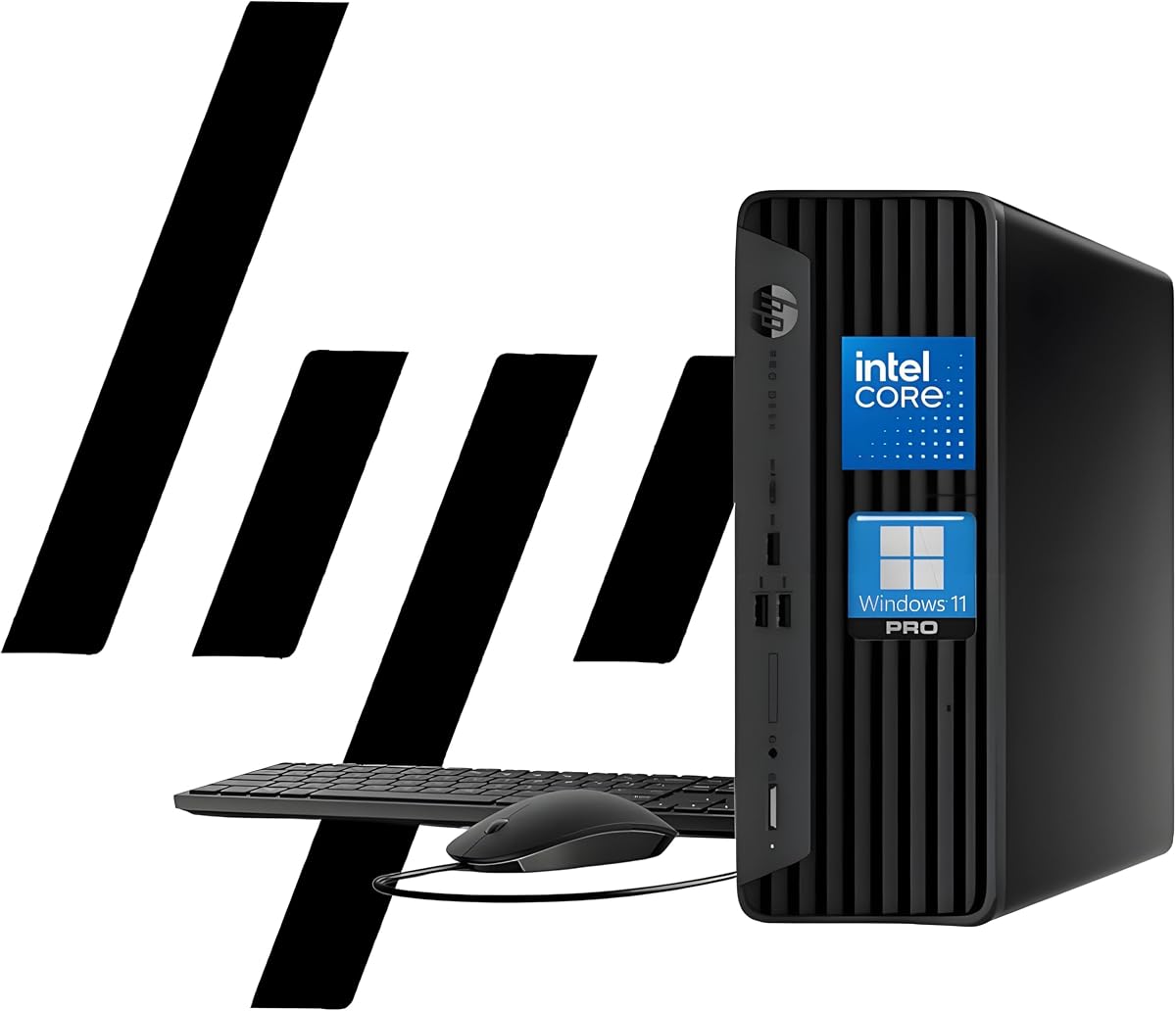
The HP Desktop Computer Tower delivers efficient home computing in a compact microtower that fits easily on desks or shelves. It includes Windows 11 Pro and essential accessories which simplifies setup for families seeking a secure system ready for use.
We may earn a commission when you buy through this link, at no additional cost to you.
With 16GB of RAM and a dedicated graphics card this system handles video playback and light gaming smoothly. The Type-C port and multiple USB options offer convenient connectivity for modern devices and peripherals around the home.
The 256GB storage is enough for documents and apps but may require external drives for large media libraries over time. It is less expandable than larger towers so future upgrades are limited to what slots remain available inside.
We recommend this for households needing a space-saving computer for general use and streaming. It is a great choice for parents who want parental controls via Windows Pro and a tidy setup for shared family use.
The compact microtower fits neatly on small desks or entertainment centers saving valuable space in busy home environments.
Dedicated graphics improve video quality and support light gaming making entertainment more enjoyable without needing a separate console.
We may earn a commission when you buy through this link, at no additional cost to you.
The Dell Optiplex 3060 offers incredible value for home users needing a reliable computer with high memory and storage capacity. As a renewed system it provides a sustainable choice with the assurance of professional refurbishment and tech support.
We may earn a commission when you buy through this link, at no additional cost to you.
With 32GB of RAM and a 1TB SSD this desktop handles multitasking and file storage exceptionally well for the price. It includes Windows 11 Pro for business-grade features and connects easily via built-in WiFi and Bluetooth.
The processor is from an earlier generation which means it may not match the speed of newer models for heavy tasks. Buying renewed also depends on the quality of refurbishment so checking seller ratings is important before purchase.
We recommend this for budget-conscious buyers who prioritize performance and storage over having the latest hardware. It is an excellent option for home offices or students needing a capable machine without high costs.
Having 32GB of RAM at this budget allows smooth multitasking and heavy application use without needing to spend much more.
Windows 11 Pro offers enhanced security and management features useful for home business users needing professional tools.
We may earn a commission when you buy through this link, at no additional cost to you.
The HP ProDesk 400 G9 is a compact business desktop that fits perfectly in home office environments needing small and reliable computing. It combines a space-saving design with enterprise-grade security features and included peripherals for immediate productivity.
We may earn a commission when you buy through this link, at no additional cost to you.
With 32GB of RAM and a 1TB SSD it offers smooth data handling despite the entry-level processor. The dual 4K display support allows for versatile workspace setups ideal for users needing to view multiple documents or charts.
The Celeron processor is adequate for light office tasks but may slow down with heavy multimedia editing or complex applications. Upgradeability is also limited by the small form factor so users should buy configured to their needs initially.
This system is best for professionals or small businesses needing a secure and quiet workstation. We recommend it for users who value space efficiency and security over raw processing power for daily administrative tasks.
HP Wolf Security and TPM 2.0 protect data from threats which is vital for home offices handling sensitive business information.
Weighing under 9 pounds and compact dimensions make it easy to fit into tight spaces or mount behind a monitor.
We may earn a commission when you buy through this link, at no additional cost to you.
The Dell 2026 Tower distinguishes itself with DDR5 RAM and a 14th Gen processor for fast and reliable home computing. It is designed for business workloads and daily operations offering a blend of modern specs and professional features.
We may earn a commission when you buy through this link, at no additional cost to you.
The 32GB DDR5 memory eliminates lag during heavy multi-application processing ensuring smooth transitions between tasks. Dual 4K monitor support via HDMI and DisplayPort allows for expansive visual real estate for data analysis or creative work.
However the base i3 processor may limit performance in CPU-intensive tasks despite the fast memory. This makes it better for office automation and browsing rather than demanding gaming or rendering that needs higher core counts.
We recommend this for users planning future upgrades or needing robust multitasking capability. It is an excellent choice for home offices that require professional software and secure Windows 11 Pro features out of the box.
High-speed DDR5 RAM provides faster data processing than older DDR4 models resulting in quicker app loads and smoother workflows.
Ports like USB 3.2 Gen 1 Type-C and HDMI 2.1 ensure compatibility with latest devices and displays without extra adapters.
We may earn a commission when you buy through this link, at no additional cost to you.
The HP 2026 Desktop provides a complete business setup with a powerful 12th Gen processor and essential accessories ready for immediate use. It is tailored for small businesses and home offices needing reliable performance for daily operations.
We may earn a commission when you buy through this link, at no additional cost to you.
The 12-core i5 processor delivers smooth multitasking for CRM, inventory, and collaboration tools. With 16GB RAM and 512GB SSD you get ample space for files and fast access to applications without delays or boot issues.
While Office 365 is available on the web it may lack some offline capabilities of desktop versions for users who work without internet. The integrated graphics are sufficient for work but not for high-end visual rendering tasks.
We recommend this for entrepreneurs and professionals needing a turnkey system without extra setup hassles. It is a practical choice for budgets that prioritize productivity and connectivity over heavy gaming or creative design.
Includes keyboard and mouse plus Office 365 access so you can start working on documents immediately after setup.
Multiple USB ports and WiFi 6 ensure all peripherals connect easily keeping your home office efficient and organized.
We may earn a commission when you buy through this link, at no additional cost to you.
The Lenovo IdeaCentre Tower stands out for its generous connectivity options including seven USB ports and Wi-Fi 6E for fast wireless speeds. It is designed to support a wide range of peripherals making it easy to connect devices around the home.
We may earn a commission when you buy through this link, at no additional cost to you.
With a 10-core Ultra processor and DDR5 RAM this system handles daily computing and light multitasking reliably. The included keyboard and mouse ensure you can start working immediately without buying extra accessories for basic use.
The DDR5 memory provides future-proofing and speed that outperforms older DDR4 systems in responsiveness. However the processor is balanced for productivity so it might not be the best choice for intensive gaming workloads.
We recommend this for users who need to connect many devices like printers, drives, and tablets simultaneously. It is a strong choice for smart homes or offices where versatile connectivity is as important as processing speed.
Seven USB ports allow you to connect multiple devices at once without constantly swapping cables or adapters.
Wi-Fi 6E ensures stable and fast wireless connection for seamless streaming and video conferencing at home.
We may earn a commission when you buy through this link, at no additional cost to you.
The Dell Pro Tower combines professional reliability with robust security features making it a top choice for home offices handling sensitive data. It includes physical security options and Windows 11 Pro which are rare in consumer towers at this level.
We may earn a commission when you buy through this link, at no additional cost to you.
With 16GB DDR5 RAM and a fast PCIe SSD you get smooth performance for business applications and file management. The 14th Gen processor ensures quick response times for video conferencing and web browsing without unnecessary delays.
The compact design fits well in smaller spaces while supporting dual monitors for enhanced workspace efficiency. Physical security like the Kensington lock slot adds a layer of protection for devices that are frequently moved or accessed.
We recommend this for professionals prioritizing security and reliability over raw gaming power. It is an excellent investment for home businesses that need dependable performance and enterprise-grade protection for their valuable data.
A built-in Kensington lock slot allows you to secure the tower physically to a desk or table against theft or unauthorized movement.
Windows 11 Pro includes tools like remote desktop and advanced security that benefit home business users needing professional capabilities.
We may earn a commission when you buy through this link, at no additional cost to you.
Selecting a desktop for home use involves balancing performance needs with available space and budget. This guide breaks down the critical factors to ensure your system serves you well for years to come.
The processor is the brain of your computer and determines how fast it can handle tasks like web browsing, video editing, or running multiple programs. For general home use, an Intel Core i5 or i7 provides ample power, while i3 models may be sufficient for basic tasks like email and streaming.
Always choose a modern processor generation to ensure longevity and support for the latest software features.
Memory or RAM allows your computer to run multiple applications simultaneously. Modern 16GB of RAM is a good standard for smooth multitasking and handling photos and documents without slowdowns.
If you plan to run heavy apps like video editors or virtual machines, consider 32GB of RAM to prevent lag.
Solid State Drives (SSDs) are far faster than traditional Hard Drives and make your system boot and load apps in seconds. A minimum of 512GB is recommended for storing files, photos, and games comfortably.
Check if the desktop supports adding a second drive later if you need more space for media or backups.
Desktops come in various sizes from mini towers to large desktops. If you have limited space, a compact or small form factor tower will save room on your desk or floor.
Consider the aesthetic design and weight as well, especially if you plan to move the system between rooms frequently.
Look for modern ports like USB-C, HDMI 2.1, and DisplayPort to ensure you can connect latest monitors and devices. USB-C offers faster data transfer and charging, which is essential for many modern peripherals.
Ensure the system has enough ports for your needs including printers, scanners, and external drives.
Built-in WiFi 6 or 6E provides faster and more reliable wireless connections. This is crucial if you do not have Ethernet ports near your workspace or need stable connections for streaming and calls.
Bluetooth support allows you to connect wireless keyboards, mice, and headphones without cables.
Windows 11 Home is standard for most users but Windows 11 Pro offers extra features like remote desktop and BitLocker encryption. This can be useful if you work from home or need to secure business data.
Always check which version is included to see if it fits your security and management needs.
Some desktops have tool-less panels and accessible internals making it easy to add more storage or RAM later. Others are compact with sealed designs that prevent internal changes.
Think about your future needs and choose a tower that allows upgrades if you expect your usage to grow.
Keep your desktop in a well-ventilated area to prevent overheating. Dust can build up in vents over time so clean them gently with compressed air every few months to maintain optimal performance.
Use surge protectors to shield your system from power spikes. This simple step helps your internal components and power supply and extends the life of your hardware investment.
Install updates regularly to ensure your operating system stays secure. Regular restarts and software patches keep your desktop running smoothly and protect it from potential vulnerabilities.
The Dell Slim Desktop stands out for home offices due to its AI features and compact design. It offers professional support and enough power for daily work tasks without taking up too much space.
Yes modern mini desktops handle web browsing, streaming, and productivity software effectively. They are ideal for limited space but may lack upgrade options for future heavy processing needs.
Windows 11 Home is sufficient for most families. Pro adds remote desktop and encryption features which are helpful if you manage sensitive data or work remotely.
Aim for at least 512GB SSD for fast performance. If you store many videos or large games, 1TB or more is recommended to avoid running out of space quickly.
Many desktops allow upgrades, but compact models often do not. Check the specific product manual to confirm if internal components are accessible before buying.
Dell and HP are widely recognized for reliability and customer support. Both brands offer warranties and onsite service options that help protect your investment over time.
Our top picks like the Dell Slim Desktop and HP 2026 Desktop Tower offer a great balance of performance and value for different needs. Whether you prioritize multitasking or budget-friendly options, there is a solid choice here.
Focus on modern storage and enough memory to ensure your system stays fast and responsive. Avoid buying older generations if you plan to use the desktop for several years without upgrades.
Prices and availability change daily so check current listings before purchasing. Compare the specs in our guide to find the system that matches your specific home use requirements today.