
CORSAIR Vengeance SODIMM DDR5
4.8Editor score
16GB Single Module
Up to 5600MHz
Easy Installation
This guide compares the top DDR5 Laptop RAM kits for performance laptops, covering speed, capacity, compatibility, and reliability to help you upgrade your
Choosing the right DDR5 Laptop RAM can significantly impact your system performance and multitasking capabilities. With modern processors demanding faster memory speeds, selecting compatible modules is essential for smooth operation.
We evaluated ten top-rated kits based on speed, capacity, voltage efficiency, and brand reputation. Our analysis focuses on SODIMM form factors suitable for Intel and AMD laptops released in recent years.
Each pick highlights specific strengths like gaming optimization or power efficiency. Prices fluctuate frequently, so always verify current listings before purchasing to ensure you get the best value available today.
4.8Editor score

4.8Editor score

4.6Editor score
The following table provides a side-by-side comparison of all ten selected products. Review the specifications to find the module that best fits your laptop model and performance needs.




The Crucial 32GB DDR5 RAM Kit stands out as the top choice for users seeking a reliable and high-performance memory upgrade. With a strong rating of 4.8 stars, it offers significant speed at 5600MHz, making it ideal for modern laptops powered by Intel 12th Gen or AMD Ryzen 7000 Series processors.
We may earn a commission when you buy through this link, at no additional cost to you.
This kit includes two 16GB modules to provide a total of 32GB of memory. The ability to operate at multiple speeds including 5200MHz and 4800MHz ensures compatibility with a wider range of systems. Its support for both Intel XMP 3.0 and AMD EXPO allows users to fine-tune performance based on their specific hardware needs.
While the price is higher than single sticks or slower kits, the investment is justified by the robust performance and reliability. The only potential trade-off is ensuring your laptop supports the specific DDR5 specifications before purchase. For those who need speed and capacity, this is a secure choice.
We recommend this kit for power users, gamers, and creative professionals who demand responsive system performance. Whether you are editing video or managing heavy workloads, this RAM provides the necessary bandwidth to keep your workflow smooth and efficient.
The kit adapts to system requirements by running at 5600MHz, 5200MHz, or 4800MHz, ensuring stability across various DDR5 platforms.
Backed by Micron's 42 years of memory expertise, this RAM undergoes rigorous testing at component and module levels for reliability.
We may earn a commission when you buy through this link, at no additional cost to you.
The CORSAIR Vengeance SODIMM DDR5 offers an accessible entry point for upgrading to next-generation memory without breaking the bank. Rated at 4.8 stars, this single 16GB module provides up to 5600MHz speed which is a massive leap over DDR4 standards for many laptop users.
We may earn a commission when you buy through this link, at no additional cost to you.
Designed for gaming and performance laptops, this module is compatible with nearly any Intel or AMD system using the industry-standard SODIMM form factor. The installation process is simple and typically requires just a screwdriver. It supports Intel XMP 3.0 for optimized performance profiles on compatible boards.
Users should note that maximum speed often requires overclocking or BIOS adjustments, which might be daunting for some. Additionally, using a single stick means you miss out on dual-channel bandwidth unless you add another matching stick later. Despite this, it remains a solid value.
This product is perfect for budget-conscious users looking to boost their laptop's responsiveness. It is an excellent choice for students or professionals who need more memory for multitasking without spending a fortune on high-end kits.
The simple installation process ensures that even those with minimal technical experience can upgrade their laptop memory quickly.
Compatible with a wide range of popular Intel and AMD gaming and performance laptops, ensuring broad utility.
We may earn a commission when you buy through this link, at no additional cost to you.
The TEAMGROUP Elite SODIMM DDR5 stands out as a premium option with its inclusion of on-die ECC support. Rated at 4.6 stars, this 32GB kit is designed to deliver stable system performance with a 5600MHz frequency and an energy-efficient 1.1V working voltage.
We may earn a commission when you buy through this link, at no additional cost to you.
This product is ideal for users who value reliability and power efficiency. The structural composition has been optimized for better performance compared to older standards. It supports powerful multitasking with its upgraded capacity, making it suitable for demanding workloads on modern laptops.
While it carries a higher price tag, the lifetime warranty adds significant value. Users should check the official website for the latest warranty terms as they may be subject to updates. The balance of stability features and speed makes it a robust choice for serious users.
We recommend this kit for professionals who need consistent performance without interruptions. The on-die ECC ensures that data integrity remains high even under heavy load, which is critical for business applications and intensive computing tasks.
On-die ECC support helps maintain stable systems by correcting errors in memory operations without needing full ECC hardware.
The 1.1V working voltage helps conserve energy, which is particularly beneficial for battery life in mobile devices.
We may earn a commission when you buy through this link, at no additional cost to you.
The GIGASTONE 32GB Kit DDR5 is explicitly designed for DDR5 laptops, notebooks, and all-in-one computers. With a strong 4.7 rating, it offers a solid performance upgrade with a 5600MHz speed and a 32GB capacity configuration that includes two 16GB modules.
We may earn a commission when you buy through this link, at no additional cost to you.
This kit features a power management integrated circuit (PMIC) which provides enhanced power efficiency compared to previous standards. It operates at a low 1.1V voltage and is unbuffered with Non-ECC type, making it suitable for high-performance notebook memory needs.
The primary limitation is that it is compatible only with DDR5 systems which excludes older models. Users must ensure their laptop supports DDR5 before purchasing. The performance is high and the compatibility is clear for those who meet the requirements.
This product is a great choice for users looking for a straightforward upgrade path for their new laptops. The inclusion of PMIC technology ensures that power is managed efficiently, which is a key benefit for battery-operated devices.
The DDR5 PMIC improves power efficiency ensuring stable performance while optimizing energy usage for your system.
Operating at 5600MHz, this memory kit delivers fast data transfer speeds to keep your applications running smoothly.
We may earn a commission when you buy through this link, at no additional cost to you.
The G.SKILL Ripjaws DDR5 SO-DIMM series is built for performance enthusiasts. Rated at 4.5 stars, this 32GB kit supports speeds up to 5600MT/s with a CL40 timing. It includes both JEDEC default profile and Intel XMP 3.0 overclock profile for flexibility.
We may earn a commission when you buy through this link, at no additional cost to you.
This memory kit is designed to run together as a set to ensure stability. Mixing kits can lead to issues so it is best to purchase a matched pair. The 1.10V voltage ensures low power consumption while maintaining high performance levels for demanding tasks.
Users should note that maximum speed often requires overclocking and BIOS adjustments. This means some technical knowledge is needed to unlock the full potential of the RAM. However for the performance gains are significant for those willing to tune their system.
This kit is ideal for gamers and power users who want the highest possible speeds on their laptop. The inclusion of XMP 3.0 makes it easy to achieve high speeds on compatible Intel systems with the right configuration.
The Intel XMP 3.0 memory overclock profile allows users to easily push their system to higher speeds.
The kit boots at JEDEC default SPD speed with compatible hardware ensuring a stable base performance.
We may earn a commission when you buy through this link, at no additional cost to you.
The CORSAIR Vengeance DDR5 SODIMM 32GB kit is a robust choice for upgrading your laptop to 32GB of memory. With a rating of 4.7 stars, it offers speeds up to 5600MHz and supports Intel XMP 3.0 for optimized performance on compatible systems.
We may earn a commission when you buy through this link, at no additional cost to you.
Designed to tackle demanding tasks and games, this kit delivers faster frequencies and lower power consumption. The installation process is simple and works with nearly any Intel and AMD system using industry-standard SODIMM form factors.
While the maximum speed requires BIOS adjustments which might be a hurdle for some users, the overall performance gain is worth it. The product is highly rated and widely compatible making it a safe bet for most modern laptops.
This product is best for users who need more memory capacity for productivity and gaming. The ease of installation and broad compatibility make it a convenient option for a quick and effective system upgrade.
A 32GB total capacity ensures you have enough memory for heavy multitasking without slowing down your system.
The high speed support leads to faster load times for applications and games improving your overall experience.
We may earn a commission when you buy through this link, at no additional cost to you.
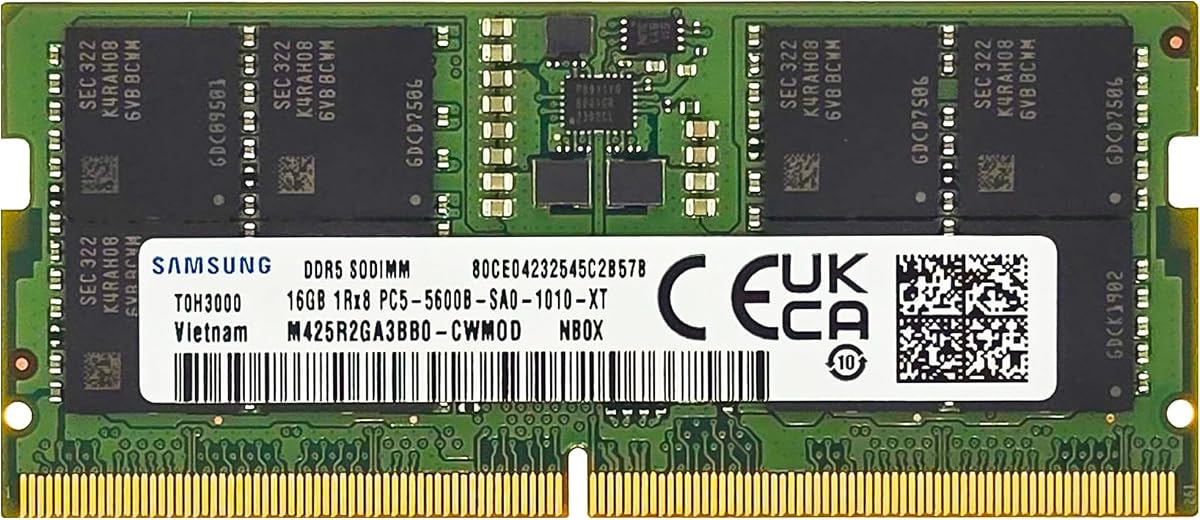
The Samsung 16GB DDR5 5600MHz module is a reliable choice for expanding your system memory. With a 4.5 rating, this single 16GB module operates at speeds up to 5600MHz and follows JEDEC DDR5 standards for broad compatibility.
We may earn a commission when you buy through this link, at no additional cost to you.
This product is compatible for select laptop and notebook computers and aims to reduce bottlenecks in performance. It is NON-ECC unbuffered with a single rank configuration and operates at a standard 1.1V voltage for efficiency.
While it is a great single stick, you may need to buy two to reach dual-channel performance which is optimal. The price is often reasonable for a genuine Samsung module. It is a solid choice if you need to fill one slot first.
We recommend this module for users who need a quick expansion of their laptop memory. The brand reliability and high speed make it a strong contender for those looking to upgrade incrementally without compromising performance.
Genuine Samsung memory ensures high quality and reliability for your laptop upgrade.
Expands your system's available memory resource improving performance and increasing workload capacity.
We may earn a commission when you buy through this link, at no additional cost to you.
The Samsung 32GB Kit DDR5 5600MHz provides a complete 32GB memory solution for your laptop. It features two 16GB modules to deliver a total capacity that can handle demanding multitasking and applications efficiently.
We may earn a commission when you buy through this link, at no additional cost to you.
Each module operates at speeds of 5600MHz with a CL46 timing and follows JEDEC DDR5 standards. The kit is NON-ECC unbuffered with a single rank configuration which is typical for laptop memory. It is compatible for select laptops and notebooks.
Since this product does not have a rating available yet it is a newer or less reviewed option. However, the Samsung brand reputation suggests high quality. The price reflects the capacity and brand value.
We recommend this kit for users who want a reliable and high capacity upgrade. The 32GB capacity ensures that you have plenty of headroom for heavy workloads and future proofing your system.
This double 16GB module kit provides a robust memory foundation for professional workloads.
Following JEDEC standards ensures compatibility and stable operation across various laptop platforms.
We may earn a commission when you buy through this link, at no additional cost to you.
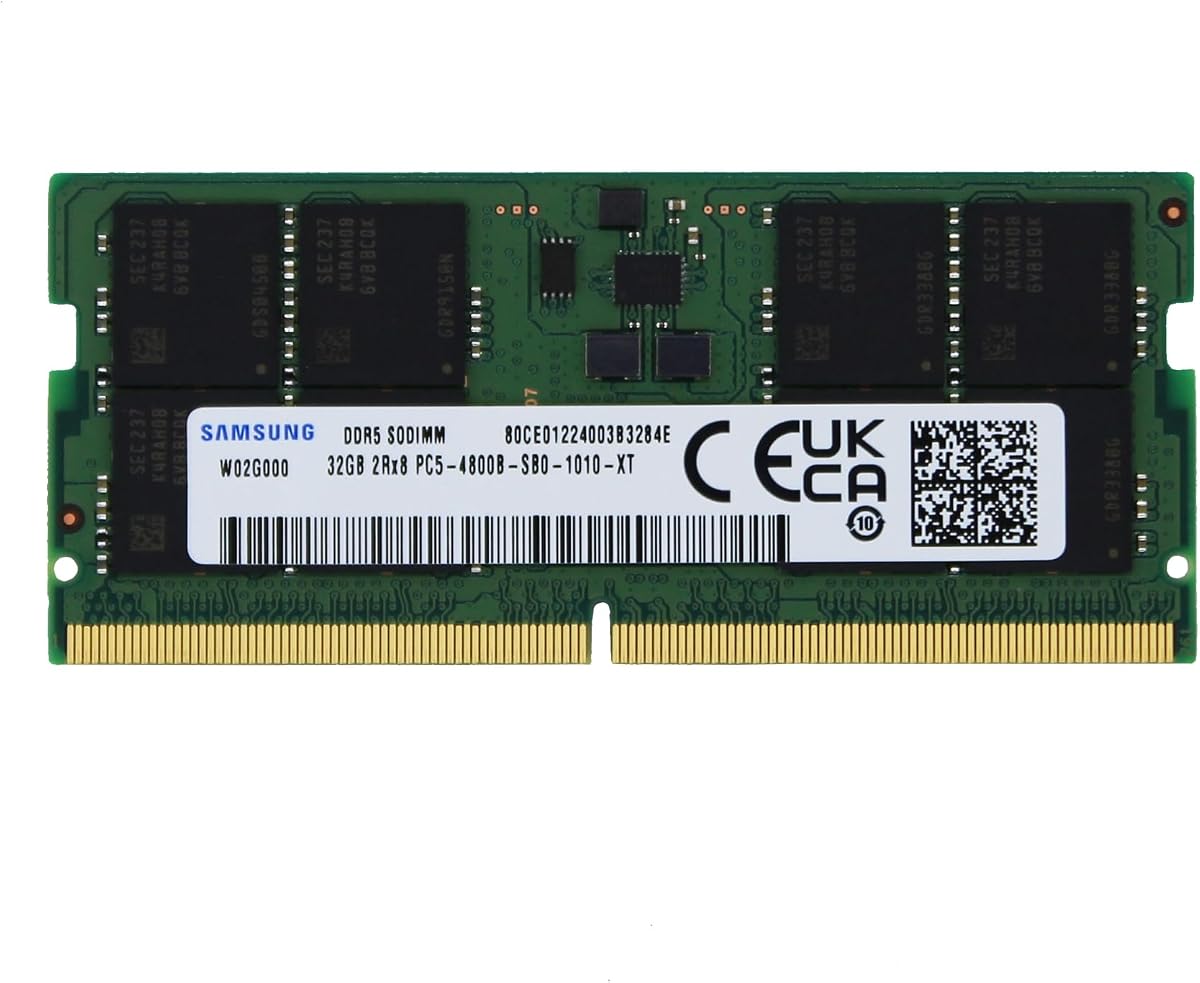
The Samsung 32GB DDR5 4800MHz offers a unique single 32GB module configuration. It has a perfect 5.0 rating from users which is rare. It operates at speeds of 4800MHz and uses a dual rank configuration which is unique for DDR5.
We may earn a commission when you buy through this link, at no additional cost to you.
This module is NON-ECC unbuffered with a CL40 timing and 1.1V voltage. It is compatible for select laptops notebooks and All in One computers. It expands your system's available memory resource and improves performance by reducing bottlenecks.
The speed is lower at 4800MHz compared to 5600MHz options but the capacity is impressive in a single stick. This is beneficial if your laptop has only one slot. The perfect rating indicates high satisfaction with its stability.
We recommend this module for users needing 32GB in a single stick form factor. It is a high-quality option from Samsung and offers a unique balance of capacity and dual rank benefits.
This product has a perfect 5.0 rating indicating high user satisfaction with its performance and reliability.
The 2Rx8 dual rank configuration can offer better performance than single rank in certain scenarios.
We may earn a commission when you buy through this link, at no additional cost to you.
The Samsung 16GB Kit DDR5 5600MHz provides a dual 8GB configuration suitable for entry-level upgrades. It offers speeds of up to 5600MHz and operates at a 1.1V voltage. The module follows JEDEC DDR5 standards and is NON-ECC unbuffered.
We may earn a commission when you buy through this link, at no additional cost to you.
This product is compatible for select DDR5 laptop notebook and All-in-One computer systems. The 1Rx16 single rank x16 configuration provides 16GB of capacity. It aims to expand your system memory resource efficiently.
While it does not have a rating yet it provides a solid base for performance. The price is generally competitive for this capacity. It is a good choice for laptops that need a modest upgrade.
We recommend this kit for users looking for a reliable Samsung upgrade at 16GB. It is ideal for those who need to upgrade from lower memory capacities like 8GB.
Ideal for users needing to move from lower memory capacities like 8GB to 16GB efficiently.
Genuine Samsung memory ensures quality and reliability for your system.
We may earn a commission when you buy through this link, at no additional cost to you.
Choosing the right DDR5 Laptop RAM requires understanding several technical factors. This guide covers the key specifications you should consider.
Capacity determines how many applications you can run simultaneously without slowdowns. For modern gaming and video editing 32GB is becoming the standard sweet spot while 16GB works well for general use.
Choose at least 16GB for daily tasks and 32GB for power users.
Speed measured in MHz affects how fast your system processes data. DDR5 modules typically run between 4800MHz and 5600MHz. Faster speeds result in quicker load times and better performance in demanding applications.
Prioritize 5600MHz for the best responsiveness if your laptop supports it.
Ensure the RAM is specifically designed for laptops using the SODIMM form factor. Also check your laptop CPU supports DDR5 and matches the voltage and pin count requirements.
Always verify your laptop model support before purchasing any memory kit.
Timing refers to the delay in processing instructions usually shown as CL numbers. Lower timings like CL40 are generally better than CL46 for performance but speed also plays a role.
Look for a balance of high speed and reasonable timing for optimal results.
DDR5 modules typically operate at 1.1V which is lower than older standards. This improves power efficiency and reduces heat generation which is critical for battery life in laptops.
Always choose standard 1.1V modules to ensure safe operation.
Some DDR5 kits support on-die ECC which helps correct data errors. While full ECC is rare in laptops on-die ECC can improve stability during long tasks.
Consider on-die ECC if you need high stability for critical work.
Major brands like Crucial Samsung and Corsair offer better testing and warranties. Established brands reduce the risk of hardware failure and provide better customer support.
Stick with reputable brands for peace of mind and long-term reliability.
DDR5 RAM is more expensive than DDR4 so plan your budget accordingly. Sometimes single sticks are cheaper but kits offer better compatibility for dual channel performance.
Compare prices and choose a kit that offers the best balance for your needs.
To install DDR5 RAM safely shut down your laptop and unplug all cables. Open the access panel carefully and ground yourself to prevent static discharge before touching components.
Align the notch on the RAM stick with the slot and press down firmly until the clips lock into place. Ensure the stick is seated evenly on both sides to prevent connection issues.
After installation turn on your laptop and enter BIOS to verify the memory speed. Regularly update your laptop firmware to ensure compatibility and optimal performance over time.
No you cannot mix DDR5 and DDR4 RAM because they use different physical notches and operate at different voltages. You must upgrade to all DDR5 modules to utilize DDR5 support on your motherboard.
Check your laptop specifications on the manufacturer website or use system tools like CPU-Z. Look for mentions of DDR5 SODIMM or specific CPU generations that support DDR5 memory standards.
Higher MHz generally provides better performance but your laptop must support that speed. Some systems may limit RAM to 4800MHz or 5200MHz even if you install 5600MHz RAM.
Kits are recommended because they are tested to work together ensuring stability and dual channel support. Single sticks can work but mixing random kits may cause compatibility issues.
On-die ECC is a feature in DDR5 that corrects internal memory errors automatically. It helps maintain system stability but is not as robust as full ECC used in servers.
Not all laptops allow upgrades as some have memory soldered to the motherboard. Check your specific laptop manual or service guide to see if the RAM slots are accessible.
Choosing the right DDR5 Laptop RAM depends on your specific performance needs and budget. The top picks from our list offer excellent reliability and speed for most modern laptops.
Prioritize capacity and speed based on your daily workload. Power users should aim for 32GB kits while general users may find 16GB sufficient for their tasks.
Prices for these products fluctuate frequently so we recommend checking current listings before purchasing to ensure you get the best value available today.