
Logitech G F310 Wired Gamepad Controller Console – Blue/Black
4.4Editor score
Familiar Xbox 360 Control Layout
Six-Foot Cord for Comfortable Distance
Broad Game Support for Old Favorites
This guide compares the best controller for retro console gaming, analyzing connectivity, button layout, and compatibility to help you choose the perfect pad
Finding the right controller for retro console gaming is essential for authentic play. Whether you prefer wired stability or wireless freedom, the right pad enhances your experience significantly.
We evaluated ten top-rated models based on build quality, responsiveness, and platform support. Each product offers unique features tailored to different retro gaming needs and preferences.
Each pick highlights key strengths and ideal use cases for various setups. Please note that prices and availability may change, so verify details before purchasing your new device.
4.4Editor score

4.6Editor score
3.8Editor score
This side-by-side comparison outlines the core specifications and unique attributes of each controller to help you identify the best match for your specific retro gaming setup.


The 8Bitdo SN30 Pro stands out as the top choice for retro enthusiasts seeking modern features with classic aesthetics. Its high rating reflects consistent performance across diverse platforms like PC and Switch.
We may earn a commission when you buy through this link, at no additional cost to you.
Key strengths include Hall Effect joysticks that eliminate drift and ensure longevity. The controller also offers motion controls, rumble vibration, and a proper D-pad for accurate retro inputs.
Trade-offs involve a higher price compared to wired alternatives and occasional firmware needs. These are acceptable given the wireless freedom and robust build quality provided.
Ideal for gamers who want a versatile controller for multiple systems. It is the best recommendation for those prioritizing precision and versatility in their retro setup.
The SN30 Pro allows you to play anywhere with its Bluetooth connectivity and compact size that fits easily in a pocket.
Hall Effect technology ensures the joysticks remain accurate over time without the mechanical wear common in traditional potentiometers.
We may earn a commission when you buy through this link, at no additional cost to you.
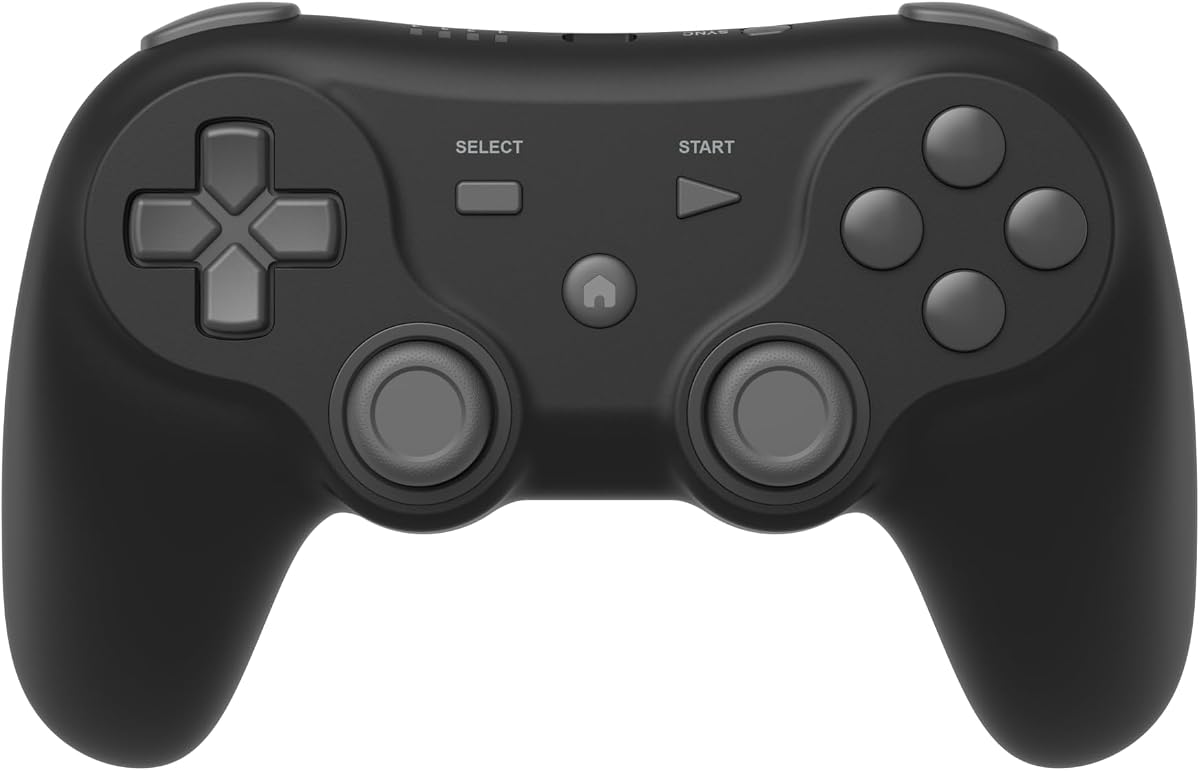
The Logitech G F310 offers exceptional value for budget-conscious retro gamers. It delivers a familiar Xbox 360 layout that requires no learning curve for most users.
We may earn a commission when you buy through this link, at no additional cost to you.
Its standout feature is the broad game support combined with customizable programmable buttons. The six-foot cord ensures you can lean back comfortably while playing on PC.
The wired nature may limit flexibility for some setups. However, the low cost and reliable performance make it a practical choice for dedicated gaming stations.
Perfect for those seeking an affordable, reliable pad for emulation or older titles. It is the best budget pick for users who prioritize function over wireless features.
The familiar layout ensures that anyone can pick it up and start playing immediately without needing to relearn controls.
The Profiler software lets you map keyboard and mouse commands to the controller for games that lack native support.
We may earn a commission when you buy through this link, at no additional cost to you.
The Retro Fighters Defender Pro targets enthusiasts seeking premium features and multi-system versatility. Its unique pressure-sensitive buttons offer a depth of control found in fewer controllers.
We may earn a commission when you buy through this link, at no additional cost to you.
Features like Hall Effect sticks and customizable trigger stops enhance precision. It supports PS1, PS2, PS3, Switch, and PC, making it highly versatile for collectors.
The higher price and mixed ratings suggest it may not fit every budget. However, for those needing specific features like pressure sensitivity, it stands out.
Recommended for serious retro gamers who want advanced customization. It is the best premium option for users who need specific functionality across many systems.
Pressure-sensitive buttons allow for variable inputs that can enhance gameplay in games designed to support such features.
Compatible with a wide range of legacy and modern systems, reducing the need for multiple controllers in your collection.
We may earn a commission when you buy through this link, at no additional cost to you.
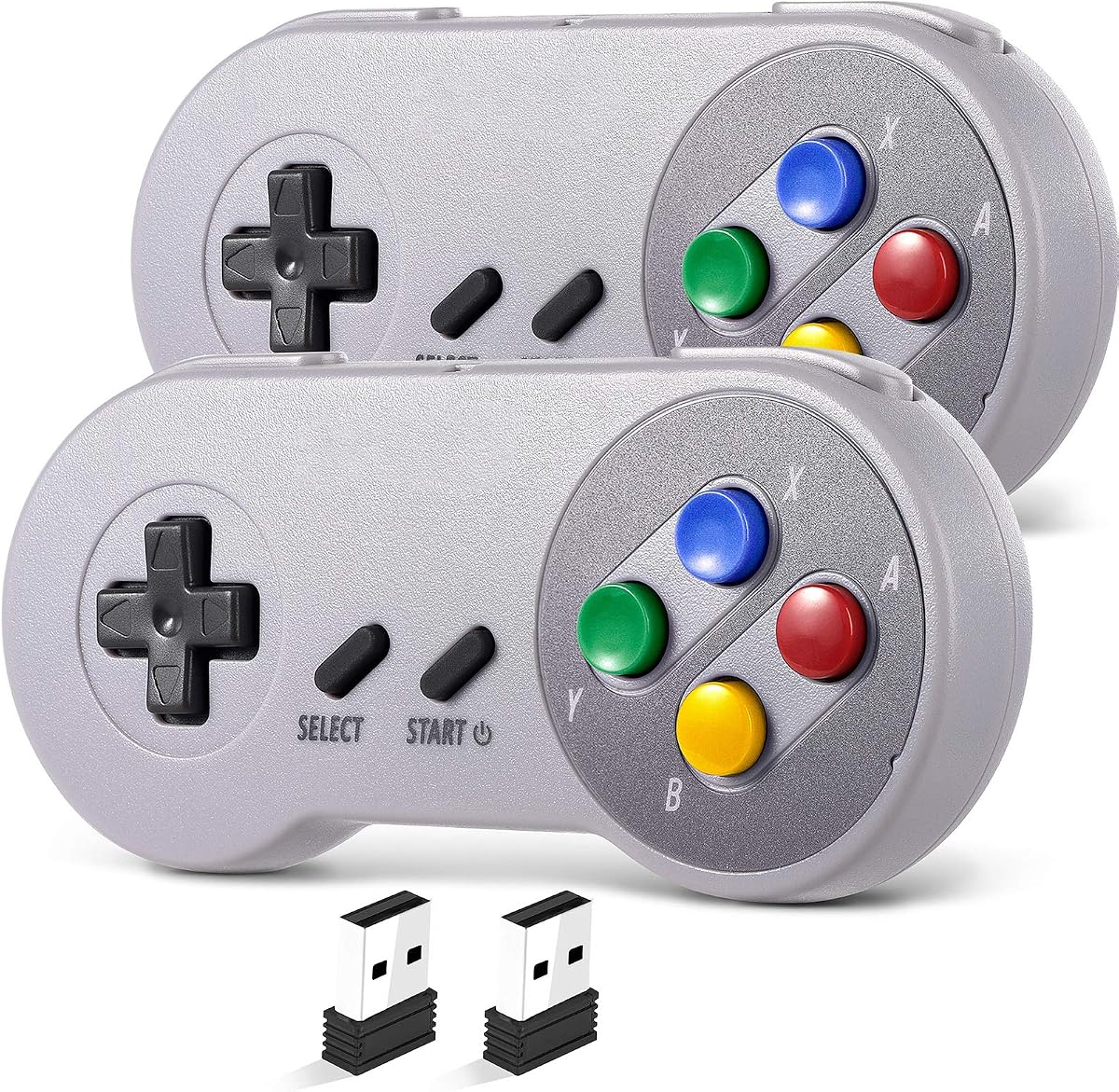
This set offers two wireless controllers designed specifically for SNES emulation on PC and Mac. It provides the classic button layout familiar to retro gamers.
We may earn a commission when you buy through this link, at no additional cost to you.
Its strengths include stable 2.4GHz wireless connection with no lag. The rechargeable battery ensures you can play for hours without worrying about power.
The incompatibility with Switch limits versatility. Still, for local multiplayer on a PC setup, the two-pack value is hard to beat.
Great for couples or friends who want to play side-by-side on a PC. It is the best choice for local multiplayer sessions on Windows or macOS.
Having two controllers in the box means you can start playing immediately with a friend without buying extra hardware.
The familiar button configuration replicates the original Super Nintendo feel for an authentic retro experience.
We may earn a commission when you buy through this link, at no additional cost to you.
This controller is tailored for AV 620 and HD 821 retro consoles with a 9-pin port. It excels in simplicity and ease of use for these specific devices.
We may earn a commission when you buy through this link, at no additional cost to you.
Its standout feature is the continuous fire function, ideal for arcade shooters. The 4.8 rating indicates high user satisfaction with its build and responsiveness.
The specific port design limits use to the mentioned consoles. However, it provides an authentic experience that works perfectly with those systems.
Best for owners of these specific retro game consoles looking for extra pads. It ensures compatibility without the need for adapters or complex setups.
Designed specifically to match the hardware of modern retro consoles, ensuring seamless connection and performance.
The continuous fire feature allows for rapid button presses that are crucial for mastering difficult arcade stages.
We may earn a commission when you buy through this link, at no additional cost to you.
The Retro-Bit Legacy 16 captures the golden era of 16-bit gaming with a modern USB twist. It balances nostalgic aesthetics with necessary modern features like home buttons.
We may earn a commission when you buy through this link, at no additional cost to you.
Its key strength is the ergonomic design that feels familiar after years of console play. The 10-foot cable allows flexible positioning relative to your TV or monitor.
Wired limitation might not suit wireless setups. However, its reliable build and wide compatibility make it a strong contender for emulation users.
Ideal for those who value authentic ergonomics and style. It is the best choice for anyone seeking a modern connection with a classic 16-bit look.
The shape and button feel are inspired by classic designs to provide a comfortable and familiar experience.
Despite the retro look, it works seamlessly with modern devices like PCs and Switch via standard USB connection.
We may earn a commission when you buy through this link, at no additional cost to you.
This controller is specifically optimized for the Analogue 3D handheld and supports other platforms like Switch and Windows. Its design mirrors the classic 64 layout.
We may earn a commission when you buy through this link, at no additional cost to you.
Strengths include vibration support and multiple modes for connection. The 4.6 rating shows it meets expectations for precision and comfort in retro titles.
Specific focus on Analogue 3D limits broader use. However, for owners of that device, it is a top-tier accessory.
Best for users of the Analogue 3D seeking a refined input method. It is the recommended choice for those prioritizing compatibility with that specific hardware.
Designed specifically to pair seamlessly with the Analogue 3D for an optimized handheld gaming experience.
The button arrangement pays homage to the classic 64 controller while maintaining modern standards for performance.
We may earn a commission when you buy through this link, at no additional cost to you.
The GameSir Tegenaria Lite blends retro design with high-speed technology. It features Hall Effect sticks and a 1000Hz polling rate for competitive responsiveness.
We may earn a commission when you buy through this link, at no additional cost to you.
Its low latency ensures inputs register instantly, essential for fast retro games. The dual rumble motors and back buttons add versatility to the classic look.
Wired connection is less flexible than wireless options. Still, performance-focused gamers will appreciate the reliability and speed it offers.
Ideal for players who prioritize response time and precision. It is the best wired option for those who want modern tech in a retro package.
The 1000Hz polling rate ensures every button press is detected almost instantly for competitive advantage.
Hall Effect technology uses magnets rather than physical contact to prevent stick drift over time.
We may earn a commission when you buy through this link, at no additional cost to you.
This pack offers two controllers ideal for PC emulation across Linux, Mac, and Windows. The turbo function allows rapid button presses for arcade classics.
We may earn a commission when you buy through this link, at no additional cost to you.
Its main advantage is the value of two wireless units at one price. The long battery life means fewer interruptions during long gaming sessions.
Compatibility requires some software setup. Users must be aware it is not designed for NES classics. Still, it offers solid performance for emulation.
Best for budget-conscious PC gamers needing two controllers. It is the best value option for local multiplayer emulation setups.
The rechargeable battery lasts up to 100 hours, ensuring you can play for days on a single charge.
Configurable turbo buttons help automate rapid inputs needed for high-speed platformers and shooters.
We may earn a commission when you buy through this link, at no additional cost to you.
The Hyperkin Trooper 2 brings premium build quality to classic Atari-style gaming. It features a solid base and ergonomic grips for comfort during long sessions.
We may earn a commission when you buy through this link, at no additional cost to you.
Its strengths include a quiet joystick and durable construction. The 10-foot cable provides plenty of range for couch gaming on a PC.
It lacks modern wireless or complex mapping. However, for purists who want a robust classic feel, it delivers consistently.
Recommended for collectors and purists who value build quality. It is the best choice for those seeking a traditional gamepad experience on PC.
Constructed with high-quality materials to ensure longevity and a solid feel in your hands.
Chamfered corners and grips help reduce hand fatigue during extended retro gaming sessions.
We may earn a commission when you buy through this link, at no additional cost to you.
Choosing the right controller depends on your specific retro setup and preferences. Consider these key factors to ensure the best experience.
Decide between wired and wireless based on your needs. Wireless offers convenience but may have battery concerns, while wired provides stable zero-lag performance.
Choose wired for competitive play and wireless for comfort.
Ensure the controller works with your console or PC. Check compatibility with systems like Switch, PC, or specific retro mini-consoles.
Always verify supported systems before purchasing.
Look for authentic layouts like SNES or 16-bit styles. D-pad responsiveness is critical for platformers and fighting games.
Test the D-pad feel if possible.
Hall Effect joysticks prevent drift over time. Look for robust materials to withstand regular gaming sessions.
Prioritize joysticks with magnetic technology.
Comfort is key for long sessions. A controller with good grip and balanced weight reduces hand fatigue.
Choose shapes that fit your hand size.
Modern controllers offer turbo, back buttons, and remapping. These enhance gameplay for difficult retro titles.
Check for useful modern features.
For wireless models, battery life is crucial. Look for rechargeable options with at least 10 hours of playtime.
Check battery specs carefully.
Balance cost with required features. Some budget models offer excellent value for simple setups.
Assess your specific needs versus cost.
First, connect your controller to your device using the appropriate port or pairing method. Follow setup instructions carefully to ensure all buttons register correctly.
Keep your controller clean by wiping it with a soft, dry cloth. Avoid using harsh chemicals that might damage the buttons or casing.
Store the controller in a cool, dry place when not in use. This prevents damage from humidity or extreme temperatures.
Many retro controllers are compatible with modern PCs if they feature USB connectivity or Bluetooth. Check the product specs for Windows or macOS support to ensure plug-and-play functionality without needing extra drivers.
Most modern wireless controllers use 2.4GHz or Bluetooth 5.0 which offer low latency. However, wired options generally provide the fastest response times for competitive retro gaming.
Rechargeable retro controller batteries typically last between 10 to 20 hours per charge depending on usage. Features like rumble may reduce battery life.
Some retro controllers support the Switch officially via USB or Bluetooth. Ensure the product explicitly mentions Switch compatibility before purchasing.
A turbo function automates rapid button presses by holding down a key. This is useful for games requiring quick repeated inputs like shooters or platformers.
Controller drift is common with mechanical joysticks. Consider a controller with Hall Effect joysticks to prevent this issue entirely, or recalibrate via settings.
This guide highlights the top controllers for retro gaming, balancing budget and premium options for all users.
Prioritize platform compatibility and button feel to ensure the controller matches your specific retro setup needs.
Verify current prices and availability on the retailer's site before finalizing your purchase decision.