
Acer Chromebook Plus 514
4.9Editor score
Intel Core i3-1315U
Google AI Pro Included
Wi-Fi 7 Support
Chromebooks for AI are transforming how we work and create by integrating advanced generative tools directly into the operating system. These devices leverage powerful processors and cloud connectivity to deliver seamless experiences with Gemini and other smart features that enhance productivity.
We compared ten leading models based on processor performance, AI feature integration, display quality, and overall value. Each product was selected for its ability to run modern AI applications smoothly while maintaining the security and simplicity that Chrome OS is known for across various use cases.
Each pick highlights specific strengths like battery life, screen clarity, and AI tool access to help you find the right fit. Keep in mind that prices and availability change frequently so checking current listings before buying ensures you get the best deal available today.
4.9Editor score

4.3Editor score
5.0Editor score
As an Amazon Associate we earn from qualifying purchases.
This side-by-side comparison details the key specifications and features of each selected Chromebook to help you quickly identify the model that best fits your specific AI workflow and budget requirements.


The Acer Chromebook Plus 514 stands out as a premium option for users seeking advanced AI capabilities in a portable form factor. With a strong rating and robust hardware specs it delivers a smooth experience for both work and creative tasks.
We may earn a commission when you buy through this link, at no additional cost to you.
Its integration with Google AI Pro provides exclusive access to tools like Gemini Advanced and NotebookLM which streamline writing and data analysis. The Intel Core i3-1315U processor ensures quick response times when running multiple applications or heavy AI workloads.
While the price is higher than basic models the included storage and AI subscription offset the initial cost for many users. The battery life and Wi-Fi 7 support ensure you stay productive throughout the day without worrying about charging or slow connections.
This laptop is ideal for professionals and students who need reliable AI tools for research and content creation. If you value performance and advanced features over budget constraints this model offers excellent value and long-term usability.
Google AI Pro unlocks Gemini tools that simplify complex tasks like summarizing documents or generating images directly within the OS.
The WUXGA touchscreen offers crisp visuals while Wi-Fi 7 ensures ultra-fast data transfer for cloud-based AI processing.
We may earn a commission when you buy through this link, at no additional cost to you.
The ASUS Chromebook Plus CX34 brings practical AI features to the everyday user at an accessible price point. It focuses on enhancing productivity through tools like Magic Eraser and noise cancellation that improve digital interactions.
We may earn a commission when you buy through this link, at no additional cost to you.
Powered by the Intel Core i3-1215U processor it handles multitasking well for general tasks and AI apps. The 8GB RAM ensures smooth switching between browser tabs and apps without significant lag during typical workflows.
Although it lacks the newest connectivity standards it still offers reliable performance for students and casual users. The anti-glare display protects eyes during long sessions which is crucial for extended writing or coding tasks.
Choose this model if you need a dependable machine for basic AI features without breaking the bank. It balances cost and functionality effectively making it a strong contender for those prioritizing utility over cutting-edge specs.
AI-powered tools like Magic Eraser allow users to edit photos effortlessly without needing expensive third-party software subscriptions.
Built-in noise cancellation technology ensures clear communication during video calls by filtering out background distractions.
We may earn a commission when you buy through this link, at no additional cost to you.
The Acer Chromebook Plus 515 offers a larger canvas for work which appeals to users who prefer more screen real estate. Its full HD touchscreen provides clear visuals for detailed tasks while maintaining the AI benefits of the Chromebook Plus line.
We may earn a commission when you buy through this link, at no additional cost to you.
This model comes with NotebookLM access allowing users to interact with documents and notes using generative AI. The processor handles these tasks efficiently ensuring that research and summarization remain fast and responsive during use.
While the larger size adds a bit of weight it significantly improves comfort for typing and reading. The battery life is sufficient for a full day of school or office work without needing constant access to an outlet.
Best for students or professionals who need space for split-screen tasks. The inclusion of NotebookLM makes it a standout choice for those dealing with heavy document review or research workflows.
NotebookLM allows users to upload documents and ask questions to generate summaries and insights instantly using AI.
The larger display ensures that text and images are easy to read reducing eye strain during long work sessions.
We may earn a commission when you buy through this link, at no additional cost to you.
This 2-in-1 Chromebook brings flexibility to AI workflows by allowing you to switch between laptop and tablet modes seamlessly. The Intel Core Ultra processor includes a dedicated engine designed to optimize AI tasks and graphics performance.
We may earn a commission when you buy through this link, at no additional cost to you.
The WUXGA display offers sharp visuals which enhances the experience of drawing or interacting with touch-based AI tools. Thunderbolt 4 support ensures fast data transfer and connectivity to external displays which is great for presentations.
While it is pricier than standard models the versatility adds value for users who value form factor innovation. The battery life is designed for longer use unplugged making it suitable for travel or all-day classes.
Ideal for creative professionals or students who need a tablet and laptop in one device. The AI-specific processor features make it future-proof for upcoming generative features in ChromeOS.
The 360-degree hinge allows you to use the device as a tablet for drawing or reading on the go.
Intel Core Ultra processors include neural processing units specifically optimized for AI workloads and efficiency.
We may earn a commission when you buy through this link, at no additional cost to you.
This model stands out for its generous storage capacity which is rare at this price point. It ensures you have plenty of local space for media and files while still enjoying the cloud benefits of AI tools.
We may earn a commission when you buy through this link, at no additional cost to you.
The Quick Insert key simplifies the process of generating images and text using AI tools directly from the keyboard. This streamlines workflows for creative tasks making it easier to stay in the flow of work.
Built to military standards it can handle rough handling which is perfect for students or mobile workers. The battery life is optimized to last through a workday so you do not need to carry a charger everywhere.
Best for users who need more local storage without paying for expensive cloud plans. The balance of durability and AI features makes it a practical choice for everyday use.
With 512GB of SSD storage you can store more apps and files locally than on most standard Chromebooks.
MIL-STD 810H testing ensures the chassis can withstand drops and spills common in dynamic environments.
We may earn a commission when you buy through this link, at no additional cost to you.
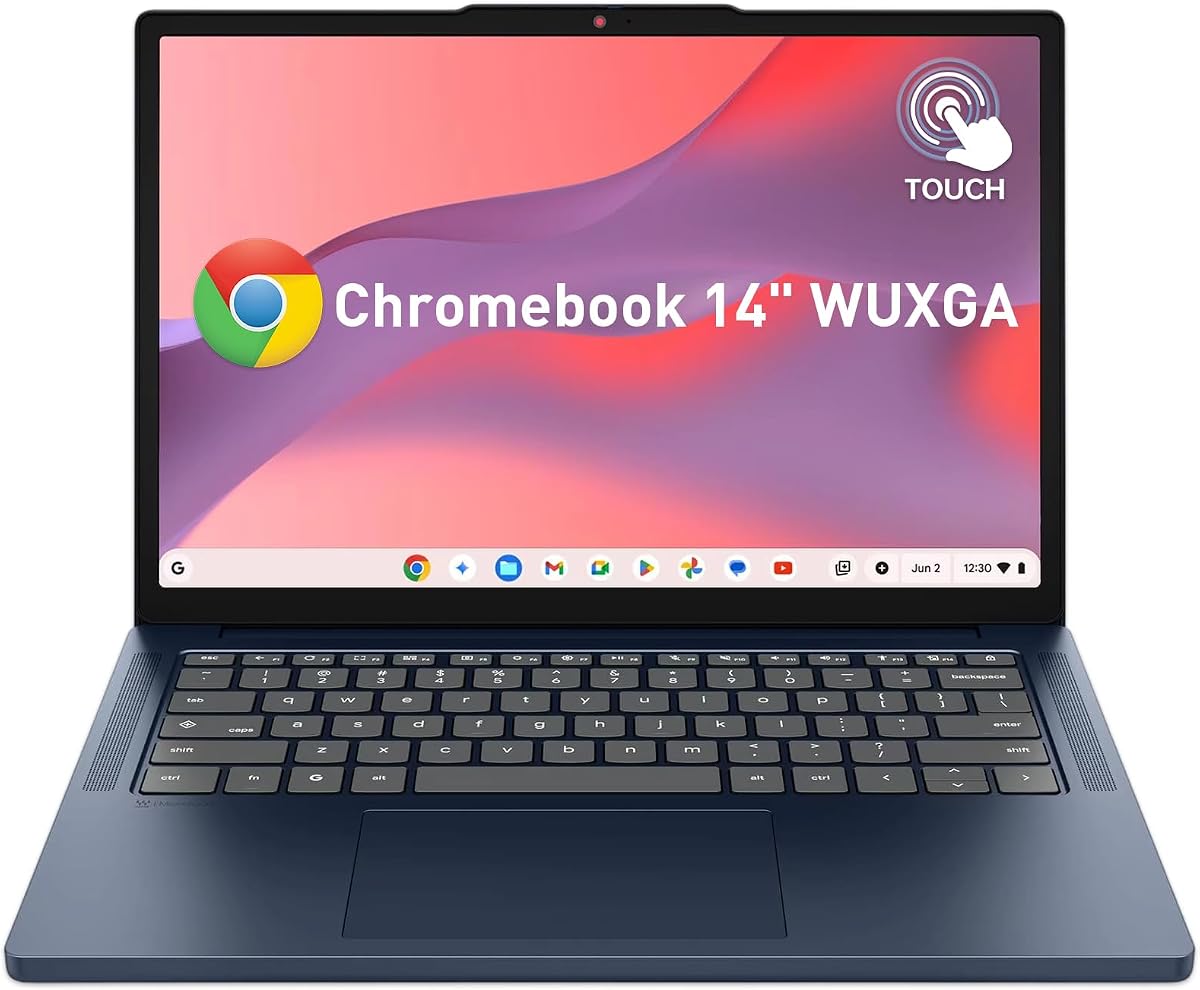
The Lenovo 2026 Chromebook is a top choice for those who need an affordable entry into AI-enabled laptops. Despite the lower price it features a high-quality WUXGA touchscreen that rivals more expensive models.
We may earn a commission when you buy through this link, at no additional cost to you.
Its MediaTek processor is optimized for efficiency ensuring that basic tasks run smoothly without overheating. This makes it a great option for web browsing and document editing which are common needs for students.
While storage is limited the device relies heavily on cloud storage which aligns well with ChromeOS design. The audio system is surprisingly good for media consumption which adds value for entertainment use.
Ideal for budget-conscious students who prioritize screen quality and portability. It proves you do not need to spend a lot to get a capable machine for learning and basic AI tools.
Weighing less than 3 lbs this laptop is easy to carry between classes or around campus all day.
The WUXGA resolution provides crisp text and images which helps reduce eye strain during long study sessions.
We may earn a commission when you buy through this link, at no additional cost to you.
This iteration of the Acer Chromebook Plus focuses on providing a solid baseline for AI tools without unnecessary bloat. The hardware supports multiple external monitors which allows for expanded workflows beyond the built-in screen.
We may earn a commission when you buy through this link, at no additional cost to you.
The 512GB storage is a significant advantage over many rivals in this price range. It reduces the need for external drives and keeps your important files accessible even when offline.
Wi-Fi 6E ensures you have reliable connectivity which is crucial for streaming AI content and syncing large files. The keyboard backlight improves usability in dim environments making it suitable for home offices.
Best for users who need a balance of storage and performance for daily tasks. It is a reliable choice for home use where consistent performance matters most.
Support for up to three external monitors lets you set up a multi-screen workspace for better productivity.
With double the storage of standard models you can keep more apps installed locally for faster access.
We may earn a commission when you buy through this link, at no additional cost to you.
This Chromebook offers a straightforward package focused on storage and basic performance. The Intel Core 3 processor handles routine tasks well making it suitable for browsing and light AI tasks.
We may earn a commission when you buy through this link, at no additional cost to you.
The PCIe Gen4 SSD ensures quick boot times and fast file access which keeps your workflow smooth. Having 8GB of memory helps maintain responsiveness when multiple browser tabs are open simultaneously.
While it may not have the newest processor it still delivers value for users who prioritize storage over raw speed. The touch display adds a layer of convenience for interacting with web apps and Android tools.
Choose this if you need a dependable laptop for daily use without paying a premium for top-tier specs. It is a practical solution for home and casual office use.
The Gen4 SSD provides fast access to your files which helps applications load quickly and efficiently.
The touchscreen allows for intuitive navigation through menus and documents without needing a mouse constantly.
We may earn a commission when you buy through this link, at no additional cost to you.
This model offers AMD-based performance which provides efficient power usage and solid multitasking. The Ryzen processor ensures that AI tools run smoothly without draining the battery too quickly.
We may earn a commission when you buy through this link, at no additional cost to you.
AI-enhanced video call tools automatically improve lighting and blur backgrounds making meetings look professional. This is a valuable feature for remote workers who need to present a polished appearance online.
The spill-resistant keyboard is a practical feature for environments where accidents might happen. However the storage is limited so users should be comfortable relying on Google Drive for most files.
Best for users who prefer AMD processors and need durability in their daily drivers. The AI video features make it a strong choice for remote collaboration.
Automatic background blur and lighting enhancement ensure you look professional during virtual meetings.
Military-grade construction and spill-resistant keys protect the device from common accidents in busy spaces.
We may earn a commission when you buy through this link, at no additional cost to you.
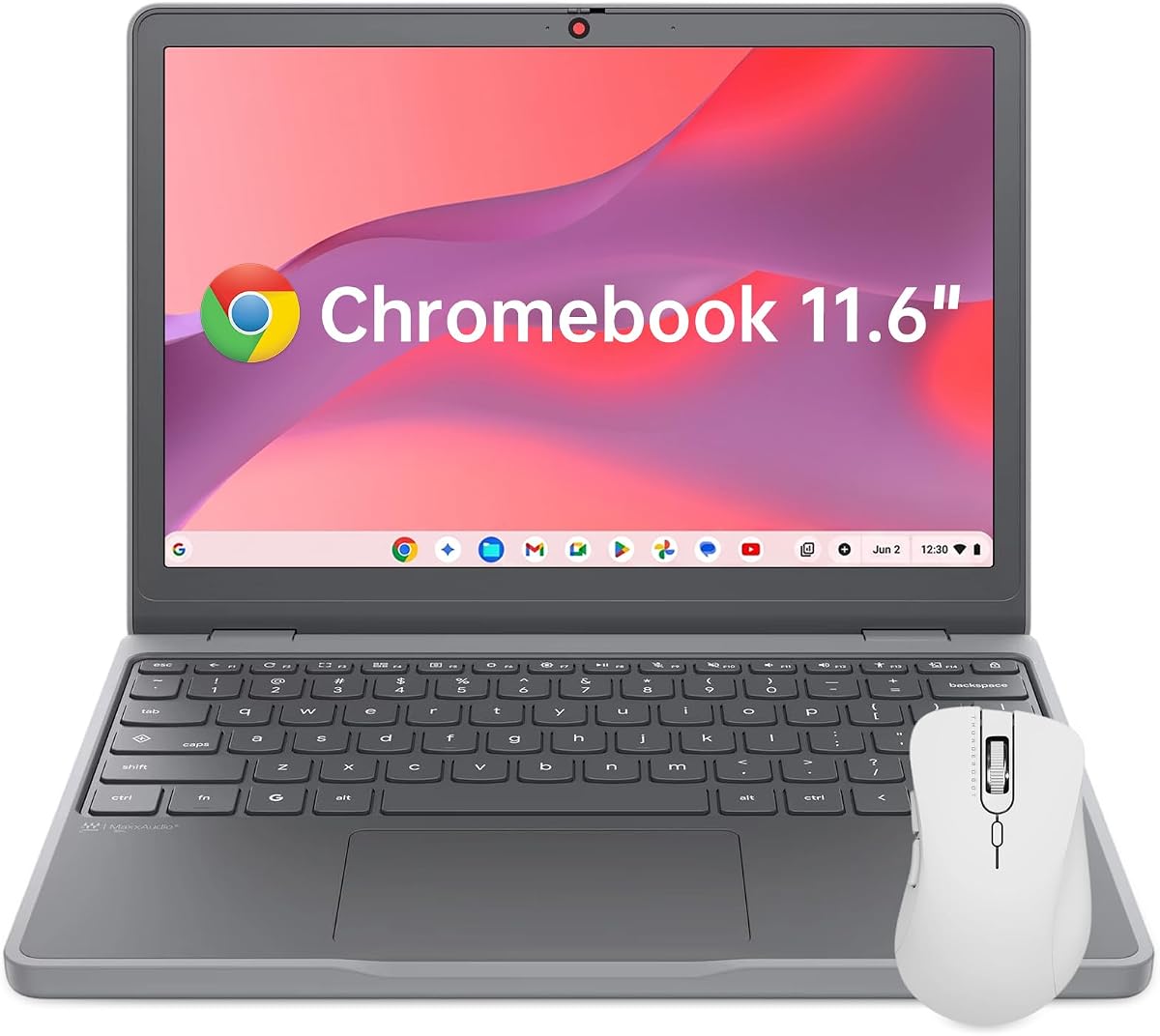
The Lenovo Chromebook 11.6 is designed for maximum portability making it ideal for travel or light home use. Its small footprint allows it to fit in almost any bag while still offering basic AI functionality.
We may earn a commission when you buy through this link, at no additional cost to you.
The Intel N150 processor handles light tasks well ensuring that simple productivity apps run smoothly. The 4GB of RAM is sufficient for basic browsing which keeps the device responsive for everyday needs.
A privacy shutter on the camera adds a layer of security which is important for public use. The battery life supports a full day of use on a single charge making it reliable for long commutes.
Best for travelers or students who prioritize weight over screen size. It is a functional entry-level device that covers the basics of AI and connectivity.
Weighing just 2.69 lbs this device is easy to carry anywhere without causing shoulder fatigue.
The physical privacy shutter protects your webcam from unauthorized access when not in use.
We may earn a commission when you buy through this link, at no additional cost to you.
Choosing the right Chromebook for AI requires evaluating several factors beyond just the price. This guide outlines the key elements you should consider to ensure the device meets your specific needs.
The processor is the engine that drives AI tasks. Look for models with Intel Core i3 or newer processors, especially those with AI-specific engines like Intel Core Ultra or MediaTek Kompanio. These chips handle generative features more efficiently.
Prioritize a processor with at least 4 cores to ensure smooth multitasking when running AI tools alongside other apps.
AI features often require substantial memory to load data quickly. 8GB of RAM is the sweet spot for most users wanting to run Gemini or other AI apps without lag.
If you plan to keep many browser tabs open, ensure the device has at least 8GB of LPDDR5 memory for faster speeds.
While Chromebooks rely on cloud storage, having ample local SSD storage helps with offline tasks. 512GB models offer more flexibility for downloading apps and files.
If you see 128GB or 64GB, be prepared to manage files via the cloud regularly to avoid running out of space.
Not all Chromebooks come with the same access to Google AI Pro. Check if the model includes a free trial of Google AI Pro which unlocks tools like NotebookLM and Gemini Advanced.
Look for models that highlight specific AI features like Magic Eraser or background blur in their product descriptions.
A high-resolution display is essential for reading text and viewing AI-generated images. Aim for WUXGA (1920×1200) or better to avoid pixelation on small text.
Touchscreen capabilities add value if you plan to use drawing apps or interact with AI tools directly with your finger.
Fast internet is crucial for cloud-based AI processing. Wi-Fi 6E or Wi-Fi 7 ensures you get the fastest speeds from your network.
Check for USB-C ports with display output if you plan to connect to external monitors for an expanded workspace.
AI features can drain battery power quickly. Look for devices that claim 10 hours or more of battery life to ensure all-day usage.
Consider the charging speed; USB-C fast charging can get you back to work quickly when the battery runs low.
If you are buying for school or travel, look for military-grade durability standards like MIL-STD-810H.
Keyboard spill resistance is another practical feature to consider for everyday use in various environments.
To get the most out of AI features, sign in with your Google account and accept the AI privacy settings. This unlocks tools like Gemini directly within the OS and ensures your data syncs correctly across devices.
Regularly update ChromeOS to access the latest AI improvements. Automatic updates keep your security patches current and new AI tools available without you needing to do anything.
Protect your device by using the Titan C2 security chip settings found in your privacy menu. Clean the screen with a microfiber cloth to maintain visibility on the display and avoid harsh chemicals.
Many basic AI tools are included for free, but advanced features like Google AI Pro require a subscription. However, new Chromebook Plus purchases often include a 12-month free trial of these premium tools.
Most AI features like Gemini require an internet connection because they rely on cloud processing. However, some offline tasks like document editing can still work without a live network.
Most Chromebooks rely on cloud AI processing rather than running heavy models locally. This ensures high performance without draining the battery quickly on smaller devices.
Google AI Pro is a premium tier that gives access to advanced AI tools like Gemini Advanced and extra cloud storage. It enhances productivity by offering more powerful assistance for writing and analysis.
The Lenovo 2026 Chromebook and the Acer Chromebook Plus 515 are top choices. They offer durable builds and affordable pricing that fit well with student budgets.
Ensure your ChromeOS is updated to the latest version. Navigate to settings and look for the AI or Google Assistant sections to enable the tools you need for daily use.
Yes, models with touchscreens and AI tools like Magic Eraser are great for creative tasks. Adobe Photoshop and other apps are available on the Play Store for enhanced creativity.
Chromebooks are known for high security with automatic updates and built-in protection. The Titan C2 security chip provides an extra layer of hardware protection for sensitive business data.
We highlighted ten top Chromebooks ranging from budget-friendly options to premium models packed with advanced AI features. The Acer Chromebook Plus 514 stands out for its AI Pro integration while the Lenovo 2026 offers a great entry point for learners.
When selecting a device prioritize RAM and storage to ensure your workflow remains smooth. A good display and connectivity options also play a significant role in how well you can utilize AI tools effectively.
Prices fluctuate often so checking current listings before purchasing helps you secure the best deal. Ensure your chosen model supports the specific AI tools you need for your daily tasks today.