
SEMIER Small Cassette Tape Player
4.0Editor score
Two-way conversion support
Compact portable design
Includes SD card
This guide compares the top 10 cassette to MP3 converter options to help you digitize your music collection with ease and reliability for any budget or setup.
Finding the right cassette to MP3 converter can be challenging with so many models on the market. We look for reliable audio quality, easy setup, and features that fit your needs whether you prefer direct conversion or computer workflows.
Our team evaluated ten real products based on user feedback, technical specs, and usability. We considered portability, storage options, and how each device handles track splitting to ensure you get a smooth digitization experience without technical headaches.
Each pick shows key strengths and trade-offs so you can choose confidently. Prices and availability change often so check the latest details before buying. Our goal is to help you preserve your tapes in digital format with minimal effort.
4.0Editor score

4.5Editor score

4.3Editor score
Below is a side-by-side look at all ten models we reviewed. This table highlights key specs like storage method, battery type, and connectivity so you can quickly find the device that matches your workflow and budget constraints.

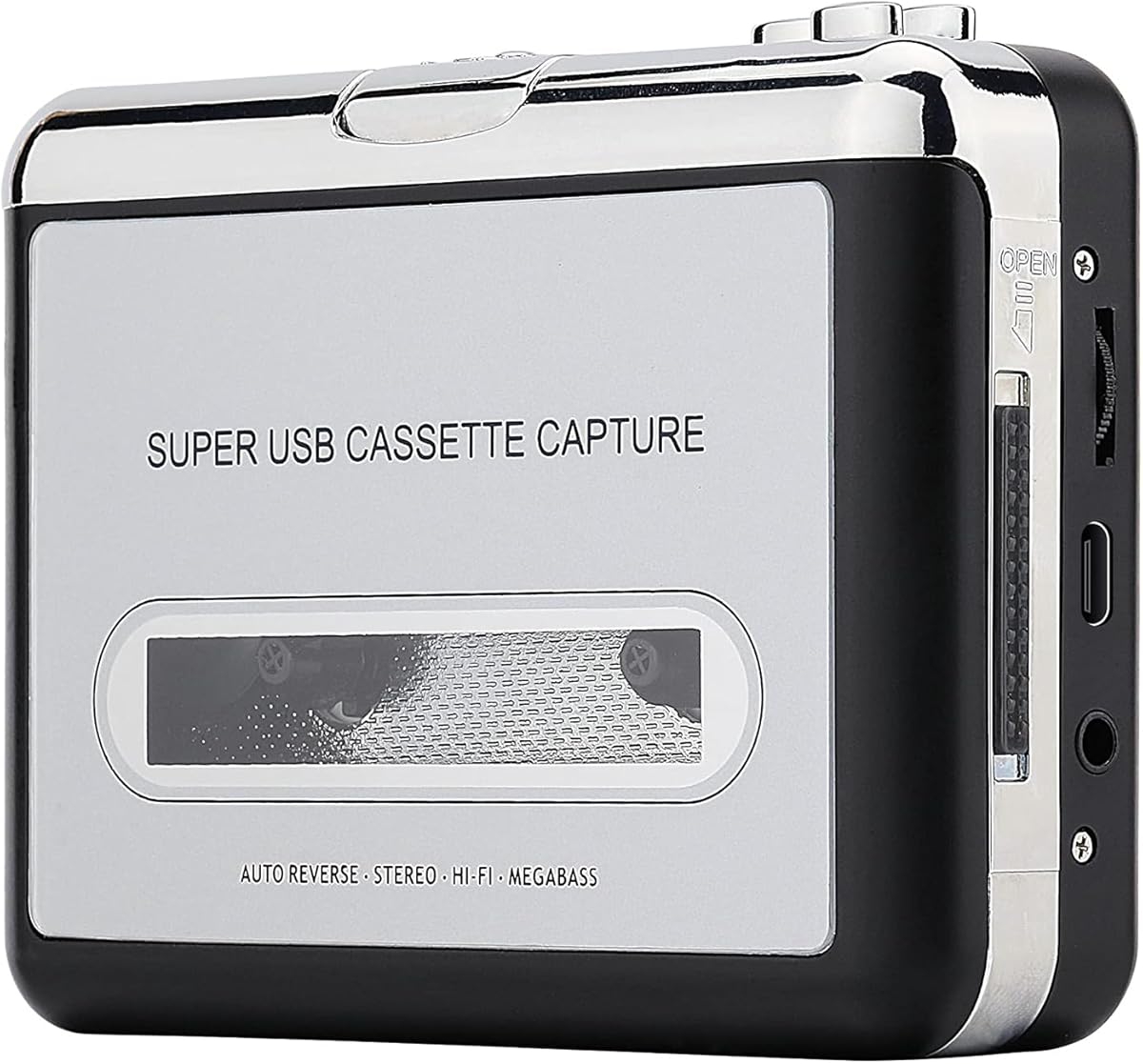


The ClearClick cassette tape to USB converter stands out for its straightforward workflow. With a 4.5 rating from users it delivers reliable results without demanding technical know-how. The automatic track splitting ensures your songs are separated cleanly on the USB drive.
We may earn a commission when you buy through this link, at no additional cost to you.
This device removes the need for a computer or extra software which simplifies the conversion process significantly. You insert the included 16GB USB drive plug in the tape and hit record. The unit handles formatting and file saving internally so you can focus on listening to your music.
While it only saves to USB drives it avoids the complexity of SD card readers or computer cables. The sound quality remains clear even with older tapes which matters for preserving nostalgic recordings. The portable design also doubles as a personal player for playback on the go.
Anyone wanting a plug-and-play solution for digitizing tapes will find this model ideal. It balances ease of use with dependable audio capture. We recommend it for users who value simplicity and want to avoid software setups or complex hardware connections.
The automatic track splitting feature detects pauses to separate songs into individual files saving you manual editing effort.
You can convert tapes without installing drivers or programs making it accessible for all skill levels and operating systems.
We may earn a commission when you buy through this link, at no additional cost to you.
The SEMIER small cassette tape player offers excellent value for its price. With a solid rating it provides both playback and recording capabilities in a portable frame. You can save to SD card or convert via computer using included software for flexible workflows.
We may earn a commission when you buy through this link, at no additional cost to you.
Its two-way conversion supports SD storage or USB transfer with Audacity which adapts to your tech comfort level. The LCD screen helps navigate menus easily and the built-in speaker allows for quick listening checks. Battery or USB power options add convenience for travel.
While it does not support metal tapes the unit handles standard Type I cassettes well. The build is functional though not premium which fits its budget positioning. For casual users wanting an affordable entry into digital conversion it delivers consistent results without breaking the bank.
Choose this if you need a versatile budget device that supports multiple storage paths. It balances cost and features effectively for everyday tape digitization. We recommend it for those starting their collection or who prefer low-cost hardware solutions.
Save directly to SD card or transfer via computer with included software giving you options based on your setup preferences.
Its small footprint makes it easy to carry anywhere ensuring you can convert tapes at home or on the go.
We may earn a commission when you buy through this link, at no additional cost to you.
The Gracioso Bluetooth cassette to MP3 converter elevates the category with modern wireless features. A 4.3 rating reflects its strong performance in bridging vintage tapes and digital devices. The dual Bluetooth modes enable streaming to headphones or speakers for immersive listening.
We may earn a commission when you buy through this link, at no additional cost to you.
Its USB direct recording lets you capture audio without software or computer dependency. The 6W speaker delivers clear playback which enhances the listening experience during conversion. Battery capacity supports long sessions making it suitable for bulk digitization projects away from power outlets.
The build quality feels robust and the battery life ensures extended use between charges. While it requires FAT32 USB drives which limits storage options the trade-off supports reliable recording. For those wanting premium connectivity and audio quality this model stands out.
Buy this if you value wireless flexibility and powerful playback in a converter. It suits users who want a complete audio experience beyond basic file transfer. We recommend it for tech-savvy listeners seeking high-end features in a portable unit.
Dual Bluetooth modes let you stream tape audio to wireless speakers or receive music from phones to tape blank cassettes.
Record directly to a FAT32 USB drive with one click eliminating the need for software or computer connections entirely.
We may earn a commission when you buy through this link, at no additional cost to you.
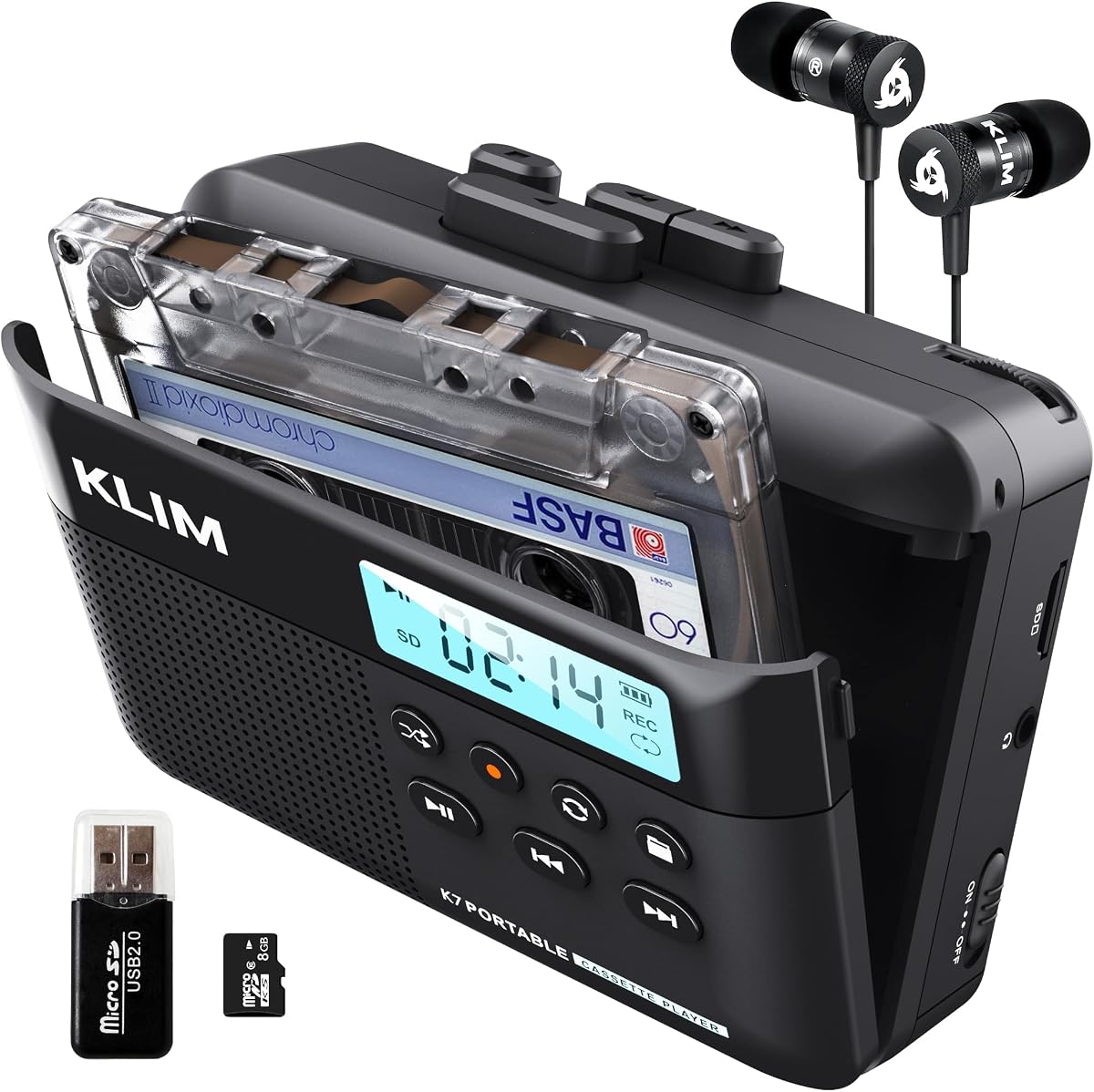
The K7 cassette player with 16GB storage offers a straightforward path to digital files. With a 4.2 rating it is praised for ease of use and portability. You convert tapes directly to SD card without extra apps or computer steps.
We may earn a commission when you buy through this link, at no additional cost to you.
Its rechargeable battery and included earphones support mobile listening during and after conversion. The built-in microphone allows for recording thoughts or meetings adding versatility beyond tape digitization. The compact size fits easily in bags for transport anywhere.
It does not support recording onto tapes which limits use cases to playback and SD capture. The assurance coverage provides confidence in long-term use. For casual users wanting a reliable standalone converter it meets basic needs effectively without complexity.
Select this if you prioritize simplicity and storage convenience. It works well for personal use where you need quick access to converted files. We recommend it for anyone seeking an all-in-one portable cassette solution.
Everything needed comes in the box including SD card reader earphones and cables for immediate use without extra purchases.
A built-in battery charges quickly and supports portable use anywhere without needing constant power sources during operation.
We may earn a commission when you buy through this link, at no additional cost to you.
The K7 cassette player with 8GB storage delivers a compact option for tape conversion. A 4.3 rating highlights its user-friendly design and reliable performance. Tapes convert directly to SD card without requiring apps or computer connectivity.
We may earn a commission when you buy through this link, at no additional cost to you.
Battery power and included earphones enable mobile use which suits commuters or travelers. The built-in microphone adds functionality for recording meetings or personal notes on the go. Its small form factor makes it easy to store in tight spaces.
Storage capacity may require frequent card swaps for large libraries but works well for modest collections. The assurance plan supports durability expectations. This model fits users who want a lightweight dedicated converter for occasional digitization tasks.
Choose this for portability and straightforward operation. It serves well for those prioritizing size and simplicity over large storage. We recommend it for casual listeners needing a reliable pocket converter.
Its small design fits easily in pockets or bags making it ideal for converting tapes while traveling.
Record your voice or ambient audio directly to SD card using the included microphone for versatile audio tasks.
We may earn a commission when you buy through this link, at no additional cost to you.
The K7 cassette player with 32GB storage provides ample room for tape digitization. A 4.2 rating reflects satisfaction with its ease of use and reliability. Tapes convert directly to SD card without needing apps or computers.
We may earn a commission when you buy through this link, at no additional cost to you.
Rechargeable battery and earphones support mobile listening which suits daily commutes or travel. The built-in microphone allows recording personal audio for added utility. Its compact build makes it convenient to carry anywhere you need to convert tapes.
The larger storage handles extensive collections without frequent card swaps. Assurance coverage adds confidence for long-term use. This model fits users needing more space than smaller models offer while keeping operations simple.
Buy this if you need high capacity without complex setups. It serves well for those with large tape libraries who want easy conversion. We recommend it for collectors seeking straightforward portable digitization.
The 32GB card holds many hours of converted audio reducing the need to manage files constantly during use.
A rechargeable battery allows operation away from outlets making it convenient for travel or outdoor sessions.
We may earn a commission when you buy through this link, at no additional cost to you.
The Reshow cassette tape player in black supports digital conversion via computer connection. A 4.3 rating shows users appreciate its straightforward transfer process. It connects via USB to laptops or PCs to save tapes as MP3s.
We may earn a commission when you buy through this link, at no additional cost to you.
The unit functions as a standard player with a 3.5mm AUX jack for headphones or car stereos. Included software guides the process ensuring files save correctly to your system. Its vintage style blends well with home setups without drawing attention.
Relying on a computer means extra steps compared to standalone units but offers file control. Clear audio quality supports reliable archiving. This suits users who already have computers and prefer organizing files manually during conversion.
Select this if you need computer integration for your workflow. It works well for those organizing files on PCs directly. We recommend it for users comfortable with basic software setups.
Convert tapes directly to your computer files using included software ensuring full control over storage and file names.
Connect via standard headphones or car AUX to enjoy tapes anytime without needing digital conversion first.
We may earn a commission when you buy through this link, at no additional cost to you.
The Reshow cassette tape player in silver converts tapes through computer USB connection. A 3.8 rating indicates functional performance with some software quirks noted. It saves files directly to PCs for organized storage.
We may earn a commission when you buy through this link, at no additional cost to you.
Playback works through standard 3.5mm jacks for headphones or car use. Included software simplifies the conversion but may need initial setup on systems. Its compact size allows easy storage when not in use.
Computer reliance means you need a working PC for conversion which limits flexibility. Audio quality remains decent for preserving songs. This model suits users who prefer direct file management over automatic storage solutions.
Choose this if you prioritize file organization via computer. It fits well for desktop-based workflows. We recommend it for those with access to PCs who want direct MP3 saves.
Save converted files directly to your computer for easy access and integration with music libraries.
Use the 3.5mm jack to connect headphones or car stereos for classic listening on any device.
We may earn a commission when you buy through this link, at no additional cost to you.
This USB cassette to MP3 converter supports direct capture without computers. A 3.8 rating shows it works for basic needs but may require care during use. It records to USB flash drives in FAT32 formats up to 128GB.
We may earn a commission when you buy through this link, at no additional cost to you.
The auto reverse function switches tape sides automatically saving manual effort during long sessions. Manual and auto modes let you control how songs are split which adds flexibility. A carry bag protects the device during transport.
Build quality is functional but not premium which may limit durability over time. Volume control is manual which requires attention during recording. This suits users needing a basic standalone unit without advanced features.
Buy this if you want PC-independent USB conversion on a budget. It works for occasional use where simplicity matters. We recommend it for casual digitizers needing minimal setup.
The auto reverse feature switches tape sides automatically reducing manual intervention during long conversion sessions.
A carry bag comes with the unit ensuring safe transport during travel or storage.
We may earn a commission when you buy through this link, at no additional cost to you.
The K7 cassette tape player offers basic conversion functionality with a 4.2 rating. It saves tapes directly to 16GB SD card without apps or computer steps. The included package contains everything needed for immediate use.
We may earn a commission when you buy through this link, at no additional cost to you.
Battery power and earphones support mobile playback which is convenient for daily routines. The built-in microphone allows recording personal audio for added utility. Assurance coverage adds confidence for the users.
It does not support recording onto tapes which limits use cases to playback and capture. The design prioritizes simplicity over advanced features making it suitable for basic needs. This fits users wanting a straightforward portable unit.
Choose this for ease of use and basic functionality. It works well for occasional conversion tasks. We recommend it for those needing a no-fuss standalone converter.
No apps or drivers are needed just insert the SD card and press record to start capturing audio.
Battery and earphones allow use on the go without needing extra devices or power sources.
We may earn a commission when you buy through this link, at no additional cost to you.
Picking the right converter depends on your workflow storage needs and comfort with tech. This guide outlines key factors to consider before buying.
Decide between USB drives SD cards or computer-based saving. USB and SD options offer standalone convenience while computer saving allows file control.
Pick a method that matches your preferred file access and existing hardware setup.
Check if the unit uses rechargeable batteries or AA cells. Longer life supports bulk conversion without interruptions.
Choose a battery type that suits how often you convert and whether you can charge regularly.
Some models need apps or computer software to convert tapes others handle it internally. Internal processing saves steps but may limit file formats.
Opt for minimal software if you want a plug-and-play experience.
Higher-quality converters preserve sound clarity better especially for older tapes. Look for units with good heads and stable speed control.
Prioritize audio fidelity if preserving music detail matters to you.
Smaller units are easier to carry for travel or on-the-go use. Consider weight and size alongside battery power for mobile needs.
Select a compact device if you convert tapes in multiple locations.
Auto track splitting separates songs into individual files automatically saving manual editing. Some units require manual mode which takes more time.
Choose auto splitting for efficient organization of your digitized library.
Warranty length varies from one year to longer coverage like five years. Check support options in case of defects.
Look for brands offering strong assurance for peace of mind.
Prices range widely based on features like Bluetooth storage size and build quality. Balance cost against needed functions to avoid overspending.
Pick a model that fits your budget without skipping essential features.
Insert your chosen storage device like an SD card or USB drive into the converter. Make sure it is formatted correctly to avoid save errors.
Plug in the power or ensure the battery is charged. Press record and play the tape while monitoring levels to avoid distortion.
After conversion store the files safely on your computer or cloud service. Keep the converter clean by avoiding dust and handling tapes gently.
No many standalone converters let you save directly to USB drives or SD cards without a computer. However some models require software for better file control.
Conversion takes roughly the same time as the tape plays so around thirty minutes per side. Real speed depends on model speed and whether you record in real time.
Most convert standard Type I tapes but some units may struggle with metal Type IV tapes. Check product specs if you have high-quality or specialty tapes to use.
Only a few models support writing to blank tapes most focus on digital saving. Bluetooth receivers sometimes allow this but traditional converters usually play only.
MP3 is the most common format for compatibility with players and phones. Some devices may support WAV but MP3 keeps file sizes smaller for easy sharing.
Auto splitting uses pauses between tracks to separate files automatically. Manual mode lets you press a button to start and stop each file as needed.
Our top picks highlight the ClearClick model for simplicity the SEMIER for budget and the Gracioso for premium wireless features. Each balances convenience with reliable performance.
Prioritize storage method and battery life based on how often you convert. Also consider if you need auto splitting or computer dependency.
Prices change frequently so check current listings before purchasing. We hope this guide helps you digitize your collection with confidence.