
Tapo 1080P Indoor
4.4Editor score
Affordable price
SD card support
Two-way audio
Discover the top 10 Airbnb security camera options for 2026. Compare features, ratings, and storage to secure your rental property effectively.
Securing your Airbnb property is essential for peace of mind and guest safety. A reliable security camera helps monitor entrances, deter unwanted activity, and provide evidence if incidents occur during your rental periods.
We compared ten leading security cameras based on video quality, installation ease, storage options, and smart features. Each product was evaluated for suitability in short-term rental environments where privacy and performance matter most.
Each pick highlights key strengths and potential trade-offs to help you choose wisely. Prices and availability change frequently, so verify current details on Amazon before purchasing to ensure you get the best value for your investment.
4.4Editor score

4.7Editor score

4.5Editor score
This side-by-side comparison highlights the key specifications and capabilities of each selected security camera. Use this table to quickly identify which model aligns with your specific monitoring needs and budget constraints.




The Ring Indoor Cam stands out as a top choice for Airbnb hosts needing reliable indoor monitoring. It delivers clear 1080p HD video with color night vision, ensuring you can see guests and visitors clearly at any time.
We may earn a commission when you buy through this link, at no additional cost to you.
Its standout feature is the manual privacy cover, allowing you to physically disable the camera and mic when desired. This balances security with guest comfort, making it ideal for common areas where privacy might be a concern.
While it requires a Ring Protect subscription for advanced features like video history, the core functionality remains solid without one. The plug-in power means no battery worries, though it limits placement to near outlets.
For hosts prioritizing ease of use and integration with smart home systems, this camera offers the best overall value. It provides peace of mind through motion detection and real-time alerts accessible from anywhere via the Ring app.
The physical privacy cover ensures guests feel respected when the camera is not actively monitoring, which is crucial for maintaining positive rental reviews.
Works seamlessly with Alexa, allowing voice commands to view live feeds on Echo Show devices for convenient access throughout your property.
We may earn a commission when you buy through this link, at no additional cost to you.
The Tapo 1080P Indoor Camera offers exceptional value for hosts on a tight budget. It provides clear 1080p video and reliable motion detection without forcing you into a subscription model for basic functionality.
We may earn a commission when you buy through this link, at no additional cost to you.
Storage is handled locally via a microSD card, meaning you own your footage without recurring costs. The two-way audio feature lets you communicate with delivery drivers or guests remotely, adding versatility to your security setup.
However, it lacks advanced AI detection and requires a constant power connection, limiting where it can be placed. The app is functional but not as polished as premium competitors, which may frustrate users wanting more customization.
For straightforward monitoring needs where cost is the primary driver, this camera is a strong contender. It ensures you can keep an eye on your property without breaking the bank or dealing with complex setup procedures.
Using a microSD card eliminates monthly fees, making long-term monitoring affordable for multiple cameras across different rental units.
Two-way audio allows hosts to greet guests or warn against unauthorized access without needing to be physically present at the property.
We may earn a commission when you buy through this link, at no additional cost to you.
The eufy Security 4K Indoor Camera delivers premium performance with crystal-clear 4K resolution and intelligent tracking. It ensures no detail is missed, whether monitoring pets, guests, or high-value items in your rental space.
We may earn a commission when you buy through this link, at no additional cost to you.
Unlike many competitors, it offers full functionality without requiring a subscription. Local storage options mean you keep your data private and secure, which aligns well with the privacy expectations of modern Airbnb guests.
Pan and tilt capabilities provide 360-degree coverage, reducing blind spots without needing multiple cameras. However, the higher price point might be steep for smaller properties, and HomeKit integration supports only 1080p resolution.
If you seek top-tier image quality and advanced features like AI tracking without ongoing costs, this is the ideal choice. It sets a high standard for indoor monitoring, combining privacy with powerful surveillance capabilities.
4K resolution captures fine details like faces or license plates clearly, making it easier to identify individuals if incidents occur.
AI tracking follows subjects automatically, ensuring continuous focus on activity even if you miss the initial motion alert notification.
We may earn a commission when you buy through this link, at no additional cost to you.
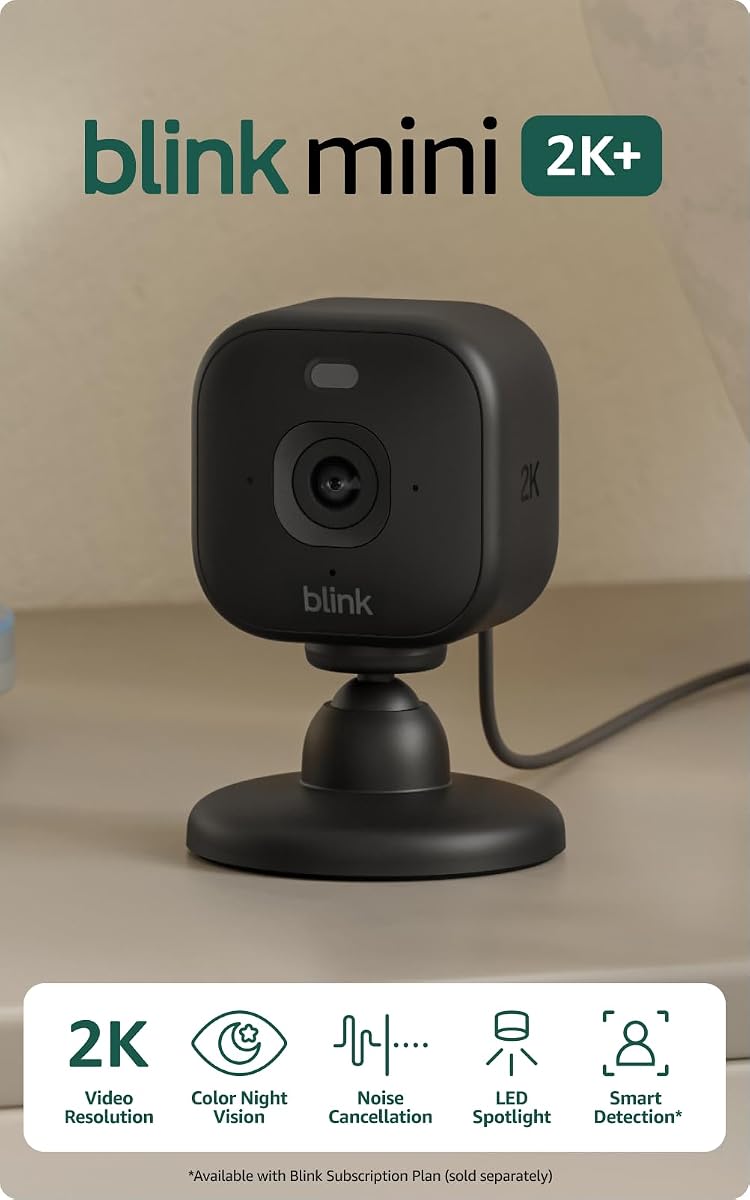
The Blink Mini 2K+ brings high-definition 2K video to an incredibly small form factor, making it easy to hide discreetly in corners. It includes two cameras, perfect for covering multiple indoor areas like living rooms or entryways.
We may earn a commission when you buy through this link, at no additional cost to you.
Enhanced audio with noise cancellation ensures conversations are clear, and the plug-in design simplifies setup without battery maintenance. Motion detection alerts keep you informed, though cloud storage requires a subscription for extended history.
Its compact size allows for flexible placement without drawing attention, which can be useful in sensitive areas. However, it lacks weather resistance and advanced AI features found in pricier models, limiting its versatility slightly.
For hosts needing a simple, unobtrusive way to monitor multiple rooms, this kit offers great value. It balances performance with ease of use, ensuring you stay connected without cluttering your space with bulky devices.
The small design allows placement on shelves or desks where it blends in, avoiding the intimidating look of larger security cameras.
Two cameras in one package allow immediate coverage of both entry and common areas, maximizing utility from a single purchase.
We may earn a commission when you buy through this link, at no additional cost to you.
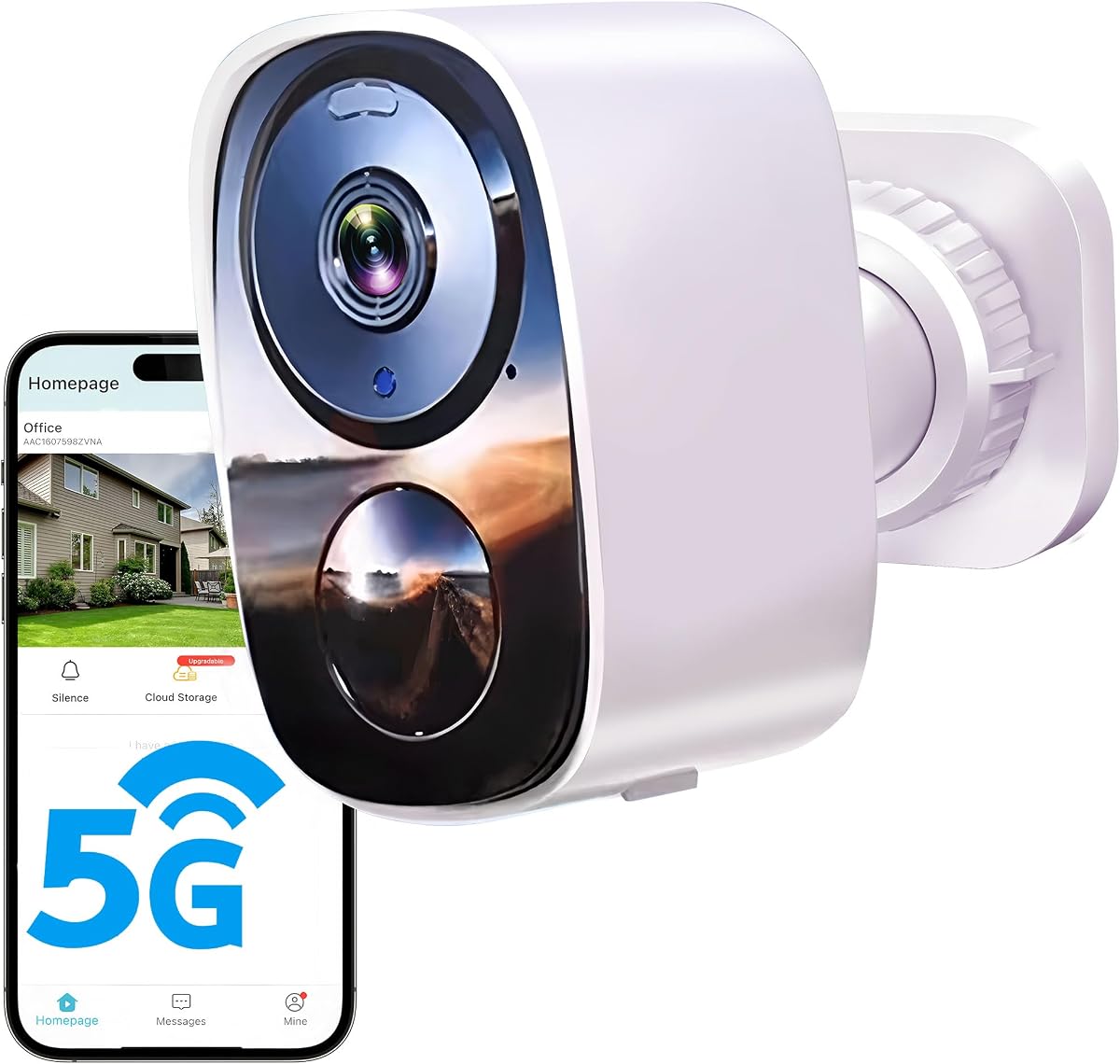
The GMK 4 Pack System provides a comprehensive solution for monitoring large properties or multiple entry points simultaneously. With four 2K cameras, you can cover driveways, porches, and backyards without drilling holes or running cables.
We may earn a commission when you buy through this link, at no additional cost to you.
Battery power offers installation flexibility, allowing placement wherever needed, while IP65 rating ensures durability against weather. Two-way audio and siren alerts add active deterrence features, enhancing security against intruders or package thieves.
However, battery life depends on usage frequency, meaning frequent motion events may require more charging cycles. Also, it supports only 2.4GHz WiFi, which might limit performance in areas with network congestion.
For property owners needing wide coverage without complex wiring, this system is a practical choice. It simplifies setup while providing essential security features that protect your rental from various angles effectively.
Four cameras allow simultaneous monitoring of all exterior sides of a property, ensuring no blind spots remain around the rental unit.
Built-in sirens and flashing lights can scare off potential intruders instantly, providing immediate response to detected threats without owner intervention.
We may earn a commission when you buy through this link, at no additional cost to you.
This 2026 Upgraded model prioritizes longevity with up to six months of battery life, reducing maintenance significantly for remote locations. It offers free cloud storage, ensuring basic footage access without immediately requiring a paid subscription.
We may earn a commission when you buy through this link, at no additional cost to you.
AI motion detection helps minimize false alerts from passing cars or trees, keeping your notifications relevant. Dual-band WiFi support ensures stable connectivity even in areas with network interference, improving reliability for remote monitoring.
However, higher resolution recordings require a paid plan, limiting the value of free storage for detailed evidence. The app interface is functional but lacks advanced customization options found in premium competitors.
For users needing long battery life and basic cloud features without extra costs, this model delivers practical value. It simplifies outdoor monitoring while keeping ongoing expenses manageable for short-term rental security needs.
Months of battery life mean less frequent charging, making it ideal for hard-to-reach areas where maintenance is inconvenient or time-consuming.
Dual-band support ensures the camera stays connected even if the 2.4GHz band is crowded, maintaining reliable remote access at all times.
We may earn a commission when you buy through this link, at no additional cost to you.
The Blink Outdoor 4 is engineered for long-term use with up to two years of battery life, significantly reducing maintenance efforts. It includes three cameras and a Sync Module Core, providing extensive coverage for property exteriors right out of the box.
We may earn a commission when you buy through this link, at no additional cost to you.
Enhanced motion detection with dual-zone technology improves accuracy, while optional person detection adds another layer of security. The Sync Module Core centralizes camera management, ensuring all feeds are accessible through one unified system.
However, the Sync Module Core does not support local storage, requiring a cloud subscription for video retention. This might increase ongoing costs compared to models offering free local SD card options for footage preservation.
For hosts needing durable outdoor cameras with minimal battery intervention, this kit offers practical convenience. It ensures broad coverage and reliable alerts, making it a solid choice for securing rental property perimeters.
Two-year battery life means you rarely need to charge cameras, allowing you to focus on hosting rather than tech upkeep.
Sync Module Core connects all cameras, simplifying settings and view access from a single dashboard instead of managing devices individually.
We may earn a commission when you buy through this link, at no additional cost to you.
The eufy C31 offers versatility with both indoor and outdoor capabilities, making it ideal for monitoring various parts of a rental. Its 360-degree pan and tilt eliminate blind spots, covering entire rooms or yards with just one device.
We may earn a commission when you buy through this link, at no additional cost to you.
No subscription is required for full functionality, allowing local recording via microSD or HomeBase. This ensures your footage remains private and accessible without monthly fees, appealing to privacy-conscious hosts.
However, optimal performance depends on pairing with a HomeBase unit for extended recording, which adds to initial cost. Setup complexity may vary slightly depending on network environment and firmware updates required for best performance.
For hosts wanting flexible monitoring without recurring charges, this system is highly adaptable. It delivers continuous recording and broad coverage, ensuring comprehensive security across different property zones effortlessly.
IP66 rating allows use in wet or dusty environments, expanding placement options from living rooms to driveways without protection concerns.
360-degree movement ensures the camera captures action in every direction, providing complete context during any incident or visit.
We may earn a commission when you buy through this link, at no additional cost to you.
The Ring Outdoor Cam combines flexibility with robust features, supporting both battery and wired power for varied placement options. Its color night vision enhances nighttime visibility, allowing clearer identification of activity after dark.
We may earn a commission when you buy through this link, at no additional cost to you.
Two-way talk enables direct communication with visitors or delivery personnel remotely, adding convenience to security. Alexa integration lets you view feeds hands-free, streamlining daily routines for tech-savvy hosts.
However, advanced features require a subscription, and battery models need periodic recharging. While reliable, these recurring costs and maintenance steps can add up for large-scale setups requiring multiple units.
For those prioritizing flexibility and smart home connectivity, this model offers a balanced solution. It provides solid protection and interaction capabilities, making it a versatile choice for securing rental exteriors.
Choose between battery freedom or wired reliability, adapting the camera to your property's infrastructure needs easily.
Color night vision reveals more detail in low light compared to standard black-and-white feeds, improving identification of night visitors.
We may earn a commission when you buy through this link, at no additional cost to you.
This 2K Window Camera offers a unique mounting solution by attaching directly to windows without drilling, ideal for monitoring views or specific entry points. Its 3MP resolution ensures crisp video quality, capturing details effectively even in low light.
We may earn a commission when you buy through this link, at no additional cost to you.
Two-way audio allows interaction with guests or deliveries from anywhere, enhancing convenience. Color night vision delivers clear visuals in darkness, maintaining surveillance quality around the clock.
However, its window-specific design limits placement flexibility compared to standalone cameras. Additionally, cloud storage requires a subscription, which adds to the overall cost of ownership for long-term use.
For hosts seeking a non-intrusive installation method for perimeter monitoring, this model is innovative. It balances ease of setup with solid performance, making it a niche but valuable addition to security setups.
Peel and stick magnetic mounts allow quick setup on windows in seconds, avoiding damage to walls or frames during installation.
3MP resolution provides sharper images than standard 1080p, ensuring better clarity when zooming in on recorded footage later.
We may earn a commission when you buy through this link, at no additional cost to you.
Selecting the right security camera for your Airbnb involves evaluating several critical factors that impact performance, privacy, and budget. This guide outlines key considerations to help you make an informed decision tailored to your property needs.
Video resolution determines how much detail you can see in recorded footage. Higher resolutions like 2K or 4K provide sharper images, making it easier to identify faces or license plates in case of incidents. For most rentals, 1080p is sufficient, but if you need detailed identification, consider higher resolutions.
Prioritize cameras with at least 1080p HD to ensure clear visuals. If budget allows, higher resolution adds an extra layer of reliability for identifying suspicious activity.
Power sources vary between plug-in, battery, or solar options. Plug-in cameras offer uninterrupted operation but limit placement to outlets. Battery models provide flexibility but require periodic recharging. Solar options reduce maintenance but depend on sunlight availability.
Choose based on your property layout. Plug-in models suit areas near power sources, while battery or solar units work best for remote exteriors where wiring is difficult.
Storage can be local via SD cards or cloud-based via subscriptions. Local storage avoids monthly fees but requires physical media management. Cloud storage offers remote access and backup but often comes with recurring subscription costs for extended retention.
If avoiding ongoing costs is important, look for cameras supporting local SD card storage. For convenience and automatic backups, cloud options may be worth the subscription fee.
Smart features like AI motion detection, person identification, and two-way audio enhance functionality. These features help reduce false alerts and improve communication. Integration with smart home systems like Alexa allows voice control and automation.
Prioritize models with AI detection to filter out irrelevant motion. Two-way audio is valuable for guest communication, adding convenience to your security setup.
Privacy is crucial for guest satisfaction. Cameras should be placed in public areas only, not private spaces. Features like physical privacy covers or mute switches allow hosts to disable recording when guests are present, respecting their comfort.
Always disclose camera presence in your listing. Models with built-in privacy features help maintain a balance between security and guest experience.
Installation difficulty affects setup time and potential damage to the property. Look for options that require minimal drilling or tools, such as magnetic mounts or adhesive options. Pre-assembled kits can save time for those not tech-savvy.
Choose wireless or battery-powered units if drilling is not desirable. Ease of setup ensures you can deploy cameras quickly without professional help.
For outdoor cameras, weather resistance ratings like IP65 or IP66 ensure durability against rain, dust, and extreme temperatures. This is vital for longevity and reliability in outdoor environments where cameras are exposed to elements.
Ensure outdoor units are rated for your local climate conditions. Weatherproofing prevents damage and ensures continuous operation during storms or temperature extremes.
Check if the camera integrates with your existing smart home ecosystem. Compatibility with platforms like Alexa, Google Assistant, or HomeKit allows centralized control and automation. This streamlines management across multiple devices.
Select cameras that work with your preferred assistant for easier control. Integration simplifies daily monitoring and adds convenience to your property management routine.
Proper installation is key to camera performance. Position cameras to cover entry points and common areas while avoiding blind spots. Ensure the lens is clear of obstructions and angled correctly for optimal viewing.
Regularly check battery levels and firmware updates to maintain functionality. For wired cameras, inspect cables for wear and tear. Clean lenses periodically to remove dust or debris that could obscure video quality.
Review footage periodically to ensure systems are recording correctly. Adjust sensitivity settings to balance alert accuracy with noise reduction. Test two-way audio and night vision features to confirm they operate as expected.
Yes, but you must disclose all cameras in your listing and avoid placing them in private areas like bedrooms or bathrooms. Transparency is required by platform policies to maintain guest trust and compliance.
Not necessarily. Many cameras offer free local storage options via SD cards. Subscriptions are typically optional for cloud storage or advanced AI features, depending on the model you choose.
Download the manufacturer's app, connect the camera to your WiFi network, and configure motion alerts. Place it strategically to cover key areas, then test the live view and recording functions.
Guests cannot physically access or disable mounted cameras unless they tamper with the device. Most modern units have tamper alerts, but ensure cameras are placed out of easy reach to maintain security.
Most cameras store footage locally on an SD card during connection loss and upload it once restored. However, live monitoring is unavailable until connectivity is re-established. Consider local storage options for reliability.
Storage duration depends on your settings. SD cards store video until full, then overwrite old clips. Cloud storage usually offers limited retention periods unless you subscribe to an extended plan.
We highlighted ten top-rated cameras suitable for various property sizes and budget levels. Each option offers distinct advantages, from budget-friendly indoor models to premium outdoor systems with extended battery life.
Prioritize features that align with your specific needs, such as resolution, storage flexibility, and ease of use. A good camera enhances security without complicating your daily management tasks or guest interactions.
Remember that prices fluctuate often, so double-check current listings before purchasing. Taking time to compare offers ensures you invest in a reliable solution that protects your rental property effectively.