
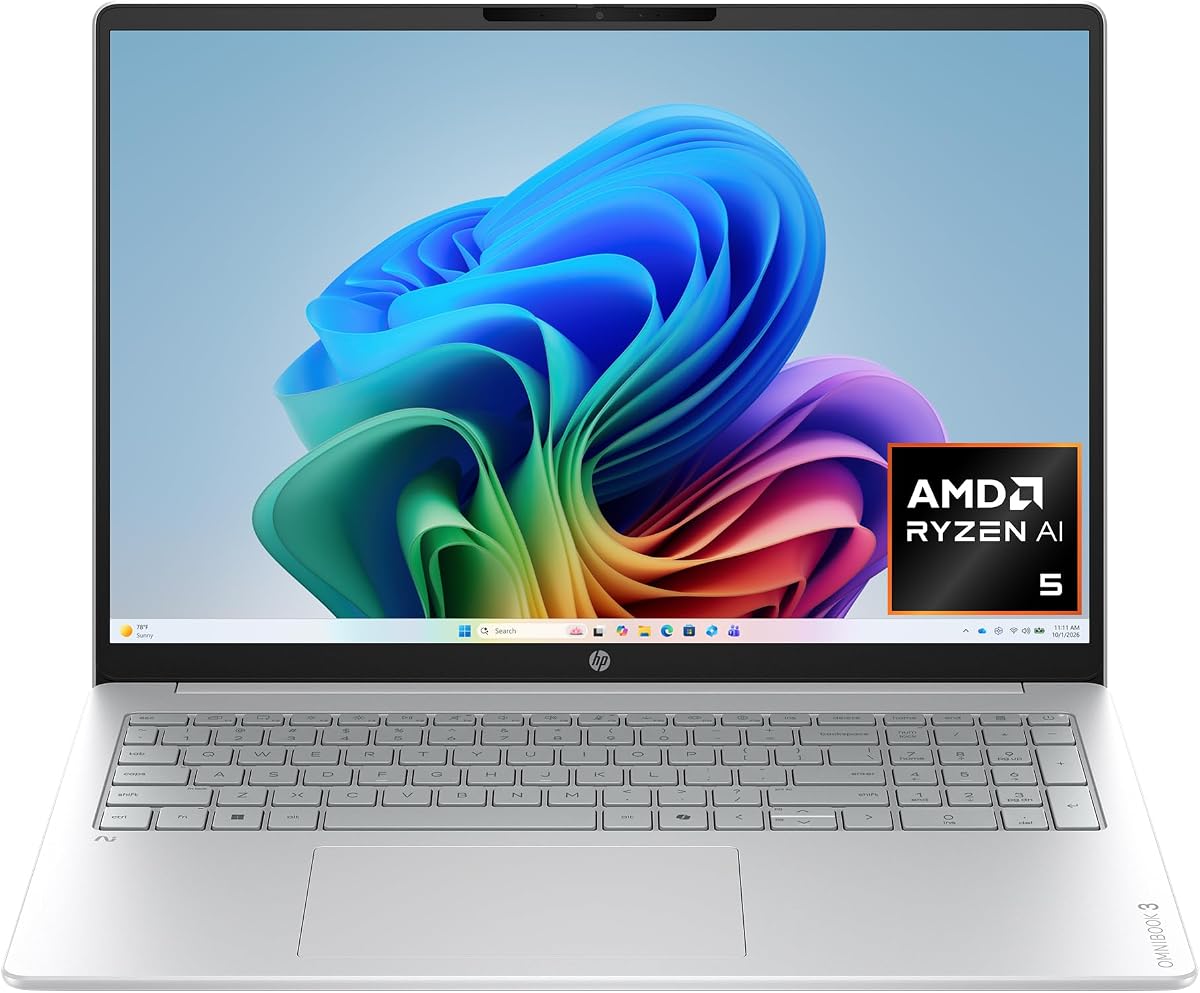
HP OmniBook 3 14 inch Next Gen AI PC
4.4Editor score
Long battery life
2K OLED display
Lightweight design
AI laptops are redefining how we work and create by integrating specialized processors that handle complex tasks locally. These machines offer faster responses and better privacy by keeping data on the device instead of sending it to the cloud for processing.
We evaluated ten top models based on their AI engines, display quality, battery endurance, and overall build. Each device was selected for its ability to deliver next generation computing experiences that streamline daily workflows and support demanding creative applications effectively.
Every pick highlights unique strengths like long battery life, vibrant screens, or powerful processing units. Prices and availability change often so check the latest deals before buying to ensure you get the best value for your specific workflow requirements today.
4.4Editor score
4.8Editor score

5.0Editor score
As an Amazon Associate we earn from qualifying purchases.
The following table provides a side by side comparison of all ten selected AI laptops to help you compare key specifications like processors, memory, storage, and display types quickly without reading full reviews.


The HP OmniBook 3 stands out as a top choice for those seeking a balanced AI laptop. With its high rating and solid processor, it handles daily tasks and creative workloads with ease.
We may earn a commission when you buy through this link, at no additional cost to you.
Its AMD Ryzen AI processor enables Copilot+ features that streamline workflows. The 2K touchscreen offers vibrant colors while noise reduction AI keeps calls clear. Fast charging ensures you spend more time working and less time plugged in.
While 512 GB storage may fill up for heavy users, the speed of the drive helps. The build is functional but not premium. These tradeoffs are acceptable given the performance and price point it delivers.
Ideal for students and professionals who need reliability without overspending. It delivers the best mix of AI features and usability for everyday computing needs.
The Copilot key offers quick access to AI tools. This feature helps users manage tasks faster without switching between windows.
Advanced noise reduction filters out background sounds during calls. This ensures your voice remains the focus during important meetings.
We may earn a commission when you buy through this link, at no additional cost to you.
This ThinkBook targets professionals needing robust security and power. The large RAM and storage support heavy enterprise apps effortlessly without lag.
We may earn a commission when you buy through this link, at no additional cost to you.
Intel Ultra 7 processing handles complex spreadsheets and video calls. Fingerprint readers protect sensitive data while WiFi 6E ensures fast connections. The screen size aids in multitasking on the go.
Though not the lightest option, its durability suits business travel. The display is clear but not as sharp as OLEDs. These factors make it a solid workstation choice.
Recommended for business users prioritizing data security and multitasking. It is a reliable tool for demanding office environments.
Windows 11 Pro adds extra layers of protection. Combined with a fingerprint reader, sensitive data stays safe during travel.
32GB of RAM allows many apps to run simultaneously. This prevents slowdowns when switching between tasks during work.
We may earn a commission when you buy through this link, at no additional cost to you.
The ASUS Vivobook S16 delivers top-tier performance with a perfect OLED screen. Its AI capabilities handle creative tasks smoothly while the design remains slim and stylish.
We may earn a commission when you buy through this link, at no additional cost to you.
AMD Ryzen AI 9 provides the highest NPU power here. The OLED panel offers deep blacks and vivid colors. Fast charge keeps the day flowing while Dolby Atmos enhances sound quality.
While expensive, the build quality justifies the cost. Limited ports might require a hub for some users. These tradeoffs are minor compared to the premium experience provided.
Best for creatives and power users wanting the best display and AI. It sets a high standard for premium AI laptops in 2026.
The OLED display provides deep blacks and vivid colors. This makes it ideal for editing photos or watching movies.
With 50 NPU TOPS, tasks like writing and searching feel instant. It keeps your workflow seamless without delays.
We may earn a commission when you buy through this link, at no additional cost to you.
This model focuses on battery life and display quality. The 14-inch size makes it easy to carry while the OLED screen offers stunning visuals.
We may earn a commission when you buy through this link, at no additional cost to you.
The Intel Ultra 7 processor supports AI tasks well. Smart Sense adjusts performance based on activity to save power. The display offers excellent contrast and color accuracy.
Memory is fixed which limits future upgrades. Integrated graphics are not for gaming but fine for work. These are common tradeoffs for thin laptops.
Ideal for frequent travelers needing long runtime and good visuals. It balances portability with solid AI capabilities effectively.
The battery lasts up to 27 hours. This ensures you can work through long flights or meetings without charging.
Smart Sense switches modes to save energy when not needed. It adapts to your activity for comfort.
We may earn a commission when you buy through this link, at no additional cost to you.
The Snapdragon processor here is great for battery life and connectivity. It offers excellent standby times and cellular options not found in many rivals.
We may earn a commission when you buy through this link, at no additional cost to you.
The 2K OLED screen is bright and vibrant. Otter.ai integration helps capture meeting notes automatically. The privacy shutter adds a layer of security for video calls.
Windows on Snapdragon may face app compatibility challenges. The 512GB storage fills up quickly with media files. These issues are improving as software adapts.
Best for users needing extreme battery life and 5G connectivity. It is a forward-looking device for mobile professionals.
Otter.ai captures audio and transcribes meetings. This feature helps you focus on discussion instead of notes.
Wi-Fi 6E offers fast speeds and reduced lag. It ensures smooth video calls even in crowded areas.
We may earn a commission when you buy through this link, at no additional cost to you.
This is the most affordable option with high-end AI features. It brings OLED screens and long battery life to a lower price bracket.
We may earn a commission when you buy through this link, at no additional cost to you.
The Snapdragon processor handles basic AI tasks well. The 2K OLED panel is vibrant for media. Its light weight makes it easy to carry everywhere.
Storage is smaller than other models so external drives may be needed. Port selection is minimal requiring dongles. These are minor compromises for the price.
Perfect for students or home users on a budget. It offers great value without sacrificing core AI capabilities.
It delivers premium features at an entry price. This makes AI technology accessible to more people.
The lightweight build fits easily in bags. It is designed for users on the move.
We may earn a commission when you buy through this link, at no additional cost to you.
The Dell 16 Plus features the latest Wi-Fi 7 connectivity. Its large screen and high RAM make it great for multitasking.
We may earn a commission when you buy through this link, at no additional cost to you.
Intel Core Ultra 9 provides robust performance for complex tasks. The touchscreen is responsive and useful for navigation. Port selection includes Thunderbolt and HDMI for versatility.
It is larger than rivals which affects portability. The finish shows fingerprints easily without careful cleaning. These factors may deter travelers.
Best for users who need maximum connectivity and screen space. It suits desktop replacements or stationary work.
Wi-Fi 7 offers faster speeds than current standards. This ensures you stay ahead of network demands.
The 16-inch display provides ample room for windows. It helps with productivity when editing content.
We may earn a commission when you buy through this link, at no additional cost to you.
This laptop balances performance and storage well. The Intel Core Ultra 7 ensures smooth AI operations for most tasks.
We may earn a commission when you buy through this link, at no additional cost to you.
The 1TB drive offers plenty of room for files. The keyboard is comfortable with backlighting for low light. The screen is responsive but standard in brightness.
It lacks premium materials like aluminum found elsewhere. This makes it a practical choice rather than luxurious. The design fits standard office needs.
Ideal for general users needing reliable performance and space. It is a solid workhorse for daily duties.
With 1TB of SSD storage you can keep many files local. It reduces the need for cloud subscriptions.
The backlit keyboard allows typing in dim rooms. It enhances comfort during late night sessions.
We may earn a commission when you buy through this link, at no additional cost to you.
The 120Hz refresh rate makes scrolling smooth. This screen is great for visual workflows and gaming. The Snapdragon chip adds modern connectivity.
We may earn a commission when you buy through this link, at no additional cost to you.
AcerSense helps manage settings and optimize video calls. The fast GPU aids in creative tasks. It is a good mid-range option for performance.
Build materials feel cheaper than rivals. Storage is standard but not expandable on some models. These tradeoffs fit the price point well.
Best for users wanting smooth visuals and modern tech. It is a compelling option for casual creators.
The 120Hz screen ensures fluid motion. This enhances the experience when scrolling through content.
These tools streamline settings and video calls. They help you focus on your work without distractions.
We may earn a commission when you buy through this link, at no additional cost to you.
This model pushes performance with high RAM and strong NPU power. It supports Windows 11 Pro for advanced security features.
We may earn a commission when you buy through this link, at no additional cost to you.
The 32GB RAM handles heavy multitasking with ease. Audio quality is enhanced with DTS:X Ultra technology. It offers a robust experience for demanding users.
It is heavier which affects carrying. The price is higher than standard models. These factors reflect its workstation capabilities.
Best for power users needing maximum local AI performance. It serves as a reliable mobile workstation.
Windows 11 Pro adds enterprise security tools. It protects data effectively during business use.
DTS:X Ultra enhances sound clarity and depth. It makes media consumption more immersive.
We may earn a commission when you buy through this link, at no additional cost to you.
Choosing an AI laptop requires looking beyond basic specs. These guides help you select a device that matches your needs and budget effectively.
The heart of an AI laptop is its Neural Processing Unit or NPU. Look for models with high TOPS ratings like 40 or more for smooth AI features. This ensures Copilot+ features work locally without lag.
Higher TOPS mean faster and smarter AI tasks.
AI tasks consume memory so 16 GB is a minimum. 32 GB is better for multitasking and running heavy apps. Storage should be at least 512 GB SSD for speed and space.
Prioritize 16GB RAM and 512GB SSD for longevity.
Displays matter for productivity. OLED panels offer better contrast while IPS provides wider viewing angles. Touchscreens add flexibility for navigation and creative input.
OLED offers better visuals while touch adds versatility.
AI features can drain battery so check real world endurance. Aim for 15+ hours if you work away from outlets. Fast charging helps minimize downtime.
Look for 15+ hours battery for mobile work.
Weight and size affect portability. 14-inch models are light while 16-inch ones offer more screen. Aluminum builds feel premium but plastic saves cost.
Choose size based on mobility needs.
Check for Wi-Fi 6E or 7 and Bluetooth 5.3. Ports like USB-C and HDMI ensure you can connect monitors easily. Good connectivity prevents dongle clutter.
Ensure Wi-Fi 6E and USB-C are available.
Windows 11 Home works well but Pro adds security. Copilot+ features require compatible hardware to function. Check app compatibility especially with Snapdragon models.
Ensure OS supports your required apps.
Prices range from budget to premium tiers. Higher cost brings better screens and build. Balance your needs against price to find the best fit.
Balance needs against price carefully.
To maximize AI features keep your system updated. Drivers for the AI chip need updates to ensure Copilot+ works correctly. Regular updates also patch security vulnerabilities.
Use the Copilot key to access AI tools quickly. It helps automate tasks like summarizing meetings or organizing files. Familiarize yourself with these shortcuts to save time.
Care for your device by using it on flat surfaces. Airflow helps prevent overheating during heavy AI workloads. Clean the screen with a microfiber cloth to avoid scratches.
An AI PC includes a dedicated Neural Processing Unit or NPU. This chip handles complex AI tasks locally without relying on the cloud. It enables features like voice recognition and image processing faster.
Copilot+ PCs offer advanced on-device features like Recall. However standard AI laptops still run Windows 11 well. Choose based on whether you need those specific advanced features.
Prices vary based on specs. Entry models exist while premium ones cost more. You can find options that fit various budgets without losing core AI capabilities.
AI tasks can use more power but efficiency chips help. Many models now offer 15+ hours. Look for large batteries and fast charging support.
Most run Windows 11 but features vary by hardware. Core tasks work on all but advanced AI tools need specific chips. Check compatibility before buying.
16 GB is the minimum for smooth performance. 32 GB is ideal if you run many apps. Aim for 16GB at least.
We reviewed ten models that cover different needs and budgets. Each offers unique strengths like battery life or display quality.
Prioritize the processor and RAM for future proofing. These core specs determine how well the device handles growth.
Prices change frequently so check current deals before buying. Always verify the latest specs to ensure you get the right fit.