
NETGEAR GS348
4.8Editor score
Plug-and-Play Setup
Energy Efficient Operation
Rack Mount Ready
Compare the top 48 Port Gigabit Managed Switch models for enterprise and SMB networks with detailed reviews and specs.
Building a robust network infrastructure requires reliable hardware that can handle high traffic and provide secure connections for multiple devices simultaneously.
We evaluated leading 48 Port Gigabit Managed Switch options based on performance, manageability, security features, and overall value for professional environments.
Each product in this list offers unique advantages tailored to different needs and you should verify current pricing and availability before making a final decision.
4.8Editor score

4.7Editor score

4.8Editor score
This side-by-side comparison highlights the key specifications and distinguishing features of each managed switch to help you find the perfect fit for your network.




The TP-Link SG2452LP stands out as a top choice for organizations needing robust managed networking with cloud capabilities.
We may earn a commission when you buy through this link, at no additional cost to you.
Its integration with the Omada Cloud Management Platform allows IT teams to configure monitor and secure networks remotely without being on-site.
While it lacks Power over Ethernet capabilities the passive cooling design ensures silent operation which is ideal for office environments.
Businesses prioritizing centralized control and security should choose this switch for its reliable performance and extensive feature set.
The Omada ecosystem lets you manage multiple sites from a single interface reducing administrative overhead significantly.
Features like IP-MAC-Port binding and DHCP snooping protect your network from unauthorized access and attacks.
We may earn a commission when you buy through this link, at no additional cost to you.
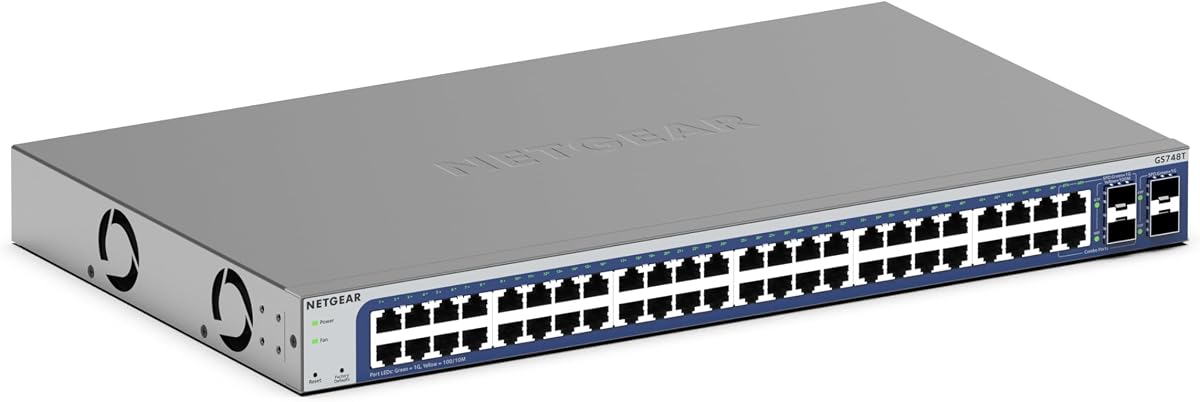
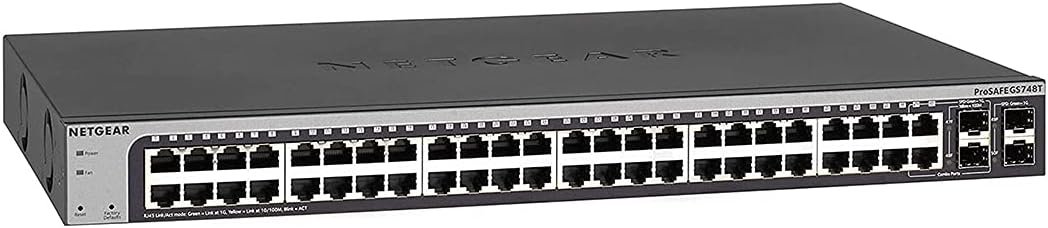
The NETGEAR GS748T offers a balanced approach to managed switching with straightforward software and reliable hardware.
We may earn a commission when you buy through this link, at no additional cost to you.
It includes four SFP ports for fiber connectivity making it versatile for network expansion or uplinking to core switches.
The Insight service provides remote management capabilities which is valuable for distributed offices or remote IT support teams.
Small to medium businesses will appreciate the ease of setup and the robust performance for general office network traffic.
SFP ports allow you to use fiber optics for longer distances or higher bandwidth between network segments.
The intuitive web interface simplifies VLAN configuration and traffic monitoring for network administrators of all skill levels.
We may earn a commission when you buy through this link, at no additional cost to you.
The Omada SG3452 provides advanced L2+ features that facilitate efficient routing and network segmentation without requiring a dedicated controller.
We may earn a commission when you buy through this link, at no additional cost to you.
Its compatibility with the Omada SDN platform ensures you can scale your network infrastructure as your business grows.
Stand-alone mode allows immediate deployment without additional hardware which is useful for smaller setups needing managed features.
Organizations needing static routing and VLAN segmentation will find this switch delivers reliable performance at a competitive price point.
Static routing helps optimize internal traffic flow reducing latency and improving overall network efficiency.
Integrating with SDN enables centralized control over APs and gateways for a unified network management experience.
We may earn a commission when you buy through this link, at no additional cost to you.
This version of the NETGEAR GS748T includes combo ports and a lifetime warranty making it a long-term investment for critical network infrastructure.
We may earn a commission when you buy through this link, at no additional cost to you.
The included mounting hardware ensures you can install the switch in a standard rack cabinet or place it on a desktop with equal ease.
Energy efficiency standards help reduce power costs without sacrificing the high-speed connectivity needed for modern office environments.
Companies valuing long-term support and hardware durability will appreciate the comprehensive warranty coverage and expert assistance available.
A limited lifetime warranty provides peace of mind that your network hardware is protected against manufacturing defects.
Mounting options allow you to adapt the switch to various physical spaces whether in a closet or on a desk.
We may earn a commission when you buy through this link, at no additional cost to you.
The TP-Link TL-SG3452P delivers significant power budget across 48 ports making it ideal for powering IP cameras and access points simultaneously.
We may earn a commission when you buy through this link, at no additional cost to you.
With 384 watts of PoE budget you can connect multiple high-demand devices without needing separate power injectors or adapters.
The switch includes PoE auto recovery to restart connected devices remotely if they stop responding which simplifies maintenance tasks.
Network designers should select this model when deploying extensive wireless or surveillance systems requiring centralized power management.
The 384W budget ensures you can support high-wattage devices while maintaining stable power distribution across all ports.
PoE auto recovery allows you to cycle power to devices remotely eliminating the need for physical resets.
We may earn a commission when you buy through this link, at no additional cost to you.
The NETGEAR GS348 is perfect for organizations that need basic connectivity without the complexity or cost of managed features.
We may earn a commission when you buy through this link, at no additional cost to you.
Its unmanaged nature means you can plug in devices and start using the network immediately without configuring software or settings.
The fanless design ensures silent operation which is beneficial for shared workspaces where noise levels are a concern.
For simple office expansion or basic network needs this switch provides reliable performance at an entry-level price point.
Plug-and-play simplicity saves IT time by eliminating the need for initial setup or software installation.
An affordable price makes it easy to add ports to your network budget without straining financial resources.
We may earn a commission when you buy through this link, at no additional cost to you.
Buying a renewed version of the NETGEAR GS748T allows you to access professional managed features while saving money upfront.
We may earn a commission when you buy through this link, at no additional cost to you.
These units undergo rigorous testing to ensure they meet performance standards before being returned to market.
The ProSAFE lifetime protection offers the same warranty terms as new units providing security for your investment.
Organizations with budget constraints should consider this option to gain advanced networking capabilities without overspending.
Choosing renewed hardware reduces electronic waste and supports environmentally responsible purchasing decisions.
Refurbished units are tested for quality assurance ensuring they perform as reliably as brand-new devices.
We may earn a commission when you buy through this link, at no additional cost to you.
The UBIQUITI EdgeSwitch Lite delivers exceptional throughput suitable for high-demand environments requiring significant data flow.
We may earn a commission when you buy through this link, at no additional cost to you.
Its non-blocking throughput ensures that large data transfers occur without bottlenecks even under heavy load conditions.
The inclusion of SFP+ ports allows for uplinks that exceed standard gigabit speeds which is useful for server connections.
Enterprises prioritizing performance and durability will appreciate the robust hardware and flexible power options available.
Full wire-speed performance ensures all ports can operate simultaneously without data loss or delays.
DC power options provide redundancy and reliability for critical network infrastructure in remote locations.
We may earn a commission when you buy through this link, at no additional cost to you.
The YuanLey switch offers advanced Layer 3 management capabilities and multiple 10G uplinks for complex network architectures.
We may earn a commission when you buy through this link, at no additional cost to you.
With six SFP+ slots you can establish high-speed fiber connections between servers and core routers efficiently.
The built-in 460W power supply ensures consistent PoE delivery even when running multiple high-demand devices.
Network administrators needing high-speed uplinks and robust management features will find this switch highly adaptable.
L3 management enables routing between VLANs improving network segmentation and traffic flow control.
Multiple 10Gbps slots support future-proofing and high-bandwidth needs for data centers or server rooms.
We may earn a commission when you buy through this link, at no additional cost to you.
The NETGEAR GS348TPv2 balances PoE capabilities with smart management features suitable for growing business environments.
We may earn a commission when you buy through this link, at no additional cost to you.
With 380 watts of power budget it supports a wide range of PoE devices without requiring external power sources.
The smart management software allows you to monitor and configure the switch easily through a web interface.
Organizations looking for a reliable managed PoE switch with flexible uplink options should consider this versatile model.
The intuitive software provides quick access to settings and monitoring tools for efficient network administration.
High PoE budget ensures compatibility with various devices including wireless access points and security cameras.
We may earn a commission when you buy through this link, at no additional cost to you.
Selecting the right managed switch involves evaluating technical specs and your specific network requirements carefully.
Ensure the switch offers enough Gigabit ports for your current devices plus room for expansion without needing extra hardware.
Adequate port counts prevent future bottlenecks and simplify network topology design.
If you plan to power devices like cameras or access points choose a model with sufficient PoE budget wattage.
Check total power capacity and per-port output to ensure all connected devices receive stable power delivery.
Managed switches offer VLANs SNMP and remote access capabilities that enhance network security and efficiency.
Determine if you need simple web management or advanced CLI tools for deep customization of network settings.
SFP or SFP+ ports allow for high-speed fiber connections between switches and core routers for better scalability.
More uplink ports provide redundancy and flexibility for connecting different parts of your network.
Choose between desktop or rack-mount designs based on where the switch will be installed in your facility.
Fanless models are quieter and better for office spaces while standard fans ensure cooling in server rooms.
Long-term warranties and responsive technical support reduce downtime risk if hardware failures occur unexpectedly.
Look for lifetime limited warranties and free tech support hours when purchasing networking equipment.
Compare prices across brands to find a balance between features and cost that fits your project budget.
Avoid overspending on features you don't need by focusing on the essentials required for your network.
Advanced security like 802.1X ACLs and DHCP snooping helps protect your network from internal and external threats.
Verify the switch supports industry-standard security protocols to safeguard sensitive data and traffic.
Connect the switch to your router or modem using a quality Ethernet cable to establish your primary network connection.
Access the web interface by entering the default IP address in your browser and change the default admin password immediately.
Regularly update the firmware to ensure security patches are applied and new features are available for your switch.
Managed switches allow you to configure settings like VLANs and security rules while unmanaged switches work out of the box without setup.
PoE is necessary if you plan to power devices like IP cameras or access points directly through Ethernet cables instead of separate adapters.
Yes but managed switches are often overkill for home use unless you have specific segmentation or advanced networking needs at home.
Access the web interface find the VLAN settings and assign ports to specific VLAN IDs to segment traffic logically.
SFP ports allow fiber optic connections for high-speed uplinks extending your network distance and bandwidth capabilities.
Rack mounting organizes equipment in server rooms but desktop placement works fine for small offices with space for standalone units.
Your ideal switch depends on whether you prioritize PoE power cloud management or straightforward reliability for your specific needs.
Investing in a switch with the right features today prevents costly upgrades later as your network traffic grows.
Check current availability and warranty terms before buying to ensure you get the best value for your investment today.