
ASUS ProArt PA32QCV
3.9Editor score
Factory calibrated accuracy
Dual Thunderbolt 4
Free Adobe Creative Cloud
Choosing the right display is crucial for modern workflows. A 32 inch 6K monitor offers exceptional clarity and workspace for professionals needing precise color and detail in their daily tasks.
We evaluated ten top models based on resolution, color accuracy, connectivity, and ergonomic features. Our analysis focuses on real-world performance for creative pros, gamers, and office users.
Each pick highlights unique strengths and potential trade-offs. Prices and availability change frequently, so verify current listings before purchasing to ensure you get the best value today.
3.9Editor score

3.8Editor score

4.6Editor score
As an Amazon Associate we earn from qualifying purchases.
This side-by-side comparison highlights key specifications across all ten models. Compare resolution, connectivity options, and panel technologies to find the perfect match for your setup needs.


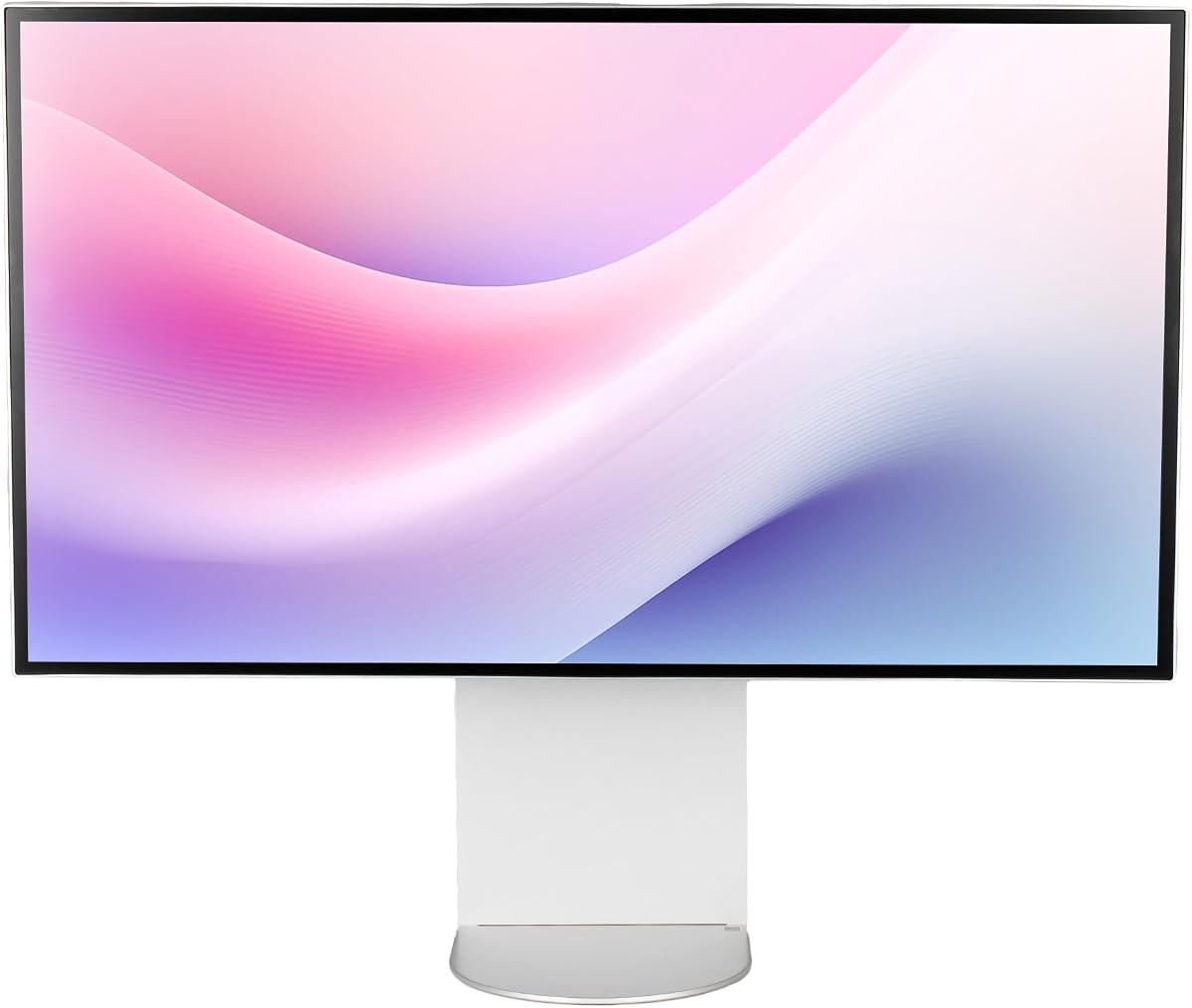
The LG 32U990A-S stands out as a powerhouse for creative professionals. It delivers true 6K resolution with a Nano IPS Black panel that offers deep blacks and vibrant colors. With Thunderbolt 5, it ensures future-proof connectivity for high-speed workflows.
We may earn a commission when you buy through this link, at no additional cost to you.
Its 99.5% Adobe RGB and 98% DCI-P3 coverage make it ideal for photo editing and color grading. The 2000:1 contrast ratio provides exceptional visual depth. The monitor includes a robust stand with tilt, height, and pivot adjustments.
While it lacks high refresh rates for gaming, its focus is on precision. The 60Hz rate is standard for professional work. The price reflects its premium build and advanced features, which may be steep for casual users.
Professionals needing top-tier color fidelity and connectivity will find this monitor unmatched. It is a solid investment for those who prioritize accuracy and future-ready ports over gaming speed.
Nano IPS Black technology enhances contrast significantly compared to standard IPS. This results in richer shadows and more realistic HDR performance for video and photo work.
Thunderbolt 5 offers ultra-fast transfer speeds and supports 6K daisy chaining. This simplifies setups by reducing cable clutter while maintaining high data throughput.
We may earn a commission when you buy through this link, at no additional cost to you.
The ASUS ProArt PA32QCV offers excellent value for professionals seeking 6K clarity. Its factory calibration ensures Delta E less than 2 accuracy right out of the box. This saves time on manual calibration for color-critical tasks.
We may earn a commission when you buy through this link, at no additional cost to you.
Dual Thunderbolt 4 ports allow for daisy-chaining multiple displays. The built-in KVM switch lets you control two computers with one keyboard and mouse. A free three-month Adobe Creative Cloud subscription adds extra value to the purchase.
The resolution is slightly lower than some competitors at 6016 x 3384. It still provides sharp text and ample workspace for most workflows. HDR performance is less emphasized compared to gaming-focused models.
This monitor is perfect for users who want reliability without overspending. The warranty and software bundle make it a compelling choice for small studios or solo creatives.
MacBook Color Matching Mode optimizes display performance for Apple devices. This ensures consistent visuals between your laptop screen and the external monitor.
Rich ports including HDMI and DisplayPort provide flexibility. The USB hub integrates peripherals directly into the monitor setup for cleaner desks.
We may earn a commission when you buy through this link, at no additional cost to you.
The G32P stands out with its glossy finish and robust build quality. This monitor provides vibrant colors and deep blacks thanks to its advanced IPS panel. The honeycomb cooling ensures consistent performance during long sessions.
We may earn a commission when you buy through this link, at no additional cost to you.
With 100W power delivery, it can charge high-performance laptops via a single cable. The 223 PPI pixel density offers razor-sharp text clarity. Its aluminum body feels premium and resists wear over time.
The glossy screen can reflect ambient light, which might be distracting in bright offices. It lacks a built-in stand, so you will need to purchase a VESA mount separately. This adds to the total cost and setup complexity.
Ideal for controlled environments or home studios, this monitor delivers stunning visuals. Those who prioritize build quality and color vibrancy will appreciate its premium design and functionality.
The glossy coating enhances color saturation and contrast. This results in more lifelike images for media consumption and creative projects.
The honeycomb structure aids in heat dissipation. This keeps internal components cool and maintains stable brightness levels over time.
We may earn a commission when you buy through this link, at no additional cost to you.
Samsung's Odyssey G8 introduces a unique dual mode feature for gamers. You can choose between 6K at 165Hz for visuals or 3K at 330Hz for competitive action. This flexibility caters to both detailed work and fast-paced gaming.
We may earn a commission when you buy through this link, at no additional cost to you.
The Fast IPS panel offers wide viewing angles and vivid colors. G-Sync and FreeSync Premium ensure smooth gameplay by reducing screen tearing. The 1ms response time minimizes motion blur effectively.
Color accuracy is not its primary focus compared to professional monitors. The HDR10+ gaming feature optimizes brightness but may lack precise calibration. It is more suited for entertainment than critical editing tasks.
Gamers who want high resolution and speed will love this monitor. It bridges the gap between productivity and entertainment better than most other 6K displays on the market.
Dual mode allows shifting resolution to boost frame rates. This is useful when performance matters more than pixel density.
Multiple inputs like DP 2.1 and HDMI 2.1 support modern consoles. The USB hub adds convenience for peripherals.
We may earn a commission when you buy through this link, at no additional cost to you.
The Dell UltraSharp U3224KB focuses on office productivity. It features a built-in webcam which simplifies video conferencing. The 450 Nit brightness ensures clear visibility even in well-lit environments.
We may earn a commission when you buy through this link, at no additional cost to you.
USB Type-C connectivity allows for quick data transmission and charging. The 6K screen mode provides plenty of workspace for documents and spreadsheets. Dell supports reliability with a standard warranty.
User ratings suggest mixed feedback compared to premium options. The 5ms response time is adequate for work but may lag in gaming. It is a functional tool rather than a visual powerhouse.
This monitor suits users who want a streamlined setup. The integrated webcam saves desk space and reduces the need for extra accessories in remote work settings.
The webcam integration streamlines video calls. This enhances convenience for professionals working from home.
USB-C hubs enable fast data exchange. This keeps cables organized and devices powered simultaneously.
We may earn a commission when you buy through this link, at no additional cost to you.
This bundle includes the LG 32U990A-S with extra accessories. It comes with cable ties and a cleaning kit to maintain the screen. The high user rating reflects satisfaction with the package deal.
We may earn a commission when you buy through this link, at no additional cost to you.
It retains all the professional features of the base model including Thunderbolt 5 and Nano IPS Black. The included stand adjusts easily for ergonomic comfort. This saves time on finding compatible add-ons.
The price is higher than the standalone unit but offers better convenience. Some bundles may have limited stock or vary by region. Always check what is included before purchasing.
Users looking for a complete ready-to-go solution will find this appealing. It simplifies setup and ensures you have the tools needed for immediate use.
The cleaning kit helps preserve screen quality over time. Cable ties ensure wires stay organized for a tidy desk.
Having the stand and accessories in one box speeds up installation. You can start working almost immediately after unboxing.
We may earn a commission when you buy through this link, at no additional cost to you.
The G32X offers a clean and minimalist design for modern desks. It boasts a perfect 5.0 rating from users who appreciate its aesthetics. The anti-glare coating reduces reflections effectively.
We may earn a commission when you buy through this link, at no additional cost to you.
With 100W power delivery, it can charge most laptops efficiently. The stand is ergonomic with height adjustment and pivot. Universal VESA mount compatibility allows for flexible setups.
As a newer brand, specific warranty terms may vary compared to giants. It might lack proprietary software features found in established models. However, hardware performance remains strong.
Design-conscious buyers looking for high resolution without flashy details will prefer this. It offers great utility and looks sleek in any office or home environment.
The minimalist look blends into any decor. This keeps focus on the screen content rather than the hardware.
Adjustable features ensure comfortable viewing angles. This reduces strain during long working hours.
We may earn a commission when you buy through this link, at no additional cost to you.
The G32P features a unique honeycomb cooling design for better heat management. It offers a glossy finish that boosts color vibrancy and contrast. The build quality feels durable with its aluminum body.
We may earn a commission when you buy through this link, at no additional cost to you.
With 223 PPI density, the text appears incredibly sharp. It supports 100W power delivery to keep devices charged. The cooling system helps maintain performance without throttling.
Missing a stand means extra cost and setup effort. The glossy surface may reflect light in bright rooms. Users must consider their environment before choosing this model.
It is a strong option for those who value build quality. The unique design ensures the monitor stays cool even under heavy loads.
The honeycomb pattern aids airflow. This prevents overheating during extended usage.
Glossy finish makes colors pop. This is ideal for media and creative work.
We may earn a commission when you buy through this link, at no additional cost to you.
This bundle provides extra peace of mind with a protection pack. It includes essential cables for quick setup. The Dell brand is known for reliability and support.
We may earn a commission when you buy through this link, at no additional cost to you.
The monitor offers 450 Nit brightness for clear visibility. USB-C connectivity ensures easy data and power transfer. The fast response time helps with general productivity.
User ratings are mixed compared to other models. The warranty adds value but increases the total price. It is a choice for those prioritizing longevity.
Business users or families might appreciate the protection plan. It reduces risk and ensures continuous operation for critical work.
The protection pack safeguards against defects. This ensures you stay productive without interruptions.
Included cables save time on sourcing accessories. This allows for immediate installation and use.
We may earn a commission when you buy through this link, at no additional cost to you.
The ALOGIC Clarity Touch is the world's first 6K touchscreen. It enables intuitive multitouch controls like pinch-to-zoom. The fold stand turns it into a digital drafting board.
We may earn a commission when you buy through this link, at no additional cost to you.
With 216 PPI and factory calibration, colors are accurate. The active stylus supports 4096 pressure levels. This makes it excellent for artists and architects.
It is more expensive than standard monitors. Touchscreens require adjustment if you are used to mouse input. However, the unique workflow benefits are significant.
Artists and educators will love the interactive experience. It bridges the gap between a tablet and a traditional display.
Touch control allows natural navigation. This simplifies zooming and scrolling tasks.
The stylus support enables detailed sketches. This enhances creative work directly on screen.
We may earn a commission when you buy through this link, at no additional cost to you.
Selecting the right 32 inch 6K monitor involves weighing resolution against connectivity. Below are key factors to consider before making your investment.
A 32 inch 6K monitor typically offers resolutions like 6144 x 3456 or 6016 x 3384. This results in pixel densities around 220 PPI, providing incredibly sharp text and images.
Look for higher PPI to ensure clarity. This reduces eye strain during long hours of reading or editing detailed visuals.
Most models use IPS panels for wide viewing angles. Some utilize Nano IPS Black or glossy finishes to enhance contrast and color vibrancy.
Choose IPS for color accuracy. Glossy panels offer deeper blacks but may reflect light.
Thunderbolt 5 and Thunderbolt 4 are critical for high-speed data and video. Ensure the monitor supports the ports available on your laptop.
Check for HDMI and DisplayPort versions too. These allow connection to various devices and hubs.
Professional work requires high color coverage. Look for 98% DCI-P3 or 99% Adobe RGB to ensure accurate reproduction.
Factory calibration guarantees consistent output. This saves time on manual adjustments.
Most 6K monitors run at 60Hz. Gaming models may offer higher rates like 165Hz or 330Hz in dual modes.
Select based on your needs. Higher rates help with gaming, while 60Hz suffices for work.
An adjustable stand with tilt, height, and pivot is essential. Ensure VESA mount support if you prefer a custom arm.
Comfortable ergonomics reduce physical strain. This is vital for productivity.
HDR standards like DisplayHDR 600 improve contrast and brightness. They make media consumption more immersive.
Check certification levels. Higher brightness ensures better HDR visuals.
Prices vary based on features and brand. Premium models often include better warranties and software bundles.
Consider long-term value. A good warranty protects your investment.
Connect your device using the appropriate high-speed cable like Thunderbolt 5 or USB-C. Ensure both the monitor and computer support the resolution to avoid display issues.
Calibrate your display using built-in presets or external tools. This ensures colors remain accurate for editing work. Use standard sRGB for web and DCI-P3 for video.
Clean the screen with a soft microfiber cloth and cleaning solution. Avoid harsh chemicals that might damage coatings. Keep the monitor in a well-ventilated area to prevent overheating.
Not all are optimized for gaming. Standard professional models often run at 60Hz. For gaming, look for models with high refresh rates and fast response times like the Samsung Odyssey G8.
Yes, many 6K monitors support macOS. Ensure your Mac supports Thunderbolt or USB-C video output. Models like the LG UltraFine are designed specifically for Apple users.
It offers more workspace but depends on your workflow. If you use multiple windows side-by-side, 6K provides more real estate than 4K. It helps reduce zooming in design apps.
60Hz is standard and sufficient for work. Gaming requires at least 144Hz. Dual mode monitors let you choose based on the task at hand.
Yes, driving 6K resolution demands significant GPU power. Ensure your system meets the requirements for smooth performance and minimal lag.
Models with Nano IPS Black or ProArt series offer high accuracy. Look for factory calibration and high color gamut coverage like 99% Adobe RGB for professional use.
The LG 32U990A-S leads the list for its Thunderbolt 5 support and color accuracy. The ASUS ProArt PA32QCV offers great value for creatives. The G32P brings premium features for design enthusiasts.
Prioritize color accuracy and connectivity for professional needs. Gamers should focus on refresh rates. Budget-conscious buyers might prefer models with included accessories.
Always check current prices and availability. Tech specs and stock change frequently. Ensure your system meets the requirements for a smooth 6K experience.