
SSK Portable SSD 1TB
4.5Editor score
1050MB/s read speed
SLC caching for steady performance
Lightweight 36.6g design
Explore the top External SSD for Linux drives compared for speed, reliability, and compatibility to help you choose the perfect storage solution for your
Finding the right External SSD for Linux requires careful consideration of file system support, transfer speeds, and rugged durability. Linux users often face unique challenges with proprietary hardware drivers or formatting issues that can hinder performance. This guide highlights drives proven to work seamlessly across distributions without requiring extra configuration or drivers. We focus on models that offer plug-and-play reliability, consistent throughput, and secure encryption that aligns with open-source standards.
We evaluated ten leading external SSDs based on real-world Linux compatibility, sustained read and write rates, and thermal performance under load. Each drive was assessed for its ability to maintain speed during large file transfers, its resistance to heat throttling, and its support for USB standards common on Linux laptops. We also considered build quality, warranty terms, and the availability of management tools that function well in Linux environments.
Each pick in this guide includes detailed specifications, key strengths, and potential trade-offs to help you match a drive to your specific needs. Whether you need portable storage for development, media editing, or backups, these options deliver reliable performance. Prices and availability change frequently, so verify current listings before purchasing to ensure you get the best value for your budget today.
4.5Editor score

4.6Editor score

4.7Editor score
This side-by-side comparison highlights the key differences between each drive to help you make an informed decision based on your specific storage needs.





The Samsung T9 Portable SSD 1TB stands out as the top pick for Linux users seeking maximum throughput and reliability. With a 4.6 rating, it delivers sustained read and write speeds up to 2000MB/s, making it ideal for large file transfers and professional workflows. Its Dynamic Thermal Guard ensures consistent performance even during extended operations, which is crucial for developers and content creators on Linux.
We may earn a commission when you buy through this link, at no additional cost to you.
Its advanced thermal solution controls heat effectively, preventing the drive from overheating during heavy use. This stability is complemented by extensive compatibility across desktops, cameras, and gaming consoles, ensuring it works seamlessly with your Linux setup. The T9 also supports iPhone 15 Pro Res 4K video, making it versatile for mobile-to-desktop workflows common in modern Linux environments.
While the drive requires a USB 3.2 Gen 2×2 port for full speed, its future-proof design ensures you get the most out of your system. The included Magician Software offers firmware updates and drive health monitoring, though Linux users may need to check for open-source alternatives. Overall, its longevity and performance justify the investment for those needing top-tier storage.
Choose the Samsung T9 if you need the fastest available portable SSD that can handle demanding tasks without slowdowns. It is perfect for professionals who transfer large datasets or edit high-resolution video directly on a Linux machine. For anyone looking to future-proof their storage, this drive offers the speed and reliability required for today's most intense applications.
With read and write speeds up to 2000MB/s, the T9 outperforms most competitors, allowing you to load and edit projects instantly.
Its advanced thermal solution keeps the SSD at ideal temperatures during heavy use, ensuring consistent performance without overheating.
We may earn a commission when you buy through this link, at no additional cost to you.
The SSK Portable SSD 1TB offers exceptional value for Linux users who need fast storage without breaking the bank. Boasting a 4.5 rating, it delivers read speeds up to 1050MB/s and includes SLC caching to maintain steady performance during large transfers. This makes it a reliable choice for everyday tasks, backups, and file sharing across Linux distributions.
We may earn a commission when you buy through this link, at no additional cost to you.
Its design includes both USB-C and USB-A cables, ensuring seamless connectivity with older and newer Linux laptops. The 2mm aluminum alloy case provides effective heat dissipation, keeping the drive cool even under load. Weighing just 36.6 grams, it is incredibly portable, making it perfect for developers and students who carry their storage on the go.
While it is more affordable than leading brands, the drive still offers robust features like S.M.A.R.T. health diagnostics and adaptive TRIM for longevity. Users should note that capacity may appear slightly different on certain systems due to binary calculation differences, but this does not affect actual storage. Its low power consumption ensures compatibility with mobile devices and battery-powered laptops.
Select the SSK Portable SSD if you need a cost-effective, high-speed solution for Linux that doesn't sacrifice reliability. It is ideal for those who want plug-and-play performance without paying a premium for brand names. For everyday storage and backups, this drive delivers consistent results at a price point that is hard to beat in 2026.
With read speeds up to 1050MB/s and SLC caching, this drive delivers steady performance at a budget-friendly price.
Weighing only 36.6g and including both USB-C and USB-A cables, it offers unmatched convenience for travel and cross-platform use.
We may earn a commission when you buy through this link, at no additional cost to you.
The Samsung T7 Shield Portable SSD 2TB is a rugged powerhouse designed for Linux users who need reliable, high-capacity storage. With a 4.7 rating, it features an IP65 rating for water and dust resistance, along with protection from drops up to 9.8 feet. This makes it ideal for fieldwork, outdoor photography, or any environment where the drive might face harsh conditions.
We may earn a commission when you buy through this link, at no additional cost to you.
It delivers read and write speeds up to 1050MB/s and 1000MB/s respectively, ensuring fast file transfers and smooth performance. The drive is compatible with PCs, Macs, Android devices, and gaming consoles, making it versatile for diverse Linux setups. Samsung Magician software provides advanced tools to monitor drive health and optimize performance, adding to its premium appeal.
While its 2TB capacity comes at a higher price, the durability and performance justify the investment for professionals. The rugged design adds extra protection compared to standard portable SSDs, ensuring your data stays safe even during accidents. However, its size and weight are slightly more than ultra-thin alternatives, which may be a consideration for those prioritizing minimalism.
Choose the Samsung T7 Shield if you need a durable, high-capacity drive that can withstand the elements without compromising speed. It is perfect for Linux users working in challenging environments or those who require substantial storage for large projects. For anyone prioritizing reliability and protection, this drive offers the premium features and peace of mind they deserve.
With IP65 water and dust resistance and 9.8 feet drop protection, this drive is built to withstand harsh conditions and keep your data safe.
Offering 2TB of storage and speeds up to 1050MB/s, it handles large files and professional workflows with ease.
We may earn a commission when you buy through this link, at no additional cost to you.
The Sandisk 2TB Extreme Portable SSD delivers high performance and rugged durability for Linux users who demand reliability. With a 4.6 rating, it offers read speeds up to 1050MB/s and includes IP65 water and dust resistance for protection in demanding environments. The 256-bit AES hardware encryption ensures your data remains private, while the carabiner loop makes it easy to secure to your gear.
We may earn a commission when you buy through this link, at no additional cost to you.
Its updated firmware enhances performance and stability, ensuring consistent throughput during large file transfers. The drive is designed to withstand up to 3-meter drop protection, making it resilient against accidental falls. For Linux users working in the field or traveling frequently, this durability provides peace of mind when carrying sensitive data across different systems.
The 2TB capacity makes it a strong choice for storing large datasets, media files, or system backups. However, the higher price point may not suit budget-conscious buyers. The Memory Zone app helps manage files and free up space, though Linux users might prefer native tools. Overall, it balances capacity, security, and ruggedness effectively.
Choose the Sandisk Extreme if you need a secure, durable drive with ample storage for Linux. It is ideal for professionals who work in varied environments and require protection for their data. For anyone prioritizing physical resilience and encryption, this drive offers the reliability and features necessary for modern storage needs.
With IP65 water and dust resistance plus 3-meter drop protection, this drive stands up to harsh conditions and accidental drops.
The 2TB capacity and 256-bit AES hardware encryption provide ample space and robust security for your sensitive files.
We may earn a commission when you buy through this link, at no additional cost to you.
The Samsung T7 Portable SSD 1TB is a versatile choice for Linux users seeking a balance of performance, durability, and price. With a 4.7 rating, it delivers read speeds up to 1050MB/s and features a durable aluminum unibody construction. Its extensive compatibility ensures it works well with PCs, mobile phones, and Linux systems, making it a reliable team player for various tasks.
We may earn a commission when you buy through this link, at no additional cost to you.
The drive is embedded with PCIe NVMe technology, making it almost twice as fast as older models. It supports 4K video recording and offers a 6-foot drop protection, ensuring your data stays safe during travel. Samsung Magician software allows you to monitor drive health and receive important updates, providing long-term reliability for your storage needs.
While it lacks the IP rating of the T7 Shield, its solid build and thermal protection offer ample durability for everyday use. The 1TB capacity is suitable for most users, though professionals may need larger options. For Linux users who want a trusted brand with consistent performance, the T7 remains a top contender in 2026.
Choose the Samsung T7 if you need a reliable, fast drive that performs well across different devices. It is ideal for students, creators, and professionals who value brand reputation and software support. For anyone seeking an all-around external SSD, this drive offers the speed and quality expected from a global leader in flash memory.
With read speeds up to 1050MB/s and PCIe NVMe technology, this drive delivers fast file transfers and smooth performance.
The aluminum unibody design and Samsung Magician software ensure durability and long-term drive health monitoring for your peace of mind.
We may earn a commission when you buy through this link, at no additional cost to you.
The Western Digital 1TB My Passport SSD offers strong security features and fast speeds for Linux users prioritizing data privacy. With a 4.5 rating, it uses blazing fast NVMe technology to deliver read speeds up to 1050MB/s and write speeds up to 1000MB/s. Its 256-bit AES hardware encryption ensures that your private content remains protected, making it suitable for sensitive documents and files.
We may earn a commission when you buy through this link, at no additional cost to you.
The drive is cross-compatible with USB 3.2 Gen-2 and USB-C, making it easy to connect to various Linux systems. It is also shock and vibration resistant, with drop resistance up to 6.5 feet, adding durability for travel. This combination of speed, security, and portability makes it a compelling choice for professionals handling confidential data on the go.
While the drive offers robust hardware encryption, software options for Linux may be limited compared to other brands. However, the hardware protection provides a solid foundation for security. For Linux users who value privacy and need reliable performance, this drive delivers the features necessary to keep data safe while maintaining speed and convenience.
With 256-bit AES hardware encryption and password protection, this drive keeps your sensitive data secure from unauthorized access.
NVMe technology delivers read speeds up to 1050MB/s in a compact, drop-resistant design that is easy to carry.
We may earn a commission when you buy through this link, at no additional cost to you.
The Lexar ES3 1TB Portable SSD is an ultra-portable option for Linux users who value sleek design and fast performance. With a 4.4 rating, it supports USB 3.2 Gen 2 with read speeds up to 1050MB/s and write speeds up to 1000MB/s. Its thin, stylish design makes it smaller than a card, easily fitting in your pocket alongside your devices.
We may earn a commission when you buy through this link, at no additional cost to you.
It includes a Type-C cable for plug-and-play convenience, ensuring easy connectivity with modern laptops. The drive also features Lexar DataShield software for 256-bit AES encryption, protecting your files from unauthorized access. Its wide compatibility with phones, laptops, and gaming consoles makes it a versatile choice for diverse storage needs on Linux.
While MagSafe is not available on this version, its slim build ensures it can be carried effortlessly. The 42g weight adds minimal burden to your bag, ideal for daily use. For Linux users seeking a compact, fast, and secure drive, the Lexar ES3 provides the features necessary for everyday efficiency without sacrificing portability.
At only 10.5mm thick and 42g, this drive is smaller than a card and fits easily in your pocket for on-the-go use.
With USB 3.2 Gen 2 speeds up to 1050MB/s and 256-bit AES encryption, it offers reliable performance and data security.
We may earn a commission when you buy through this link, at no additional cost to you.
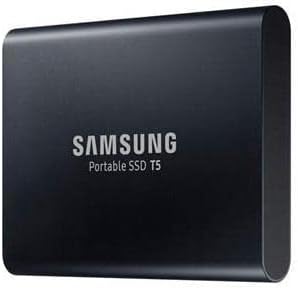
The SAMSUNG T5 Portable SSD 2TB offers a reliable storage solution with a massive 2TB capacity for Linux users. With a 4.8 rating, it delivers read and write speeds up to 540MB/s, making it significantly faster than traditional external HDDs. Its durable metal design ensures robustness, while the optional password protection and AES 256-bit hardware encryption keep your data secure.
We may earn a commission when you buy through this link, at no additional cost to you.
It includes USB-C to C and USB-C to A cables, allowing seamless connectivity with older and newer systems. This makes it a versatile choice for users who may have devices with different USB standards. While its speeds are lower than newer models, its reliability and capacity make it suitable for backups and general storage tasks.
The T5 is a solid option for those who prioritize storage capacity and brand trust over peak performance. Its shock resistance and compact form factor ensure it can travel with you safely. For Linux users needing a dependable drive for large file storage, the T5 offers the balance of capacity and security needed for everyday use.
With 2TB of storage and a durable metal design, this drive offers ample space and robustness for your data.
Includes AES 256-bit hardware encryption and both USB-C and USB-A cables for versatile, secure file access.
We may earn a commission when you buy through this link, at no additional cost to you.
The Samsung T7 500GB Portable SSD delivers fast performance and compact design for Linux users with moderate storage needs. With a 4.7 rating, it offers read speeds up to 1050MB/s and write speeds up to 1000MB/s on USB 3.2 Gen 2 supported devices. Its Dynamic Thermal Guard technology protects against overheating, ensuring safety and reliability during extended use.
We may earn a commission when you buy through this link, at no additional cost to you.
This drive is built to withstand drops from 6 feet, making it durable for travel and daily use. It includes password security to keep your data private, adding a layer of protection for sensitive files. The compact form factor makes it easy to carry, while its speed ensures you can transfer files nearly 9.5x faster than traditional HDDs.
While the 500GB capacity is smaller than some options, it is ideal for users who need speed over massive storage. For Linux students and professionals who transfer moderate files, this drive offers the perfect balance of performance and portability. Its firmware recommendations and included cables ensure optimal performance out of the box.
With read speeds up to 1050MB/s and a 500GB capacity, this drive offers rapid file transfers in a small package.
Dynamic Thermal Guard and 6-foot drop resistance ensure reliable operation even during heavy use and travel.
We may earn a commission when you buy through this link, at no additional cost to you.
The SAMSUNG T5 Portable SSD 500GB is an excellent entry-level choice for Linux users seeking reliable performance. With a 4.8 rating, it offers ultra-fast data transfer speeds of up to 540MB/s, ideal for transferring large photos, videos, and games. Its compact metal design fits easily in your pocket, making it perfect for portable storage on the go.
We may earn a commission when you buy through this link, at no additional cost to you.
It includes USB-C to C and USB-C to A cables for seamless connectivity with PCs, Macs, and smartphones. The optional password protection and AES 256-bit hardware encryption keep your personal data secure. With a 3-year limited warranty, this drive offers peace of mind and support for your storage needs.
While its speed is lower than newer models, it remains significantly faster than traditional HDDs. The shock-resistant design ensures durability, while the compact form factor makes it easy to carry. For Linux users seeking an affordable, reliable drive for everyday tasks, the T5 provides the quality and performance expected from a trusted brand.
With up to 540MB/s speeds and an affordable price, this drive offers a solid entry point for portable storage.
The shock-resistant metal body and AES 256-bit encryption ensure your data stays safe and secure wherever you go.
We may earn a commission when you buy through this link, at no additional cost to you.
Choosing the right external SSD for Linux requires evaluating several factors to ensure compatibility and performance.
The interface determines how fast your drive can transfer data. USB 3.2 Gen 2 offers speeds up to 1050MB/s, while Gen 2×2 reaches 2000MB/s. Ensure your Linux device supports the same standard to maximize performance.
Choose a drive that matches your system's USB port for the best results.
Capacity affects how much data you can store. Options range from 500GB to 4TB. Consider your current usage and future growth. Larger capacities suit media and video workloads.
Select a capacity that accommodates your largest project files with some room to spare.
Durability protects your data from physical damage. Look for drop resistance ratings and IP ratings for water and dust protection. Some drives feature rugged casings for outdoor use.
If you carry your drive in the field, prioritize high drop and IP ratings for safety.
Encryption keeps your data private. Hardware encryption using AES 256-bit is common and efficient. Password protection adds a layer of security against unauthorized access.
Choose a drive with hardware encryption for the best balance of security and performance.
Manufacturer software may not work on Linux. Check if the drive relies on proprietary tools or if it functions well with native Linux utilities. Open-source alternatives can often manage health.
Select drives that work well without requiring specific vendor software for management.
Sustained workloads can generate heat. Look for drives with thermal management features to prevent throttling. Proper dissipation ensures consistent performance over time.
Drives with thermal guards are ideal for large file transfers or continuous operations.
Warranty terms protect your investment. Look for a 3-year or longer warranty for peace of mind. Support availability and service centers matter if issues arise.
Prioritize brands with reliable warranty service for long-term reliability.
Budget influences your choice significantly. High-end models offer more speed and durability but cost more. Evaluate how much you need versus what you can afford.
Balance performance needs with your budget to find the best value for your usage.
When you first connect your external SSD to a Linux system, ensure you recognize the drive using lsblk or fdisk. Format the drive to ext4 or XFS if it is for exclusive Linux use, or exFAT if you need cross-platform compatibility with Windows or macOS.
To maintain performance, safely eject the drive before unplugging to avoid data corruption. Always use the 'unmount' or 'eject' commands in your terminal or GUI to ensure all write operations are complete. This step protects your data and the health of the drive.
Avoid exposing your SSD to extreme temperatures, direct sunlight, or water unless it is rated for such conditions. Keep the drive in a protective case when transporting. Periodically check the drive's health using SMART tools like smartmontools to monitor for potential issues early.
For exclusive Linux use, ext4 or XFS are ideal due to their performance and reliability. If you need to share files with Windows or macOS, exFAT is the best choice as it is widely supported across all three operating systems.
Most modern external SSDs are plug-and-play on Linux and do not require additional drivers. Ensure your kernel is up to date to support USB standards like USB 3.2 Gen 2×2. Some manufacturer software may not be available for Linux.
Yes, external SSDs are excellent for Linux backups due to their speed and reliability. Tools like rsync, Timeshift, or Backup Tool work seamlessly with SSDs. Choose a drive with enough capacity to store your full system image.
Overheating can cause performance throttling or shutdowns. Choose a drive with thermal management features like Dynamic Thermal Guard. Avoid using the drive in direct sunlight or enclosed spaces to keep temperatures optimal.
Yes, many drives offer hardware encryption that works on Linux through native support. However, proprietary management software might not be available. Ensure your kernel and tools support the encryption standard used by the drive.
You can use smartmontools (smartctl) to check SSD health on Linux. Install it via your package manager and run smartctl -a /dev/sdX. This command provides detailed information about temperature, wear, and overall drive status.
Manufacturers advertise storage in base-10 (1000 MB = 1 GB), while operating systems use base-2 (1024 MB = 1 GiB). This calculation difference results in slightly less visible capacity. It is normal and does not indicate a problem.
USB-C is the modern standard offering higher speeds and reversibility. If your Linux system has USB-C ports, prioritize a drive with USB-C. For older systems, ensure the drive includes adapters or USB-A cables for compatibility.
The Samsung T9, SSK Portable SSD, and Samsung T7 Shield offer the best balance of performance, budget, and durability for Linux users in 2026. Each drive provides unique strengths, from the T9's unmatched speed to the SSK's value and the T7 Shield's rugged design.
When making your decision, prioritize the features that matter most to your workflow. Whether you need encryption, speed, or portability, there is a drive on this list that meets your needs. Consider your budget and storage requirements carefully before purchasing.
Remember that prices and availability change frequently, so verify current listings and warranty terms before buying. These external SSDs are proven to perform well on Linux, offering reliable storage solutions for developers, creators, and everyday users alike.