
BenQ Zowie XL2566X+
4.3Editor score
400Hz refresh rate
DyAc 2 blur reduction
Sharp FHD visuals
Gaming monitors have evolved significantly, offering features that enhance speed and clarity. A good gaming monitor provides high refresh rates and low response times to ensure smooth gameplay.
We compared ten top models based on their panel types, refresh rates, and unique technologies. Our analysis focuses on performance metrics that matter most to competitive and casual gamers.
Each pick highlights key strengths and potential trade-offs for different needs. Prices and availability change frequently, so verify current details before making your final purchase decision.
4.3Editor score

4.6Editor score

4.2Editor score
As an Amazon Associate we earn from qualifying purchases.
The following table presents a side-by-side comparison of all ten selected BenQ monitors. It highlights key specifications like resolution, refresh rate, and panel type to help you quickly identify the best match for your setup.


The BenQ Zowie XL2586X+ stands out as a top contender for serious gamers. With a 600Hz refresh rate and advanced DyAc 2 technology, it delivers unparalleled motion clarity and sharp visuals during fast-paced gameplay.
We may earn a commission when you buy through this link, at no additional cost to you.
Its new vivid color film improves color performance by 35%, making targets easier to spot. The fast TN panel ensures minimal lag, while the dual backlight system reduces blur without causing eye strain.
While TN panels typically suffer from narrow viewing angles, this model focuses on competitive performance where speed is paramount. The enhanced electrical conductivity further reduces overshoot, ensuring crisp image transitions.
This monitor is ideal for competitive players who demand the highest speed and clarity. If you prioritize performance over color accuracy or wide viewing angles, the XL2586X+ is the definitive choice for esports.
The DyAc 2 technology uses dual backlight to eliminate motion blur, ensuring you see every pixel clearly even during rapid movements.
A newly developed vivid color film boosts color accuracy and vibrancy, helping players distinguish enemies more effectively than standard TN panels.
We may earn a commission when you buy through this link, at no additional cost to you.
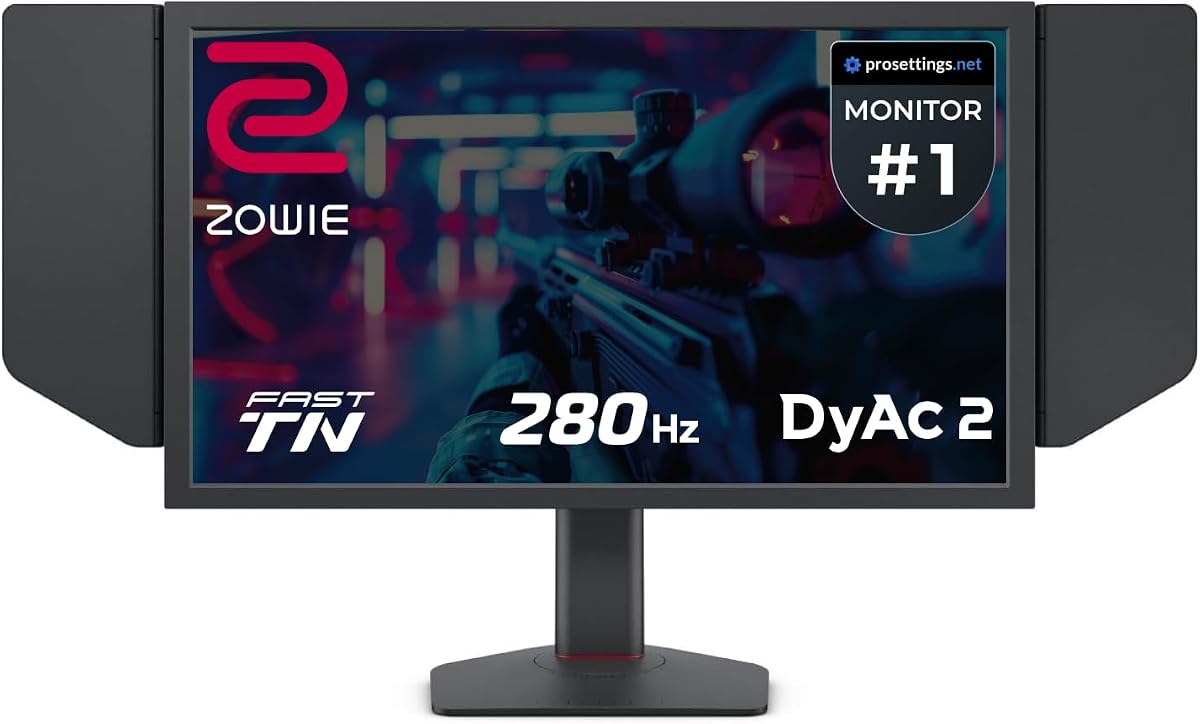
The BenQ Zowie XL2566X+ brings high-end esports features to a more accessible price point. It maintains the crucial 400Hz refresh rate and DyAc 2 technology found in higher-tier models.
We may earn a commission when you buy through this link, at no additional cost to you.
Its Fast TN panel provides clearer outlines and sharper images compared to IPS, helping you focus on moving targets without distraction. The redesigned panel reduces overshoot for smoother motion.
Although it lacks the premium features of the 600Hz model, it still offers significant color improvements over older TN screens. This balance makes it a strong option for budget-conscious competitive gamers.
If you need professional-grade motion clarity without the premium cost, the XL2566X+ is an excellent investment. It ensures you stay competitive without breaking the bank on unnecessary extras.
Native FHD resolution ensures that every enemy and detail is rendered with maximum sharpness, crucial for spotting targets in chaotic games.
DyAc 2 technology enhances performance in blur reduction while offering soft light output that adapts to your eyes during long sessions.
We may earn a commission when you buy through this link, at no additional cost to you.
The BenQ MOBIUZ EX271U caters to gamers who value visual fidelity and connectivity options over raw speed. Its 4K resolution and 165Hz refresh rate provide a rich, detailed gaming experience.
We may earn a commission when you buy through this link, at no additional cost to you.
Features like built-in eARC support up to 7.1 channels, enhancing audio without external gear. The KVM function allows seamless switching between devices via DP, HDMI, and USB-C.
While it may not match the speed of the Zowie series, its Pixsoul Engine and color presets optimize gameplay visuals. This monitor bridges the gap between high-performance gaming and multimedia consumption.
Ideal for console gamers and PC enthusiasts who want crisp visuals and versatile connectivity. If you play story-driven games or use a console, this premium monitor delivers a top-tier experience.
The built-in eARC support and vibrant color engine ensure that sound and visuals sync perfectly for a fully immersive gaming environment.
Seamless connectivity across platforms with HDMI 2.1, DP 1.4, and USB-C makes this monitor perfect for multi-device gaming setups.
We may earn a commission when you buy through this link, at no additional cost to you.
The BenQ Zowie XL2546X+ offers a reliable entry into high-performance esports monitors. With a 280Hz refresh rate and DyAc 2, it ensures smooth motion and clarity for competitive play.
We may earn a commission when you buy through this link, at no additional cost to you.
Its Fast TN panel provides sharper outlines of moving images, reducing distractions from unwanted afterimages. The redesigned panel improves conductivity for reduced overshoot and better responsiveness.
Color performance has been meticulously redesigned to offer vibrant hues, making it easier to identify enemies. While slightly slower than newer models, it remains a favorite among many pros.
This monitor is perfect for players who need a balance of speed and affordability. It delivers the core Zowie experience without the highest price tag, making it a trustworthy option.
The fast TN panel provides clearer outlines, helping you focus on critical game elements without unwanted afterimages.
Meticulously redesigned color performance offers greater clarity in identifying enemies, giving you a tactical edge.
We may earn a commission when you buy through this link, at no additional cost to you.
The BenQ MA320U is designed specifically for MacBook users who want to game on a high-quality display. It features exclusive color tuning and 90W power delivery for a seamless connection.
We may earn a commission when you buy through this link, at no additional cost to you.
With 90% P3 color gamut and Mac color match, colors look vibrant and accurate. The dual USB-C ports allow you to expand your display and charge your devices simultaneously.
While primarily aimed at productivity, its 4K resolution provides crisp visuals for casual gaming. Integrated MacBook controls let you adjust brightness and volume directly from your keyboard.
If you are a Mac user looking for a monitor that works perfectly with your ecosystem, this is the top choice. It offers convenience and visual quality tailored for Apple devices.
Integrated controls and USB-C hubs make connecting and managing your MacBook display effortless and efficient.
The 4K display ensures that game assets and UI elements are rendered with crystal clarity and precision.
We may earn a commission when you buy through this link, at no additional cost to you.
The BenQ GW2790Q emphasizes comfort without sacrificing performance. Its IPS panel and Low Blue Light Plus technology filter harmful rays while maintaining vivid color quality.
We may earn a commission when you buy through this link, at no additional cost to you.
Brightness Intelligence Technology auto-adjusts brightness based on ambient conditions to protect your vision. Coding and ePaper modes ensure readability during long sessions.
With an input hotkey, you can switch devices with a single click. The ultra-slim bezel and ergonomics make it comfortable for both gaming and work.
Ideal for gamers who play for long hours and need to reduce eye fatigue. This monitor balances performance with advanced eye-care features for a healthier experience.
Low Blue Light Plus filters harmful radiation while maintaining vibrant color quality for comfortable long-term viewing.
Brightness Intelligence Technology automatically adjusts screen brightness to match ambient light, reducing strain.
We may earn a commission when you buy through this link, at no additional cost to you.
The BenQ RD320U features a Nano Matte Panel that minimizes reflections and distractions. With a 2000:1 contrast ratio, it delivers deeper blacks and high contrast for detailed visuals.
We may earn a commission when you buy through this link, at no additional cost to you.
Night Hours Protection offers minimum brightness technology for eye safety in dark rooms. Coding modes with Dark and Light themes ensure clear fonts and better differentiation.
While marketed for programming, the high contrast and clarity benefit strategy games and RPGs. The MoonHalo Backlight provides customizable ambient light for focus and comfort.
Best for gamers who play in dark environments and need reduced glare. Its superior contrast and matte screen make it excellent for immersive visual experiences without reflections.
The Nano Matte Panel diffuses ambient light, preserving color accuracy and reducing glare during intense gaming sessions.
Minimum brightness technology protects your eyes during night hours, ensuring comfort even in dark rooms.
We may earn a commission when you buy through this link, at no additional cost to you.
The BenQ GW2486TC combines office productivity with casual gaming capabilities. Its USB-C hub and 60W power delivery make it a versatile workstation solution.
We may earn a commission when you buy through this link, at no additional cost to you.
Integrated noise-cancelling microphone reduces background noise during calls. Eye-Care Technology ensures optimal comfort during extended sessions, while height adjustments support ergonomics.
With daisy chain support, you can expand your setup easily. The IPS panel provides consistent colors, making it suitable for both gaming and media consumption.
Perfect for players who need a single monitor for work and light gaming. Its connectivity options and comfort features ensure you stay productive and engaged.
USB-C hub and 60W power delivery allow you to synchronize images and charge devices with a single cable.
The built-in noise-cancelling microphone helps reduce background noise during communication sessions.
We may earn a commission when you buy through this link, at no additional cost to you.
The BenQ PD2706QN offers exceptional color accuracy with factory calibration and an average Delta E ≤ 2. It supports ICCsync to match profiles between Mac and monitor.
We may earn a commission when you buy through this link, at no additional cost to you.
Anti-glare Nano Matte ensures enhanced eye comfort during long sessions. Its 95% P3 and 100% sRGB coverage deliver vibrant, consistent colors for creative work and gaming.
With 90W USB-C, you can power your Mac and display via a single cable. The ergonomic stand allows tilt, pivot, and swivel adjustments for ideal positioning.
Ideal for gamers who value precise color reproduction. If you work with media or want accurate game visuals, this monitor provides a reliable high-quality display.
ICCsync ensures automatic matching and syncing of ICC profiles for intuitive color matching across displays.
Nano Matte Panel diffuses ambient light to preserve contrast and reduce glare, enhancing eye comfort.
We may earn a commission when you buy through this link, at no additional cost to you.
The Acer Nitro KG241Y provides competitive gaming features at a budget-friendly price. With a 180Hz refresh rate and 1ms response time, it ensures smooth and lag-free gameplay.
We may earn a commission when you buy through this link, at no additional cost to you.
Its Zero-Frame Design maximizes screen space and offers a sleek look. HDR Ready support and AMD FreeSync Premium reduce tearing and stuttering during fast action.
The VA panel offers decent color saturation and contrast. While not as high-end as BenQ options, it serves as a strong alternative for casual or entry-level players.
If you need a high-refresh gaming monitor without spending too much, this model is a solid contender. It delivers performance and visual quality that rivals more expensive options.
180Hz refresh rate and 1ms response time ensure minimal lag and smoother gameplay experiences.
Ports include Display Port 1.2 and 2x HDMI 2.0 for versatile connection options.
We may earn a commission when you buy through this link, at no additional cost to you.
Choosing the right gaming monitor requires understanding several technical factors. This section breaks down the key elements that affect performance and usability.
Refresh rate, measured in Hertz (Hz), indicates how many frames the monitor can display per second. Higher refresh rates like 144Hz, 240Hz, or 600Hz result in smoother motion and reduced input lag. For competitive gaming, higher refresh rates are essential as they provide a smoother and more responsive experience.
Prioritize refresh rates above 144Hz for competitive titles. Ensure your PC can output enough frames to match the monitor's refresh rate.
Panel type determines color quality, viewing angles, and response speed. TN panels offer the fastest response times but have poor viewing angles. IPS panels provide better colors and angles but may be slightly slower. VA panels offer high contrast but often have slower response times.
Choose TN for competitive FPS games and IPS for immersive single-player experiences. Consider your priority between speed and visual quality.
Resolution affects image sharpness. 1080p is standard for competitive gaming as it requires less GPU power. 1440p offers a balance of sharpness and performance. 4K delivers stunning visuals but demands powerful hardware to maintain high frame rates.
Match resolution to your PC's capability. 1080p ensures high frame rates for esports. 1440p or 4K is better for visual fidelity.
Adaptive sync technologies like FreeSync and G-Sync eliminate screen tearing by matching the monitor's refresh rate to the GPU. This results in smoother gameplay without stuttering or artifacts. It is crucial for competitive and casual gaming alike.
Always ensure the monitor supports the sync technology compatible with your GPU. This eliminates visual artifacts and improves fluidity.
Response time, measured in milliseconds (ms), is the time taken to change pixel colors. Lower response times prevent ghosting and motion blur. Fast gaming monitors typically feature response times of 1ms to 5ms. Anything higher may lead to blurry motion in fast games.
Look for response times of 1ms (GtG) or lower for fast-paced games. This ensures crisp image transitions during action sequences.
Connectivity ensures the monitor works with your devices. HDMI 2.1 supports higher resolutions and refresh rates. DisplayPort 1.4 is essential for high-bandwidth needs. USB-C with power delivery simplifies setups for laptops. Ensure your cables support the required bandwidth.
Verify your PC has the necessary ports. HDMI 2.1 and DP 1.4 are essential for 4K or high refresh rate gaming.
Ergonomics protect your health during long sessions. Height adjustment, tilt, and swivel allow you to set the screen at eye level. VESA mounting enables flexible positioning. Poor ergonomics can lead to neck and eye strain over time.
Choose monitors with fully adjustable stands or VESA compatibility. Proper positioning prevents fatigue and enhances comfort.
Eye care technologies reduce strain. Flicker-free backlights prevent invisible flickering that causes headaches. Low blue light filters protect your eyes from harmful rays. Anti-glare coatings reduce reflections. These features are vital for extended play sessions.
Look for certifications like TÜV Rheinland or built-in eye care modes. Prioritize comfort features to maintain long-term health.
Calibrate your monitor using built-in tools or software for accurate colors. Adjust brightness and contrast settings to match your room lighting. This ensures consistent visuals and prevents eye strain.
Keep your screen clean using a microfiber cloth and specialized cleaning solutions. Avoid harsh chemicals that can damage the coating. Dust and smudges reduce visibility and clarity.
Update firmware and drivers regularly to ensure performance stability. Proper ventilation prevents overheating during long sessions. Secure cables to avoid accidental disconnections.
DyAc 2 improves upon the original technology with enhanced dual backlight control. It offers better blur reduction and softer light output for better eye adaptation during competitive gaming.
Not necessarily. TN panels offer the fastest response times and highest refresh rates, making them ideal for competitive esports where speed is more important than viewing angles.
For competitive shooters, yes. For single-player or narrative games, 144Hz is usually sufficient. Higher refresh rates are most beneficial for fast-paced genres.
It reduces eye strain by eliminating screen flicker and filtering harmful blue light. This ensures long gaming sessions remain comfortable and healthy for your eyes.
KVM allows you to control multiple devices with one set of peripherals. It simplifies switching between PC and console or workstations seamlessly.
Yes, especially models with USB-C support like the MA320U. They ensure proper color calibration and power delivery for MacBook users.
We reviewed ten top models ranging from high-speed esports displays to versatile multimedia options. The BenQ Zowie XL2586X+ leads with its unmatched motion clarity, while the MOBIUZ EX271U offers stunning visual fidelity.
Prioritize refresh rate and panel type based on your gaming style. Competitive players should focus on speed and blur reduction, while casual gamers may prefer resolution and color accuracy.
Remember that prices and availability fluctuate regularly. Always check current listings and verify specs before purchasing to ensure you get the best value and performance.