
Switch Cooling Fan with Bottom Cooling
4.0Editor score
Vertical stand design
Real-time RPM display
Anti-slip padding
Find the best cooling fan Nintendo Switch dock accessories to prevent overheating and improve performance during long gaming sessions on your console.
Keeping your console cool is essential for uninterrupted gaming. A quality cooling fan Nintendo Switch dock accessory helps maintain optimal temperatures and protects your hardware from thermal stress.
We compared ten top-rated products based on cooling performance, noise levels, ease of installation, and design compatibility. Our analysis ensures you find a reliable solution for your specific model.
Each pick highlights key features, pros, and cons to help you decide. Prices and availability may change, so check current listings before making your final purchase decision today.
4.0Editor score

4.6Editor score

4.4Editor score
This table provides a side-by-side comparison of all ten products to help you quickly identify the right cooling solution for your Switch dock setup.



This cooling fan ranks highly for its detailed LED display and adjustable speed controls. It effectively lowers the temperature of your Switch while docked, preventing thermal throttling during intense gaming sessions.
We may earn a commission when you buy through this link, at no additional cost to you.
The ability to monitor both fan RPM and exhaust temperature gives you precise control over your cooling setup. The fixed pad stabilizes the unit between the console and dock, ensuring no scratches occur.
While it is quiet at lower speeds, users may hear some fan noise when pushing it to maximum performance. However, the trade-off is worth the improved heat dissipation during long play periods.
Ideal for serious gamers who want visibility into their console's thermal state, this kit is a reliable choice for maintaining hardware health and uninterrupted gameplay on your Switch dock.
The LED display shows current fan speed and air temperature, letting you adjust cooling dynamically based on game load.
Included sponge pads prevent slipping and scratching, keeping your console secure and safe while the fan operates.
We may earn a commission when you buy through this link, at no additional cost to you.
This cooler is designed specifically for the original Switch dock, utilizing three high-speed fans to enhance heat dissipation. It helps keep the console cool during extended gaming hours to reduce the risk of overheating.
We may earn a commission when you buy through this link, at no additional cost to you.
Installation is straightforward as you simply insert the unit into the back of the dock and connect to the USB port. The Turbo and Normal modes let you balance noise and cooling performance as needed.
Some users report mixed experiences regarding overall satisfaction, likely due to variability in fan noise or build quality. However, for those seeking a multi-fan solution for their original dock, it remains an option.
If you own the original dock model and want a dedicated multi-fan accessory, this product offers a direct way to improve airflow and protect your system from thermal stress.
Three internal fans work together to move more air through the dock base than a single fan could achieve alone.
No tools are required to set up; you just connect it to the dock's USB port and it begins cooling immediately.
We may earn a commission when you buy through this link, at no additional cost to you.
This innovative stand is built to support the next-generation Switch 2 dock, featuring dual fans for powerful cooling. It also adds functionality with game card slots and extra USB ports for accessories.
We may earn a commission when you buy through this link, at no additional cost to you.
The unit automatically operates at full speed when connected, but you can manually switch between three cooling levels. The RGB lights add a gaming aesthetic that you can customize to match your setup.
With so many features packed in, some might find it larger than a basic fan. However, the added utility of storage and charging ports makes it a versatile station beyond just cooling.
Perfect for early adopters or those planning ahead for Switch 2, this dock replacement offers both cooling performance and expanded connectivity for a modern gaming environment.
Six card slots on the stand let you organize and access game cards quickly without cluttering your workspace.
Multiple USB ports allow you to charge controllers or connect other devices directly to the dock without adapters.
We may earn a commission when you buy through this link, at no additional cost to you.
Designed exclusively for the 2021 OLED dock, this cooler replacement uses high-efficiency turbo fans to blow air directly onto the base. It helps eliminate input delay and keeps the unit cool during charging and gaming.
We may earn a commission when you buy through this link, at no additional cost to you.
The standout feature is the generous storage capacity with 14 game card slots on top. You also get a Type-C cable and a control button for easy operation without extra power adapters.
The blue light adds a tech-inspired look, though some may prefer a stealthier design. The ABS construction ensures durability while maintaining a lightweight form factor that fits neatly.
If you own the OLED Switch and value both performance and aesthetics, this fan is a top-tier accessory that addresses overheating while enhancing your dock setup with storage.
Fourteen slots mean you can store your entire physical library nearby, reducing the need for extra organizers.
The internal fan directs air to critical areas of the dock base to maximize cooling efficiency during intense use.
We may earn a commission when you buy through this link, at no additional cost to you.
This cooling fan is made specifically for the Switch OLED base, using a Type-C connection to draw power from the original adapter. It is designed to be powerful yet quiet during operation.
We may earn a commission when you buy through this link, at no additional cost to you.
The unit features a high-speed fan that increases air circulation inside the base to help dissipate heat. The blue LED lighting syncs with the power switch to add a subtle visual effect.
While the single fan setup is simpler than triple-fan alternatives, it focuses on maintaining a low noise profile. This makes it suitable for living rooms or quiet spaces where noise is a concern.
For owners who want a clean white aesthetic that matches their OLED console without loud noise, this accessory offers a straightforward and effective way to cool the dock.
The fan is tuned for low noise output, ensuring your gaming session stays immersive without distracting mechanical sounds.
Designed to match the Switch OLED model base, it connects directly to the Type-C input for seamless integration.
We may earn a commission when you buy through this link, at no additional cost to you.
This efficient cooler features a turbo fan that runs at 3000 RPM to cool your console quickly. Its compact design helps keep your setup tidy while providing the necessary airflow to the dock.
We may earn a commission when you buy through this link, at no additional cost to you.
You simply plug it into the USB port on the OLED station to get it running. The white color with blue LED light is designed to blend well with the console's aesthetic.
Lacking manual speed controls may limit fine-tuning options, but the fixed speed ensures consistent cooling without user intervention. It is a practical solution for those who want simple functionality.
If you need a reliable white fan that matches your OLED dock and runs efficiently without cluttering your entertainment area, this is a solid choice for basic thermal management.
The 3000 RPM motor ensures rapid heat removal from the console dock to maintain stable performance during gaming.
Its compact size fits neatly into tight spaces, preventing your TV stand from getting crowded with extra hardware.
We may earn a commission when you buy through this link, at no additional cost to you.
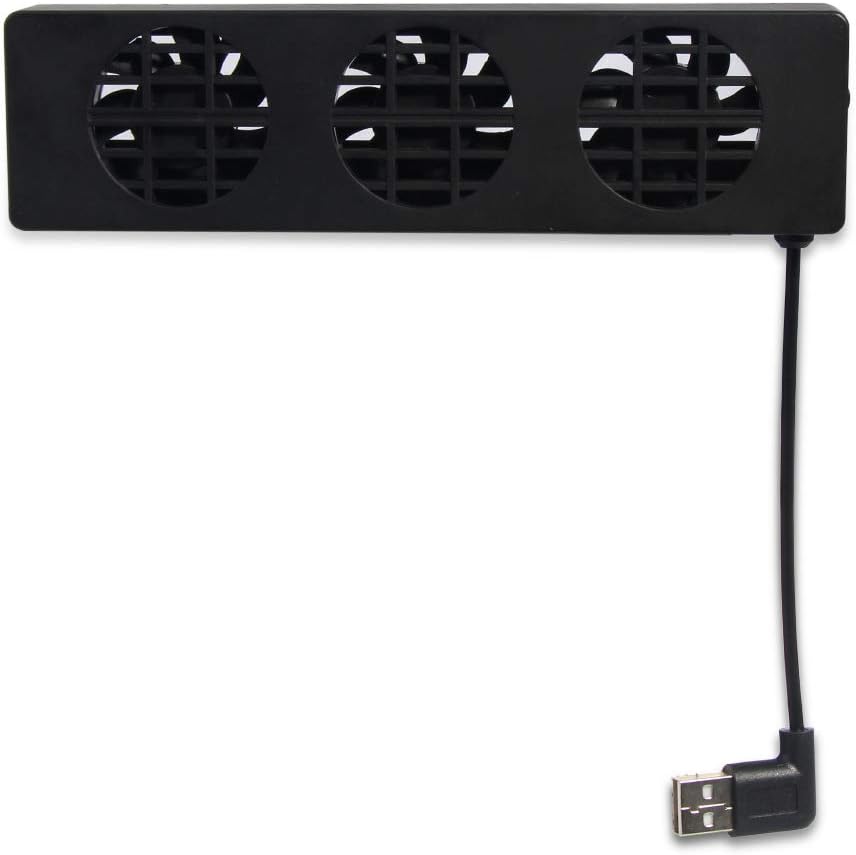
This cooling base includes three fans to dissipate heat effectively from your console. It features a side switch to toggle between Turbo, Normal, and Off modes depending on your cooling needs.
We may earn a commission when you buy through this link, at no additional cost to you.
Made from superior materials, it is built to be durable for regular use. The small and compact design makes it easy to set up and store when not in active use.
While it is a generic accessory, the flexibility of the speed switch allows you to balance noise and performance. This adaptability makes it suitable for different gaming intensities.
Gamers looking for a robust 3-fan option with manual speed control at an affordable price will find this bracket a practical addition to their dock setup.
Switch between turbo for intense sessions or normal for casual play to manage noise levels effectively.
The small size ensures it does not dominate your desk, keeping your overall setup neat and organized.
We may earn a commission when you buy through this link, at no additional cost to you.
This dock accessory uses three built-in cooling fans to increase airflow and reduce the temperature of the console quickly. It is driven via the USB port on the dock, requiring no extra power supply.
We may earn a commission when you buy through this link, at no additional cost to you.
You can choose between Turbo for heavy games or Normal for decent play using the included switch. This allows for flexibility based on your gaming session intensity and noise tolerance.
Some users may experience variability in fan noise or build quality. However, its portable shape and ease of storage make it convenient for those who move their console often.
If you need a straightforward multi-fan solution that connects directly to your dock USB port, this option provides effective ventilation for extended gaming times.
Choose Turbo for demanding games or Normal for casual play to optimize heat reduction and noise.
Since it draws power from the dock USB port, you do not need to find an extra outlet or adapter.
We may earn a commission when you buy through this link, at no additional cost to you.
This fan is compatible with Switch OLED and offers a high RPM range up to 6000 for strong cooling performance. It features an LED display so you can see the real-time speed and exhaust temperature.
We may earn a commission when you buy through this link, at no additional cost to you.
It includes a fixed stabilizer pad and Micro USB cable for easy power connection. The sponge pad helps prevent the console from slipping or being scratched during operation.
The fan is nearly silent below 2400 RPM, balancing noise and cooling. While higher speeds may produce some sound, the control allows you to adjust based on your preference.
A cost-effective option with premium features like speed display and wide RPM range, it is ideal for users who want detailed cooling control without spending much.
Adjust speeds from 510 to 6000 RPM to match your cooling needs for different games and environments.
The LED display shows exact fan speed and temperature so you can verify cooling performance instantly.
We may earn a commission when you buy through this link, at no additional cost to you.
This cooling fan is designed specifically for the OLED dock model. It aims to help manage heat for the console during docked use. The unit has a black finish to match your setup.
We may earn a commission when you buy through this link, at no additional cost to you.
As a basic accessory, it focuses on providing a dedicated cooling solution for the dock. It serves as a simple way to add airflow to your base unit.
Limited product details make it hard to compare advanced features. However, if you want a simple black fan for your OLED dock, it may suit your needs.
For those looking for a specific OLED-focused accessory with a minimal design, this fan offers a direct cooling option for the base station.
Tailored for the OLED dock to fit directly and provide targeted airflow for the console base.
The simple black finish keeps the focus on functionality while blending into dark entertainment setups.
We may earn a commission when you buy through this link, at no additional cost to you.
Choosing the right cooling fan for your Switch dock requires understanding your console model, desired features, and noise tolerance. This guide breaks down key factors to help you decide.
Ensure the fan is designed for your specific Switch version whether it is the original, OLED, or a newer model. Using a fan not rated for your dock may lead to fit issues or poor performance.
Check the product description carefully to confirm it supports your dock type before making a purchase to avoid returns and delays.
Look for fans with adjustable speed options or high RPM ranges to handle intense gaming sessions. A unit that can boost airflow when needed will help prevent overheating more effectively.
Prioritize models that advertise turbo modes or variable speed controls to give you flexibility based on your usage and noise preferences.
Noise can be distracting during games, so check reviews for user feedback on fan sound. Fans that operate quietly at lower speeds or offer silent modes are preferable for quiet rooms.
Balance your need for cooling power with acceptable noise levels to ensure the fan does not ruin your audio experience.
Most dock fans draw power from the dock's USB port, but some may need a separate adapter or Type-C connection. Ensure you have the correct cables available to avoid extra purchases.
Verify whether the package includes the necessary power cable or if you need to source one separately before buying the fan.
A durable plastic or ABS shell will protect your console better than flimsy materials. Consider fans with anti-slip pads or fixed stabilizers to prevent your console from moving.
Look for products with good build ratings and warranties to ensure the fan lasts through regular use without breaking.
Some coolers include game card slots, RGB lighting, or extra USB ports for charging accessories. Decide if you want these extras or just pure cooling functionality.
Evaluate whether added features like LED displays or RGB lights justify the cost based on your personal setup preferences.
Read user feedback to see how real buyers experience the fan over time. Look for consistent reports of effective cooling or potential issues with durability.
High ratings and verified reviews provide confidence that the product performs as advertised for most users.
Check if the seller offers a warranty or customer support in case the fan stops working. Lifetimes warranties or 24-hour support can save you hassle if a defect arises.
Choose products with clear return policies or support terms to protect your purchase and ensure peace of mind.
Install the fan according to the manual by attaching it securely to your dock. Ensure it does not block any vents or cables to allow proper airflow.
Connect the power cable to the dock or outlet and turn on the fan before you start playing. Adjust the speed settings to balance cooling and noise based on your session length.
Clean the fan and dock periodically to remove dust that can reduce efficiency. Use a soft brush or compressed air to keep the vents clear and maintain good performance.
While the Switch has built-in cooling, long gaming sessions or warm rooms can cause overheating. A dock fan adds extra airflow to protect your console and prevent throttling.
Noise levels vary by model and speed. Many fans are quiet at low settings but can be noticeable at high speeds. Check reviews for noise ratings if this is a priority.
Generally, using external cooling accessories does not void the warranty as long as you do not damage the console. Always install them carefully to avoid scratches or electrical issues.
Not always. Many fans are designed specifically for either the original or OLED dock due to shape differences. Check product specs to confirm compatibility before buying.
Most fans draw power from the dock's USB port. Some may include a separate cable or adapter. Follow the packaging instructions to connect it properly.
Yes, most dock fans work while your Switch is charging and running. Ensure the fan is compatible with your dock and does not block charging contacts.
We reviewed ten top cooling fan options for the Switch dock covering a range of features from simple airflow to smart displays. Our top picks highlight performance compatibility and value for different gamers.
Prioritize compatibility and cooling performance over extra features unless you need storage or lighting. Choose a model that fits your dock and offers the right balance of noise and power.
Prices and availability can change so verify current details before purchasing. Use this guide to find the perfect cooling solution for your gaming setup today.