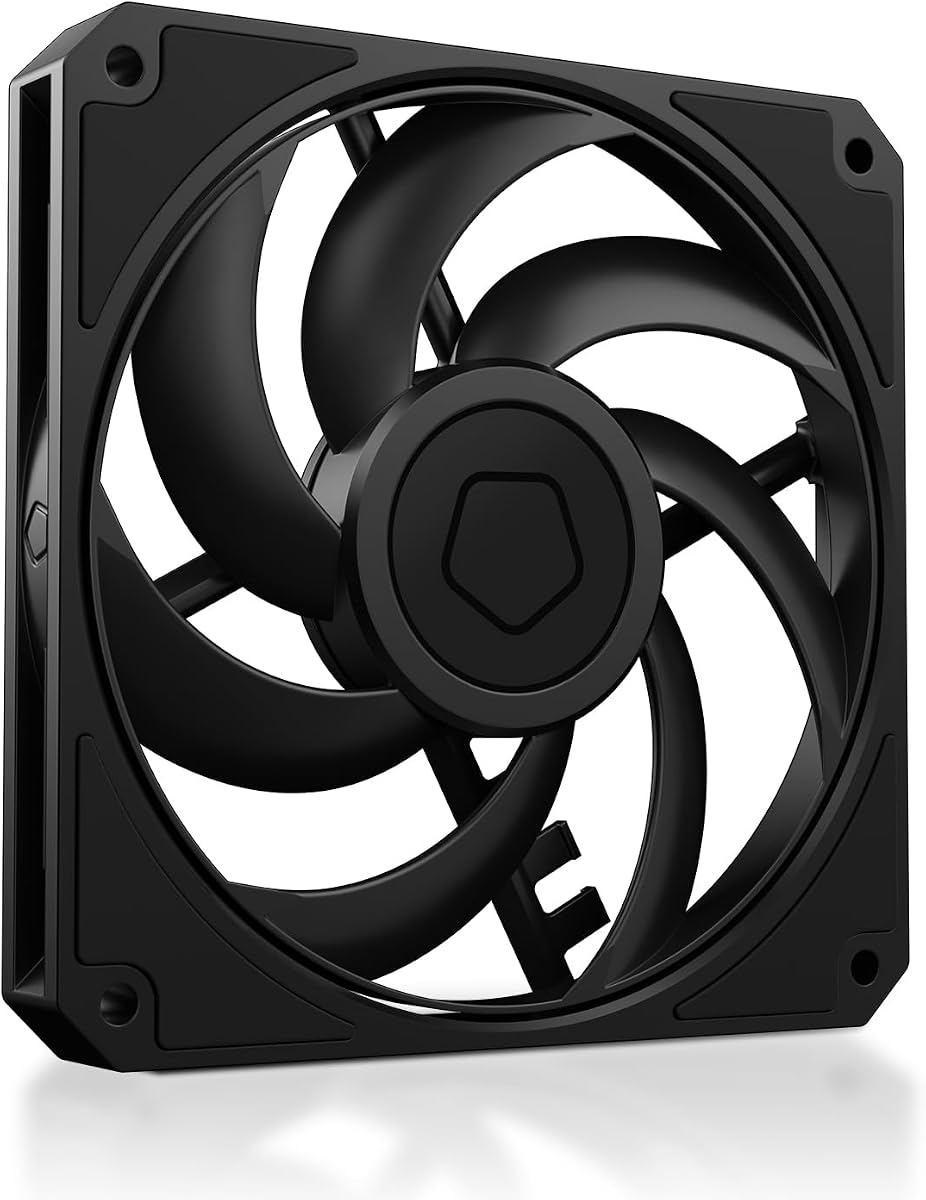
ID-COOLING AM-120-SLIM
4.8Editor score
Ultra-Slim 15mm Design
High Airflow 59.6CFM
2.7mmH2O Static Pressure
This guide compares the top low profile case fans for small form factor builds, focusing on airflow, noise, and static pressure for efficient cooling.
Finding the right cooling solution for compact builds requires careful consideration of space and performance. Low profile case fans are essential for small form factor systems where standard fans simply do not fit. These specialized components deliver strong airflow while maintaining a slim 15 or 14 millimeter profile to avoid obstruction inside tight chassis.
We analyzed ten leading models based on their static pressure, noise levels, and build quality. Each product was evaluated for its ability to handle restricted airflow environments like radiators and heatsinks. Our selection process prioritized reliability and acoustic comfort to ensure your system runs quietly even under heavy load.
Each pick in this list highlights specific strengths such as budget value, premium silence, or maximum airflow. We provide detailed specifications and real-world usage scenarios to help you match a fan to your specific hardware needs. Please note that availability and pricing may change over time as demand fluctuates.
4.8Editor score

4.9Editor score

4.6Editor score
The following table provides a side-by-side comparison of all ten models to help you quickly identify key specifications. Look closely at RPM ranges, noise levels, and airflow numbers to determine which unit fits your thermal requirements best.



This fan stands out as the top choice for builders who demand the best balance of silence and cooling power. With a rating of 4.9, it has earned its place as a market leader. The award-winning A-series design ensures that you get maximum performance without compromising on acoustic comfort in your workspace.
We may earn a commission when you buy through this link, at no additional cost to you.
The Flow Acceleration Channels and Advanced Acoustic Optimisation frame work together to minimize turbulence. This engineering focus results in a fan that moves air efficiently even when pushing through restrictive radiators or heatsinks. The PWM control allows for precise speed adjustments to match your system load perfectly.
While the brown design is iconic, it does not fit every aesthetic preference. However, Noctua offers a chromax.black.swap version if black is your preferred color. The price is higher than budget options but the reliability and performance justify the investment for critical cooling tasks.
If you are building a high-end Mini ITX system or a silent workstation, this is the fan to choose. It provides peace of mind knowing your components are protected by one of the most reliable cooling solutions available today. The included accessories like the y-cable add significant value to the package.
The noise level is kept incredibly low through advanced frame optimization. This makes it ideal for quiet home offices or media centers where background noise matters.
Flow Acceleration Channels guide air more directly through the blades. This reduces eddies and increases static pressure for better cooling in tight spots.
We may earn a commission when you buy through this link, at no additional cost to you.
This fan offers incredible value for builders on a tight budget. It delivers performance specs that often rival more expensive models. With a 4.8 rating, users appreciate its ability to cool small systems effectively without draining the wallet. It is a strong contender for entry-level SFF builds.
We may earn a commission when you buy through this link, at no additional cost to you.
The standout feature is the high airflow and static pressure relative to the price point. At 59.6 CFM it moves more air than many competitors. The hydraulic bearing reduces friction to keep noise down during normal operation. PWM control allows it to ramp up only when needed.
The build quality is solid but does not match the premium feel of top-tier brands. At maximum RPM the noise level is higher than premium options. However for the price the cooling efficiency it provides is hard to beat in this category.
Choose this fan if you need maximum cooling power per dollar. It is perfect for budget gaming PCs where performance matters most. The compatibility with standard cases ensures you can use it in almost any compact build.
The high CFM rating ensures rapid heat removal. This is crucial when using small radiators or dense heatsinks in restricted spaces.
This fan provides a rare mix of high performance and low cost. It allows you to buy multiple units for a complete loop without overspending.
We may earn a commission when you buy through this link, at no additional cost to you.
This option is unique because it comes in a three-pack which is rare for 15mm fans. It balances premium features with reasonable pricing. The rating of 4.6 reflects its strong performance in real world scenarios. It is designed specifically for users who need multiple slim fans.
We may earn a commission when you buy through this link, at no additional cost to you.
The PST technology allows one fan to control others daisy chained together. This simplifies cable management in tight cases. The noise level is incredibly low at 0.3 Sone. Static pressure is optimized to push air through radiators effectively.
The airflow is not the highest on the list but it is efficient for cooling tasks. The 15mm height is perfect for thin coolers. Some users may find the PST wiring slightly complex if they are not used to it.
This is the ideal choice for liquid cooling setups where space is tight. Buying three at once saves money and ensures uniform performance. It is a robust solution for those prioritizing silence and ease of installation.
The PWM daisy chain feature saves motherboard header slots. This is vital for small cases with limited connections.
The fan is engineered to minimize acoustic disturbance. You can run it at full speed without it becoming a nuisance.
We may earn a commission when you buy through this link, at no additional cost to you.
This fan bridges the gap between slim profiles and larger airflow capacity. It fits cases that support 140mm fans but need a thinner chassis. The performance is solid and it maintains a quiet profile. It is a good choice for larger SFF builds.
We may earn a commission when you buy through this link, at no additional cost to you.
The airflow is higher than the 120mm version due to size. It pushes 47 CFM which is substantial for a slim fan. The motor is upgraded for better efficiency. It connects via 4-pin for easy control.
You must ensure your case has a 140mm mounting point. It will not fit a 120mm hole without adapters. The height is 16mm which is slightly thicker than standard but still low profile.
Use this fan if your case allows 140mm intake. It provides excellent airflow without the bulk of a standard 25mm fan. The value for the size is excellent compared to other options.
Moving air at 140mm allows for better cooling volume. This is helpful for larger CPU coolers or radiators.
The motor is refined to reduce bearing noise. This ensures a pleasant acoustic environment even under load.
We may earn a commission when you buy through this link, at no additional cost to you.
This is the all-black version of the top pick. It fits seamlessly into dark builds without the brown accents. It inherits the same cooling technology and reliability. It is a great choice for those who prefer monochrome aesthetics.
We may earn a commission when you buy through this link, at no additional cost to you.
The chromax.black.swap edition allows you to add color via the included pads. You can customize the look to match your theme. The fan supports semi-passive operation for silent idle times. It is built to last with high MTTF.
The price is higher than the standard brown model. The pads are a nice touch but may not be everyone's style. However the fan performance is identical to the award-winning A-series.
Choose this if you want the best cooling with a stealthy look. It suits gaming rigs and professional workstations alike. The customization options make it a versatile choice for enthusiasts.
The red, black, white, blue, yellow and green pads offer fun customization. You can create a unique look for your system.
The fan stops completely when demand is low. This ensures absolute silence during idle periods.
We may earn a commission when you buy through this link, at no additional cost to you.
be quiet! is known for silent components. This fan brings that reputation to slim applications. It focuses on acoustic comfort while maintaining airflow. The engineering is German which usually means high standards. It is a solid mid-tier option.
We may earn a commission when you buy through this link, at no additional cost to you.
The seven blade design helps balance airflow and noise. The optimized frame outlet directs air efficiently. It uses a rifle bearing for long life. You can run it at low RPM for quiet operation.
It does not specify the 15mm profile in the title. It might be standard thickness. The airflow is maximum but not as high as ID-COOLING. It is a safe choice for silent systems.
This is good for those who trust the be quiet! brand. It offers reliability and silence. It fits standard cases and ensures your system does not get too loud.
The seven blades are shaped to cut air quietly. This reduces the noise caused by turbulence.
The rifle bearing is designed for durability. It ensures the fan lasts for years of daily use.
We may earn a commission when you buy through this link, at no additional cost to you.
Thermalright offers a balanced performance fan. It is not the loudest but it is quiet enough. It fits 15mm slots easily. The price is fair for the performance. It is a great option for general use.
We may earn a commission when you buy through this link, at no additional cost to you.
The S-FDB bearing helps keep noise low. The vibration pads are included to reduce friction. This prevents resonance in the case. The RPM is limited to 1500 which keeps noise low.
It does not compete with premium brands on pure airflow. But it is reliable and cheap. The 24.1 dBA noise level is reasonable for daily use.
This is perfect for those who want a cheap slim fan. It gets the job done without breaking the bank. It fits well in tight spaces and provides decent airflow.
The pads reduce vibration caused by the motor. This prevents rattling inside the case.
The fan moves air efficiently at low RPM. This makes it a good everyday choice for cooling.
We may earn a commission when you buy through this link, at no additional cost to you.
This fan is specialized for 92mm slots. It is thinner than most 92mm fans. This allows for low profile CPU coolers. It brings Noctua quality to this specific size. It is a niche choice but excellent.
We may earn a commission when you buy through this link, at no additional cost to you.
The AAO frame reduces turbulence for better cooling. It spins faster than 120mm models. It can reach 2500 RPM for maximum cooling. The noise is well controlled despite the speed.
You must have a 92mm mount to use this. It is not a replacement for 120mm fans. The chromax edition provides a premium look for small builds.
Buy this if you need a small low profile fan. It fits where standard fans cannot go. It is a high quality choice for specific hardware constraints.
It solves cooling problems for compact coolers. The 14mm profile clears most RAM and cases.
Advanced Acoustic Optimisation reduces noise. This helps the small blades move air quietly.
We may earn a commission when you buy through this link, at no additional cost to you.
This version is for non-PWM systems. It offers fixed speed options instead. You get adapters to tune it manually. It is a reliable option for older hardware. It keeps the same quality build.
We may earn a commission when you buy through this link, at no additional cost to you.
The three speeds are set by voltage. You can lower RPM for silence. The noise level is low at any setting. It fits standard 120mm slots in low profile cases.
You lose automatic speed control via the motherboard. This is a trade-off for compatibility. The adaptors are useful to lower noise.
Choose this if your case lacks PWM headers. It is a simple plug and play solution. It ensures quiet operation for older systems.
The low noise adaptors let you fix the speed. This helps you get exact acoustic levels.
The 3-pin plug works with most cases. You do not need specific motherboard headers.
We may earn a commission when you buy through this link, at no additional cost to you.
This is the standard version of the top pick. It lacks the black swap but keeps performance. The y-cable allows for daisy chaining. It is a trusted choice for pros. The quality is consistent.
We may earn a commission when you buy through this link, at no additional cost to you.
It uses the same efficient design as others. Flow channels boost air efficiency. The noise is kept low for comfort. It is perfect for standard low profile builds.
It does not have the customizable pads. This is a cosmetic difference only. The cooling is identical to the better rated model.
Buy this if you do not care about color. It is a solid investment for cooling. You get all the premium benefits for less.
The y-cable helps manage multiple fans. This simplifies your cable routing significantly.
The standard model offers stable cooling. It is a safe pick for your system.
We may earn a commission when you buy through this link, at no additional cost to you.
Selecting the right low profile fan depends on several technical factors. We break down the most critical elements to ensure you make an informed decision.
Most standard fans are 25mm thick but low profile fans are typically 15mm or 14mm. This difference is vital for small cases with limited clearance. Ensure your case or cooler has room for the specific thickness.
Always check your motherboard and cooler height before buying to avoid clearance issues.
Airflow is measured in CFM and indicates how much air moves. Static pressure is crucial when pushing air through restricted areas like radiators or dense heatsinks. Choose high static pressure for radiators and high airflow for open cases.
Prioritize static pressure if using fans on liquid cooling radiators.
Noise is measured in Sone or dB(A). Lower numbers indicate quieter operation. High RPM fans are louder but cool better. Find a balance that fits your tolerance for background noise.
Select models with low noise ratings for media centers and home offices.
PWM fans allow automatic speed control based on temperature. FLX fans offer fixed speeds via adapters. PWM is more versatile for modern motherboards. Choose PWM for better thermal management.
PWM headers are common on most modern boards for automatic control.
Fans come in 120mm and 140mm sizes. Ensure your case supports the specific dimensions. Some small cases only support 120mm. Verify screw hole spacing before purchasing.
Check your case manual for compatible fan size listings to ensure fit.
Different bearings like rifle or hydraulic affect lifespan and noise. Fluid dynamic bearings are generally quieter and last longer. Avoid cheap sleeve bearings if you want long-term reliability.
Look for fluid dynamic or rifle bearings for better long-term stability.
Premium fans use higher quality plastics and motors. This reduces vibration and resonance over time. Cheaper options may rattle under high load. Invest in quality for critical cooling spots.
Higher quality materials reduce vibration noise over the fan lifespan.
Some fans sell in packs which offers better value. Buying three at once is cheaper than single units. Consider pack options if you need multiple fans for a complete setup.
Multi-packs save money if you need fans for multiple zones.
Install the fan securely using the provided screws or rubber mounts. Ensure the frame sits flush against the mounting holes to prevent vibration.
Connect the PWM or 3-pin cable to the appropriate motherboard header. Label the cables clearly to avoid confusion during cable management.
Dust accumulation can reduce fan efficiency over time. Use a can of compressed air to clean the blades and frame regularly.
Yes high quality 15mm fans are strong enough for gaming PCs. They provide sufficient airflow and static pressure for most compact cases. Choose high static pressure models for liquid cooling radiators to ensure heat dissipation.
You can mix brands but airflow may vary between units. Consistent fans offer uniform noise and speed. Mixing models may lead to uneven cooling or slightly different acoustic profiles.
PWM fans adjust speed automatically via the motherboard signal. FLX fans have fixed speeds controlled by voltage adapters. PWM offers better temperature responsive control compared to manual FLX settings.
Yes low profile fans use the same standard mounting holes. They fit easily into cases designed for 25mm fans. Just ensure there is enough vertical clearance for the rest of your hardware.
You can lower fan speed via BIOS or software. Many fans allow 50 percent speed reduction. This drastically lowers noise while maintaining safe operating temperatures.
Yes they work well for small server racks and NAS systems. They are designed for compact spaces. Ensure you have adequate ventilation for the server unit.
Premium fans often last over 150,000 hours of operation. Standard fans may last fewer hours. Regular cleaning extends the life by preventing dust buildup.
Choosing the right low profile fan balances cooling and space constraints. The top picks offer proven performance for compact systems. Ensure you check compatibility before purchasing.
Prioritize noise levels if you work in a quiet environment. High static pressure matters more for liquid cooling radiators.
Verify current prices and availability before ordering. Deals change often and availability fluctuates.