
UGREEN Cat 8 Ethernet Cable 3FT
4.7Editor score
40Gbps High Speed Support
Flat Braided Design
Universal RJ45 Compatibility
Discover the top Ethernet cables for Mac devices. We compare speed, durability, and compatibility to help you find the perfect wired connection solution for
Connecting your Mac to a network often requires a reliable Ethernet cable for Mac to ensure stable internet access. Choosing the right cable can significantly impact your browsing speed and overall productivity.
We have carefully selected and compared ten top-rated options based on performance, build quality, and user feedback. This guide covers various lengths and shielding types to suit different environments.
Each pick highlights specific strengths like speed capabilities and connector durability. Please note that availability and pricing may change over time, so check current listings before purchasing.
4.7Editor score
4.7Editor score

4.8Editor score
This side-by-side comparison outlines the key specifications of each selected cable. You can easily review bandwidth speeds, shielding types, and physical designs to find the best match for your Mac.


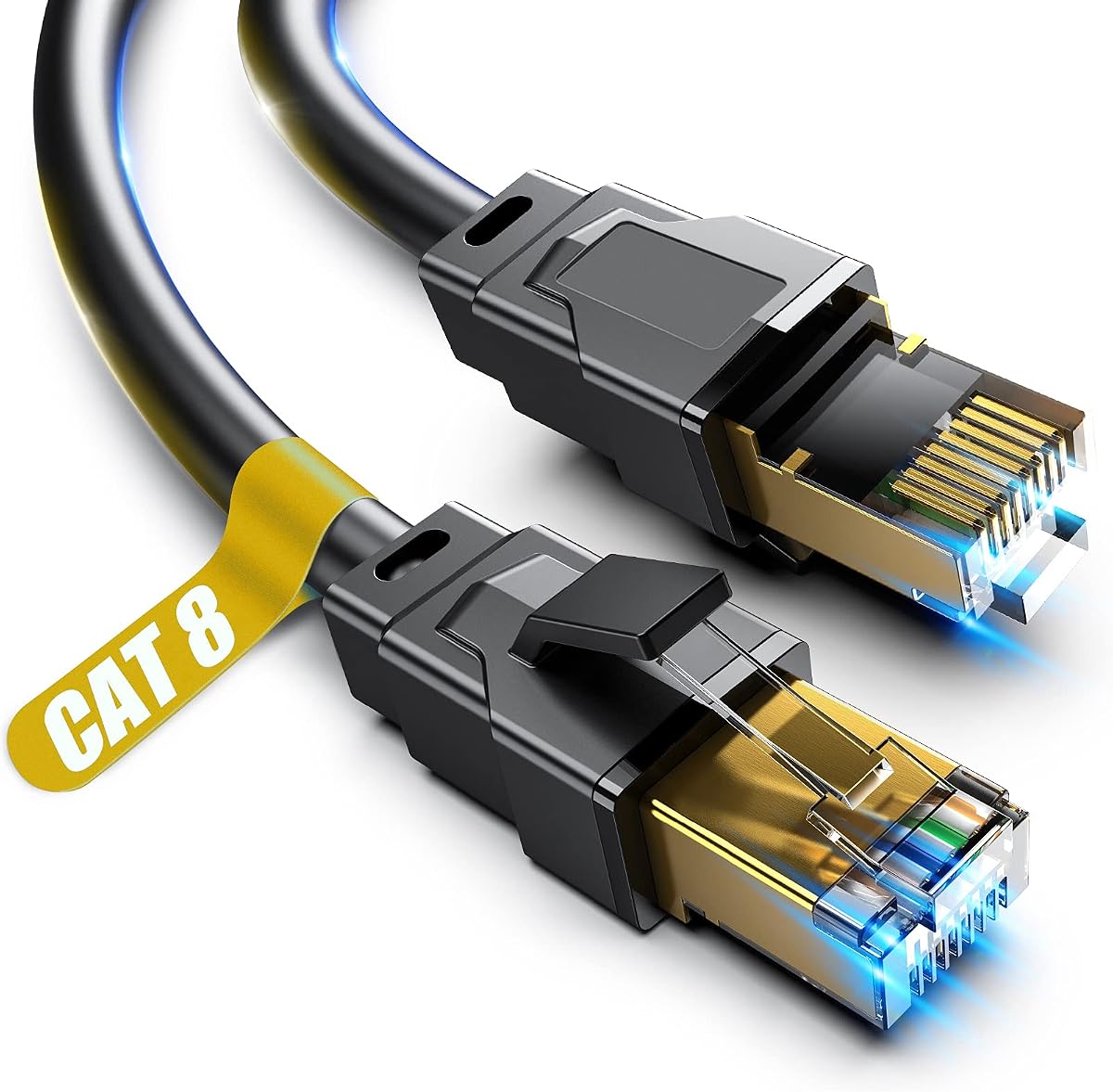

This UGREEN Cat 8 Ethernet cable delivers exceptional performance for Mac users needing stable connections. It holds a strong 4.7 rating due to its high speed and shielding capabilities.
We may earn a commission when you buy through this link, at no additional cost to you.
The cable supports up to 40 Gbps data transfer and 2000 MHz bandwidth. Its four shielded foiled twisted pairs reduce noise and crosstalk effectively.
While durable, the heavy duty construction might make it less flexible in tight corners. Users should ensure they have enough space for routing.
It is ideal for Mac users requiring high bandwidth for streaming or work. The reliable connection makes it a top choice for office setups.
With 2000 MHz bandwidth, this cable handles massive data loads without lag.
Tested to bend over 10000 times without breaking ensuring long term use.
We may earn a commission when you buy through this link, at no additional cost to you.
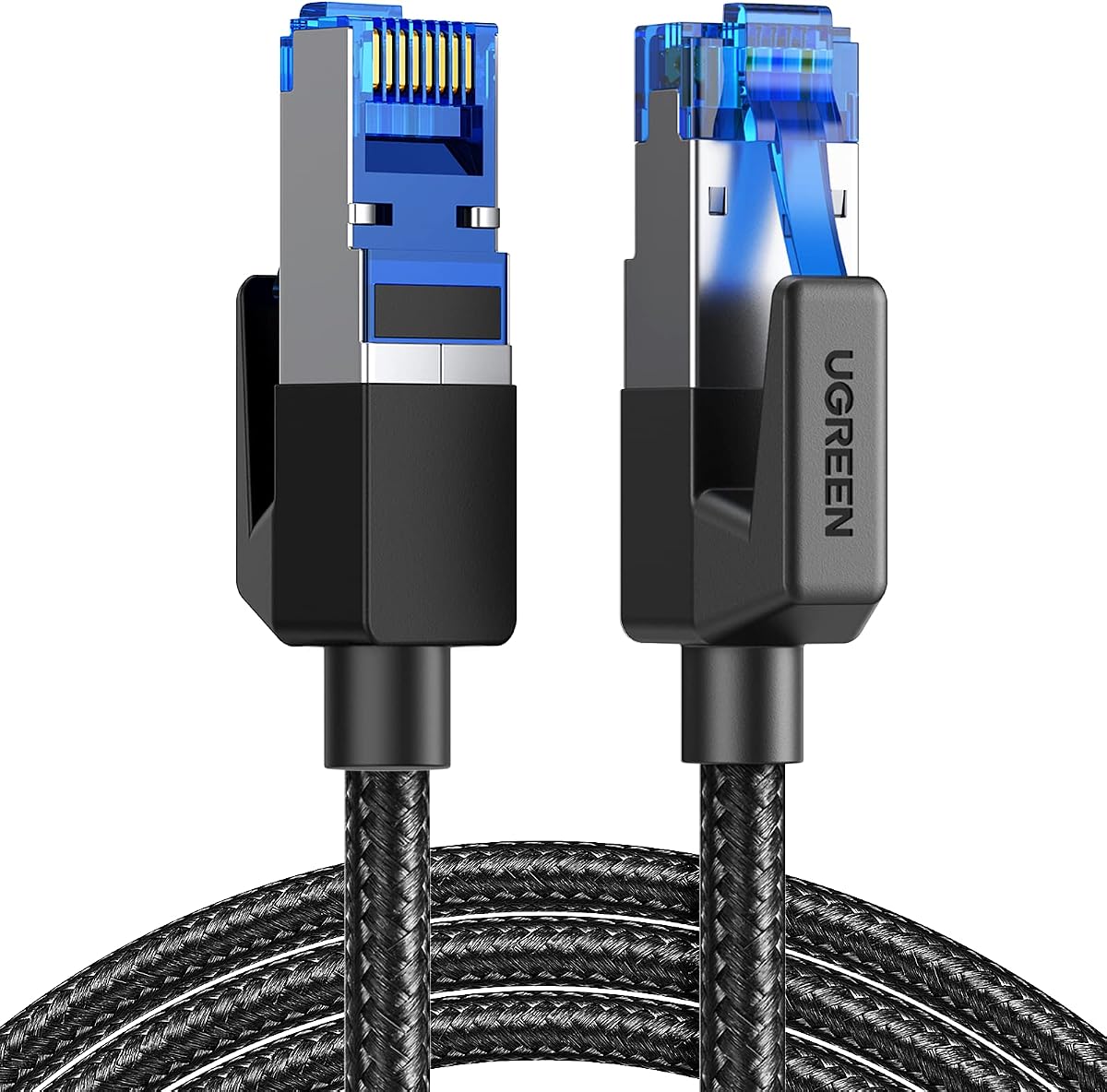
This UGREEN flat cable offers great value for Mac setups with limited space. It achieves a 4.7 rating by combining high speed with a thin profile.
We may earn a commission when you buy through this link, at no additional cost to you.
It supports 40Gbps data transfer ensuring your Mac connects at full gigabit speeds. The flat design allows it to slide easily under doors or carpets.
The shorter 3ft length limits reach for distant routers. You need to measure your desk space carefully before buying.
It is perfect for compact desks where cable management is key. The affordable price makes it accessible for any budget.
The flat shape lets you hide cables under carpets or furniture easily.
26AWG pure copper core ensures stable high speed network performance.
We may earn a commission when you buy through this link, at no additional cost to you.
This Cable Matters Cat 6 cable is highly rated for its reliable performance. It holds a 4.8 rating making it the top premium choice on this list.
We may earn a commission when you buy through this link, at no additional cost to you.
It offers 550 MHz bandwidth and supports 10 Gigabit Ethernet. The snagless boots protect the connectors during frequent plugging and unplugging.
The round design might be harder to hide in tight spaces. Some users prefer flat cables for cleaner aesthetics.
It suits professional Mac users who prioritize connection stability. The build quality justifies the premium price.
Strain relief boots prevent connector damage during installation.
Supports 10Gbps transfer ensuring your Mac stays fast for years.
We may earn a commission when you buy through this link, at no additional cost to you.
This Smolink cable provides exceptional length for large setups. It maintains a 4.7 rating thanks to its consistent signal over distance.
We may earn a commission when you buy through this link, at no additional cost to you.
The 50 ft reach allows you to place your Mac far from the router. It supports 40Gbps speeds ensuring your performance isn't compromised.
Nylon braiding adds durability but the cable is not fully flat. It may bunch up if left loose on the floor.
It is perfect for large homes or offices with wide spaces. You get premium speed without needing to move your router.
Connect devices across rooms or under desks without signal loss.
Nylon jacket resists daily wear and pulling during routing.
We may earn a commission when you buy through this link, at no additional cost to you.
This DbillionDa cable is designed for tough environments. It holds a 4.7 rating due to its robust weatherproof construction.
We may earn a commission when you buy through this link, at no additional cost to you.
It features a waterproof PVC jacket that withstands UV and humidity. You can bury it directly or use it outside safely.
The heavy jacket might be stiff for tight indoor bends. Ensure you have enough slack for installation.
It is ideal for Mac users with outdoor setups. You get reliable speed even in harsh weather.
PVC jacket withstands direct sunlight and extreme temperatures.
Thicker 26AWG wires ensure stable data transmission over time.
We may earn a commission when you buy through this link, at no additional cost to you.
This Jadaol cable combines speed with a sleek flat profile. It holds a 4.7 rating for its easy installation and clean look.
We may earn a commission when you buy through this link, at no additional cost to you.
The white flat design hides well against light walls. It supports 40Gbps data transfer ensuring high speed internet access.
Flat cables can sometimes be less flexible than round ones. You need to avoid sharp kinks during bending.
It suits home office users wanting a tidy desk. The white color matches most modern Mac setups.
White flat design blends seamlessly with office walls.
S/FTP shielding prevents signal interference from devices.
We may earn a commission when you buy through this link, at no additional cost to you.
This Cat 8 cable offers strong protection for Mac users. It holds a 4.7 rating due to its durable braided outer layer.
We may earn a commission when you buy through this link, at no additional cost to you.
The 48 strand cotton braid resists tangles and wear. It uses solid copper wires for excellent conductivity.
It is bulkier than flat cables and may need careful routing. This might be difficult in tight spaces.
It is ideal for durable connections in high traffic areas. The build quality ensures long term reliability.
Braided design helps prevent the cable from tangling.
Solid copper wires maintain high speed data transmission.
We may earn a commission when you buy through this link, at no additional cost to you.
This Jadaol cable includes clips for easy wall mounting. It holds a 4.7 rating for its straightforward installation process.
We may earn a commission when you buy through this link, at no additional cost to you.
It supports 10Gbps speeds and 250 MHz bandwidth. The flat shape with clips makes it easy to run along walls.
The plastic clips may break over time with heavy use. This might be a concern for permanent setups.
It is good for users needing a quick fix. The price and clips make it an easy choice.
Integrated clips help secure the cable to walls quickly.
10Gbps ensures your Mac runs smoothly online.
We may earn a commission when you buy through this link, at no additional cost to you.
This Vabogu cable comes in many lengths for any need. It holds a 4.7 rating for its versatility and durability.
We may earn a commission when you buy through this link, at no additional cost to you.
It is designed for both indoor and outdoor use. The heavy duty jacket protects against sun and rain.
Some users may find the jacket heavy and stiff. This can make bending around corners harder.
It suits users needing a flexible solution for various tasks. The range of lengths makes it very adaptable.
UV resistant jacket handles both inside and outside environments.
26AWG conductors provide stable data transmission.
We may earn a commission when you buy through this link, at no additional cost to you.
This TP-Link adapter converts USB C to Ethernet for Macs. It holds a 4.6 rating for its simple and effective design.
We may earn a commission when you buy through this link, at no additional cost to you.
It provides a stable wired connection where wireless fails. The small size makes it easy to carry in a bag.
It is not a cable but an adapter you need to buy separately. Ensure you have a free USB C port on your Mac.
It is ideal for modern Macs without Ethernet ports. The plug and play feature makes it very convenient.
Compact adapter fits easily into laptop bags.
1000Mbps ensures fast data transfer for your Mac.
We may earn a commission when you buy through this link, at no additional cost to you.
Selecting the right Ethernet cable for Mac requires considering speed, length, and durability. This section breaks down the critical factors to help you make an informed decision.
Your Mac needs a cable that supports your internet plan speed. Cat 6 supports up to 10 Gbps while Cat 8 supports up to 40 Gbps ensuring future proofing.
Choose Cat 8 if you have a high speed plan or need fast file transfers. Cat 6 is often sufficient for standard home internet usage.
Measure the distance from your router to your Mac before buying. Long runs require thicker conductors to prevent signal loss over distance.
Select the exact length needed to avoid clutter. If the cable is too long it will require storage.
Shielding like S/FTP or U/FTP protects against interference from other devices. This ensures your connection remains stable in busy environments.
Look for cables with foil or mesh shielding. Good shielding prevents data errors during transfers.
Pure copper conductors are essential for reliable performance. Avoid cables made of aluminum which may degrade faster.
Check for 26AWG or higher for better durability. Thicker wires carry signals more efficiently.
Braided nylon or cotton jackets protect the cable from damage. This is important for cables that will be moved often.
Look for reinforced connectors that withstand frequent plugging. A strong jacket prevents internal wire breaks.
Gold plated RJ45 connectors resist corrosion and ensure stable contact. This helps maintain a secure connection over time.
Snagless boots protect the connector clips. This prevents accidental disconnection during use.
If you plan to run cables outside ensure they are waterproof and UV resistant. Outdoor cables must withstand harsh weather conditions.
Indoor cables usually have PVC jackets which are not weatherproof. Do not use indoor cables in rain or direct sun.
Verify the cable works with your specific Mac model. Most Ethernet cables use standard RJ45 connectors compatible with all models.
For older Macs you may need an adapter if there is no Ethernet port. USB C adapters are common for newer Macs.
Connect one end of the Ethernet cable to your Mac or adapter and the other end to your router or modem. Ensure the clicks into place firmly.
Route the cable along walls or under carpets to avoid tripping hazards. Do not bend the cable sharply as this may damage internal wires.
Avoid running cables near power lines to prevent interference. Regularly inspect the connectors for dust and clean them with a dry cloth.
Many modern Macs lack built-in Ethernet ports so you need a cable and an adapter. A wired connection provides faster speeds and more stability than Wi-Fi.
Cat 8 cables support higher speeds which helps if you have a fast internet plan. If your plan is slower Cat 6 may be sufficient for Mac needs.
Flat cables work well with Macs as long as the connectors fit properly. They are often easier to hide under furniture for a clean desk.
Measure the distance from your router to your desk. Choose a cable slightly longer than needed to allow for routing around furniture.
Standard Ethernet cables do not require drivers. They work instantly with your Mac operating system without extra software.
Shielded cables reduce interference which is useful in offices with many electronics. This ensures your Mac gets a clean and fast signal.
Use only outdoor rated cables with UV resistant jackets outdoors. Indoor cables will degrade quickly if exposed to sun or rain.
Use a USB C to Ethernet adapter with your cable. Most modern Macs use USB C for connectivity.
The UGREEN Cat 8 Ethernet cable 3FT offers great value for most users. It balances speed and flexibility well for standard desktop setups.
Prioritize shielding and durability if you plan to move your cable often. A quality cable ensures your Mac stays connected without interruption.
Check current listings for the best deals on these models. Prices and availability can change rapidly in online marketplaces.