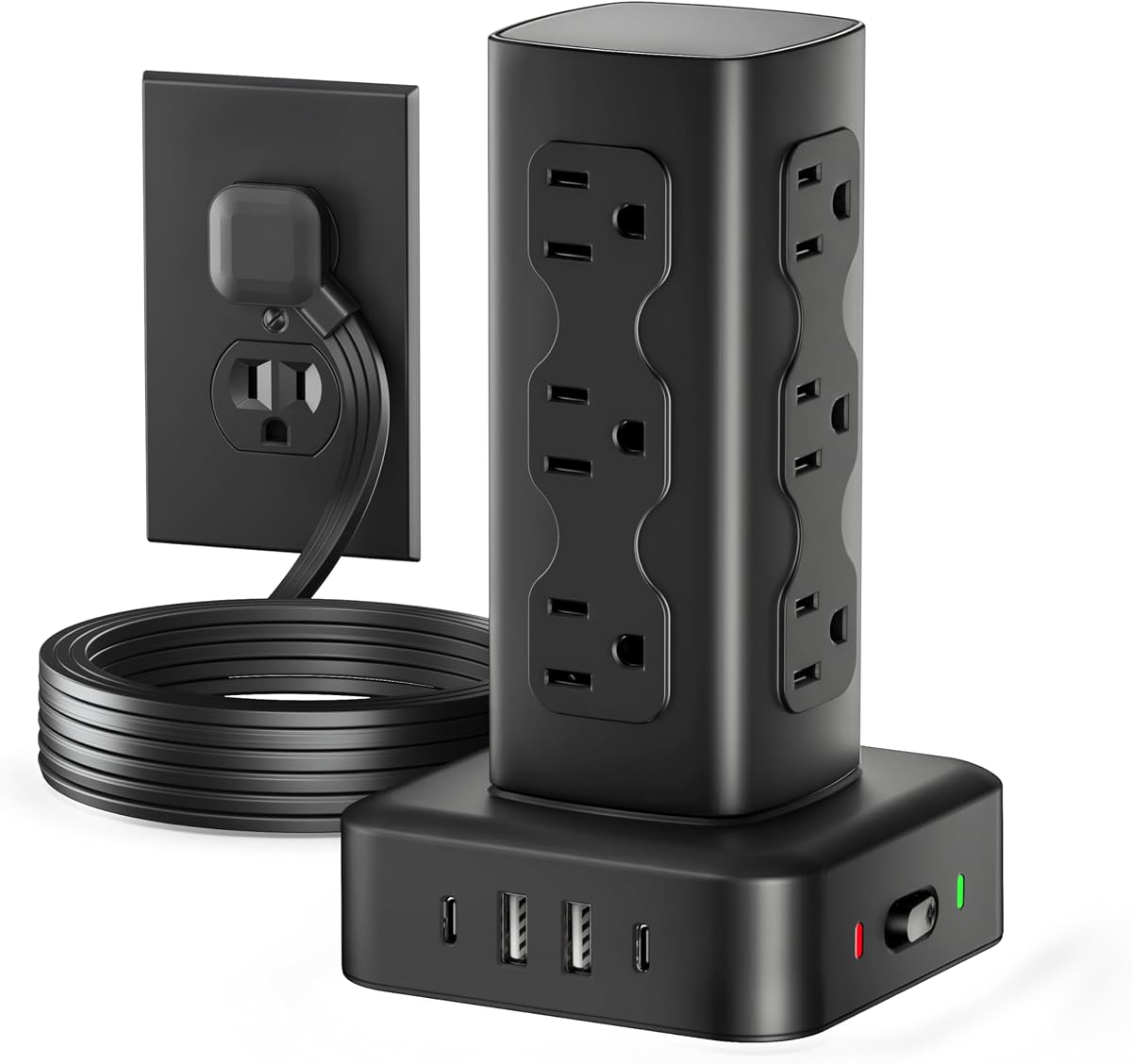
Power Strip Tower with 12 AC Outlets & 4 USB Ports
4.7Editor score
16 in 1 power strip design
2000 joule surge protection
Ultra thin flat plug design
This guide compares the top 10 charging towers for power outlets USB ports safety features and design to help you organize your home office or dorm workspace
Finding the right charging tower can transform a cluttered desk into a streamlined workspace. These vertical power strips combine multiple AC outlets and USB ports in a compact design. They are essential for modern setups with laptops phones tablets and other devices needing constant power access.
We evaluated ten top-rated charging towers based on outlet count USB speed safety certifications and physical design. Each product offers unique features like retractable cords flat plugs or high wattage outputs. Our analysis focuses on real-world usability and reliability for home office and dorm environments.
Each pick highlights specific strengths such as fast charging capabilities or space-saving footprints. You will see detailed specs and pros cons for every model. Please note that product availability and pricing can change frequently so check current details before purchasing.
4.7Editor score

4.7Editor score

4.7Editor score
The following table provides a side-by-side comparison of all ten charging towers selected for this guide. We highlight key specifications such as outlet count USB capabilities and cord length to help you quickly identify the best fit for your needs.


The JACKYLED Power Strip Tower stands out as a top choice for users needing extensive connectivity. With a 4.7 rating it delivers reliable performance across home office and dorm settings. Its combination of AC and USB ports ensures all devices stay powered without constant switching.
We may earn a commission when you buy through this link, at no additional cost to you.
Key strengths include the 12 AC outlets and 6 USB ports which support simultaneous charging for laptops phones and tablets. The retractable 6.5ft cord is a standout feature that keeps your workspace tidy. Independent switches on each layer allow precise control over connected devices.
Trade-offs include a slightly heavier build due to the copper cord and internal components. The retractable mechanism requires manual rotation which may take getting used to. These are acceptable given the durability and space-saving benefits it provides.
This model is ideal for users with multiple high-demand devices needing organized power. It balances capacity with smart design effectively. We recommend it for anyone prioritizing outlet flexibility and cord management in their setup.
The retractable base allows you to store excess cord neatly by rotating the tower body. This eliminates tangled wires and keeps your floor or desk clean.
Independent switches on each layer let you turn off specific devices without unplugging them. This feature enhances energy efficiency and convenience.
We may earn a commission when you buy through this link, at no additional cost to you.
This Power Strip Tower offers exceptional value for budget-conscious buyers seeking high capacity. Rated 4.7 it provides robust safety and ample outlets. It simplifies power access with a clean vertical design that fits most environments.
We may earn a commission when you buy through this link, at no additional cost to you.
Its main advantage is the 2000J surge protection which is higher than many competitors in this range. The 12 AC outlets and 4 USB ports cover essential needs. The ultra thin flat plug ensures it sits flush against walls without obstruction.
Limitations include basic USB charging speeds compared to premium models and lack of individual switches. These are minor given the price point and safety features. It remains a solid choice for general household or office use.
Buyers looking for cost-effective power organization will find this model ideal. It delivers reliability without extra cost. We suggest it for users needing many outlets without compromising on safety standards.
With 2000J rating this tower safeguards sensitive electronics from power surges. This level of protection exceeds standard requirements for residential use.
The 0.31in flat plug slides easily behind furniture or into tight wall spaces. This design prevents blocking adjacent outlets.
We may earn a commission when you buy through this link, at no additional cost to you.
The Anker Desktop Charger is the premium choice for users prioritizing fast USB-C charging. With a 4.7 rating it delivers top-tier safety and performance. Its design caters specifically to modern laptops and high-power devices.
We may earn a commission when you buy through this link, at no additional cost to you.
It features 100W USB-C ports capable of powering most laptops directly. The 8-point safety system offers extensive protection against electrical risks. Despite fewer AC outlets the USB capability compensates for many tech-heavy setups.
The trade-off is a lower count of AC outlets and a higher price compared to others. However the build quality and charging speed justify the cost. It excels in environments where USB-C dominance is standard.
This model suits professionals or tech enthusiasts needing rapid charging for power-intensive gear. We recommend it for those willing to invest in superior USB performance and safety.
Each USB-C port supports up to 100W individually enabling direct laptop charging. This reduces the need for separate power bricks.
The 8-point safety system guards against overvoltage short circuits and other risks. This engineering ensures long-term device protection.
We may earn a commission when you buy through this link, at no additional cost to you.
This kakyanill Tower offers a balanced mix of AC and USB connectivity for diverse needs. Rated 4.5 it provides reliable power management for home offices. Its retractable base and flat plug are notable design highlights.
We may earn a commission when you buy through this link, at no additional cost to you.
It supports up to 1875W allowing high-wattage appliances like printers or mini-fridges to connect safely. The 9 AC outlets are spaced widely to prevent adapter blocking. Individual switches add convenience for managing specific devices.
The USB output is standard rather than fast which may limit charging speeds for some phones. The base can be bulky compared to minimal models. These factors do not detract from its overall utility and safety.
Ideal for users needing high AC capacity with decent USB support. We suggest it for those who value outlet flexibility and cord management over ultra-fast USB.
The 1875W circuit breaker ensures safe operation for power-hungry appliances. This allows versatile use beyond standard electronics.
Rotating the base stores excess cord neatly preventing tangling. This feature helps maintain a clean workspace.
We may earn a commission when you buy through this link, at no additional cost to you.
The Kakyanill 115W station excels in USB charging performance with multiple PD ports. Rated 4.5 it serves well for device-heavy desks. The retractable cord and compact design keep spaces organized.
We may earn a commission when you buy through this link, at no additional cost to you.
It provides up to 65W PD on select USB-C ports enabling fast charging for tablets and laptops. The 115W total output ensures multiple devices charge efficiently. Anti-slip feet add stability during use.
USB-C ports share total power so single-port speeds may drop with multiple connections. Lack of individual AC switches limits granular control. These are minor considerations given the robust USB capabilities.
Best for users prioritizing USB power for multiple smart devices. We recommend it for those needing quick charging without sacrificing AC outlet counts.
Up to 65W PD per port supports rapid charging for larger devices. This reduces wait times significantly.
Four-sided compact tower with rubber feet prevents sliding on smooth surfaces. This ensures safety during plugging and unplugging.
We may earn a commission when you buy through this link, at no additional cost to you.
This TenTrend Tower focuses on delivering high USB power for modern devices. Rated 4.5 it is ideal for desk setups with many gadgets. Its compact size and color-coded ports simplify usage.
We may earn a commission when you buy through this link, at no additional cost to you.
With 230W total USB output and 65W on specific ports it handles laptops and phones simultaneously. The 5FT flat cord lies flush to prevent tripping. The compact footprint suits small desks or nightstands.
It has only 6 AC outlets which may be limiting for high AC needs. The cord length is shorter than some models. These trade-offs are balanced by strong USB performance and space efficiency.
Recommended for users with dominant USB-C devices needing high wattage. We suggest it for those prioritizing charging speed over extensive AC outlet count.
Orange green and blue USB ports indicate wattage for easy identification. This simplifies selecting the right port for each device.
At just 3.15 by 5.12 inches it fits easily on small surfaces. This minimizes desk clutter while maximizing power.
We may earn a commission when you buy through this link, at no additional cost to you.
The TenTrend Flat Plug model stands out for its exceptional cord length. Rated 4.7 it offers reliability with a focus on reach. The fire-resistant build adds peace of mind.
We may earn a commission when you buy through this link, at no additional cost to you.
It features a 10FT pure copper cord that reaches distant outlets easily. This is perfect for rooms where wall sockets are far away. The 12 AC outlets provide ample connection for multiple devices.
The USB output is standard at 40W total which may not fast charge laptops. This limits it to smaller devices like phones. However the cord length and safety materials justify the choice.
Ideal for spaces needing extended reach without compromising safety. We recommend it for bedrooms or offices with limited outlet access.
The 10FT cord allows placement anywhere from the wall socket. This flexibility eliminates the need for additional extensions.
Constructed from 1382F fire-resistant material to enhance safety. This reduces fire risk during overload scenarios.
We may earn a commission when you buy through this link, at no additional cost to you.
This tower offers a dedicated 20W PD port for efficient iPhone and device charging. Rated 4.5 it combines reach and protection. The 10FT flat cord ensures versatile placement anywhere.
We may earn a commission when you buy through this link, at no additional cost to you.
It features 12 wide-spaced outlets allowing bulky adapters to fit comfortably. The 1800J surge protection protects against voltage spikes effectively. The weighted base prevents tipping during use.
Only one port supports high wattage which limits multi-device fast charging. Standard USB-A ports may be slower for newer devices. These constraints are minor for general home use.
Best for families needing a central charging hub with reach. We suggest it for users prioritizing stability and cord length.
A specific 20W PD port ensures consistent charging for phones. This avoids power sharing issues common in multi-port hubs.
Outlets are 1.5 inches apart to accommodate large plugs. This prevents blocking when multiple devices are connected.
We may earn a commission when you buy through this link, at no additional cost to you.
This surge protector tower provides reliable power for general household electronics. Rated 4.7 it excels in safety features. Its compact size fits neatly in various spaces.
We may earn a commission when you buy through this link, at no additional cost to you.
It features 12 AC outlets that allow extensive connection options. The 1800J surge protection ensures device safety. The reset switch enables quick recovery after trips without unplugging.
It only offers 4 USB ports with standard speeds limiting fast charging options. However this is balanced by strong AC coverage. It is a solid all-rounder for basic needs.
Ideal for users needing many AC outlets with minimal USB. We recommend it for living rooms or offices prioritizing outlet count.
A dedicated reset switch allows quick power restoration after overload. This saves time and reduces hassle.
Measuring 3.15 by 5.79 inches it fits on small surfaces. This minimizes spatial impact on crowded areas.
We may earn a commission when you buy through this link, at no additional cost to you.
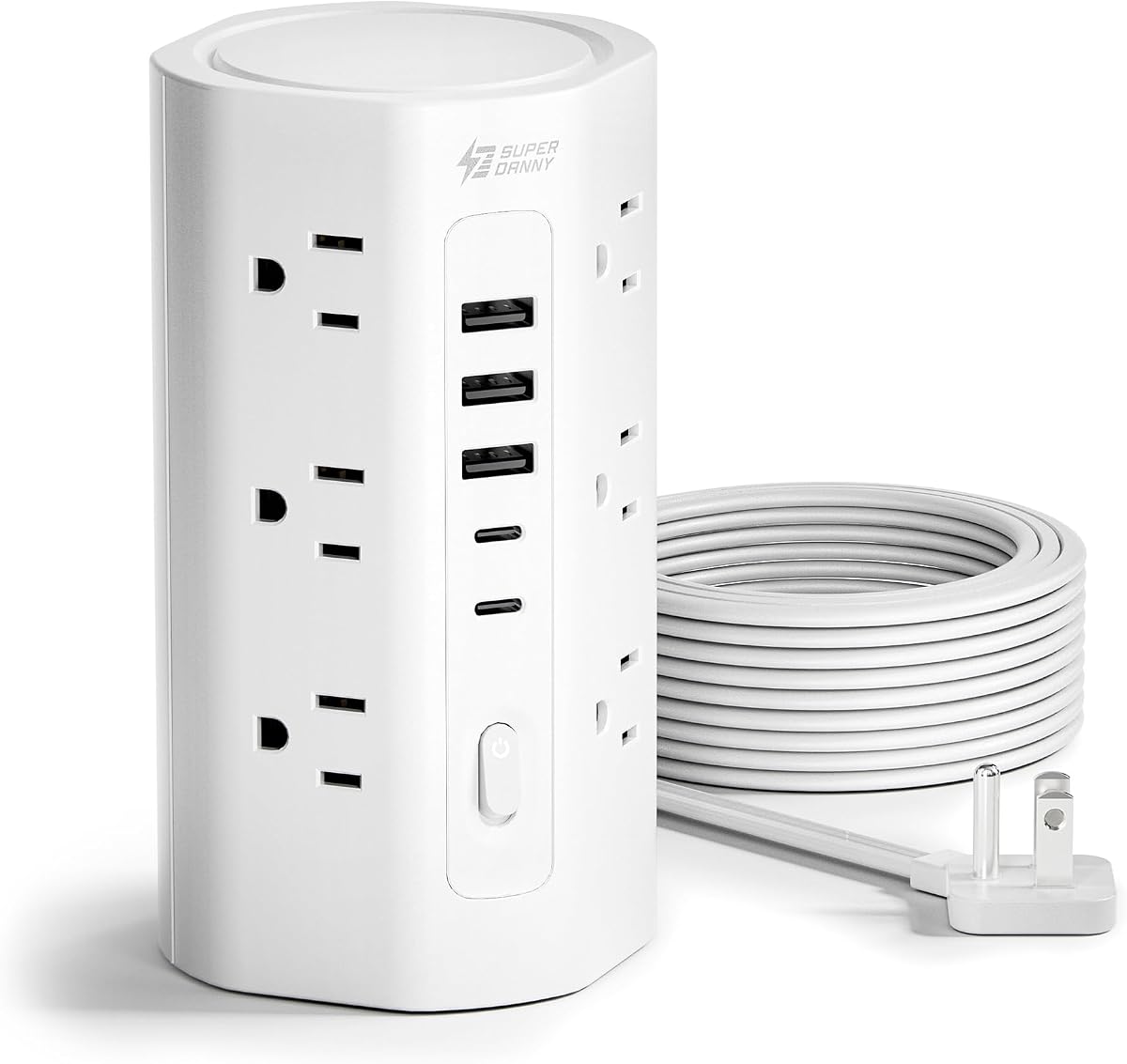
This SUPERDANNY tower balances long cord reach with durable safety. Rated 4.7 it offers great value with a maintenance plan. It serves well for large rooms or dorm setups.
We may earn a commission when you buy through this link, at no additional cost to you.
The 10FT flat cord reaches distant sockets easily. It prevents tripping hazards while keeping wires neat. The 12 AC outlets handle multiple appliances efficiently. The 3-year plan adds long-term confidence.
USB speeds are standard which may not suit fast charging needs. This is offset by the strong AC coverage and warranty. It remains a practical choice for general use.
Best for users needing distance from wall sockets. We suggest it for students or those prioritizing cord length and warranty support.
A 3-year maintenance or replacement plan ensures long-term reliability. This provides peace of mind for long-term use.
The 10FT flat cord tucks neatly along walls and corners. This eliminates tripping and organizes cables.
We may earn a commission when you buy through this link, at no additional cost to you.
Selecting the right charging tower depends on your specific power needs and space constraints. We outline key factors to consider for making an informed decision.
Consider how many devices you need to plug in simultaneously. Look for models with widely spaced outlets to prevent blocking of bulky adapters. This ensures all ports remain usable.
Ensure the total AC and USB count meets your daily usage.
Check if the tower supports USB-C Power Delivery for laptops or fast charging. Higher wattage ports reduce charging time significantly. Standard ports may suffice for simple devices.
Prioritize USB specifications based on your device compatibility needs.
A long flat cord provides flexibility in placement without tripping hazards. Retractable cords help manage excess wire for a tidy desk. Consider your room layout when choosing length.
Select a cord that reaches your outlet comfortably while staying organized.
Surge protection safeguards electronics from voltage spikes. Look for ratings like 1050J or higher for better protection. This is essential for expensive laptops and monitors.
Higher joule ratings offer greater insurance for your valuable equipment.
Certifications like FCC or UL ensure the product meets safety standards. These guarantee rigorous testing for fire and electrical safety. Always verify certifications before purchasing.
Certified models reduce risks associated with electrical faults.
Compact designs save valuable desk space while maintaining capacity. A low profile allows the tower to sit behind furniture easily. Weight and stability are also important for preventing tipping.
Choose a footprint that fits your workspace without crowding.
Features like individual switches or indicator lights add convenience. They help manage power usage and indicate status clearly. These small details improve daily usability significantly.
Assess extra features based on personal workflow preferences.
A reliable warranty or maintenance plan adds long-term security. Look for customer support accessibility for troubleshooting issues. This ensures you are protected after purchase.
Verify warranty terms to ensure peace of mind.
Place the charging tower on a flat stable surface to prevent tipping. Ensure the cord is not stretched tightly which may damage internal wires over time.
Plug the tower directly into a wall outlet rather than another extension cord. This maintains safety and prevents overload risks that could lead to fire.
Regularly check for any signs of heat or unusual smells during use. Unplug the unit periodically to inspect ports and keep them free of dust or debris.
Yes charging towers are safe for laptops if they include surge protection and appropriate USB-C Power Delivery. Check the wattage specifications to ensure it meets your laptop's power requirements for safe charging.
A typical charging tower supports between 12 and 18 devices simultaneously depending on AC and USB port counts. Ensure the total wattage does not exceed the circuit breaker limit to avoid overloading.
Most charging towers sold in the US are designed for standard 120V outlets. You may need a travel adapter if using them with international voltage or plug types outside the US market.
Yes you can use a charging tower for gaming consoles as long as the outlet count meets your needs. Ensure the surge protection rating is sufficient to protect sensitive gaming hardware.
USB-A ports are traditional rectangular connectors often used for phones and accessories. USB-C ports are reversible and support faster charging speeds and higher power delivery for laptops.
Some compact towers are portable and lightweight making them suitable for travel. However check the weight and cord length as some models are bulky and best suited for home use.
To reset a tripped power strip locate the reset button usually near the power switch and press it. If it trips again check connected devices for overloads before attempting to reset.
Most standard charging towers do not require a dedicated circuit but avoid connecting high-wattage appliances like heaters. Keep total load within the tower's rated capacity to prevent tripping.
We have reviewed ten exceptional charging towers ranging from budget-friendly to premium models. Each offers unique strengths whether you need high wattage USB or extensive AC outlets.
Prioritize surge protection and USB power delivery based on your device types to ensure safety and efficiency. Consider cord length and footprint to fit your workspace constraints.
Prices and availability fluctuate frequently so verify current details before finalizing your purchase. Choosing the right model will keep your devices charged and your space organized.