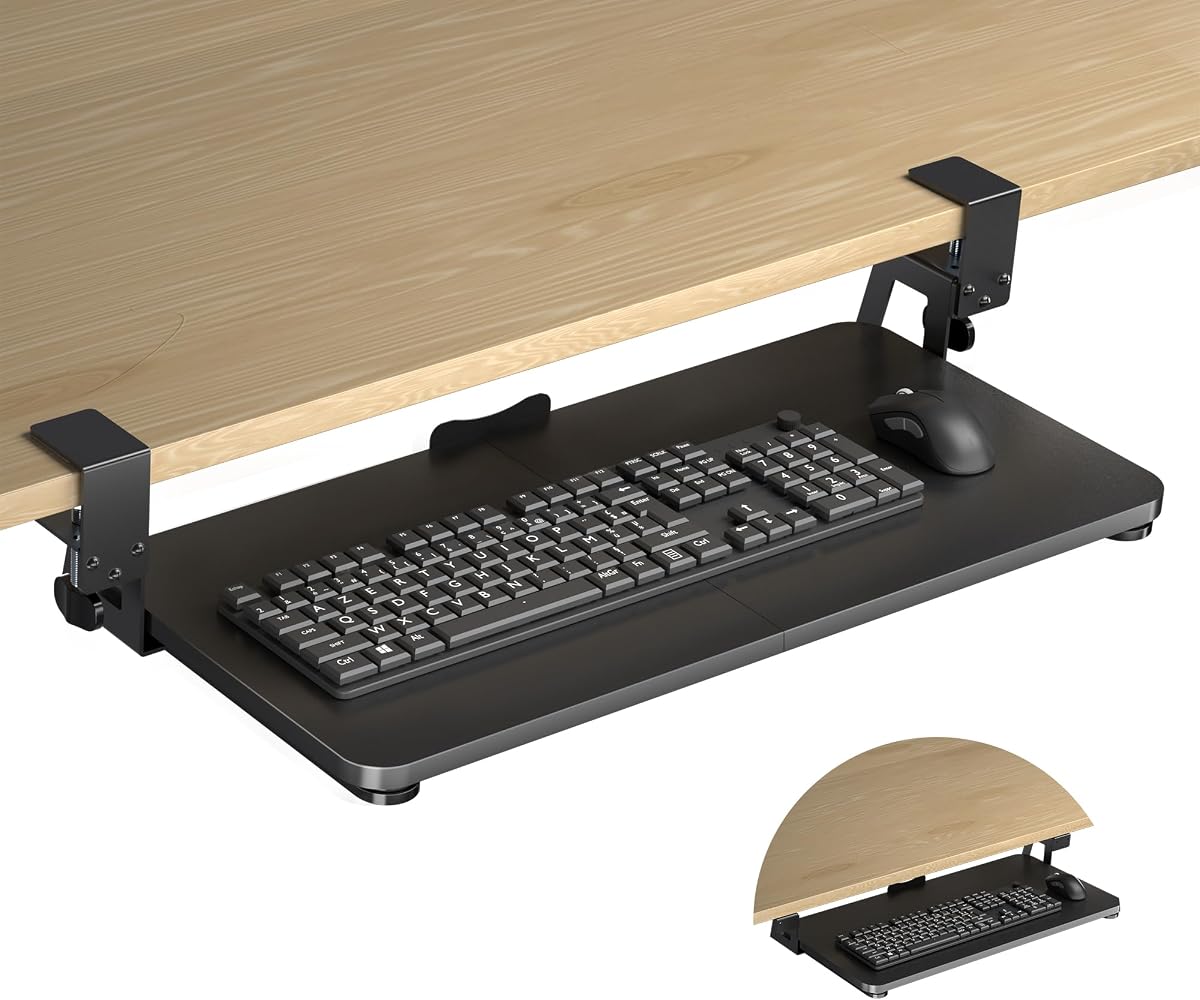
XINLEI Keyboard Tray Under Desk
4.4Editor score
Extra large 25.6 inch platform
Sturdy C-clamp mounting option
High quality metal sliding rails
Compare the top 10 keyboard trays for standing desks including clamp-on and slide-out models to find the perfect ergonomic solution for your workspace needs
Finding the right keyboard tray for standing desk setups is essential for maintaining proper ergonomics and reducing strain during long work sessions. These accessories help position your input devices at the ideal height and angle relative to your seated or standing posture.
We evaluated ten highly rated models based on installation ease, adjustability, build quality, and compatibility with various desk types including those with cross beams or thick tops. Each option offers unique features designed to enhance comfort and maximize usable desk space.
Every pick highlights key specifications and real-world performance to help you choose quickly. Prices may fluctuate due to promotions or stock levels, so verify current listings before making your final decision to ensure you get the best value available now.
4.4Editor score

4.3Editor score

4.4Editor score
This side-by-side comparison outlines the core dimensions, mounting styles, and key capabilities of each model to help you quickly identify the best fit for your specific standing desk configuration and ergonomic goals.
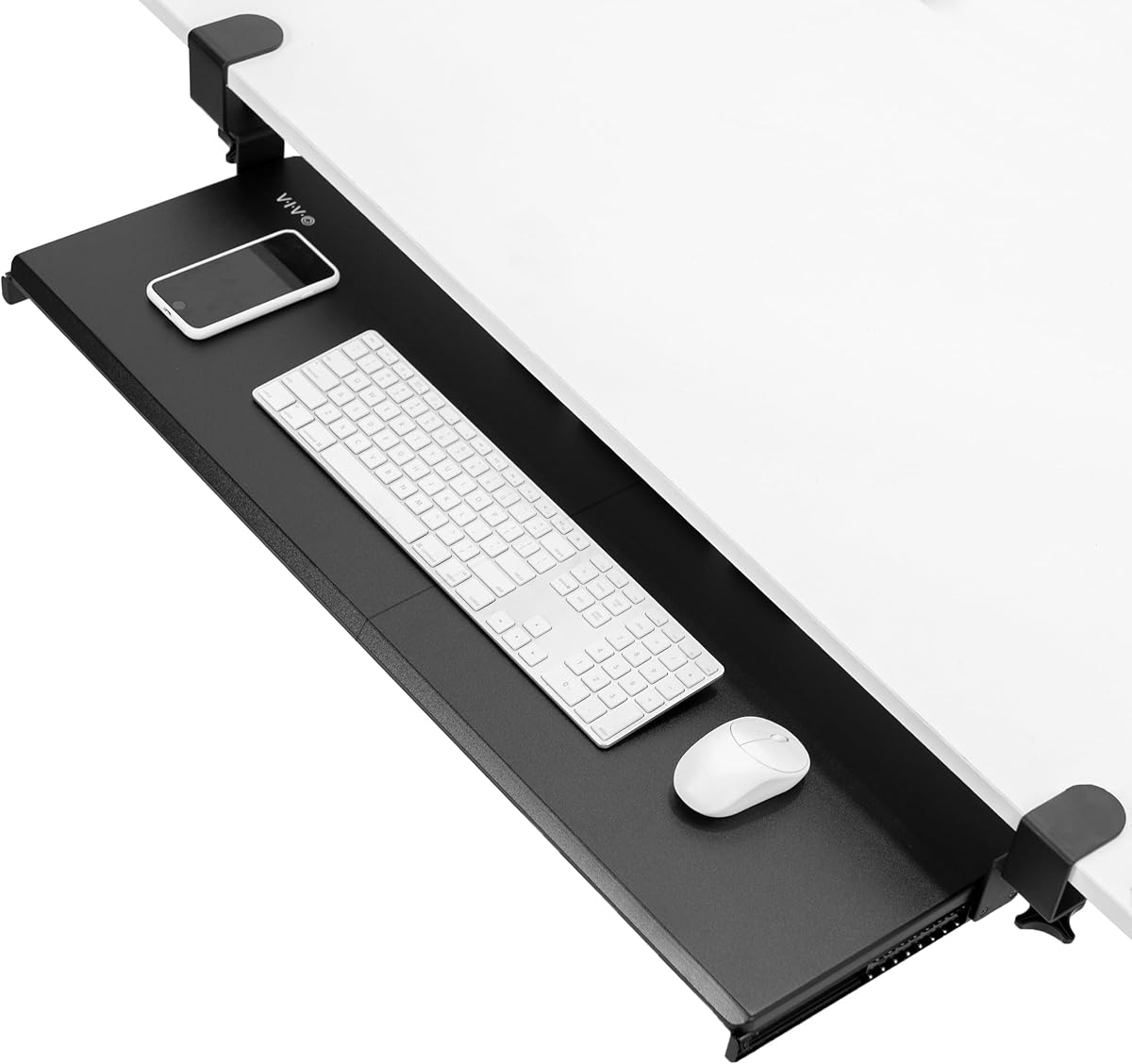


The HUANUO Under Desk Keyboard Tray stands out for its unique ability to fit both flat bottom desks and those with cross beams, making it ideal for electric standing desks that often include structural supports underneath.
We may earn a commission when you buy through this link, at no additional cost to you.
Its high-quality metal roller track system has been tested for 20,000 cycles ensuring smooth sliding even with heavy typing sessions. The tray supports up to 11 lbs and offers 6.3 inches of height adjustment plus swivel tilt options for ergonomic comfort.
While the installation is simplified with a hanging design, you must verify desk dimensions and ensure clearance for retraction. The weight of the tray means you need a stable desk surface to handle the load without wobbling during use.
This model is best for users with standing desks that have cross beams or those needing flexible height adjustments for both sitting and standing work. It delivers strong value with advanced features not found in basic clamp-on trays.
The inclusion of brackets for cross-beam installation solves a common problem for owners of electric standing desks that typically have structural beams underneath the desktop surface.
With 180-degree swivel and significant tilt options you can adjust the angle to reduce wrist strain while typing whether seated or standing at your desk for long periods.
We may earn a commission when you buy through this link, at no additional cost to you.
The XINLEI Keyboard Tray offers an excellent balance of size and cost for those seeking a reliable under-desk solution without breaking the budget. Its generous platform accommodates full-size keyboards and mice with room to spare.
We may earn a commission when you buy through this link, at no additional cost to you.
Features like the back baffle design prevent the keyboard from sliding off when fully extended while the high-quality metal sliding rails ensure quiet and smooth operation. You can choose between clamp mounting or screw options depending on desk thickness and preference.
However it does not offer vertical height adjustment which limits ergonomic flexibility compared to more expensive models. Users with thick desks exceeding 1.63 inches may find the clamp clearance insufficient for comfortable typing positions.
Ideal for home offices or shared workstations where cost is a priority this tray delivers solid stability and ample workspace. It is a strong choice for those who primarily need to reclaim desktop space rather than adjust typing height dynamically.
By moving your keyboard and mouse below the desktop this tray frees up valuable surface area for documents monitors or other work essentials increasing overall productivity.
The dual installation method allows you to select the most stable fit for your desk whether using C-clamps on standard edges or screws on thicker tops for added security.
We may earn a commission when you buy through this link, at no additional cost to you.
The Mount-It! Standing Keyboard Tray is engineered specifically for users who frequently switch between sitting and standing with a height range that extends from 1.7 inches to 15.6 inches comfortably covering both postures.
We may earn a commission when you buy through this link, at no additional cost to you.
Its scissor-lift mechanism allows for smooth height adjustments without needing tools or complex assembly. The wide sturdy base with rubber non-slip feet ensures stability even during vigorous typing without damaging your existing desk surface.
While the price is higher than basic clamp-on trays the lifetime warranty and US-based support offer significant long-term value. The unit arrives ready to use which saves time compared to models requiring extensive mounting hardware or drilling.
Best suited for dedicated workstations or offices prioritizing ergonomic health this tray removes the guesswork from keyboard height. It is perfect for health-conscious users or IT departments outfitting shared spaces where flexibility and durability are paramount.
Unlike risers that bottom out above desk level this tray goes low enough for seated typing and high enough for standing making it a true all-day ergonomic solution.
The product arrives ready to use right out of the box which means you can start enjoying ergonomic benefits immediately without waiting for tools or assembly instructions.
We may earn a commission when you buy through this link, at no additional cost to you.
The VIVO Black Extra Large Clamp-on Keyboard Tray provides ample room for keyboards mice and accessories making it suitable for users with larger input devices or multiple peripherals under the desk.
We may earn a commission when you buy through this link, at no additional cost to you.
Its solid C-clamps attach securely to desks up to 1.25 inches thick without causing damage to the desktop surface. The tray extends 8.5 inches and supports up to 11 lbs ensuring stability during active use.
Installation is straightforward with all hardware and instructions provided but note that it is not compatible with beveled edges or desks thicker than the limit. Verify your desk dimensions before purchasing to avoid fitment issues.
This tray is ideal for home offices or professional workstations needing extra space beneath the desktop. It is a reliable choice for those who prioritize surface area and simple clamp-on installation over advanced height adjustment features.
The extra long design accommodates keyboard mice and other small accessories below the desktop freeing up valuable surface area for monitors documents or writing materials.
The sturdy C-clamps secure the tray tightly without drilling holes protecting your desk from permanent modifications while ensuring the tray stays firmly in place.
We may earn a commission when you buy through this link, at no additional cost to you.
The VIVO Black Clamp-on Adjustable Tray offers versatile height and width settings making it adaptable for different desk depths and user preferences. It splits into two parts allowing flexible placement of keyboard and mouse areas.
We may earn a commission when you buy through this link, at no additional cost to you.
With 5 set points for height adjustment and compatibility up to 3.4 inches thick it accommodates thicker desktops better than many competitors. The included wrist and mouse pads add immediate comfort without extra purchases.
The split design can complicate assembly and setup compared to one-piece trays but provides ergonomic customization. It requires a flat desk edge and careful alignment to ensure both parts slide smoothly during use.
Choose this model if you need extra thickness tolerance and wish to adjust height points without full-range lifting. It is well-suited for users with varied desk types who want a balance of customization and sturdiness.
The clamp system accommodates desks up to 3.4 inches thick allowing use on heavy-duty workstations where other trays might fail to secure properly underneath.
Split into two parts to offer flexibility in positioning keyboard and mouse areas separately for better ergonomics tailored to your hand placement style.
We may earn a commission when you buy through this link, at no additional cost to you.
The BONTEC Under Desk Keyboard Tray emphasizes easy installation with no-drill C-clamp mounting that protects your desk surface from scratches and permanent damage during setup and long-term use.
We may earn a commission when you buy through this link, at no additional cost to you.
Its spacious platform measures 25.6 by 11.8 inches providing plenty of room for standard keyboards and mice. The tray supports up to 11 lbs and slides smoothly underneath for a clean workspace when not in use.
You must ensure your desk has a flat unobstructed underside without crossbars or beams for proper mounting. The clamp system works best on desks up to 1.97 inches thick requiring careful measurement before purchase.
Perfect for renters or those avoiding drilling this tray offers stable everyday use with ergonomic benefits. It suits users who value a neat appearance and quick reversible installation over advanced tilt or height adjustments.
Protective pads on the clamps prevent scratches on the desktop surface while providing a secure grip that holds the tray firmly without damaging the desk finish.
By placing keyboard and mouse below the desktop this tray frees up valuable surface area for monitors documents and other accessories to keep your workspace tidy and efficient.
We may earn a commission when you buy through this link, at no additional cost to you.
The VIVO Black Under Desk 25 Keyboard Tray is designed for smaller workspaces offering a compact 25 by 10 inch platform that fits snugly under most standard desks without overwhelming the space.
We may earn a commission when you buy through this link, at no additional cost to you.
It includes supportive rubber padding and allows full side to side rotations making it easy to access peripherals while reducing wrist strain. Height adjustment ranges up to 5 inches for basic ergonomic positioning.
If using with a height adjustable desk you will need to purchase a spacer bracket separately to fit over the frame crossbar which adds to the overall effort and cost of setup.
This model is best for home users or offices with limited under-desk clearance. It is a practical solution for those seeking a lightweight and simple tray that delivers key ergonomic benefits without complexity.
The 25 by 10 inch dimensions make this tray ideal for narrower desks where wider models would obstruct legroom or crossbar clearance underneath the workstation.
Full side to side rotations allow you to access the keyboard and mouse without straining reaching forward or twisting your body during extended typing sessions.
We may earn a commission when you buy through this link, at no additional cost to you.
The HUANUO Under Desk Keyboard Tray features a 360-degree swivel mechanism that allows the mouse platform to rotate fully providing exceptional flexibility for users who need to access different areas quickly.
We may earn a commission when you buy through this link, at no additional cost to you.
Its platform measures 25 by 9.84 inches which fits standard keyboards with room for a mouse and includes an integrated wrist rest. The tray supports up to 6.3 inches of height adjustment for sitting or standing comfort.
You need at least 35.4 inches of width clearance for rotation and 16.22 inches for sliding under the desk which may not suit narrower workstations. Tighten the knob when typing to ensure stability during use.
Ideal for multitasking workstations or L-shaped desks this tray maximizes ergonomic options with rotation and tilt features. It is best for users who prioritize mobility and adjustable angles over a fixed compact design.
The full rotation capability lets you position the mouse in any direction for easy access to different areas of the desk without needing to reach awkwardly.
With 6.3 inches of height adjustment this tray adapts to both seated and standing positions helping you maintain proper elbow and wrist alignment throughout the day.
We may earn a commission when you buy through this link, at no additional cost to you.
The Klearlook Upgraded Adjustable Keyboard Tray offers unique flexibility for above-desk or under-desk mounting allowing you to change positions based on personal preference or task requirements easily.
We may earn a commission when you buy through this link, at no additional cost to you.
It includes a convenient drawer for small items a phone slot and a built-in headphone hanger making it a comprehensive organizer. Multiple rotation and tilt options support various typing positions for enhanced ergonomic comfort.
While the design is versatile it comes at a higher price than basic models and the adjustment mechanisms require careful setup to ensure stability. It may take time to find the optimal position for your setup.
Best for home offices or gaming spaces needing multifunctional organization this tray blends workspace management with ergonomic typing support. Choose it if you want integrated storage alongside keyboard positioning features.
The built-in drawer and phone slot help keep your workspace tidy by providing dedicated places for small essentials and devices near your typing position.
Adjustable positioning allows above or under desk use offering flexibility to adapt to different tasks or desk layouts without buying separate equipment.
We may earn a commission when you buy through this link, at no additional cost to you.
The Mount-It! Keyboard Tray 30 offers one of the widest platforms available at 30 inches providing generous room for full-size keyboards and mouse accessories alongside a lifetime warranty backing.
We may earn a commission when you buy through this link, at no additional cost to you.
Its premium steel gliding rails deliver quiet wobble-free action even with heavy typing and the clamp mounts securely to desks up to 1.77 inches thick which is significantly more than many competitors allow.
While the warranty and width are major advantages the product holds the lowest rating in this list suggesting potential inconsistencies in quality control or user satisfaction regarding installation or sturdiness.
Choose this model if you prioritize width and warranty coverage and have a flat-edged desk. It is best for users who want maximum surface area and US-based support despite mixed overall ratings from buyers.
At 30 inches wide the tray accommodates full-size keyboards and mouse setups with room to spare reducing cramped typing conditions for multiple devices or large peripherals.
The lifetime guarantee and US-based product specialists provide peace of mind that issues will be handled quickly making it a secure long-term investment for your workspace.
We may earn a commission when you buy through this link, at no additional cost to you.
Selecting the right keyboard tray depends on your desk structure height preferences and ergonomic needs. Consider these key factors to ensure a perfect fit for your workspace setup.
Measure your desk thickness carefully before purchasing as clamp systems have maximum limits typically ranging from 1.25 to 3.4 inches. Some trays offer screw mounting options for thicker tops while others strictly rely on C-clamps.
Verify that your desk edges are flat and not beveled since many clamps require flat surfaces to secure properly without slipping or damaging the finish during installation.
Choose between clamp-on no-drill solutions and screw-in mounts based on whether you want to preserve the desk surface. Clamp options are reversible and ideal for renters while screw mounts offer extra stability for heavy use.
Consider installation time and tools needed as some trays come with video guides and mounting templates for easier setup while others require precise drilling and hardware assembly that may take longer to complete.
Assess the platform dimensions to ensure it fits your keyboard and mouse comfortably with room for additional accessories. Larger trays offer more workspace but require more under-desk clearance for retraction during use.
Look for tray designs that support side-to-side sliding or swivel functionality if you need to access different areas of your desk without straining your arms during typing or mousing tasks.
For standing desk users select a tray with a wide height adjustment range to accommodate both sitting and standing postures comfortably. Models with scissor lifts or adjustable rails allow smooth transitions between positions.
Check the lowest and highest settings to ensure the tray can drop below elbow height when seated and rise to a neutral typing position when standing to reduce wrist and shoulder strain effectively.
Inspect the underside of your desk for cross beams or structural supports that may block clamp installation or rail sliding. Some trays include special brackets designed to attach securely to beams without obstructing movement.
If your desk has a central support bar you may need a model specifically compatible with beam mounts or consider an independent stand option that does not rely on under-desk clamping at all.
Check the weight capacity of the tray to ensure it can support your keyboard mouse and any additional peripherals without sagging or wobbling during typing sessions. Reinforced steel frames tend to offer better longevity and stability.
Look for metal roller tracks or high-quality gliding rails that resist wear over time. Testing cycles mentioned in product descriptions can indicate the expected lifespan of the sliding mechanism under regular use.
Consider trays with tilt or swivel options that let you angle the keyboard to a neutral position. Some models also include wrist rests or mouse pads integrated into the design to enhance comfort during long work periods.
Ensure the tray locks securely in place when extended so it does not drift or creep forward while typing. Stable positioning helps maintain consistent ergonomic angles throughout the workday.
Review the warranty terms and availability of customer support to protect your investment. Lifetime warranties and US-based product specialists offer greater confidence that issues will be resolved quickly if any defects arise.
Prioritize brands with clear return policies and replacement part availability. Good support can save you time and money if you encounter installation difficulties or need to replace worn components later.
Begin by measuring your desk thickness and underside space to confirm compatibility before mounting. Ensure the surface is flat and clean so clamps or screws can grip securely without slipping during daily use.
Install the mounting hardware according to the manufacturer instructions and tighten all knobs and bolts firmly. Test the sliding or rotating mechanism multiple times to confirm it moves smoothly and locks firmly in position.
Clean the tray surface and rails regularly with a soft cloth to remove dust and debris. Periodically check the clamp pressure and screws to ensure they remain tight and do not loosen over time.
Yes but you must choose a model specifically designed for cross-beam compatibility. Some trays include brackets that attach to beams while others may require additional spacers to fit securely without obstructing your legroom.
The ideal height allows your elbows to rest at a 90-degree angle with your wrists straight. Adjust the tray so it aligns with your elbow height whether seated or standing to reduce strain on shoulders and neck.
Most modern trays use C-clamps or mounting pads that are designed not to damage the finish. However always verify your desk edges are flat and smooth to prevent scratches during installation and regular adjustments.
Clamp-on trays are better for renters or those avoiding permanent modifications while screw-in mounts offer greater stability for heavy use. Choose based on whether you need reversibility or maximum support for your setup.
You typically need at least 31 inches of width and 14 inches of depth under the desk for a full-size tray to slide in and out smoothly. Measure carefully to ensure clearance for retraction when not in use.
Yes models with scissor lifts or manual levers let you adjust height on the fly. Ensure the locking mechanism is tight so the tray stays secure and does not drift during active typing sessions.
Look for a tray supporting at least 11 pounds to comfortably hold full-size keyboards and mice. Higher weight capacities ensure stability and prevent sagging if you plan to add extra accessories to the platform.
Yes some models accommodate desks up to 3.4 inches thick using adjustable C-clamps or screw mounts. Verify your desk thickness before buying to ensure the clamp system fits securely without compromising comfort.
The top picks in this guide offer a range of solutions from budget-friendly clamp-on options to premium models with advanced height adjustments. Each tray was selected for its ability to enhance ergonomics and save desk space effectively.
Prioritize compatibility with your desk structure and adjustability based on whether you sit or stand frequently. Investing in a sturdy tray with reliable mounting ensures long-term comfort and reduces strain during work hours.
Verify current pricing and stock levels before purchasing as availability may change quickly. Use the provided links to find the best deal and confirm all specifications match your workspace needs for a smooth experience.