
WUKUR Dock for Square Reader 2nd Generation
4.4Editor score
Detachable USB-C port design
Non-slip silicone base pad
Compact holder and charger combo
This guide compares the best dock for square reader options to help small businesses find reliable charging stands with anti-sleep buttons for efficient
Finding the right dock for square reader can transform your checkout experience by keeping devices secure and powered throughout busy shifts. A quality stand ensures your payment terminal remains accessible to customers while preventing accidental drops or disconnections during transactions.
We evaluated ten top-rated docking solutions based on compatibility, build quality, and ease of use for Square Reader 2nd generation and 1st generation models. Each product was assessed for stability, cable management, and additional features like anti-sleep buttons that keep systems ready for action.
Each selection highlights key specifications and real-world benefits to help you choose the perfect fit for your retail counter or mobile setup. Please note that pricing and availability may change frequently, so always verify current details before making your final purchase decision today.
4.4Editor score

4.6Editor score
4.5Editor score
This side-by-side comparison highlights the key differences between the top ten docking stations available for Square payment terminals. We focus on compatibility, included accessories, and unique features like sleep buttons or magnetic cases to help you decide quickly.


This docking station stands out as the most reliable option for Square Reader 2nd generation users who need consistent power and easy access. With a strong 4.6 rating from verified buyers, it delivers exactly what merchants want: a secure base that charges the device while keeping it ready for transactions.
We may earn a commission when you buy through this link, at no additional cost to you.
The standout feature is the smart anti-sleep button that wakes the reader without removing it from the dock. This saves time during busy hours when customers are waiting. The clip mechanism allows you to pop the reader in and out with one hand, making setup effortless even for new staff members.
While it is priced slightly higher than basic models, the included wall charger and cable justify the cost by saving you from buying extra accessories. The only downside is the lack of compatibility with the 1st generation reader, which limits its use for older setups still in operation.
If you run a modern retail shop or pop-up event, this dock is the ideal choice to keep your payment system professional and efficient. It ensures your terminal is always powered and visible, reducing errors and improving the checkout experience for every customer who approaches your counter.
Simply press the button on the dock to wake the reader instantly without disturbing the connection or removing the device from the base.
The top clip design lets you slide the reader in and out quickly, so you can switch between charging and handheld use easily.
We may earn a commission when you buy through this link, at no additional cost to you.
This versatile dock is an excellent budget-friendly solution for businesses that own both 1st and 2nd generation Square readers. Its high 4.6 rating reflects customer satisfaction with the smooth 360-degree rotation that lets you position the screen at the perfect angle for customer viewing.
We may earn a commission when you buy through this link, at no additional cost to you.
The internal weighted iron provides exceptional stability so the base does not tip over during card swipes or taps. The 1.5-meter L-shaped cable helps manage cord length neatly along the edge of your counter, reducing trip hazards while maintaining a clean workspace appearance.
While the white case looks stylish, it may show smudges or stains over time in high-traffic areas, so regular cleaning is advised. The cable length can also be a bit long for smaller counters, requiring extra care to route it properly to avoid clutter on the surface.
Ideal for small business owners who want flexibility across multiple device types, this dock ensures you can upgrade your reader without buying a new stand. The rotating feature adds a premium touch that enhances customer interactions by keeping the display visible and accessible at all times.
Works seamlessly with both 1st and 2nd generation readers, making it a future-proof choice for businesses transitioning between models.
The internal iron weight centers the gravity point so the dock remains steady even when customers press buttons or insert cards.
We may earn a commission when you buy through this link, at no additional cost to you.
This premium dock offers a complete package that includes a protective case, making it the best choice for businesses that prioritize device safety and mobility. With a 4.5 rating, users praise the magnetic case that snaps securely onto the stand while protecting the reader from drops and scratches.
We may earn a commission when you buy through this link, at no additional cost to you.
The TPU construction features a raised lip to shield the screen, which is crucial for preventing damage during busy retail shifts. The magnetic design allows you to quickly detach the reader for handheld use or reattach it to the stand without fiddling with complicated screws or clips.
While the protective case adds some bulk to the setup, the peace of mind it provides for devices that face constant handling is worth the trade-off. The higher price compared to basic stands is justified by the added durability and the ability to use MagSafe mounts on phones nearby.
For boutique owners or food truck operators who move their terminals frequently, this dock provides the ideal balance of protection and convenience. It ensures your payment system stays in pristine condition while giving you the flexibility to switch between counter and handheld modes instantly.
The durable TPU case wraps around the reader to absorb shocks and prevent accidental drops during frequent handling by staff.
Snap the reader onto the stand using built-in magnets for instant placement and removal without tools or manual adjustments.
We may earn a commission when you buy through this link, at no additional cost to you.
This docking station is specifically designed for businesses that prioritize safety and certification, featuring rigorous ETL testing to ensure electrical safety. With a 4.3 rating, it is a reliable choice for those who want peace of mind regarding over-voltage and over-current protections for their valuable payment devices.
We may earn a commission when you buy through this link, at no additional cost to you.
The detachable USB-C port on the back allows you to easily swap cables or clean the connection point without replacing the whole unit. It comes with a generous 5.91-foot power cable, which gives you flexibility in placing the dock far from the power outlet without needing an extra adapter.
One notable limitation is the lack of an anti-sleep button, meaning you may need to tap the reader to wake it after periods of inactivity. However, the comprehensive warranty and safety features make up for this by ensuring long-term reliability and support if you encounter any issues with the hardware.
If you run a high-volume checkout environment where safety compliance is critical, this stand offers the professional-grade protection you need. The 18-month warranty also provides excellent support for small businesses that want to invest in durable hardware without worrying about future maintenance costs.
Undergoes extensive testing to meet safety standards with protections against over-voltage, short-circuit, and over-temperature risks.
The flexible USB-C port on the back lets you remove cables quickly for maintenance or replacement without damaging the dock.
We may earn a commission when you buy through this link, at no additional cost to you.
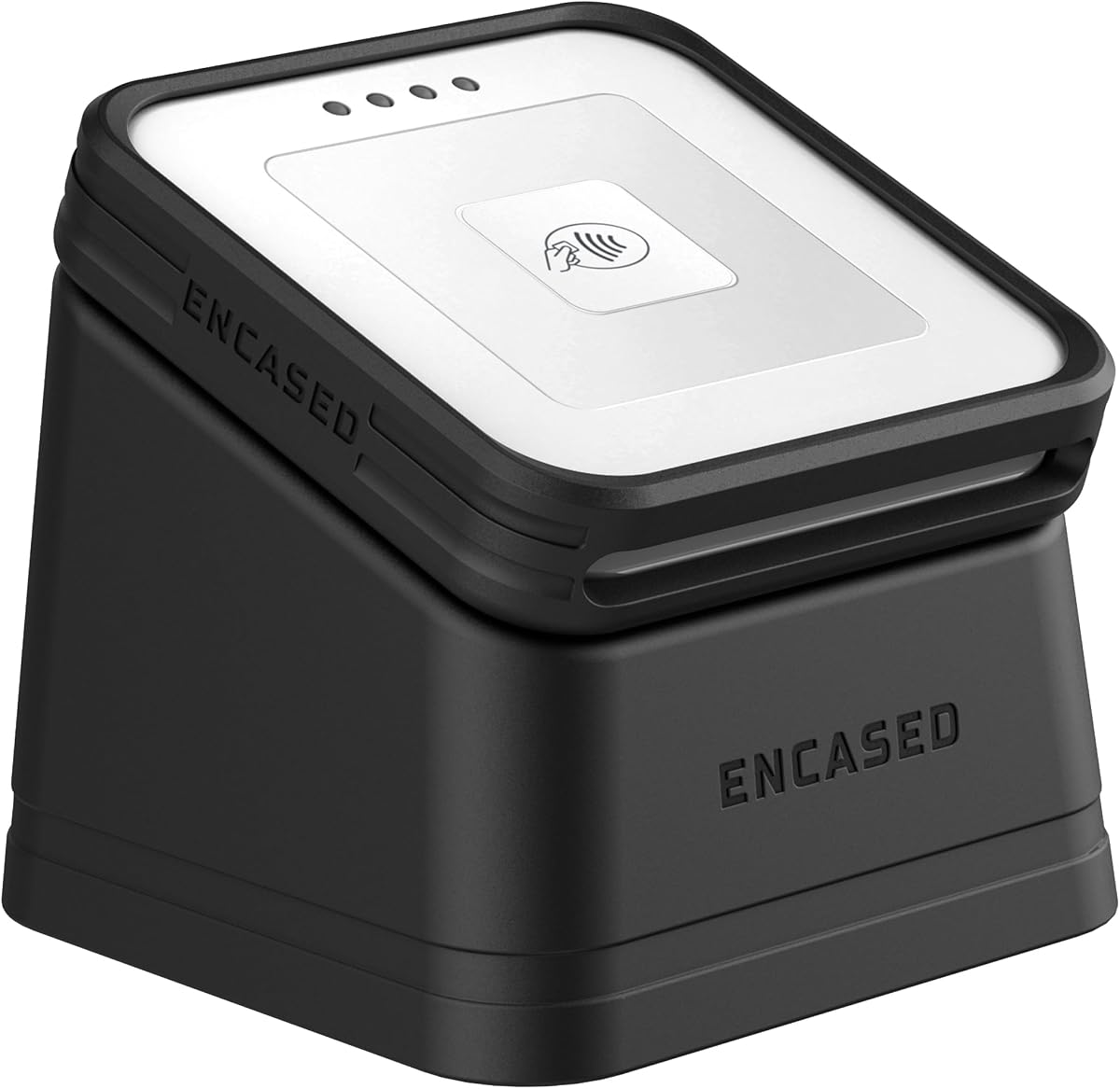
This compact dock is perfect for businesses with limited counter space, offering a streamlined design that keeps your payment device secure without taking up room. With a 4.4 rating, customers appreciate the upgraded detachable USB-C port that simplifies cable management and allows the dock to double as a standalone holder.
We may earn a commission when you buy through this link, at no additional cost to you.
The anti-sleep button ensures your reader stays awake during busy moments, while the non-slip silicone base keeps it stable during transactions. It includes a wall charger and a 1.8-meter cable, giving you enough flexibility to place the dock near the edge of your counter for easy customer access.
While the base is designed to be stable, it may slide slightly on glass surfaces without additional tape or matting, which is a minor drawback. The lack of compatibility with 1st generation readers limits its use for stores that have not yet upgraded their payment hardware to the newer model.
Ideal for pop-up shops and small retail corners, this dock provides a clean and professional look that enhances your store setup. The detachable cable feature adds versatility, allowing you to detach the cable and use the stand as a simple holder after the device is fully charged.
The USB-C port on the back allows for easy cable removal so you can use the dock as a simple holder stand.
Designed to be small and efficient, saving valuable counter space while still keeping your reader visible and accessible.
We may earn a commission when you buy through this link, at no additional cost to you.
This versatile docking station bridges the gap between older and newer devices by supporting both 1st and 2nd generation Square readers. With a 4.5 rating, it is a popular choice for businesses that need a single solution for multiple payment terminals across different locations or devices.
We may earn a commission when you buy through this link, at no additional cost to you.
The anti-sleep button on the base lets you activate the reader with a single press, saving time during busy checkout periods. It includes a wall charger and cable, so you have everything you need to get started without buying additional accessories, which adds value to the purchase price.
While the ABS material is durable, the dock is slightly heavier than other models, which can make it less ideal for mobile setups where weight matters. The white finish looks elegant but may show signs of wear or discoloration over time with frequent use or exposure to dust.
If you manage multiple locations with different reader models, this dock offers a convenient universal option that simplifies inventory management. The compact design fits easily in backpacks or luggage, making it suitable for travel or temporary setups at trade shows and events.
Designed to fit both 1st and 2nd generation readers, offering a single solution for businesses with mixed hardware.
Simply press the anti-sleep button on the base to wake the reader instantly without removing it from the stand.
We may earn a commission when you buy through this link, at no additional cost to you.
This docking station boasts a perfect 5.0 rating from verified buyers, reflecting exceptional quality and performance that meets user expectations consistently. It is designed specifically for the 2nd generation reader, offering a reliable charging solution that keeps your terminal ready for transactions at all times.
We may earn a commission when you buy through this link, at no additional cost to you.
The anti-sleep button ensures you never lose connection during a transaction, allowing you to wake the reader with a simple press. The scientific counterweight and non-slip silicone base keep the device stable on any surface, preventing accidental slips even in busy environments with frequent movement.
While the design is fairly basic compared to premium options, the functionality is exactly what you need without unnecessary frills. The lack of compatibility with 1st generation models means you must have the newer hardware to use this dock effectively in your daily operations.
If you value reliability and customer satisfaction above all else, this dock is a top choice that delivers consistent performance. It ensures your checkout process runs smoothly and efficiently, making it a great investment for small businesses that rely on their payment systems daily.
Verified buyers love the performance and stability of this dock, giving it a perfect score that reflects its high quality.
Engineered with a precise center of gravity to prevent tipping or sliding during card inserts or customer interactions.
We may earn a commission when you buy through this link, at no additional cost to you.
This reliable dock ensures your Square Reader stays powered and accessible with a smart anti-sleep feature that keeps operations running smoothly. With a 4.5 rating, it is a solid choice for merchants who want a simple setup that delivers consistent performance without technical issues or connectivity problems.
We may earn a commission when you buy through this link, at no additional cost to you.
The 2-in-1 construction allows the dock to function as both a charger and a standalone holder, giving you flexibility based on your needs. You can detach the cable after charging and use it as a pure holder for checkout, which helps keep your workspace organized and clutter-free during peak hours.
While it is priced slightly higher than basic options, the included accessories and durable design provide long-term value that justifies the investment. The only limitation is that it only works with the 2nd generation reader, so you must ensure your current hardware matches this compatibility requirement before purchasing.
If you want a dependable solution that keeps your checkout process efficient, this dock offers the stability and convenience you need. It enhances your counter setup by keeping the reader secure and visible, ensuring every customer can easily interact with the payment terminal.
Use it as a charger or a standalone holder by detaching the cable, offering flexible options for different counter setups.
Press the button on the dock to wake the reader quickly without removing it from the base, saving time during busy shifts.
We may earn a commission when you buy through this link, at no additional cost to you.
This value-oriented dock provides all the essential features you need to keep your Square Reader 2nd generation powered and ready for transactions. With a 4.4 rating, it delivers reliable performance for merchants who want a straightforward solution without paying extra for unnecessary bells and whistles.
We may earn a commission when you buy through this link, at no additional cost to you.
The anti-sleep button ensures your device stays awake when you need it most, while the non-slip silicone base keeps the dock steady during use. It includes a wall charger and USB cable, so you can set up your counter immediately without needing to buy extra power accessories.
While it lacks unique premium features like rotation or protective cases, it excels at doing the core job well. The ABS material is durable and scratch-resistant, ensuring it looks clean and professional over time. The main limitation is the 2nd generation compatibility, which may not suit older setups.
If you want a simple, no-fuss dock that gets the job done efficiently, this is an excellent choice for small business owners. It ensures your payment system remains accessible and powered throughout the day, improving your overall checkout experience and customer satisfaction.
Comes with a wall charger and cable, so you have everything needed to get your reader powered up and ready to use.
Made from scratch-resistant solid ABS material that holds up well to daily wear and tear in busy retail environments.
We may earn a commission when you buy through this link, at no additional cost to you.
This basic dock is a great option for users who already have USB power sources available on their counters. With a 4.4 rating, it offers a straightforward way to keep your 2nd generation reader charged and stable without requiring a dedicated wall adapter or extra cords.
We may earn a commission when you buy through this link, at no additional cost to you.
The anti-sleep button ensures your terminal stays active during transactions, while the 1.5-meter cable gives you enough reach to place the dock where it is most convenient. The scientific counterweight ensures the dock stays put even when customers lean in to interact with the screen.
While it does not include a wall charger, which may be a drawback for some users, the USB interface makes it easy to plug into a laptop or power bank for mobile setups. The lightweight design adds to its portability, making it ideal for businesses on the go.
If you want a simple, affordable way to dock your reader and you already have a power source nearby, this station works perfectly. It keeps your payment terminal secure and powered up so you can focus on serving customers without worrying about battery life or connectivity issues.
Connects directly to USB power sources so you can skip the wall adapter if you already have a compatible outlet available.
Light enough to carry around easily while remaining stable thanks to the counterweighted base on the bottom.
We may earn a commission when you buy through this link, at no additional cost to you.
Selecting the right dock for square reader requires careful attention to several key factors to ensure compatibility, stability, and ease of use in your specific environment.
The first and most critical factor to consider is whether the dock is designed for the 1st or 2nd generation Square Reader. Most modern docks only support the 2nd generation due to different connection types, so you must check the product details to avoid buying an incompatible stand. If you use an older model, look for explicitly stated support or a universal design that accommodates both versions.
Always verify your reader model number before purchasing a dock to ensure it will fit your device properly and function as intended without connection issues.
The anti-sleep button allows you to wake your reader instantly without removing it from the dock, which saves valuable time during busy shifts. This feature prevents the frustration of tapping buttons on the device or unplugging and replugging cables to reactivate the system for a transaction. Docks with this function provide a more seamless checkout experience for both staff and customers.
Prioritize models with anti-sleep buttons if you have high transaction volume to keep your workflow smooth and uninterrupted during peak business hours.
A stable base prevents the dock from tipping over when customers insert cards or tap their devices, which helps avoid accidents and damage to the equipment. Look for docks with weighted bases or non-slip silicone pads on the bottom to ensure they stay put on smooth surfaces like glass or polished counters. Heavy-duty materials like ABS plastic or internal iron weights improve overall stability significantly.
Choose a dock with a solid counterweight and non-slip padding to ensure it remains secure even during frequent and forceful card transactions.
Cable length and routing options affect how clean your counter looks and how easy it is to reach outlets. Longer cables like 1.5 meters allow flexibility in placement but can clutter small spaces, while shorter cables keep things tidy but limit your power source options. Detachable USB-C ports are useful for easy cleaning and swapping out cables when needed without hassle.
Opt for a dock with a detachable cable and sufficient length to match your counter layout and power outlet positions comfortably.
Some docks come with wall chargers and cables, while others require you to buy these separately, which impacts the total cost of ownership. If you need a complete setup, choosing a model that includes the charger can save you money and the hassle of finding compatible adapters later. Always check the package contents before buying to avoid unexpected additional purchases.
Look for bundles that include chargers and cables if you do not already have compatible accessories to save time and reduce initial costs.
Docks made from high-quality ABS plastic or sturdy materials resist scratches, dents, and wear from daily use, keeping your counter looking professional longer. Avoid cheaper materials that may crack under stress or degrade quickly in busy environments. A durable dock protects your reader investment and ensures the product remains functional for many months or years.
Select a dock made of durable ABS or metal materials to withstand daily wear and tear in high-traffic retail or service settings.
The appearance of the dock should match your store branding and decor to create a cohesive look for customers. White or black finishes are common options that blend well with most modern counters. Some models even feature sleek or minimalist designs that elevate the visual appeal of your checkout area and reflect professionalism.
Choose a color and style that complements your shop environment to maintain a polished and professional image at all times.
Prices vary depending on features and materials, so balance your budget against the functions you need most. Cheaper docks may lack useful features like anti-sleep buttons or durable bases, which can lead to inconvenience over time. Investing in a slightly higher-priced model with essential features often offers better long-term value for your business.
Evaluate the total value including included accessories and features to ensure you get a quality dock that fits your budget needs.
Start by checking that your dock is compatible with your specific Square Reader generation before setting it up. Place the dock on a flat, stable surface near an electrical outlet or USB power source to ensure your terminal stays powered throughout your shift without interruption.
Gently slide the Square Reader into the dock's slot, ensuring the connection ports align correctly for charging. If your dock has a clip mechanism, press it down until you hear a click to secure the device firmly so it does not slip out during busy customer interactions.
Clean the dock regularly with a soft dry cloth to remove dust and prevent scratches on the surface. Check the USB cables and connections periodically to ensure they remain intact and free of fraying, which helps maintain a safe and reliable power supply for your payment system.
Most docks do not include the Square Reader. They are designed as stands or charging stations only. Always check the product description to confirm if the reader is included so you do not receive only the dock expecting the full device.
The anti-sleep button lets you wake your reader without removing it from the dock. This saves time during busy transactions when the reader may have entered sleep mode due to inactivity. It is a convenient feature for high-volume checkout counters.
Some docks support both 1st and 2nd generation readers, but most modern docks only fit the 2nd generation due to different connection sizes. Always check the compatibility list on the product page to ensure it fits your specific model before buying.
Many docks include a wall charger and USB cable in the package. However some cheaper models may only include the dock without power accessories. Verify the included items before purchasing to avoid needing to buy a charger separately later.
Most docks use a slot or clip mechanism to hold the reader in place. Slide the reader gently into the slot until it fits snugly. If there is a clip, press it down to lock the device securely so it does not fall out accidentally.
Yes, most docks are designed for easy one-hand installation without tools. Simply place the dock on your counter and plug in the cable. Some models allow you to insert the reader in seconds with a simple clip mechanism that snaps into place.
We have explored ten top-rated docks that cater to various needs from budget-friendly universal models to premium options with protective cases. Each selection provides unique features like anti-sleep buttons and sturdy bases to enhance your checkout efficiency and device safety.
When choosing a dock, prioritize compatibility with your reader generation and essential features like anti-sleep activation to streamline your workflow. Consider the durability of the materials and whether the included accessories meet your power needs to avoid future expenses.
Prices and availability for these products change frequently so always check current listings before finalizing your purchase. We hope this guide helps you select the perfect dock for square reader to keep your business running smoothly and professionally.