
Canon PIXMA TR4720
3.9Editor score
Affordable entry price
Built-in fax capability
Alexa smart reorder support
Compare the best all in one printer with fax models for 2026. We analyze speed, ink costs, connectivity, and reliability to help you choose the perfect office
Finding the right all in one printer with fax can streamline your home or office workflow significantly. Modern devices combine printing, scanning, copying, and faxing into a single compact unit. This integration saves space and reduces clutter while ensuring you have all essential document tools ready.
We evaluated ten top-rated models based on performance, features, and user feedback. Our analysis focused on print quality, speed, connectivity options, and the reliability of the fax function. We also considered long-term ink or toner costs to ensure value beyond the initial purchase price.
Each product pick highlights key strengths and ideal use cases for different needs. Prices and availability may change, so verify details before purchasing. This guide aims to simplify your decision-making process with clear, factual comparisons and expert insights.
3.9Editor score

4.0Editor score

4.3Editor score
This side-by-side comparison highlights key specifications across all ten models. Reviewing these details helps identify which device aligns best with your specific volume and feature requirements.






The HP OfficeJet Pro 9135 stands out as a top performer for busy offices needing speed and reliability. It delivers professional-quality color prints and includes a robust fax feature for secure document transmission.
We may earn a commission when you buy through this link, at no additional cost to you.
Its standout speed of 25 pages per minute ensures high-volume tasks are completed quickly. The single-pass duplex scanning saves significant time when processing multi-page documents for archiving or sending.
While the upfront cost is higher than basic models, the efficiency gains justify the investment. The HP AI optimization reduces wasted paper by intelligently formatting web pages and emails for print.
This model is ideal for small to medium businesses requiring consistent output and security. Consider this if you prioritize speed and advanced features over budget constraints.
The 25 ppm black print speed handles large batches efficiently without compromising quality.
Dual-band Wi-Fi ensures stable connections even in environments with heavy wireless traffic.
We may earn a commission when you buy through this link, at no additional cost to you.
The Canon PIXMA TR4720 is an excellent entry-level choice for home users with basic fax needs. It offers essential functions like printing, scanning, copying, and faxing at a very affordable price point.
We may earn a commission when you buy through this link, at no additional cost to you.
Its compact size makes it suitable for small desks or limited spaces. The integration with Alexa allows for convenient smart reorders when ink levels run low, reducing manual maintenance tasks.
While speeds are modest compared to office-grade models, they suffice for occasional personal or light professional use. The ENERGY STAR certification ensures it remains energy efficient during standby periods.
Choose this if you need a reliable fax printer without a large investment. It is perfect for home offices where volume remains moderate and space is at a premium.
Connect to Alexa to receive low ink alerts and place smart reorders automatically.
A compact footprint ensures it fits easily into tight workspaces or corners.
We may earn a commission when you buy through this link, at no additional cost to you.
The Brother MFC-L2820DW delivers premium monochrome performance with speed and efficiency rarely found at this price. It excels at handling high-volume black and white document workflows including secure fax transmission.
We may earn a commission when you buy through this link, at no additional cost to you.
Laser technology ensures sharp text and consistent output even over long periods. The high-speed printing of 36 pages per minute keeps up with demanding office schedules without bottlenecks.
While it lacks color capabilities, the focus on monochrome lowers operational costs significantly. Toner cartridges last longer than ink, making it economical for text-heavy environments.
This printer is best for offices focused on documentation rather than graphics. Prioritize it if you need speed and durability in a compact, reliable package.
Laser technology provides fast print times and sharp text output ideal for office documents.
Longer-lasting toner reduces frequency of replacement and lowers overall cost per page.
We may earn a commission when you buy through this link, at no additional cost to you.
The HP OfficeJet Pro 9125 is designed for professional settings requiring high-quality color documents and secure printing. It balances speed and functionality to meet the demands of modern work environments.
We may earn a commission when you buy through this link, at no additional cost to you.
With a 250-sheet input tray, it reduces the need for frequent paper refills during busy periods. HP Wolf Pro Security adds a layer of protection against cyber threats, which is vital for sensitive business data.
AI capabilities optimize formatting to reduce wasted paper during printing tasks. The touchscreen interface simplifies navigation, making complex tasks like faxing straightforward for all users.
Ideal for offices needing color printing and robust security. Consider this model if you value professional output quality alongside strong network protection features.
Wolf Pro Security helps protect your network and data from potential cyber threats.
HP AI removes unwanted content to optimize print layouts and save paper resources.
We may earn a commission when you buy through this link, at no additional cost to you.
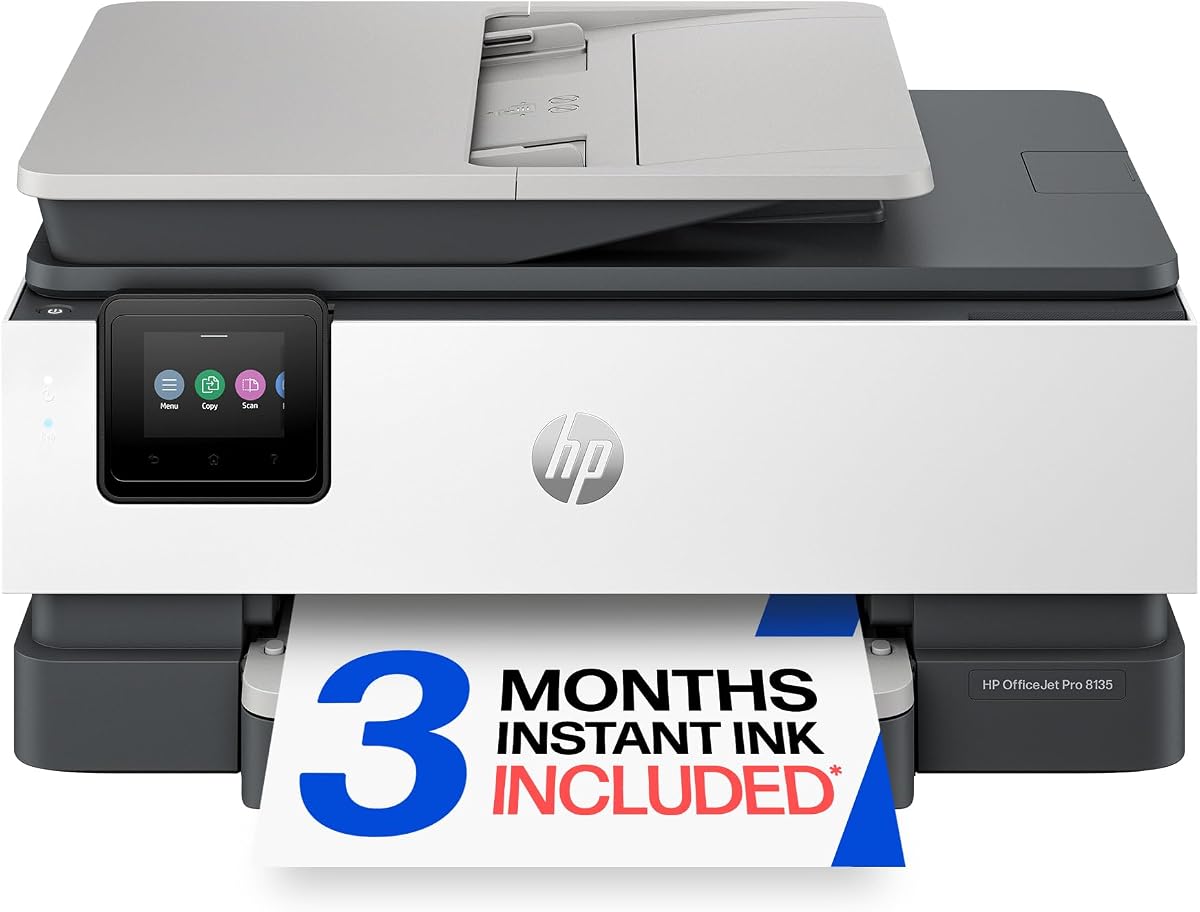
The HP OfficeJet Pro 8135 is tailored for home offices needing reliable color printing and fax functions. It brings professional features to a more accessible price point for individual users.
We may earn a commission when you buy through this link, at no additional cost to you.
The 2.7-inch touchscreen provides a phone-like interface for easy navigation. Instant Ink trial helps manage costs by delivering ink before you run out, ensuring uninterrupted work.
Sustainable design elements include over 45% recycled plastic content, aligning with eco-friendly goals. While color speeds are slower, text quality remains sharp for business reports and presentations.
Recommended for remote workers needing versatile tools without high costs. Choose this if you require color capability in a compact home office environment.
Built with over 45% recycled plastic to reduce environmental impact.
Subscribe to get ink delivered to your door automatically before running out.
We may earn a commission when you buy through this link, at no additional cost to you.
The Epson EcoTank ET-4800 revolutionizes printing with its cartridge-free design that uses refillable ink tanks. This approach significantly lowers the cost per page compared to traditional inkjet systems.
We may earn a commission when you buy through this link, at no additional cost to you.
Micro Piezo Heat-Free Technology ensures sharp text and vivid photos without heating elements that can degrade ink over time. The high-capacity tanks reduce the frequency of refills needed for continuous printing.
EcoFit ink bottles are designed to minimize spills and make refilling simple for users. However, verify fax availability before purchase as this model primarily focuses on print, scan, and copy functions.
Ideal for high-volume users wanting to reduce ongoing supply costs. Prioritize this if ink consumption is high and you need reliable quality without cartridge dependency.
Cartridge-free tanks reduce the cost per page significantly for high-volume printing.
EcoFit ink bottles make the refilling process mess-free and straightforward for any user.
We may earn a commission when you buy through this link, at no additional cost to you.
The HP OfficeJet Pro 8125 offers a balanced mix of features suitable for home office environments. It provides reliable color printing and basic fax capabilities for light professional tasks.
We may earn a commission when you buy through this link, at no additional cost to you.
HP Wolf Essential Security ensures your network remains protected from potential threats during wireless operations. The touchscreen interface simplifies navigation, making it easy to manage tasks remotely via the app.
Instant Ink trial helps manage ongoing costs by delivering supplies automatically. While print speeds are decent, they may not suit high-volume demands compared to higher-tier office models.
Recommended for users needing a reliable workhorse without excessive costs. Choose this if you require essential functions like fax and scanning at a reasonable price.
HP Wolf Essential Security bolsters protection to keep your network safe from cyber threats.
Use the HP app to manage printing tasks directly from your smartphone or tablet.
We may earn a commission when you buy through this link, at no additional cost to you.
The HP Smart Tank 7603 stands out by offering up to three years of ink included right out of the box. This feature makes it a compelling choice for users who want to avoid frequent supply purchases.
We may earn a commission when you buy through this link, at no additional cost to you.
Its mess-free refill system allows you to replenish ink bottles effortlessly without squeezing or spilling. With up to 8,000 color pages and 6,000 black pages, it supports high-volume printing without interruptions.
While the upfront cost is higher, the long-term savings on ink justify the investment. The AI capability helps optimize layouts to prevent wasted paper and ensure professional-quality outputs.
Best for users prioritizing supply convenience and long-term savings. Choose this if you want to eliminate monthly ink costs and reduce maintenance efforts.
Up to three years of ink included significantly lowers long-term operating costs.
Easy access refill system lets you plug bottles directly into the tank without spills.
We may earn a commission when you buy through this link, at no additional cost to you.
The HP OfficeJet Pro 8139 distinguishes itself with a one-year trial of Instant Ink, providing extended supply support for new users. This benefit reduces the burden of purchasing ink frequently during the first year.
We may earn a commission when you buy through this link, at no additional cost to you.
It offers consistent performance for home office tasks with speeds suitable for daily documents. The HP Wolf Essential Security ensures your data remains safe during wireless fax and print operations.
AI tools help manage print layouts to reduce waste and improve clarity. The touchscreen interface mimics a phone, making navigation intuitive even for non-technical users.
Ideal for those wanting extended supply support and reliable faxing. Choose this if you need a balanced home office printer with long-term value.
A one-year Instant Ink trial provides free supplies for the first twelve months of use.
Wolf Essential Security helps safeguard your network from unauthorized access and threats.
We may earn a commission when you buy through this link, at no additional cost to you.
The Canon PIXMA TR8620a is designed for home offices that require high-quality photo printing alongside document functions. It supports versatile connectivity options including AirPrint and Android for seamless integration.
We may earn a commission when you buy through this link, at no additional cost to you.
Its Micro SD slot allows direct printing from camera cards without needing a computer. The 200-sheet capacity ensures you can handle multiple document tasks without constant refilling.
Alexa integration provides voice control and smart reorder capabilities for convenience. While speeds are moderate, the print quality for photos and documents is impressive for home use.
Best for users needing both document and photo capabilities in one unit. Choose this if you value versatility and photo output alongside standard office functions.
Specialized ink and printer heads ensure high-quality photo prints for memories.
Micro SD slot allows direct printing from memory cards without a computer connection.
We may earn a commission when you buy through this link, at no additional cost to you.
Selecting the right printer depends on several factors including your expected volume, budget, and connectivity needs. Understanding these elements ensures you pick a device that meets your specific workflow.
Consider how many pages you print monthly and how quickly you need them. High-volume offices benefit from speeds above 20 pages per minute to prevent delays.
Match the printer's duty cycle to your monthly usage to avoid premature wear and ensure longevity.
Evaluate the ongoing cost of supplies since cartridges or toner can become expensive over time. Tank systems often offer lower cost per page compared to standard cartridges.
Check if the device supports subscription services to automate delivery and potentially save money.
Ensure the device includes reliable fax hardware or software capabilities for secure document transmission. Look for models with built-in modems if you rely heavily on faxing.
Verify compatibility with digital fax services if you prefer email-based transmission over physical phone lines.
Check if the printer supports wireless, Ethernet, or USB connections based on your network setup. Dual-band Wi-Fi offers better stability in environments with heavy network traffic.
Mobile printing support allows you to send documents directly from smartphones or tablets for remote work.
Determine the size of the input tray to reduce the frequency of manual paper refills. Larger trays are essential for shared workspaces or busy departments.
Multiple paper sources allow you to print on different paper types without swapping trays manually.
Look for built-in security protocols that protect data during transmission and storage. Features like user authentication help prevent unauthorized access to sensitive documents.
Regular firmware updates ensure the device remains protected against emerging security threats over time.
Measure your available workspace to ensure the printer fits comfortably without obstructing movement. Compact models are ideal for home offices or small desks.
Consider the depth required for output trays to avoid clutter on your work surface.
An intuitive touchscreen makes navigation easier for all users regardless of technical skill level. Look for clear menus and quick access to common tasks like faxing or copying.
Remote management apps allow you to monitor ink levels and troubleshoot issues from your smartphone.
Start by setting up the printer using the manufacturer's app for easiest configuration. Follow on-screen prompts to connect to your network and install necessary drivers on your computer.
Regularly run cleaning cycles to prevent clogged nozzles and ensure high print quality. Keep the device in a cool, dry place away from direct sunlight to maintain performance.
For faxing, ensure your phone line is securely connected or set up digital fax services through the app. Check settings for resolution and headers to ensure documents are transmitted correctly.
Not necessarily. While traditional models require a physical phone line for faxing, many modern devices support digital fax services. These allow you to send and receive faxes over the internet using email or cloud storage.
Laser printers are generally better for high-volume text documents due to faster speeds and lower toner costs. Inkjets are ideal if you need color output or photo capabilities alongside standard office tasks.
Yes, you can use software-based faxing solutions or online fax services. These eliminate the need for a physical printer and modem by sending faxes via email or a web portal.
Check your connection first by ensuring cables are secure and the line is active. If using Wi-Fi, verify your network stability. Restarting the device often resolves temporary software glitches causing errors.
Subscriptions can be cost-effective for frequent users as they guarantee supply delivery and often reduce per-page costs. However, evaluate your print volume to ensure you won't be paying for unused ink.
Standard or normal quality is usually sufficient for text documents. If sending documents with diagrams or photos, select a higher resolution setting to ensure the receiving end can read the details clearly.
Yes, most models support USB connections to a computer or direct Ethernet to a router. You can still access basic functions like printing, scanning, and faxing without wireless connectivity.
Replacement frequency depends on your print volume and the capacity of the cartridges. Monitor ink levels through the printer interface or mobile app to know exactly when to order replacements.
We reviewed ten excellent models ranging from budget-friendly home options to robust office machines. The HP OfficeJet Pro 9135 stands out for speed and reliability, while the Canon PIXMA TR4720 offers an affordable entry point.
Prioritize features that match your daily workflow needs such as print volume or supply costs. Investing in the right model now can save time and money on maintenance and operations.
Prices change frequently so always check current listings before finalizing your purchase. Use this guide as a reference to find the perfect fit for your home or office setup.