
OBDLink EX FORScan OBD Adapter
4.7Editor score
Dealership-level diagnostics
Electronic CAN bus switching
Maximum throughput speed
This guide compares the top Forscan USB OBD2 adapters for Ford and Mazda owners. We review stability, compatibility, and features to help you choose the right
Finding the right Forscan USB OBD2 adapter is crucial for diagnosing Ford and Mazda vehicles effectively. A quality adapter ensures stable connections and full access to hidden vehicle modules.
We compared ten top-rated adapters based on stability, speed, and compatibility with FORScan software. Each product offers unique features for professionals and DIY enthusiasts alike.
Each pick highlights key strengths and weaknesses to guide your decision. Prices and availability may change, so check current listings before purchasing your next diagnostic tool.
4.7Editor score

4.7Editor score

4.4Editor score
This side-by-side comparison evaluates the top ten Forscan USB OBD2 adapters based on stability, software support, and vehicle coverage to help you make an informed choice.




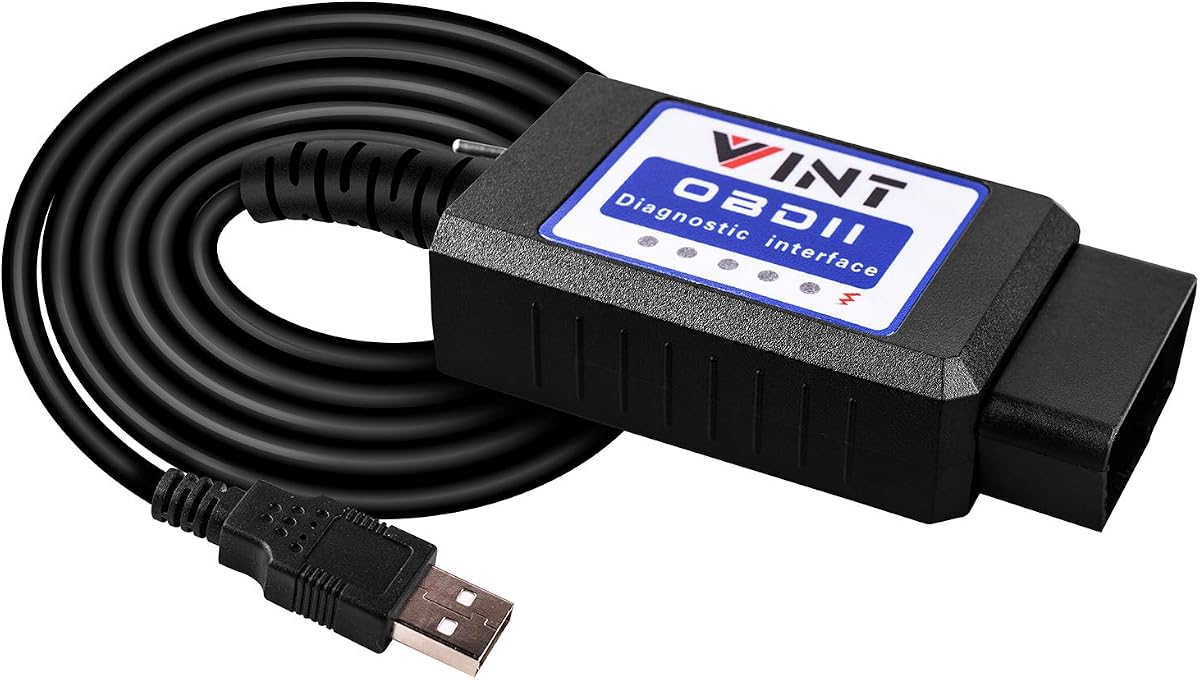
The Vgate vLinker FS USB adapter stands out as the top choice for FORScan users needing reliability and speed. With a 4.7 rating, it delivers consistent performance for diagnostics and programming tasks.
We may earn a commission when you buy through this link, at no additional cost to you.
This adapter is optimized specifically for FORScan software, ensuring no lag or crashes during extended sessions. It supports both HS-CAN and MS-CAN buses automatically, providing seamless access to all vehicle modules.
While it offers excellent performance, users should note it requires an OBD2 app that supports ELM327 devices. Compatibility may also vary by vehicle year and configuration, so check specifications before purchasing.
For Ford and Mazda owners seeking a reliable diagnostic tool, this adapter is highly recommended. Its balance of speed, stability, and cost makes it an ideal choice for both professionals and enthusiasts.
The adapter ensures stable communication with FORScan, reducing the risk of dropped packets during critical programming tasks.
Users benefit from seamless transitions between HS-CAN and MS-CAN without manual intervention, simplifying complex diagnostics.
We may earn a commission when you buy through this link, at no additional cost to you.
The OBDLink EX is a premium adapter designed for users requiring dealership-level diagnostic capabilities. Its 4.7 rating reflects its high reliability and speed for advanced vehicle programming.
We may earn a commission when you buy through this link, at no additional cost to you.
This adapter features an electronic switch that allows simultaneous access to all CAN buses, enabling functions not possible with manual toggle switches. It offers up to 20 times faster throughput compared to standard adapters.
Despite its performance advantages, the OBDLink EX comes at a higher price. Users should also ensure they run Windows, as it does not support macOS or mobile operating systems natively.
For those prioritizing speed and advanced feature access, this adapter is an excellent investment. It is particularly suited for professional technicians or enthusiasts needing precise control over vehicle modules.
The adapter supports all Ford protocols and modules, offering deep diagnostic capabilities similar to official dealership tools.
Automatic switching eliminates manual adjustments, streamlining the diagnostic process for complex vehicle networks.
We may earn a commission when you buy through this link, at no additional cost to you.
This ELM327 USB adapter offers an affordable entry point into FORScan diagnostics for Ford and Mazda owners. With a 4.4 rating, it provides reliable functionality for basic and advanced tasks.
We may earn a commission when you buy through this link, at no additional cost to you.
The adapter includes manual MS-CAN and HS-CAN toggle switches, giving users control over which bus to access. It supports various protocols including J1850PWM and is compatible with ELMconfig and FoCCCus software.
While cost-effective, this tool requires manual driver installation before use. It is not plug-and-play and may require troubleshooting via Device Manager for some users.
For budget-conscious buyers comfortable with basic technical setup, this adapter is a solid choice. It delivers core diagnostic capabilities at a fraction of the cost of premium options.
Users can unlock various hidden features like Bambi mode and global window functions using compatible software.
The toggle switch allows precise control over bus selection, useful for troubleshooting specific vehicle modules.
We may earn a commission when you buy through this link, at no additional cost to you.
The OHP FORScan adapter is designed for DIY enthusiasts looking to save on dealer repair costs. With a 4.3 rating, it provides accurate and efficient diagnostics for Ford and Mazda vehicles.
We may earn a commission when you buy through this link, at no additional cost to you.
This adapter supports Windows XP through 10, making it accessible for a wide range of users. It offers speeds up to 500 kbit/s and is compatible with FORScan software for detailed diagnostics.
Users may need to adjust the COM port number in Device Manager if connection issues arise. Additionally, it is strictly Windows-only, limiting use on other operating systems.
For owners needing a reliable tool for basic and advanced diagnostics, this adapter is a strong contender. It balances functionality and affordability well for most users.
The tool empowers users to troubleshoot confidently, read fault codes, and perform basic maintenance tasks.
Support for older and newer Windows versions ensures accessibility for a broad user base.
We may earn a commission when you buy through this link, at no additional cost to you.
This VGATE vLinker FS variant offers robust features for FORScan users, including battery protection and automatic switching. Its 4.6 rating highlights its stability and performance for programming tasks.
We may earn a commission when you buy through this link, at no additional cost to you.
The adapter supports battery saver and protection technology, allowing it to remain plugged in without damaging the vehicle battery. It also offers a 1-year warranty and lifetime firmware updates for long-term value.
While feature-rich, users must download apps separately, as none are included. This may add complexity for those expecting a fully bundled solution out of the box.
For users seeking long-term reliability and advanced protection features, this adapter is an excellent choice. It delivers professional-grade capabilities with added peace of mind.
The adapter automatically sleeps to prevent battery drain, making it safe to leave connected for extended periods.
The 1-year warranty and lifetime firmware updates ensure sustained performance and reliability over time.
We may earn a commission when you buy through this link, at no additional cost to you.
This Elm327 adapter provides broad support for Ford trucks and hidden feature programming. With a 4.0 rating, it delivers solid functionality for users prioritizing cost and compatibility.
We may earn a commission when you buy through this link, at no additional cost to you.
It supports Ford F-series trucks and various models from 1996 onward. Users can access hidden features like Global Window and Bambi Mode using compatible software.
Users should note limited support for newer Mazda models. Additionally, driver installation is required before use, which may involve technical steps for some buyers.
For budget-focused Ford owners needing essential diagnostic capabilities, this adapter is a good option. It offers core functionality at an accessible price point.
The adapter specifically supports F-series trucks and many Ford models, ensuring broad vehicle coverage.
Users can unlock and modify hidden vehicle settings like tire correction and mirror tilt.
We may earn a commission when you buy through this link, at no additional cost to you.
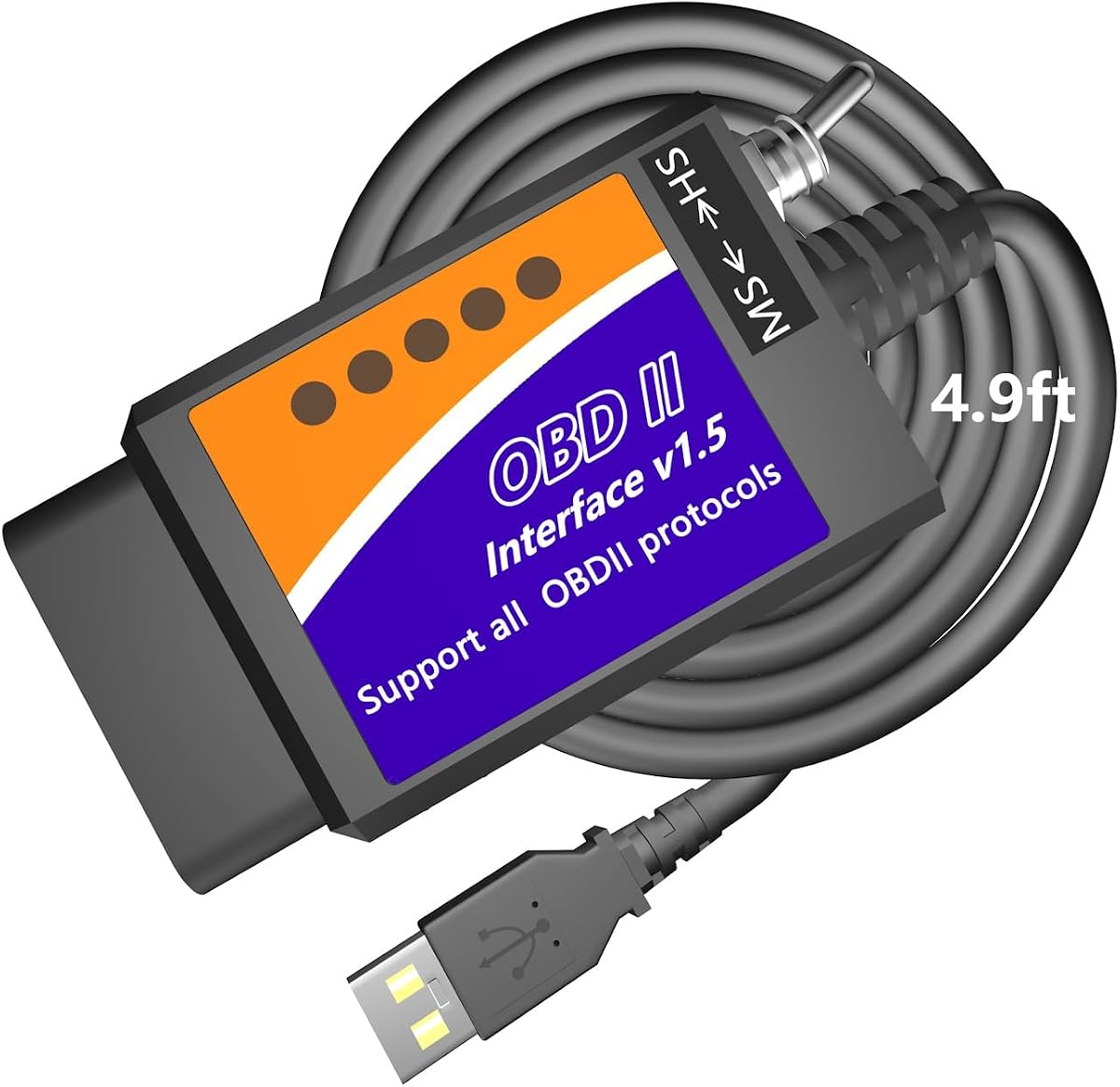
The MOCATEC adapter features an extra-long 4.9ft cable, offering comfort during diagnostics. Its 4.3 rating highlights its usability and compatibility with FORScan software for vehicle customization.
We may earn a commission when you buy through this link, at no additional cost to you.
The extended cable allows users to place laptops comfortably on their knees without straining the port. It includes HS-CAN and MS-CAN toggle switches for manual bus access.
However, users must work with a Windows PC as it does not support mobile or Mac devices. Manual switching is also required for bus selection.
For users prioritizing comfort during long sessions, this adapter stands out. It combines practical design with essential diagnostic features for Ford and Mazda owners.
The 4.9ft cable allows flexible positioning, reducing physical strain during extended diagnostic work.
Graphic and video tutorials help users navigate complex module modifications safely and effectively.
We may earn a commission when you buy through this link, at no additional cost to you.
The AntiBreak elm 327 adapter features an FTDI chip for stable connections. With a 4.3 rating, it offers reliable diagnostics for Ford and Mazda vehicles when used with FORScan software.
We may earn a commission when you buy through this link, at no additional cost to you.
The FTDI chip helps avoid data corruption and dropped packets during transfers. It includes a manual MS-CAN/HS-CAN switch for controlling bus access during programming.
Users should be prepared to install drivers manually before use. While reliable, manual switching may slow down workflows compared to automatic adapters.
For users seeking hardware stability and control, this adapter is a solid choice. It delivers consistent performance for basic diagnostics at a budget-friendly price.
The FTDI chip ensures reliable USB connections, minimizing data loss during critical programming operations.
Manual switches allow precise control over network access, useful for isolating specific vehicle modules.
We may earn a commission when you buy through this link, at no additional cost to you.
This Vgate vLinker FS variant boasts the highest 4.8 rating among similar adapters, reflecting user satisfaction. It offers automatic electronic switching for seamless access to vehicle modules.
We may earn a commission when you buy through this link, at no additional cost to you.
Automatic switching eliminates the need for manual bus toggling, streamlining the diagnostic process. The rock-solid USB connection ensures minimal interruptions during extended programming sessions.
Users must download FORScan software separately as it is not included. Compatibility remains primarily focused on Windows environments for full functionality.
For users seeking the highest rated automatic adapter, this is a top choice. It combines reliability and speed for efficient vehicle diagnostics and customization.
The adapter automatically switches between HS-CAN and MS-CAN, reducing manual effort and risk of errors.
With a 4.8 rating, users report high satisfaction with reliability and ease of use for daily tasks.
We may earn a commission when you buy through this link, at no additional cost to you.
This classic adapter has been a favorite among Ford owners for reliable diagnostics and programming. With a 4.5 rating, it offers stable performance for basic and advanced tasks.
We may earn a commission when you buy through this link, at no additional cost to you.
It includes a manual MS-CAN and HS-CAN switch to access vehicle modules. It runs at a constant 500kbit/s speed, ensuring consistent data retrieval during diagnostics.
Manual switching may slow workflows compared to automatic adapters. It is also restricted to Windows systems, limiting cross-platform use.
For users who prefer classic reliability and control, this adapter is a solid option. It delivers proven performance at an affordable price point.
As a favorite among Ford owners, this interface is known for stable scanning and programming capabilities.
Manual switches provide direct control over bus selection, suitable for users comfortable with technical adjustments.
We may earn a commission when you buy through this link, at no additional cost to you.
Choosing the right adapter depends on your vehicle, budget, and technical needs. Consider these factors before purchasing your diagnostic tool.
Ensure the adapter supports your vehicle brand and year. Most adapters work with Ford, Lincoln, Mazda, and Mercury vehicles from 1996 onward. Check if it supports both HS-CAN and MS-CAN protocols for full module access.
Always verify specific vehicle compatibility before purchasing to avoid connection issues.
Automatic adapters switch between buses seamlessly, while manual ones require toggling. Manual switches are cheaper but slower. Automatic switches improve efficiency for programming tasks.
Choose automatic switching if you plan frequent advanced diagnostics.
Most adapters work only on Windows systems. Some newer models may support macOS via virtualization but not natively. Confirm OS requirements match your laptop or desktop.
Windows is currently the standard platform for FORScan software.
Faster adapters like 3 Mbps offer smoother real-time data streaming. Slower adapters suffice for reading codes. Speed matters for live sensor monitoring and complex programming.
Higher speeds improve experience during extended diagnostic sessions.
Advanced programming requires stable voltage. Some adapters support 18V output for ECU flashing. Ensure the adapter supports this for deep modifications.
This feature is essential for professional-level programming tasks.
Check warranty length and protection features like over-voltage protection. Higher-end models offer better build quality and support. Look for models with lifetime firmware updates.
A longer warranty ensures better long-term value and reliability.
Some adapters require driver installation, while others are plug-and-play. Drivers are usually available on manufacturer websites. Consider technical comfort when choosing.
Plug-and-play reduces initial setup time for new users.
Budget models offer basic diagnostics. Premium adapters provide advanced features and stability. Balance cost with your specific diagnostic and programming needs.
Investing more often yields better long-term performance.
Install necessary drivers on your Windows computer before connecting the adapter. Ensure you have FORScan software downloaded from its official website for full functionality.
Connect the adapter to your vehicle's OBD2 port and your computer via USB. Launch FORScan software and select the correct COM port to establish connection.
Protect your adapter by avoiding extreme temperatures and moisture. Store it in a safe place when not in use to prevent damage to the USB cable and chip.
Most adapters require Windows to run FORScan software. MacBooks are not natively supported unless you run a Windows virtual machine or Boot Camp. Always check OS compatibility before purchasing.
The adapter does not require internet to connect to the vehicle. However, downloading drivers and FORScan software requires internet access initially. Future updates may also need internet.
Some premium adapters include battery saver protection allowing them to stay plugged in. However, many standard adapters are not designed for permanent connection. Always consult product specifications before leaving it connected.
HS-CAN handles high-speed modules like engine and transmission. MS-CAN handles medium-speed modules like body and comfort. Accessing both is necessary for complete vehicle diagnostics.
Basic use is free, but advanced features need an Extended License. You can get a free trial from FORScan developers. The license is separate from the adapter purchase.
These adapters allow diagnostics and hidden features but not emissions modifications. Always check local laws before programming. It is designed for diagnostics only.
Check COM port settings in Device Manager. Ensure correct drivers are installed and cable connections are secure. Lower COM port numbers may help on some systems.
Some manufacturers offer lifetime firmware updates for free. Check warranty terms and support policies. Software updates improve compatibility and stability over time.
The Vgate vLinker FS and OBDLink EX stand out for reliability and speed. These top choices offer advanced features and stability for both casual and professional users.
Choose based on your budget and need for automatic switching. Higher-end adapters offer better support and protection, while budget models suffice for basic tasks.
Remember to check current pricing and compatibility before buying. Prices may vary over time, so verify listings and ensure the adapter supports your specific vehicle model.