
Selore USB C Docking Station
4.4Editor score
8-in-1 Connectivity Ports
Dual 4K@60Hz Support
SD/MicroSD Card Reader
This guide compares the top 10 dual HDMI monitor adapters for 2026, evaluating performance, compatibility, and features to help you choose the right multi-monit
Finding the right dual HDMI monitor adapter can transform your workspace by enabling a multi-screen setup that boosts productivity and streamlines your workflow. Whether you are a professional needing extra screen real estate or a creative enthusiast managing multiple projects, having reliable connectivity is essential for modern computing tasks.
We have analyzed the leading options available in the market, focusing on resolution support, connection types, and overall build quality. Our comparison covers USB-C hubs, DisplayPort splitters, and USB-A adapters to ensure you find a solution that matches your specific hardware and operating system requirements effectively.
Each selection below highlights key strengths and potential limitations to guide your decision-making process. Please note that product availability and pricing may fluctuate over time, so we recommend checking current listings before finalizing your purchase to ensure you get the best deal available.
4.4Editor score

4.2Editor score

4.5Editor score
The following table provides a side-by-side comparison of all ten products evaluated in this guide, highlighting their key specifications and compatibility features to help you quickly identify the best fit for your setup.
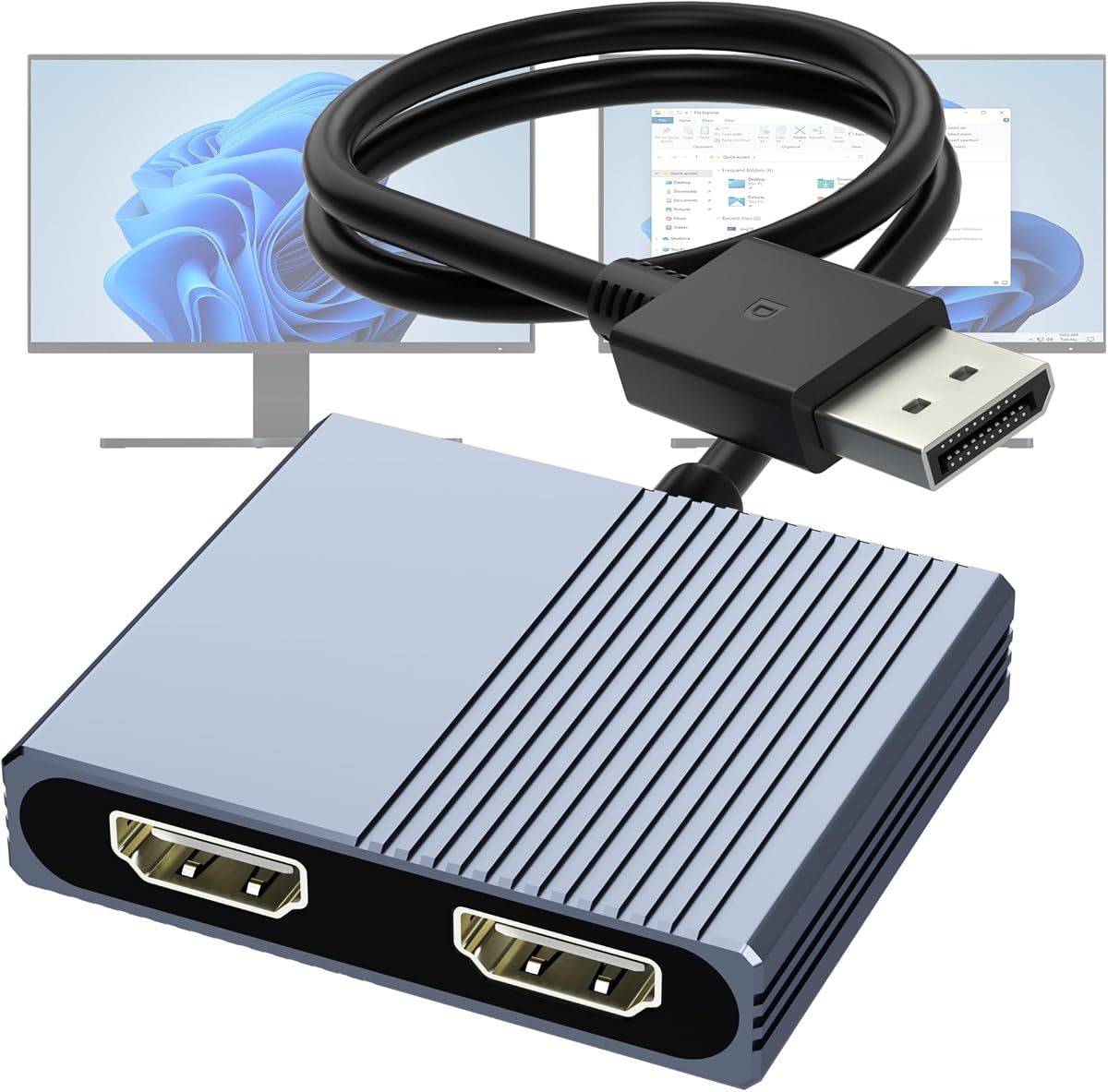


The Acer 4-in-1 USB C Hub stands out as a versatile solution for users seeking to expand their display capabilities without sacrificing portability. With a solid rating from users, it offers a reliable way to connect two external monitors while keeping your laptop charged.
We may earn a commission when you buy through this link, at no additional cost to you.
Its ability to deliver dual 4K@60Hz outputs ensures that your visual work remains crisp and responsive, which is crucial for productivity tasks. The inclusion of a high-speed USB-A port allows for quick file transfers, and the 100W power delivery port keeps your device running during long sessions.
While it is a strong contender, potential buyers should note that macOS users are limited to mirroring rather than extending displays due to hardware limitations. Additionally, ensuring your laptop supports DisplayPort Alternate Mode is essential for this hub to function correctly.
This hub is ideal for professionals who need a compact, all-in-one solution for travel or office use. If you prioritize high-resolution output and reliable charging alongside dual monitors, this adapter offers excellent value and performance.
The dual HDMI ports support up to 4K at 60Hz, providing smooth and detailed visuals for both single and dual display setups.
With a 100W PD port and a USB-A data port, you can charge your laptop and transfer files simultaneously without cluttering your desk.
We may earn a commission when you buy through this link, at no additional cost to you.
The Selore USB C Docking Station offers an impressive array of features at a budget-friendly price, making it accessible for a wide range of users. Its high rating reflects satisfaction with its build quality and performance in daily tasks.
We may earn a commission when you buy through this link, at no additional cost to you.
Users appreciate the eight-in-one design which includes dual HDMI ports, USB-A data ports, and an SD card reader. The 100W power delivery ensures your laptop stays powered up, while the fast data transfer speeds facilitate easy movement of large files.
One limitation to consider is that macOS users can only mirror displays rather than extend them. Furthermore, the hub requires a full-featured USB-C or Thunderbolt port to function, so compatibility checks are necessary before purchase.
For those needing a comprehensive docking solution that doesn't break the bank, this station is a top choice. It balances cost with functionality effectively, catering well to home and office environments where multiple peripherals are common.
The 8-in-1 design includes USB-C, USB-A, and SD card slots, providing ample options to connect various peripherals simultaneously.
With a 100W power delivery port, you can charge your laptop while using all the ports, ensuring uninterrupted workflow.
We may earn a commission when you buy through this link, at no additional cost to you.
StarTech is known for quality hardware solutions, and this adapter reflects that reputation with robust performance and reliable support. It is tailored for IT professionals who need a stable multi-monitor setup in office environments.
We may earn a commission when you buy through this link, at no additional cost to you.
The adapter supports 4K at 30Hz on one screen and 1080p at 60Hz on the other, offering a flexible combination for different tasks. Backed by a three-year warranty and 24/7 support, it provides peace of mind for business users.
However, the exclusive support for Windows means it will not work with macOS or Linux systems. Additionally, installing the necessary drivers may require administrator privileges, which could be a hurdle in managed corporate environments.
If you are managing workstations in an office setting and require a trusted brand with strong support, this adapter is an excellent investment. Its focus on stability and durability makes it a premium choice for critical business use.
Designed and built specifically for IT professionals, ensuring reliability and stability in demanding office environments.
Includes a three-year warranty and free lifetime technical assistance, providing long-term security for your investment.
We may earn a commission when you buy through this link, at no additional cost to you.
This adapter is specifically engineered for users with dedicated graphics cards and DisplayPort outputs, allowing for a high-performance dual-monitor setup. It is a great choice for those who want to utilize the full power of their hardware.
We may earn a commission when you buy through this link, at no additional cost to you.
Supporting dual 4K@60Hz outputs, it ensures smooth visuals and high refresh rates suitable for gaming or intensive workloads. The MST mode allows for extended displays without needing complex software setups, just plug and play.
Keep in mind that this hub requires external power via a USB cable, which adds an extra step to your cable management. Also, it only works with DisplayPort sources, so USB or HDMI inputs will not be compatible.
For PC gamers and professionals with robust graphics setups, this adapter provides the necessary bandwidth and resolution. If you have a compatible DisplayPort output, it delivers a clean and efficient multi-monitor experience.
Capable of handling dual 4K@60Hz outputs, making it suitable for demanding applications and gaming setups.
Features a plug-and-play design that eliminates the need for driver installations or software configuration.
We may earn a commission when you buy through this link, at no additional cost to you.
The WAVLINK adapter is a strong option for users who switch between Windows and macOS or need a versatile input option. It allows for a dual-monitor setup that can be extended or mirrored depending on your needs.
We may earn a commission when you buy through this link, at no additional cost to you.
While it supports 1080p at 60Hz which is adequate for general productivity, it requires driver installation which may be a hurdle for some users. However, this ensures better compatibility across different systems and devices.
The adapter is not recommended for high-performance gaming or graphics work due to bandwidth limitations. It shines in office settings where document work and web browsing are the primary tasks.
If you need a reliable adapter that bridges the gap between different operating systems, this is a solid choice. Just be prepared to install drivers and manage your setup accordingly for optimal performance.
Supports both Windows and macOS systems, providing a universal solution for users with diverse computing environments.
Accepts both USB-C and USB-A inputs, making it compatible with a wide range of older and newer devices.
We may earn a commission when you buy through this link, at no additional cost to you.
OREI offers a versatile adapter that can connect to both USB-A and USB-C ports, giving you flexibility in how you hook it up. It is designed for those who need a 3-screen setup including their laptop display.
We may earn a commission when you buy through this link, at no additional cost to you.
Performance relies on having at least an Intel i5 processor for optimal operation. The need for driver installation may complicate setup for some users, but it ensures stable performance across different systems.
This adapter is best suited for office environments where high refresh rates are not critical. If your hardware meets the processor requirements, it can deliver a stable extended display experience.
It is a good option if you need to accommodate older USB ports while still supporting modern USB-C connections. Just ensure your system meets the hardware specs before purchasing to avoid performance issues.
Works with Windows, macOS, and ChromeOS, offering wide compatibility across different operating systems.
Includes integrated USB-A and USB-C connectors to match various laptop and desktop port configurations.
We may earn a commission when you buy through this link, at no additional cost to you.
If your primary goal is to mirror a single source onto two screens, this splitter is a straightforward and budget-friendly solution. It works perfectly for scenarios where you want the same content visible on multiple displays.
We may earn a commission when you buy through this link, at no additional cost to you.
It supports 4K resolution at 30Hz and synchronizes audio without needing extra cables. Since no drivers are required, it is incredibly easy to set up and use right out of the box.
However, it does not support extended displays, meaning you cannot have different windows on each screen. This limits its utility for productivity tasks that require separate workspaces.
This splitter is ideal for presentations or viewing experiences where identical content is needed. If mirroring is all you need, this device offers reliable performance at an accessible price point.
Operates without drivers, allowing for immediate use with any HDMI compatible device.
Maintains audio synchronization with video output ensuring a cohesive viewing experience across both screens.
We may earn a commission when you buy through this link, at no additional cost to you.
This compact adapter delivers impressive performance for its size, supporting dual 4K@60Hz displays and fast charging. It is perfect for travelers who need a powerful setup in a small form factor.
We may earn a commission when you buy through this link, at no additional cost to you.
The inclusion of a high-speed USB-A port allows for data transfer alongside video output. The 100W PD charging ensures your device remains powered during use which is essential for long meetings or trips.
MacOS users should note that extension is not supported, only mirroring. Additionally, using high-quality HDMI 2.0 cables is necessary to achieve the maximum resolution capabilities of the adapter.
For professionals on the go, this adapter offers a balance of power and portability. It is a reliable choice for those who want to maximize screen real estate without carrying heavy equipment.
A sleek and compact design makes it easy to carry in a laptop bag for remote work and travel.
Delivers 4K video at 60Hz and supports high-speed data transfer ensuring efficient workflow.
We may earn a commission when you buy through this link, at no additional cost to you.
Designed for desktop PCs and laptops with dedicated GPUs, this adapter provides a robust solution for multi-monitor setups. The aluminum housing ensures durability and effective heat dissipation for long term use.
We may earn a commission when you buy through this link, at no additional cost to you.
Supporting dual 4K@60Hz outputs it allows you to extend your workspace across two high-resolution screens. MST mode enables different content on each display which is vital for productivity tasks.
You must ensure your graphics card supports DP 1.4 to get the full dual 4K benefit. Integrated graphics may not support all features, so this is best for dedicated GPU users.
If you have a compatible DisplayPort source this adapter is a reliable and durable choice. It offers the performance needed for serious work environments and gaming setups alike.
Constructed with an aluminum alloy housing and gold-plated ports to ensure long-lasting performance and stability.
Enables extended display modes allowing for multiple independent windows across two screens.
We may earn a commission when you buy through this link, at no additional cost to you.
The UANTIN hub is a compact yet powerful tool for expanding your laptop's connectivity options. With three USB-A ports alongside dual HDMI outputs, it is well-equipped to handle various peripherals.
We may earn a commission when you buy through this link, at no additional cost to you.
It supports dual 4K@60Hz displays which makes it suitable for modern work environments. The 100W PD charging keeps your laptop powered without needing a separate charger which reduces cable clutter.
The USB-A ports operate at USB 2.0 speeds which may be slower for large file transfers. Also macOS users will only be able to mirror displays on this hub rather than extend them.
For those who need extra ports and high-resolution support in a small package, this hub is a great choice. It offers a practical solution for hybrid work setups where space is limited.
Includes three USB-A ports allowing you to connect multiple peripherals like mice and flash drives simultaneously.
The 100W PD port provides efficient charging ensuring your laptop stays powered throughout the day.
We may earn a commission when you buy through this link, at no additional cost to you.
Choosing the right dual HDMI monitor adapter requires understanding your system's capabilities and your specific workflow needs. Below are key factors to consider to ensure you select an adapter that delivers the performance you require.
Different adapters support different operating systems. Some work seamlessly with both Windows and macOS while others are restricted to Windows only. macOS typically limits dual HDMI adapters to mirroring mode due to DisplayPort Alternate Mode constraints.
Ensure the adapter explicitly supports your operating system before purchasing to avoid functionality issues.
Adapters vary in the maximum resolution and refresh rate they can support. Some offer dual 4K at 60Hz which is ideal for professional work while others may cap at 1080p or 4K at 30Hz.
Check the product specifications to ensure the resolution matches your monitor capabilities and your usage requirements for smooth visuals.
You need to match the adapter input to your computer's available ports. Options include USB-C, USB-A, and DisplayPort. USB-C hubs are common for modern laptops whereas USB-A adapters are useful for older machines.
Select the connection type that is compatible with your device to ensure proper signal transmission and power delivery.
Some adapters require driver installation while others are plug and play. Plug and play adapters offer convenience whereas those needing drivers may provide better performance or compatibility with specific systems.
If you prefer a simple setup look for drivers that do not require software installation.
Many modern hubs include a USB-C power delivery port to charge your laptop while in use. This feature is essential if you want to reduce cable clutter and ensure your device does not run out of battery.
Verify that the power delivery wattage meets your laptop's charging requirements to avoid slow or insufficient charging.
The physical build of the adapter affects its durability and performance. Metal housings provide better heat dissipation and protection against wear. A solid warranty indicates the manufacturer's confidence in the product.
Look for adapters with robust construction and warranty coverage to protect your investment against potential defects.
If you travel frequently, the size and weight of the adapter matter. Compact hubs are easier to carry and store without adding bulk to your laptop bag.
Choose a slim design if portability is a priority for your work habits.
Ensure the adapter supports audio transmission over HDMI if you need sound on your external monitors. Most adapters handle this automatically but it is good to confirm for your specific setup.
Check product details to confirm audio synchronization features if you rely on external speakers.
To use your adapter, connect it to your laptop's USB-C or USB-A port. If your adapter has a power cable connect it to a USB port for power. Then plug your HDMI monitors into the adapter's ports.
Configure your display settings through your operating system's display menu to choose between extended or mirrored modes. Ensure you have the latest drivers installed if required by the adapter manufacturer.
For care avoid bending the cables sharply and keep the adapter cool during long use. Regularly check connections for dust and wipe with a dry cloth to maintain optimal performance.
Most adapters will mirror screens on macOS due to hardware limitations. Only adapters using DisplayPort Alternate Mode may allow extending displays but this is rare. Always check product specifics for macOS extension support.
Some adapters require drivers while others are plug and play. Adapters that support multiple operating systems often need drivers for optimal performance. Check the product description before purchasing.
Many adapters are not optimized for high refresh rate gaming. They are best suited for productivity tasks. Check the maximum refresh rate supported if you plan to game on external monitors.
Most support 1080p and 4K resolutions. The refresh rate may vary with resolution such as 30Hz for 4K and 60Hz for 1080p. Verify specs to match your monitor capabilities.
Many models include a Power Delivery port for charging. Ensure the wattage meets your laptop requirements. Not all adapters have this feature so check before purchasing.
Some adapters support USB-A while others require USB-C. Look for models that explicitly mention USB-A support if your laptop lacks USB-C ports.
We have reviewed ten top options ranging from budget-friendly hubs to premium professional solutions. Each adapter offers unique benefits depending on your operating system and connectivity needs.
When selecting an adapter prioritize resolution support and compatibility with your laptop's ports. Ensure the device meets your workflow demands whether for productivity or casual use.
Remember to check current availability and pricing before buying to get the best deal. With the right adapter you can significantly enhance your workspace productivity and efficiency.