
HP x900w USB 3.0 Flash Drive
4.5Editor score
USB 3.0 interface speed
Compact lightweight design
Backward compatible with USB 2.0
This guide compares the best flash drive for HP Laptop users offering top models for speed capacity compatibility and durability to help you choose the right
Finding the right flash drive for HP Laptop users is essential for modern productivity. Whether you need to transfer large files or backup important documents the right tool matters. This guide helps you navigate the options available in the market today.
We compared ten top-rated models based on speed durability and compatibility. Each product was selected for its ability to work seamlessly with HP systems. Our analysis focuses on real-world performance and user feedback to ensure reliability.
Every pick shows key features and practical benefits for daily use. You will see how each drive handles different file types and connections. Please note that availability and details may change over time so check current listings.
4.5Editor score

4.6Editor score

4.3Editor score
This side-by-side comparison highlights the key specifications of each model. It helps you see how they differ in speed design and compatibility at a glance.




The SANDISK 128GB Ultra Flair stands out as a top choice for HP Laptop users. It holds a 4.6 rating and offers fast data transfer speeds suitable for daily tasks. The metal casing adds durability while keeping the drive portable.
We may earn a commission when you buy through this link, at no additional cost to you.
Its standout quality is the high-speed USB 3.0 performance reaching up to 150MB/s read speeds. This means you can transfer large files like movies in under 30 seconds. The drive is designed to be robust and reliable over time.
While write speeds may vary based on capacity the read performance remains strong. The password protection feature uses AES encryption which secures your private files effectively. However Mac users need to download specific software to use this feature.
This drive is ideal for professionals who need quick access to large files on the go. Its balance of speed capacity and security makes it a versatile tool. We recommend it for anyone seeking a dependable storage option.
With read speeds up to 150MB/s you can move large files quickly without waiting.
128-bit AES encryption helps protect sensitive data from unauthorized access easily.
We may earn a commission when you buy through this link, at no additional cost to you.
The Lexar D40E offers a unique dual connector design perfect for modern HP Laptop setups. With USB-C and Type-A ports it eliminates the need for adapters. This makes it highly versatile for transferring data between devices.
We may earn a commission when you buy through this link, at no additional cost to you.
Its 256GB capacity provides ample space for large files and backups. The 360 degree swivel design ensures the connectors are always protected when not in use. Security is also a priority with 256-bit AES encryption to safeguard your data.
The price point reflects the premium features like dual connectivity and higher capacity. While write speeds are not explicitly stated the read performance is solid for everyday use. The metal enclosure adds to its durability and sleek look.
This drive is best for users who frequently switch between older and newer devices. It simplifies your workflow by removing adapter hassles. We recommend it for those who value convenience and security in a premium package.
Connect to both USB-C and USB-A devices seamlessly without needing extra adapters.
The rotating connectors stay safe from dust and damage when stored.
We may earn a commission when you buy through this link, at no additional cost to you.
The HP x900w is an excellent budget-friendly option for HP Laptop owners needing basic storage. It features a USB 3.0 interface which offers speeds up to 10 times faster than USB 2.0. This ensures efficient file transfers even for large documents.
We may earn a commission when you buy through this link, at no additional cost to you.
Its compact and lightweight design makes it easy to carry in a pocket or bag. The drive is backward compatible with USB 2.0 ports ensuring it works with older systems too. This versatility adds value for users with mixed hardware.
While it lacks some premium features like encryption or dual connectors it delivers on core functionality. The 64GB capacity is sufficient for most everyday needs. Its simple design keeps costs down without sacrificing essential performance.
This drive is perfect for students or casual users who need reliable storage on a budget. It handles photo backups and document transfers with ease. We recommend it as a practical and economical choice for general use.
Get solid USB 3.0 speeds without spending extra on high-end features.
Its small size makes it easy to keep on your keychain or in a pocket.
We may earn a commission when you buy through this link, at no additional cost to you.
The JOIOT 128GB USB C Flash Drive provides a practical dual connector solution for HP Laptop users. It supports both Type-C and USB-A connections making it compatible with a wide range of devices. This versatility is great for sharing files across different platforms.
We may earn a commission when you buy through this link, at no additional cost to you.
Its read speeds reach up to 130MB/s allowing for quick transfers of high-resolution media. The drive is plug and play meaning no software installation is required. This makes it ready to use right out of the box.
While the write speeds are lower than the read speeds this is common for drives in this price range. The plastic enclosure is durable enough for daily use and includes caps to protect the connectors. The compact size adds to its convenience.
This drive is a strong choice for users who need dual connectivity without a high price tag. It works well for backing up data to phones or computers. We recommend it for tech-savvy users who need flexibility.
Works with smartphones tablets and computers using both USB-A and USB-C ports.
No drivers needed just plug it in and start transferring files immediately.
We may earn a commission when you buy through this link, at no additional cost to you.
The PNY 256GB Attaché X offers substantial storage for users with large file needs. It features advanced read speeds of up to 130MB/s ensuring efficient data transfers. The 256GB capacity is ideal for storing high-quality videos or extensive document libraries.
We may earn a commission when you buy through this link, at no additional cost to you.
Its sliding collar cap design protects the connector without the risk of losing a cap. This adds to its durability and ease of use in everyday scenarios. The drive is lightweight and fits comfortably in a pocket.
While it uses a standard USB-A port it maintains good compatibility across most systems. The build quality is sturdy enough for frequent travel. However the sliding mechanism may require care to ensure it lasts long.
This drive is best for professionals who need significant storage on the go. It handles large datasets and media files with ease. We recommend it for users prioritizing capacity and speed in a reliable form.
Store thousands of photos and hours of video with 256GB of space.
The sliding cap keeps the USB connector safe from dust and scratches.
We may earn a commission when you buy through this link, at no additional cost to you.
This bundle offers two 128GB USB C Flash Drives providing excellent value for shared use. Each drive supports both Type-C and USB-A ports ensuring compatibility with most devices. The dual pack allows you to separate work and personal files easily.
We may earn a commission when you buy through this link, at no additional cost to you.
Using USB 2.0 technology the speeds are lower than premium models but still functional for basic transfers. The plug-and-play nature means you can start using them immediately without setup. The black and blue colors help keep them distinct.
While the performance is not as fast as USB 3.0 drives it suits smaller files well. The price point makes it accessible for families or small teams needing multiple drives. It is a good entry-level option for casual use.
This product is recommended for those needing multiple drives on a tight budget. It simplifies file sharing between different devices. We suggest it for backup purposes where speed is not the highest priority.
Get two drives for the price of one providing extra backups or sharing options.
Black and blue finishes help you quickly identify different drives or data sets.
We may earn a commission when you buy through this link, at no additional cost to you.
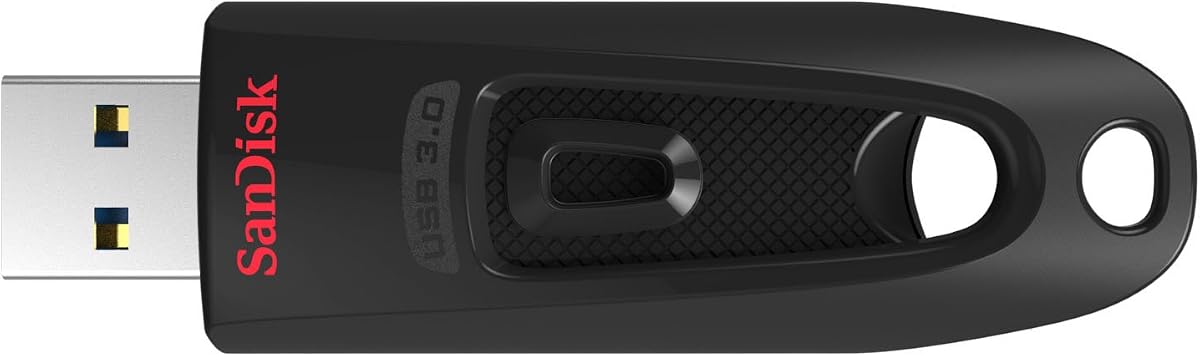
The SANDISK 256GB Ultra delivers solid performance for HP Laptop users needing large storage. It offers read speeds up to 130MB/s which is efficient for moving large files. The brand is known for reliability and long-term durability in storage products.
We may earn a commission when you buy through this link, at no additional cost to you.
With 256GB capacity it can hold extensive collections of media and documents. The secure file encryption feature helps protect sensitive data from unauthorized access. It is backward compatible with USB 2.0 but works best with 3.0 ports.
While it lacks a Type-C connector it remains a strong choice for traditional laptops. The encryption software adds a layer of security for private files. Users should note that max speeds require a matching USB 3.0 port.
This drive is ideal for power users who need capacity and speed. It balances performance with security features effectively. We recommend it for those prioritizing data safety and large storage needs.
SanDisk is a trusted name in storage offering consistent performance and durability.
Built-in encryption software helps keep your private files safe from prying eyes.
We may earn a commission when you buy through this link, at no additional cost to you.
The SANDISK 16GB Cruzer Blade is an ultra-compact drive perfect for essential tasks. It supports USB 2.0 which is sufficient for transferring small documents or files. Its small size makes it easy to carry without taking up much space.
We may earn a commission when you buy through this link, at no additional cost to you.
It includes SanDisk SecureAccess software which offers password protection using AES encryption. This ensures your private files remain secure even on public computers. The capacity is limited but ideal for key files or backups.
While speeds are slower than USB 3.0 it handles basic needs well. The design is simple and robust for daily use. It serves as a reliable tool for quick file sharing or simple storage.
This drive is best for users needing a simple and cheap storage option. It works well for transferring small amounts of data. We recommend it for casual users or as an emergency backup.
Perfect for moving small files quickly without the need for high-end features.
SecureAccess software lets you lock sensitive files with a password easily.
We may earn a commission when you buy through this link, at no additional cost to you.
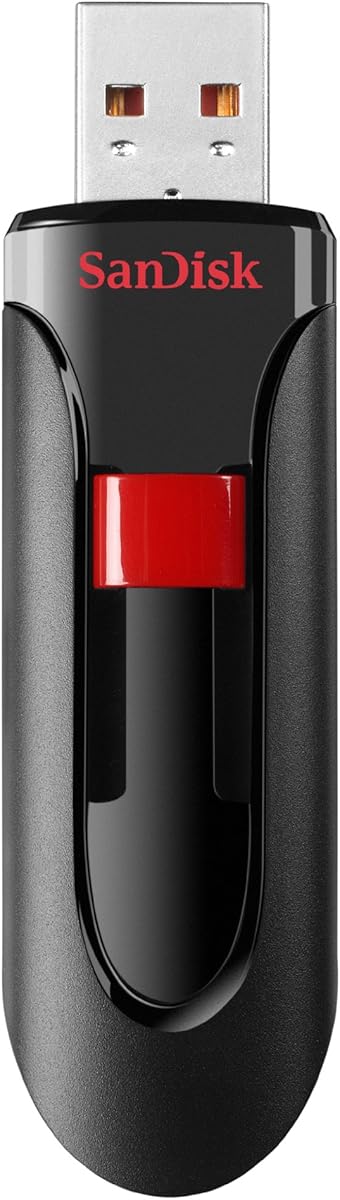
The SANDISK 128GB Cruzer Glide features a convenient retractable design that protects the connector. This eliminates the hassle of losing a cap which is a common issue with other drives. It offers solid capacity for storing photos and documents.
We may earn a commission when you buy through this link, at no additional cost to you.
Its SecureAccess software provides 128-bit AES encryption to secure your private files. The drive has a strong reputation for reliability with a 2-year warranty. This makes it a trustworthy option for everyday storage tasks.
While it does not advertise high-speed USB 3.0 it performs well for general transfers. The design is simple and durable enough for regular use. It balances functionality with ease of use effectively.
This drive is ideal for those who want a cap-free design. It ensures the connector is always safe and ready. We recommend it for users seeking a reliable and easy-to-use storage solution.
The retractable connector protects itself without needing a separate cap to manage.
Encryption software ensures your files stay private and protected from others.
We may earn a commission when you buy through this link, at no additional cost to you.
The SANDISK Ultra 32 GB offers a classic storage solution for HP Laptop users. It supports USB 3.0 enabling speeds up to 80MB/s for efficient transfers. Despite being an older model it maintains a strong reputation for durability and performance.
We may earn a commission when you buy through this link, at no additional cost to you.
It includes SecureAccess software to keep private files secure with encryption. The drive is backed by a 5-year warranty which shows confidence in its longevity. This makes it a solid choice for those valuing warranty support.
While 32GB capacity is lower than modern options it suits smaller files. Its speed is decent for quick data movement. The design is straightforward and easy to use in daily tasks.
This drive is best for users needing a trusted and affordable option. It provides good value with a long warranty. We recommend it for those who prioritize reliability and basic performance.
A 5-year limited warranty provides peace of mind against potential defects.
Faster transfer rates help move files quickly even for this older model.
We may earn a commission when you buy through this link, at no additional cost to you.
Choosing the right flash drive for HP Laptop involves understanding several key factors. These include speed capacity and connector type to ensure compatibility with your device.
Capacity determines how much data you can store on the drive. For basic documents 16GB or 32GB may suffice but photos and videos need 128GB or more. Consider your typical file sizes before buying.
Choose a size that fits your daily needs without paying for unused space.
Speed is measured in MB/s and affects how quickly files move. USB 3.0 drives offer faster speeds than USB 2.0 which is crucial for large files. Higher read and write ratings indicate better performance.
Look for USB 3.0 or higher if you transfer large files regularly.
Modern HP Laptops may have both USB-A and USB-C ports. Dual connector drives offer flexibility to work with both types without adapters. This saves time and reduces the risk of losing small adapters.
Select a dual port drive if your laptop uses USB-C frequently.
A durable build protects data from physical damage. Metal casings offer better protection than plastic but add weight. Swivel or retractable designs prevent connector damage during transport.
Prioritize models with sturdy casings or protective mechanisms.
For sensitive data look for drives with hardware encryption or password protection. Software like SecureAccess helps keep files private on shared computers. This is vital for business or personal privacy.
Choose drives with built-in security if you handle confidential files.
Ensure the drive works with your operating system such as Windows or Mac. Most drives are plug and play but some require software for specific features. Check specs to confirm compatibility before purchasing.
Verify system compatibility to avoid setup issues later.
Established brands like Sandisk and Lexar often provide better reliability. They also offer warranties and customer support in case of issues. A good track record reduces the risk of early failure.
Stick with well-known brands for better long-term support.
Price varies based on capacity and features. Balance your needs with cost to avoid overspending on unused capacity. Bundles or older models can offer good value for basic tasks.
Find a model that fits your budget while meeting your needs.
Insert the drive into an available USB port on your HP Laptop. Wait for the system to recognize it and open the drive to access files.
Always eject the drive safely before removing it to prevent data corruption. Use the system tray icon to safely remove hardware.
Store the drive in a cool dry place away from moisture. Keep it in a protective case to avoid physical damage during travel.
Most HP Laptops use standard USB-A ports but newer models support USB-C. Dual connector drives work best to ensure compatibility across different laptop generations.
Check the product specs for USB 3.0 labeling or a blue interior port. USB 3.0 drives transfer data faster than USB 2.0 models.
Yes most flash drives work with both Mac and PC systems. Ensure the file system is compatible like exFAT for cross-platform use.
Encryption is essential if you store sensitive or private files. It protects your data from unauthorized access on shared or public computers.
Flash drives can last several years with proper care. Avoid physical shocks and extreme temperatures to extend their lifespan and reliability.
Yes using a flash drive adds an extra layer of backup. However cloud storage is recommended for critical data redundancy.
We reviewed ten top models offering speed durability and compatibility for HP users. The top picks include the SANDISK 128GB Ultra Flair Lexar D40E and HP x900w for their balanced features.
Prioritize capacity and connector type based on your device needs. Ensure the drive supports your file transfer habits and security requirements.
Always check current availability and details before purchasing to ensure you get the right model. Prices and specs may change over time so stay updated.