
TP-Link AXE5400 Tri-Band WiFi 6E Router
4.3Editor score
Tri-Band WiFi 6E
EasyMesh compatible
Strong hardware specs
This guide compares the top 10 long range WiFi routers of October 2026, evaluating coverage, speed, and reliability for large homes and demanding networks.
Finding the right long range WiFi router is essential for maintaining a stable connection across your entire property. Whether you have a large house or a busy office, consistent coverage ensures that every device stays online without frustrating dropouts or dead zones.
We evaluated the latest models based on signal strength, throughput, and compatibility with modern devices. Our analysis focuses on real-world performance metrics and features that matter most to users who need reliable connectivity throughout their space.
Each pick highlights unique strengths such as advanced security or mesh capabilities. Please note that product availability and pricing can change quickly, so always verify current offers before making your final purchase decision for your network setup.
4.3Editor score

4.3Editor score
4.2Editor score
This side-by-side comparison highlights the key specifications and capabilities of the top ten routers. It helps you quickly identify which model aligns with your specific coverage needs and performance expectations.






The TP-Link BE6500 stands out as a top contender for those seeking long range WiFi capabilities. With a solid 4.3 rating, it offers reliable performance for households needing robust connectivity across extensive areas.
We may earn a commission when you buy through this link, at no additional cost to you.
Its Wi-Fi 7 technology delivers optimized performance for modern devices. The dual-band setup provides ample throughput, while the high-performance antennas ensure signals reach distant rooms effectively.
While the price is higher than older models, the investment pays off in speed and reliability. Users can expect smooth streaming and gaming without interruptions even when many devices are connected.
This router is ideal for tech-savvy users who want the latest standards. It balances advanced features with user-friendly management tools, making it a strong recommendation for most large homes.
Multi-Link Operation allows simultaneous data transfer across bands for better stability.
Built-in security protocols protect your network from potential threats automatically.
We may earn a commission when you buy through this link, at no additional cost to you.
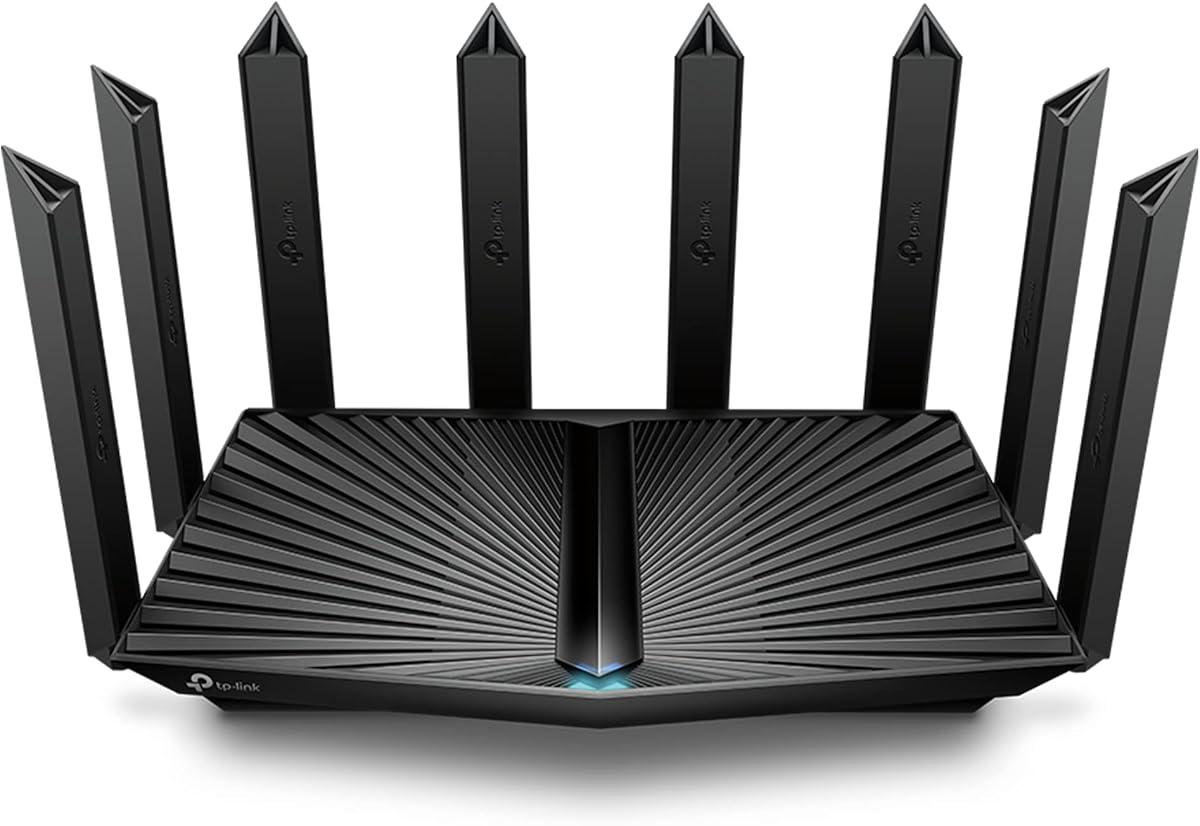
The TP-Link AXE5400 offers exceptional value for those who need long range WiFi without breaking the bank. It combines tri-band efficiency with the benefits of the 6 GHz spectrum.
We may earn a commission when you buy through this link, at no additional cost to you.
Its unique housing design aids heat dissipation which ensures long-term reliability. This router handles multiple devices well thanks to advanced OFDMA technology and ample memory.
Although it lacks Wi-Fi 7, it provides enough speed for most users. The EasyMesh feature allows you to expand coverage easily if you need more range later on.
Ideal for budget-conscious buyers, this model delivers premium features at a lower cost. It is a smart choice for anyone wanting modern WiFi standards without high expenses.
The 6 GHz band reduces interference for faster device connections.
EasyMesh support lets you add nodes to cover larger areas.
We may earn a commission when you buy through this link, at no additional cost to you.
The TP-Link AX5400 is a reliable option for users needing stable long range WiFi. With a high 4.5 rating, it is well-regarded for consistent performance across various home environments.
We may earn a commission when you buy through this link, at no additional cost to you.
It utilizes 4T4R technology to maximize throughput on the 5 GHz band. This ensures that streaming and gaming remain smooth even when the signal needs to travel further.
The USB 3.0 port is a standout feature for media sharing. You can connect storage devices directly to the router to access files from anywhere on the network.
This router is perfect for those who prioritize reliability over the latest specs. Its straightforward setup and broad compatibility make it a safe choice for most households.
USB 3.0 support simplifies file access across your home network.
High-power FEM and antennas ensure signals penetrate walls effectively.
We may earn a commission when you buy through this link, at no additional cost to you.
The TP-Link AX6000 is designed to deliver strong long range WiFi performance with wired versatility. It features eight high-gain antennas to ensure coverage reaches every corner of your home.
We may earn a commission when you buy through this link, at no additional cost to you.
A standout feature is the 2.5G multi-gig port which future-proofs your wired connections. This is useful for users who have internet plans exceeding standard gigabit speeds.
Voice control with Alexa adds a layer of convenience to daily usage. You can manage settings like guest networks without needing to access the web interface manually.
This router is best for those who want a balance of speed and expandability. The OneMesh support allows for seamless integration with extenders to cover larger areas.
The 2.5G port supports internet plans faster than traditional gigabit.
Alexa integration allows you to control the router with simple commands.
We may earn a commission when you buy through this link, at no additional cost to you.
The NETGEAR Nighthawk RS90 offers a compelling mix of speed and range. It is a dedicated dual-band router that brings Wi-Fi 7 technology to more accessible price points.
We may earn a commission when you buy through this link, at no additional cost to you.
With up to 3.6 Gbps speeds it handles multiple streaming sessions without slowdowns. The coverage is sufficient for standard large homes needing consistent signal in every room.
Management via the Nighthawk app is intuitive and straightforward. Users can run speed tests and pause devices easily to maintain control over their network environment.
This model is suitable for users who want modern speed without complexity. It provides a reliable connection for everyday tasks while keeping future connectivity in mind.
The Nighthawk app simplifies network management for all users.
Dual-band Wi-Fi 7 ensures fast throughput for active households.
We may earn a commission when you buy through this link, at no additional cost to you.
The NETGEAR Nighthawk WiFi 7 router provides immense power for demanding networks. With tri-band technology it ensures that high-bandwidth activities get dedicated space on the network.
We may earn a commission when you buy through this link, at no additional cost to you.
The 9.3 Gbps total speed is a significant boost over previous generations. This makes it capable of supporting many connected devices without any noticeable lag or drops.
Multiple 2.5G LAN ports allow for wired connections to high-performance devices. Gamers and streamers benefit greatly from these dedicated lanes that reduce congestion.
This router is best for users who need maximum performance at home. While the cost is higher the reliability and speed justify the investment for heavy users.
Tri-band design ensures fast speeds even with many devices online.
Multiple 2.5G ports support modern wired internet and storage needs.
We may earn a commission when you buy through this link, at no additional cost to you.
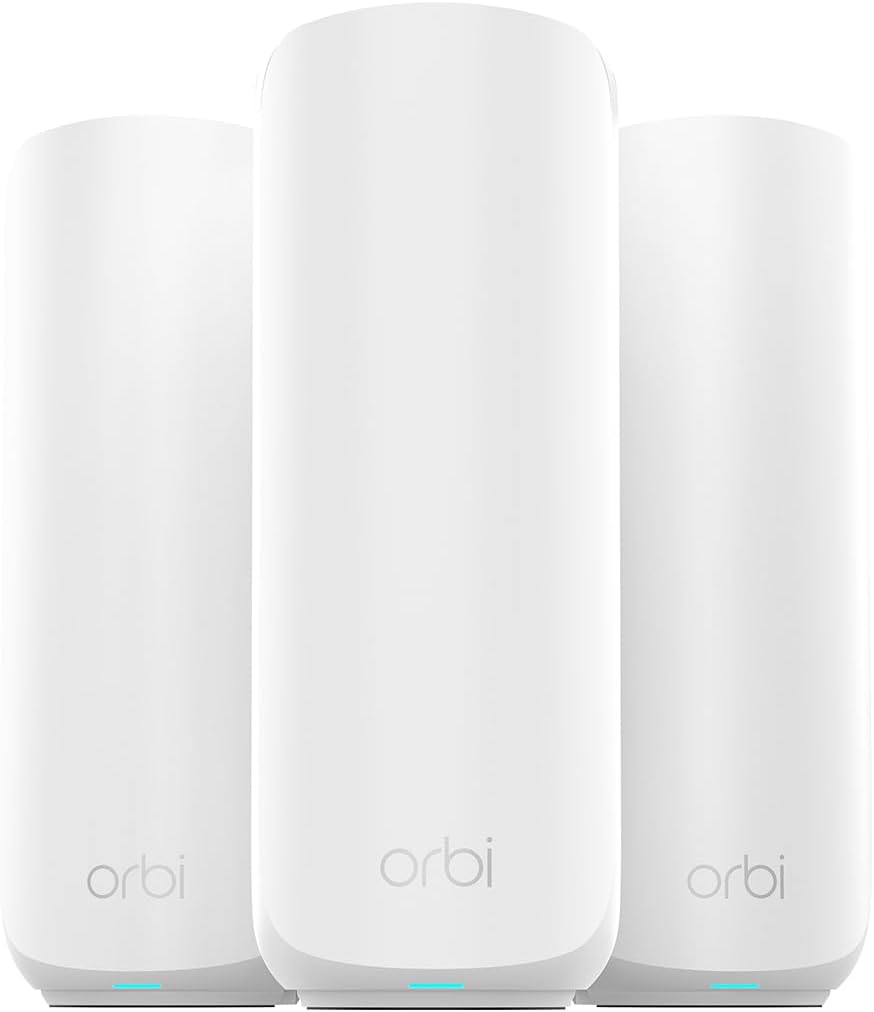
The NETGEAR Orbi 370 Series is the top choice for expansive properties needing long range WiFi. Its 3-pack system covers up to 6000 square feet ensuring every corner gets a strong signal.
We may earn a commission when you buy through this link, at no additional cost to you.
Wi-Fi 7 technology provides speeds capable of 8K streaming and VR gaming. The dedicated backhaul ensures that satellite units do not compromise the overall network speed.
Setting up the mesh system is straightforward through the Orbi app. It guides users through placement to ensure optimal performance across the entire home layout.
This system is ideal for large homes where single routers fail. Although it is a premium option the seamless experience makes it worth the investment.
The 3-pack covers large areas effortlessly with consistent speed.
Wi-Fi 7 backhaul keeps satellite speeds high and reliable.
We may earn a commission when you buy through this link, at no additional cost to you.
The TP-Link Deco X55 offers a reliable solution for large homes seeking long range WiFi. It uses a 3-pack mesh system to eliminate dead zones effectively across your property.
We may earn a commission when you buy through this link, at no additional cost to you.
With up to 6500 square feet of coverage it outperforms many single routers. The AI-driven mesh learns your environment to optimize signal strength and connectivity automatically.
Security is a priority here with HomeShield protection included. This ensures your devices are safe from threats without needing extra subscriptions or complex setups.
This system is perfect for those who need reliable mesh coverage on a budget. It balances performance and cost well making it a top contender for many buyers.
The system learns your home layout to optimize connections automatically.
Three units provide seamless coverage for very large floor plans.
We may earn a commission when you buy through this link, at no additional cost to you.
The TP-Link BE9300 brings tri-band Wi-Fi 7 speeds to the table for long range connectivity. It supports a total of 9300 Mbps which is suitable for heavy network usage.
We may earn a commission when you buy through this link, at no additional cost to you.
Multiple 2.5G ports ensure that wired devices get the full speed potential. This is crucial for desktop PCs and NAS drives that require fast transfer rates.
While it has a lower rating than some competitors it offers strong hardware. The ability to expand via EasyMesh adds flexibility for those needing more coverage later.
This router is a solid pick for enthusiasts who want top-tier specs. It delivers fast performance for a reasonable price in the competitive router market.
Tri-band design ensures fast speeds even with many devices active.
Multiple 2.5G ports support modern wired internet requirements.
We may earn a commission when you buy through this link, at no additional cost to you.
The TP-Link AC1200 is a budget-friendly option for basic long range WiFi needs. With a 4.5 rating it proves that you do not need to spend much for decent coverage.
We may earn a commission when you buy through this link, at no additional cost to you.
Four external antennas with beamforming help direct signals where needed. This feature extends the reach of the WiFi signal effectively within smaller to medium-sized homes.
It supports AP mode which allows you to use it as an access point. This flexibility makes it a great secondary unit for expanding an existing wired network setup.
This router is best for those on a tight budget or needing a backup. It provides reliable performance for everyday browsing and streaming without high costs.
Antennas focus signals on devices for better range and stability.
AP mode lets you use the router to extend wired connections.
We may earn a commission when you buy through this link, at no additional cost to you.
Selecting the right router involves understanding key factors that affect performance. This guide breaks down the most important elements to consider for long range coverage.
The first step is measuring your home's square footage to determine the necessary coverage. Standard routers typically handle up to 2000 square feet but larger spaces may require mesh systems for full reach.
Always choose a router with a higher rated coverage than your home to ensure strong signals reach the outer rooms without loss.
Current models use WiFi 6 or WiFi 7 standards which offer better speed and efficiency than older versions. Newer standards are essential for future-proofing your network as devices become more advanced.
If you have many modern devices prioritize a router with the latest standard to minimize latency and interference issues.
Antennas play a critical role in signal strength and range. Routers with more high-gain antennas generally distribute signals more effectively across larger areas.
Look for units with beamforming technology which directs signals toward devices rather than broadcasting them in all directions.
Speed ratings indicate the maximum throughput a router can handle. Higher speeds are important if you have gigabit internet plans or stream high-definition content regularly.
Ensure the total speed matches your internet plan to avoid bottlenecks that slow down your connection.
Security is vital to protect your data from threats. Many routers include built-in firewalls or parental controls that help secure your network automatically.
Choose a router with robust security tools to safeguard smart devices and personal information from online attacks.
If your home is large consider whether the router supports mesh expansion. Some models allow you to add satellite units to extend coverage without creating separate networks.
Mesh compatible routers provide seamless roaming so your devices switch connections as you move around the house.
User-friendly interfaces and mobile apps make installation simpler for non-technical users. A smooth setup process saves time and reduces frustration during initial configuration.
Check for routers that offer guided setup and intuitive controls to manage your network settings easily.
Prices vary significantly based on features and performance capabilities. Determine how much you are willing to spend before comparing models to find the best value for your needs.
Balance cost with necessary features to avoid overspending on capabilities you may not use regularly.
Place your router in a central elevated location to maximize signal distribution. Avoid corners or enclosed spaces where walls can block the wireless waves from reaching other parts of your home.
Keep your router's firmware updated to ensure it runs efficiently and securely. Most modern routers support automatic updates so you do not have to check for them manually.
Regularly reboot your router to clear temporary files and refresh connections. This simple maintenance task can often resolve minor connectivity issues and improve overall performance.
A standard home router typically covers up to 2000 square feet effectively. For larger homes, mesh systems are often needed to eliminate dead zones and ensure consistent connectivity throughout the property.
Yes, you need a specific router that supports the WiFi 7 standard. Older routers cannot utilize the new features or speeds offered by the latest WiFi protocols even with new devices.
Check the product specifications for coverage area ratings and antenna count. Routers with high-gain antennas and beamforming technology usually provide better range than basic models.
Many routers offer an Access Point or Bridge mode to connect to another network wirelessly. This allows you to extend wired connections without needing extra cables.
Mesh systems can slightly reduce speed for nodes further from the router due to backhaul loss. However, modern tri-band systems dedicate a band to backhaul to minimize this impact effectively.
Ideally, you should update your router firmware automatically whenever updates are available. Most routers handle this in the background to ensure you always have the latest security patches.
Physical barriers like thick walls, metal appliances, and electronics can reduce signal strength. Placing your router in an open central location helps mitigate these common interference issues.
The routers reviewed here offer reliable options for various home sizes and internet needs. From budget models to advanced systems each choice provides consistent connectivity for your devices.
When choosing prioritize coverage area and the latest WiFi standards to ensure future compatibility. Balancing features with your specific budget helps you find the most practical solution.
Always verify current prices and availability before purchasing to get the best deal. Your network performance depends on the right hardware so invest in a model that fits your home layout.