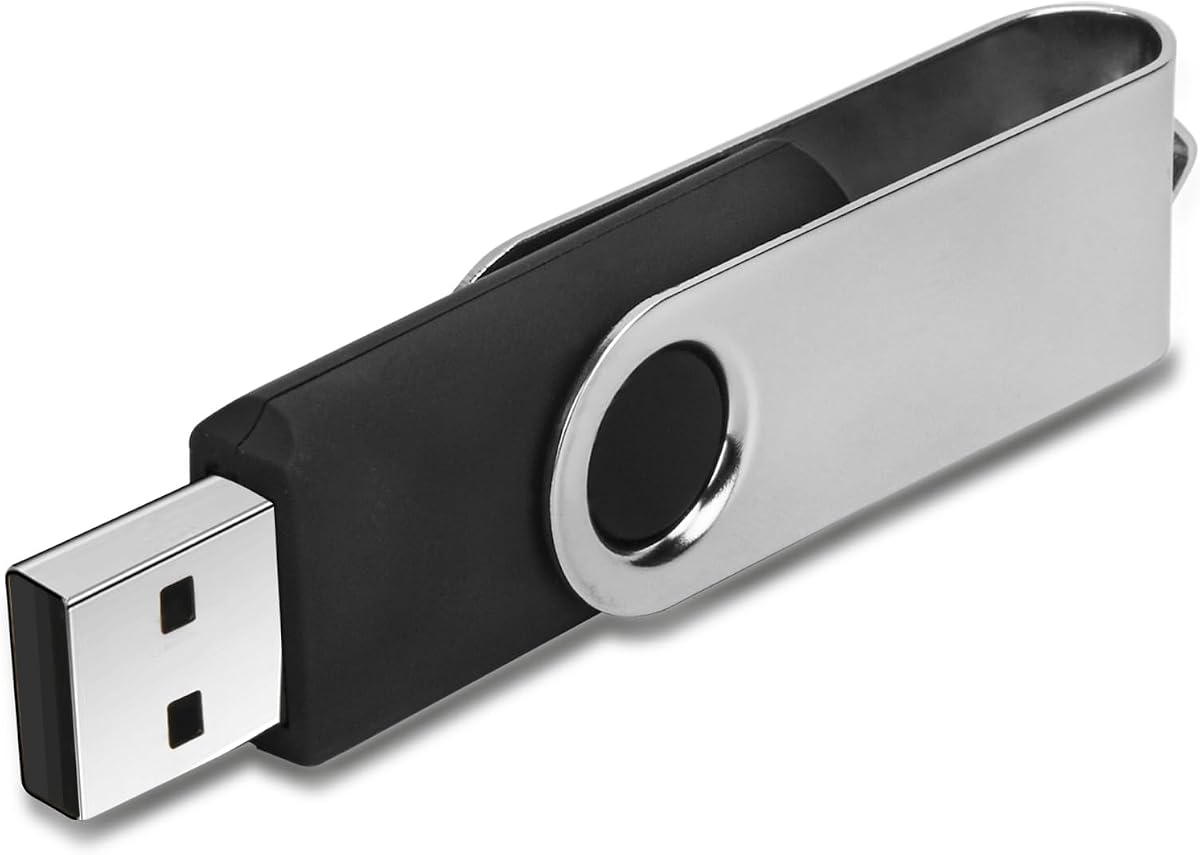
Swivel Design 16GB USB Flash Drive with Keychain
4.6Editor score
Metal swivel cap design
Compact and lightweight
Plug and play ready
This comprehensive guide compares the top FAT32 USB flash drives for reliable data storage, file transfer, and cross-device compatibility across various needs
Finding the right FAT32 USB flash drive is essential for anyone needing reliable portable storage that works across multiple devices without compatibility issues.
We evaluated ten top-rated models based on speed, durability, design, and real-world performance to help you choose the perfect drive for your workflow.
Each pick highlights key features and trade-offs so you can decide quickly, though note that availability and pricing may shift over time.
4.6Editor score

4.5Editor score

4.6Editor score
The following table offers a side-by-side overview of every drive we reviewed, highlighting core specifications and standout attributes for quick comparison.


This drive delivers strong performance with dual port versatility, earning it our top spot for users needing broad device compatibility without sacrificing speed.
We may earn a commission when you buy through this link, at no additional cost to you.
Its USB 3.0 speeds reach up to 105MB/s read, making large file transfers quick, while the included USB C adapter ensures it works on modern laptops and tablets.
The metal design helps with heat dissipation during extended use, though the adapter is tiny and might be easy to misplace without its lanyard tether.
For anyone balancing speed, durability, and cross-platform use, this drive is a reliable investment that covers most everyday storage and sharing needs.
Read speeds up to 105MB/s make this drive ideal for transferring large media files quickly compared to older USB 2.0 options.
The included USB C adapter enables seamless connectivity with newer devices while retaining full USB A compatibility for legacy systems.
We may earn a commission when you buy through this link, at no additional cost to you.
This drive prioritizes simplicity and broad compatibility, making it a solid choice for users who need basic storage without needing high-speed transfers.
We may earn a commission when you buy through this link, at no additional cost to you.
The LED indicator provides visual feedback during transfers, while the string attachment slot and hang rope design ensure you can easily attach it to keys or bags.
Though it uses USB 2.0 which means slower speeds, the FAT32 format ensures it works with almost any device including older TVs, car stereos, and cameras.
Ideal for school handouts or small file backups, this drive offers dependable performance at a budget-friendly price point for everyday tasks.
The red LED light flashes during data transfer, giving you clear confirmation that the drive is actively working.
With a hang rope design and lightweight plastic body, this drive is easy to carry and attach to lanyards or keychains.
We may earn a commission when you buy through this link, at no additional cost to you.
This 16GB drive is a standout budget pick thanks to its durable metal swivel cap that protects the connector without adding bulk or extra caps to lose.
We may earn a commission when you buy through this link, at no additional cost to you.
The metal swivel design is practical for everyday carry, and the keychain attachment ensures you can keep it on your keys or bag without worry.
While 16GB is limited for large media collections, it is perfect for documents, photos, or school files, and the FAT32 format ensures universal readability.
For users needing a simple, affordable, and tough small drive, this option delivers excellent value and reliability for basic storage tasks.
The metal swivel cover rotates to expose the connector, protecting it from damage and eliminating the risk of losing a separate cap.
At 16GB, this drive offers enough space for essential files while maintaining a low price point for everyday storage needs.
We may earn a commission when you buy through this link, at no additional cost to you.
This drive offers a balanced 32GB capacity in a simple form factor, making it suitable for users needing more space than 16GB provides.
We may earn a commission when you buy through this link, at no additional cost to you.
The LED indicator provides visual confirmation during data transfers, while the string attachment slot allows you to secure it to keys or lanyards easily.
Despite its basic plastic construction and USB 2.0 speeds, it remains reliable for storing documents, photos, and software for school or business use.
If you need extra capacity without a high price tag and do not require USB C connectivity, this drive is a practical and dependable choice.
With 32GB of space, this drive can store hundreds of photos, several hours of video, or countless documents for school or work.
The lightweight design and string attachment slot ensure this drive is easy to carry and attach to your daily essentials.
We may earn a commission when you buy through this link, at no additional cost to you.
Getting two 32GB drives in one package offers excellent value, especially for households or small offices that need multiple storage devices for sharing.
We may earn a commission when you buy through this link, at no additional cost to you.
The color coding helps you organize files between different drives, while the rotating metal clip ensures you can attach them securely to bags or lanyards.
Capless design eliminates the risk of losing a protective cap, and the LED indicator gives visual confirmation during file transfers for peace of mind.
For users needing backups or shared drives at a low cost, this two-pack is a smart investment that balances quantity with reliable everyday performance.
Purchasing two drives provides cost-effective backup options and allows you to separate different types of data across color-coded units.
The rotating metal clip rotates 360 degrees to accommodate various attachment angles on bags or lanyards for secure portability.
We may earn a commission when you buy through this link, at no additional cost to you.
This drive stands out for its tiny profile and USB 3.0 performance, ideal for travelers and professionals who need speed and portability in one package.
We may earn a commission when you buy through this link, at no additional cost to you.
The metal body is highly textured for grip and heat management, and the included USB C adapter with lanyards ensures you won't lose the small parts.
While its small size means it might be easy to misplace, the fast speeds and dual connectivity make it a compelling option for modern laptops and tablets.
If you need a discreet high-speed drive that works with USB A and C ports, this option delivers strong performance in a minimalist design.
Measuring just 0.75 by 0.47 by 0.28 inches, this drive remains unobtrusive and can stay plugged in for extended periods.
The included USB C adapter allows you to use the drive on newer devices without needing an additional dongle.
We may earn a commission when you buy through this link, at no additional cost to you.
This drive features an exclusive clip design that makes it easy to attach to bags and laptops, offering practical portability for daily commuting or travel.
We may earn a commission when you buy through this link, at no additional cost to you.
USB 3.1 Gen 1 technology provides fast read and write speeds, making it suitable for transferring large files like videos and project folders quickly.
The USB C adapter ensures compatibility with modern devices, and the manufacturer's long experience suggests a commitment to quality control and customer support.
For students and office workers who need a reliable, fast drive with secure attachment, this model offers a balanced mix of function and durability.
The exclusive clip design allows the drive to attach securely to backpacks and laptop bags, keeping it within easy reach.
With over a decade of experience, the manufacturer provides professional support to address any quality concerns that may arise.
We may earn a commission when you buy through this link, at no additional cost to you.
This drive sets the premium benchmark with its high-capacity 128GB storage and impressive read speeds, making it perfect for storing large media collections and backups.
We may earn a commission when you buy through this link, at no additional cost to you.
The metal casing provides durability and heat dissipation, while the included password protection software helps keep private files secure without third-party tools.
Although it lacks USB C support and comes at a higher price, its brand reliability and performance justify the investment for professional or frequent users.
If you need large storage with top-tier speed and security, this drive offers an unmatched combination of capacity and quality in the current market.
With read speeds up to 150MB/s and 128GB capacity, this drive handles large video files and extensive data sets efficiently.
SanDisk SecureAccess software allows you to encrypt files with password protection to keep sensitive data private and safe.
We may earn a commission when you buy through this link, at no additional cost to you.
This three-pack delivers excellent value with USB 3.2 Gen 1 performance, ideal for teams or families needing multiple drives for shared backups and file transfers.
We may earn a commission when you buy through this link, at no additional cost to you.
The retractable design protects the connector without a separate cap, and the lanyard loop ensures easy portability while the DataShield adds security for private files.
With read speeds up to 100MB/s, transfers are quick and efficient, while the lightweight form factor makes these drives easy to carry in pockets or bags.
For organizations or households requiring multiple secure and fast drives, this set offers a cost-effective solution with solid build quality and security features.
The push-button retractor slides the connector in and out, eliminating the need for a separate cap and reducing loss risk.
Lexar DataShield software allows you to create a password-protected safe for encrypted files to keep them secure and unrecoverable if deleted.
We may earn a commission when you buy through this link, at no additional cost to you.
This drive combines Sandisk's trusted brand reputation with solid USB 3.0 performance, offering a reliable choice for users valuing durability and warranty support.
We may earn a commission when you buy through this link, at no additional cost to you.
Read speeds up to 100MB/s ensure quick transfers, and the included SecureAccess software allows you to protect private files with encryption for peace of mind.
The five-year limited warranty provides long-term assurance, while the simple design ensures compatibility across most systems without requiring extra software or adapters.
For users who prioritize brand reliability and warranty coverage over extra features like USB C, this drive offers a safe and efficient everyday storage solution.
The five-year limited warranty from Sandisk ensures you have long-term support for the drive if any issues arise after purchase.
SanDisk SecureAccess software lets you encrypt and protect private files directly on the drive using password protection.
We may earn a commission when you buy through this link, at no additional cost to you.
Choosing the right FAT32 USB flash drive involves understanding your storage needs, speed requirements, and compatibility with the devices you plan to use.
Capacity determines how much data you can store, ranging from 16GB to 128GB and beyond. Consider whether you need space for large media files like videos or just documents and photos. Larger capacities cost more but reduce the need to manage files constantly.
For general use, 32GB is often sufficient. Power users requiring large media libraries should aim for 64GB or 128GB drives to minimize storage constraints.
USB 3.0 and higher interfaces offer significantly faster transfer speeds compared to USB 2.0. Look for drives with read speeds of at least 100MB/s if you transfer large files regularly. Higher speeds improve productivity and reduce waiting times during backups.
Ensure your computer or device supports the drive interface. USB 3.0 drives are backward compatible but will run at slower speeds on older USB 2.0 ports.
FAT32 is the most universally compatible file system but cannot store single files larger than 4GB. It is ideal for compatibility with older TVs, car systems, and gaming consoles. Avoid if you need to store large video files or disk images.
If single file size limits are a concern, consider drives formatted to exFAT or NTFS but note these may require reformatting on some devices.
Design features like swivel caps, retractable connectors, and keychains help prevent loss and damage. Compact sizes are useful for pocket carry while sturdy metal bodies provide better heat dissipation and durability.
Choose a design that matches your carrying habits. If you attach drives to lanyards, look for keychain slots. If you store them in pockets, retractable caps may be preferable.
Ensure the drive works with all your devices including laptops, tablets, TVs, and car audio systems. Some drives include USB C adapters for modern devices while others only have USB A ports.
If you use smartphones and laptops, a dual port or adapter-included drive provides greater flexibility and reduces the need for extra dongles.
Some drives offer hardware or software encryption to protect sensitive files. Password protection can be vital for business users or anyone storing personal data. Check if the software is included and supports your operating system.
Security features add value if privacy is a priority. Otherwise, encryption can be added via third-party tools after purchase.
Durability varies by build quality and materials. Metal enclosures offer better protection than plastic. A longer warranty signals confidence in product reliability and can save costs if issues arise.
Look for drives with at least a one-year warranty but five-year warranties are common among top brands for added peace of mind.
Purchasing drives in multi-packs often reduces the price per unit and is useful for households or small teams. Consider if you need multiple drives for backups or sharing files between users.
Single drives may be more cost-effective if you only need one unit but multi-packs offer flexibility and backup options without extra trips to buy more.
Always eject the drive safely before unplugging it to prevent data corruption. Use the operating system's safe removal tool to ensure all file transfers are complete.
Store the drive in a cool dry place away from extreme temperatures and moisture. Avoid bending or applying excessive pressure to the connector to maintain its lifespan.
Regularly back up important files to another location in case the drive fails. Periodic formatting can also help maintain performance and fix file system errors over time.
FAT32 is an older file system supported by almost every device including TVs, car stereos, and gaming consoles. Newer formats like exFAT or NTFS may not be recognized by these devices, requiring reformatting to ensure compatibility.
FAT32 limits individual file sizes to 4GB. This means you cannot store single video files larger than 4GB unless you split them or reformat the drive to exFAT or NTFS.
Yes, most drives preformatted to FAT32 work seamlessly with both Mac and Windows. For advanced features like encryption, you may need to install manufacturer-specific software depending on your system.
Use the operating system's safe eject option before unplugging the drive. This ensures that all file operations are complete and prevents data corruption or loss.
Yes, USB 3.0 drives are backward compatible with USB 2.0 ports but will operate at the slower USB 2.0 speeds until connected to a USB 3.0 port.
Quality flash drives can last for several years with normal use. Lifespan depends on how often you write data and the care taken with the physical device and storage conditions.
No, only certain models include USB C adapters. Check the product details carefully if you need connectivity for modern laptops or tablets that lack traditional USB A ports.
Try connecting to a different port or computer. If the issue persists, check Disk Management or Disk Utility to see if the drive appears and may need reformatting.
The top picks highlight a range of options balancing speed capacity and features. Whether you want dual USB C compatibility or high-speed transfers there is a drive for every need.
Prioritize speed and durability if you transfer large files regularly or need long-term reliability. For casual use a budget-friendly drive with universal compatibility may be sufficient.
Always check current availability and read recent customer reviews before buying to ensure you are choosing a drive that meets your specific requirements today.