
Dell Precision 5550
4.5Editor score
Renewed workstation reliability
32GB DDR4 RAM
FHD display accuracy
Finding the right laptop for Adobe Premiere Pro requires balancing power, display quality, and portability. Professional editors need machines that handle 4K timelines smoothly without throttling during long rendering sessions.
We evaluated ten top contenders based on processor speed, graphics capabilities, and memory configuration. Our analysis focuses on real-world editing performance, ISV certifications, and build quality for creative professionals.
Each pick highlights specific strengths like color accuracy or battery life. Prices fluctuate frequently, so verify current deals before purchasing to ensure you get the best value for your budget.
4.5Editor score

4.4Editor score

4.7Editor score
As an Amazon Associate we earn from qualifying purchases.
The following table compares key specifications across all ten selected models. Use this overview to quickly identify processors, memory, and graphics options that match your editing needs.




The Dell Precision 3581 offers exceptional value for budget-conscious editors seeking reliable performance. Its Core i7-13800H processor paired with 32GB of DDR5 RAM ensures smooth handling of 1080p projects and light 4K editing.
We may earn a commission when you buy through this link, at no additional cost to you.
Dell's 3000 series workstation design includes the RTX A500, a professional-grade GPU certified for creative apps. This setup reduces crashes during complex timeline scrubbing. The 1TB NVMe SSD provides ample space for project files and cache.
While the FHD screen lacks high-end color accuracy, it remains sharp for general editing tasks. The renewed status means you get newer hardware at a lower price point, though warranty terms vary by seller.
This laptop is ideal for students or freelancers needing workstation reliability without flagship costs. For those prioritizing speed over screen color fidelity, it delivers solid Adobe Premiere Pro performance.
ISV certification ensures stability with demanding Adobe applications during complex rendering tasks.
4800MHz DDR5 RAM significantly improves multi-tasking speed compared to older DDR4 configurations.
We may earn a commission when you buy through this link, at no additional cost to you.
The Dell Precision 7680 stands out as a flagship choice for professional editors requiring maximum power. The Intel i9-13950HX provides massive multi-core performance for rendering and encoding tasks. Its CAMM RAM architecture ensures high speeds in a thin profile.
We may earn a commission when you buy through this link, at no additional cost to you.
Built for advanced workflows, this model includes ISV certifications guaranteeing compatibility with Premiere Pro. The anti-glare display protects eyes during long sessions. Connectivity options like Thunderbolt 4 support fast external drives and monitors.
It is a heavy machine compared to ultrabooks, which may limit portability. However, for desktop replacement use, the stability and thermal performance are unmatched in this category.
Editors handling heavy 4K or 8K timelines will appreciate the raw throughput. This model balances enterprise durability with creative software optimization perfectly.
Thermal architecture manages heat effectively during sustained rendering workloads without throttling CPU speed.
Certified to run professional software reliably reducing crashes during complex Adobe timeline rendering.
We may earn a commission when you buy through this link, at no additional cost to you.
The Apple 2025 MacBook Pro delivers industry-leading efficiency with its M5 chip. Video editors benefit from the high peak brightness and color accuracy of the Liquid Retina XDR display for precise grading work.
We may earn a commission when you buy through this link, at no additional cost to you.
Unified memory allows CPU and GPU to share data seamlessly, speeding up timeline playback. Battery life remains strong even under load, enabling editing away from power outlets. It supports two external displays for multi-screen setups.
While the price is high, the build quality and performance efficiency justify the cost for many pros. The lack of USB-A ports may require dongles for legacy peripherals.
This is the top choice for Mac-centric workflows prioritizing display quality and battery life. If you need a portable powerhouse, this model leads the field.
1600 nits peak brightness ensures accurate HDR grading and vibrant color representation.
Shared memory architecture reduces bottlenecks when processing high-resolution footage on the GPU.
We may earn a commission when you buy through this link, at no additional cost to you.
The Dell Precision 7780 is a desktop replacement designed for heavy multi-tasking. The 128GB RAM capacity allows for massive timeline projects without slowdown. Its RTX 3500 Ada GPU supports demanding engineering and creative software simultaneously.
We may earn a commission when you buy through this link, at no additional cost to you.
With a 17.3-inch screen, editors gain ample workspace for tool panels. The workstation certification ensures reliability for enterprise needs. It supports multiple external monitors for extended workflows.
Portability is minimal due to size and weight. It requires significant desk space and power. The massive RAM is ideal for 3D rendering alongside video editing.
This model suits studio environments needing raw compute power. If you prioritize specs over portability, it delivers exceptional performance.
128GB memory handles complex 8K timelines and virtual machine usage without latency.
Professional GPU drivers ensure stable rendering and simulation tasks during long production runs.
We may earn a commission when you buy through this link, at no additional cost to you.
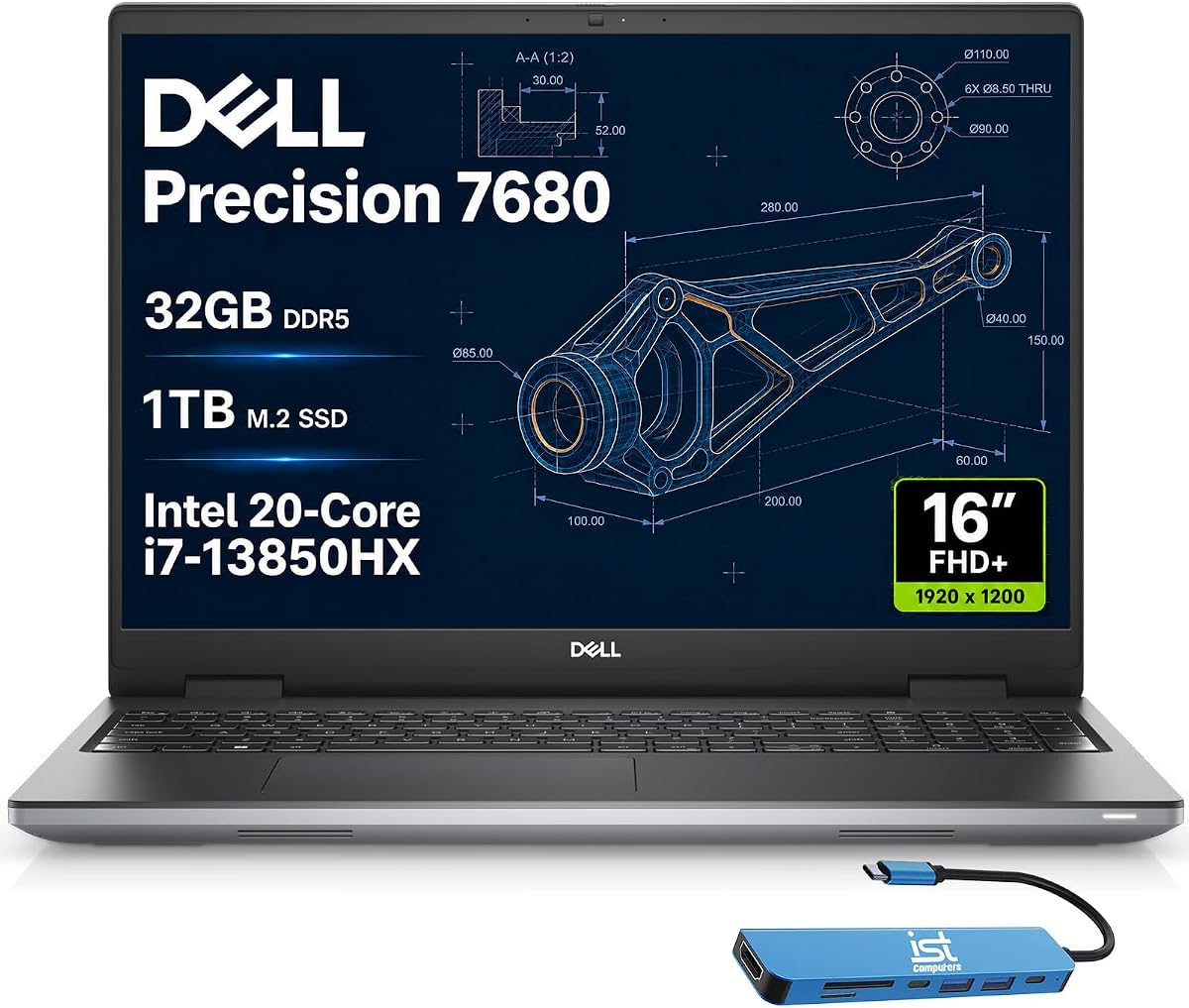
This variant of the Precision 7680 offers a balanced price-performance ratio. The Core i7-13850HX provides ample speed for 4K editing. It retains the robust chassis and ISV certification of the flagship model.
We may earn a commission when you buy through this link, at no additional cost to you.
The 32GB DDR5 memory ensures smooth switching between Premiere and other apps. The FHD+ screen is bright and sharp. Connectivity options support multiple displays for enhanced productivity.
Graphics performance is adequate for standard editing but may struggle with heavy effects. It remains a solid choice for generalists needing workstation reliability.
Ideal for those needing a durable laptop without the top-tier price tag. It handles daily professional workflows efficiently.
MIL-STD testing ensures the laptop withstands travel and daily professional use.
Optimized for Adobe Premiere Pro to minimize crashes and improve rendering stability.
We may earn a commission when you buy through this link, at no additional cost to you.
This configuration emphasizes storage and memory capacity with 64GB RAM and 2TB SSD. The RTX 1000 provides professional GPU features for color grading. It includes Pro Support Plus for priority assistance.
We may earn a commission when you buy through this link, at no additional cost to you.
Ideal for editors storing massive project libraries locally. The workstation design ensures long-term reliability. Business-grade features enhance security and manageability for corporate environments.
The GPU is not top-tier for heavy 3D effects but handles 4K playback well. Support coverage minimizes downtime for critical business operations.
Best for corporate users needing reliability and storage. It balances performance with enterprise service levels.
24/7 expert access reduces downtime during critical production deadlines.
2TB NVMe SSD offers ample room for active projects and cache files.
We may earn a commission when you buy through this link, at no additional cost to you.
The Dell Precision 5550 is a renewed option offering workstation features at an entry-level cost. The Core i7-10850H and 32GB RAM provide sufficient power for standard editing tasks. Its compact chassis offers good portability.
We may earn a commission when you buy through this link, at no additional cost to you.
As a certified workstation, it includes stability features missing from consumer laptops. The FHD display is clear for editing work. Renewed units often come with warranties for added security.
Older CPU generation means longer render times compared to newer models. Integrated graphics limit heavy effects processing. It is suitable for casual or budget-conscious users.
Best for those needing a portable workstation without high costs. It handles basic timelines effectively.
Certified for professional software to ensure consistent performance during editing.
Certified refurbished units provide reliable hardware at reduced price points.
We may earn a commission when you buy through this link, at no additional cost to you.
The HP 17 Laptop provides an entry-level option for lighter editing needs. The Ryzen 5 processor handles basic 1080p timelines. The large 17.3-inch screen improves workspace for tool panels.
We may earn a commission when you buy through this link, at no additional cost to you.
DDR5 RAM offers efficient memory management. The 256GB SSD boots quickly but lacks storage for large files. Battery life supports mobility without constant charging.
Limited RAM may require external storage for project files. Performance throttles with heavy effects or 4K timelines. It fits beginners or students learning editing.
Best for budget-conscious users with simple needs. It balances cost with reasonable performance for standard tasks.
17.3-inch screen provides ample space for timeline editing and multi-panel workflows.
Modern memory technology improves multitasking speed compared to older DDR4 systems.
We may earn a commission when you buy through this link, at no additional cost to you.
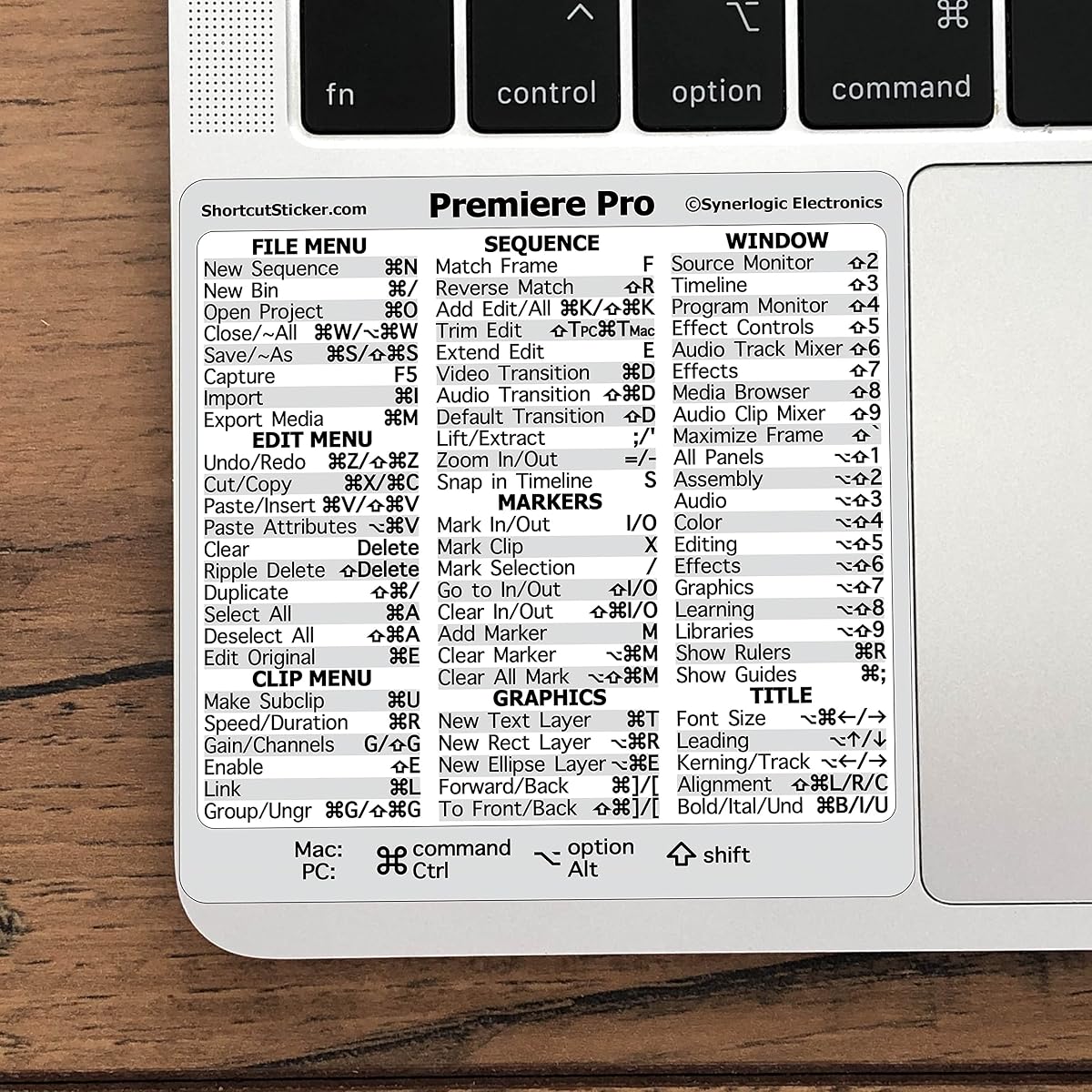
The Synerlogic Sticker helps editors memorize essential Premiere Pro shortcuts. This accessory speeds up workflow by placing commands directly on the keyboard. It is ideal for beginners learning navigation.
We may earn a commission when you buy through this link, at no additional cost to you.
Made of durable vinyl, it resists wear over time. The cross-platform design works on both Windows and Mac. It reduces the need to look up commands constantly.
While not a hardware upgrade, it enhances software proficiency significantly. It is compatible with all editing machines in this guide.
Best for editors wanting to improve keyboard efficiency. It pairs well with any powerful laptop.
Visible shortcuts reduce time spent navigating menus during active editing sessions.
Works with both Windows and Mac keyboards for universal access across devices.
We may earn a commission when you buy through this link, at no additional cost to you.
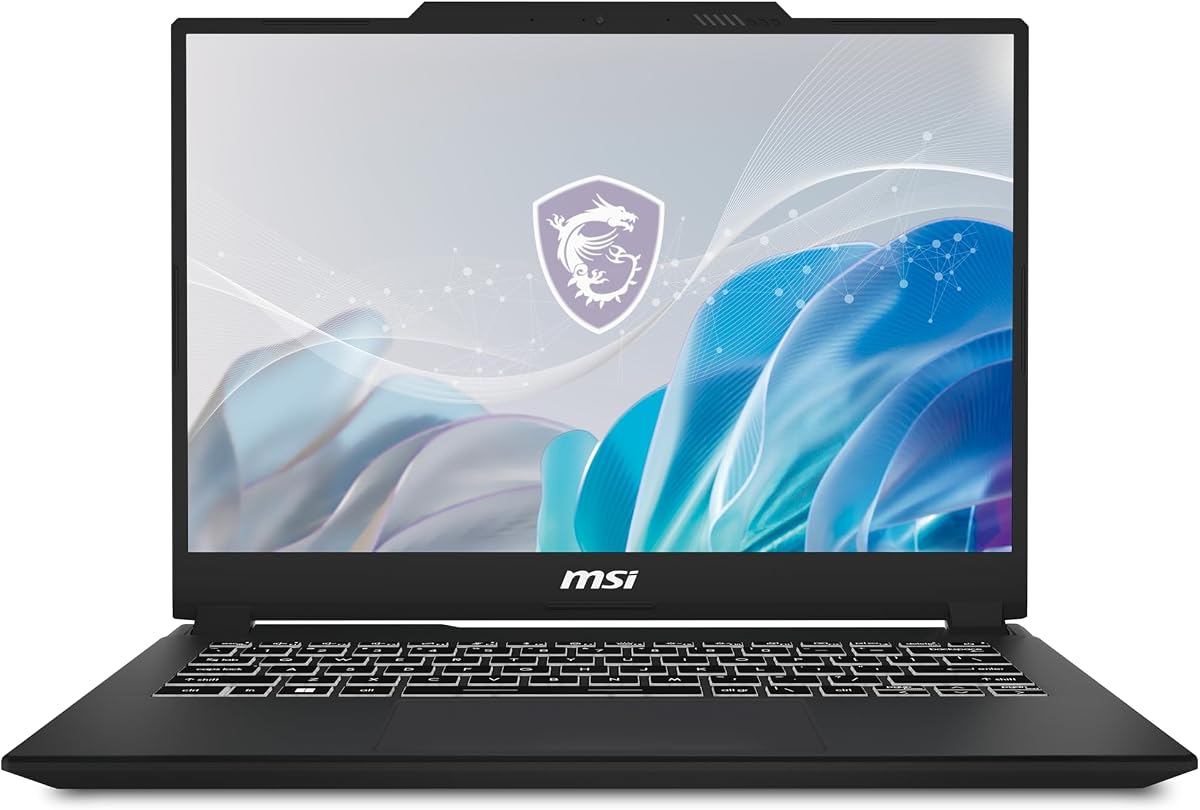
The MSI Creator M14 offers a compact solution with a high-resolution 2.8K display. The RTX 4050 supports smooth playback and rendering for 4K projects. Its small footprint makes it great for travel.
We may earn a commission when you buy through this link, at no additional cost to you.
Cooler Boost technology manages heat during intensive tasks. The 1TB SSD ensures fast access to media files. Windows 11 Home supports all essential creative apps.
RAM is limited to 16GB which may bottleneck heavy projects. Fan noise can increase under load. It prioritizes screen quality over raw compute power.
Best for mobile editors needing color accuracy. It fits well in backpacks for on-the-go work.
2.8K resolution provides crisp details for precise color grading tasks.
14-inch form factor is easy to carry for field editing and meetings.
We may earn a commission when you buy through this link, at no additional cost to you.
Selecting the right machine involves balancing processor speed, GPU power, and display quality. This guide outlines critical factors to evaluate for smooth 4K editing.
CPU speed dictates how quickly timelines render and export. Multi-core processors like i9 or M5 chips handle background tasks efficiently.
Prioritize high multi-core scores to avoid lag during timeline scrubbing.
RAM determines how many apps run simultaneously without slowdown. 32GB is the sweet spot for modern 4K projects.
Ensure RAM is upgradable to future-proof your investment for larger files.
A dedicated GPU accelerates rendering and effects. RTX or M-series GPUs ensure smooth playback.
Look for 6GB or more VRAM to handle high-resolution footage.
NVMe SSDs load files faster than traditional drives. A 1TB drive is essential for active project storage.
External storage can supplement internal SSDs for archiving older projects.
Color accuracy matters for grading work. Look for sRGB coverage or OLED panels for precise visuals.
Higher resolution screens offer more workspace for tool panels.
Certified workstations guarantee software stability during complex edits. This reduces crashes during rendering.
Consider certified models if reliability is a top priority.
Ports like Thunderbolt 4 allow fast external drive access. HDMI supports multi-monitor setups.
Check for sufficient USB-C ports for your peripherals.
Efficient cooling ensures performance remains steady under load. Look for laptops with proven thermal designs.
Avoid models that throttle easily during long export sessions.
Regularly clean vents to prevent overheating. Use compressed air to remove dust from fans and intakes.
Manage your cache settings in Premiere Pro to prevent drive filling. Clear cache weekly to maintain performance.
Backup projects to external storage. Use cloud tools for version history to prevent data loss during editing.
The minimum is 16GB but 32GB is recommended for smooth 4K performance. Less RAM may cause slowdowns during complex timeline playback. For heavy projects consider 64GB.
Yes, a dedicated GPU accelerates rendering and playback significantly. Integrated graphics often struggle with high-resolution projects. Aim for at least 6GB VRAM.
Yes, SSDs provide the speed needed for smooth timeline playback. HDDs cause lag during file access. Aim for at least 1TB NVMe storage.
15 to 17 inches offer enough space for tool panels. Smaller screens limit workspace. Larger screens improve visibility for complex timelines.
It matters for professional grading. Aim for 100% sRGB coverage. Calibration tools ensure accurate color representation for client work.
Prioritize RAM to handle larger timelines efficiently. Storage can be expanded via external drives. 32GB RAM improves playback stability.
MacBooks with M-series chips handle Premiere efficiently due to macOS optimization. Battery life and display quality are strong points. Consider M-series for longevity.
The Dell Precision 7680 and Apple 2025 MacBook Pro lead in performance and display quality. Budget options like the Precision 3581 offer solid reliability.
Prioritize processor speed and RAM for smooth 4K editing. Choose ISV-certified models for maximum stability in professional environments.
Prices change often so verify current deals. Always compare specs against your specific editing needs before purchasing.