
Marspark 2 Pcs Heated Mouse Pad
3.6Editor score
Plush wrist rest
USB powered
Large internal space
Compare the top hand warmer mouse pads for 2026 including heated pads, cocoon designs, and desk heaters to keep your hands warm while working.
Cold hands can make typing and gaming uncomfortable during winter months. A hand warmer mouse pad solves this by providing consistent warmth directly where you need it most while you work or play.
We evaluated ten top-rated models based on heating speed, safety features, comfort design, and value. Our comparison covers everything from plush wrist rests to full desk mats with auto shut-off timers.
Each pick below highlights key specs, pros, cons, and ideal use cases. Prices and availability change frequently, so check current listings before buying to ensure you get the best deal available now.
3.6Editor score

4.2Editor score
4.5Editor score
This side-by-side comparison evaluates all ten models across heating modes, safety protections, material quality, and ergonomic design to help you find the perfect match for your workspace needs.


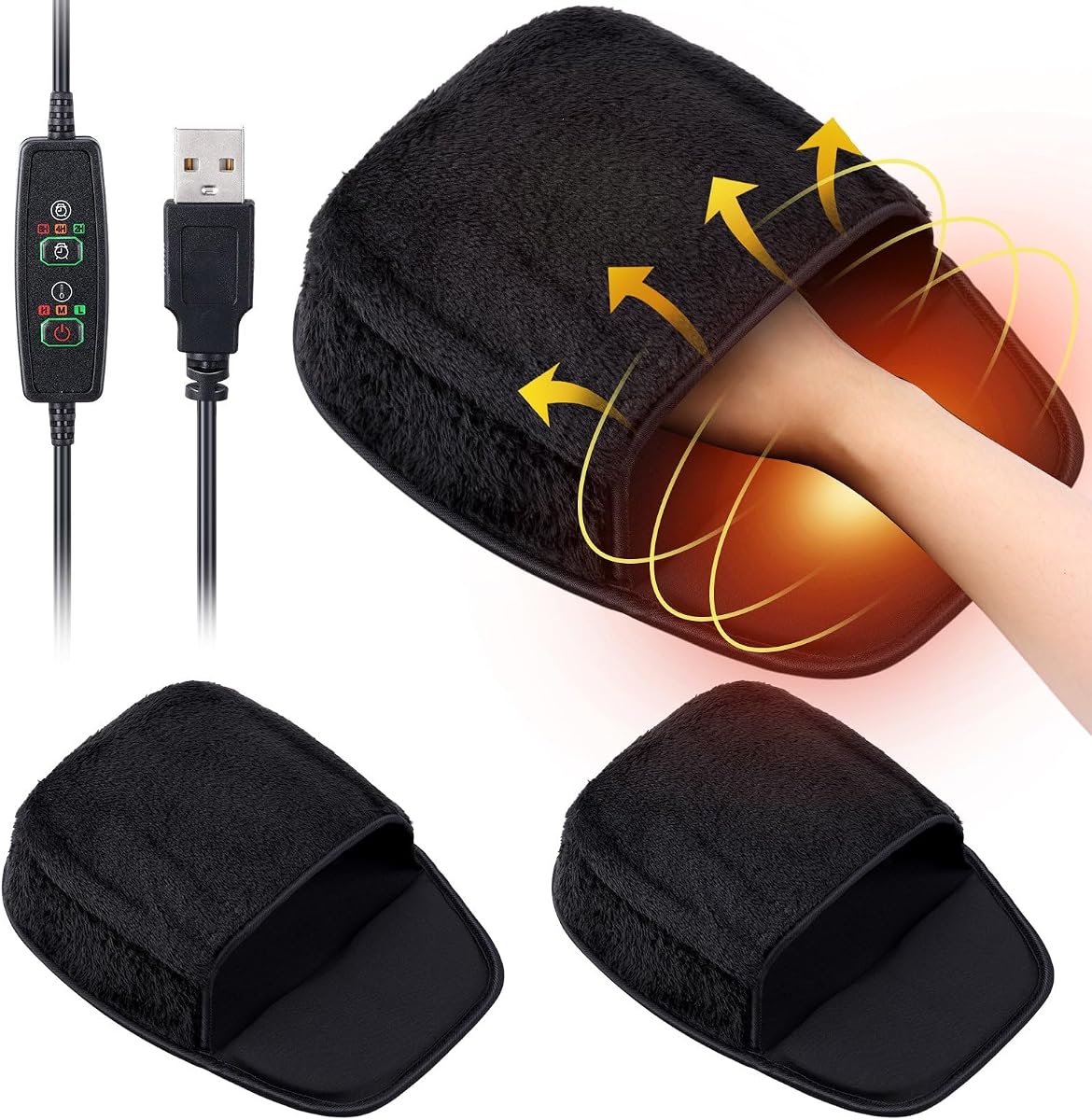

This cocoon-style warmer stands out with its enclosed design that keeps fingers warm during long sessions. A 4.2 rating from users highlights comfort and reliability for cold office environments.
We may earn a commission when you buy through this link, at no additional cost to you.
The PTC heating element distributes heat evenly without hot spots. Three temperature settings allow customization while built-in timers prevent overheating risks automatically.
Some users find the neoprene shell a bit snug for very large hands. However, the ergonomic wrist rest reduces strain effectively for most standard hand sizes.
Ideal for remote workers and gamers who need consistent warmth without disrupting mouse movement. The detachable heating element makes cleaning simple and extends product life.
Unlike flat pads, this model wraps your entire hand to prevent cold air drafts from reaching your fingers during winter work hours.
UKCA and CE certifications ensure electrical safety standards are met, giving peace of mind for overnight or long-duration use.
We may earn a commission when you buy through this link, at no additional cost to you.
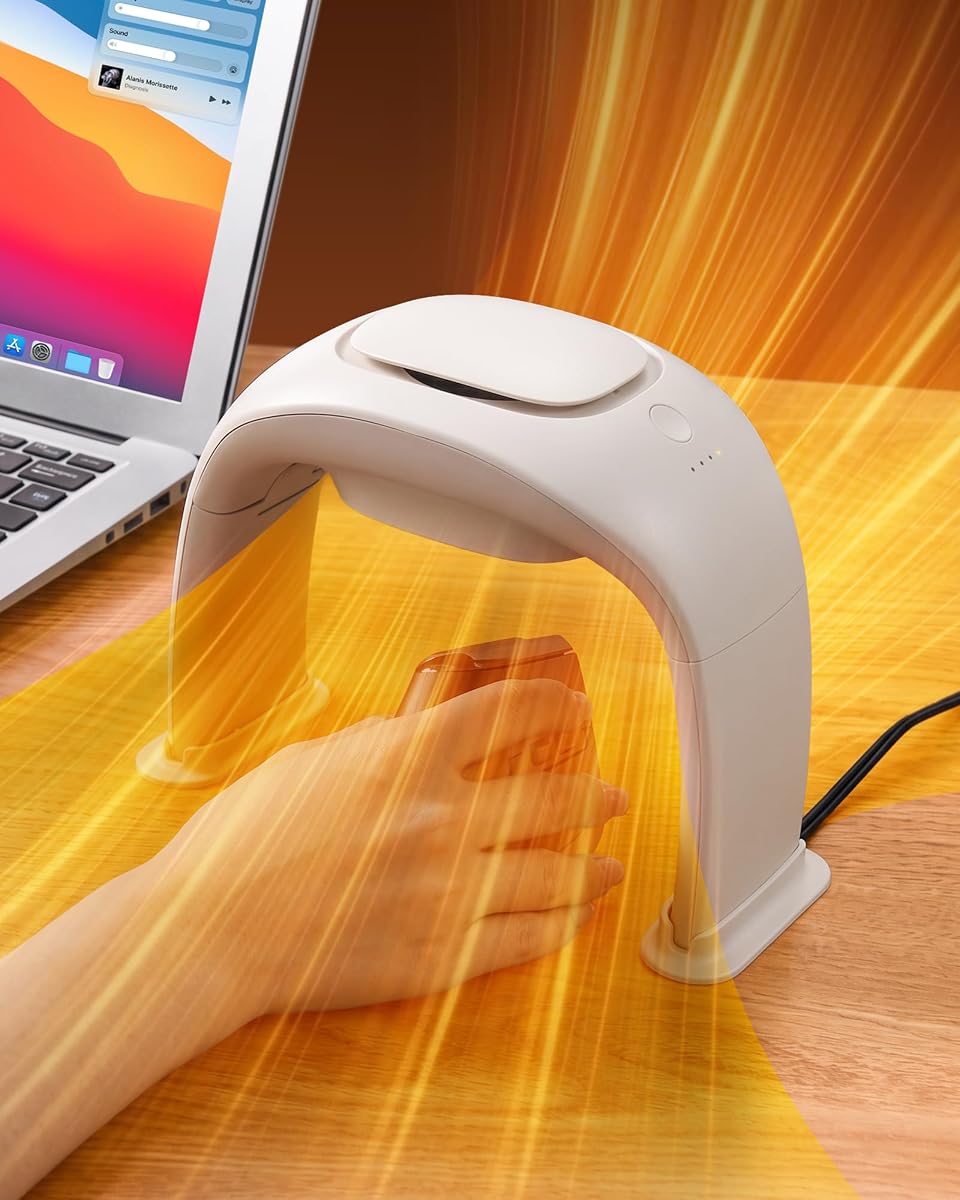
This model delivers powerful warmth with 100w ceramic heating for rapid comfort. A 4.5 user rating confirms its effectiveness for cold desk setups needing serious heat output.
We may earn a commission when you buy through this link, at no additional cost to you.
Super quiet performance under 20db ensures distraction-free work or gaming. The ceramic element cycles heat intelligently to maintain stable temperatures without burning out.
The need for a standard 110v outlet limits portability compared to USB options. However, the stable heating power makes up for this tradeoff in fixed office setups.
Best for home offices where power access is guaranteed and quiet operation is essential. The foldable design also simplifies storage when not in use seasonally.
Advanced ceramic technology provides efficient heat with minimal noise, making it perfect for quiet reading or concentration heavy work environments.
The open dome shape allows full 360-degree mouse movement without restricting your hand position or forcing awkward angles during use.
We may earn a commission when you buy through this link, at no additional cost to you.
Foldable convenience makes this model great for students or travelers. A 4.3 rating reflects satisfaction with its balance of portability and effective warming capabilities.
We may earn a commission when you buy through this link, at no additional cost to you.
The low 15dB noise level ensures it does not disrupt focus. Safety features like overheat protection and anti-scald grilles add reliable layers of user protection.
The smaller opening might feel restrictive for users with larger hands. Still, its lightweight build makes it easy to carry between different work locations daily.
Ideal for dorm rooms or shared offices where desk space is limited. Simply fold it flat when done to reclaim valuable surface area quickly and efficiently.
The flexible structure allows the unit to fold flat for packing in bags or storing in drawers when not in active use.
Operates at near silent levels so you can focus on tasks without humming or buzzing noise distracting from work or games.
We may earn a commission when you buy through this link, at no additional cost to you.
Getting two units for a low price offers great value for multi-desk households. A 3.6 rating shows solid basic performance though it lacks advanced heating controls.
We may earn a commission when you buy through this link, at no additional cost to you.
The plush material feels soft and comfortable for daily use. Each pad includes a wrist rest to support neutral hand posture during long typing sessions.
Heaters are separate from the pad so setup requires careful connection. Intensity is moderate compared to higher watt models but sufficient for mild chill.
Perfect for budget buyers needing basic warmth for multiple workstations. The soft fabric also protects your desk surface from scratches and wear.
Includes two pads so you can use one at home and another at work without spending extra money on separate units.
The thick plush material provides a soft touch for your hands while adding a layer of desk protection underneath.
We may earn a commission when you buy through this link, at no additional cost to you.
Thick plush coverage ensures a cozy feel for your hands. A 3.8 rating confirms reliable basic warmth though it lacks timer functions for safety.
We may earn a commission when you buy through this link, at no additional cost to you.
The detachable heating element allows you to remove it before washing the pad. This maintenance feature keeps the fabric fresh for regular daily use.
Without auto shut-off you must manually unplug after use. This tradeoff keeps costs low but requires more user attention to prevent energy waste.
Great for users who prioritize softness and washability over advanced features. The large size accommodates different mouse types comfortably.
Made from soft thick plush that feels gentle against skin for extended contact without irritation during long work sessions.
The heating pad can be removed separately for easier cleaning and to prevent moisture damage to electronic components.
We may earn a commission when you buy through this link, at no additional cost to you.
This full desk mat heats both hands and keyboard area efficiently. A 4.5 rating highlights its durability and large surface coverage for expansive workspaces.
We may earn a commission when you buy through this link, at no additional cost to you.
PU leather provides waterproof protection for spills while delivering consistent warmth. Three color-coded heat settings let you quickly identify temperature levels.
Requires a standard wall plug which reduces portability. The weight ensures it stays flat and secure on desks without sliding during use.
Ideal for office setups needing comprehensive warmth across your entire desk surface. The 4-hour auto shut-off also adds important safety convenience.
At over 31 inches wide this pad covers both keyboard and mouse area to keep your whole workspace comfortable in winter.
Red green and blue lights indicate high medium and low heat so you can adjust settings easily without reading switches.
We may earn a commission when you buy through this link, at no additional cost to you.
Engineered for silent performance this model uses double ball bearings to reduce vibration noise. A 4.3 rating reflects its success in providing quiet reliable heating.
We may earn a commission when you buy through this link, at no additional cost to you.
The energy saving chip adjusts power consumption automatically to maintain set temperatures efficiently. This reduces electricity use while keeping warmth consistent for long periods.
Outlets restrict use to fixed desktops. However, the foldable legs and compact weight still allow easy transport between rooms or locations.
Perfect for environments where noise is a concern like libraries or quiet offices. The warranty also adds confidence in the build quality and durability.
Upgraded bearings in the fan mechanism minimize vibration and noise for a smoother quieter operation during active use.
An internal chip reduces power draw when target temperature is reached to save energy and keep heat levels stable.
We may earn a commission when you buy through this link, at no additional cost to you.
This simple infrared pad provides basic heat with minimal complexity. A 3.8 rating suggests it delivers adequate warmth for straightforward warming needs.
We may earn a commission when you buy through this link, at no additional cost to you.
The manual switch makes operation easy for any user. Infrared technology penetrates skin to warm hands directly without needing to heat the entire pad.
Lacks adjustable temperature levels which limits customization. This simplicity keeps costs low but may not suit users needing precise heat control.
Ideal for those seeking a simple plug and play solution without complex settings. The compact design fits easily on any desk surface.
Infrared heat warms your hands directly rather than warming the air or surface around them for more efficient comfort.
A single manual switch turns heating on or off without requiring buttons or digital displays for simpler daily use.
We may earn a commission when you buy through this link, at no additional cost to you.
This pad combines heat with ergonomic wrist support for gamers. A 3.4 rating indicates mixed results but the features remain useful for long sessions.
We may earn a commission when you buy through this link, at no additional cost to you.
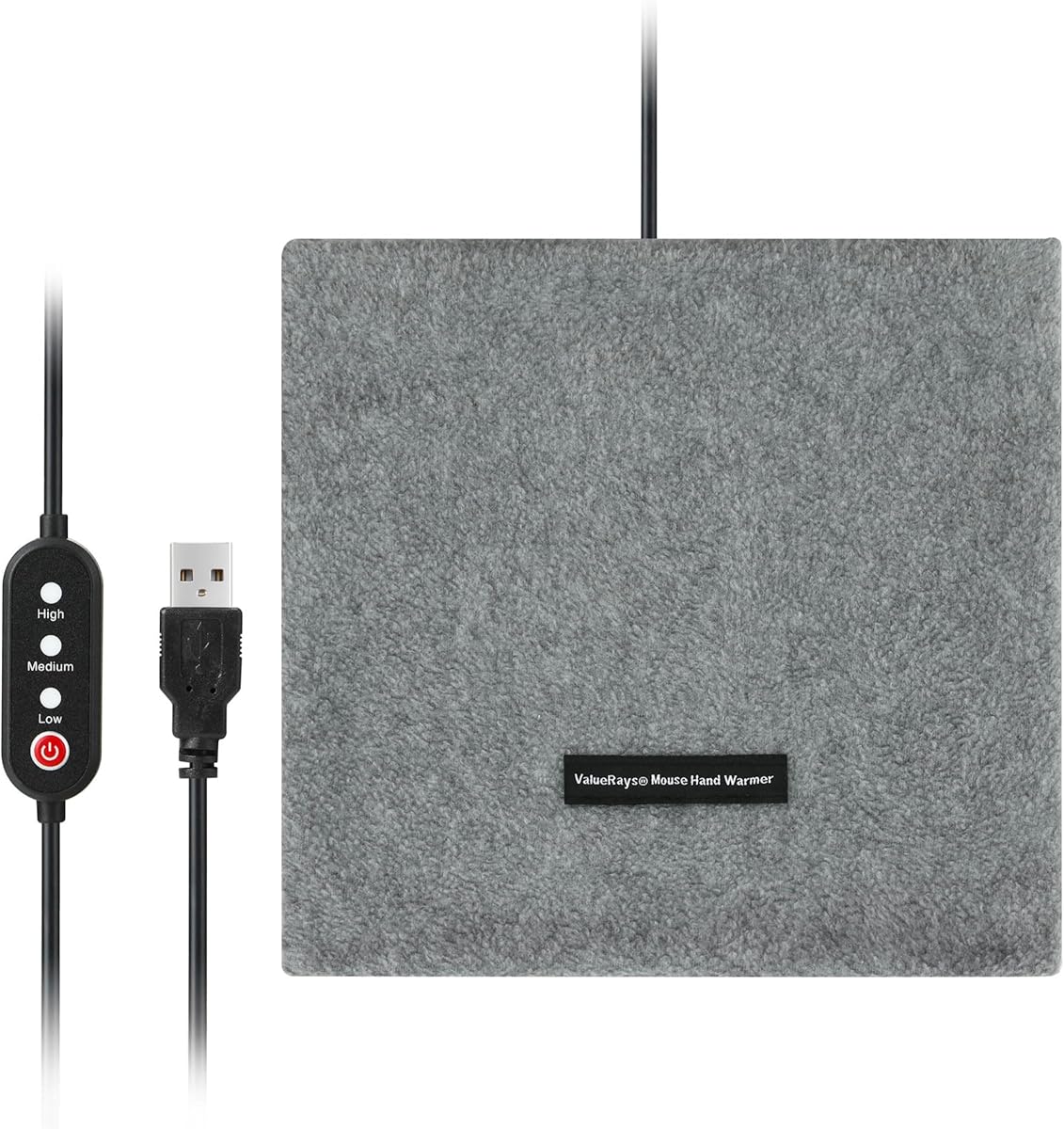
The non-slip rubber base ensures the pad stays put during intense mouse movements. Three heat levels let you balance comfort with personal preference.
Rating variability suggests build quality consistency issues. However the auto-off timers provide necessary safety and reduce overheating risks for gamers.
Great for gamers who want wrist relief alongside warmth. The two pack ensures you have a backup or can use them for different devices.
Thick rubber grips the desk surface firmly so the pad does not slide during rapid mouse movements in games.
A built-in wrist cushion supports the natural curve of your wrist to reduce fatigue during extended play periods.
We may earn a commission when you buy through this link, at no additional cost to you.
A versatile mat serving as mouse pad and foot warmer. Limited public ratings suggest it is a newer model but user feedback remains cautiously optimistic.
We may earn a commission when you buy through this link, at no additional cost to you.
The leather surface resists stains and scratches on your desk. Three temperature settings provide flexibility depending on how cold your workspace feels.
Lack of verified safety ratings is a consideration for long-term use. Still the non-slip bottom ensures it stays in place during active use.
Ideal for users needing a single surface that handles multiple tasks. Its multi-use design reduces clutter on your desktop surface.
Use as a mouse pad keyboard surface or under-desk foot warmer to maximize utility and reduce number of separate items.
Premium PU leather resists daily wear and tear keeping the surface looking new longer than standard fabric options.
We may earn a commission when you buy through this link, at no additional cost to you.
Choosing the right warmer requires balancing heat output power source safety and design. Below are key factors to consider before purchasing.
Different pads use ceramic PTC infrared or metal elements. PTC and ceramic offer faster more efficient heat while infrared warms directly through skin for quick relief.
Look for PTC or ceramic heating for best efficiency and durability in regular daily use.
USB powered pads plug into computers or power banks offering portability. Plug-in models draw from 110v outlets providing more consistent power and higher heat output.
Choose USB for portability or plug-in for stronger sustained heating in fixed offices.
Auto shut-off timers prevent overheating and reduce fire risk. Tip over protection is critical for portable units that might get knocked over.
Always verify auto shut-off and tip over protection before buying for long-term safety.
Full desk mats cover keyboard and mouse while hand pads focus on your forearm and palm. Ensure internal dimensions fit your mouse size comfortably.
Select size based on whether you need mouse movement clearance or full desk coverage.
Multiple heat settings let you adjust for cold tolerance. One-touch manual switches are simpler but less flexible than adjustable dials.
Choose adjustable temperature control for better comfort across different room temperatures.
Plush fabric offers softness while PU leather resists spills. Neoprene enclosures provide better insulation for hands than open flat pads.
Prioritize soft materials for touch comfort and insulation for better heat retention.
Foldable and lightweight designs suit travelers or students. Heavier models may stay put on desks but are harder to move.
Look for foldable features if you plan to carry the warmer between locations.
Check for minimum 12-month warranties to cover manufacturing defects. Responsive customer support helps resolve issues with heating elements quickly.
Verify warranty terms to ensure protection against electrical failures or heating issues.
Plug the pad into a USB port or outlet and wait for heat to build. Avoid touching heated surfaces directly until the material cools slightly to prevent skin burns.
Clean removable parts with a damp cloth or wash according to instructions. Allow components to dry completely before reconnecting power to prevent electrical hazards.
Store in a cool dry place when not in use. Avoid leaving the pad on when leaving your desk to save energy and extend the heating element lifespan.
Most pads include auto shut-off timers that turn off heating after 2 to 8 hours. These safety features reduce risk but you should still avoid leaving them on unattended for extended periods.
Yes wireless and wired mice work the same with heated pads. Ensure the internal space is wide enough for your mouse to move freely without obstruction during use.
Full desk mats fit mechanical keyboards well. For hand-only pads keep your keyboard off the heated surface to avoid damage or overheating of sensitive electronic components.
Most models reach comfortable temperatures within 30 to 60 seconds. Ceramic PTC models heat faster than standard resistive elements which take longer to warm fully.
US models typically use 110v outlets. International versions may require adapters. Verify plug type and voltage compatibility before ordering for your specific region.
Many plush models allow heating elements to be detached for cleaning. Always remove electronics before washing the fabric cover to prevent damage to internal heating parts.
USB models draw minimal power similar to a phone charger. Higher watt plug-in models use more energy but auto shut-off timers help limit total electricity consumption.
Yes gentle consistent warmth helps improve comfort for users with Raynaud's or poor circulation. Check medical advice and choose models with adjustable temperature controls for safety.
The top picks cover various needs from budget sets to premium quiet heaters. Consider your workspace and power access before choosing between USB and outlet models.
Safety features like auto shut-off and tip protection should be your top priority. These features prevent accidents and extend the usable life of the heating element.
Prices fluctuate so check listings before buying. This guide remains updated to help you find the warmest comfortable solution for your setup.