
HP 255 G10 Business Laptop
4.8Editor score
Affordable business grade performance
Full HD IPS display quality
Windows 11 Pro included
Finding a laptop with a dedicated numeric keypad is essential for professionals who handle data entry, accounting, or spreadsheet work daily. These machines streamline workflows by providing immediate access to numbers without switching modes or using function keys repeatedly throughout your busy workday.
We evaluated ten top-rated models based on processor power, memory capacity, display size, and the quality of their numeric keypads. Each selection offers a unique balance of portability and performance suited for various budget constraints and specific professional requirements in the modern workplace.
Each product entry below highlights key specifications, real-world performance metrics, and honest assessments of strengths and limitations. Please note that prices and availability change frequently so verify current details before making your final purchasing decision for your specific needs.
4.8Editor score

4.2Editor score
4.5Editor score
As an Amazon Associate we earn from qualifying purchases.
This comparison table provides a side-by-side overview of the top ten laptops featuring numeric keypads. Review specifications such as processor type, memory amount, storage capacity, and display size to quickly identify the model that best fits your professional requirements and budget constraints today.


The Lenovo V-Series V15 is a powerhouse among laptops with numeric keypads rated 4.2 stars by users. It stands out for its massive memory and processing power that handles heavy data workloads effortlessly without performance bottlenecks.
We may earn a commission when you buy through this link, at no additional cost to you.
Its AMD Ryzen 7 processor paired with 40GB of RAM ensures smooth multitasking even when running multiple virtual machines or complex spreadsheet models simultaneously. The 1TB SSD provides ample space for large files and fast boot times.
The downside is a weight that may deter frequent travelers and a chassis made from standard plastics rather than aluminum. These trade-offs are acceptable for stationary office use where performance matters more than portability.
This model is ideal for accountants and analysts who prioritize raw power and memory capacity. We recommend it as the best overall choice for professionals needing reliable performance on a budget.
With 40GB of RAM you can keep dozens of browser tabs open while running accounting software without any noticeable slowdown or system lag during peak work hours.
The full size numeric keypad allows for rapid data entry which is crucial for accounting and financial work requiring frequent number input throughout the day.
We may earn a commission when you buy through this link, at no additional cost to you.
The HP 255 G10 is a budget friendly option rated 4.8 stars for its balance of cost and capability. It delivers essential business features including Windows 11 Pro and a numeric keypad for efficient number entry tasks.
We may earn a commission when you buy through this link, at no additional cost to you.
Its AMD Ryzen 3 processor handles everyday office applications well while 16GB RAM supports moderate multitasking. The 15.6 inch Full HD IPS display provides clear visuals with wide viewing angles for collaborative work sessions.
While it lacks the raw power of higher end models the lighter weight and compact design make it easier to carry between meeting rooms or for remote work scenarios. Storage is modest but expandable for most users.
Buy this if you need a reliable and affordable work machine for standard office tasks. It is perfect for small business owners or students who need a numeric keypad without breaking the bank.
This model offers the best bang for your buck when considering essential features like a numeric keypad and solid state storage at a lower price point.
Weighing just 3.4 pounds it is easy to transport in a backpack making it suitable for professionals who move between home office and corporate offices.
We may earn a commission when you buy through this link, at no additional cost to you.
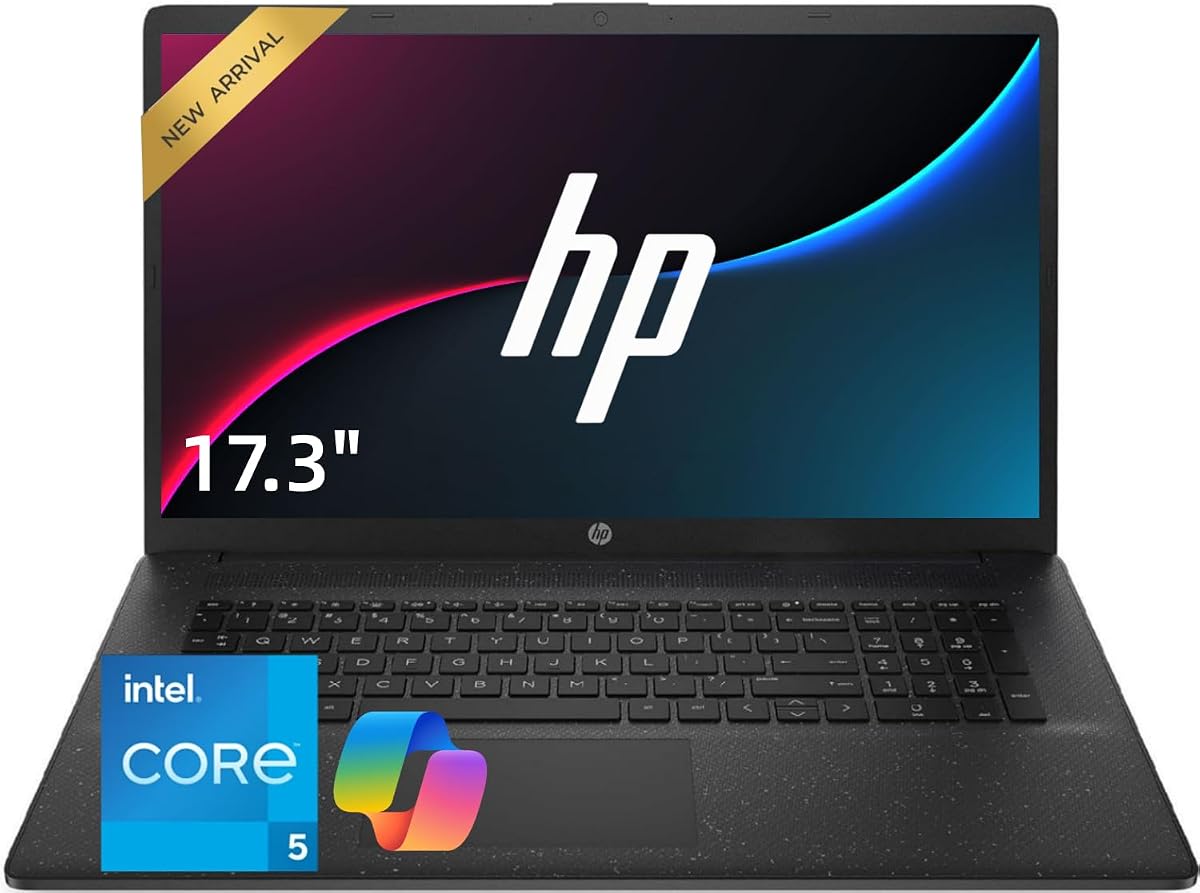
This HP model delivers a premium large screen experience rated 4.5 stars by users who need real estate for complex spreadsheets. It combines a massive display with a powerful numeric keypad for efficient data work.
We may earn a commission when you buy through this link, at no additional cost to you.
The Intel Core 5 processor handles modern business workflows smoothly while 32GB RAM ensures stable performance during heavy multitasking. The large physical keyboard includes a dedicated numeric section that is larger and more comfortable than on standard laptops.
The trade off is a bulky chassis that occupies more desk space and may not fit easily in smaller bags. However for a stationary office setup this size offers a desktop replacement experience that boosts productivity.
Choose this laptop if you prioritize screen real estate and comfort over portability. It is ideal for senior analysts or managers who spend long hours reviewing large datasets on a single device.
The 17.3 inch display provides more room for spreadsheets and documents allowing side by side work without constant window switching or resizing.
A privacy shutter on the webcam gives you control over camera access adding a layer of physical security during virtual meetings and calls.
We may earn a commission when you buy through this link, at no additional cost to you.
This variant of the HP 255 G10 features a Ryzen 7 processor which significantly boosts processing power for demanding applications. It is an excellent choice for small offices needing reliable performance on a compact chassis.
We may earn a commission when you buy through this link, at no additional cost to you.
The 16GB RAM supports typical business multitasking while the PCIe SSD ensures fast access to files and applications. The dedicated numeric keypad is full size and comfortable for data entry tasks throughout the day.
The display brightness is average which might be a limitation in brightly lit environments. However the anti glare coating helps reduce eye strain during extended work sessions indoors.
This model is best for users who need more processing power than the base Ryzen 3 but do not want to pay for premium large screen options. It balances speed and portability well for general office work.
The Ryzen 7 processor offers eight cores and sixteen threads providing significantly better multitasking performance than quad core processors in this category.
Wi-Fi 6 support ensures faster wireless speeds and better performance in crowded office networks compared to older Wi-Fi standards.
We may earn a commission when you buy through this link, at no additional cost to you.
This HP laptop is explicitly marketed for Excel and accounting tasks making it a strong candidate for finance professionals. The combination of a large screen and dedicated numeric keypad facilitates efficient work with complex spreadsheets.
We may earn a commission when you buy through this link, at no additional cost to you.
The Intel Core 5 processor provides responsive performance for calculations while 32GB RAM handles large files with ease. The storage capacity ensures you can keep extensive archives of financial data locally on the device.
The main drawback is the larger size which makes it less ideal for users who frequently travel or work in shared spaces with limited desk real estate. It is best suited for stationary workstations.
If your primary work involves heavy spreadsheet usage this machine offers the tools needed to stay productive. The layout is optimized for number entry and financial analysis workflows.
The full size keyboard includes a prominent numeric keypad that sits naturally under the right hand for rapid input during data entry tasks.
1TB of SSD storage allows you to store years worth of financial records and backups without needing external drives regularly.
We may earn a commission when you buy through this link, at no additional cost to you.
This Lenovo model stands out with its latest generation processor and DDR5 RAM which offers faster speeds than standard DDR4. It is a modern choice for users who want future proof performance in a portable laptop.
We may earn a commission when you buy through this link, at no additional cost to you.
The 16 inch WUXGA display provides more vertical space which is excellent for viewing spreadsheet rows and documents. The privacy shutter on the webcam adds an extra layer of security for remote work users.
While DDR5 RAM is faster it may consume slightly more power leading to variable battery life depending on your workload. The 24GB configuration is less common but sufficient for most power users.
Choose this laptop if you want the latest technology and a better display resolution without sacrificing portability. It is great for students and professionals who need modern specs for efficient multitasking.
DDR5 RAM offers significantly higher bandwidth than DDR4 enabling faster data processing for demanding applications and smooth multitasking.
The 16 inch screen with higher vertical resolution allows more data to be visible on screen at once reducing the need to scroll.
We may earn a commission when you buy through this link, at no additional cost to you.
This HP model is rated 4.5 stars for its long battery life which is rare for larger laptops. It is ideal for users who travel frequently and need to work away from outlets for extended periods.
We may earn a commission when you buy through this link, at no additional cost to you.
The AMD Ryzen 5 processor is efficient providing solid performance without draining the battery quickly. The numeric keypad is full size allowing you to work on data tasks without external accessories in transit.
The limitation is that Office 365 is included as a web version which requires an internet connection for full functionality. This may be a constraint if you work in areas with poor connectivity.
Opt for this laptop if mobility and battery life are your top priorities. It combines a large screen with efficient power management making it a versatile travel companion for business users.
The efficient processor design allows the battery to last longer than typical laptops providing several hours of uninterrupted work away from power sources.
When you are near a power outlet fast charge support lets you quickly regain battery levels ensuring you are ready to work sooner.
We may earn a commission when you buy through this link, at no additional cost to you.
This laptop is an excellent entry level option with a 4.5 star rating. It is best for users with basic needs who require a numeric keypad and long battery life without a high cost.
We may earn a commission when you buy through this link, at no additional cost to you.
The slim design makes it easy to slip into a backpack and the large battery capacity ensures you can work through the day without recharging. A privacy shutter adds security for the webcam.
The 8GB RAM is a limitation for heavy multitasking and may lead to slowdowns if you keep many applications open. However for single task workflows it performs adequately and efficiently.
Buy this if you need a secondary laptop or a basic machine for light office tasks. It offers surprising value for students or light users who prioritize portability and price.
A 10000mAh battery is unusually large for this class providing significantly extended usage times compared to standard laptop batteries.
Expandable storage allows you to start with 256GB and upgrade later as your file needs grow without replacing the entire device.
We may earn a commission when you buy through this link, at no additional cost to you.
The S7HI Laptop is a compact and lightweight device that is easy to carry. It is designed for basic tasks and students who need a machine for schoolwork and simple spreadsheet entries.
We may earn a commission when you buy through this link, at no additional cost to you.
Its slim profile allows it to fit into tight spaces making it a good choice for those with limited desk space. The IPS display offers decent colors and viewing angles for daily tasks.
The low RAM and storage mean you will likely need to upgrade or rely heavily on cloud storage. Performance is limited to light usage such as web browsing and word processing.
This model is suitable for students or casual users who do not need heavy performance. It is a budget friendly starting point for anyone needing a portable laptop with a number pad.
At 3.6 pounds the design is optimized for portability making it easy to carry to class or coffee shops daily.
With limited local storage this laptop encourages the use of cloud services which keeps files accessible across multiple devices.
We may earn a commission when you buy through this link, at no additional cost to you.
This HP model boasts a high 4.7 star rating and impressive specs for the price. It stands out for offering 32GB of RAM in a 15.6 inch chassis which is rare for budget laptops.
We may earn a commission when you buy through this link, at no additional cost to you.
The fast NVMe SSD ensures quick boot times and file access while the numpad supports efficient data entry. The processor is capable enough for most office tasks including spreadsheets and web research.
The i3 processor may struggle with sustained heavy loads but for typical business use it provides excellent value. The accessory package may vary so check what is included before purchasing.
Choose this laptop if you need high RAM for multitasking without buying a large screen model. It is a smart pick for users who prioritize memory capacity and storage speed.
Having 32GB RAM allows you to run many applications simultaneously without the need to close windows or deal with slowdowns.
NVMe SSD technology provides faster data transfer speeds than traditional SATA SSDs resulting in snappier system performance overall.
We may earn a commission when you buy through this link, at no additional cost to you.
Selecting the right laptop with a numeric keypad involves balancing performance needs with portability requirements. This guide breaks down the essential factors to consider so you can make an informed decision that supports your daily workflows.
The processor determines how quickly your laptop can handle tasks ranging from basic word processing to complex financial modeling. For users who frequently work with large spreadsheets or run multiple applications simultaneously a processor with at least 8 cores and high turbo speeds is recommended. Modern options like Intel Core i5 and i7 or AMD Ryzen 5 and 7 offer excellent performance for business tasks without excessive power consumption.
Prioritize processors with multi-core capabilities to ensure your system remains responsive even when running heavy workloads. Avoid older dual-core models as they may struggle with modern software requirements and limit future usability.
Random Access Memory (RAM) is critical for multitasking capabilities. If you often have many browser tabs open alongside spreadsheet software or virtual meetings aim for at least 16GB of RAM. This amount prevents your system from slowing down when switching between applications frequently. Power users working with very large datasets may benefit from 32GB or more to ensure smooth operation.
Higher RAM capacity directly impacts how many programs can run concurrently without performance drops. Ensure your chosen laptop has enough RAM for your typical daily workload and consider future needs when deciding on capacity.
A larger display reduces the need to switch between windows constantly which is beneficial when working with spreadsheets. Models with 15.6 inch or larger screens provide more screen real estate. Full HD resolution (1920 x 1080) or higher is essential for clarity when viewing dense data. Look for displays with anti-glare coatings to reduce eye strain during long work sessions indoors or outdoors.
Prioritize a screen size that balances portability with readability. If you work mostly at a desk a 17.3 inch display may be preferable while a 15.6 inch is better for travel.
The physical layout of the numeric keypad can vary between models. Some laptops integrate keys tightly into the main keyboard while others offer a dedicated section. Test key travel and spacing if possible to ensure comfortable typing over long periods. A well designed numpad improves speed and accuracy for data entry tasks.
Look for full size numeric keypads that include a separate section to the right of the main keyboard. This layout allows you to use your right hand naturally without stretching across the keyboard.
Solid State Drives (SSD) are standard for modern laptops and provide fast boot times. Look for PCIe NVMe SSDs which are faster than standard SATA drives. Capacity is equally important; at least 512GB is recommended to store documents and applications without constantly managing space. If you work with media files consider models with 1TB or more.
Ensure the storage is upgradeable if you expect your data needs to grow. Some laptops allow for adding a second drive or swapping the primary SSD for larger capacity later.
A variety of ports simplifies connecting peripherals and external monitors. Look for USB Type-A ports for traditional devices and USB Type-C for modern accessories. HDMI ports are essential for connecting to external displays or projectors. Wi-Fi 6 offers faster wireless speeds which is important for large file transfers and video conferencing.
Check the number and type of available ports to ensure compatibility with your existing accessories. A diverse selection reduces the need for dongles and hubs during your workday.
Battery life is a critical factor if you work away from a power source frequently. Look for models with efficient processors and large battery capacities. A laptop with at least 8 hours of battery life will last through a typical workday without recharging. Portability is also important; lighter models are easier to carry in a backpack.
Consider your mobility needs when deciding between larger screens and lighter weights. Larger displays often add weight and reduce battery life so balance these factors based on your typical work environment.
Windows 11 Pro is often preferred for business users due to enhanced security features and remote desktop capabilities. Ensure the laptop includes a legitimate license to avoid additional software costs. Some models may come with additional software such as Office 365 subscriptions which can add value.
Choose an operating system that supports your existing software ecosystem. Business users should prioritize models with Windows Pro versions for advanced management and security tools.
To get the most out of your numeric keypad ensure you use the correct driver settings. Most modern laptops automatically detect the numpad but updating drivers from the manufacturer website ensures full functionality and responsiveness.
Clean your keyboard regularly using a soft brush or compressed air to remove dust from the keys. This is especially important for numeric keypads which are used frequently. Avoid eating over the laptop to prevent crumbs from falling into the key mechanism.
Protect your device during transport by using a padded sleeve. The numeric keypad can sometimes be sensitive to pressure so avoid placing heavy items on the laptop when closed. Proper care extends the lifespan of the keys and the overall device.
No not all 15 inch laptops have a dedicated numeric keypad. It is a specific feature found on many business models but some slim or consumer focused devices omit it to save space. Always check the product specifications before purchasing to confirm the presence of a numpad.
A numeric keypad allows for rapid number entry which is essential for accounting and data entry tasks. It enables users to type numbers faster and with fewer errors than using the top row of the keyboard. This efficiency saves time and improves productivity throughout the workday.
Yes you can purchase an external USB numeric keypad separately. These plug and play devices are affordable and provide the same functionality as built-in keypads. This is a cost-effective solution if you prefer a compact laptop but still need number entry capability.
Windows 11 Pro offers features like BitLocker encryption and Remote Desktop which are valuable for business environments. It allows for better security management and integration with corporate domains. For professional users these advanced features provide added security and flexibility.
For large spreadsheets or data analysis tasks at least 16GB of RAM is recommended. If you work with very large datasets or run other applications simultaneously consider 32GB to ensure smooth performance. Sufficient RAM prevents lag when loading complex workbook files.
Laptops with numeric keypads are often slightly larger and heavier due to the additional keyboard area. However modern designs manage this well so the difference is minimal for most users. If portability is critical look for models that balance size with weight effectively.
A modern multi-core processor such as Intel Core i5 or AMD Ryzen 5 is sufficient for most business tasks. These processors provide a balance of speed and efficiency. High end workstations are usually unnecessary unless you run specialized engineering software.
A well maintained business laptop typically lasts between 4 to 5 years. Regular software updates and careful handling help extend its useful life. Most business models are designed to withstand daily use and minor impacts over time.
We reviewed ten top laptops with numeric keypads ranging from budget friendly models to powerful premium options. The Lenovo V-Series V15 and HP 255 G10 stand out for their value while larger models offer superior screen real estate.
When making your choice prioritize processing power and RAM if you handle heavy data tasks. For casual users or students a lighter laptop with a decent numpad may be more practical. Consider your typical work environment to decide on size and portability.
Prices and availability for these laptops change regularly so check current listings for the most accurate deals. We recommend verifying specifications directly with the manufacturer or retailer before finalizing your purchase to ensure it meets your specific needs.