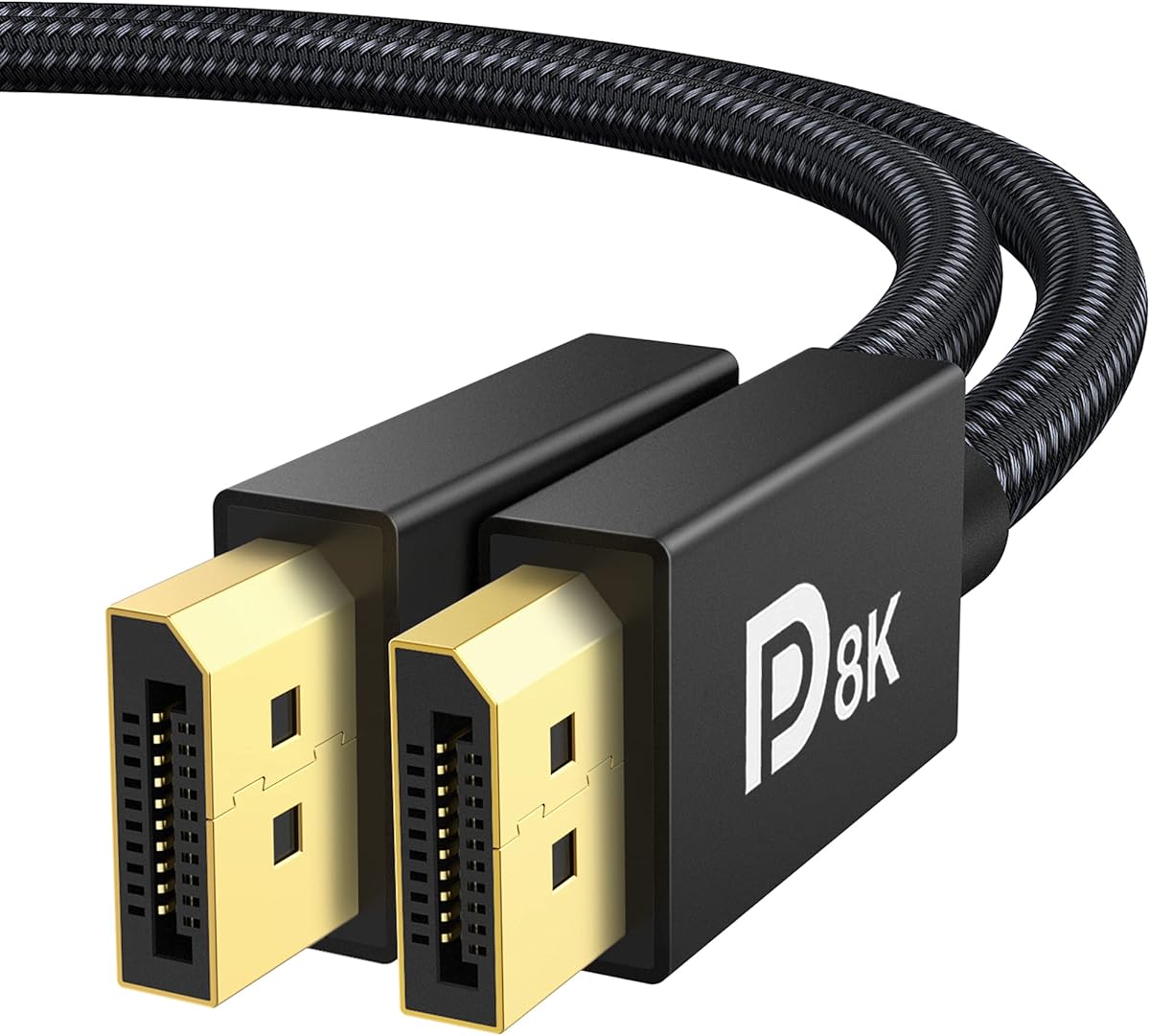
IVANKY VESA Certified 8K DisplayPort Cable 1.4
4.7Editor score
VESA Certified Standard
32.4 Gbps Bandwidth
Nylon Braided Jacket
This guide compares the top Displayport Cable for 144Hz options available in October 2026, evaluating bandwidth, build quality, and compatibility for gaming
Choosing the right Displayport Cable for 144Hz is essential for gamers and professionals who demand smooth visuals and high refresh rates. A quality cable ensures your monitor performs at its peak without signal loss or artifacts.
We analyzed ten top-rated Displayport cables based on VESA certification, bandwidth capacity, and build durability. Each product was selected to meet the rigorous demands of modern gaming and high-resolution media consumption.
Each pick highlights key specifications and real-world performance benefits. Please note that prices and availability can change frequently, so verify current details before making your final purchase decision.
4.7Editor score

4.6Editor score

4.7Editor score
The following table provides a side-by-side comparison of all ten selected cables, highlighting their specific certifications, bandwidth capabilities, and compatible resolutions for easy reference.


This Silkland 54Gbps DisplayPort 2.1 cable stands out as the top choice for high-end setups due to its VESA certification and impressive bandwidth capacity. It supports resolutions up to 16K at 60Hz and handles 4K at 240Hz effortlessly, ensuring your 144Hz monitor runs at peak performance without bottlenecks.
We may earn a commission when you buy through this link, at no additional cost to you.
The cable features triple shielding to prevent electromagnetic interference, which is crucial for maintaining signal integrity over longer distances. Its 24K gold-plated connectors ensure a stable connection, while the 28AWG tinned copper conductors reduce resistance and signal loss during high-speed data transmission.
While the price is higher than standard cables, the durability and future-proofing justify the investment. The secure latch design prevents accidental disconnections, and the cable thickness might be slightly restrictive in tight spaces behind desks.
Gamers and content creators who need reliable high-refresh-rate performance should choose this cable. It is the most robust option available today for Displayport Cable for 144Hz setups involving high-end graphics cards and monitors.
With support for 16K resolutions, this cable prepares you for next-generation monitors that will likely become more common in the coming years.
The support for uncompressed digital audio channels enhances gaming immersion by delivering precise sound positioning in competitive environments.
We may earn a commission when you buy through this link, at no additional cost to you.
The IVANKY VESA Certified 8K DisplayPort Cable 1.4 offers excellent value for budget-conscious buyers who still demand high quality. It supports resolutions up to 8K at 60Hz and maintains 4K at 240Hz, which is more than sufficient for most 144Hz gaming monitors.
We may earn a commission when you buy through this link, at no additional cost to you.
Its 30AWG tinned copper construction makes it more flexible than typical 28AWG cables, allowing for easier routing in tight spaces. The nylon braided jacket is rated for over 28,000 bends, ensuring long-term physical resilience without compromising signal quality.
Since it relies on the DP 1.4 standard, it lacks the massive bandwidth of newer 2.1 cables, but this trade-off keeps costs low. The latch-free design protects your ports from damage, though some users might prefer a secure lock for stability.
This cable is perfect for gamers on a budget who want reliable VESA certification and durability. It delivers the necessary performance for 144Hz gaming without the premium cost associated with the latest DisplayPort versions.
The slimmer profile compared to other cables makes it easier to organize cables behind your desk or TV stand.
Support for G-Sync and FreeSync ensures smooth gameplay without screen tearing on compatible hardware.
We may earn a commission when you buy through this link, at no additional cost to you.
The Silkland 80Gbps DisplayPort Cable 2.1 is the ultimate choice for enthusiasts seeking maximum performance. It is the first VESA-certified DP80 cable available, offering uncompressed 4K at 240Hz and up to 8K at 60Hz without compression artifacts.
We may earn a commission when you buy through this link, at no additional cost to you.
It supports UHBR20 technology, which significantly increases data transmission rates compared to previous standards. This ensures that high frame rates at 4K remain stable without relying on Display Stream Compression, preserving image fidelity for professional tasks.
While currently limited by hardware availability, investing in this cable ensures compatibility with future graphics cards and monitors. The price is higher due to the advanced technology, but it offers the highest level of performance assurance.
This cable is ideal for professionals and enthusiasts who want the absolute best for their setup. If you need the highest bandwidth for 144Hz or higher refresh rates at 4K, this is the definitive choice.
By avoiding compression, the cable maintains exact pixel data, critical for graphic design and high-end gaming.
HDR10+ support enhances contrast and color depth, making dark scenes in games more detailed and vibrant.
We may earn a commission when you buy through this link, at no additional cost to you.
UGREEN offers a solid DisplayPort 2.1 cable that balances performance and durability for high-end users. The 54Gbps bandwidth supports 16K at 30Hz and 4K at 240Hz, making it suitable for demanding gaming setups requiring 144Hz refresh rates.
We may earn a commission when you buy through this link, at no additional cost to you.
The aluminum alloy housing helps with heat dissipation during high-speed data transfer, which can prevent overheating issues in enclosed spaces. The triple-shielded design protects against interference, ensuring consistent performance even with other electronics nearby.
While it lacks a locking mechanism compared to some competitors, the sturdy braided design provides physical durability. The lack of 16K support at higher refresh rates might be a limitation for some specific ultra-high-resolution monitors.
This cable is a strong option for users who want 2.1 performance with trusted brand reliability. It works well with popular graphics cards and monitors, making it a versatile choice for modern systems.
The aluminum housing is effective at keeping the cable cool during extended high-load sessions.
MST technology allows you to connect multiple monitors to a single source easily.
We may earn a commission when you buy through this link, at no additional cost to you.
The Capshi 8K DisplayPort Cable 1.4 is designed for users seeking reliable certification and broad compatibility. It supports resolutions up to 8K at 60Hz and handles 4K at 144Hz smoothly, fitting well within the requirements for 144Hz monitors.
We may earn a commission when you buy through this link, at no additional cost to you.
The cable features multiple shielding layers to reduce interference, ensuring that your signal remains stable. Its flexibility allows for easy installation, and the 24K gold-plated connectors resist corrosion for long-term use.
While the design is functional, it lacks the premium braiding found in more expensive options. The standard DP 1.4 bandwidth means it is limited to 4K at 144Hz without compression, which might not be enough for future-proofing.
This cable is a good middle-ground choice for gamers who prioritize certification over premium build materials. It offers solid performance for current hardware at a reasonable price point.
It works with a wide range of graphics cards and monitors, making it versatile for different setups.
The 32-channel audio support ensures clear sound transmission alongside video.
We may earn a commission when you buy through this link, at no additional cost to you.
The Ubluker cable brings the advanced features of DisplayPort 2.1 to a competitive price point. With 54Gbps bandwidth and UHBR support, it handles 8K at 60Hz and 4K at 240Hz, ensuring smooth performance for high-refresh gaming.
We may earn a commission when you buy through this link, at no additional cost to you.
It includes FEC error correction to maintain signal integrity over time, which is critical for high-speed data transfer. The nylon braided exterior adds durability against physical wear and tear during daily use.
The cable supports 12-bit color depth, enhancing color accuracy for professional work. However, some users might find the long product title and specifications confusing when trying to verify compatibility quickly.
This is a strong choice for those who want DP 2.1 features without paying premium prices. It is particularly useful for those investing in newer graphics cards like RTX 5090 series.
FEC ensures data integrity even if the signal quality fluctuates during transmission.
Supporting 10K and 8K resolutions prepares you for next-generation display standards.
We may earn a commission when you buy through this link, at no additional cost to you.
IVANKY delivers another premium option with its 80Gbps DisplayPort 2.1 cable. This version supports 16K at 60Hz and offers a flexible profile due to 30AWG tinned copper conductors, which is unusual for high-bandwidth cables.
We may earn a commission when you buy through this link, at no additional cost to you.
The aluminum alloy housing provides excellent heat dissipation and rust resistance. It includes advanced features like UHBR20 and Dynamic HDR, making it suitable for professional-grade displays that demand maximum visual fidelity.
For users needing standard 144Hz gaming, this cable might be overkill since DP 1.4 is sufficient. However, the build quality ensures longevity, and the latch-free design protects your device ports from damage.
This cable is best for professionals who need the highest bandwidth available today. It is a solid investment for those who want future-proofing and top-tier material quality.
The aluminum housing prevents heat buildup during sustained high-bandwidth operations.
The slimmer profile makes it easier to route through tight cable management systems.
We may earn a commission when you buy through this link, at no additional cost to you.
This variant from Silkland features a secure locking latch to prevent accidental disconnections, which is a common pain point with other cables. It maintains the 54Gbps bandwidth of the 2.1 standard, supporting 8K at 120Hz and 4K at 240Hz.
We may earn a commission when you buy through this link, at no additional cost to you.
The latch design requires a button press to unplug, ensuring the connection stays firm even if the cable is tugged. This makes it ideal for setups where accidental bumps might occur, such as busy desks or gaming areas.
While the latch adds security, it might be slightly harder to disconnect quickly compared to a simple plug. The braided design remains durable, and the triple shielding protects against interference just like other models.
Gamers and users in active environments will appreciate the physical security of this cable. It offers the same high speed as other 2.1 options but with a focus on connection stability.
The locking mechanism ensures your display does not flicker due to accidental cable movement.
If you have pets or children around your setup, the latch prevents unwanted disconnections.
We may earn a commission when you buy through this link, at no additional cost to you.
The generic option provides a simple way to connect a monitor with a lower price tag. It adheres to standard DP 1.4 specifications, which should handle 4K at 144Hz for basic gaming needs.
We may earn a commission when you buy through this link, at no additional cost to you.
Since it lacks VESA certification, signal quality may vary between units. It often uses thinner shielding and less durable materials compared to branded alternatives, which could lead to signal loss over time.
For users on an extremely tight budget, this might be acceptable. However, the lack of warranty support and quality control makes it a risky choice for high-end setups.
It is suitable only for temporary use or low-risk environments where budget is the only concern. For reliable performance, a certified cable is recommended.
It gets the job done for standard resolution and refresh rate requirements.
It is significantly cheaper than branded options, but quality varies.
We may earn a commission when you buy through this link, at no additional cost to you.
This kit includes a cable and an adapter, which can be useful if your monitor only has HDMI ports. It attempts to bridge the gap between DisplayPort sources and HDMI displays but may not support the full bandwidth of DP 144Hz.
We may earn a commission when you buy through this link, at no additional cost to you.
Signal conversion through adapters can introduce latency or flickering issues. The build quality is often basic, with connectors that may not be as durable as standalone DisplayPort cables.
It is a last-resort option when a direct DisplayPort connection is impossible. The performance will likely not match a dedicated DisplayPort cable, especially for high-refresh gaming.
Use this only if you cannot get a direct DP connection. For 144Hz gaming, direct connections are always preferred for stability and performance.
Sometimes unavoidable if your hardware does not match your monitor's port type.
Adapters can reduce the maximum refresh rate or resolution significantly.
We may earn a commission when you buy through this link, at no additional cost to you.
Selecting the right Displayport cable involves considering bandwidth, certification, and build materials to ensure your monitor performs at 144Hz without issues.
Bandwidth determines how much data the cable can transmit per second. For 144Hz at 4K, you need at least 32.4Gbps which DP 1.4 provides, but DP 2.1 offers more headroom.
Check your monitor's maximum resolution and refresh rate to ensure the cable supports it without compression.
VESA certification ensures the cable meets strict standards for signal quality and compatibility. It reduces the risk of flickering or incompatibility with high-end hardware.
Always look for the VESA logo on the packaging to guarantee the cable has passed rigorous testing.
Quality shielding prevents electromagnetic interference from disrupting the signal. Tinned copper conductors and braided nylon jackets add physical and electrical protection.
Double or triple shielding is recommended for high-speed connections to prevent data loss.
Gold-plated connectors resist corrosion and ensure a stable connection over time. The physical design, such as latch or latch-free options, affects ease of use and safety.
Durability is measured in bend cycles. Look for cables rated for thousands of bends if you move the cable often.
Longer cables can suffer from signal degradation if not shielded properly. 6.6ft is a standard length that balances reach and performance for most setups.
Measure your space before buying to ensure the cable reaches from your PC to your monitor without strain.
Features like HDR support and audio pass-through enhance your overall experience. Ensure the cable supports the audio channels your system uses.
Confirm that the cable supports G-Sync or FreeSync if you are using those adaptive sync technologies.
Choosing a newer standard like DP 2.1 ensures compatibility with next-generation hardware. This protects your investment if you plan to upgrade your monitor later.
Higher bandwidth cables are more expensive but offer longevity that standard cables cannot match.
Start by connecting the cable to the graphics card first, then plug it into the monitor. Ensure the connection clicks or secures to establish a stable signal path.
Avoid sharp bends or kinks in the cable when routing it. The braided jackets help but do not rely on them to fix physical strain caused by sharp angles.
Clean the connectors periodically with a dry cloth to prevent dust buildup. If you notice flickering, unplug and replug to check for a loose connection or damaged pins.
Yes, DisplayPort is generally better because it supports higher bandwidths which are required for high refresh rates at high resolutions. HDMI 2.1 can support 144Hz but DisplayPort is often more optimized for PC monitors.
Shorter cables are generally more reliable. If you need a long cable, ensure it is high quality and properly shielded to prevent signal degradation that might lower the refresh rate.
VESA certification means the cable meets industry standards for quality and compatibility. It ensures the cable will reliably support the speeds and resolutions it claims to handle.
Yes, DP 1.4 cables can support 4K at 144Hz. For higher refresh rates or resolutions like 5K, you may need a newer DP 2.1 cable for better performance.
Modern cables like those with DP 2.1 usually handle the 20-pin issue by disabling it. Most modern monitors do not require power from the connector so this is rarely a problem today.
This could be due to the cable not supporting the speed, a settings issue in Windows, or an old graphics driver. Try replacing the cable with a higher certified one to test.
DP 2.1 offers significantly higher bandwidth allowing for higher resolutions and refresh rates without compression. It is also more compatible with future high-end graphics cards and monitors.
Adapters exist but they can introduce signal issues or limit resolution. It is best to use a native DisplayPort connection to a DisplayPort input for the best performance.
Choosing the right cable ensures your 144Hz monitor delivers smooth gameplay without tearing. Our top picks cover budget needs to premium performance so you can find what suits your setup.
Prioritize VESA certification and bandwidth to guarantee your monitor performs as advertised. Higher quality cables also last longer and protect your equipment from potential signal issues.
Remember that prices change often so check current listings before buying. Verify your specific monitor resolution and refresh rate requirements to ensure the best match for your needs.