
HP OmniBook 3 14 inch Next Gen AI PC
4.1Editor score
41 hour battery life
Snapdragon X processor
2K OLED display
Finding a laptop with longest battery life is crucial for modern users who need reliability throughout the day. Whether you are a student, professional, or traveler, staying powered without constant access to an outlet ensures uninterrupted productivity and creativity. These devices combine efficient processors with large batteries to deliver exceptional runtime.
We evaluated ten top models based on real-world usage, processor efficiency, and battery capacity. Our comparison focuses on devices that promise extended runtimes while maintaining performance for multitasking and content creation. Each selection represents the best options available for those prioritizing endurance without sacrificing essential features like display quality and connectivity.
This guide highlights key specifications, pros, and cons to help you choose the right device for your needs. You will find options ranging from budget-friendly choices to premium ultrabooks. Please note that product availability and specifications may change, so verify details before purchasing to ensure the latest information.
4.1Editor score

4.8Editor score

4.3Editor score
As an Amazon Associate we earn from qualifying purchases.
This table provides a side-by-side view of the leading laptops prioritizing battery endurance. Compare processors, memory, storage, and display types to find the model that fits your workflow and portability requirements best.




The Dell XPS 13 9345 stands out as the top choice for battery longevity without compromising performance. With a 4.8 rating, users praise its ability to run for up to 27 hours on a single charge. This device leverages the Snapdragon X Elite processor to deliver desktop-class power while maintaining exceptional energy efficiency.
We may earn a commission when you buy through this link, at no additional cost to you.
Its 13.4-inch FHD+ display offers crisp visuals with 500 nits brightness, ensuring readability in various lighting conditions. The laptop includes advanced AI capabilities through Copilot+ PC integration, allowing for local content retrieval and studio effects without relying on cloud connectivity. This makes it ideal for professionals who need reliability during long work sessions.
While the limited port selection might require dongles for some users, the two USB4 Type-C ports support high-speed data transfer and dual external monitors at 4K. The price point reflects its premium build quality and performance, which justifies the investment for those who prioritize mobility and endurance over raw graphics power.
This laptop is perfect for business professionals, software engineers, and students who need a reliable companion for all-day tasks. If you value seamless AI integration and exceptional battery runtime, this model should be your primary consideration for a high-end ultrabook in 2026.
The dedicated NPU delivers 45 TOPS for local AI processing, enabling features like Recall and Cocreate without internet dependency.
Its thinnest and lightest design ensures easy transport while maintaining durability and high-quality aesthetics suitable for enterprise use.
We may earn a commission when you buy through this link, at no additional cost to you.
The HP OmniBook 3 14 delivers an impressive 41 hours of battery life at a competitive price point. With a 4.1 rating, it serves as an excellent entry-level option for those seeking maximum endurance. The Snapdragon X processor ensures efficient power management, allowing for long periods of productivity on a single charge.
We may earn a commission when you buy through this link, at no additional cost to you.
Its 2K OLED display provides rich colors and crisp visuals, enhancing media consumption and creative work. The laptop features fast charging capabilities, restoring 50 percent battery in approximately 45 minutes to keep you moving quickly. Integration of Otter.ai helps users capture meeting summaries and notes automatically, adding value to the workflow.
However, the 256GB SSD is modest compared to other models, which may require external storage for large media libraries. Additionally, the Adreno GPU is optimized for efficiency rather than high-end gaming, limiting its suitability for graphics-intensive tasks. Despite these trade-offs, it remains a strong contender for everyday computing needs.
This device is recommended for students and casual users who need a lightweight machine with outstanding battery life. If you prioritize runtime and display quality over raw storage or gaming performance, this model offers excellent value for money in the budget category.
Copilot+ PC experiences include Live Captions and a dedicated Copilot key for instant access to intelligent assistance during work.
Wi-Fi 6E ensures fast wireless speeds, while the HDR auto-switch camera balances video quality in challenging lighting conditions.
We may earn a commission when you buy through this link, at no additional cost to you.
The Lenovo Slim 7i Aura Edition balances premium build quality with solid battery performance. Rated 4.3, it offers 17 hours of battery life, which is substantial for an Intel-powered device with high-end specs. The ultra-light design at 2.82 lbs makes it ideal for frequent travelers who need reliability without heavy loads.
We may earn a commission when you buy through this link, at no additional cost to you.
Its 14-inch OLED display supports 100 percent DCI-P3 color gamut and reaches 600 nits brightness, providing vivid visuals for content creators. The 5MP IR webcam ensures clear video calls with facial recognition, while the 47 TOPS NPU enables advanced AI features like Windows Studio Effects. This model is tailored for professionals needing powerful multitasking capabilities.
While its battery life does not match Snapdragon rivals, it remains strong for productivity workflows. The inclusion of Wi-Fi 7 and Thunderbolt 4 ports ensures future-proof connectivity for external displays and fast data transfer. The price reflects the premium components and build, making it a significant investment for performance seekers.
This laptop is best suited for creators and business users who require high memory capacity and a stunning display. If you value portability and AI-enhanced productivity over extreme battery duration, this model represents a top-tier option in the premium segment.
32GB of LPDDR5x RAM supports seamless multitasking and heavy business applications without slowdowns.
TUV Low Blue Light certification protects eyes during late-night work, enhancing comfort during extended usage sessions.
We may earn a commission when you buy through this link, at no additional cost to you.
The Lenovo IdeaPad Slim 3 offers solid performance and durability for daily tasks. Rated 4.4, it provides up to 10 hours of battery life, suitable for standard workdays without frequent recharging. The AMD Ryzen 7 5825U processor handles multitasking efficiently, making it a reliable choice for home users and students.
We may earn a commission when you buy through this link, at no additional cost to you.
Its 15.6-inch FHD touchscreen allows for intuitive interaction, while the MIL-STD 810H rating ensures resistance to daily wear and tear. Connectivity is robust with USB-C, USB-A, HDMI, and SD card reader options, removing the need for dongles. The privacy shutter on the webcam adds a layer of security for video calls.
The display brightness of 300 nits is functional but may struggle in bright outdoor environments. Additionally, the larger 15.6-inch size reduces portability compared to 13-inch ultrabooks. However, these trade-offs are acceptable given its affordability and comprehensive feature set for general computing needs.
This laptop is recommended for families and casual users needing a versatile machine for browsing and office work. If you require durable hardware with decent battery life and full connectivity at a lower cost, this model is a practical choice.
MIL-STD 810H testing ensures the device can withstand harsh conditions, making it suitable for rugged use cases.
Multiple ports including HDMI and SD card reader support easy connection to external monitors and storage devices.
We may earn a commission when you buy through this link, at no additional cost to you.
The HP OmniBook 5 14 combines a vibrant OLED display with a robust 34-hour battery life. While rated 3.7, it offers significant potential for productivity users who prioritize screen quality and runtime. The Snapdragon X Plus processor delivers efficient performance for everyday tasks and AI tools like Paint Cocreator.
We may earn a commission when you buy through this link, at no additional cost to you.
The 2K OLED screen provides rich colors and deep blacks, ideal for media consumption and creative design work. With 1TB of storage, it avoids the need for external drives for most users. Fast charging capabilities help minimize downtime, ensuring you stay productive even with unexpected power demands.
The lower rating may reflect early software adjustments or driver issues common with new platforms. However, the hardware specs remain strong for daily productivity. The trade-off between battery life and performance is managed well, though gaming performance is limited by the integrated GPU.
This laptop is best for creators who value color accuracy and long battery life over raw gaming power. If you want a balance of premium display features and reliable endurance for work, this model offers compelling advantages.
Paint Cocreator allows users to describe or draw a vision to generate interpretations, enhancing creative workflows.
Battery recovery from 0 to 50 percent in 30 minutes ensures minimal interruption during busy workdays.
We may earn a commission when you buy through this link, at no additional cost to you.
The Dell XPS 13 9350 refines the ultrabook experience with premium design and excellent battery life. Rated 4.5, it offers up to 26 hours of power, rivaling Snapdragon devices with Intel technology. The Intel Ultra 7 256V processor ensures efficient performance for multitasking and data analysis.
We may earn a commission when you buy through this link, at no additional cost to you.
Its precision haptic glass touchpad provides smooth feedback, while the 120Hz refresh rate enhances visual smoothness. The 500-nit display offers vibrant colors for professional use. With Thunderbolt 4 ports and Wi-Fi 7 support, connectivity remains top-tier for external displays and wireless accessories.
While the price is higher than average, the build quality and user experience justify the cost for professionals. The lack of a dedicated GPU limits graphics work, but for general productivity, it is a strong contender. The minimalist design reduces distractions, focusing on pure productivity and comfort.
This model is ideal for professionals seeking a premium, ultra-portable device with reliable battery life. If you appreciate high-end craftsmanship and seamless integration of hardware and software, this laptop is a top choice.
The streamlined touch function row and backlit keyboard ensure comfortable interaction in various environments.
The 120Hz refresh rate provides smooth visuals and reduces eye strain during long viewing sessions.
We may earn a commission when you buy through this link, at no additional cost to you.
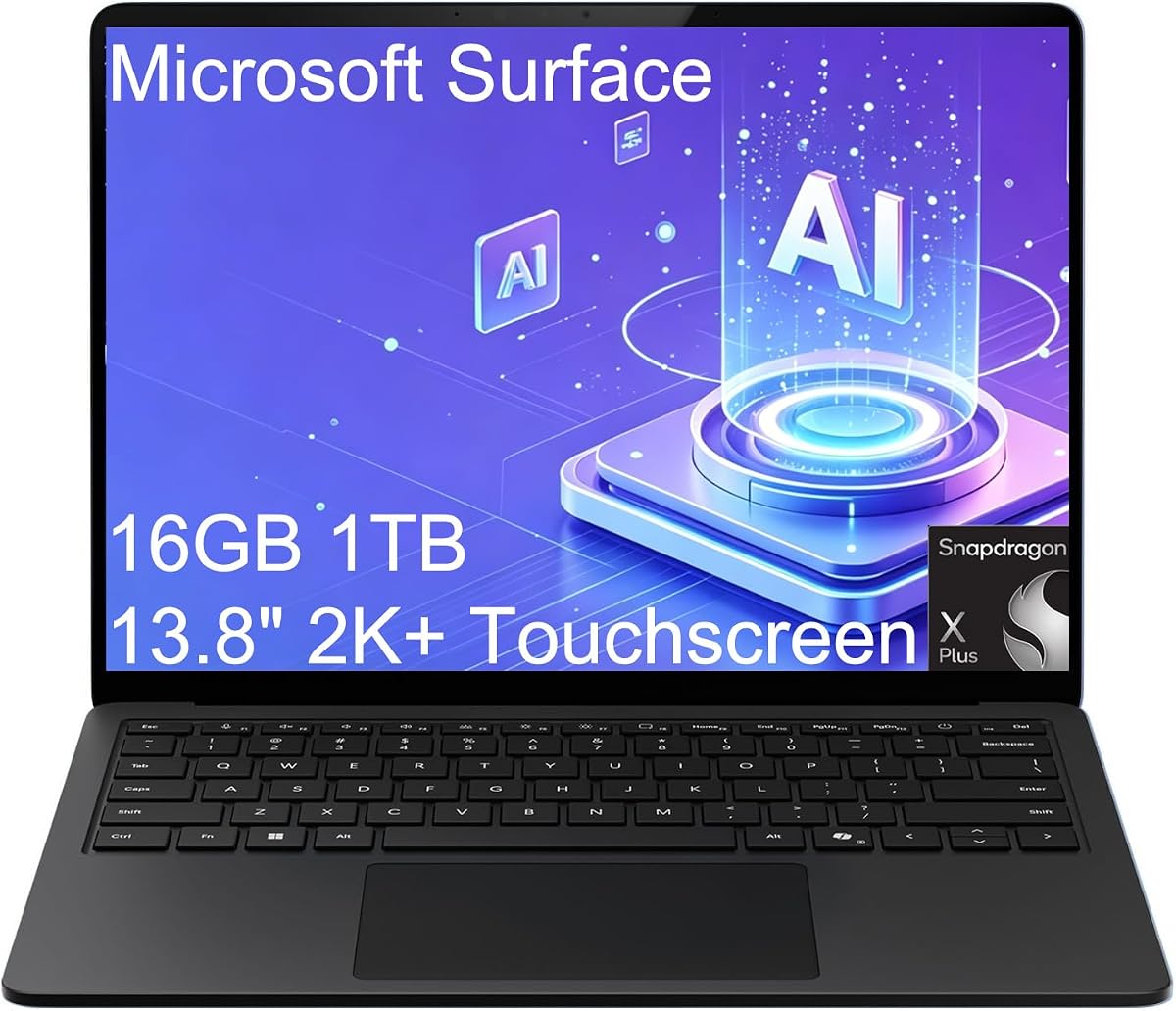
The Microsoft Surface Laptop 7 delivers a sleek design optimized for mobile professionals. Rated 4.3, it offers up to 20 hours of battery life, ensuring you stay powered throughout the day. The Snapdragon X Plus processor provides efficient performance for daily productivity tasks without sacrificing speed.
We may earn a commission when you buy through this link, at no additional cost to you.
Its 13.8-inch 2K+ touchscreen with 120Hz refresh rate ensures smooth visuals and responsive interaction. The dedicated Copilot key offers instant AI assistance, streamlining workflows for modern business users. Connectivity includes USB4 ports supporting dual 4K monitors, making it versatile for external setups.
The limited port selection may require dongles for some users, but the Surface Connect port allows for fast charging and docking. The higher price reflects its premium materials and brand reputation. However, the trade-off is acceptable for those valuing style and reliability in a business setting.
This laptop is best suited for remote workers and consultants who need a lightweight, stylish machine with strong AI features. If you prioritize design and mobile workflow efficiency, the Surface Laptop 7 is a compelling option.
A dedicated Copilot key enables instant access to AI assistance, accelerating everyday tasks and content creation.
Two USB4 ports support two external 4K monitors at 60Hz without a docking station for expanded workspace.
We may earn a commission when you buy through this link, at no additional cost to you.
The HP OmniBook 3 14 offers a strong combination of battery life and AI features. Rated 4.6, it provides up to 30 hours of local video playback on a single charge. The Snapdragon X processor enables local processing of complex AI workloads, offering fast responsiveness without cloud dependency.
We may earn a commission when you buy through this link, at no additional cost to you.
Its 14-inch 2K touchscreen maximizes vertical workspace with a 16:10 aspect ratio, ideal for productivity. The laptop weighs only 3.13 lbs, ensuring effortless portability for travelers. Secure connectivity features like a physical privacy shutter and Windows Hello support protect user privacy during video calls.
The fixed memory design means upgrades are not possible after purchase, so selecting the right configuration is vital. While gaming performance is limited by the integrated GPU, it excels in everyday productivity and media consumption. Fast charging reduces downtime, making it a practical choice for on-the-go users.
This laptop is recommended for users seeking a balance of AI capabilities, long battery life, and touchscreen convenience. If you need a responsive and secure device for daily tasks, this model delivers excellent value and performance.
The 45 TOPS NPU processes complex workloads locally, ensuring privacy and reducing latency for intelligent tasks.
Weighing only 3.13 lbs with a slim profile, this device is easy to carry and fits well in small bags.
We may earn a commission when you buy through this link, at no additional cost to you.
The Lenovo Laptop 15.6 focuses on high performance with a 13th Gen Intel Core i7 processor. Rated 4.6, it offers exceptional multitasking power with 24GB RAM and 1TB NVMe SSD for fast access to files. While its battery life is shorter, it prioritizes speed and reliability for demanding tasks.
We may earn a commission when you buy through this link, at no additional cost to you.
Its 15.6-inch FHD anti-glare display offers comfortable viewing for long work sessions. The bundled Instant Expansion dock enhances connectivity with HDMI and USB ports, making it versatile for hybrid work. Dolby Audio speakers provide quality sound for video conferencing, while the privacy shutter ensures security.
The battery runtime does not match other options in this list, but it remains suitable for power users who plug in frequently. The MIL-STD tested durability ensures longevity in professional environments. This model is a strong alternative for those who prioritize raw power over portability.
This laptop is ideal for business users and developers needing ample memory and storage for complex workflows. If you require a reliable machine for demanding applications and don't need extreme battery life, this is a solid choice.
Gigabit Ethernet and multiple USB ports ensure stable network and peripheral connections for office setups.
MIL-STD-810H testing guarantees reliability under harsh conditions, making it suitable for on-site work.
We may earn a commission when you buy through this link, at no additional cost to you.
The Lenovo Essential 15.6 provides a cost-effective solution for basic computing needs. Rated 4.1, it features an energy-efficient processor and 8GB RAM for smooth multitasking. While storage is limited, the UFS drive offers fast boot times suitable for everyday tasks like browsing and document editing.
We may earn a commission when you buy through this link, at no additional cost to you.
Its 15.6-inch FHD display provides an expansive viewing experience with a privacy shutter for security. The laptop weighs just 3.42 lbs, making it portable despite the larger screen. Connectivity includes USB-C with Power Delivery and HDMI, supporting versatile setups for home and office use.
Storage constraints may require external drives for larger media files. Additionally, Windows 11 Home in S mode restricts app installations to the Microsoft Store. However, for users seeking a simple, reliable, and affordable laptop, these limitations are acceptable trade-offs.
This laptop is best for families and students needing a basic machine for schoolwork and light media consumption. If budget is a primary concern and you do not require high-end specs, this model offers essential features at a low price.
The ENERGY STAR certified processor helps reduce power consumption while maintaining adequate performance for light tasks.
HD 720p camera with a built-in privacy shutter protects your privacy when not in use during video calls.
We may earn a commission when you buy through this link, at no additional cost to you.
Selecting a laptop with extended battery life involves evaluating several key factors that affect runtime and usability. Consider the following aspects to find a model that matches your daily workflow and mobility needs.
The processor type significantly impacts battery consumption. ARM-based chips like Snapdragon X Elite are designed for efficiency, often delivering longer runtimes than traditional x86 processors while maintaining performance for most tasks.
Look for low-power processors such as Intel Ultra or AMD Ryzen with dedicated NPUs for AI tasks to maximize battery usage without sacrificing speed.
Battery life is measured in watt-hours (Wh) and usage hours. A higher Wh capacity typically means longer runtime, but real-world performance depends on screen brightness and workload intensity.
Check manufacturer ratings for local video playback to get a realistic estimate of how long the laptop will last during continuous use.
Screens account for a large portion of battery drain. OLED panels offer vivid colors but can consume more power when displaying bright content. LCDs with efficient backlighting might provide longer endurance in specific conditions.
Choose a display with an adjustable refresh rate to lower power usage when high smoothness is not needed.
Windows 11 Pro and S modes include power management tools that optimize battery usage. Features like Copilot+ PC offload tasks to the NPU, freeing the CPU for idle states to save energy.
Ensure the OS supports modern sleep modes and fast charging to maximize uptime when plugged in briefly.
Durability and weight affect how often you carry the device and its battery strain. A lighter chassis reduces travel weight but may sacrifice battery size, while heavier models can house larger cells.
Prioritize MIL-STD ratings if you work in rugged environments to protect the internal battery from damage.
Ports like USB-C with Power Delivery allow you to charge on-the-go with compact adapters. Wi-Fi 7 and Bluetooth 5.4 improve wireless efficiency, reducing power spent on unstable connections.
Opt for models with enough native ports to avoid dongles that can drain power or complicate charging setups.
Sufficient RAM prevents the system from swapping data to the drive, which consumes more battery. Fast NVMe SSDs reduce load times and keep components in low-power states longer.
Choose at least 16GB RAM and a fast SSD to balance performance with efficient battery usage for daily tasks.
Reputable brands provide better quality control on battery cells and thermal management. Warranty terms and driver support ensure long-term reliability for critical battery components.
Research user feedback on battery degradation to ensure the laptop maintains its runtime over years of use.
To maximize battery lifespan, avoid exposing the laptop to extreme heat or cold. Keep it in a cool, dry place when not in use, and ensure vents are clear to prevent overheating during heavy tasks.
Charge the device regularly but avoid leaving it plugged in at 100 percent for extended periods if your system offers charge throttling. Use the official adapter to prevent voltage fluctuations that could damage the battery cells.
Update drivers and firmware to leverage power management improvements from manufacturers. Adjust screen brightness and turn off unused features like Bluetooth when running on battery to extend runtime per charge.
ARM-based processors like Snapdragon X Elite are currently leading in efficiency, often delivering 20 to 40 hours of battery life. These chips manage power consumption better than traditional Intel or AMD x86 options for everyday tasks.
OLED panels can consume more power with bright, static content, but they often use less energy for dark mode or media playback. Adjusting brightness and content can balance their efficiency compared to LCDs.
Avoid extreme temperatures, charge regularly, and avoid keeping the device at full charge for long periods. Using manufacturer-provided power settings and updates also helps maintain battery health over time.
Yes, for light tasks like browsing and document editing, many modern laptops can achieve 20 hours. Heavy workloads like video editing will reduce this time significantly depending on the model and settings.
Windows 11 Pro offers advanced management tools and enterprise features that can optimize power usage. Home is sufficient for most users, but Pro provides additional control over system processes affecting battery drain.
Yes, Wi-Fi 7 is more efficient at handling data, reducing the power needed to maintain stable connections. This is especially beneficial for users who rely heavily on cloud collaboration and video calls.
We explored ten exceptional models ranging from affordable essentials to premium ultrabooks. The Dell XPS 13 9345 and HP OmniBook 3 14 stand out for their impressive 27 and 41-hour battery lives respectively, offering great value for endurance.
Prioritize your specific needs such as screen quality, portability, and processing power when selecting a device. A balance between hardware efficiency and practical battery capacity ensures you stay productive throughout long workdays and travel.
Verify current product details and prices before purchasing as specifications may change. We hope this guide helps you find a reliable laptop that meets your energy demands and supports your professional or academic goals effectively.